Technology Solutions
- Home /
- Categories /
- Technology Solutions
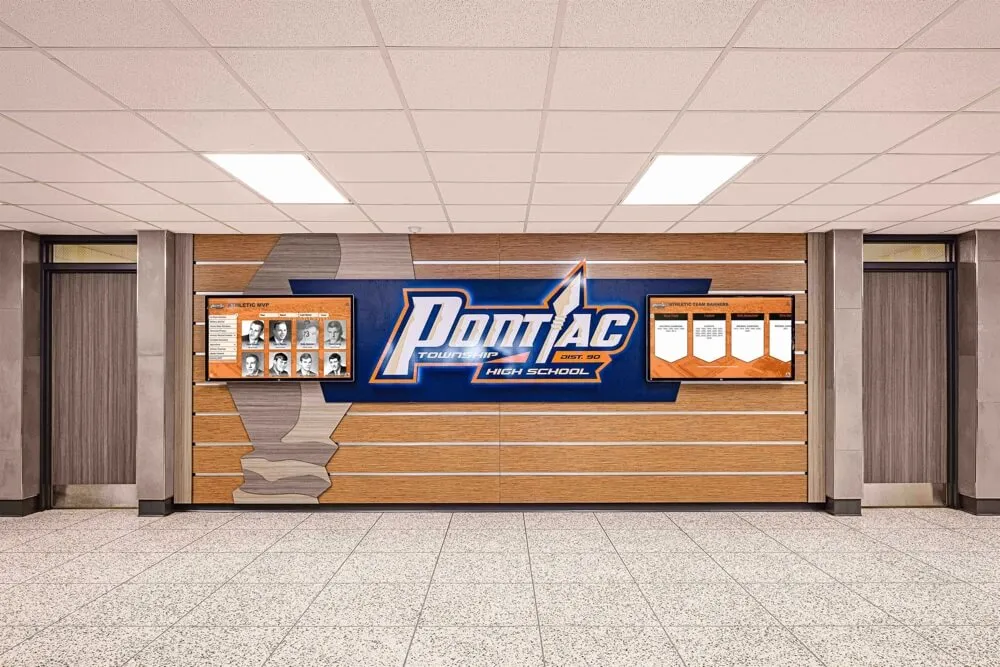
Why Digital Recognition Systems Work Perfectly for Small to Medium Public High Schools
Small to medium public high schools face a unique challenge: how to celebrate student achievement, preserve school history, and build community pride when working with limited budgets, constrained physical space, and lean administrative teams. Traditional recognition methods—engraved plaques, printed banners, glass trophy cases—quickly become expensive, space-consuming, and difficult to maintain as schools accumulate decades of achievements across academics, athletics, arts, and community service.
Read More
What Is Digital Signage? A Complete Guide for Schools and Organizations
Intent: define — Digital signage is a dynamic electronic display system that communicates information through screens ranging from small monitors to large interactive touchscreen walls. Unlike traditional static signs and printed posters, digital signage delivers multimedia content—text, images, videos, and interactive elements—that can be updated remotely, scheduled automatically, and tailored to specific audiences and contexts.
Read More
Rocket Alumni Solutions Hardware & Setup Reviews: Not Just Software—Full-Stack Kiosk Expertise with Single-Point Customer Success
Schools and organizations exploring interactive recognition displays commonly encounter a frustrating pattern: vendors provide software while deflecting hardware responsibility to third parties, creating fragmented support nightmares where nobody owns complete accountability for uptime. When touchscreens fail, network issues emerge, or mounting hardware breaks, customers find themselves trapped coordinating between multiple vendors—each pointing fingers while displays remain dark and recognition programs suffer.
Read MoreDigital Signage Services: Touchscreen Kiosks with Split-Screen Widgets for Multi-Client Displays Without Programming
Digital signage services evolved from simple message boards into sophisticated communication platforms capable of managing multiple screens simultaneously, displaying rich multimedia content, and integrating real-time data from countless sources. Yet many organizations struggle to find solutions providing the specific combination of touchscreen interactivity, split-screen layout flexibility, pre-built widget integration, and multi-client management capabilities—all without requiring programming expertise or technical staff.
Read More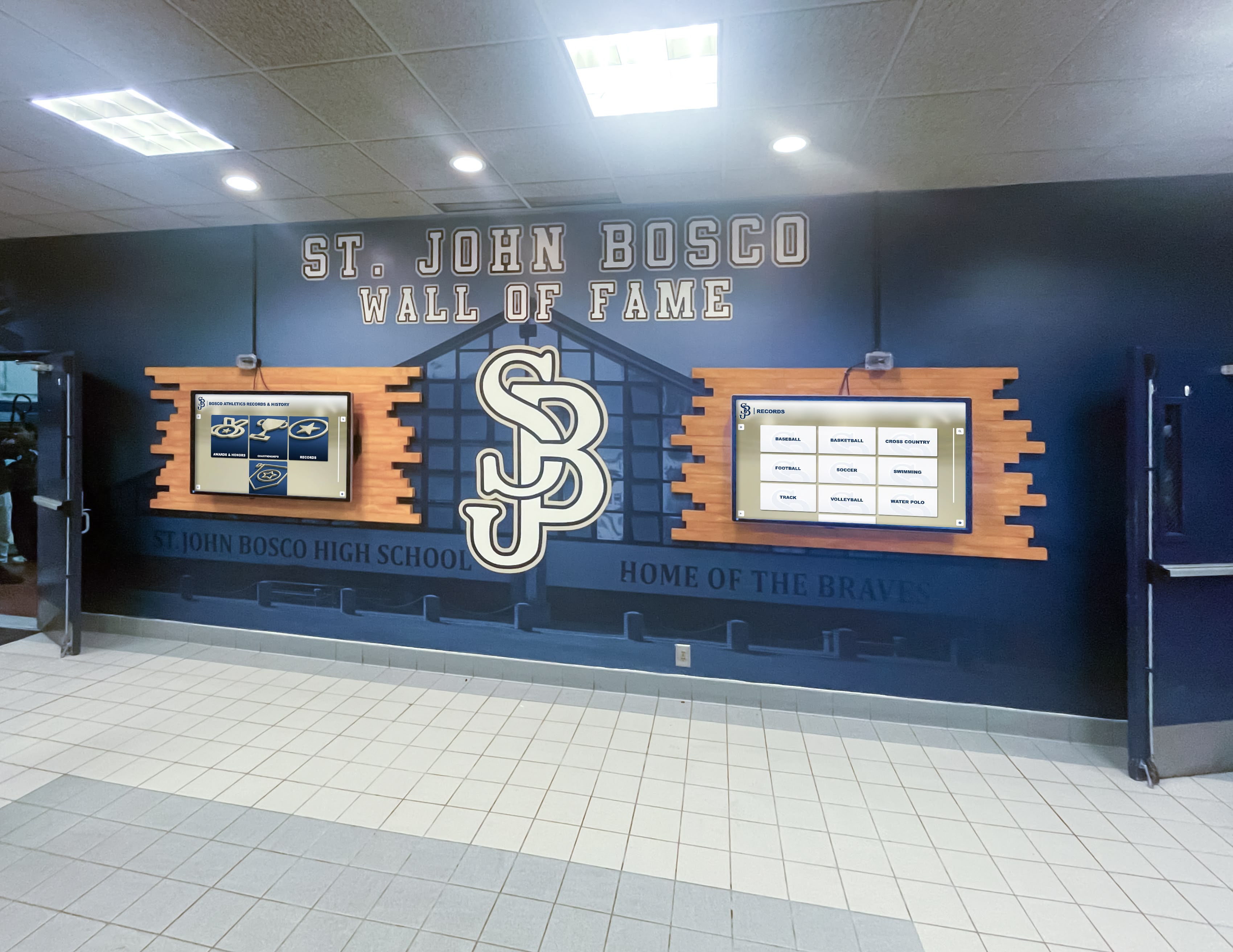
Rocket Alumni Solutions Software on Unlimited Screens - No Hidden Costs
Schools and organizations implementing digital recognition displays across multiple locations face a deceptive pricing trap. Many digital signage providers advertise attractive base pricing, but bury expensive multi-screen licensing fees requiring additional charges for each display location. Want recognition content in your gym, lobby, and cafeteria? That seemingly affordable monthly subscription suddenly multiplies by three—or more.
Read More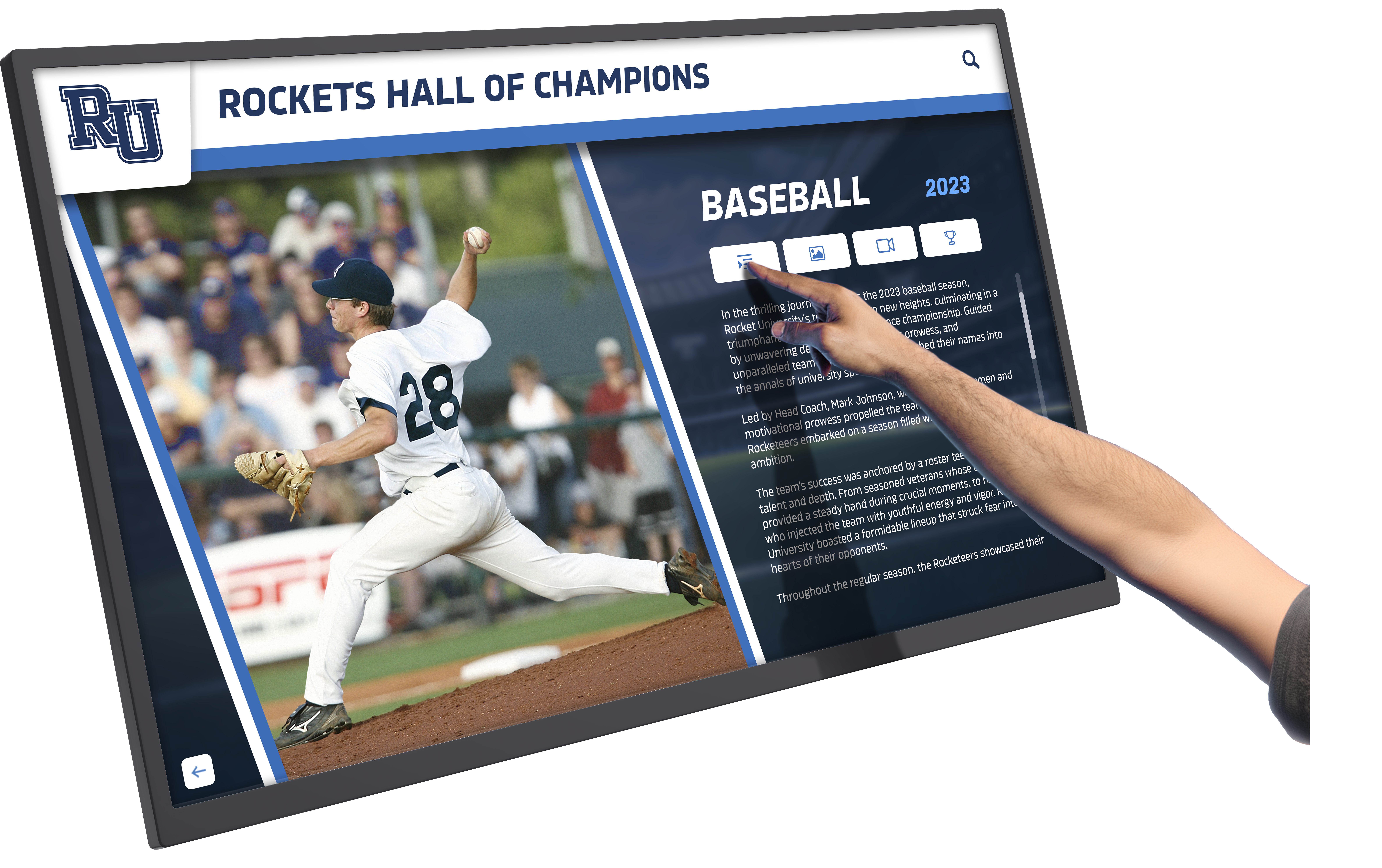
Touchscreen Augmented Reality Display Guide: Transforming Recognition and Engagement in Schools and Organizations
Intent: demonstrate — Touchscreen augmented reality displays represent the convergence of physical interactive technology and digital content layering, creating recognition experiences where schools, universities, and organizations celebrate achievements through multi-dimensional engagement that extends far beyond traditional static displays or standalone touchscreen systems.
Read MoreBest Digital Signage Software 2026: Complete Buyer's Guide for Interactive Displays
Intent: compare — Organizations implementing digital signage in 2026 face overwhelming choices among platforms claiming to offer the “best” solution. Generic digital signage software serves broad applications from menu boards to corporate lobbies, but schools, universities, athletic departments, and recognition-focused organizations require specialized capabilities creating engaging, interactive experiences that transform passive viewers into active community participants.
Read More
Photo Booth Software for Kiosk Public Use & Events: Complete 2025 Guide to Interactive Engagement
Intent: demonstrate — Photo booth software for kiosk public use transforms static event spaces and public venues into dynamic engagement hubs where attendees capture moments, share experiences, and create lasting connections. These interactive photo booth systems combine touchscreen technology, automated photography, social media integration, and real-time sharing capabilities to deliver experiences that warm up cold digital interactions while generating authentic user content extending event reach far beyond physical attendance.
Read MoreMWE-QIXZOCV Touchscreen Kiosk Interactive Displays: Complete Compatibility Guide for Recognition Software
Intent: decide — Organizations implementing interactive recognition displays face critical hardware decisions determining whether installations create warm, engaging community experiences or become technology investments that fail to deliver expected value. MWE-QIXZOCV touchscreen kiosk interactive displays represent accessible, budget-friendly hardware options that, when paired with purpose-built recognition software like Rocket Alumni Solutions, transform how schools, athletic departments, museums, and community organizations celebrate achievements while building vibrant, connected communities.
Read MoreBest Touchscreen Software: Web Based vs Native App for Interactive Displays
Intent: compare — Organizations implementing interactive touchscreen displays face a fundamental technology decision that significantly impacts user experience, long-term costs, and system performance: should they deploy web-based touchscreen software or native applications? This choice affects everything from development complexity and maintenance requirements to accessibility features and user engagement quality.
Read MoreTouch Screen Kiosk Software For Interactive Kiosk Displays: Complete 2025 Guide
Intent: demonstrate — Touch screen kiosk software transforms static public displays into dynamic, interactive experiences that engage visitors, surface personalized content, and create warm digital communities. These specialized software platforms power everything from recognition displays and wayfinding systems to information kiosks and interactive exhibits, fundamentally changing how organizations connect with their audiences.
Read MoreTouchscreen Kiosk App: Fully Locked Down Kiosk Browser Download Guide 2025
Intent: compare — Organizations implementing public-facing touchscreen displays need reliable kiosk browser apps that lock down devices, prevent unauthorized access, and deliver seamless user experiences. The right kiosk software transforms Android tablets, iPads, and computers into secure, single-purpose displays perfect for schools, museums, retail environments, and recognition systems.
Read MoreTouchscreen Software Guide 2025: Creating Engaging Interactive Experiences for Schools and Organizations
Intent: decide — Organizations implementing interactive touchscreen displays face critical software decisions that determine whether installations create warm, engaging community experiences or become underutilized technology investments gathering dust. The right touchscreen software transforms static spaces into vibrant, personalized engagement hubs where schools celebrate achievements, museums captivate visitors, and organizations strengthen community connections through meaningful digital interactions.
Read More






























