




Intent: demonstrate — Schools investing in digital hall of fame displays face a critical question: who actually installs these systems? Traditional trophy cases required simple carpentry, but modern interactive displays involve mounting heavy touchscreens, running electrical power, establishing network connectivity, and ensuring ADA-compliant placement. Many schools discover that their usual maintenance staff lacks the specialized skills for professional installation, while others waste months coordinating between multiple vendors for electrical, IT, and mounting work.
The installation process determines whether your digital recognition display becomes a vibrant community centerpiece or an underutilized screen collecting dust. Proper setup near front offices and main entrances requires coordination between multiple specialists, careful attention to traffic flow, and technical expertise that transforms hardware into engaging spaces. Schools need clear guidance about who handles each installation component and how to ensure seamless deployment that activates communities from day one.
Schools planning digital hall of fame displays typically work with one of three installation models: turnkey providers who handle everything, general AV contractors who coordinate multiple specialists, or in-house teams supplemented by technical vendors. Each approach offers distinct advantages depending on school resources, timeline constraints, and technical infrastructure. Understanding who installs which components helps administrators budget appropriately, avoid common pitfalls, and create recognition displays that transform passive hallways into active community spaces.
Understanding the Installation Team Structure
Modern digital hall of fame installations require coordinated expertise across multiple disciplines. The question “who installs digital hall of fame displays” rarely has a single answer because successful deployments involve electrical contractors, IT specialists, mounting professionals, and software implementation teams working in sequence.
Professional installation typically involves four distinct phases: site assessment and planning, physical mounting and electrical work, network connectivity and system configuration, then content loading and staff training. Schools that understand this multi-phase structure can better coordinate timing, manage budgets, and ensure each specialist has what they need when they arrive on site.
Turnkey Installation Providers
The most straightforward installation model involves turnkey providers who manage the entire process from planning through final training. These companies employ or contract all necessary specialists, coordinate scheduling, and take responsibility for the complete installation outcome. For schools with limited technical staff or tight timelines, turnkey installation eliminates coordination headaches.
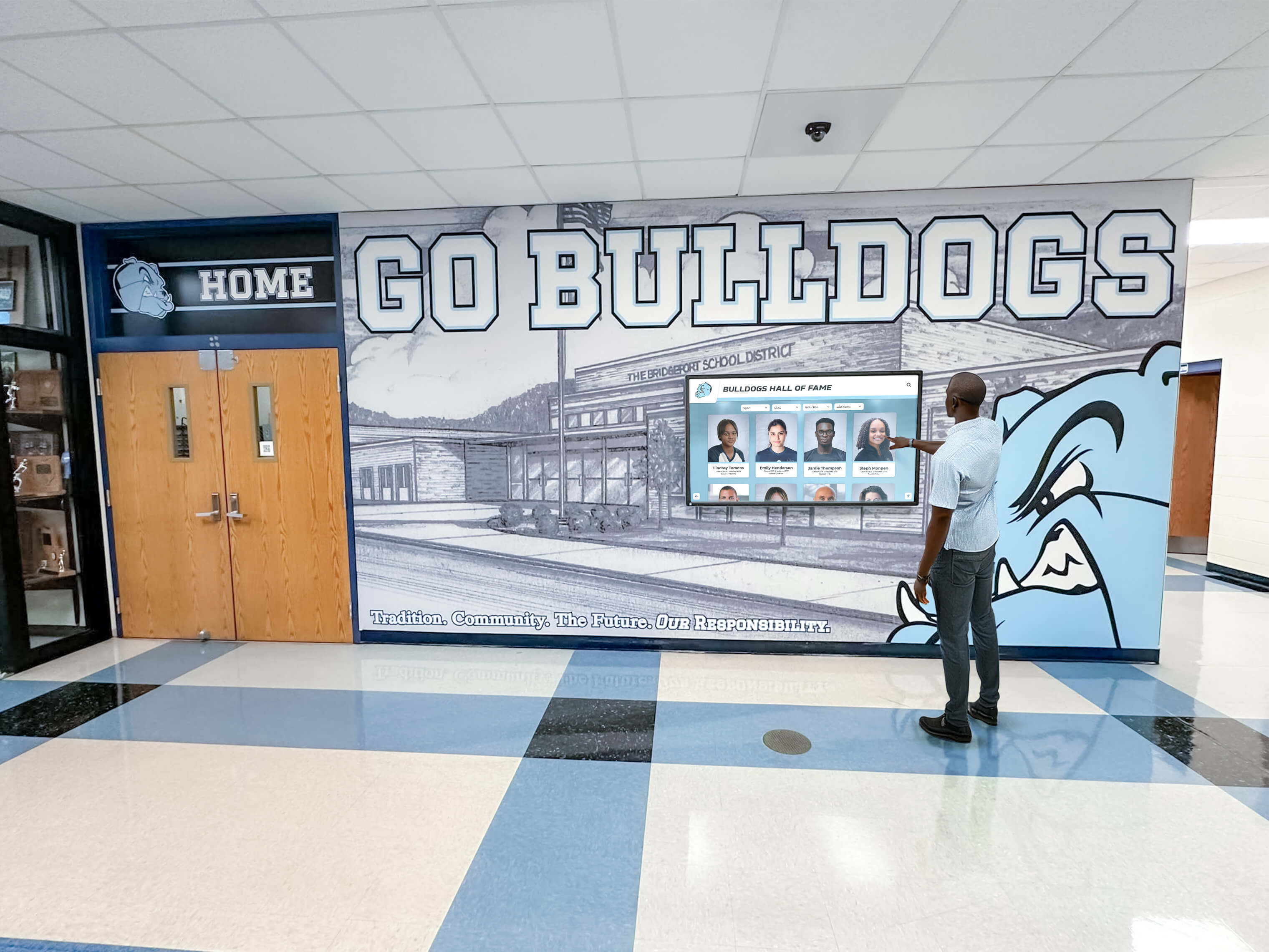
Turnkey providers typically include a dedicated project manager who conducts site visits, coordinates between specialists, manages permitting requirements, and serves as single point of contact for school administrators. This approach proves particularly valuable for schools installing multiple displays across campus or those lacking dedicated facilities staff who can supervise complex installations.
Solutions like Rocket Alumni Solutions offer comprehensive installation services that handle mounting, electrical work, network setup, and content implementation through coordinated teams. Their white-glove approach includes site assessment, custom mounting solutions for unique wall types, and post-installation support that ensures schools can immediately begin creating engaging digital recognition experiences.
Audio-Visual Contractors and Systems Integrators
Many schools partner with regional AV contractors or systems integrators who specialize in educational technology deployments. These companies handle hardware mounting and basic configuration, then coordinate with the school’s electricians and IT departments for power and network connectivity.
AV contractors bring expertise in commercial display installation, proper mounting techniques for different wall types, and understanding of viewing angles optimized for high-traffic areas. They typically provide insurance coverage, proper permitting, and warranty support for mounting hardware and display panels.
However, AV contractors may not handle software configuration, content management system setup, or training on the recognition platform itself. Schools often need separate contracts with the software provider for implementation services, creating potential coordination challenges between hardware and software teams.
In-House Installation with Vendor Support
Schools with experienced facilities and IT departments sometimes choose to handle installation internally with support from the display vendor. This approach reduces costs but requires significant internal coordination and technical expertise. The school’s maintenance team handles mounting and basic electrical work, while IT staff configure network access and manage ongoing connectivity.
Vendor support in this model typically includes detailed installation guides, remote technical assistance during setup, and training sessions for administrators who will manage content. However, schools assume responsibility for proper mounting, electrical compliance, and troubleshooting any installation issues that arise.
This approach works best for schools installing single displays in straightforward locations with existing electrical outlets and network drops nearby. Complex installations involving custom mounting, challenging wall types, or locations requiring significant electrical work generally benefit from professional installation services.
The Installation Process: What Actually Happens
Understanding the installation sequence helps schools coordinate timing, prepare locations, and ensure smooth deployment. Professional installation follows a structured process that typically spans several weeks from initial planning to final activation.
Site Assessment and Planning
The installation process begins with comprehensive site assessment, typically conducted 2-4 weeks before installation day. Professional installers evaluate wall structure, identify electrical and network access points, assess viewing angles and traffic flow, and determine any special mounting requirements.
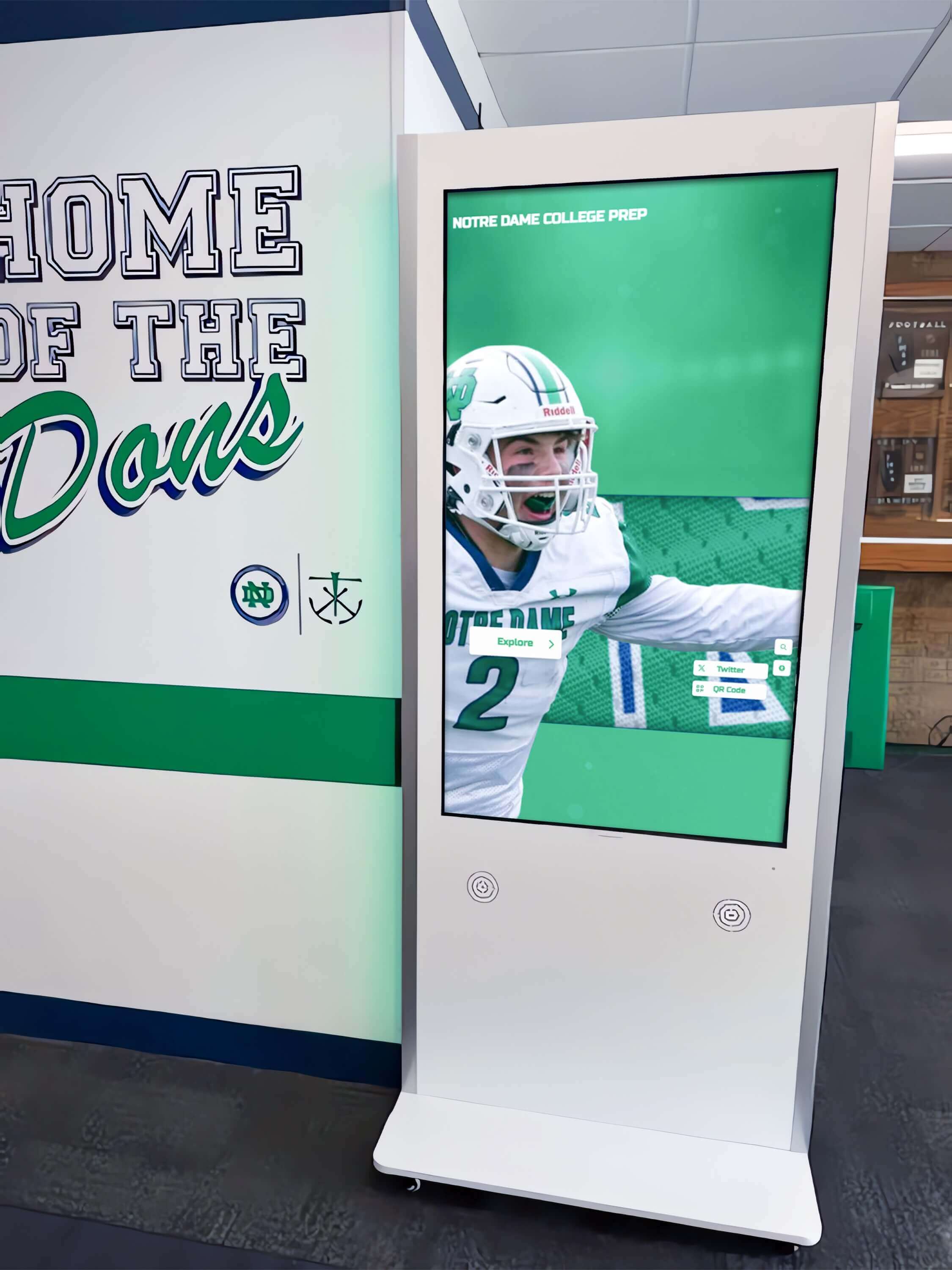
This planning phase identifies potential challenges before installation teams arrive on site. Assessors check whether walls can support display weight, confirm electrical capacity meets requirements, verify network coverage at the installation location, and document any ADA compliance considerations for mounting height and accessibility.
Schools should use this planning phase to coordinate with facilities directors about any construction permits required, schedule installation during low-traffic periods, arrange access for contractors, and communicate with staff about temporary disruptions to hallway traffic. Proper planning prevents common issues like discovering during installation that walls require reinforcement or that electrical circuits lack sufficient capacity.
Physical Mounting and Electrical Work
Installation day typically begins with physical mounting work. Professional installers bring commercial-grade mounting brackets designed for display weight and size, drill pilot holes and install wall anchors appropriate for wall type, level and secure mounting plates, then carefully hang and secure display panels.
Mounting work requires expertise in different wall structures. Brick and concrete walls need masonry bits and specialized anchors. Drywall installations often require locating studs or installing backing plates for proper support. Metal studs common in modern construction may need additional reinforcement for heavy displays.
Electrical work follows or happens simultaneously with mounting. Licensed electricians run dedicated circuits from electrical panels to display locations, install code-compliant outlets behind or near displays, ensure proper grounding and surge protection, and test electrical connections before powering displays. Schools should confirm installers carry proper licensing and insurance for electrical work to meet building code requirements.
Network Connectivity and System Configuration
Once displays are physically installed and powered, network connectivity work begins. IT specialists run ethernet cables from network switches to display locations, configure network access and assign IP addresses, set up any required firewall rules or VLANs, and test internet connectivity and bandwidth.
Many modern digital recognition displays require consistent internet connectivity for content updates, remote management, and cloud-based features. Schools should ensure network infrastructure provides sufficient bandwidth and reliability at installation locations, often requiring coordination with district IT departments for larger deployments.
System configuration includes installing any required software on display hardware, connecting displays to content management platforms, configuring display settings for optimal viewing, and setting up remote access for ongoing management. Professional installers document network settings, provide credentials for display management, and establish remote support access for troubleshooting.
Content Implementation and Training
The final installation phase involves loading initial content and training school staff on ongoing management. Implementation specialists help schools transfer existing recognition data, create initial hall of fame profiles and displays, configure navigation menus and user interfaces, and customize branding and visual design.

Training typically covers content management system basics, adding and updating inductee profiles, uploading photos and videos, scheduling content changes, and basic troubleshooting procedures. Effective training ensures schools can maintain vibrant, current content that keeps communities engaged rather than letting displays become static after initial installation.
Schools should designate specific staff members for training sessions and ongoing content management responsibilities. Athletic directors, alumni coordinators, or communications staff typically become content managers who keep recognition displays fresh and relevant throughout the school year.
Location Considerations: Front Office Placement Strategy
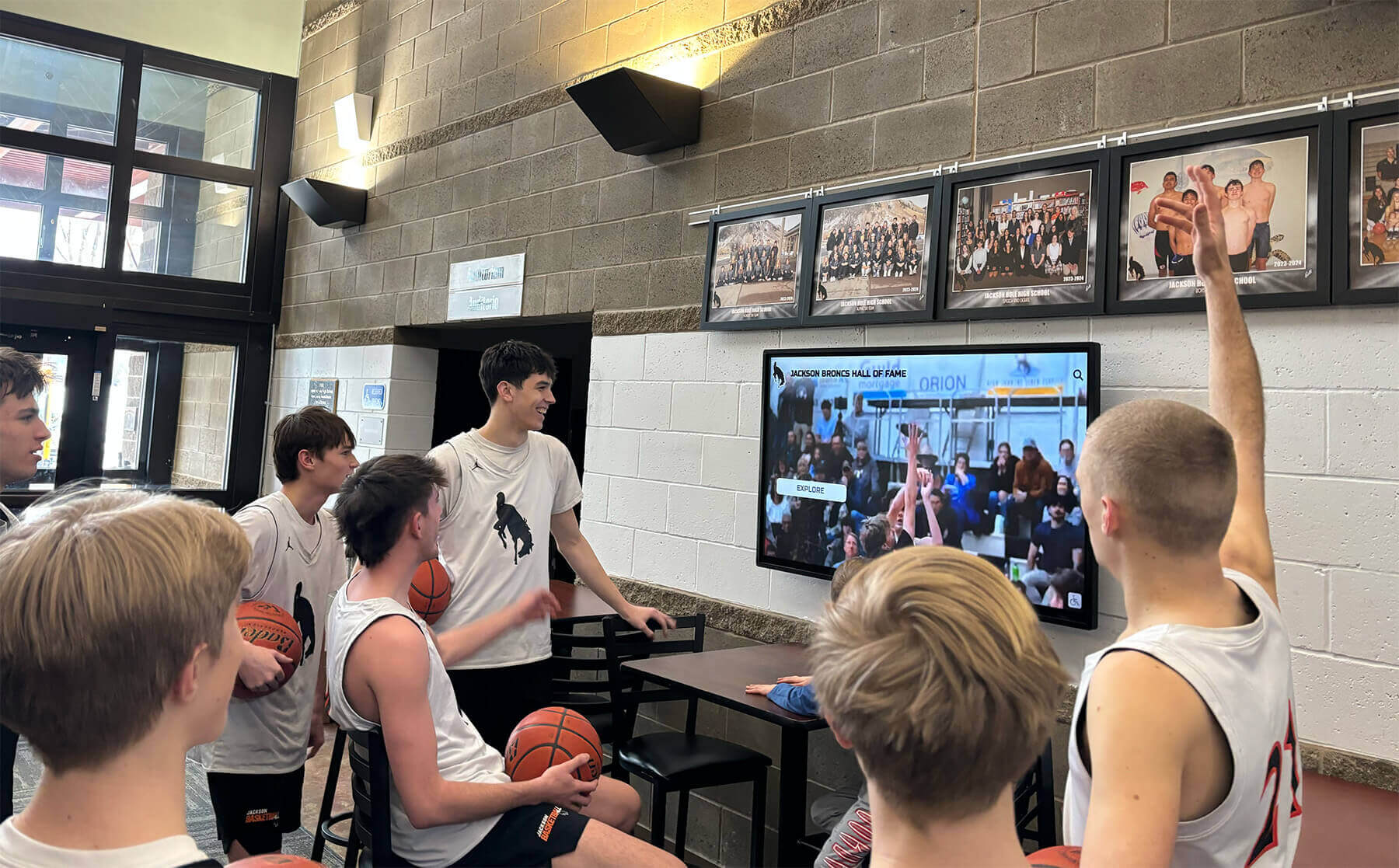
Digital hall of fame displays near front offices and main entrances serve dual purposes: welcoming visitors while creating natural gathering spots for students, staff, and community members. Professional installers understand placement strategies that optimize visibility, accessibility, and community engagement.
Front office placement requires careful consideration of several factors. High-traffic areas maximize exposure but may create congestion if displays generate significant interaction. Mounting height must balance visibility for standing adults with accessibility for students and visitors using wheelchairs. Lighting conditions affect screen readability, with direct sunlight creating glare issues for many display types.
Optimal Placement Zones
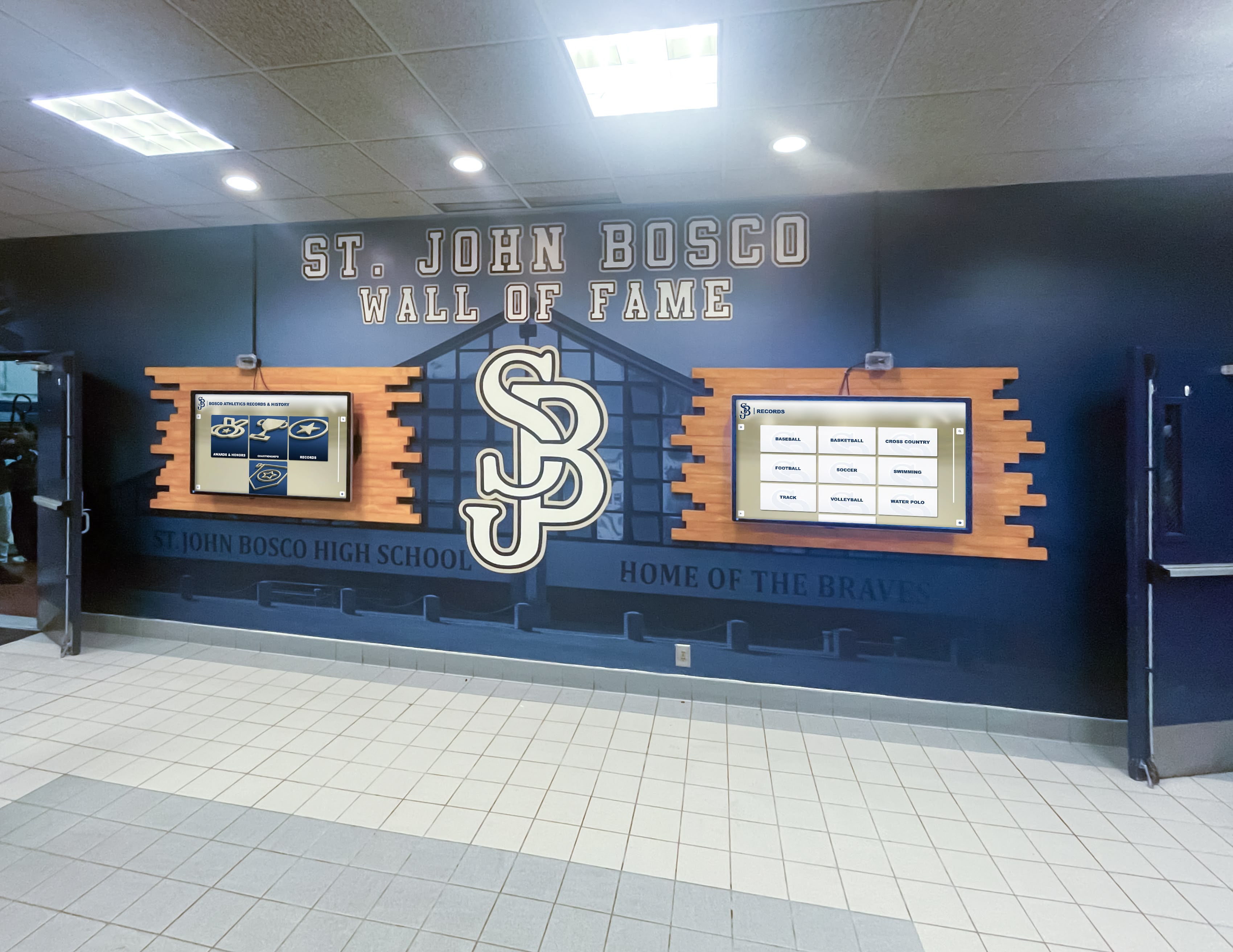
Professional installers typically recommend placement in transition zones where visitors naturally pause rather than in direct traffic flow. Ideal locations include lobby areas adjacent to main entrances, hallway intersections near administrative offices, waiting areas outside front offices, and alcoves or architectural features that create natural viewing spaces.
These locations provide visibility without obstructing traffic flow, offer adequate wall space for proper mounting, typically have existing lighting and electrical infrastructure nearby, and create natural gathering spots where community members can engage with content. Schools should avoid narrow hallways where displays might impede emergency egress or ADA-compliant passage widths.
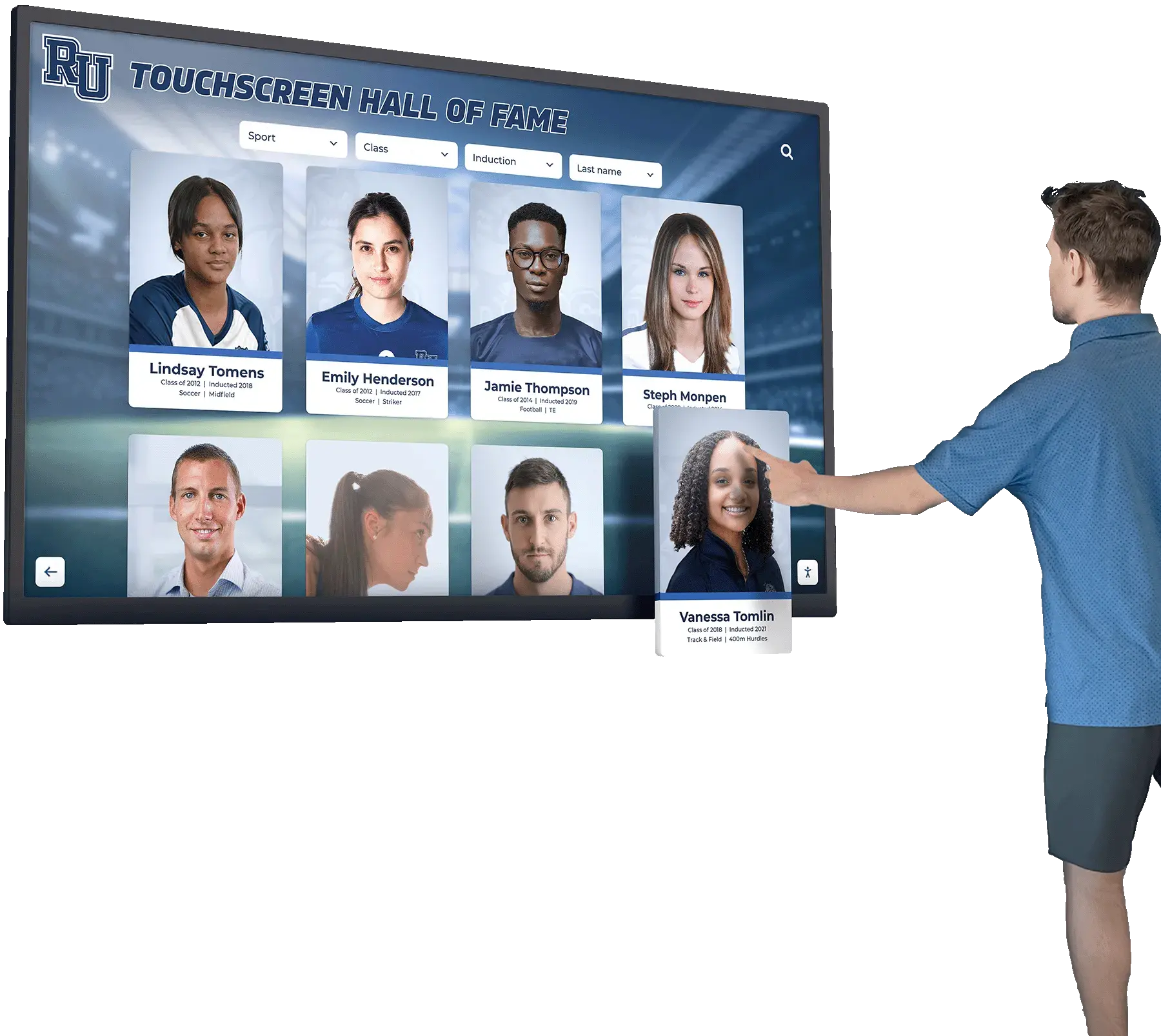
Viewing distance also influences placement decisions. Interactive touchscreens need mounting at heights accessible for touch interaction, typically 40-48 inches from floor to screen center. Non-interactive displays can mount higher for visibility from greater distances but should still maintain readability for key text elements.
Infrastructure Requirements
Successful front office installations depend on adequate infrastructure at proposed locations. Professional installers assess three key infrastructure elements during site planning: electrical capacity, network connectivity, and structural support.
Electrical requirements vary by display size and technology. Large-format touchscreens may require 15-20 amp dedicated circuits, while smaller displays can often share existing circuits. Installers evaluate whether current electrical infrastructure can support displays or whether circuit upgrades are necessary before installation.
Network connectivity proves critical for modern cloud-based recognition platforms that enable remote content management and real-time updates. Front office areas typically have good network coverage, but installers should verify adequate bandwidth and signal strength before finalizing placement decisions. Hardwired ethernet connections provide more reliable performance than wireless alternatives for permanent installations.
Wall structure determines mounting approach and hardware requirements. Concrete and brick walls offer excellent structural support but require specialized drilling equipment. Drywall construction may need backing plates or blocking installed between studs to support display weight. Metal stud construction common in modern schools often requires additional reinforcement for displays exceeding 50 pounds.
Common Installation Challenges and Solutions
Even professional installations encounter unexpected challenges. Understanding common issues helps schools anticipate potential complications and work with installers to develop solutions that keep projects on schedule.
Structural Limitations
Weak walls, metal studs, or historic building restrictions can complicate mounting work. Professional installers address structural challenges through various approaches: installing backing plates that distribute weight across larger wall areas, using ceiling-mounted brackets for displays in locations with inadequate wall support, creating freestanding kiosks for areas where wall mounting proves impractical, or reinforcing walls with additional framing before mounting displays.
Schools should discuss structural concerns during initial site assessment to ensure installers arrive with appropriate equipment and mounting solutions. Historic buildings may require architectural review before installing new displays, adding time to project timelines.
Electrical and Network Limitations
Insufficient electrical capacity or poor network coverage can delay installations if not identified during planning. Solutions include running new electrical circuits from panels with available capacity, installing network switches or wireless access points to improve connectivity, using cellular data connections in areas where wired networking proves impractical, or relocating displays to areas with better existing infrastructure.
Schools planning multiple display installations should work with facilities directors and IT departments to assess campus-wide infrastructure and identify any upgrades needed to support digital recognition systems across campus.
Coordination and Scheduling
Complex installations involving multiple specialists require careful scheduling coordination. Professional project managers address coordination challenges by creating detailed installation schedules with contingency time, clearly communicating dependencies between different work phases, maintaining regular communication with school administrators about progress, and having backup plans for handling unexpected delays or complications.
Schools should designate a single point of contact for installers who can make decisions, provide building access, and coordinate with other school staff. Clear communication prevents delays caused by unclear approval processes or scheduling conflicts with school activities.
Beyond Installation: Ongoing Support and Maintenance
Professional installation services extend beyond initial deployment to include ongoing support that keeps displays functioning reliably. Schools should clarify what post-installation support comes included versus what requires separate service agreements.
Comprehensive support typically includes remote monitoring of display connectivity and performance, software updates and security patches, technical troubleshooting for connectivity or display issues, replacement of failed hardware components under warranty, and periodic training refreshers for content management staff. These services ensure displays remain reliable community assets rather than becoming maintenance headaches.
Schools should also discuss who handles different types of maintenance. Simple tasks like cleaning touchscreens or updating content fall to school staff, while technical issues like network problems or hardware failures require professional support. Clear documentation of support responsibilities prevents confusion when issues arise.
Digital signage and recognition displays require regular content updates to maintain community engagement. Professional installers often provide initial content implementation but depend on school staff to keep information current and relevant. Establishing clear content management responsibilities during installation ensures displays remain vibrant recognition tools that activate school communities.
Cost Considerations and Budget Planning
Installation costs vary significantly based on display size, location complexity, and whether schools choose turnkey installation or coordinated in-house efforts. Understanding typical cost ranges helps schools budget appropriately and avoid surprise expenses.
Professional turnkey installation typically adds 15-25% to hardware costs for displays with straightforward mounting in locations with existing electrical and network infrastructure. Complex installations requiring significant electrical work, custom mounting solutions, or challenging locations can increase installation costs to 30-40% of hardware expenses.
Cost factors include professional mounting labor and commercial-grade hardware, electrical work for dedicated circuits or relocated outlets, network infrastructure upgrades or new cable runs, structural reinforcement for weak walls or ceiling mounts, and professional content implementation and training services. Schools should request detailed installation quotes that itemize these components rather than accepting single-line pricing that obscures potential cost variations.
Budget planning should also account for ongoing expenses beyond initial installation. Monthly or annual software licensing fees for content management platforms, extended warranty or service agreements for hardware support, content creation services if schools lack internal capabilities, and periodic training for new staff managing displays all contribute to total cost of ownership.
Many schools find that investing in professional installation pays dividends through reduced deployment time, fewer complications requiring remediation, better long-term reliability, and immediate engagement from displays that work correctly from day one. Trying to save money through inadequate installation often creates larger expenses correcting problems after the fact.
Selecting the Right Installation Partner
Schools evaluating installation providers should consider several factors beyond basic cost comparisons. The right installation partner brings technical expertise, clear communication, and commitment to creating engaging community spaces that extend well beyond display deployment.
Key selection criteria include documented experience installing interactive displays in educational settings, clear project management methodology with defined timelines and milestones, comprehensive insurance coverage and proper licensing for electrical work, references from other schools with similar installation requirements, and post-installation support options that match school needs.
Schools should request site visits from potential installers to evaluate their assessment approach, ask detailed questions about their process for handling unexpected challenges, review their standard installation timeline and identify potential acceleration options, and clarify exactly what services are included versus available as add-ons.
The best installation partners view their role as creating community engagement infrastructure rather than simply mounting displays. They understand that proper placement, reliable technical infrastructure, and intuitive content management enable schools to build vibrant recognition programs that transform passive hallways into active community spaces.
Installation services should create foundations for digital warming experiences where personalized content surfaces continuously, community members feel recognized for their contributions, and physical spaces become welcoming rather than utilitarian. Professional installers who understand this broader context deliver solutions that generate engagement metrics schools actually want: increased dwell time, frequent return visits, and deeper community connections.
Making Digital Recognition Part of School Culture
Professional installation creates the technical foundation, but schools must actively manage content and promote displays to realize their potential for community activation. The most successful digital hall of fame installations become integrated into school culture through consistent updates, diverse content, and active promotion to all community segments.
Content strategies that maintain engagement include regular inductee announcements that celebrate new hall of fame members, seasonal content rotations highlighting different sports or achievement categories, video content featuring personal stories and community celebrations, and integration with social media channels that extend recognition beyond physical displays. These approaches transform displays from static directories into dynamic community storytelling platforms.
Schools should establish content calendars that plan recognition announcements throughout the year, delegate content management responsibilities to specific staff members, create submission processes that make it easy for community members to nominate inductees, and regularly evaluate engagement to understand what content resonates most strongly. This systematic approach ensures displays remain vibrant rather than becoming neglected after initial installation excitement fades.
Academic recognition programs, athletic achievements, performing arts accomplishments, and community service contributions all deserve representation in comprehensive hall of fame displays. Diverse content ensures all community segments see themselves reflected in recognition programs, building broader engagement and stronger school culture.
Technology Decisions That Impact Installation
The specific display technology schools select significantly influences installation requirements and complexity. Understanding how different technology choices affect installation helps schools make informed decisions during planning stages.
Display Size and Format
Larger displays require stronger mounting solutions, increased electrical capacity, and more careful placement planning to avoid overwhelming spaces. Schools typically choose between several standard formats: single large-format displays (55-86 inches) that create impressive focal points but require substantial wall space and robust mounting, multi-display video walls that create maximum impact but increase installation complexity and coordination, and kiosk-style freestanding units that offer installation flexibility in areas where wall mounting proves impractical.
Installation complexity and cost generally increase with display size, but larger displays often provide better visibility in high-traffic areas and support more detailed content presentation. Schools should balance desired visual impact against installation requirements when selecting display specifications.
Touchscreen vs. Non-Interactive Displays
Interactive touchscreen displays create more engaging experiences but introduce additional installation considerations. Touchscreens require mounting heights accessible for interaction, typically lower than non-interactive displays optimized purely for viewing, more robust mounting to handle physical interaction forces, and sometimes additional electrical requirements for touch controller hardware.
Touchscreen installations also benefit from careful consideration of ergonomics and accessibility. Professional installers understand optimal mounting heights that serve diverse users, appropriate angles that reduce glare while supporting comfortable interaction, and placement that allows wheelchair users to access all interactive elements without obstruction.
Content Management Approaches
The content management system schools select influences network requirements and ongoing administration. Cloud-based platforms like Rocket Alumni Solutions require consistent internet connectivity but enable remote content updates and professional support through remote access. This approach works well for schools with reliable network infrastructure and staff who appreciate the flexibility of managing content from anywhere.
Local content management systems reduce network dependency but require on-site access for updates and limit remote support options. Schools with limited internet bandwidth or security policies restricting cloud services might prefer local systems despite reduced flexibility. Installation teams should understand content management approaches early in planning to ensure network infrastructure supports chosen platforms.
Future-Proofing Your Installation
Technology evolves rapidly, and schools making installation investments today should consider how to future-proof deployments against upcoming changes in display technology, content formats, and community expectations. Professional installers can build flexibility into installations that extend useful life and protect school investments.
Future-proofing strategies include installing higher-capacity electrical circuits than current displays require to support potential upgrades, running additional network cables to installation locations for redundancy and capacity, using modular mounting systems that accommodate different display sizes and configurations, and selecting content platforms with regular updates and active development roadmaps.
Schools should also discuss display upgrade paths with installers during planning. Understanding how mounting solutions support different display generations, whether electrical and network infrastructure can handle increased capacity demands, and what process replaces displays when technology advances helps schools plan for long-term recognition program evolution.
The most successful installations create scalable platforms that grow with school needs rather than fixed installations that become limitations. Starting with a single display near the front office establishes infrastructure and builds community engagement, with options to expand to additional locations as budgets allow and success demonstrates value. Professional installers can design initial deployments that support future expansion without requiring costly infrastructure rework.
Activating Communities Through Professional Installation
Digital hall of fame displays installed by experienced professionals become more than technology deployments—they transform into community activation infrastructure that creates digital warming throughout school spaces. Proper installation near front offices and main entrances ensures every visitor, student, staff member, and community participant encounters personalized recognition that makes spaces feel welcoming and vibrant.
The question “who installs digital hall of fame displays” matters because installation quality determines whether displays deliver their potential for community engagement. Turnkey providers, experienced AV contractors, and well-supported in-house teams can all create successful installations when they bring proper expertise, careful planning, and understanding of how technical infrastructure enables community connections.
Schools planning digital recognition displays should prioritize professional installation that handles mounting, electrical work, network connectivity, and content implementation as coordinated services. This approach minimizes deployment time, prevents technical complications, and ensures displays begin activating communities from day one. The modest additional investment in professional installation delivers significant returns through reliable operation, immediate engagement, and avoided expenses from remediation work.
Interactive recognition displays represent investment in community building infrastructure that serves schools for many years. Professional installation ensures this infrastructure functions reliably, serves diverse community needs, and creates the foundation for recognition programs that celebrate achievement while building stronger school culture. Schools that invest in proper installation create digital warming spaces where every community member feels valued, recognized, and connected to institutional legacy.
Ready to create professional digital recognition spaces that activate your school community? Book a demo to see how comprehensive installation services transform planning into engaging reality, handling every technical detail while you focus on building vibrant recognition programs that bring communities together.































