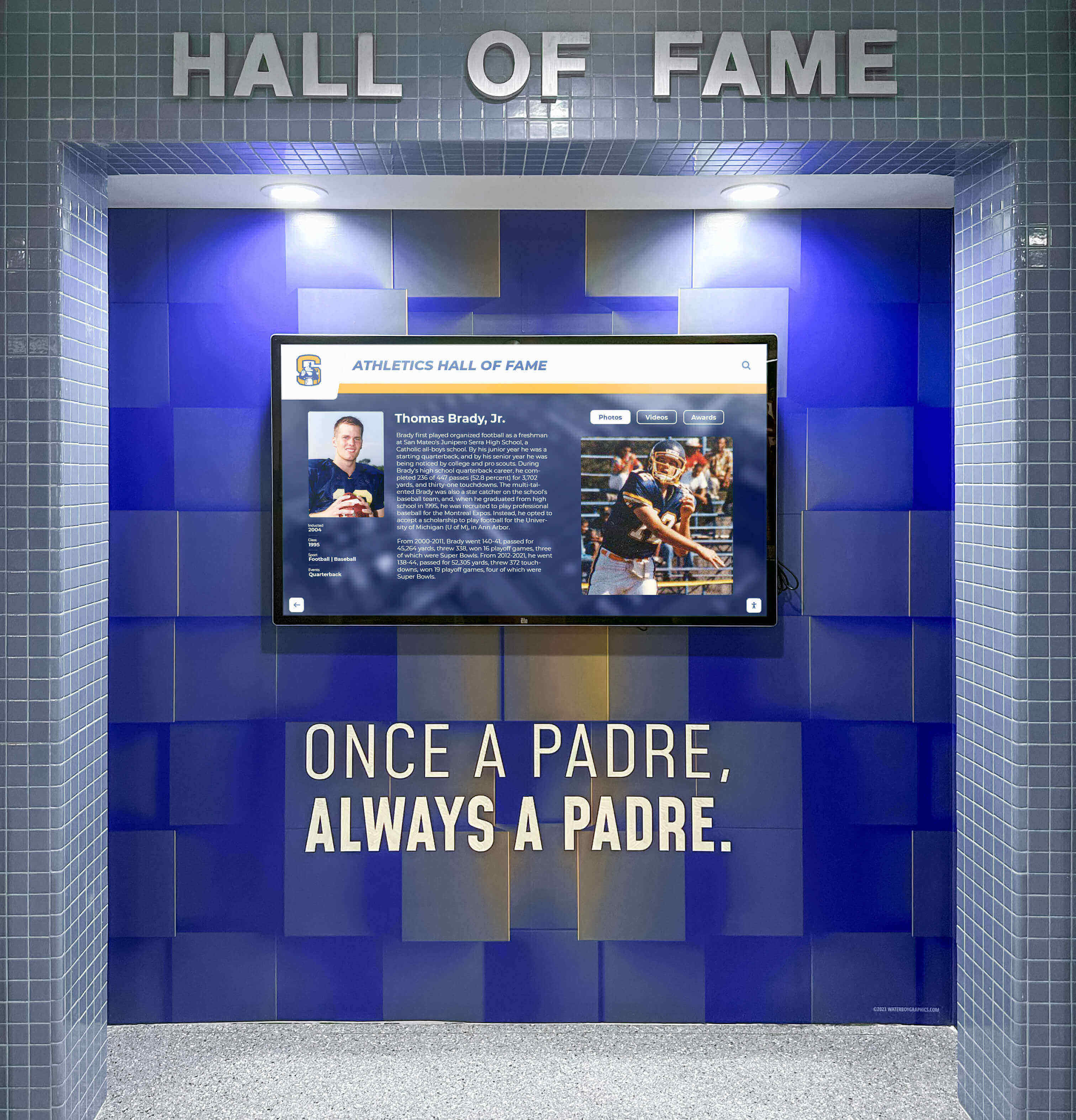




Building a new gymnasium represents a significant investment in your school’s athletic program and community space. Among the many decisions involved in facility planning, determining when to incorporate a touchscreen display for athletic recognition requires careful consideration of construction timelines, infrastructure requirements, budget allocation, and long-term programmatic goals. The timing of this decision can substantially impact both installation costs and the display’s effectiveness as a recognition and engagement tool.
Many schools approaching gymnasium construction wonder whether touchscreen displays should be included in initial building plans or added after facility completion. Others question whether digital recognition justifies the investment when physical space and basic athletic equipment remain priorities. Some administrators worry that early technology decisions may lock them into systems that become outdated before building completion, while others fear that retrofitting technology after construction will prove more expensive and disruptive than integrated planning.
This comprehensive guide examines the optimal timing for touchscreen display installation in new gymnasium projects, exploring construction phase integration, infrastructure planning requirements, budget considerations, and strategic approaches that maximize value while minimizing disruption and cost. We’ll provide evidence-based recommendations helping school administrators, athletic directors, and facilities planners make informed decisions about technology integration in new athletic facilities.
New gymnasium construction offers unique opportunities to integrate recognition technology from the earliest planning stages, enabling infrastructure preparation, architectural integration, and cost efficiencies impossible to achieve through post-construction retrofits. Understanding how touchscreen displays fit within broader facility planning helps schools make strategic decisions about timing, placement, and implementation approaches that support both immediate needs and long-term athletic program goals.

Modern gymnasiums incorporate digital recognition displays during construction enabling seamless architectural integration and proper infrastructure support
Understanding Touchscreen Display Purpose in Athletic Facilities
Before examining installation timing, schools should clearly define how touchscreen displays support athletic program objectives and facility usage patterns.
Primary Functions in School Gymnasiums
Touchscreen displays in athletic facilities serve multiple recognition and engagement purposes beyond simple digital signage.
Athletic Hall of Fame and Recognition Most schools implement touchscreen displays primarily for athletic hall of fame programs celebrating individual athletes, championship teams, and program achievements across decades. Digital platforms eliminate the space constraints of traditional trophy cases while enabling comprehensive recognition of unlimited athletes, detailed biographical content, photos and videos, searchable databases, and regular updates without physical modifications.
Record Boards and Team Statistics Digital record boards display current and historical athletic records across all sports, team championships and tournament achievements, seasonal statistics and leaderboards, and all-time program milestones. Unlike static record boards requiring expensive updates with each new record, digital platforms update instantly through simple content management.
Donor and Booster Recognition Athletic facilities often receive funding from donors, boosters, and community supporters deserving recognition. Digital displays enable comprehensive donor celebration, naming opportunity fulfillment, sponsorship acknowledgment, and memorial recognition for supporters who made facility construction possible.
Current Season Information Beyond historical recognition, displays provide practical current information including schedules and game times, team rosters and athlete profiles, directions to competition venues, and announcements about athletic events, practices, or program updates.
Benefits Unique to Gymnasium Locations
Placement in athletic facilities offers specific advantages compared to displays in main school lobbies or hallways.
Athletic Community Concentration Gymnasiums naturally concentrate the communities most interested in athletic recognition—current athletes spending hours daily in facilities, families attending games and events, alumni returning for competitions, and community members supporting school athletics. This natural audience concentration ensures displays receive consistent engagement from communities most invested in athletic achievement.
Context-Appropriate Celebration Recognition displayed in athletic spaces feels contextually appropriate and reinforces facility purposes. Athletes see their predecessors’ achievements in the environments where they train and compete, creating direct connections between current effort and historical excellence. This environmental context strengthens motivational impact impossible to achieve through displays in generic school corridors.
Extended Viewing Opportunities Athletic events draw crowds providing extended viewing opportunities beyond brief hallway encounters. Spectators arriving early for games, families waiting between competitions, and attendees during event breaks explore recognition content in ways that quick hallway passes don’t support. This extended engagement enables deeper exploration of athlete stories, statistics, and program history.
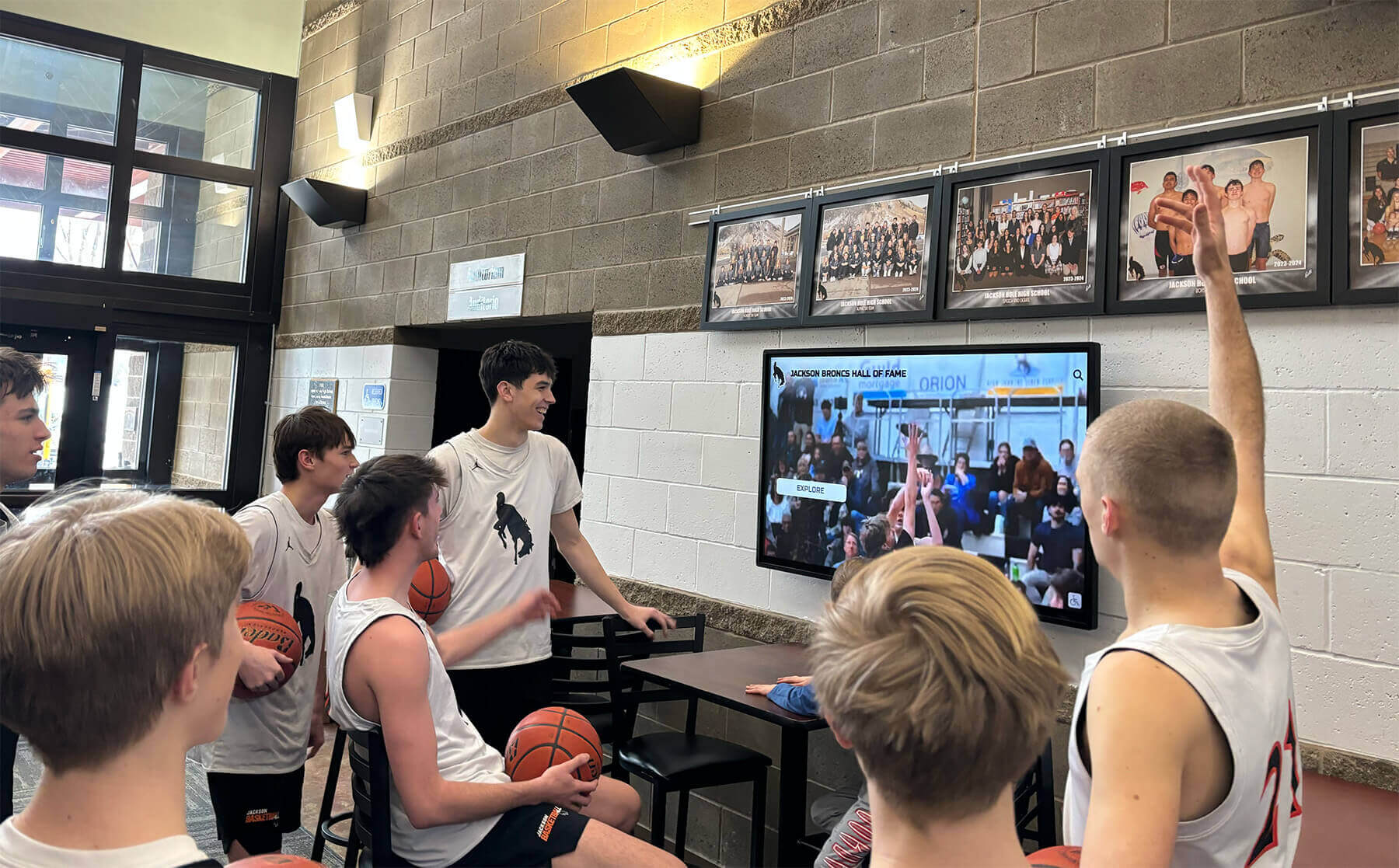
Gymnasium-based displays engage athletes daily during practice and training while welcoming spectators during competitions and events
Construction Phase Timing Considerations
Understanding construction timelines and phase-appropriate decisions helps schools integrate touchscreen displays effectively without disrupting building progress or incurring unnecessary costs.
Initial Planning and Design Phase (Months 1-6)
The earliest construction phases offer the most flexibility for technology integration with minimal additional cost.
Conceptual Planning Benefits Including touchscreen displays in initial facility concepts enables architects to design appropriate spaces, plan electrical and network infrastructure locations, consider viewing angles and traffic flow patterns, coordinate finishes and architectural elements, and allocate budgets accurately from project inception. Schools waiting until mid-construction to consider technology often face expensive infrastructure additions, compromised placement options, and architectural integration challenges.
Infrastructure Requirement Documentation Early planning allows comprehensive infrastructure specification including electrical capacity and circuit locations, network connectivity requirements and equipment, mounting surface specifications and load-bearing capacity, environmental considerations like lighting and temperature, and space allowances for equipment access and maintenance. Documenting these requirements early ensures contractors include necessary infrastructure in base construction contracts rather than expensive change orders.
Budget Integration Technology included in initial budgets receives funding allocation alongside other facility components, avoiding later questions about whether schools can afford additions beyond contracted construction. Initial budgets also enable comprehensive bidding where contractors price infrastructure as original scope rather than premium change-order rates. Schools report 20-30% cost savings when display infrastructure is planned initially versus added mid-construction.
Architectural Coordination Architects incorporate displays into facility aesthetics when included early, designing architectural surrounds, coordinating with school branding and colors, planning complementary lighting, and ensuring displays enhance rather than appear retrofitted into completed spaces. This coordination creates professional installations appearing intentionally designed rather than afterthoughts added to available wall space.
Construction Documentation and Bidding (Months 7-9)
The bidding phase finalizes infrastructure specifications and contractor responsibilities.
Specification Detail Requirements Construction documents should specify electrical requirements including voltage, circuits, and outlet locations, network connectivity including cable pathways and equipment locations, mounting provisions with specific load-bearing requirements, and finish coordination around display locations. Detailed specifications prevent contractor assumptions leading to inadequate infrastructure or future change orders.
Contractor Responsibility Clarification Clearly delineate which construction elements contractors provide versus owner-furnished equipment. Typically, contractors provide rough electrical and network infrastructure, structural mounting provisions, and finished wall surfaces, while schools separately purchase displays, mounting hardware, and content platforms. Clear scope division prevents gaps where neither party assumes responsibility for critical elements.
Schedule Coordination Establish timelines for owner-provided equipment delivery enabling contractor installation during appropriate construction phases. Display equipment arriving too early risks construction damage, while late delivery delays project completion or leaves infrastructure unprepared for eventual installation.

Early planning enables seamless technology integration supporting long-term facility goals and cost-effective implementation
Active Construction Phase (Months 10-18)
During construction, coordination ensures infrastructure installation at appropriate times without disrupting overall project schedules.
Electrical Infrastructure Installation Electrical work occurs during rough-in phases before wall finishing. Contractors install dedicated circuits and conduits, rough-in outlet locations, and verify electrical capacity for display loads and future expansion. Inspecting electrical work before wall closure prevents later access difficulties if issues emerge.
Network Infrastructure Deployment Data infrastructure installation coincides with electrical rough-in including network cable runs from display locations to network equipment rooms, cable pathways allowing future service, and network equipment mounting locations. Schools should specify future-proof cabling (typically Cat6A or fiber) supporting long-term bandwidth requirements rather than minimum current needs.
Structural Mounting Preparation If displays mount to walls or structures, construction must include appropriate backing during framing phases. Steel or reinforced wood blocking behind finish surfaces supports heavy commercial displays, while standard wall construction may prove inadequate for mounting 55-75 inch touchscreen displays weighing 100+ pounds plus mounting hardware.
Protection and Access Considerations Construction sites present hazards to sensitive electronics. Schools should not deliver or install display equipment until facilities near completion with appropriate climate control, dust mitigation, security, and protection from construction trades. Typically, display installation occurs during final finishes after substantial completion.
Final Installation and Commissioning (Months 19-24)
The final construction phase sees actual display installation and system testing before facility occupancy.
Display Hardware Installation Professional installers mount displays securely to prepared infrastructure, connect electrical service, establish network connectivity, install cable management and hiding systems, and verify proper operation and viewing angles. Installation timing should allow adequate testing before facility handover while avoiding premature placement risking construction damage.
System Configuration and Testing Following hardware installation, technical teams configure network settings and connectivity, install and test content management platforms, verify touchscreen responsiveness and accuracy, test all interactive features, and provide staff training on system operation. Adequate testing time prevents user-facing issues during facility opening.
Content Development Coordination While infrastructure installs during construction, schools should develop content separately enabling launch with meaningful recognition rather than empty systems. Content development timelines should align with facility completion so displays showcase athletes, records, and program history when facilities open. Many schools report that digital recognition displays launching with comprehensive content generate stronger initial engagement than those gradually populated post-opening.
Infrastructure and Placement Planning
Effective touchscreen display implementation requires careful infrastructure planning and strategic placement decisions maximizing visibility and engagement while supporting reliable long-term operation.
Electrical Requirements and Considerations
Commercial touchscreen displays demand proper electrical infrastructure supporting continuous operation and long-term reliability.
Power Consumption and Circuit Planning Commercial 55-75 inch touchscreen displays typically consume 150-400 watts during operation. Facilities should provide dedicated 20-amp circuits preventing overload when displays run continuously alongside other equipment. Dedicated circuits also prevent nuisance tripping when other loads activate and simplify troubleshooting if electrical issues emerge.
Outlet Location and Accessibility Power outlets should locate near but not behind displays enabling cable connections without excessive cable length while maintaining access for future service. Surface-mounted or in-wall outlet boxes with cable management pathways create clean installations hiding power cords from view. Outlets behind heavy wall-mounted displays prove difficult to access for future service or equipment replacement.
Surge Protection and Power Conditioning Gymnasiums often contain significant electrical loads from lighting, HVAC, and other systems creating power fluctuations potentially damaging sensitive electronics. Quality surge protection and power conditioning equipment protects expensive displays from voltage spikes, current surges, and power anomalies. Building-level surge protection supplements individual display protection for comprehensive safeguarding.
Future Expansion Capacity Plan electrical infrastructure accommodating potential future displays beyond initial installations. Extra conduit runs, spare circuits to likely display locations, and electrical room capacity for additional circuits enable cost-effective expansion without major electrical upgrades or expensive retrofits.
Network Connectivity Infrastructure
Reliable network connectivity enables remote content management, web-based platforms, and cloud-based services critical for modern recognition systems.
Wired vs Wireless Connectivity Wired Ethernet connections provide superior reliability, better security, consistent performance without interference, and higher bandwidth compared to wireless alternatives. New construction should include wired network infrastructure to all planned display locations even if wireless serves as backup. Running network cables during construction costs minimally while post-construction retrofits prove expensive and disruptive.
Cable Specifications and Future-Proofing Specify Cat6A or fiber optic cabling supporting current and future bandwidth requirements. While current applications may function adequately on Cat5e or Cat6, longer cable runs, higher bandwidth applications, and future platform evolution justify higher-specification cabling during initial construction when incremental costs remain minimal.
Network Equipment Room Access Network cables from display locations terminate in network equipment rooms requiring adequate space for switches, routers, and associated infrastructure. Ensure equipment rooms can accommodate current network needs plus reasonable expansion for additional displays, wireless access points, and other future network devices.
Network Security and Segmentation Displays should connect to appropriately secured network segments preventing unauthorized access while enabling necessary management functions. Some schools place displays on separate VLANs from critical systems, balancing security with operational needs for content management and platform access.
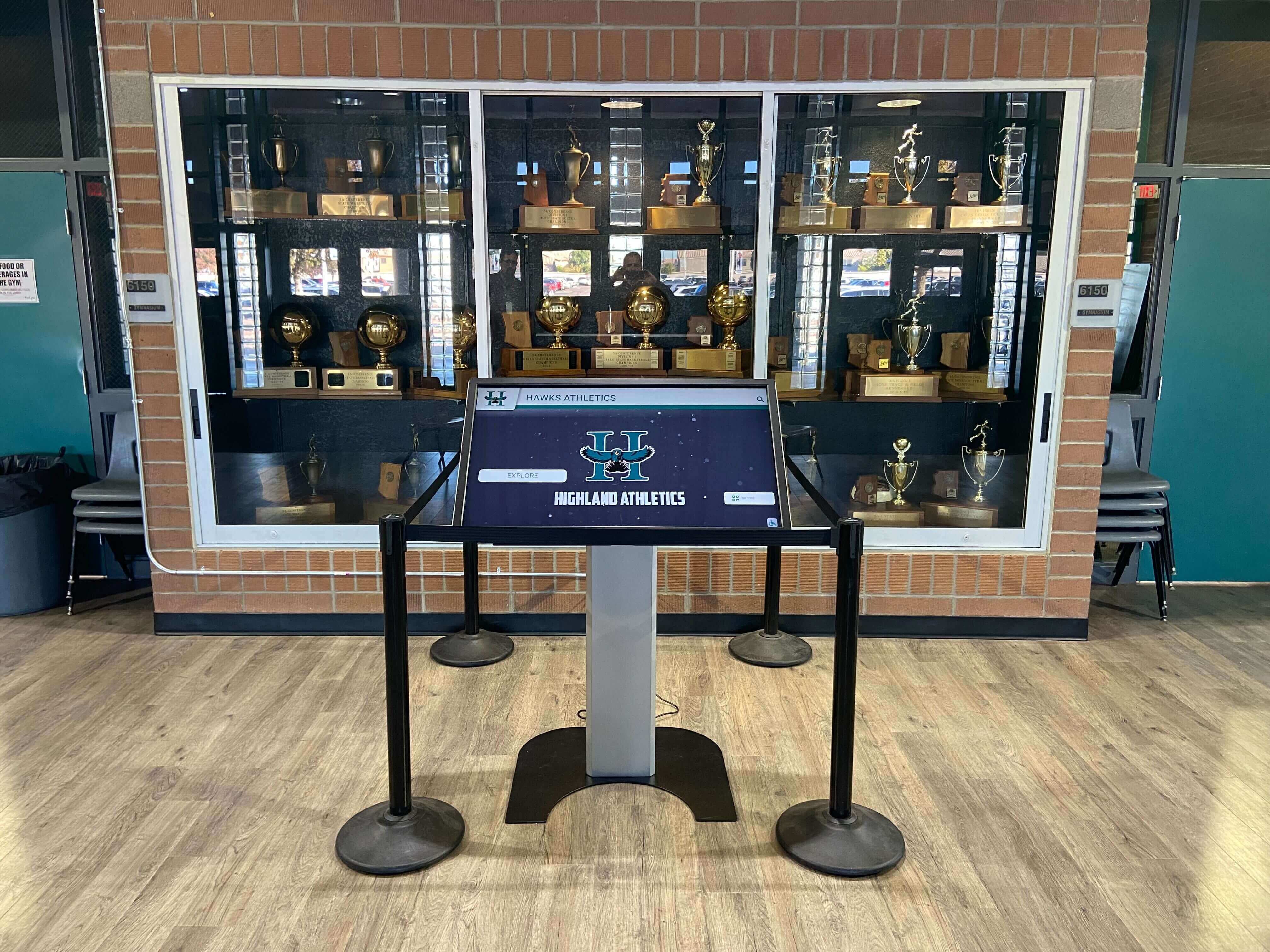
Proper infrastructure planning during construction ensures reliable operation and simplified maintenance throughout display lifespans
Strategic Placement and Visibility Optimization
Display location significantly impacts engagement levels, viewing quality, and recognition program effectiveness.
High-Traffic Location Identification Optimal placement occurs in locations with natural daily traffic and extended viewing opportunities. Primary gymnasium entrances ensure all visitors encounter displays upon arrival. Lobby or concourse areas where spectators gather before events provide extended viewing opportunities. Concession or restroom corridors capture traffic during event intermissions. Hall of fame or recognition room locations create destination spaces dedicated to achievement celebration.
Viewing Distance and Display Sizing Match display sizes to typical viewing distances ensuring content readability without requiring viewers to approach closely. For locations where viewers stand 6-10 feet away during interaction, 55-65 inch displays typically suffice. For lobby areas where viewers may be 10-15 feet distant, 65-75 inch displays improve visibility. Multiple smaller displays sometimes serve better than single oversized screens when placement spans wider wall areas.
Environmental Factors and Challenges Assess environmental conditions affecting display performance and longevity. Natural lighting through windows creates glare and reduces screen visibility requiring higher brightness displays or strategic placement avoiding direct sunlight. Temperature extremes in non-climate-controlled areas affect equipment reliability suggesting locations with adequate climate control. Physical security considerations in facilities with after-hours public access may require protected or monitored locations.
ADA Accessibility Compliance Ensure display placement and mounting heights comply with ADA accessibility requirements. Touchscreens should mount at heights enabling wheelchair users to reach interactive elements, typically with touch controls between 15-48 inches above floor level. Adequate clear floor space in front of displays (typically 30x48 inches) accommodates wheelchair maneuvering. Consider whether interactive kiosk installations require specialized mounting or positioning ensuring universal accessibility.
Budget Planning and Cost Considerations
Understanding complete costs helps schools make informed decisions about when and how to incorporate touchscreen displays in gymnasium projects.
Initial Investment Components
Total implementation costs extend beyond display hardware to include infrastructure, installation, and content development.
Display Hardware Costs Commercial-grade 55-inch touchscreen displays typically cost $3,000-6,000 depending on specifications, brands, and capabilities. Larger 65-75 inch displays range $5,000-10,000+. These prices include display panels and touchscreen capabilities but not mounting hardware, installation, or content platforms. Schools should budget for commercial-grade equipment designed for continuous operation rather than consumer displays inadequate for demanding public use.
Platform Software and Licensing Recognition platform software ranges from free basic digital signage tools to comprehensive purpose-built hall of fame systems. Subscription-based platforms typically cost $1,500-5,000 annually depending on features and support levels. One-time licensing for perpetual software proves less common but may involve $5,000-15,000 upfront costs plus annual maintenance. Platform selection significantly impacts long-term costs and should consider total ownership expenses beyond initial pricing.
Infrastructure Expenses Electrical work including circuits, conduits, and outlets typically costs $500-2,000 per display location depending on distance from electrical panels and complexity. Network infrastructure including cable runs, terminations, and equipment costs $300-1,500 per location. Mounting hardware and installation labor ranges $1,000-3,000 depending on mounting complexity and local labor rates. These infrastructure costs prove significantly lower when included in new construction versus post-construction retrofits.
Content Development Investment Initial content development including profile creation, photo sourcing and preparation, information compilation, and database population requires substantial effort. Schools can allocate internal staff time, hire student workers, or purchase professional content migration services costing $2,000-8,000+ depending on historical depth and content volume. Adequate content budget ensures displays launch with meaningful recognition rather than empty systems gradually populated over months or years.
Construction-Phase Cost Advantages
Incorporating displays during construction offers significant cost benefits compared to post-construction additions.
Infrastructure Integration Savings Contractors installing electrical and network infrastructure as original construction scope typically charge base rates rather than premium change-order or retrofit pricing. Post-construction infrastructure additions require contractors to remobilize, protect finished surfaces, repair finishes after work, and charge accordingly. Schools consistently report 20-40% savings when infrastructure is planned initially versus added later.
Architectural Integration Efficiency Displays incorporated during design include architectural features, planned finish transitions, coordinated mounting provisions, and intentional aesthetic integration without additional expense. Retrofitting displays into completed spaces may require architectural modifications, finish repairs, and compromises to original design visions adding cost and reducing installation quality.
Single Contractor Coordination Infrastructure provided by general contractors during original construction simplifies coordination and accountability. Post-construction retrofits often require separate electrical and network contractors, coordination with facilities maintenance, and school-managed integration creating administrative burden and potential coordination failures.
Avoided Future Disruption Costs Adding displays after facility completion may require service disruptions, event cancellations, or restricted access during installation work. While difficult to quantify precisely, disruption costs including inconvenience, rescheduling, and lost facility usage justify investing in integrated planning avoiding future disruptions.
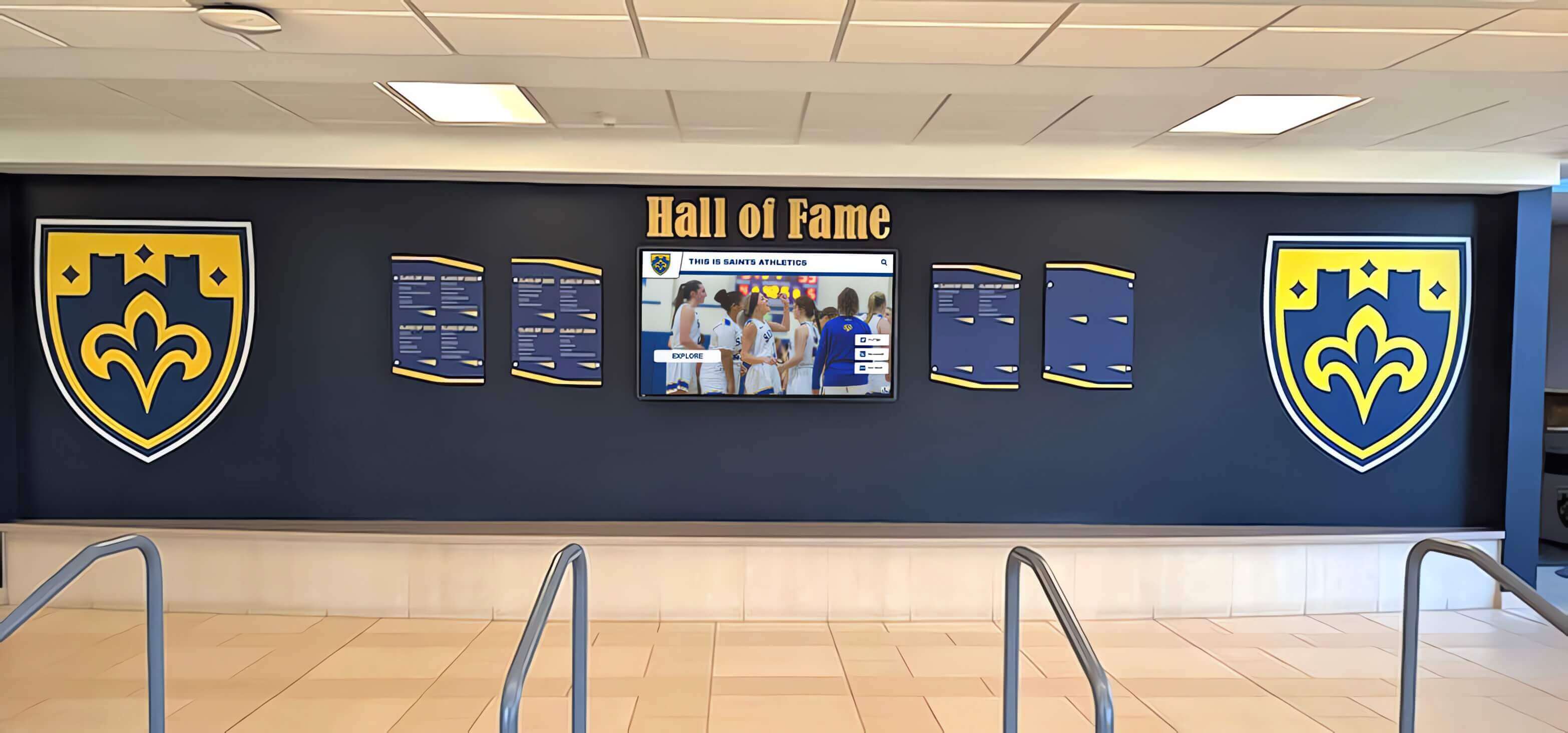
Initial construction integration creates polished installations impossible to replicate through post-construction retrofits at any cost
Funding Sources and Budget Allocation
Schools fund technology integration through various mechanisms enabling implementation despite tight construction budgets.
Construction Budget Inclusion The most straightforward approach incorporates displays and infrastructure as line items within overall facility construction budgets. This inclusion ensures funding allocation from bond proceeds, capital reserves, or other sources financing facility construction without requiring separate fundraising or budget requests.
Booster Club or Athletic Foundation Support Athletic support organizations often fund recognition technology enhancing programs they support. Booster clubs may provide grants, conduct targeted fundraising, or allocate general funds toward displays celebrating athletes and programs. This funding mechanism positions technology as athletic program enhancement rather than general facility construction.
Donor Naming Opportunities Recognition displays themselves offer naming opportunities for major donors. Families or businesses providing $25,000-100,000+ toward facility construction may receive recognition through named display systems, hall of fame dedication, or visible appreciation on platforms they fund. This approach secures display funding while honoring major facility benefactors.
Phased Implementation Strategies Schools unable to fund complete systems during construction can plan infrastructure for future displays while deferring equipment purchases. Installing electrical and network infrastructure during construction costs minimally while preserving future options. Schools purchase display hardware when funds become available, connecting to pre-installed infrastructure without expensive retrofits.
Optimal Timing Recommendations by Project Phase
Based on construction realities and technology considerations, specific timing recommendations maximize value while minimizing risks and costs.
Ideal Timeline for Decision and Procurement
Strategic timing ensures displays receive adequate planning without premature commitment to specific technologies potentially evolving during multi-year construction projects.
Initial Concept Phase (12-18 Months Before Construction) Include touchscreen displays in preliminary facility programs and conceptual designs enabling architectural space planning and preliminary budgeting. Avoid selecting specific equipment this early as technology evolves, but document general requirements including approximate display sizes and quantities, basic infrastructure needs, and budget ranges for planning purposes.
Design Development Phase (6-12 Months Before Construction) Finalize display locations, mounting approaches, and infrastructure requirements enabling detailed architectural and engineering design. Specify electrical and network infrastructure for contractor bidding without committing to specific display models. Engage with recognition platform providers understanding capabilities and requirements informing infrastructure specifications.
Construction Documents and Bidding (3-6 Months Before Construction) Complete infrastructure specifications and include in contractor bidding documents. Maintain flexibility on specific display equipment enabling selection closer to installation when current models prove most competitive. Some schools specify “display by owner” approaches where contractors provide infrastructure but schools separately purchase equipment after construction begins.
Mid-Construction Procurement (6-12 Months Into Construction) Purchase display hardware and platforms when construction reaches framing and rough-in phases. This timing provides adequate lead time for equipment delivery and installation planning while selecting from current product generations rather than models specified 18-24 months before construction start. Technology markets evolve rapidly, and mid-construction procurement balances planning needs with currency.
Pre-Completion Installation (1-3 Months Before Facility Opening) Install display equipment after substantial construction completion when facilities offer appropriate climate control, dust control, and protection from trades work. Allow adequate time for installation, configuration, testing, and staff training before facility opens. Rushing installation immediately before opening creates risks of incomplete testing, inadequate training, or commissioning issues discovered during public use.
When to Delay or Defer Installation
Certain circumstances justify deferring display installation to post-construction periods despite general benefits of integrated planning.
Severe Budget Constraints If including displays jeopardizes essential facility components, schools should prioritize fundamental gymnasium functions over technology. However, schools should still include basic infrastructure during construction enabling future display addition at reasonable cost when funding becomes available. The incremental cost of rough-in infrastructure ($1,000-3,000 per location) proves minimal compared to future retrofit expenses.
Unclear Recognition Program Direction Schools uncertain about recognition program scope, content approaches, or organizational commitment may prefer deferring displays until programs mature and requirements clarify. However, basic infrastructure installation during construction preserves options without forcing premature program decisions. Display equipment purchases can wait while building construction proceeds.
Rapidly Evolving Technology Needs Very early-stage construction projects beginning 3-4+ years before completion may benefit from infrastructure-only initial planning deferring equipment selection until technology markets stabilize closer to completion. This approach recognizes that technology specifications made 3-4 years before installation may prove obsolete by facility opening.
Construction Schedule Uncertainty Projects facing significant schedule uncertainty or likely delays may justify deferring equipment procurement until schedule confidence improves. Display equipment sitting in storage during extended construction delays risks damage, obsolescence, or warranty expiration before installation.
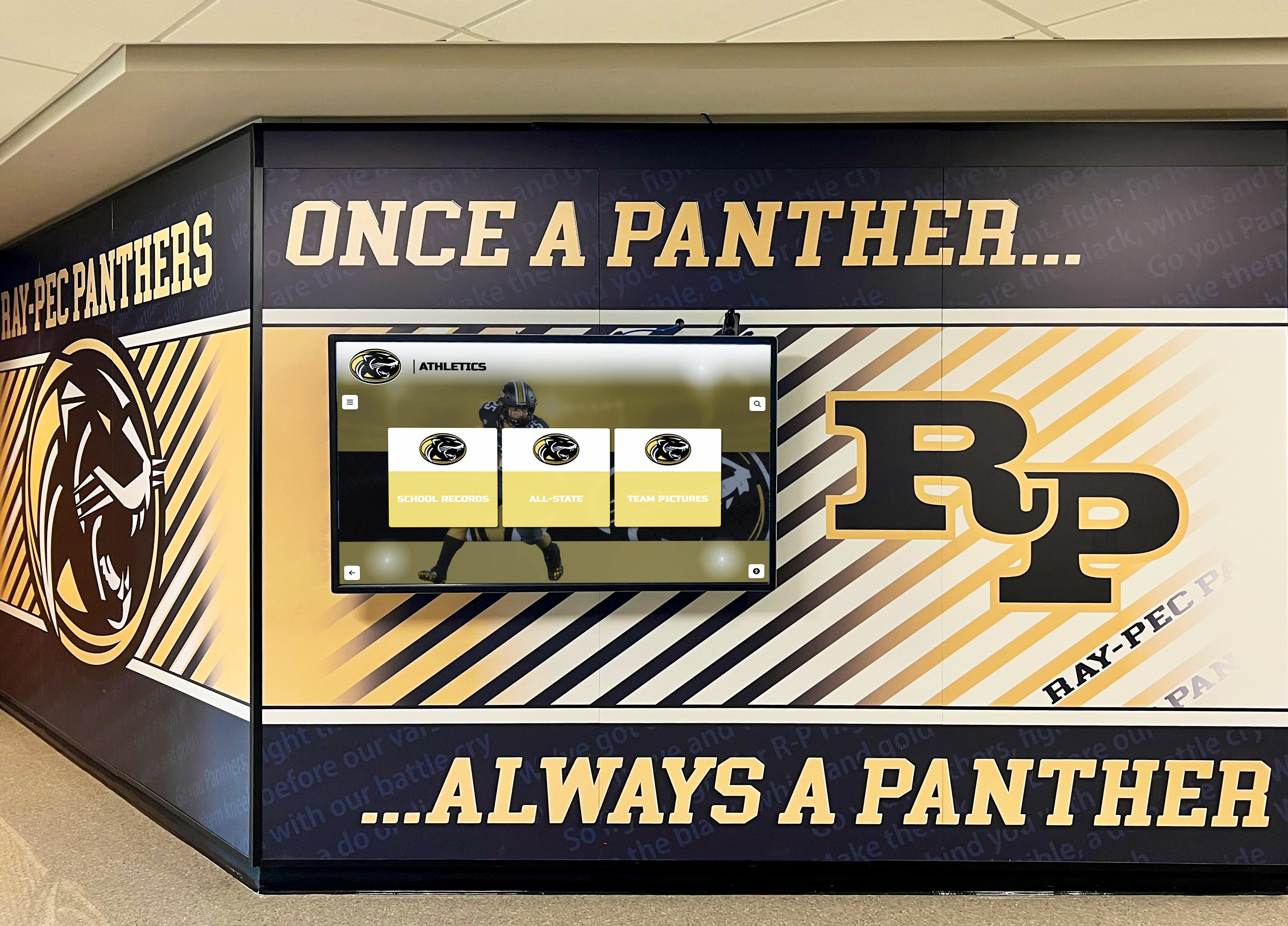
Strategic planning during construction enables athletic recognition displays that appear intentionally designed as facility features rather than afterthoughts
Technology Selection Considerations
Understanding available technology options helps schools select appropriate systems supporting long-term recognition goals and operational realities.
Platform Architecture and Capabilities
Recognition platforms range from simple digital signage to sophisticated purpose-built hall of fame systems offering varying capabilities, costs, and implementation complexity.
Purpose-Built Recognition Platforms Specialized hall of fame software designed specifically for athletic recognition provides features including searchable athlete databases, individual profile pages with photos and videos, automated record boards updating dynamically, category organization and filtering, and content management systems designed for non-technical staff. Solutions like Rocket Alumni Solutions offer comprehensive purpose-built platforms eliminating custom development while providing professional results.
Generic Digital Signage Limitations Basic digital signage platforms display content on screens but lack recognition-specific features requiring custom development. Generic signage works adequately for rotating announcements or simple slideshows but proves inadequate for interactive exploration, searchable databases, or comprehensive hall of fame experiences schools expect from recognition investments.
Web-Based vs Native Applications Web-based platforms function through standard browsers requiring no app installation or platform-specific development. This universal compatibility enables access from any device while simplifying updates and maintenance. Native applications optimized for specific operating systems may offer performance advantages but require separate versions for different platforms plus regular updates maintaining compatibility with evolving operating systems. For most schools, web-based platforms provide optimal balance of functionality, accessibility, and maintainability.
Content Management Sophistication Platform value depends heavily on content management ease affecting whether staff confidently maintain recognition or systems become neglected when management proves too difficult. The best platforms provide intuitive visual editors showing exactly how content appears during creation, enable bulk import for historical data migration, support scheduled publishing coordinating with induction ceremonies, and offer role-based permissions for collaborative management. Schools should prioritize platforms non-technical staff can manage independently without ongoing IT or vendor dependencies.
Display Hardware Selection
Hardware choices significantly impact user experience, reliability, and long-term costs requiring careful evaluation beyond simple price comparison.
Commercial vs Consumer Grade Equipment Consumer displays designed for home use typically offer 3-5 year lifespans with limited daily operation hours. Commercial-grade displays built for continuous 24/7 operation deliver 7-10+ year lifespans justifying higher initial costs through extended reliable service. Schools planning decade+ deployments require commercial-grade hardware avoiding premature failure and expensive early replacement.
Touchscreen Technology Types Capacitive touchscreens provide responsive, intuitive interaction supporting multi-touch gestures and smooth operation comparable to smartphones and tablets. Resistive touchscreens prove less expensive but offer inferior user experience with less responsive touch detection requiring more pressure. For professional recognition creating positive impressions, capacitive technology delivers experiences worthy of celebrated achievements.
Display Sizing and Viewing Considerations Common gymnasium installations use 55-75 inch displays balancing visibility, individual interaction space, and reasonable costs. Smaller displays prove difficult for groups to view simultaneously while extremely large displays may overwhelm spaces or prove cost-prohibitive. Consider typical viewing distances, simultaneous user accommodation, available wall space, and architectural integration when selecting appropriate sizes.
Brightness and Visibility Requirements Gymnasiums often feature significant natural lighting through windows and high-intensity athletic lighting creating challenging visibility conditions. Displays in naturally lit locations require higher brightness ratings (400+ nit) ensuring visibility despite ambient lighting. Anti-glare treatments reduce reflection from windows and overhead lighting improving readability. Under-specified displays in bright environments create frustrating experiences where content remains difficult to view.
Integration and Connectivity Features
Modern displays support various integration capabilities enhancing functionality and user experience beyond basic operation.
Mobile Device Integration QR code generation enables visitors at physical displays to transfer content to personal devices for continued exploration, easy sharing with extended networks, and saved access enabling return visits without requiring physical presence. This mobile bridge creates seamless experiences spanning physical touchscreen interaction and personal device exploration.
Social Media Integration Platforms supporting social sharing enable inducted athletes and programs to promote recognition through personal networks, extending visibility far beyond physical installation reach. Schools report significant engagement increases when recognition content becomes shareable, as athletes naturally promote achievements through social media.
Web Platform Extensions Online web portals extending recognition beyond physical campus installations enable alumni worldwide to explore recognition from anywhere, families can share profiles easily with extended networks, and institutions gain engagement exceeding physical visits alone. This web accessibility transforms recognition from local installations into global engagement platforms connecting geographically distributed communities, a concept central to digital warming principles.
Analytics and Engagement Measurement Platforms providing usage analytics reveal interaction patterns, popular content, search behaviors, and engagement trends informing ongoing content development and program optimization. Understanding how communities use recognition guides improvements ensuring systems deliver maximum value rather than assumptions about effective approaches.
Common Implementation Challenges and Solutions
Schools implementing touchscreen displays during gymnasium construction encounter recurring challenges requiring proactive strategies and practical solutions.
Construction Schedule Coordination
Aligning technology installation with construction progress prevents delays, equipment damage, and commissioning problems.
Premature Equipment Delivery Display equipment arriving during active construction risks damage from dust, humidity, physical impacts, or theft. Schools should coordinate delivery timing ensuring equipment arrives only when facilities offer appropriate protection and security. Adequate on-site storage with climate control proves essential when delivery timing cannot perfectly align with installation readiness.
Installation Timing Conflicts Multiple trades working simultaneously during project completion creates coordination challenges. Display installers need clear working areas free from other trades, finished surfaces enabling proper mounting, and adequate time for installation and testing. Project managers should schedule display installation during appropriate windows coordinating with other final finishes and equipment installations.
Testing and Commissioning Windows Adequate time for system testing, configuration, staff training, and issue resolution before facility opening prevents public-facing problems discovered during initial use. Rushing installation immediately before grand openings creates risks of incomplete commissioning, inadequate training, or overlooked issues emerging during early operation.
Infrastructure Specification Accuracy
Incomplete or incorrect infrastructure specifications create installation problems, additional costs, or compromised functionality.
Inadequate Load-Bearing Provisions Commercial displays weighing 100+ pounds require appropriate structural backing behind finish surfaces. Standard stud walls without reinforcement often prove inadequate for heavy display mounting. Construction documents should explicitly specify backing location, dimensions, and load requirements ensuring contractors provide adequate mounting provisions rather than assuming standard wall construction suffices.
Network Connectivity Shortfalls Insufficient network infrastructure including inadequate cabling specifications, missing conduit pathways, or lack of network equipment room capacity forces expensive additions or compromises in display connectivity and functionality. Detailed specifications documenting complete network requirements from display locations through termination in equipment rooms prevents gaps causing future problems.
Electrical Capacity Limitations Underestimating electrical loads or failing to provide dedicated circuits creates operational problems when displays share circuits with other loads causing nuisance tripping or voltage fluctuations affecting display performance. Electrical specifications should explicitly note display power requirements, dedicated circuit needs, and any special considerations for sensitive electronics.
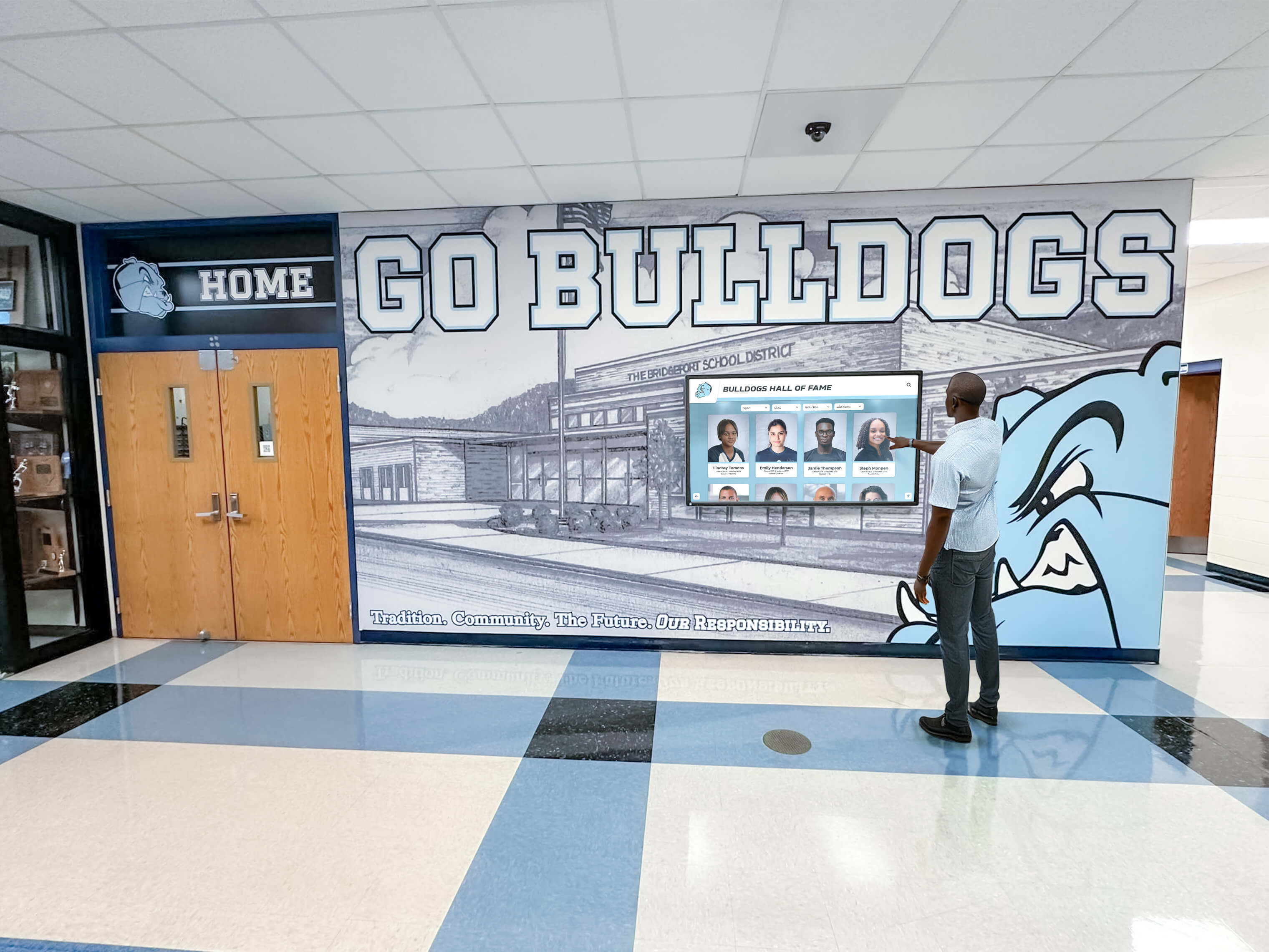
Professional installation with proper infrastructure creates reliable systems schools confidently operate for years with minimal maintenance
Content Development Timeline Management
Creating adequate launch content proves more time-consuming than many schools anticipate, requiring realistic planning and resource allocation.
Historical Research and Data Compilation Developing comprehensive recognition content requires extensive research gathering athlete information, compiling statistics and achievements, sourcing historical photographs, and verifying facts across decades of program history. Schools should begin content development well before facility completion enabling launch with substantial content rather than empty systems gradually populated post-opening.
Photo and Media Sourcing Quality visual content significantly enhances digital recognition. Sourcing materials from yearbooks, game programs, newspaper archives, personal collections, and athletic department databases takes considerable time. Historical photo digitization may require scanning services for materials existing only in print formats. Beginning media sourcing early prevents last-minute scrambles as facility completion approaches.
Profile Creation and Database Population Even with information and media compiled, creating individual profiles, entering information into content management systems, organizing categories, and quality-checking content requires substantial effort. Schools should allocate adequate staff time, consider student worker assistance, or investigate professional content migration services from platform providers enabling launch-ready systems when facilities open.
Alternative Approaches and Hybrid Solutions
Not all schools should pursue identical implementation strategies. Alternative approaches serve different circumstances, constraints, and priorities.
Phased Implementation Strategies
Schools unable to fund complete systems during construction can implement strategically phased approaches maximizing immediate value while preserving future options.
Infrastructure-Only Initial Phase Install electrical and network infrastructure during construction while deferring display hardware purchases until funding becomes available. This approach captures construction-phase cost advantages for infrastructure (the most expensive retrofit element) while preserving flexibility on equipment selection and timing. When displays become fundable, connecting to pre-installed infrastructure proves straightforward without expensive retrofits.
Single Display Pilot Installation Implement one display as proof-of-concept testing technology and content approaches before committing to multiple installations. Successful pilots build organizational confidence and competence supporting expanded deployment while pilot challenges enable course correction before comprehensive investment. Schools can install additional displays connecting to infrastructure installed during original construction when pilot results justify expansion.
Category-Based Phased Recognition Launch with focused recognition categories like recent inductees or major sports while planning gradual expansion to comprehensive historical recognition. Phased content development distributes research and creation workload over time preventing overwhelming initial efforts that delay implementation or compromise launch quality. This approach enables earlier launches demonstrating value while building toward complete coverage through sustained effort.
Hybrid Physical and Digital Solutions
Combining traditional and digital recognition elements optimizes benefits from each approach while addressing distinct community segments and preferences.
Physical Entry-Level Recognition with Digital Depth Install donor recognition walls, championship banners, or name plaques providing physical presence while digital displays offer interactive exploration enabling unlimited detail, searchable access, and regular updates. Physical elements honor tradition and provide visible permanent recognition while digital extensions eliminate capacity constraints and enable comprehensive celebration impossible through physical-only approaches.
Multiple Display Types and Purposes Deploy different display types serving distinct functions—large non-interactive displays showing rotating recognition and current information, interactive touchscreens enabling hall of fame exploration, and mobile-accessible web platforms extending recognition beyond campus. This distributed approach serves different use cases and user preferences more effectively than single-solution approaches.
Traditional Trophy Cases with Digital Augmentation Maintain existing or planned trophy cases for physical award display while adding digital displays providing context, athlete stories, and comprehensive recognition beyond physical space constraints. QR codes on physical trophies link to detailed digital content connecting physical and digital experiences seamlessly.
Long-Term Operational Considerations
Effective implementation extends beyond installation to sustainable long-term operation ensuring ongoing value rather than expensive technology becoming neglected or obsolete.
Content Management and Updates
Displays require ongoing content management maintaining current, accurate, engaging recognition rather than static content becoming stale and ignored.
Staff Training and Capability Development Comprehensive initial training, quality documentation, and readily available ongoing support enable staff to effectively maintain recognition confidently and independently. Platforms requiring extensive training for basic tasks or providing inadequate documentation create ongoing frustration potentially causing recognition to become neglected as trained staff depart and replacements lack adequate onboarding.
Regular Update Schedules Establish systematic processes for content updates including annual induction ceremony coordination, record board updates as athletes achieve new marks, current season information maintenance, and periodic profile enhancements as new information becomes available. Regular updates maintain platform vitality preventing content from becoming outdated, demonstrating ongoing commitment to recognition programs.
Quality Standards and Consistency Profile templates, style guides, image specifications, and factual verification processes ensure consistent professional presentation across all inductees. These standards accommodate varying information availability while maintaining baseline quality preventing some profiles from feeling incomplete or neglected compared to others.
Maintenance and Technical Support
Hardware and software require ongoing technical support ensuring reliable operation and addressing issues preventing user-facing problems.
Hardware Maintenance and Lifecycle Planning Commercial displays typically provide 7-10 year reliable operation but eventually require replacement. Schools should budget annual reserves toward eventual replacement enabling timely hardware updates when displays reach end-of-life rather than continuing to operate failing equipment creating poor user experiences.
Software Updates and Platform Evolution Web-based platforms receive automatic updates delivering new features, security improvements, and performance enhancements without administrator action. Native applications require manual updates and may charge for major upgrades. Schools should understand platform update approaches and associated costs ensuring sustainable long-term operation.
Technical Support Responsiveness Responsive vendor support proves critical when technical issues emerge. Evaluate whether platform providers offer adequate support responsiveness, documentation quality, troubleshooting assistance, and problem resolution. Platforms with minimal support create administrative frustration when issues inevitably arise requiring assistance beyond staff capabilities.
Program Evaluation and Optimization
Systematic assessment ensures recognition investments achieve intended goals while identifying optimization opportunities justifying ongoing resource allocation.
Engagement Metrics and Analytics Digital platforms capture usage data unavailable with traditional recognition. Track total interactions, unique visitors, session duration, return visit frequency, popular content, and search patterns revealing whether recognition generates sustained engagement or declining interest requiring intervention.
Stakeholder Feedback Collection Gather community input through surveys, informal observation, focused interviews, and testimonial collection revealing whether recognition creates intended emotional and cultural effects beyond simple interaction metrics. Staff perspectives about management ease prove particularly important as frustrated administrators may minimize systems proving difficult regardless of community engagement success.
Return on Investment Evaluation Compare recognition costs against traditional approaches over equivalent timeframes, track relationships between recognition and advancement metrics, monitor admission and enrollment effects, and consider intangible benefits difficult to quantify financially. Comprehensive value assessment demonstrates recognition worth justifying ongoing investment and potential expansion.
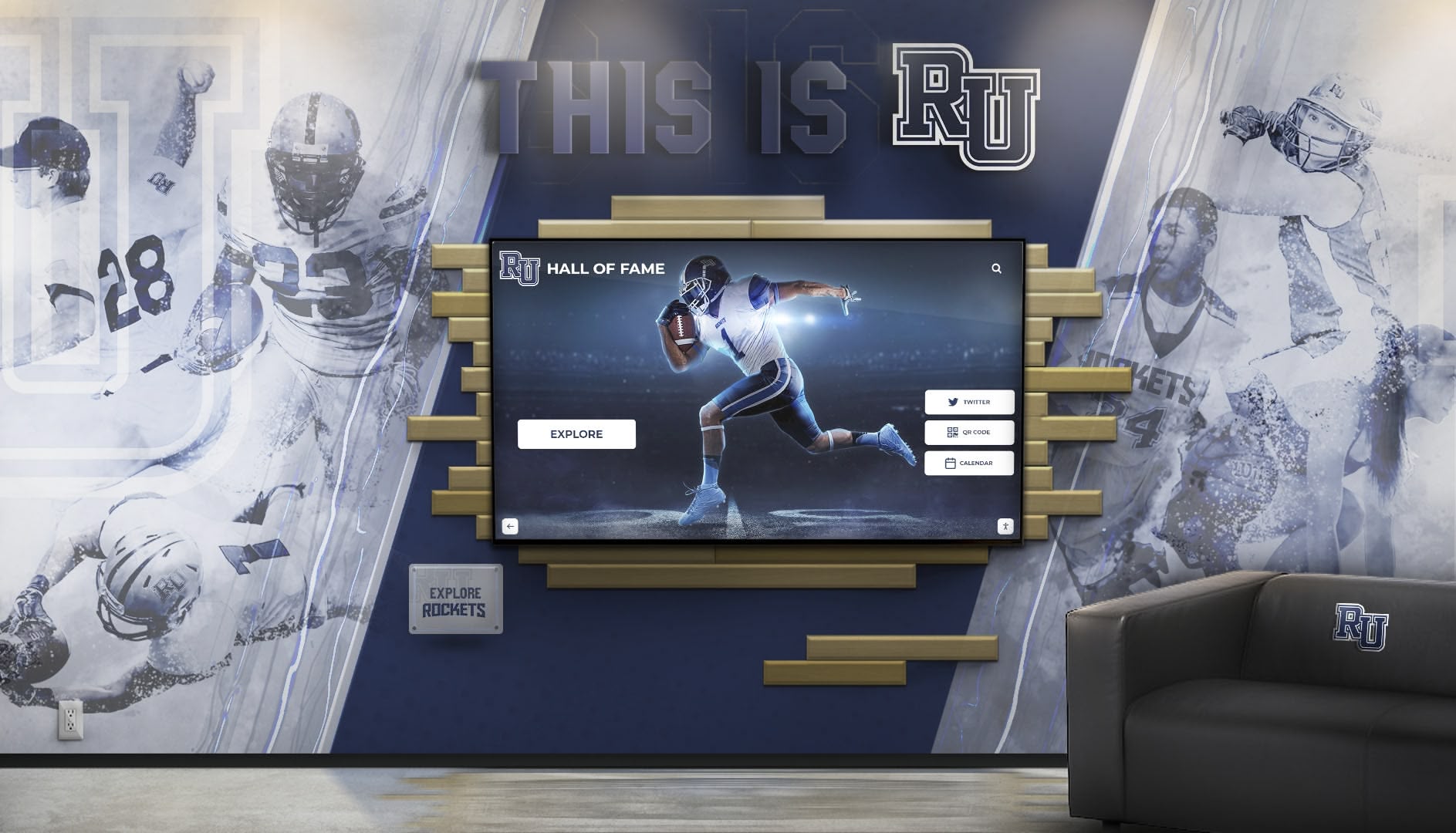
Successful implementations create lasting recognition programs celebrating athletic excellence while strengthening community pride and connection across generations
Conclusion: Making Strategic Timing Decisions
Determining when to install touchscreen displays in new gymnasiums requires balancing construction realities, budget constraints, technology considerations, and long-term programmatic goals. While specific circumstances vary across schools, the evidence consistently supports including recognition technology planning in earliest facility design phases enabling infrastructure integration, architectural coordination, and cost efficiencies impossible to achieve through post-construction retrofits.
The optimal approach incorporates displays conceptually during initial planning (12-18 months before construction), finalizes placement and infrastructure requirements during design development (6-12 months before construction), specifies infrastructure in construction documents enabling contractor bidding (3-6 months before construction), procures display equipment mid-construction when technology selections remain current (6-12 months into construction), and installs displays approaching facility completion when appropriate protection exists (1-3 months before opening).
This timeline balances comprehensive planning enabling cost-effective infrastructure integration with appropriate timing ensuring equipment selections reflect current technology rather than models specified years before installation. Schools unable to fund complete systems during construction should still install infrastructure during original construction preserving cost-effective future options when funding becomes available.
The primary implementation principles include plan infrastructure integration from earliest design phases capturing cost advantages and architectural opportunities, specify comprehensive electrical and network requirements preventing gaps causing future problems, coordinate equipment procurement timing balancing planning needs with technology currency, allow adequate installation and commissioning time before facility opening ensuring quality implementation, and develop launch content in parallel with construction enabling meaningful recognition when facilities open.
Alternative approaches including phased implementation, infrastructure-only initial construction, and hybrid physical-digital solutions serve schools facing budget constraints or programmatic uncertainty while preserving future options and capturing construction-phase infrastructure advantages.
Beyond installation timing, long-term operational considerations including content management processes, technical maintenance planning, and systematic program evaluation determine whether recognition technology delivers lasting value or becomes expensive systems generating initial enthusiasm but declining into neglected installations failing to justify substantial investment.
Your new gymnasium represents significant investment in athletic programs and school community space. Touchscreen displays celebrating athletic achievement, preserving program history, and engaging students, alumni, and families enhance facility value while supporting recognition programs impossible through traditional approaches constrained by physical space limitations and static presentation methods. Strategic planning and appropriate timing ensure technology integration creates professional recognition worthy of athletic excellence your program celebrates while maintaining cost-effectiveness and operational sustainability supporting decades of community engagement and school pride.
Ready to explore recognition technology options for your new gymnasium? Talk to our team about athletic recognition solutions designed specifically for schools building facilities that celebrate excellence while building the connected athletic communities where every athlete, family, and supporter feels valued and motivated to maintain lifelong institutional bonds.































