




Intent: define — Digital signage is a dynamic electronic display system that communicates information through screens ranging from small monitors to large interactive touchscreen walls. Unlike traditional static signs and printed posters, digital signage delivers multimedia content—text, images, videos, and interactive elements—that can be updated remotely, scheduled automatically, and tailored to specific audiences and contexts.
For schools, universities, athletic departments, museums, and community organizations, digital signage has evolved far beyond simple announcement boards. Modern digital signage systems create what we call “digital warming”—transforming cold, impersonal spaces into vibrant engagement hubs where communities connect with institutional achievements, explore heritage, and build lasting relationships through personalized, interactive experiences.
This comprehensive guide explores what digital signage is, how different organizations use it, why interactive approaches outperform passive displays, and how purpose-built solutions create community engagement that traditional communication methods cannot match.
Walk into any modern school, and you’ll likely encounter digital signage—perhaps a screen in the main lobby displaying announcements, a touchscreen directory helping visitors navigate campus, or an interactive athletic hall of fame where students explore decades of achievement. These installations represent digital signage in action—electronic displays replacing static printed materials with dynamic, updateable content.
But not all digital signage serves the same purpose. A restaurant menu board showing today’s specials addresses fundamentally different needs than a university recognition display celebrating distinguished alumni. A retail advertising screen promoting products requires different capabilities than an interactive museum exhibit enabling historical exploration.
Understanding what digital signage is begins with recognizing its diverse applications and identifying which approach best serves your organization’s communication, recognition, and engagement goals.

Digital signage ranges from simple announcement displays to sophisticated interactive recognition systems
Understanding Digital Signage Technology
Digital signage encompasses the hardware, software, content, and network infrastructure enabling electronic content display and management.
Core Digital Signage Components
Complete digital signage systems integrate several essential elements:
Display Hardware Physical screens form the visible component where content appears. Display options include standard LCD and LED monitors, commercial-grade large-format displays, video walls combining multiple screens, and interactive touchscreen displays enabling user interaction. Display selection depends on viewing distance, ambient lighting, physical space, and intended use case—whether passive viewing or active interaction.
Media Players and Computing Hardware Behind every display sits computing hardware running the software that delivers content. This might be a dedicated media player, a small computer like a Raspberry Pi or Intel NUC, or even display hardware with built-in processing capability. More sophisticated applications like interactive recognition systems require more powerful computing to support smooth touch interaction and rapid search functionality.
Content Management Software Digital signage software provides the interface where authorized users create, schedule, and deploy content across one or many displays. Cloud-based platforms enable remote management from anywhere, while content scheduling automates when specific information appears. Purpose-built platforms like those offered by Rocket Alumni Solutions specialize in recognition and engagement applications rather than generic announcement broadcasting.
Network Connectivity Internet or network connections enable remote content updates, centralized management, and real-time information display. Some systems operate offline once content is loaded, while others require constant connectivity for live data feeds, cloud-based management, or web-integrated experiences.
Content and Media Assets The actual information displayed—announcements, photos, videos, graphics, and interactive elements—represents the visible outcome that viewers experience. Content quality, relevance, and update frequency significantly impact whether digital signage creates engagement or becomes ignored background noise.
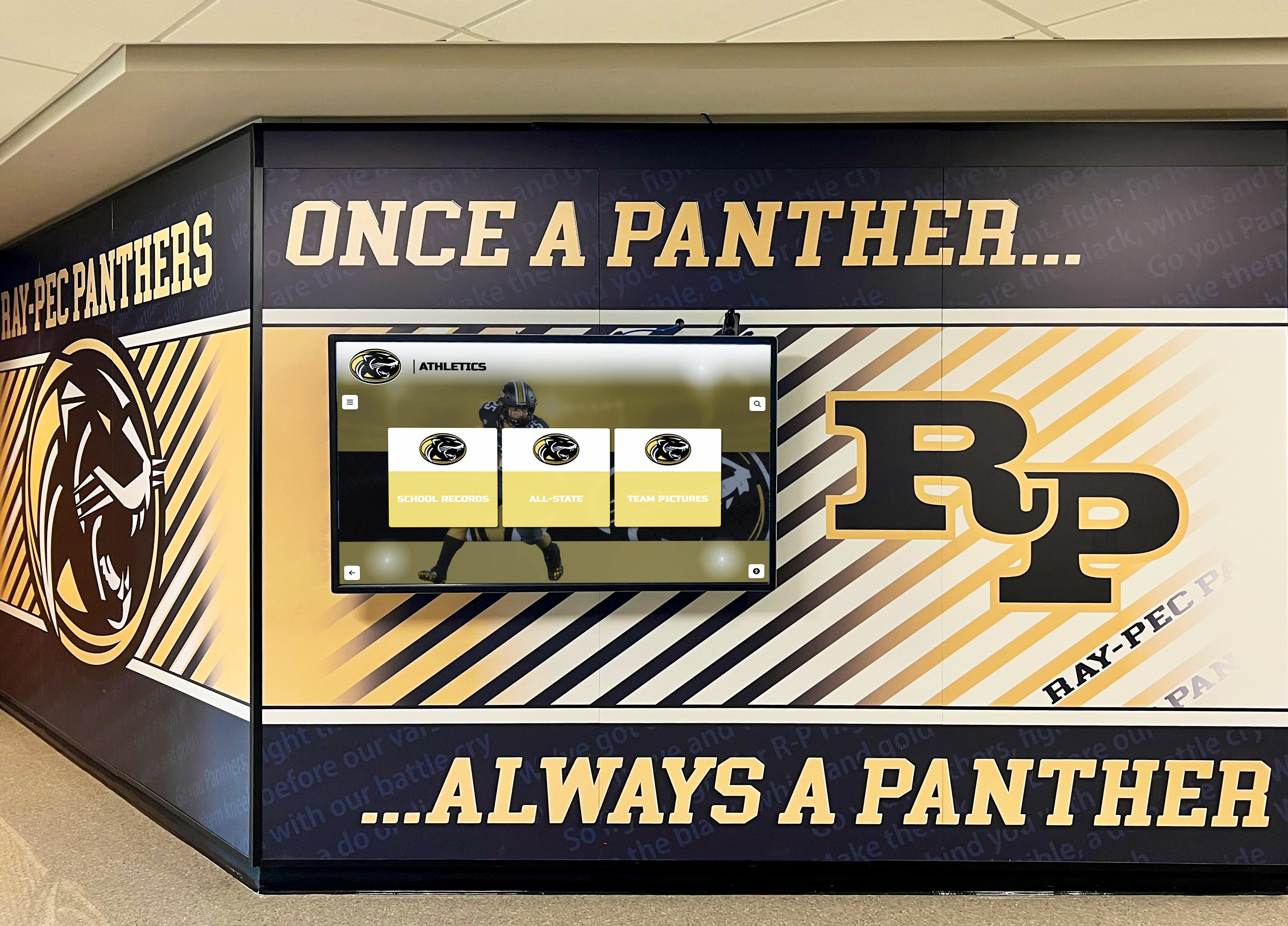
Effective digital signage integrates seamlessly with architectural elements and institutional branding
Digital Signage vs. Traditional Signage
Understanding digital signage requires recognizing how it differs from traditional printed signs:
Dynamic vs. Static Content Traditional printed signs display fixed information until someone physically replaces them. Digital signage shows dynamic content that changes automatically through scheduling, updates remotely without physical access, and displays multimedia content impossible with printed materials. A digital display can show different messages to morning versus afternoon audiences or feature rotating content highlighting various programs throughout the day.
Update Speed and Flexibility Changing printed signs requires design work, printing, and physical installation—processes taking days or weeks. Digital signage updates happen instantly from anywhere through content management systems. When a student achieves new recognition, their profile appears immediately rather than waiting months for engraving and installation.
Capacity and Scalability Physical space constrains traditional signage. Organizations outgrowing available wall space face difficult choices about what information receives visibility. Digital signage essentially eliminates capacity limits—a single screen displays unlimited content through rotation, search, and navigation, accommodating comprehensive recognition without physical expansion.
Engagement Potential Traditional signs deliver one-way communication—viewers read information passively. Interactive digital signage invites exploration, enables search and filtering, responds to user input, and creates personalized discovery experiences. Someone might glance briefly at static plaques but spend minutes exploring an interactive digital hall of fame searching for teammates and classmates.
Total Cost Over Time Digital signage requires higher upfront investment than printed signs. However, ongoing costs favor digital approaches—no recurring engraving expenses, no physical space expansion needs, and dramatically reduced labor for content updates. Organizations adding dozens of new inductees annually find digital systems become cost-effective within a few years.
Types of Digital Signage for Educational Institutions
Schools, universities, and educational organizations deploy digital signage for diverse purposes across campus.
Wayfinding and Navigation Displays
Digital directories help visitors navigate increasingly complex facilities:
Interactive Campus Maps Touchscreen displays showing building locations, room numbers, department directories, and navigation paths help prospective families, conference attendees, and new students find destinations without staff assistance. Interactive maps enable searching by department name, room number, or person’s name rather than requiring users to interpret complex building layouts.
Event Wayfinding During special events—open houses, graduations, athletic tournaments—temporary wayfinding needs arise. Digital displays adapt instantly, showing event-specific maps, schedules, and directions that appear and disappear without printing hundreds of temporary signs.
Multi-Building Campus Coordination Universities with sprawling campuses use networked digital signage displaying consistent navigation information across multiple locations while allowing location-specific customization addressing local navigation needs.
Communication and Announcement Systems
Traditional bulletin boards transition to digital displays broadcasting institutional information:
Daily Announcements and Schedules Schools display daily announcements, lunch menus, bell schedules, and reminders replacing morning PA announcements with always-accessible visual information. Students check screens between classes rather than relying on memory from morning announcements.
Emergency and Safety Communications During emergencies, digital signage displays critical safety information, lockdown notices, evacuation routes, or weather alerts. Centralized control ensures consistent emergency messaging across all campus displays simultaneously.
Event Promotion and Calendar Upcoming performances, athletic events, club meetings, parent-teacher conferences, and community events receive promotion through digital displays showing event details, times, locations, and participation information encouraging attendance and involvement.
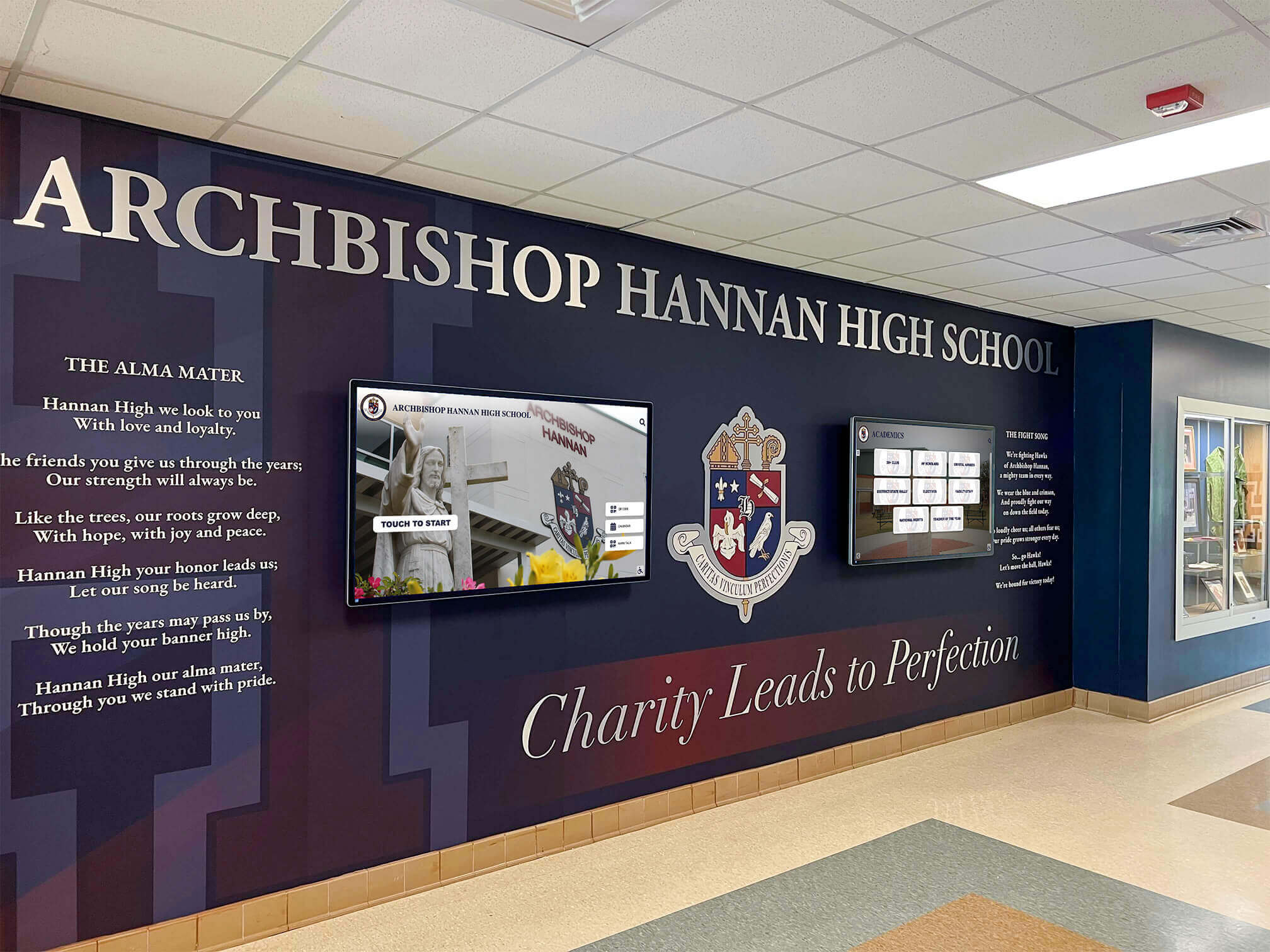
Communication-focused digital signage keeps school communities informed about events and announcements
Interactive Recognition and Celebration Systems
Recognition-focused digital signage creates engagement beyond simple information broadcast:
Athletic Halls of Fame Digital athletic recognition systems celebrate individual athletes, championship teams, record-breaking performances, and program heritage through comprehensive searchable databases. Students explore decades of athletic achievement through intuitive touchscreen interfaces rather than viewing limited plaque selections on constrained wall space.
Traditional trophy cases display perhaps 50-100 awards due to physical constraints. Digital recognition accommodates thousands of athletes, complete statistics, photos, videos, and biographical information creating meaningful celebration of every deserving individual.
Academic Honor Rolls and Achievement Recognition Digital displays showcase honor roll students, perfect attendance achievers, academic competition winners, and scholarship recipients. Updates happen instantly each semester without waiting for engraving, and recognition spans years rather than displaying only current semester achievements before being replaced.
Distinguished Alumni Recognition Universities implement interactive alumni recognition celebrating successful graduates through profile-based systems where visitors explore alumni achievements by career field, graduation year, or notable accomplishments. Current students discover inspiring role models while recognized alumni receive meaningful visibility extending far beyond static name plaques.
Donor Recognition and Development Support Digital donor walls celebrate philanthropic support through searchable databases enabling visitors to explore giving history, learn about named facilities and programs, and understand how donor support impacts institutional mission. Dynamic updates accommodate new gifts immediately without requiring physical plaque replacement.
Historical Archives and Institutional Memory Digital historical displays preserve institutional heritage through interactive timelines, digitized yearbooks, historical photographs, and archival content bringing history to life through multimedia presentations impossible with static displays. Students explore decades of school history discovering connections to current traditions and understanding institutional evolution.
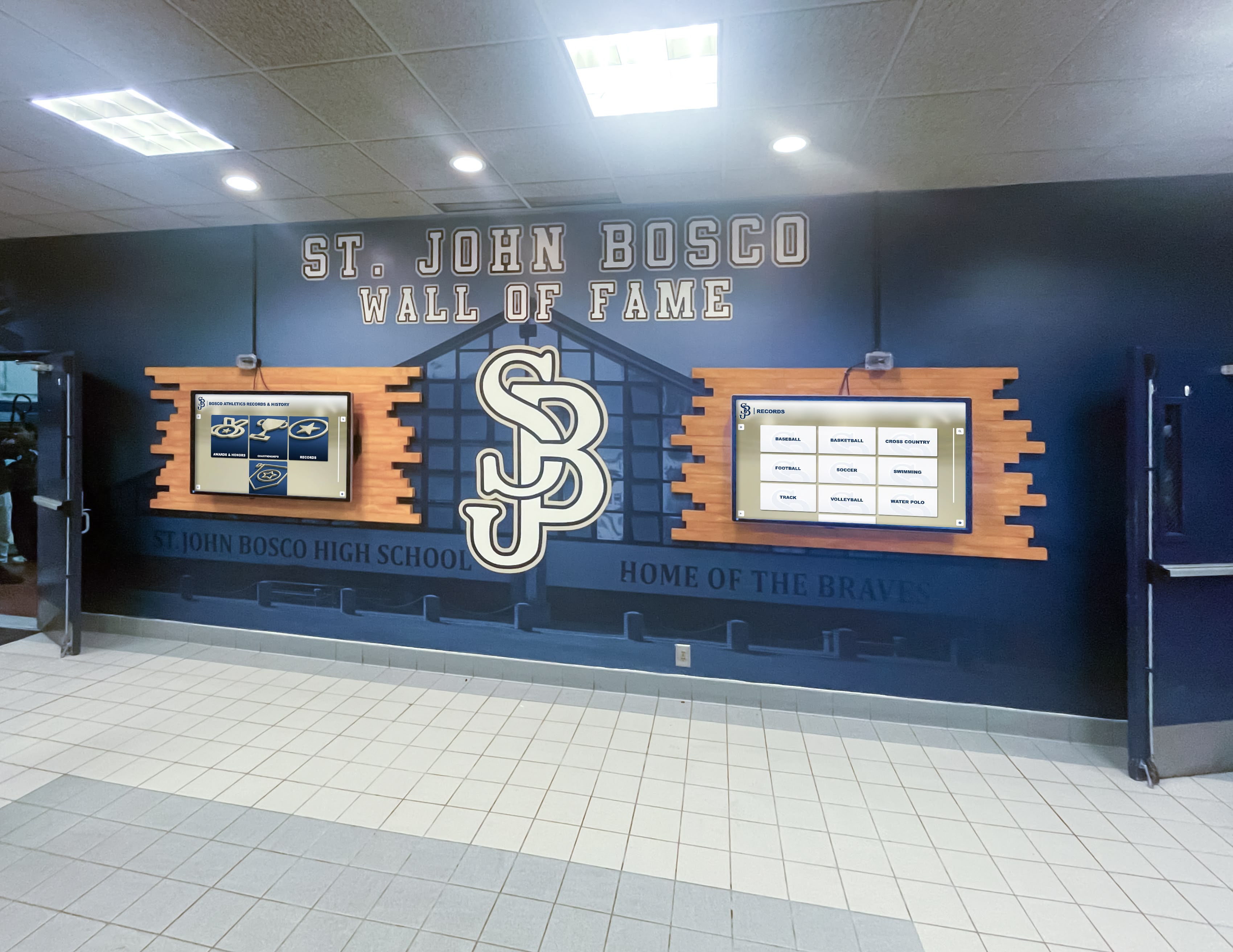
Multiple recognition-focused displays provide comprehensive achievement celebration capacity
Educational Content and Learning Support
Digital signage extends beyond administration into educational support:
Interactive Learning Exhibits Science programs display interactive periodic tables, anatomy systems, or astronomical information. History departments show interactive timelines, historical document archives, or cultural exhibits. Career and technical education programs showcase student projects, certification information, and industry partnerships.
Student Work and Achievement Showcases Art departments display rotating digital galleries of student artwork. English programs feature student writing. STEM classes showcase competition projects and research presentations. Digital signage creates exhibition space unconstrained by physical gallery limitations.
College and Career Information Guidance offices use digital displays showing college application deadlines, scholarship opportunities, standardized test information, and career exploration resources. Content updates throughout the year tracking application cycles and new opportunities.
Athletics and Recreation Information
Sports programs benefit from specialized digital signage applications:
Game Schedules and Results Real-time display of upcoming games, recent results, tournament brackets, and playoff information keeps students, families, and fans informed about athletic events across all sports and competition levels.
Performance Statistics and Record Boards Digital record boards automatically rank top performances across all statistical categories, updating as new achievements occur while maintaining historical context showing record progression across decades. Athletes see exactly what performance levels earn recognition and where they rank historically.
Team Rosters and Player Profiles Digital displays showcase current team rosters with player photos, biographies, statistics, and achievements. Recognition extends beyond varsity stars to include junior varsity, freshman teams, and all sports rather than only premier programs receiving visibility.
Facility and Field Information Athletic complexes use digital signage for facility rules, equipment checkout information, training schedules, locker room assignments, and recreation program registration creating centralized information access.
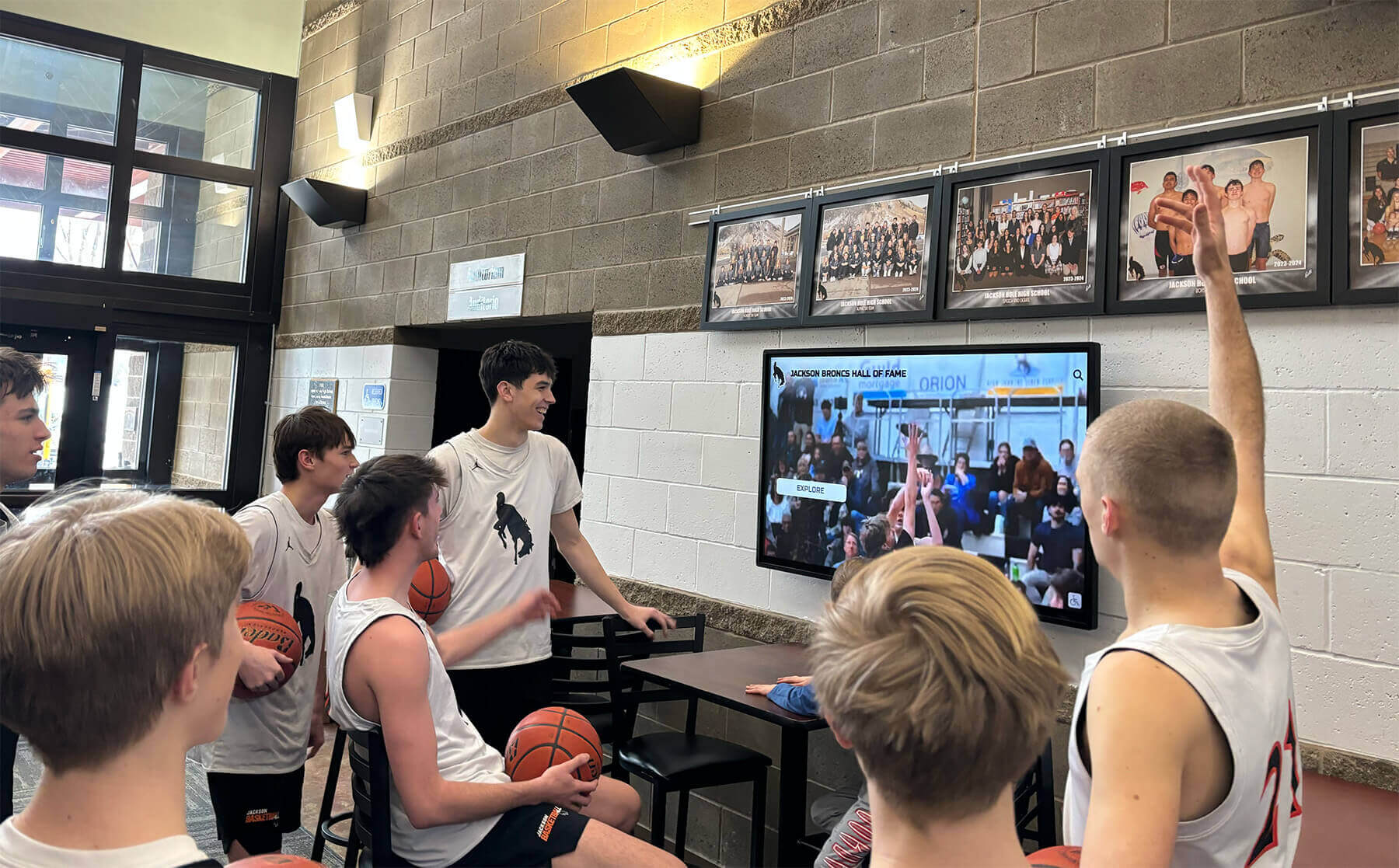
Athletic digital signage creates gathering points where teams celebrate achievements and build camaraderie
Digital Signage in Other Organizations
Beyond education, diverse organizations deploy digital signage serving specific operational and community needs.
Museums and Cultural Institutions
Museums leverage digital signage to enhance visitor experiences and exhibit interpretation:
Interactive Exhibit Content Touchscreen displays provide detailed information about artifacts, artwork, and exhibits impossible on traditional label cards. Visitors explore at their own pace, accessing images, videos, historical context, and related content based on interest rather than reading limited static text.
Wayfinding and Navigation Large museum facilities use interactive digital directories helping visitors navigate collections, find specific exhibits, plan visit paths, and discover temporary exhibitions without requiring docent assistance.
Collections Databases Digital access to comprehensive collections databases enables exploring holdings beyond current exhibitions. Researchers, students, and interested visitors browse entire collections discovering items not physically displayed.
Historical Context and Storytelling Digital displays present multimedia narratives placing exhibits within broader historical, cultural, and social contexts through videos, audio, images, and interactive elements creating immersive educational experiences.
Community Centers and Recreation Facilities
Community organizations use digital signage supporting operations and engagement:
Program Registration and Information Digital displays show current program offerings, registration deadlines, availability, and participation requirements. QR codes enable instant registration access through personal devices rather than requiring desk visits or phone calls.
Facility Schedules and Reservations Digital boards display which facilities, rooms, or courts are scheduled for specific activities, helping visitors find available spaces and understand scheduling patterns without asking staff.
Member Recognition and Engagement Recreation centers recognize member achievements, milestone participants, volunteer contributors, and program champions through digital displays celebrating community involvement and encouraging ongoing participation.
Healthcare Facilities
Medical facilities deploy digital signage improving patient experience and operational efficiency:
Wayfinding and Navigation Hospital campuses use interactive directories helping patients, families, and visitors navigate complex facilities finding departments, offices, and patient rooms reducing stress and improving satisfaction.
Health Education Content Waiting areas display health education videos, wellness tips, prevention information, and clinic service explanations providing valuable information during naturally occurring dwell time.
Patient Communication Digital displays show check-in procedures, wait time estimates, appointment reminders, and procedural information reducing confusion and improving patient flow through facilities.
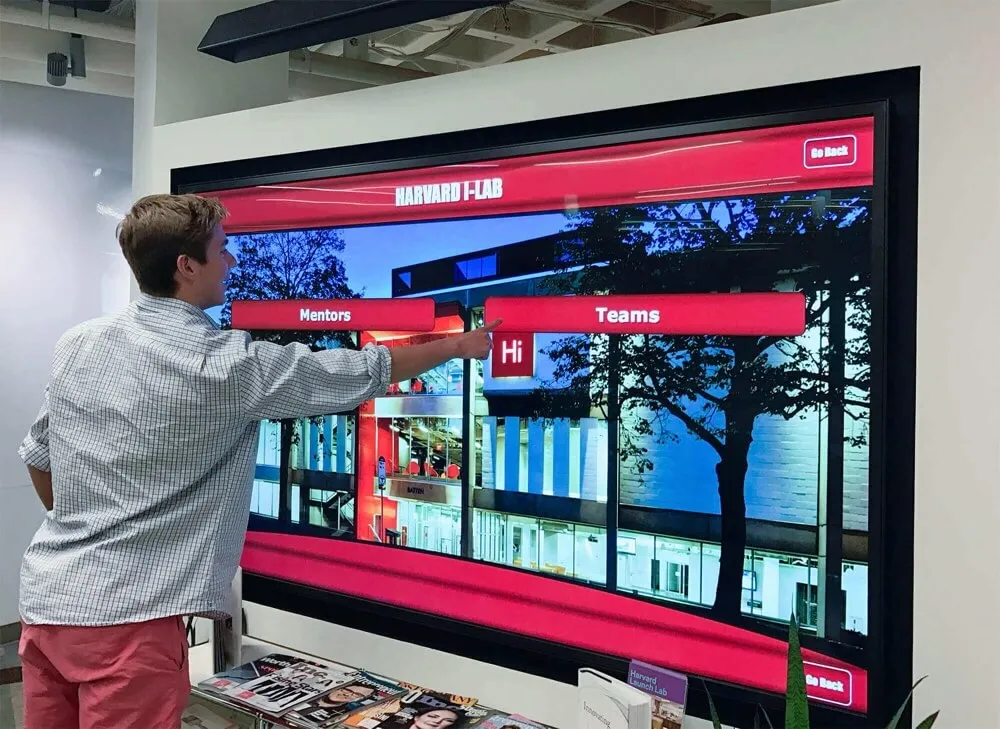
Professional digital signage installations serve wayfinding and information needs across various organizational contexts
Corporate and Business Applications
Businesses use digital signage for internal communication and client engagement:
Employee Communication Boards Corporate offices display company announcements, performance metrics, recognition programs, event calendars, and safety information keeping employees informed without requiring constant email updates.
Reception and Lobby Displays Client-facing businesses use digital signage in reception areas displaying brand messaging, product information, client testimonials, and company achievements creating professional first impressions.
Employee Recognition Systems Organizations celebrate work anniversaries, performance achievements, safety records, and employee contributions through digital recognition displays building culture and morale.
Benefits of Digital Signage Over Traditional Methods
Organizations investing in digital signage realize multiple advantages compared to printed signs and static displays.
Real-Time Content Updates
Digital signage eliminates delays inherent in traditional sign updates:
Instant Information Changes When information changes—schedule updates, new achievements, emergency alerts—digital displays update immediately through cloud-based management. Compare this to traditional signs requiring design, printing, delivery, and installation taking days or weeks.
Schedule Automation Content automatically changes based on time, date, or external triggers without requiring manual intervention. Morning announcements appear during arrival times, lunch menus display at appropriate hours, and event information appears at relevant times.
Multi-Location Coordination Organizations with multiple campuses or locations push content updates simultaneously to all displays ensuring consistent messaging. District-wide announcements appear everywhere instantly without coordinating sign distribution across buildings.
Reduced Administrative Burden Staff update content through simple web interfaces without requiring graphic design expertise, printing coordination, or physical installation. What once required multiple people and several days now takes one person minutes.
Enhanced Visual Impact and Engagement
Dynamic multimedia content attracts and retains attention more effectively than static text:
Motion and Animation Moving images and video naturally draw eye attention in ways static posters cannot. Strategic motion use—subtle animations, video content, transitions—creates visual interest without overwhelming viewers.
Multimedia Integration Digital displays combine text, images, video, and audio creating multi-sensory experiences. Athletic recognition includes game footage, musical performances feature performance clips, and historical content incorporates period photographs and videos bringing information to life.
Visual Quality and Clarity High-resolution digital displays present sharp, vibrant content clearly visible from appropriate viewing distances. Unlike aging printed signs that fade and deteriorate, digital content maintains consistent quality.
Customized Visual Design Digital platforms enable sophisticated visual design incorporating institutional branding, color schemes, graphics, and layouts reflecting organizational identity professionally and consistently.
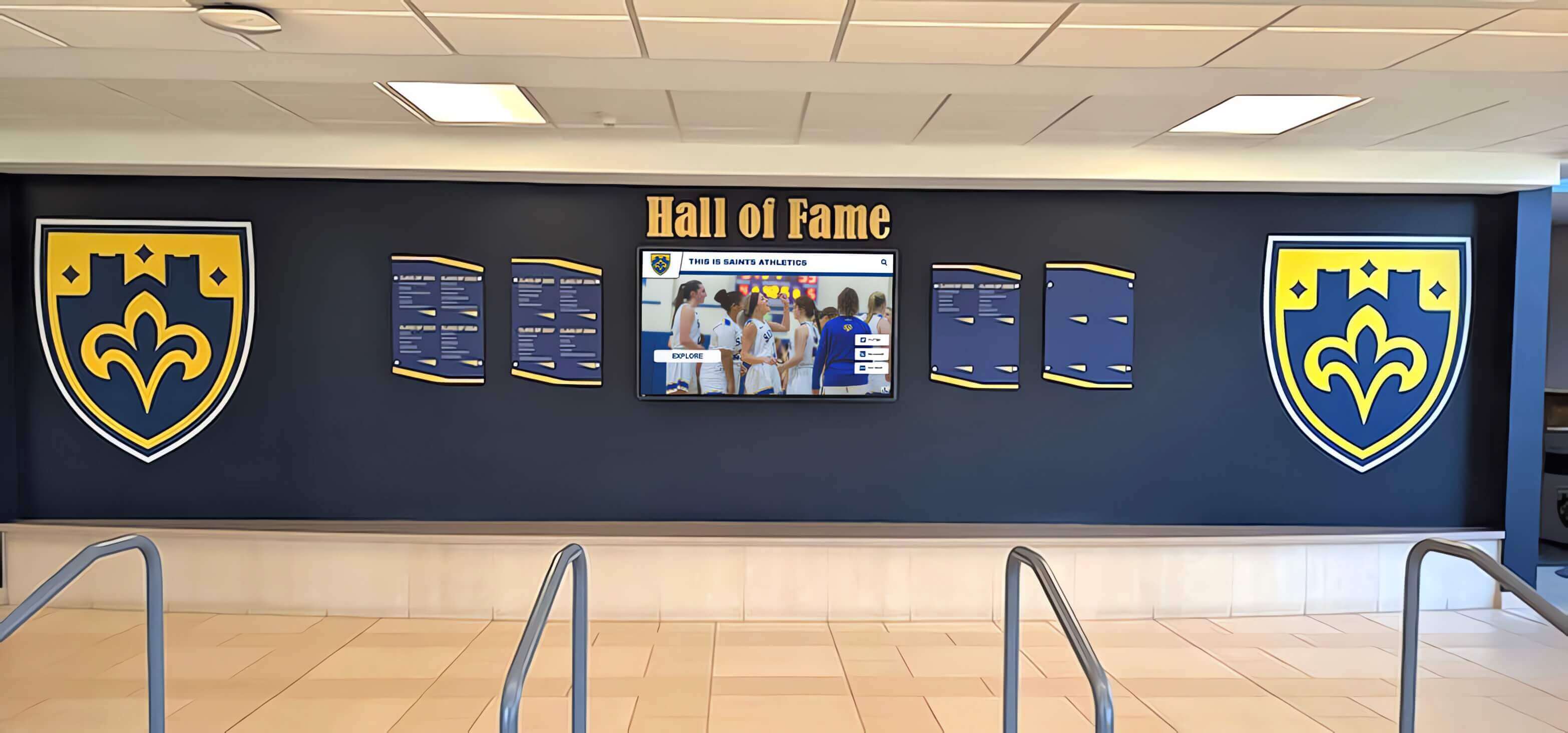
Digital signage integrates with traditional design elements creating cohesive recognition experiences
Unlimited Content Capacity
Physical constraints that limit traditional signage disappear with digital approaches:
Comprehensive Recognition Without Space Limits Organizations celebrating hundreds or thousands of achievements display all deserving individuals through searchable digital databases rather than choosing whose recognition fits available wall space. Every athlete, scholar, alumnus, and donor receives equal opportunity for visibility.
Multi-Purpose Functionality Single digital installations serve multiple functions—athletic recognition, academic honor rolls, alumni profiles, historical archives, announcements—eliminating the need for separate physical installations for each content category.
Historical Archive Preservation Decades or centuries of institutional achievement remain permanently accessible through digital archives rather than being removed when physical space fills. New recognition adds to rather than replaces historical content.
Depth and Detail Digital profiles include comprehensive information—detailed biographies, extensive statistics, multiple photos, videos, documents—rather than the minimal information fitting on physical plaques. Recognition celebrates complete stories rather than just names and dates.
Interactive Exploration and Personalization
Touch-enabled digital signage creates active engagement impossible with passive static displays:
Personal Discovery Through Search Visitors search for themselves, family members, classmates, teammates, or people of interest through name queries rather than scanning hundreds of plaques hoping to find relevant individuals. Interactive touchscreen software makes large databases navigable through intuitive search interfaces.
Browsing and Filtering Users explore content by graduation year, sport, achievement type, department, or other relevant categories. Filtering makes large content collections manageable and discoverable rather than overwhelming.
Related Content Discovery Recognition systems suggest related profiles—teammates, classmates, others with similar achievements—extending exploration beyond initial searches. Visitors discovering one interesting profile naturally explore related individuals building engagement depth.
Social Sharing and Amplification Recognized individuals share digital profiles celebrating their achievements through social media, email, and messaging. Recognition extends far beyond physical campus visits, reaching alumni networks worldwide and building institutional pride among distributed communities.
These interaction capabilities transform passive viewing into active exploration creating what we call “digital warming”—personalized engagement experiences that strengthen community connections and institutional attachment.
Accessibility and Inclusion
Digital signage can be designed to serve all community members including those with disabilities:
Multi-Modal Information Delivery Digital systems deliver information visually, through audio, and via text simultaneously accommodating different learning preferences and accessibility needs. Hearing-impaired users access visual and text information while visually impaired users benefit from screen reader compatibility and audio content.
Web-Based Remote Access Recognition content accessible through responsive websites enables alumni, family members, and supporters worldwide to explore achievements from any device without requiring physical campus visits. Geographic distance no longer prevents recognition access.
ADA Compliance Capabilities Properly designed digital signage meets accessibility standards through appropriate mounting heights, screen reader compatibility, keyboard navigation support, sufficient color contrast, and adjustable text sizing. Solutions like Rocket Alumni Solutions provide comprehensive WCAG 2.1 AA compliance ensuring inclusive experiences.
Mobile Device Integration QR codes on displays enable instant content access on personal devices. Visitors continue exploration on smartphones accommodating viewing preferences, accessibility needs, and desire for continued engagement beyond physical interaction.
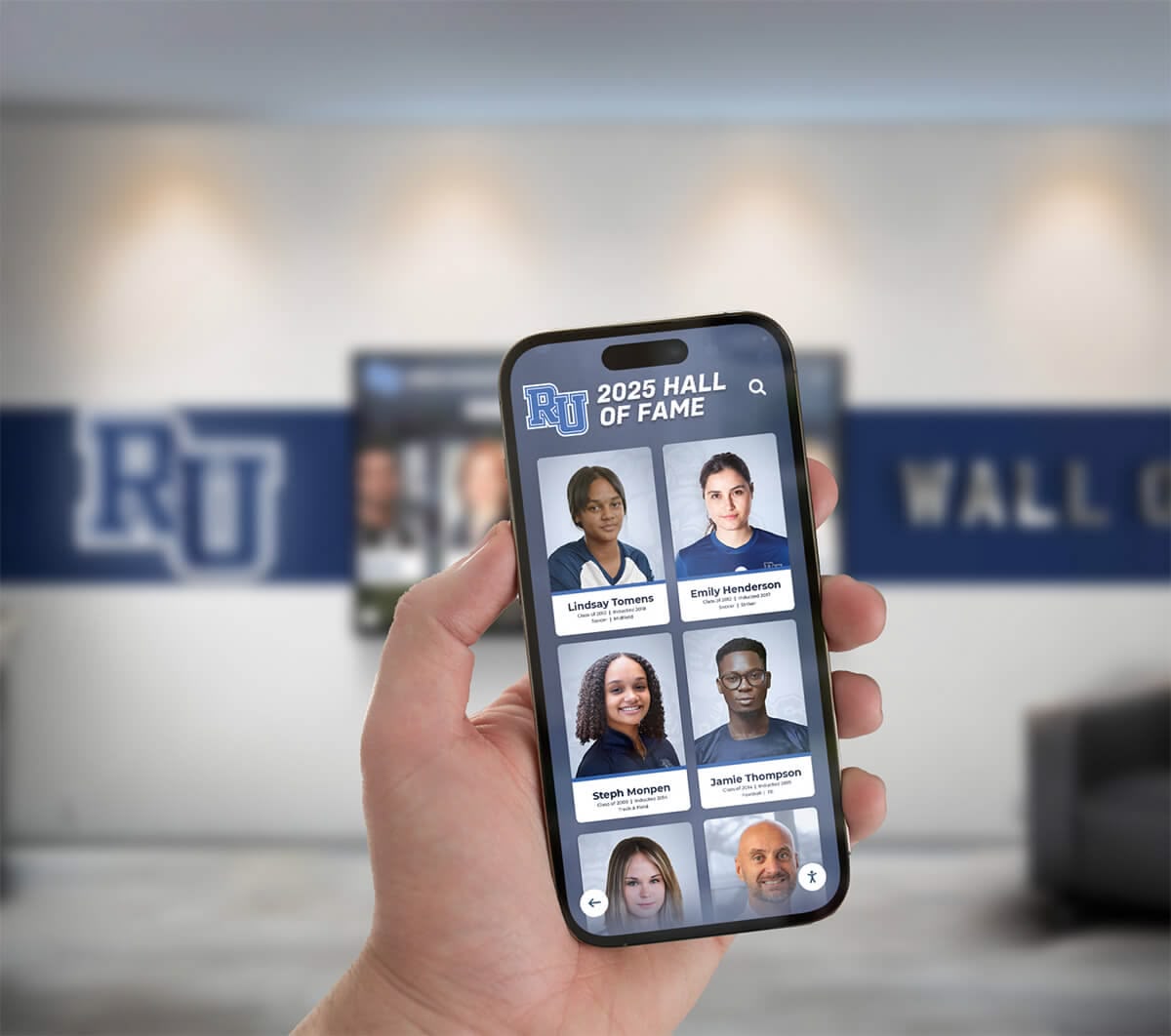
Multi-device accessibility extends recognition engagement from public displays to personal devices
Cost-Effectiveness Over Time
While initial investment exceeds printed signs, long-term economics favor digital approaches:
Elimination of Recurring Engraving Costs Traditional recognition plaques cost $50-200 per inductee for engraving and installation—costs recurring annually as new individuals earn recognition. Digital updates involve zero marginal costs per additional inductee after initial system investment.
No Physical Space Expansion Needs As recognition programs grow, traditional approaches eventually exhaust available wall space requiring expensive facility expansion or displacing existing recognition. Digital systems accommodate unlimited growth without additional physical infrastructure investment.
Reduced Labor and Coordination Content management through cloud-based platforms eliminates labor-intensive processes of designing signs, coordinating printing, scheduling installation, and managing vendor relationships. Staff accomplish in minutes what previously required days.
Extended Useful Life Quality digital signage installations operate effectively for years with minimal maintenance. Unlike printed materials requiring replacement as they age, fade, or become damaged, digital content maintains consistent quality indefinitely.
Multi-Purpose Value Digital installations serving multiple functions—recognition, announcements, wayfinding, historical archives—eliminate the need for separate expenditures on dedicated systems for each purpose. Single investments deliver multiple value streams.
Choosing the Right Digital Signage Solution
Organizations planning digital signage implementation benefit from systematic evaluation addressing specific needs and contexts.
Defining Primary Use Cases and Objectives
Clear purpose definition guides technology and content strategy:
Communication vs. Recognition vs. Interaction Digital signage serving primarily one-way communication (announcements, schedules, alerts) requires different capabilities than recognition-focused applications emphasizing search, exploration, and profile browsing. Interactive wayfinding demands different features than passive information display.
Organizations implementing recognition displays benefit from purpose-built platforms designed specifically for celebration and engagement rather than generic digital signage systems adapted from advertising or corporate communication contexts.
Touchscreen Interaction vs. Passive Viewing Interactive applications require responsive touchscreen hardware, intuitive interface design, and content architectures supporting search, filtering, and navigation. Passive display applications focus on content scheduling, visual design, and automated rotation without requiring touch capabilities.
Single-Purpose vs. Multi-Purpose Will displays serve single functions (athletic recognition only) or multiple purposes (recognition, announcements, schedules, historical content)? Multi-purpose applications require more sophisticated content management and navigation design ensuring users access desired information without confusion.
Content Update Frequency Applications requiring frequent updates—daily announcements, real-time schedules—demand efficient content management workflows. Recognition systems with less frequent updates prioritize comprehensive profile creation over rapid publishing capabilities.
Software Platform Selection
Platform capabilities significantly impact long-term satisfaction and effectiveness:
Purpose-Built vs. Generic Solutions Generic digital signage platforms designed for advertising or corporate communication lack features recognition applications require—search functionality, profile-based content structures, relationship navigation, achievement categorization. Purpose-built recognition platforms like Rocket Alumni Solutions deliver capabilities generic systems cannot match.
Content Management Ease Non-technical staff should confidently manage content without requiring ongoing IT support. Intuitive interfaces, clear workflows, role-based permissions, and helpful training materials enable distributed management across departments rather than creating IT bottlenecks.
Scalability and Growth Accommodation As recognition programs expand from dozens to hundreds to thousands of inductees, system performance must remain responsive. Poor architecture creates degrading performance as content accumulates, while scalable platforms maintain fast search and smooth navigation regardless of database size.
Customization and Branding Platforms should accommodate institutional branding through colors, logos, typography, and visual identity integration. Template-based systems with limited customization create generic appearances inappropriate for unique institutional contexts.
Support and Implementation Services Comprehensive provider support including installation coordination, content migration assistance, staff training, ongoing technical support, and regular platform enhancements significantly eases implementation and ensures long-term success.
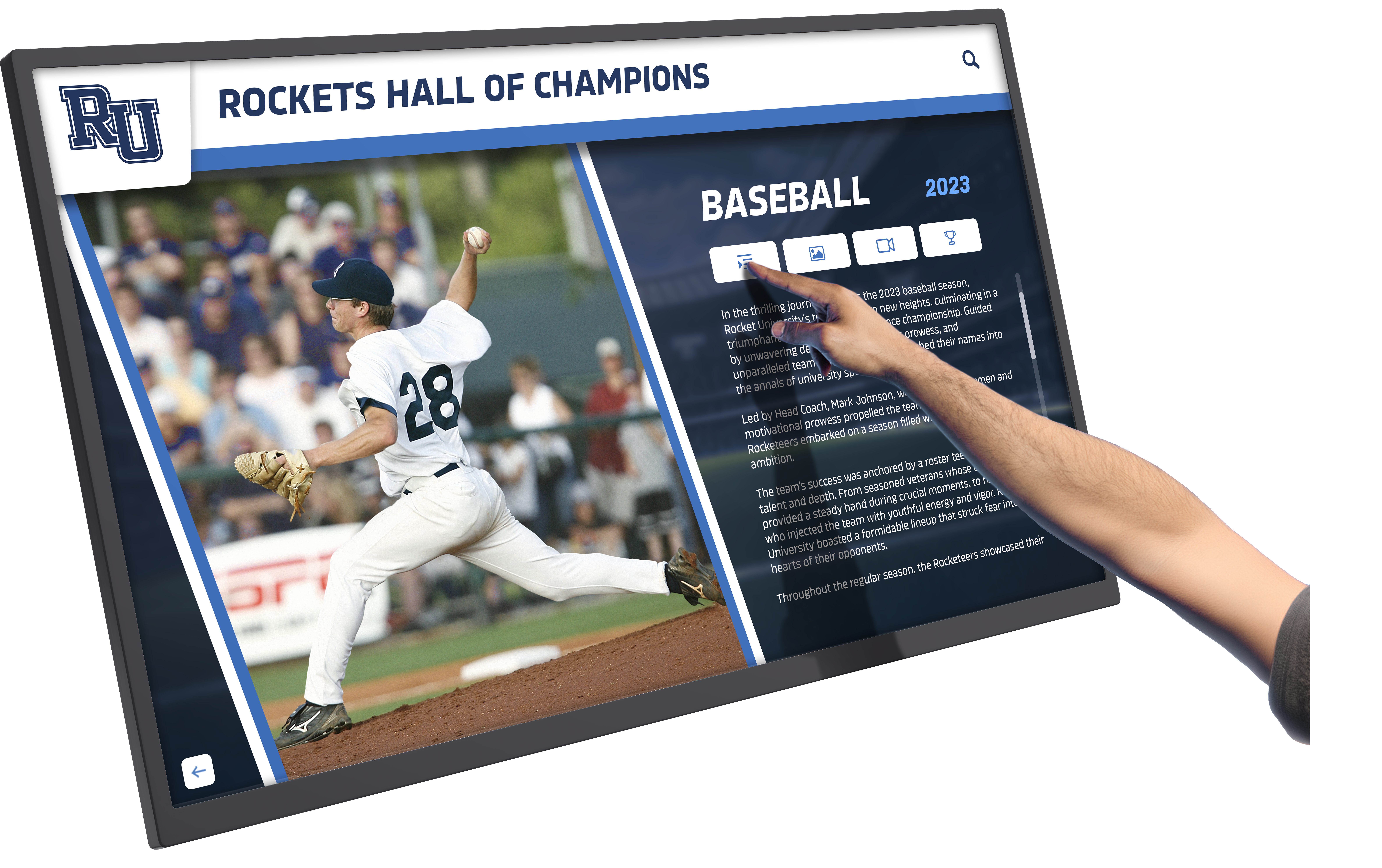
Purpose-built recognition software delivers intuitive interaction and comprehensive achievement celebration
Hardware Considerations
Physical display selection impacts visibility, engagement, and longevity:
Display Size and Viewing Distance Match screen size to typical viewing distances—larger displays for spaces where viewers stand several feet away, smaller screens for close interaction. Consider whether individual use or group viewing represents primary use case.
Touchscreen Technology Selection Interactive applications require responsive touch technology. Capacitive touchscreens (similar to smartphones) provide familiar multi-touch interaction, while older resistive screens or infrared systems offer different interaction experiences affecting usability.
Commercial vs. Consumer Grade Hardware Consumer televisions seem cost-effective but lack features commercial displays provide—longer operational lifespans, higher brightness for ambient light, portrait orientation support, reliable always-on operation, and protective glass for public interaction. Commercial-grade equipment proves more cost-effective long-term despite higher initial costs.
Installation and Mounting Consider wall-mounting, freestanding kiosks, or ceiling-hanging installations based on available space, architectural constraints, and desired interaction patterns. Proper mounting height and angle affect accessibility and viewing comfort.
Environmental Factors Assess ambient lighting (displays in bright sunlight require higher brightness), viewing angles (displays in corners or hallways benefit from wide viewing angles), and physical protection needs (high-traffic areas warrant protective bezels or tempered glass).
Content Strategy and Creation
Compelling content determines whether digital signage creates engagement or becomes ignored:
Visual Design Standards Establish templates, color schemes, typography, and layout standards ensuring consistent professional appearance. Clear design guidelines enable multiple content contributors to maintain quality without requiring graphic design expertise.
Update Responsibilities and Workflows Assign clear ownership for content creation, approval, scheduling, and maintenance. Undefined responsibilities lead to outdated content undermining digital signage value. Sustainable workflows match organizational capacity and communication culture.
Content Quality Over Quantity Focus on relevant, valuable content rather than filling displays with unnecessary information. Overcrowded screens overwhelm viewers while sparse, purposeful content communicates effectively and maintains attention.
Multimedia Integration Planning Determine what types of media enhance communication—photos, videos, graphics, text—and establish processes for creating, sourcing, formatting, and managing multimedia assets ensuring high-quality presentation.
Implementing Digital Signage Successfully
Effective digital signage projects follow systematic implementation approaches addressing technical, content, and organizational dimensions.
Planning and Preparation Phase
Thoughtful planning prevents common pitfalls:
Stakeholder Engagement and Requirements Gathering Involve diverse stakeholders—administrators, teachers, coaches, students, IT staff, facilities management—understanding different needs and priorities. Comprehensive input prevents implementing systems that serve some needs while ignoring others.
Budget Development and Funding Sources Realistic budgets encompass hardware, software, installation, training, content development, and ongoing support. Organizations identify funding through operating budgets, capital campaigns, donor sponsorships, booster clubs, or memorial giving programs.
Location Selection and Traffic Analysis Install displays where they receive maximum natural visibility—main lobbies, high-traffic hallways, cafeteria entrances, athletic facility entries. Observe actual foot traffic patterns rather than assuming optimal locations.
Technical Infrastructure Assessment Verify adequate network connectivity, electrical power availability, mounting surface suitability, and IT policy compatibility. Technical limitations discovered during installation cause expensive delays and workarounds.
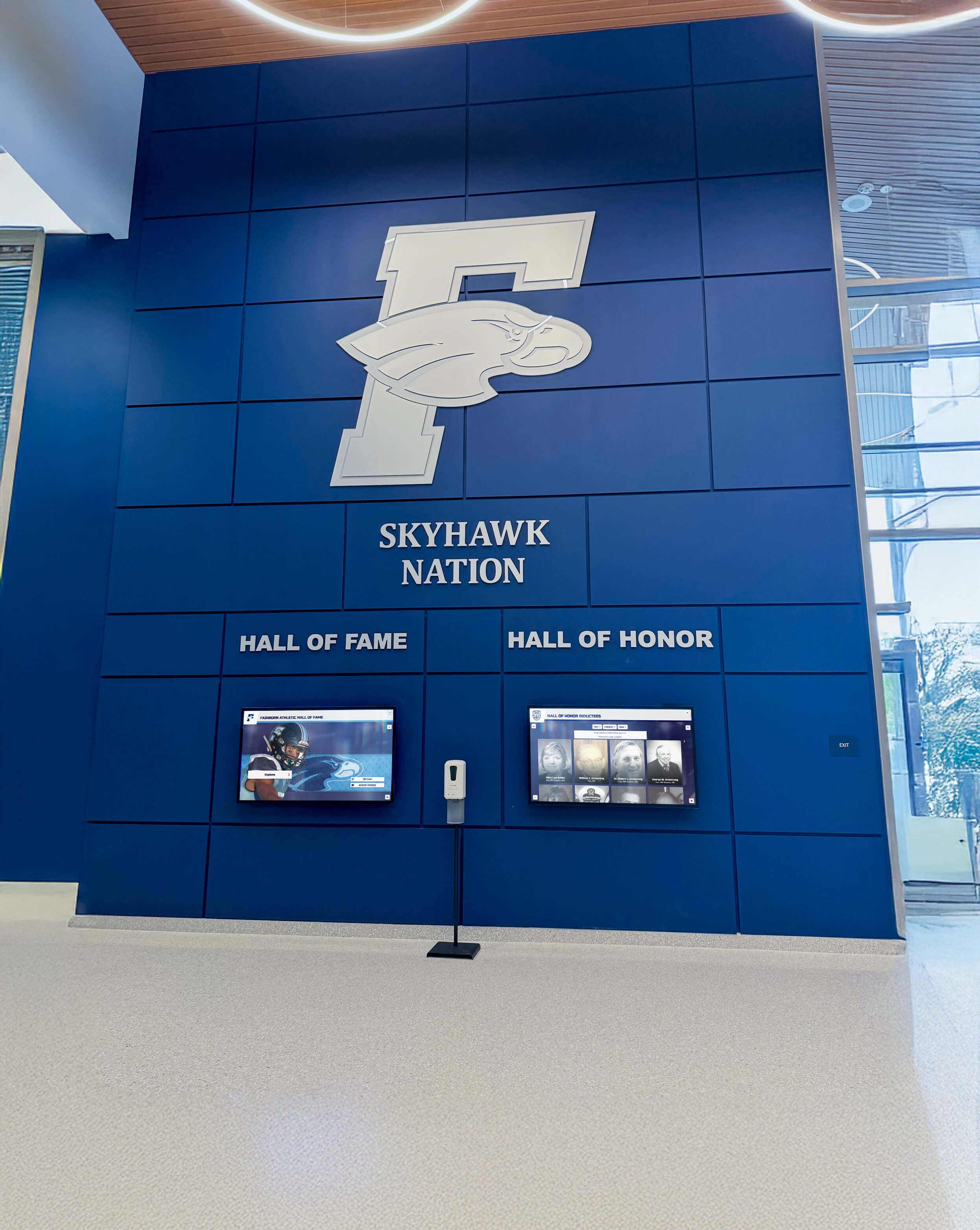
Strategic planning creates cohesive installations integrating digital displays with architectural design and institutional branding
Installation and Technical Deployment
Professional installation ensures optimal performance and longevity:
Professional vs. DIY Installation While technically capable staff can install some systems, professional installation ensures proper mounting, optimal positioning, clean cable management, and warranty compliance. Poor installation creates safety hazards, aesthetic problems, and premature hardware failure.
Network Configuration and Security Configure appropriate network access, implement necessary firewall rules, and follow institutional IT security policies. Isolated network segments may be appropriate for public-facing interactive displays separating them from sensitive institutional networks.
Content Management Training Multiple staff members should receive hands-on training in content management ensuring knowledge distribution and backup capability. Comprehensive documentation, video tutorials, and responsive vendor support facilitate confident ongoing management.
Testing and Quality Assurance Before public launch, thoroughly test all functionality—touch responsiveness, search accuracy, content display, network connectivity, scheduled updates, error handling. Launch problems undermine confidence and create negative first impressions.
Content Development and Launch
Strong initial content creates positive first impressions:
Priority Content Creation Begin with high-visibility, high-value content ensuring impactful launches. For recognition systems, this means recent prominent inductees with comprehensive profiles including excellent photos, complete biographies, and accurate information.
Historical Content Migration Strategy Recognize that comprehensive historical archives take time. Launch with recent content and clearly communicate plans for historical expansion. Gradual content growth proves more sustainable than attempting complete archives before launch.
Launch Promotion and Education Publicize new digital signage through newsletters, social media, announcements, and campus tours. Explain how to interact with touchscreen displays and promote web accessibility for remote users. Strong launch communication drives adoption and engagement.
Feedback Collection Mechanisms Establish channels for users to provide feedback, report issues, suggest improvements, and contribute content. Responsive improvement based on user feedback optimizes effectiveness over time.
Ongoing Management and Optimization
Sustained success requires continuous attention and improvement:
Regular Content Updates Establish sustainable schedules for adding new inductees, updating existing profiles, refreshing featured content, and maintaining information accuracy. Stale content reduces engagement and undermines credibility.
Performance Monitoring Track engagement metrics—interaction frequency, session duration, popular content, search patterns—identifying what resonates and what needs improvement. Data-informed optimization ensures systems serve user needs effectively.
Hardware Maintenance and Technical Support Schedule regular hardware inspection, display cleaning, software updates, and backup verification. Proactive maintenance prevents downtime and extends hardware lifespans.
Continuous Improvement and Enhancement As organizational needs evolve and technology advances, refine content strategy, enhance profiles, add new features, and optimize user experience. Digital signage should improve over time rather than remaining static after launch.

Successful digital signage creates community gathering points where people naturally congregate and engage
Digital Signage Trends and Future Developments
Digital signage technology continues evolving with emerging capabilities and changing user expectations.
Artificial Intelligence and Personalization
AI increasingly enables sophisticated content adaptation:
Intelligent Content Recommendations Systems analyze interaction patterns suggesting relevant content based on browsing history, search queries, and engagement signals. Visitors discovering one athlete naturally receive suggestions for teammates, competitors, and others with similar achievements.
Natural Language Search Interfaces Conversational search enables natural questions—“Show me all basketball players from the 1990s”—making discovery more intuitive than structured queries requiring specific field selection.
Automated Content Generation and Enhancement AI assists with biographical writing, photo enhancement, relationship identification, and achievement context generation reducing administrative burden while improving content depth and quality.
Enhanced Accessibility Features
Continued focus on inclusive design drives accessibility advancement:
Voice Control Integration Voice-activated interfaces enable interaction for users with motor impairments while audio descriptions enhance experiences for visually impaired visitors.
Real-Time Translation Automated translation makes content accessible in multiple languages serving diverse communities without requiring manual translation for each profile.
Adaptive Interface Modes Systems detect user needs and automatically adjust interfaces—enlarged text, high contrast, simplified navigation, audio enhancements—ensuring optimal experiences for all visitors.
Multi-Channel Integration and Continuation
Recognition increasingly spans physical, digital, and social channels:
Augmented Reality Extensions Mobile apps using AR technology overlay digital content onto physical environments creating innovative connections between traditional displays and enhanced digital experiences.
Social Platform Deep Integration Enhanced social network integration amplifies recognition reach while creating viral engagement extending institutional visibility beyond traditional audiences.
Personal Device Seamless Continuation Visitors transition effortlessly from public touchscreen exploration to personal device continuation, saving favorites, setting reminders, and maintaining engagement beyond facility visits.
Sustainable and Energy-Efficient Technologies
Environmental considerations increasingly influence digital signage design:
Energy-Efficient Display Technologies LED backlighting, automatic brightness adjustment, and scheduled power management reduce energy consumption. Modern commercial displays consume significantly less power than earlier generations.
Cloud-Based Computing Cloud-hosted content management and processing reduces local hardware requirements, energy consumption, and electronic waste while enabling easier updates and maintenance.
Extended Hardware Lifecycles Quality commercial-grade equipment operating for 7-10 years reduces replacement frequency and electronic waste. Software updates and cloud-based management keep systems current without requiring hardware replacement.
Transform Communication and Recognition with Purpose-Built Digital Signage
Discover how specialized digital signage solutions create engaging community experiences that generic broadcast systems cannot match. See how interactive touchscreen displays bring digital warming to schools, universities, and organizations celebrating achievements while building connected communities.
Explore Recognition SolutionsConclusion: Digital Signage as Community Engagement Tool
Understanding what digital signage is begins with recognizing it encompasses far more than electronic displays replacing printed signs. Digital signage represents a fundamental shift in how organizations communicate information, celebrate achievements, preserve heritage, and build community connections.
For schools, universities, athletic departments, and community organizations, the most valuable digital signage applications extend beyond simple announcement broadcasting into interactive recognition and engagement systems creating what we call “digital warming”—transforming cold, impersonal spaces into vibrant community hubs where members explore achievements, discover connections, and build lasting institutional relationships.
Traditional static signage delivers one-way communication to passive viewers within physical space constraints. Digital signage—particularly purpose-built interactive recognition platforms—creates two-way engagement through intuitive exploration, personalized discovery, unlimited content capacity, and multi-channel accessibility extending recognition far beyond physical installations into the networks and communities of recognized individuals.
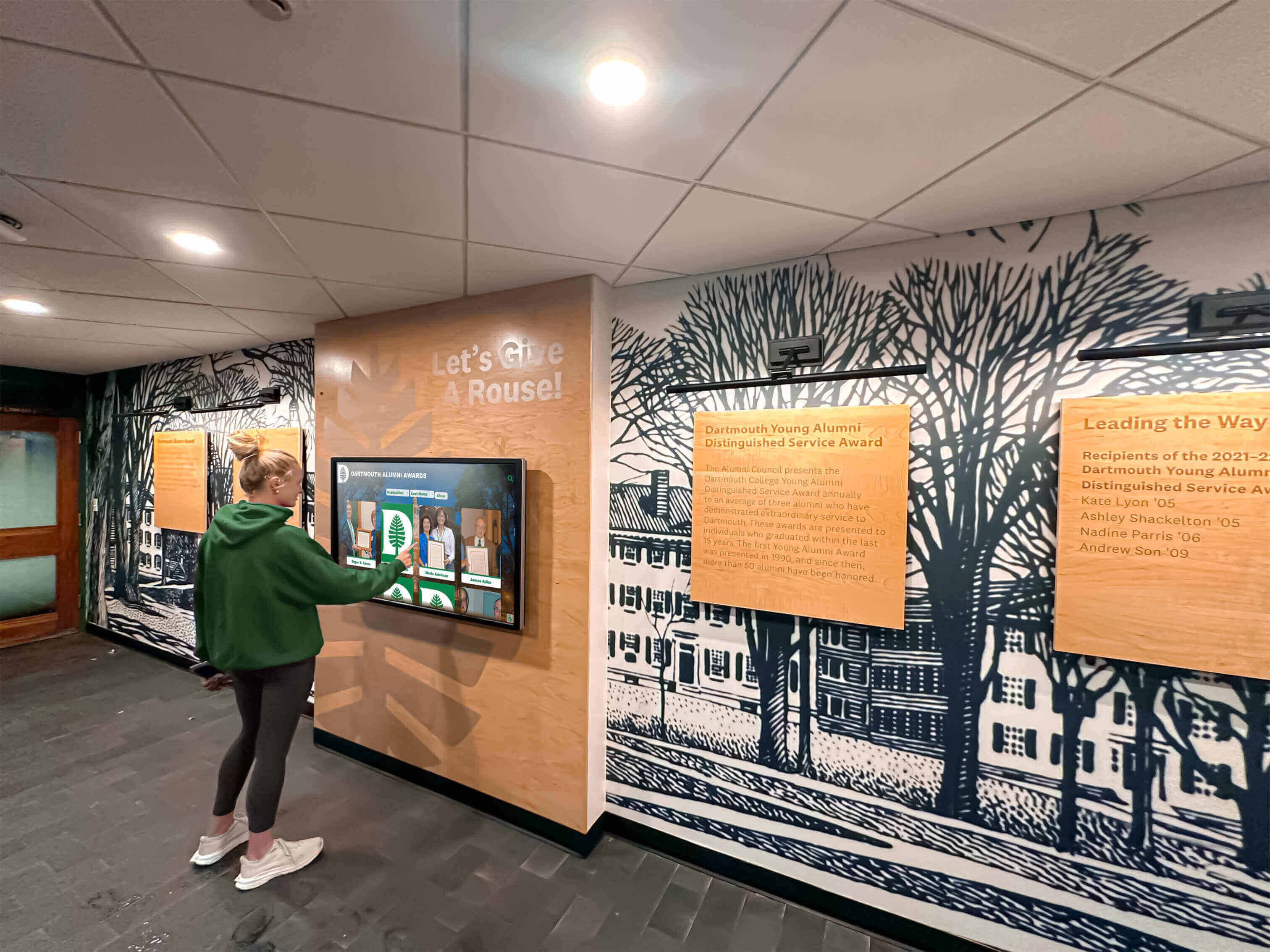
Effective digital signage creates active engagement rather than passive viewing, strengthening community connections
The decision between traditional printed signs and digital signage depends on organizational priorities and use cases. Simple wayfinding or occasional announcements may not justify digital investment. However, organizations celebrating hundreds of achievements across multiple programs, those seeking to engage modern digital-native audiences, institutions accumulating recognition faster than physical space accommodates, and communities desiring accessible recognition for geographically distributed members realize transformative value from purpose-built digital signage solutions.
Not all digital signage serves the same purpose. Restaurant menu boards, retail advertising displays, corporate communication systems, and recognition platforms require fundamentally different capabilities. Organizations implementing recognition-focused digital signage benefit from specialized platforms designed explicitly for celebration and engagement rather than generic systems adapted from different contexts.
Solutions like Rocket Alumni Solutions deliver purpose-built recognition capabilities—intuitive touchscreen interfaces encouraging exploration, comprehensive search enabling personal discovery, unlimited content capacity accommodating complete archives, full accessibility ensuring inclusive experiences, and web-based remote access extending recognition globally—creating engagement that generic digital signage platforms cannot match.
Your organization’s achievements, heritage, and community deserve celebration through engaging experiences that honor excellence while strengthening connections, pride, and institutional attachment. Purpose-built digital signage optimized specifically for recognition and community engagement delivers these outcomes more effectively than traditional static plaques or generic broadcast systems adapted from corporate communication contexts.
Whether implementing first digital signage projects or upgrading aging systems, organizations benefit from clearly defining primary use cases, evaluating platforms based on actual requirements rather than generic features, prioritizing user experience over technical sophistication, and selecting specialized providers understanding recognition contexts rather than generic digital signage vendors.
Digital signage continues evolving with artificial intelligence, enhanced accessibility, multi-channel integration, and emerging technologies creating ever more sophisticated community engagement experiences. Organizations implementing modern digital recognition systems today position themselves to adopt these advances, ensuring recognition programs remain current and engaging for decades to come.
Ready to explore how digital signage can transform recognition and community engagement for your organization? Learn about implementing digital recognition systems, discover best practices for staff recognition displays, or see how custom-designed recognition systems celebrate achievements while building vibrant, connected communities where members feel valued and motivated to maintain lifelong institutional relationships.































