




Digital recognition systems serve entire communities—students and alumni spanning generations, visitors with diverse abilities and backgrounds, family members supporting institutional connections, and staff managing content and operations. When digital platforms exclude people with disabilities through poor design, inaccessible interfaces, or inadequate accommodations, they fail fundamental missions of inclusion and equity that most educational and nonprofit institutions espouse as core values.
Web Content Accessibility Guidelines (WCAG) 2.2 AA represents the recognized international standard for digital accessibility, establishing technical requirements ensuring people with disabilities can perceive, operate, understand, and navigate digital content effectively. Educational institutions, nonprofits, and public organizations increasingly face legal obligations to meet these standards while ethical imperatives demand accessible design regardless of regulatory requirements.
This guide examines every WCAG 2.2 success criterion—from fundamental Level A requirements through enhanced Level AA standards to aspirational Level AAA guidelines—explaining why each matters for digital recognition systems, interactive displays, and web-based platforms serving diverse communities. Understanding these standards enables organizations to evaluate vendor claims, make informed technology decisions, and ensure accessibility commitments translate into genuinely inclusive experiences.
Accessibility represents both moral obligation and legal requirement. The Americans with Disabilities Act (ADA) mandates equal access to public accommodations and services, while Section 508 of the Rehabilitation Act requires federal agencies and recipients of federal funding to make electronic information accessible. Courts increasingly interpret these laws as requiring WCAG 2.0 AA or WCAG 2.1 AA compliance for websites and digital platforms, with WCAG 2.2 AA emerging as the current best practice standard.
Beyond legal compliance, accessible design serves broader populations than disability statistics suggest. Captions benefit people watching videos in sound-sensitive environments. Keyboard navigation helps users with temporary injuries affecting mouse control. Clear language assists non-native speakers and people with cognitive differences. High contrast supports anyone viewing screens in bright sunlight. Accessible design creates better experiences for everyone, not just people with permanent disabilities.
For organizations implementing digital recognition systems or interactive displays, WCAG compliance ensures all community members can explore heritage content, discover personal connections, and engage with institutional stories regardless of visual, auditory, motor, or cognitive abilities. This comprehensive access fulfills inclusion missions while demonstrating institutional values through technology choices reflecting genuine commitment to equity.

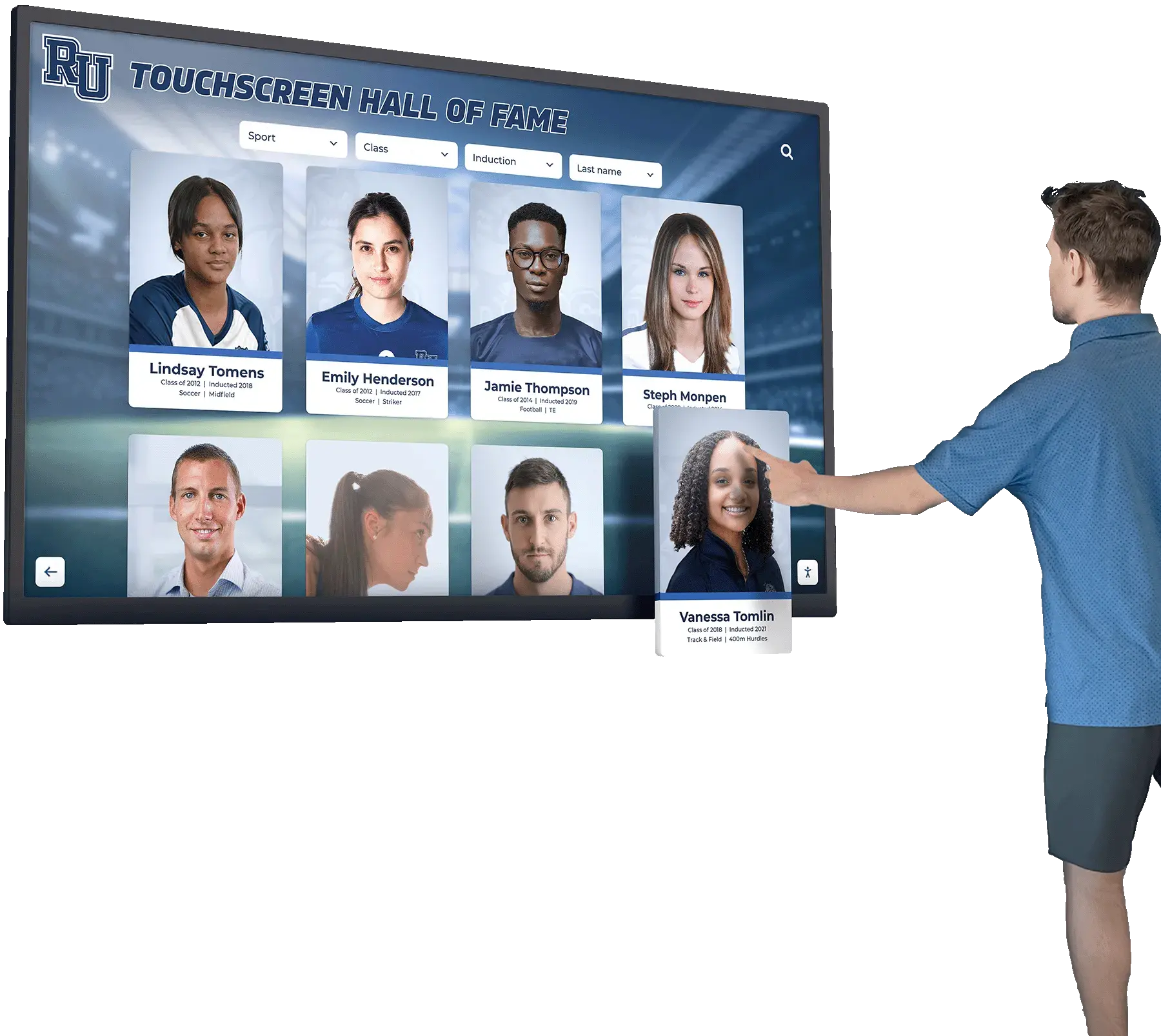
Accessible digital recognition systems serve entire communities through inclusive design practices
Understanding WCAG 2.2 Structure and Conformance Levels
WCAG organizes accessibility requirements through four fundamental principles:
Perceivable: Information and user interface components must be presentable to users in ways they can perceive. This means providing text alternatives for non-text content, creating content that can be presented in different ways without losing meaning, making it easier for users to see and hear content, and ensuring sensory characteristics alone don’t convey critical information.
Operable: User interface components and navigation must be operable by all users. This requires keyboard accessibility for all functionality, sufficient time for users to read and use content, avoidance of content causing seizures or physical reactions, easy navigation and content location, and alternative input methods beyond traditional pointing devices.
Understandable: Information and user interface operation must be understandable. This means readable text content, predictable interface behavior, and assistance preventing and correcting input errors.
Robust: Content must be robust enough that diverse user agents and assistive technologies can reliably interpret it. This requires clean code that assistive technologies can parse and adequately identified user interface components.
Within these principles, WCAG defines three conformance levels reflecting progressive accessibility enhancement:
Level A: Fundamental accessibility requirements. Failure to meet Level A criteria means some users absolutely cannot access content. These represent minimum standards that should never be ignored for any digital platform.
Level AA: Enhanced accessibility addressing major barriers for many users. Level AA represents the target standard for most organizations, balancing comprehensive accessibility with practical implementation feasibility. Most laws and policies reference WCAG 2.x AA as the required compliance level.
Level AAA: Highest accessibility enhancement. Level AAA criteria address specialized needs and represent aspirational goals. Organizations rarely achieve full Level AAA conformance across entire platforms due to practical and technical limitations, though specific AAA criteria may be appropriate for particular content or contexts.
Understanding this structure helps organizations prioritize accessibility work, evaluate vendor claims, and make strategic decisions about accessibility investment balancing legal requirements, ethical obligations, user needs, and resource constraints.

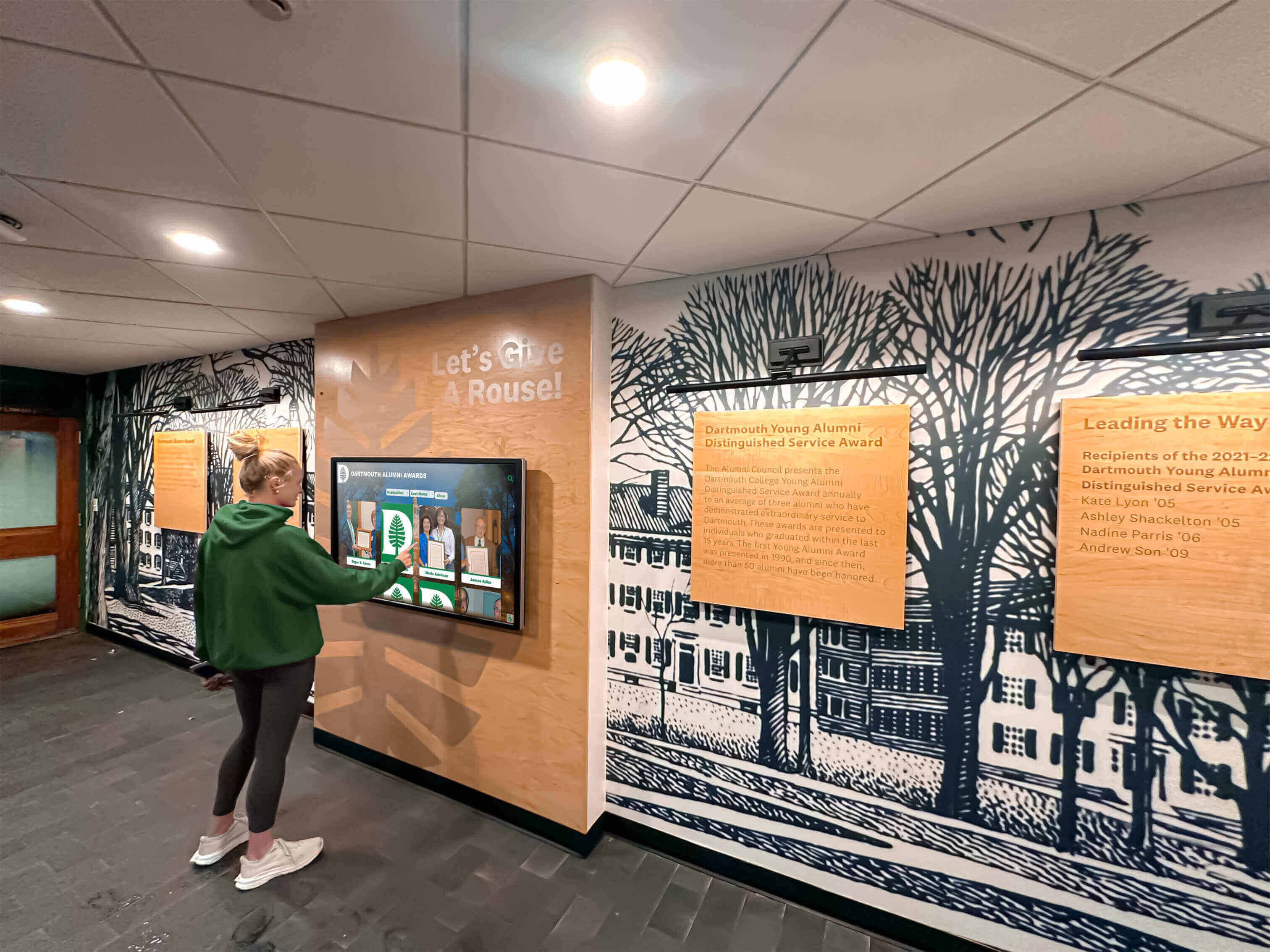
Strategic placement and accessible design ensure recognition systems serve all campus visitors
Level A Success Criteria: Fundamental Accessibility Requirements
Level A criteria represent absolute minimum accessibility standards. Failing these requirements means excluding significant user populations entirely from digital experiences.
Perceivable Content (Level A)
1.1.1 Non-text Content
All non-text content—images, icons, controls, and multimedia—requires text alternatives conveying equivalent information. For recognition displays, this means every photograph needs descriptive alternative text identifying people shown, icons require labels explaining their meaning, and interactive controls have clear text labels explaining their function.
Without text alternatives, screen reader users encounter meaningless silence when they reach images or cryptic “button” or “link” announcements lacking context about control purposes. This criterion ensures blind and low-vision users access the same information sighted users receive visually.
For digital trophy cases and hall of fame displays, comprehensive alternative text means describing not just names but contexts—“Maria Rodriguez receiving 2024 Scholar Athlete Award, smiling while holding trophy in gymnasium” rather than generic “image123.jpg” or bare “Maria Rodriguez” that omits visual context sighted users perceive immediately.
1.2.1 Audio-only and Video-only (Prerecorded) and 1.2.2 Captions (Prerecorded) and 1.2.3 Audio Description or Media Alternative (Prerecorded)
Multimedia content requires accessibility accommodations. Audio-only content needs text transcripts. Video-only presentations require either text descriptions or audio tracks explaining visual information. Video with audio requires synchronized captions for deaf and hard-of-hearing users, plus either audio descriptions or complete text alternatives conveying visual information not apparent from audio alone.
Recognition platforms incorporating video testimonials, historical footage, or multimedia presentations must provide these accommodations ensuring deaf, hard-of-hearing, blind, and low-vision users access equivalent content. Without captions and descriptions, multimedia becomes exclusionary rather than engaging regardless of production quality or content value.
1.3.1 Info and Relationships
Information, structure, and relationships conveyed through presentation must be programmatically determinable or available in text. This means using semantic HTML structure—proper heading levels, lists, tables with headers, form labels—rather than relying solely on visual formatting to convey meaning.
For interactive recognition displays, this requires proper heading hierarchies organizing content logically, accurate form labels for search and filter controls, and clear relationships between biographical information and associated images or categories. Screen reader users depend on programmatic structure to understand content organization and navigate efficiently.
1.3.2 Meaningful Sequence
When presentation order affects meaning, correct reading sequence must be programmatically determinable. This prevents situations where visual layout places content in logical order for sighted users but underlying code presents information in confusing sequences for screen reader users.
Recognition profiles should present biographical information in logical order—name and photograph, affiliation details, accomplishments, and personal reflections—maintaining coherence regardless of how users access content.
1.3.3 Sensory Characteristics
Instructions for understanding or operating content must not rely solely on sensory characteristics like shape, size, visual location, orientation, or sound. Directions like “click the round button” or “use the control on the right” exclude users who cannot perceive those characteristics.
For touchscreen kiosks, this means clear text labels on all controls rather than assuming icon shapes alone convey meaning. “Search” text labels should accompany magnifying glass icons; “Return to home” should supplement home icons, ensuring users who cannot perceive visual symbols still understand interface functions.
1.4.1 Use of Color
Color must not be the only visual means of conveying information, indicating actions, prompting responses, or distinguishing visual elements. While color can enhance understanding, additional visual cues—text labels, patterns, icons, position—must ensure color-blind users receive equivalent information.
For recognition systems using color-coded giving levels, achievement categories, or department affiliations, additional visual or textual indicators must communicate the same information color conveys. Relying solely on green versus red to indicate different statuses excludes roughly 8% of male users with color vision deficiencies.
Clear navigation and multiple visual cues ensure accessible interaction for diverse users
Operable Interface (Level A)
2.1.1 Keyboard and 2.1.2 No Keyboard Trap
All functionality must be operable through keyboard interfaces without requiring specific timings for individual keystrokes, and keyboard focus must never become trapped in any interface component. These criteria ensure users who cannot use mice or touchscreens—including people with motor disabilities, blind screen reader users, and keyboard-only users—can access all features.
For touchscreen recognition systems, this presents particular challenges. While physical kiosks designed exclusively for touch interaction may claim inapplicability, web-based interfaces or hybrid systems absolutely must support full keyboard navigation. Users exploring recognition content via web platforms need to tab through controls, activate searches, open profiles, and navigate content without mouse or touch input.
2.1.4 Character Key Shortcuts
If single-character keyboard shortcuts exist, users must be able to turn them off, remap them, or activate them only when relevant components have focus. This prevents conflicts with assistive technologies and accommodates users who trigger keys accidentally due to motor disabilities.
While many recognition platforms avoid single-key shortcuts, those implementing quick navigation features (pressing “S” for search, “H” for home) must provide controls managing these shortcuts or restrict activation contexts appropriately.
2.2.1 Timing Adjustable and 2.2.2 Pause, Stop, Hide
Time limits require user controls to extend, adjust, or eliminate them before expiration, with exceptions for real-time events and essential time limits. Moving, blinking, scrolling, or auto-updating information must provide pause, stop, or hide controls unless movement is essential.
Recognition displays showing rotating featured content or timed slideshows must provide clear pause controls allowing users to stop automatic progression while reading content at their own pace. Cognitive disabilities, reading difficulties, and assistive technology usage all require user control over content timing rather than arbitrary automatic advancement.
2.3.1 Three Flashes or Below Threshold
Content must not flash more than three times per second or must remain below general and red flash thresholds. Flashing content can trigger seizures in people with photosensitive epilepsy, creating serious safety risks beyond mere access barriers.
Recognition systems should avoid flashing elements entirely. Animated transitions, appearing content, or interface feedback should use smooth fades or movements rather than rapid flashing that poses seizure risks.
2.4.1 Bypass Blocks
Mechanisms must exist to bypass repeated blocks of content like navigation menus, allowing keyboard users to skip directly to main content without tabbing through dozens of links on every page. This dramatically improves efficiency for screen reader and keyboard-only users.
Web-based recognition platforms should implement “skip to main content” links and logical heading structures enabling users to navigate directly to biographical content, search results, or featured displays without traversing entire navigation systems repeatedly.
2.4.2 Page Titled
Web pages must have titles describing topics or purposes. Clear, descriptive titles help users understand where they are within digital systems and enable efficient navigation through browser tabs or screen reader page lists.
Recognition system pages should use specific titles like “Maria Rodriguez - Scholar Athlete Awards 2024 | Lincoln High School Hall of Fame” rather than generic “Profile Page” or merely organization names lacking context about specific content.
2.4.3 Focus Order and 2.4.4 Link Purpose (In Context)
When interfaces are navigated sequentially, components must receive focus in logical order preserving meaning and operability. Link purposes must be determinable from link text alone or from link text plus programmatically determined context.
Focus order for recognition displays should follow visual layout—search controls before results, profile summaries before “read more” buttons, biographical content before navigation controls returning users to listings. Links should clearly identify destinations—“View full biography for Maria Rodriguez” rather than ambiguous “Click here” or “Learn more” lacking context when read in isolation.
Logical focus order and clear link purposes support efficient navigation for all users
Pointer Gesture and Input (Level A)
2.5.1 Pointer Gestures
All functionality using multipoint or path-based gestures must also be operable with single-pointer actions without path-based movements, unless multipoint or path-based gestures are essential. This ensures users with limited dexterity can operate interfaces without complex gestures like pinch-to-zoom, swipe patterns, or multi-finger touches.
Touchscreen recognition systems should provide on-screen buttons for zooming, page navigation, and control activation rather than requiring gesture-only operation. Single taps should accomplish all functions, making systems accessible to users with tremors, limited fine motor control, or other dexterity challenges.
2.5.2 Pointer Cancellation
For single-pointer functionality, actions must not execute on the down event unless essential, with completion occurring on up event, abort mechanisms allowing users to avoid unintended activation, up-event reversal undoing down-event actions, or essential down-event functionality where timing or interface nature requires it.
This prevents accidental activations when users touch wrong controls and allows users to move away from controls before releasing, avoiding unintended actions. Recognition displays implementing this criterion let users tap buttons, realize mistakes, and slide fingers off controls before releasing to cancel actions.
2.5.3 Label in Name
For user interface components with visible text labels, programmatic names must contain the text presented visually. This ensures voice control users can activate controls by speaking visible labels rather than guessing alternative names assistive technologies might recognize.
Buttons showing “Search Alumni” should be programmatically named identically or inclusively (not programmatically labeled merely “submit” or “go”), allowing voice users to say “click search alumni” and successfully activate controls.
2.5.4 Motion Actuation
Functionality triggered by device motion or user gestures must also be operable through user interface components, with options to disable motion activation preventing accidental triggering. This accommodates users with tremors or involuntary movements that could trigger unintended motion-based functionality.
Recognition systems should avoid motion-activated features entirely or provide clear alternatives. Shaking devices to randomize featured profiles or tilting tablets to navigate creates accessibility barriers for users unable to perform or deliberately control motions.
Understandable Content (Level A)
3.1.1 Language of Page
The default human language of each web page must be programmatically determinable, allowing assistive technologies like screen readers to load appropriate pronunciation rules and provide correct output. This enables international users and users relying on machine translation to access content accurately.
Recognition platforms serving multilingual communities should properly declare language attributes at page levels and switch language tags when presenting content in different languages within the same page or profile.
3.2.1 On Focus and 3.2.2 On Input
Receiving focus or changing settings must not automatically cause unexpected context changes confusing users. Focus moves, form submissions, or significant interface changes should only occur through explicit user actions, preventing disorientation when users navigate through interfaces or adjust controls.
Recognition search forms should not automatically submit when users select filter options or tab through fields. Explicit “Search” button activation should trigger queries, giving users control over submission timing and opportunity to review criteria before executing searches.
3.2.6 Consistent Help
For WCAG 2.2 specifically, help mechanisms like contact details, chatbots, or self-help options must appear in consistent locations across page sets when provided. This predictability helps users locate assistance efficiently when they need support.
Recognition platforms providing help systems should maintain consistent placement—always in top-right corners, always in footer areas, always accessible through help icons—rather than moving assistance randomly across different interface sections.
3.3.1 Error Identification and 3.3.2 Labels or Instructions
When input errors are detected automatically, items in error must be identified and described to users in text. Labels or instructions must be provided when content requires user input, ensuring users understand what information is expected and in what format.
Search forms requiring specific formats or fields should clearly label expectations—“Enter name (last, first)” or “Select year range”—rather than assuming users will intuitively understand requirements. Error messages should clearly identify problems—“Last name is required” or “Year must be between 1950 and 2026”—rather than generic “Invalid input” lacking specificity.
3.3.7 Redundant Entry
Information previously entered by users within the same process must not require re-entry unless necessary for security, the information is no longer valid, or re-entry is essential. This WCAG 2.2 addition reduces cognitive load and supports users with memory challenges or motor disabilities making repeated input difficult.
Multi-step processes within recognition systems—advanced searches requiring multiple screens, content submission workflows—should preserve previously entered data rather than requiring users to re-input information when navigating between steps.
Clear labeling and error prevention support users with cognitive and motor disabilities
Robust and Compatible (Level A)
4.1.2 Name, Role, Value
For all user interface components, name and role must be programmatically determinable, and states, properties, and values that can be set by users must be programmatically settable. Notification of changes to these items must be available to user agents including assistive technologies.
This criterion ensures custom controls, interactive elements, and dynamic interfaces work properly with screen readers, voice control, and other assistive technologies. Standard HTML controls meet this requirement automatically, but custom recognition interface controls—styled search boxes, custom filters, profile cards—require explicit ARIA labels, roles, and state management ensuring assistive technology compatibility.
Note: 4.1.1 Parsing was removed from WCAG 2.2 as obsolete. Modern browsers automatically handle parsing errors, making this criterion unnecessary. Organizations maintaining WCAG 2.0 or 2.1 conformance claims can safely mark this criterion as “Supports” per official errata guidance.
Level AA Success Criteria: Enhanced Accessibility Standards
Level AA represents the practical target for most organizations, addressing significant barriers affecting large user populations while remaining technically feasible to implement across most digital platforms.
Enhanced Perceivability (Level AA)
1.2.4 Captions (Live) and 1.2.5 Audio Description (Prerecorded)
Live audio content requires synchronized captions, and prerecorded video requires audio descriptions explaining visual information not conveyed through standard audio tracks. These enhanced multimedia accommodations ensure comprehensive accessibility for deaf, hard-of-hearing, blind, and low-vision users consuming video content.
Recognition platforms streaming live events—award ceremonies, dedication celebrations, reunion gatherings—must provide real-time captioning. Prerecorded video testimonials or historical footage requires not just captions (Level A) but also audio descriptions explaining visual contexts that narration doesn’t explicitly address.
1.3.4 Orientation
Content must not restrict viewing and operation to single display orientations like portrait or landscape unless specific orientation is essential. This ensures users who cannot physically rotate devices can still access content regardless of natural device orientation.
Mobile and tablet-accessible recognition platforms must function equally in portrait and landscape orientations, allowing users to choose orientations matching their preferences, accessibility needs, or assistive technology configurations.
1.3.5 Identify Input Purpose
Input fields collecting specific user information must programmatically identify purposes, enabling browsers and assistive technologies to auto-fill forms accurately while helping users with cognitive disabilities understand what information is expected.
Search forms requesting names, locations, years, or categories should use appropriate input purpose tokens from the WCAG-specified taxonomy, enabling auto-complete functionality and clarifying field purposes for users who benefit from explicit semantic identification.
1.4.3 Contrast (Minimum)
Text and images of text must have contrast ratios of at least 4.5:1 (large text requires at least 3:1), ensuring visual readability for users with low vision, color blindness, or older users experiencing typical age-related vision decline.
Recognition displays must use sufficient contrast between text and backgrounds throughout interfaces—biographical content, search forms, navigation menus, control labels—ensuring all users can read information comfortably regardless of vision capabilities or viewing conditions like screen glare.
Many platforms fail this criterion through light gray text on white backgrounds, creating fashionable but illegible designs excluding users with even moderate vision impairments. Accessible interactive displays prioritize readability over aesthetics when conflicts arise.
1.4.4 Resize text
Text must be resizable up to 200% without assistive technology and without losing content or functionality. This accommodates users with low vision who need larger text for comfortable reading but don’t use specialized screen magnification software.
Web-based recognition platforms must support browser text resizing without breaking layouts, obscuring content, or requiring horizontal scrolling. Relative font sizing and responsive design enable text scaling that maintains usability at enlarged sizes.
1.4.5 Images of Text
Images of text should only be used for pure decoration or when specific text presentation is essential. Actual text styled with CSS provides far better accessibility than bitmap images containing text.
Recognition profiles should use real text with appropriate styling rather than pre-rendered images containing names, titles, or descriptions. Real text can be resized, responds to user style preferences, works with translation tools, and screen readers can read it directly without requiring image alternative text.
High contrast text and resizable content ensure readability for users with vision impairments
1.4.10 Reflow
Content must reflow without requiring two-dimensional scrolling for dimensions of 320 CSS pixels (responsive to 400% zoom), maintaining all content and functionality. This enables users with low vision to magnify content significantly without requiring complex scrolling in multiple directions.
Mobile-responsive recognition platforms inherently support reflow by adapting content to narrow viewports. Proper responsive design ensures profile content, search results, and biographical information adapt to constrained widths without breaking or requiring horizontal scrolling at high zoom levels.
1.4.11 Non-text Contrast
User interface components and graphical objects must have contrast ratios of at least 3:1 against adjacent colors. While text requires 4.5:1 minimum contrast (1.4.3), interface controls, borders, and meaningful graphics require 3:1 minimum ensuring visibility for low-vision users.
Touch buttons, search icons, filter controls, navigation elements, and focus indicators within recognition systems must meet this contrast requirement. Light gray borders on white backgrounds commonly fail, creating invisible controls for users with contrast sensitivity.
1.4.12 Text Spacing
Content must not lose information or functionality when users override spacing to minimum targets—1.5x line height, 2x paragraph spacing, 1.5x letter spacing, and 0.12x word spacing. This accommodates users with dyslexia, learning disabilities, or vision impairments who need customized spacing for comfortable reading.
Recognition platforms must avoid fixed heights, overflow handling that hides content, or layouts breaking when users apply custom stylesheets adjusting spacing. Flexible layouts accommodate user preferences without sacrificing functionality.
1.4.13 Content on Hover or Focus
Additional content appearing on pointer hover or keyboard focus must be dismissible without moving pointer or focus, hoverable without disappearing, and persistent until dismissed or no longer valid. This prevents situations where tooltips, popups, or supplementary information blocks underlying content or disappears before users can interact with it.
Recognition profiles showing additional information on hover—full biographies appearing over summary cards, achievement details expanding on focus—must allow users to dismiss overlays, inspect expanded content without losing it, and control when supplementary information disappears.
Enhanced Operability (Level AA)
2.4.5 Multiple Ways
Multiple ways must exist to locate pages within sets, except where pages represent process steps. Search, site maps, tables of contents, or navigation menus should provide different discovery pathways serving different user preferences and mental models.
Recognition platforms should offer search functionality, browsing by category or affiliation, year-based filtering, and featured galleries—multiple approaches allowing users to discover content through methods matching their goals and cognitive preferences.
2.4.6 Headings and Labels and 2.4.7 Focus Visible
Headings and labels must describe topics or purposes clearly, and keyboard focus indicators must be visible when components receive keyboard focus. These criteria ensure efficient navigation for keyboard users and screen reader users relying on structural landmarks.
Recognition profiles should use descriptive headings—“Professional Background,” “Achievements and Honors,” “Personal Reflections”—rather than vague “Information” or “Details.” Keyboard focus should produce clear visual indicators showing which control currently has focus, enabling keyboard-only users to track navigation positions.
2.4.11 Focus Not Obscured (Minimum)
This WCAG 2.2 addition requires that when user interface components receive keyboard focus, at least some portion remains visible and not completely hidden by other content. This prevents situations where focused elements are completely obscured by sticky headers, fixed footers, or other persistent interface elements.
Recognition systems using fixed navigation elements must ensure keyboard focus never disappears completely behind persistent headers or overlays. Focused biographical content, search results, or profile cards must remain at least partially visible when receiving focus.
2.5.7 Dragging Movements and 2.5.8 Target Size (Minimum)
Functions requiring dragging must have single-pointer alternatives, and active targets must be at least 24 by 24 CSS pixels unless exceptions apply. These WCAG 2.2 additions address dexterity limitations affecting users unable to perform precise dragging motions or accurately tap small targets.
Recognition interfaces should avoid drag-to-reorder, drag-to-scroll, or other dragging requirements without providing click-based alternatives. Touch buttons, navigation controls, and interactive elements should meet minimum size requirements ensuring users with tremors, limited dexterity, or thick fingers can activate targets accurately.

Adequate target sizes ensure users with motor limitations can activate controls accurately
Enhanced Understandability (Level AA)
3.1.2 Language of Parts
Human language of each passage or phrase must be programmatically determinable except for proper names, technical terms, or words of indeterminate language. This enables screen readers to switch pronunciation appropriately when content switches languages within pages.
Recognition profiles including multilingual content—bilingual biographies, international alumni with native language names, translated achievement descriptions—should properly mark language transitions ensuring screen readers pronounce content correctly across language switches.
3.2.3 Consistent Navigation and 3.2.4 Consistent Identification
Navigation mechanisms repeated across pages must occur in consistent relative order unless user changes are initiated, and components with identical functionality must be identified consistently across pages. This predictability reduces cognitive load and supports users with learning disabilities or memory challenges.
Recognition platforms should maintain consistent navigation placement—search always in top-right, home button always in top-left, category filters always in left sidebar—rather than randomly varying interface layouts across different sections. Search icons should always represent search, home icons should always return to main pages, consistently identifying functions across entire platforms.
3.3.3 Error Suggestion and 3.3.4 Error Prevention (Legal, Financial, Data)
When input errors are detected and correction suggestions are known, suggestions must be provided unless doing so jeopardizes security or content purpose. For legal commitments, financial transactions, or data modifications, submissions must be reversible, verified before finalizing, or confirmed through review mechanisms.
Search forms detecting potential errors—misspelled names, impossible year ranges, incompatible filter combinations—should suggest corrections helping users accomplish goals. Content submission forms allowing users to create memorial tributes or update biographical information should provide review screens before final submission, preventing accidental modifications.
3.3.8 Accessible Authentication (Minimum)
This WCAG 2.2 addition requires that cognitive function tests are not required for authentication except where essential, with alternatives like object recognition, personal content identification, or simplified authentication mechanisms available. This prevents exclusion of users with cognitive disabilities from password-protected content.
Recognition systems requiring authentication—staff content management interfaces, personalized user accounts—should avoid complex CAPTCHA challenges, instead using simplified verification methods compatible with cognitive limitations and assistive technologies.
4.1.3 Status Messages
Status messages must be programmatically determinable through roles or properties enabling assistive technologies to present them to users without receiving focus. This ensures screen reader users receive feedback about actions, loading states, or completion confirmations even when focus remains on controls they activated.
Search results loading, filter applications, content submissions, or error states within recognition platforms should announce appropriately to screen readers through ARIA live regions, ensuring blind users receive equivalent feedback sighted users receive through visual interface changes.
Level AAA Success Criteria: Aspirational Excellence
Level AAA represents the highest accessibility standard. While full AAA conformance across entire platforms remains impractical for most organizations, understanding AAA criteria helps identify opportunities for exceeding minimum standards where feasible.
Selected Important AAA Criteria
1.4.6 Contrast (Enhanced): 7:1 contrast ratio for text (4.5:1 for large text) significantly improves readability for low-vision users beyond Level AA requirements.
2.1.3 Keyboard (No Exception): All functionality operable through keyboard interfaces without exception eliminates even justifiable limitations permitted at Level AA.
2.4.8 Location: Information about user location within sets of pages helps users understand where they are within complex digital systems.
2.5.5 Target Size (Enhanced): 44 by 44 CSS pixel minimum target sizes improve accuracy significantly compared to Level AA’s 24x24 requirement, benefiting users with dexterity limitations.
3.1.5 Reading Level: When text requires reading ability beyond lower secondary education level, supplemental content or alternative versions assist users with reading disabilities.
Organizations pursuing accessibility excellence should consider implementing specific AAA criteria where practical, particularly enhanced contrast, larger target sizes, and location information supporting users with vision impairments, motor disabilities, and cognitive differences.
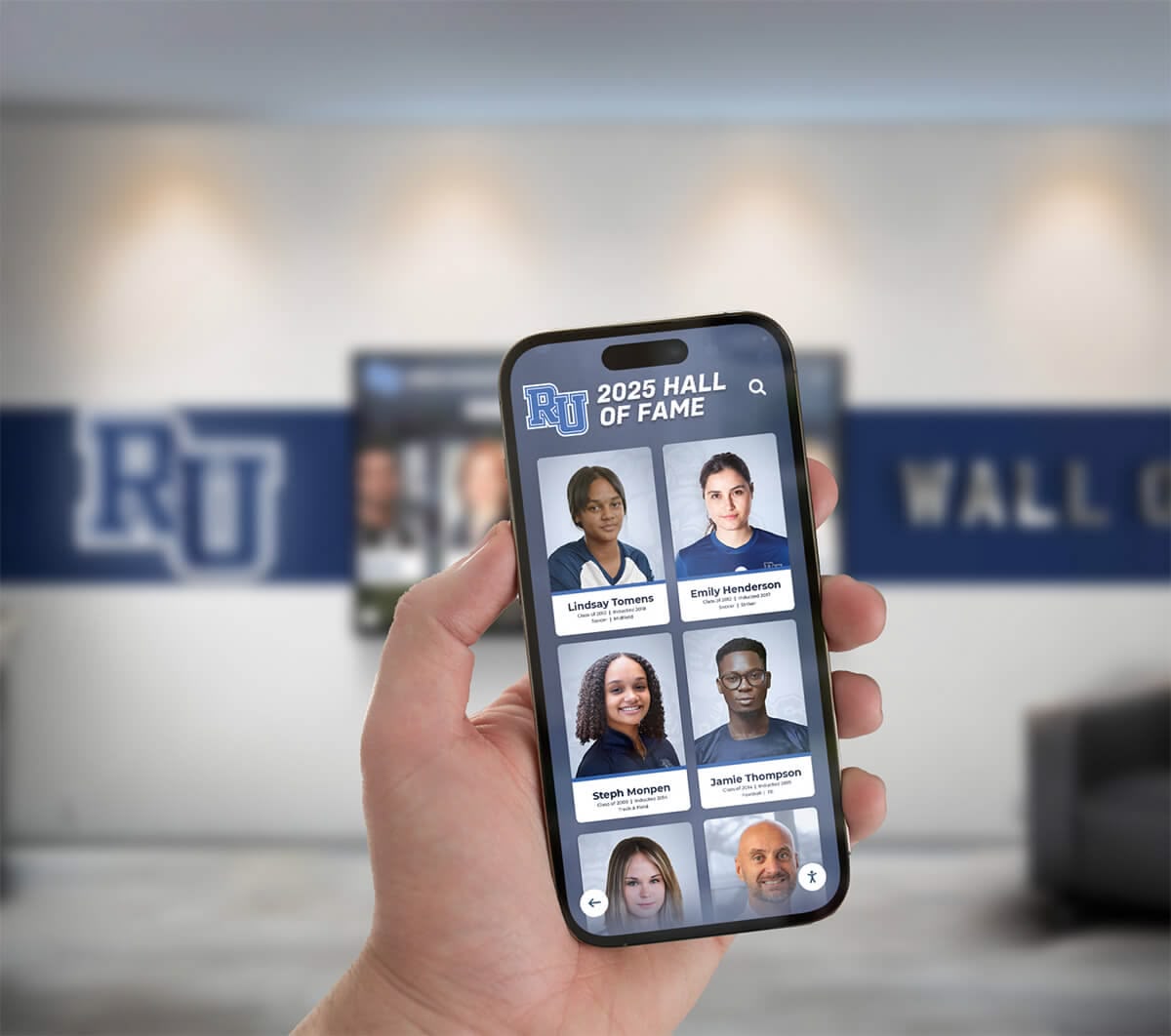
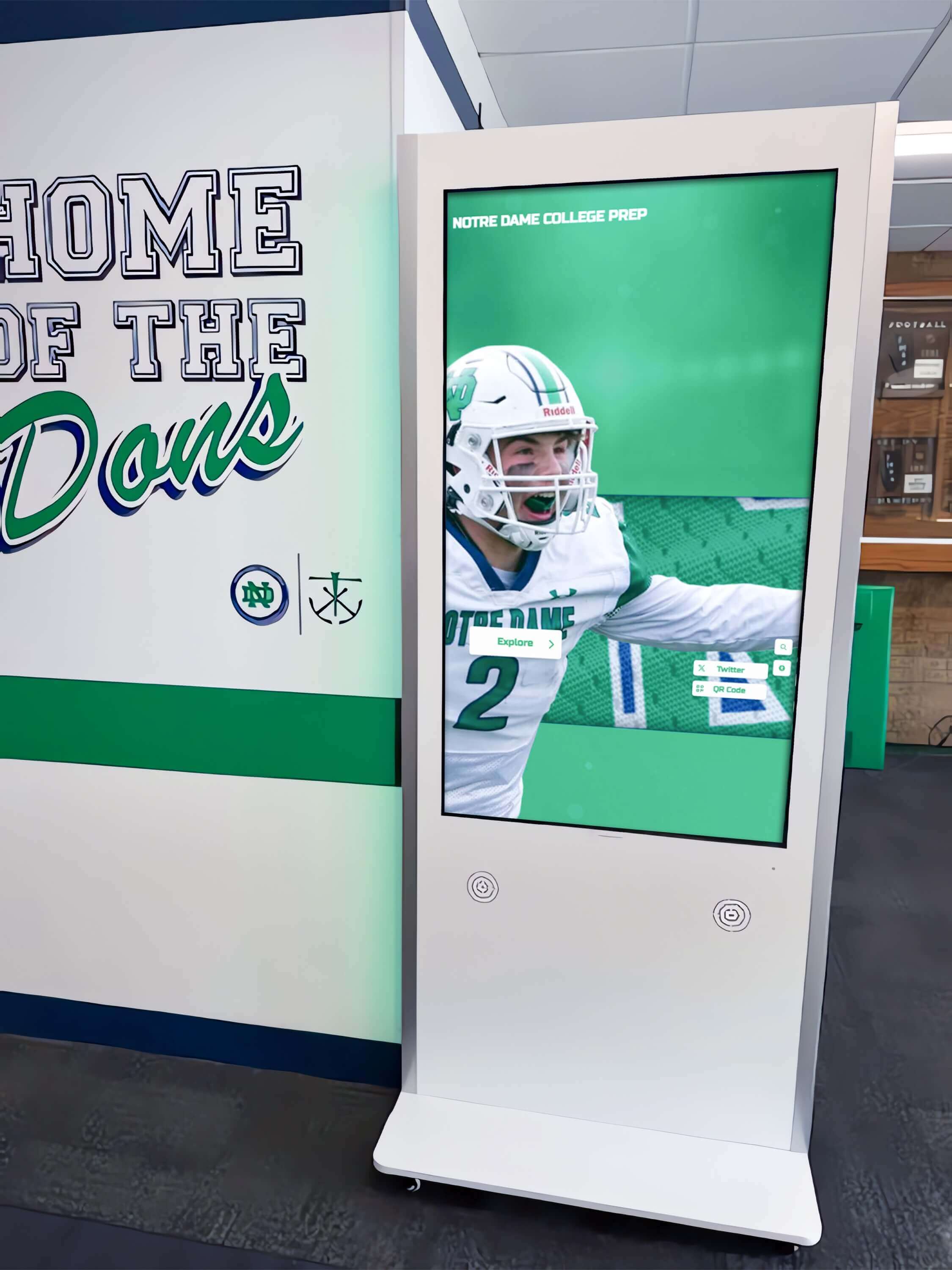
Mobile accessibility extends recognition experiences to users exploring content on personal devices
Rocket Alumni Solutions and WCAG 2.2 AA Compliance
Rocket Alumni Solutions represents the only web-based touchscreen recognition platform achieving full WCAG 2.1 AA compliance—a distinction addressing fundamental accessibility requirements many competitors ignore through proprietary native applications excluded from accessibility standards.
Web-based architecture provides inherent accessibility advantages. Standard HTML, CSS, and JavaScript enables assistive technology compatibility impossible with native apps using proprietary frameworks. Screen readers, keyboard navigation, voice control, and browser accessibility features function properly with web platforms following standard specifications, while native applications require extensive custom accessibility implementation often overlooked during development.
The platform’s approach to accessibility includes comprehensive alternative text for all images, full keyboard navigation throughout interfaces, proper semantic structure with heading hierarchies, sufficient color contrast meeting WCAG AA requirements, resizable text without functionality loss, ARIA labels for custom controls, focus indicators for keyboard navigation, and error identification with correction suggestions.
This commitment extends beyond legal compliance to ethical obligation. Educational institutions espouse equity and inclusion as fundamental values. When schools select accessible digital recognition systems like Rocket Alumni Solutions, they demonstrate institutional values through technology decisions, ensuring community members with disabilities receive equal access to heritage content, biographical information, and institutional stories.
Organizations evaluating recognition systems should specifically request WCAG conformance documentation—formal accessibility evaluations, VPAT (Voluntary Product Accessibility Template) statements, or independent audit reports. Vendor claims about “accessibility features” lacking formal WCAG conformance prove insufficient for legal compliance or genuine inclusive design. Purchasers deserve concrete evidence that platforms actually meet recognized accessibility standards rather than vague assurances about good intentions.
Practical Implementation and Vendor Evaluation
Organizations pursuing accessible digital recognition should:
Require WCAG 2.1 AA or WCAG 2.2 AA Conformance: Specify accessibility standards explicitly in procurement requirements, refusing to consider platforms lacking documented conformance to recognized standards.
Request Formal Documentation: Obtain VPAT statements, accessibility audit reports, or conformance documentation from qualified third-party evaluators rather than accepting unverified vendor claims.
Test with Assistive Technologies: Evaluate finalist platforms using screen readers (NVDA, JAWS, VoiceOver), keyboard-only navigation, and browser accessibility features ensuring actual usability rather than theoretical compliance.
Consider User Diversity: Accessibility accommodates visual, auditory, motor, cognitive, and neurological differences. Comprehensive platforms address multiple disability types rather than focusing narrowly on single accommodation types.
Plan for Maintenance: Accessibility requires ongoing attention as content and features evolve. Establish processes ensuring new content maintains accessibility standards rather than degrading over time.
Provide Training: Staff managing content and users exploring platforms benefit from accessibility training explaining how accommodations function and why they matter for inclusive experiences.
Advocate for Excellence: Accessibility represents competitive advantage and ethical obligation. Organizations championing accessible technology advance disability rights while serving communities comprehensively.

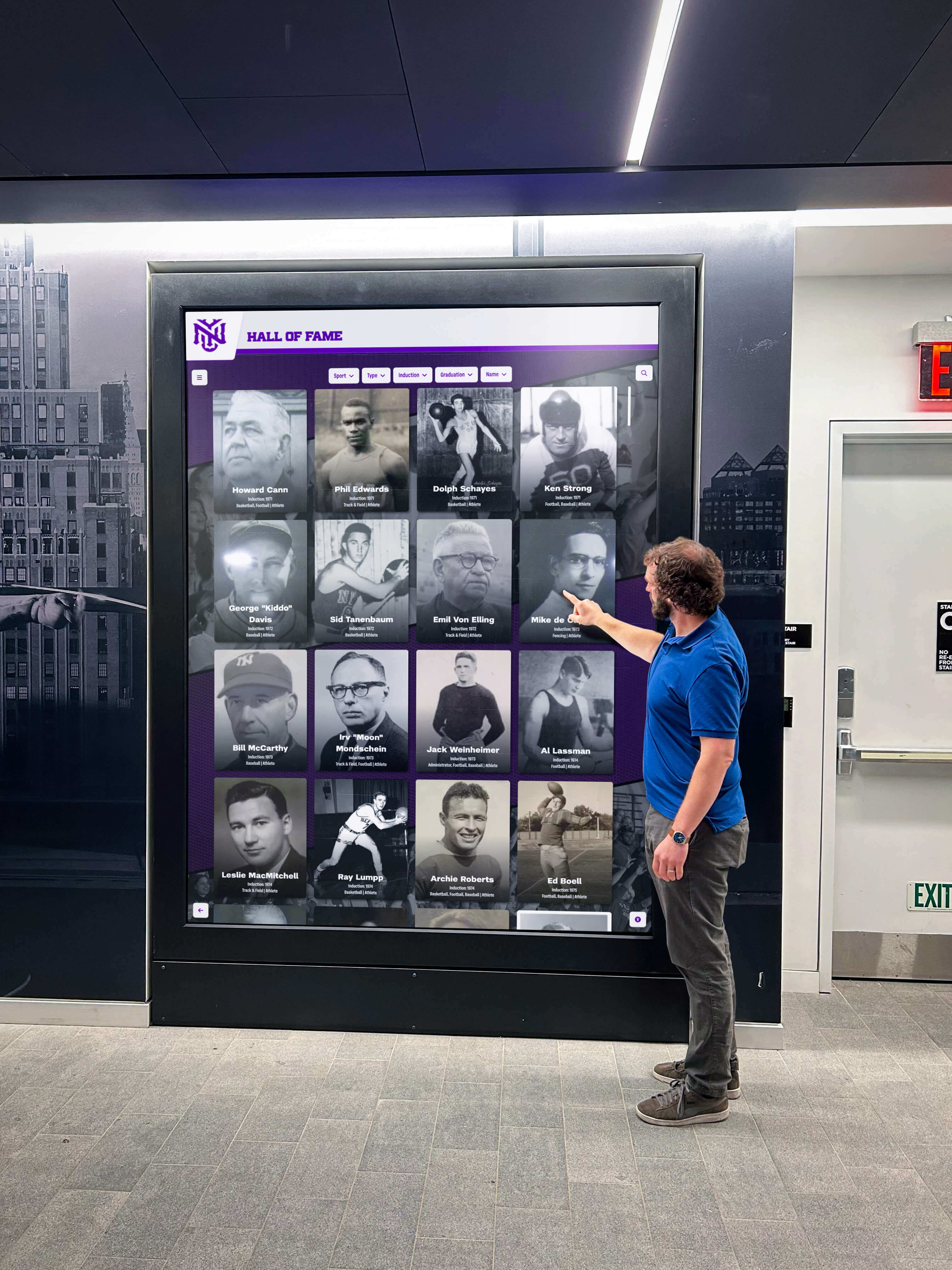
Accessible recognition displays strengthen community identity while serving diverse populations
Conclusion: Accessibility as Foundational Requirement
Digital recognition systems serve entire communities. When platforms exclude people with disabilities through inaccessible design, they fail fundamental institutional missions regardless of feature sophistication or visual appeal. Understanding WCAG 2.2 success criteria—from fundamental Level A requirements ensuring basic access through enhanced Level AA standards addressing major barriers to aspirational Level AAA guidelines representing accessibility excellence—enables organizations to make informed decisions reflecting genuine commitment to inclusive design.
Level A criteria represent absolute minimums. Organizations failing these standards exclude significant populations entirely from digital experiences. Level AA represents practical targets balancing comprehensive accessibility with technical feasibility—the standard most laws and policies reference for compliance. Level AAA represents aspirational excellence appropriate for specific contexts rather than wholesale application.
Organizations implementing or procuring digital recognition platforms must prioritize accessibility as foundational requirement rather than optional enhancement. Legal obligations increasingly require WCAG AA conformance. Ethical imperatives demand inclusive design regardless of regulatory mandates. Practical benefits extend beyond users with disabilities—captions help everyone in sound-sensitive environments, keyboard navigation helps users with temporary injuries, clear language assists non-native speakers, high contrast supports outdoor viewing.
Rocket Alumni Solutions demonstrates that accessible design and engaging experiences need not conflict. Web-based architecture provides inherent compatibility with assistive technologies. Thoughtful interface design ensures keyboard navigation, screen reader support, sufficient contrast, and clear labeling. WCAG 2.1 AA conformance addresses legal requirements while serving diverse users effectively.
The choice between accessible and inaccessible platforms represents values declaration. Schools and institutions selecting accessible technology demonstrate institutional commitments to equity and inclusion—values most educational and nonprofit missions espouse as fundamental principles. When organizations prioritize accessibility in vendor selection, procurement decisions, and platform implementation, they ensure digital recognition systems truly serve entire communities rather than privileged populations able to access conventional interfaces.
Accessibility need not require perfection. Organizations can pursue progressive enhancement—meeting Level A minimums immediately, achieving Level AA systematically, and implementing specific Level AAA criteria where practical. Imperfect accessible platforms serve users infinitely better than polished inaccessible alternatives excluding entire populations regardless of aesthetic sophistication.
Ready to implement truly accessible digital recognition serving your entire community? Explore how Rocket Alumni Solutions delivers WCAG 2.1 AA compliant recognition systems designed specifically for schools, universities, and nonprofits committed to inclusive experiences honoring all community members regardless of ability.































