Every parent, prospective family, vendor, and community volunteer who walks through your school’s front doors spends some amount of time at the check-in desk. They scan an ID, wait for a badge to print, and then stand there — staring at whatever happens to face them while the visitor management system does its work. At most schools, that view is a blank wall, an aging bulletin board, or an unstaffed desk. At the schools getting it right, that thirty-second window is a carefully designed welcome experience: a digital screen that greets visitors by name, surfaces student achievements, highlights donor contributions, and tells the school’s story while the sign-in kiosk finishes processing.
The visitor check-in kiosk has become standard equipment in schools across the country, driven by safety requirements, liability considerations, and the practical need to know who is on campus at any moment. What hasn’t kept pace is the experience surrounding that kiosk — the visual environment that frames the transaction and shapes the first real impression every visitor carries into your building.
This guide explores how to close that gap: how to pair your existing or planned visitor check-in system with a companion digital welcome and recognition display that transforms a compliance checkpoint into a genuine community greeting.
The check-in zone sits at the intersection of security and hospitality. Schools that design it with both goals in mind — protecting students while genuinely welcoming guests — build something more valuable than either function delivers alone. A visitor who signs in next to a display celebrating student accomplishments leaves the entrance area already feeling connected to your community, before a single staff member has said a word.

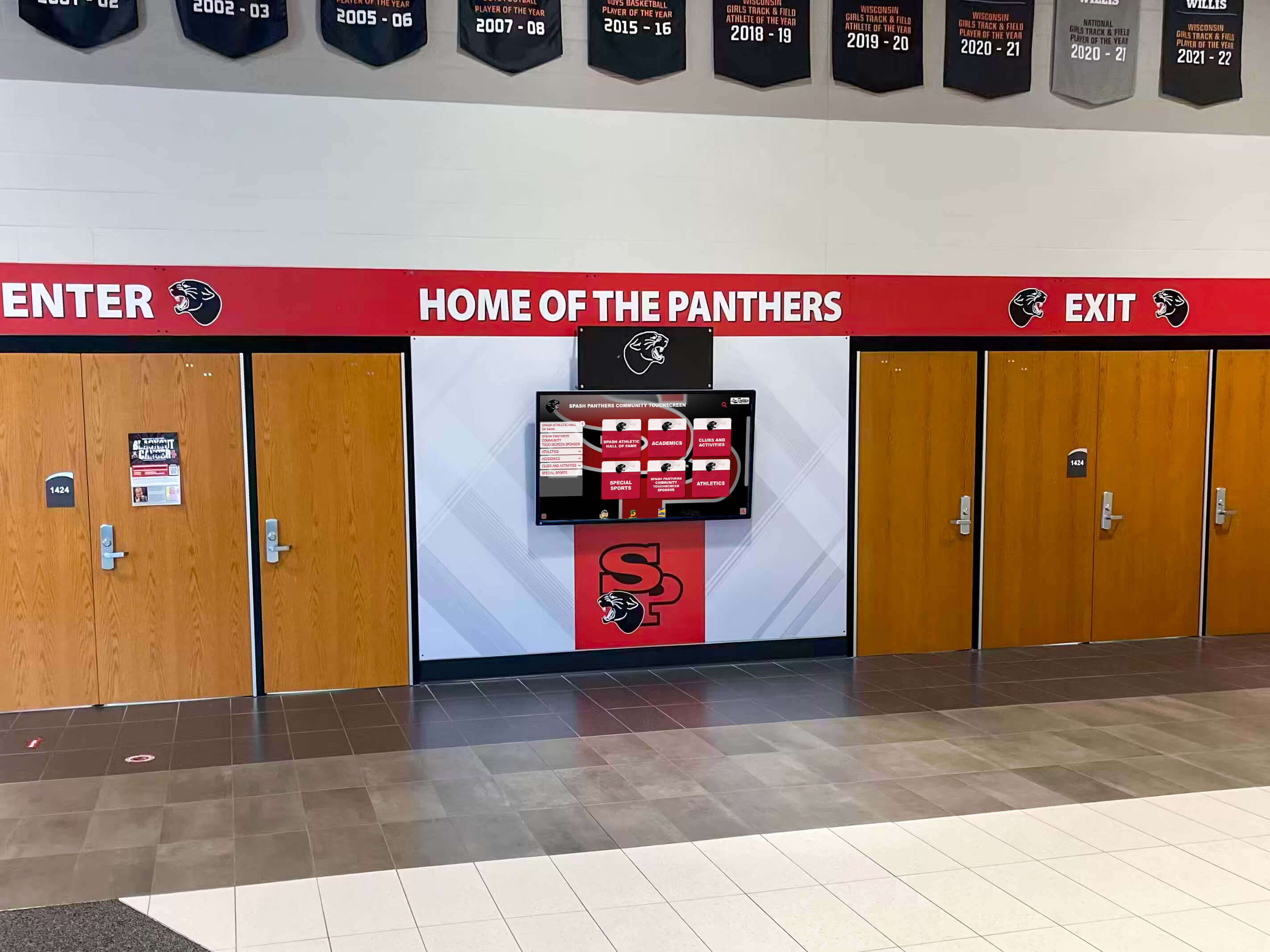
A well-positioned digital screen near the school entrance turns the visitor check-in zone into an immediate introduction to school culture and community pride
Why the Visitor Check-In Zone Deserves a Design Strategy
School administrators invest significant attention in gymnasium renovations, hallway murals, and trophy case upgrades. The entrance check-in zone rarely gets the same intentional treatment — and that’s a strategic blind spot.
Who Actually Uses the Check-In Area
Before investing in any display adjacent to your visitor check-in kiosk, it helps to inventory exactly who passes through and what they care about. Your typical check-in audience includes:
Prospective families — parents visiting for enrollment tours, shadowing experiences, or open house nights. These visitors are actively evaluating your school against alternatives. Every detail they encounter during the visit informs a judgment they’re already in the process of forming.
Regular school visitors — the parent volunteers, booster club members, and community partners who sign in several times each month. These are your most loyal stakeholders, and they see your entrance more than almost anyone outside your staff.
Vendors and contractors — less emotionally invested, but they talk. The facilities crew member who visits three schools in a week will mention which entrance feels professional and which feels like a storeroom.
Alumni and returning graduates — often arriving for reunion events, athletic competitions, or school-sponsored activities. The entrance is the first signal about whether their school has evolved since they left.
Visiting teams and officials — for athletic and competitive events, the check-in zone is where opposing coaches and officials form their first impression of your program.
Each of these audiences has different interests and responds to different content. A digital welcome screen adjacent to the visitor check-in kiosk can address all of them — if the content is designed thoughtfully.
The Thirty-Second Opportunity
The average visitor management transaction takes between twenty and forty-five seconds. That window — while an ID is scanned, a badge prints, a notification goes to a teacher or administrator — is prime display time. Unlike a lobby screen that visitors may or may not notice as they move through the space, the check-in area concentrates attention in a defined location for a predictable duration.
This makes the check-in zone different from any other display location in your building. Hallway screens are glimpsed in passing. Gymnasium displays are viewed by people focused on athletic events. But the check-in screen is watched by people who have nothing else to do for thirty seconds and are already oriented toward the front of the room.
The Visitor Check-In Kiosk: What It Does and What It Doesn’t Do
Modern visitor check-in systems for schools typically handle ID scanning, sex offender registry checks, badge printing, staff notification, and custody record management. Platforms vary in features and cost, but the core function is consistent: verify identity, create a timestamped record, and route the visitor appropriately.
What these systems almost never do is create a welcoming experience. They are compliance tools, and they look like compliance tools — a screen with form fields, a camera, a printer. The interaction is transactional by design.
This functional gap is exactly where a companion digital display earns its value. The visitor check-in kiosk handles the security layer. The companion screen handles the hospitality layer. Together, they create a check-in experience that says: we take safety seriously, and we’re genuinely glad you’re here.
What Schools Currently Have
Most schools have one of three scenarios at the check-in desk:
Bare wall or generic signage — the most common situation, and the one with the most untapped potential. The wall next to or behind the kiosk is blank, or carries a generic “Welcome” sign that communicates nothing specific about your community.
Static bulletin board — slightly better, but subject to the universal problem of printed content: it goes stale. A bulletin board featuring September announcements in April undermines the credibility it was meant to build.
Single digital screen running generic content — some schools have a screen near the entrance, but it’s running a generic slide rotation without connection to the visitor’s experience or the specific achievement stories your community has generated.
What the Check-In Zone Could Have
The upgrade from any of those baselines to a purposeful digital welcome and recognition display changes the experience fundamentally. Instead of a compliance transaction next to a blank wall, visitors encounter a sign-in moment embedded in a visual story:
- A welcome message updated with the day’s date or events
- Student achievement highlights rotating on a schedule
- Recognition for donors whose contributions funded visible facilities
- Athletic or academic championship celebrations
- Alumni spotlights connecting past graduates to current programs
- School history milestones that create context for new visitors
The content isn’t separate from the check-in process — it fills the time the check-in process requires and makes that time feel like a gift rather than an administrative delay.
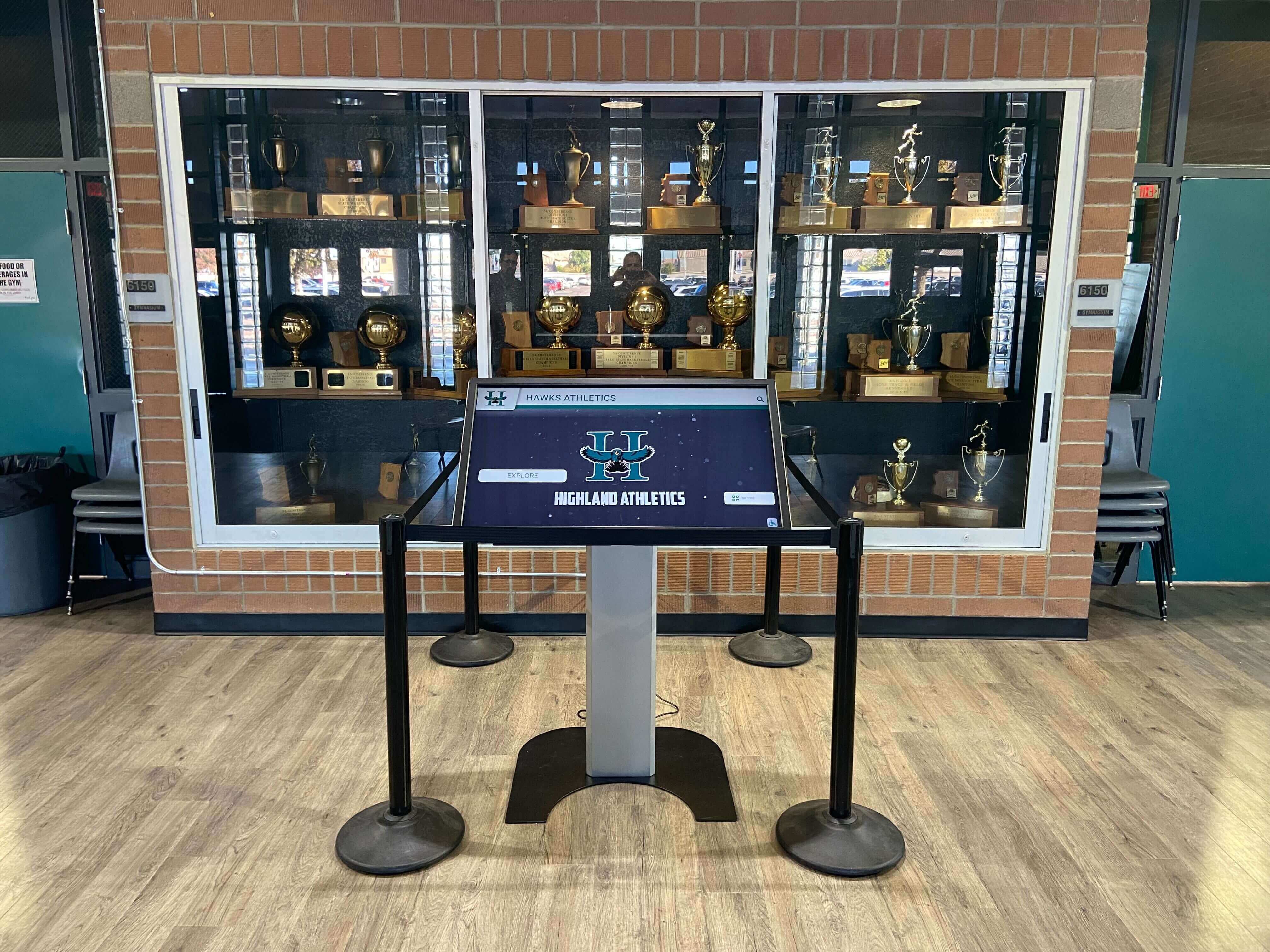
Positioning digital displays in the same zone as physical recognition creates a layered welcome experience that draws visitors in while check-in completes
Designing the Digital Welcome Screen: Content That Works While You Wait
The content strategy for a check-in companion screen differs meaningfully from content strategies for hallway displays or gymnasium screens. The audience is captive, the duration is brief but predictable, and the context is one of arrival and orientation. Those constraints shape what works.
Personalized Welcome Messages
The most powerful content a check-in display can show is a visitor’s own name. Some schools have integrated their visitor management system with their digital display software to trigger a personalized on-screen greeting at the moment a badge prints: “Welcome, Sarah Watkins — thank you for visiting Jefferson High School.” This kind of personal acknowledgment is memorable in a way that generic content never is.
Even without full integration, time-triggered welcome content works well. A display showing “Welcome to today’s 7th Grade Parent Tour — we’re glad you’re here” requires no individual integration and delivers a personalized feel to every member of a scheduled group. For schools without sophisticated visitor management software, this scheduled content approach achieves meaningful personalization with minimal technical complexity.
Student Achievement Highlights
Check-in visitors are often parents, and parents care about student achievement. A rotating display of current academic honors — honor roll students, scholarship recipients, academic competition results, science fair placements — validates the investment families make in your school and signals that intellectual accomplishment is visible and celebrated here.
Building a comprehensive academic recognition programs guide for your campus gives you the raw material for this kind of rotating content. When you have documented recognition programs across academic, artistic, and community service categories, the check-in display becomes a curated window into that breadth — not just athletic trophies, but the full spectrum of what your students accomplish.
Athletic Championship Recognition
Championship banners and trophy cases have long anchored school entrances, but static hardware has limitations. A digital display adjacent to the visitor check-in kiosk can present championship history as a browsable timeline — showing not just the current year’s title but the decade of titles that preceded it, the coaches who built those programs, and the athletes who earned those wins.
For programs with significant competitive history, this layered presentation creates a more compelling story than a case of trophies alone. Touchscreen digital hall of fame walls with interactive awards demonstrate how schools have turned static recognition into interactive experiences that draw visitors in — a capability that translates directly to the check-in zone.
Donor Recognition Content
Visitors waiting at the check-in desk are in a liminal moment — neither fully inside nor fully outside the school experience yet. That moment is an appropriate time to surface the names and contributions of the donors who funded the facilities they’re entering.
“This lobby renovation made possible by the Class of 1998 Legacy Gift” or “Our science wing is named in honor of the Martinez Family’s enduring support” provides context that shapes how visitors perceive the space around them. Donors who see their recognition prominently displayed during the check-in process develop deeper attachment to the institution — and other visitors who see those recognition moments learn something about your community’s culture of giving.
Schools building capital campaigns or major gift programs often find that visible donor recognition near the entrance generates organic conversations about giving. Resources on successful school fundraising and capital campaign examples show how this kind of public recognition feeds back into philanthropic culture over time.
Alumni Spotlights
For returning graduates and visitors connected to your alumni community, spotlights on notable alumni provide immediate content relevance. A rotating series of “Alumni in the Community” profiles — brief career achievements, photos, and class years — connects past students to the institution in ways that matter to visitors who share that history.
These profiles work for more than just the alumni who appear in them. Current students who see an alumnus’s career path displayed in the lobby gain concrete evidence that the education they’re receiving opens specific doors. For visiting prospective families, alumni achievement profiles demonstrate program outcomes better than any brochure.
The digital wall of fame framework for academic programs offers a structured approach to cataloguing and displaying these alumni achievements that can feed directly into check-in display content.
School History and Institutional Milestones
First-time visitors — prospective families, community partners, elected officials — often arrive knowing relatively little about your school’s history. The check-in zone is a natural place to surface historical content that creates context: founding year, notable firsts, facility milestones, significant program achievements from across the school’s history.
For schools with rich archival histories, this content can be both visually interesting and informative. Schools preserving their newspaper archives, for instance, have found creative ways to display historic school newspaper front pages that provide a compelling visual record of campus life across generations — the kind of content that stops visitors mid-transaction to take a closer look.
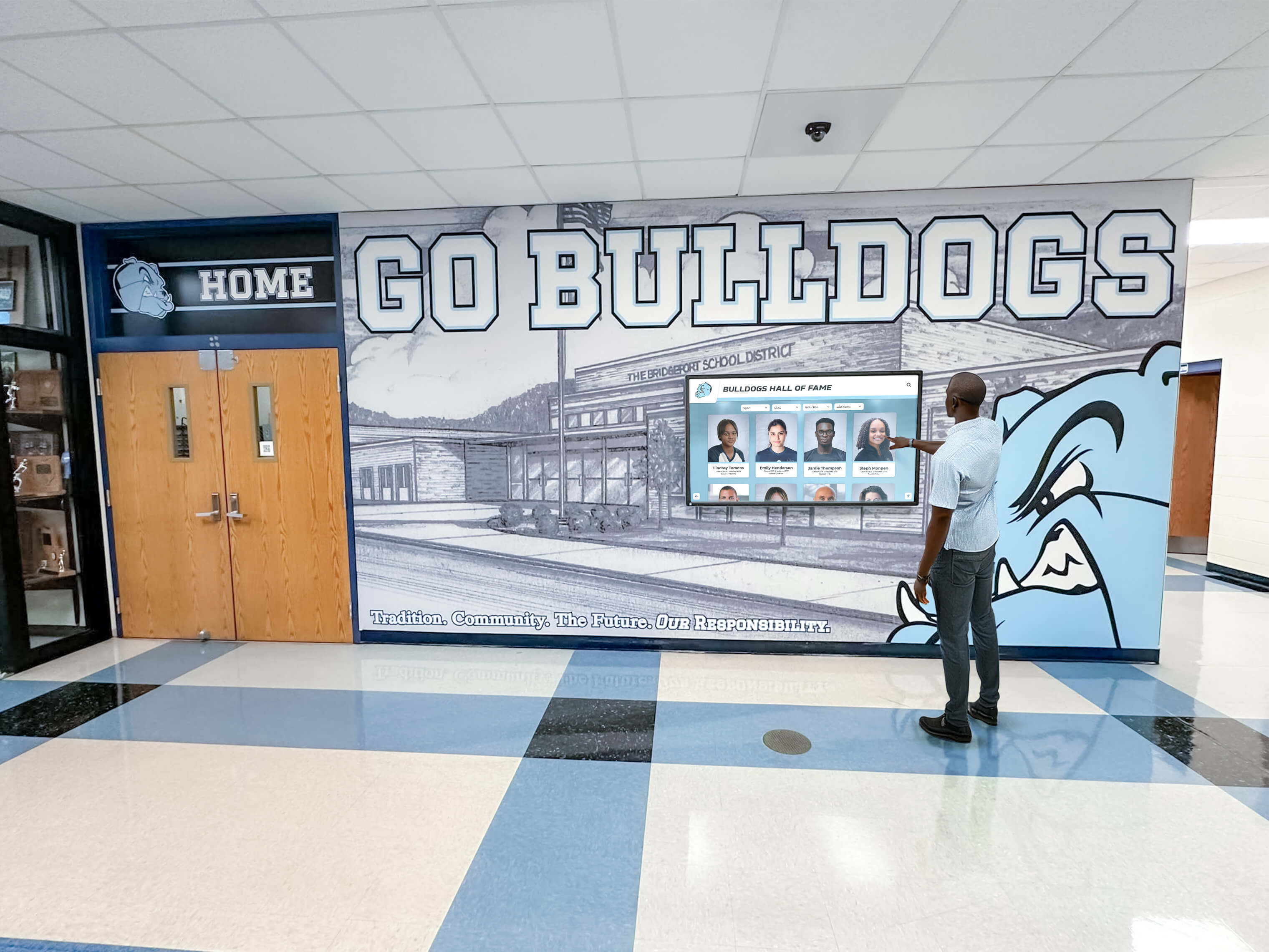
Interactive digital displays near the entrance draw visitors into genuine exploration of school history and achievement rather than passive waiting
Two-Screen vs. Single-Screen Approaches to the Check-In Zone
How you configure the physical display adjacent to your visitor check-in kiosk depends on your available space, budget, and visitor flow patterns. Both single-screen and two-screen configurations can work; they serve slightly different purposes.
Single Companion Screen
The most common and most accessible configuration is a single display mounted adjacent to or behind the check-in desk. This screen runs automated content — rotating slides, video highlights, achievement spotlights — that visitors see passively while completing the sign-in process.
This approach requires no visitor interaction and minimal technical complexity. The screen runs independently of the visitor management kiosk, updated through standard digital signage software. It works well for schools where the primary goal is passive impression-building during a brief transaction.
For single-screen implementations, content should be highly visual and immediately legible — large text, strong imagery, minimal reading required. A visitor glancing at the screen for fifteen seconds while a badge prints needs to take something away from that glance, not work to decipher a densely worded slide.
Dual-Zone Configuration: Kiosk Plus Interactive Display
More comprehensive check-in zone designs separate the transaction space (the visitor check-in kiosk) from the engagement space (a larger or more interactive companion display positioned to capture attention while waiting). This separation allows visitors to complete the sign-in process at the kiosk and then naturally engage with a display that rewards more than a passing glance.
The interactive companion display in a dual-zone configuration might be a touchscreen recognition wall that visitors can explore — searching for athletes by name, browsing championship history, finding academic recognition, or exploring alumni achievements. This setup is particularly effective when visitors have longer wait times, when groups are checking in together, or when your school hosts frequent events that bring alumni or prospective families through the entrance.
Greeter-Assisted Check-In Augmentation
Some schools maintain a staffed reception desk alongside the visitor management kiosk. In these environments, the companion screen serves as a conversation tool: the greeter can direct a visitor’s attention to relevant content — “Your son’s name is on our fall honor roll, it’s rotating on that screen” — creating a personalized human moment supported by the display’s content.
This integration of digital and human hospitality produces the strongest first impressions. The technology enables the conversation; the conversation makes the technology meaningful.
The Recognition Display as a Standalone Investment
For schools whose check-in zone doesn’t have obvious space for a companion screen, an alternative approach is to treat the entrance hallway as the extended check-in experience. Visitors who sign in and then walk ten feet to an interactive touchscreen hall of fame wall have completed a natural journey that keeps the impression-building work happening in the vicinity of their arrival.
Honoring community accomplishments through a dedicated recognition wall in the entrance corridor creates a destination that visitors naturally gravitate toward while waiting to be escorted to their appointment or waiting for a student to be called from class. This approach expands the “check-in zone” conceptually to include the entire arrival sequence, not just the badge-printing moment.
Interactive recognition walls from providers like Rocket Alumni Solutions can be configured to serve as both a standalone attraction and a companion to the check-in experience. A touchscreen wall positioned fifteen feet from the kiosk naturally draws visitors who have completed sign-in and are waiting — and it gives them something genuinely interesting to explore during that wait.
What Makes a Recognition Display Compelling at Check-In
Not all digital recognition content works equally well in the check-in zone. The most effective content for visitor arrival displays shares several characteristics:
Immediate visual legibility — visitors should be able to take something away from a two-second glance. Photos, names, and short achievement labels work better than lengthy narrative text for passive display content.
Regular rotation — repeat visitors (the parent volunteers who come weekly) should see different content each time. A display that shows the same three slides in February that it showed in October communicates stagnation, not vitality.
Breadth of recognition — a check-in display that only shows football championships talks to one segment of your visitor community. Displays that rotate through academic, athletic, arts, and service recognition speak to a broader audience and reflect a more complete picture of your school.
Authentic imagery — photos of real students, real events, and real spaces at your school outperform generic stock photography in every measure of visitor engagement. The parent who recognizes the gym in a photo, or spots a student they know in a recognition image, has a fundamentally different experience than one who sees a photo that could belong to any school in the country.
Current achievement alongside history — the most engaging check-in displays mix this year’s honors with historical recognition that gives new visitors context. A parent seeing their child’s name on the honor roll next to a photo of the school’s 1987 state championship team understands immediately that they’ve arrived somewhere with both heritage and present-day vitality.
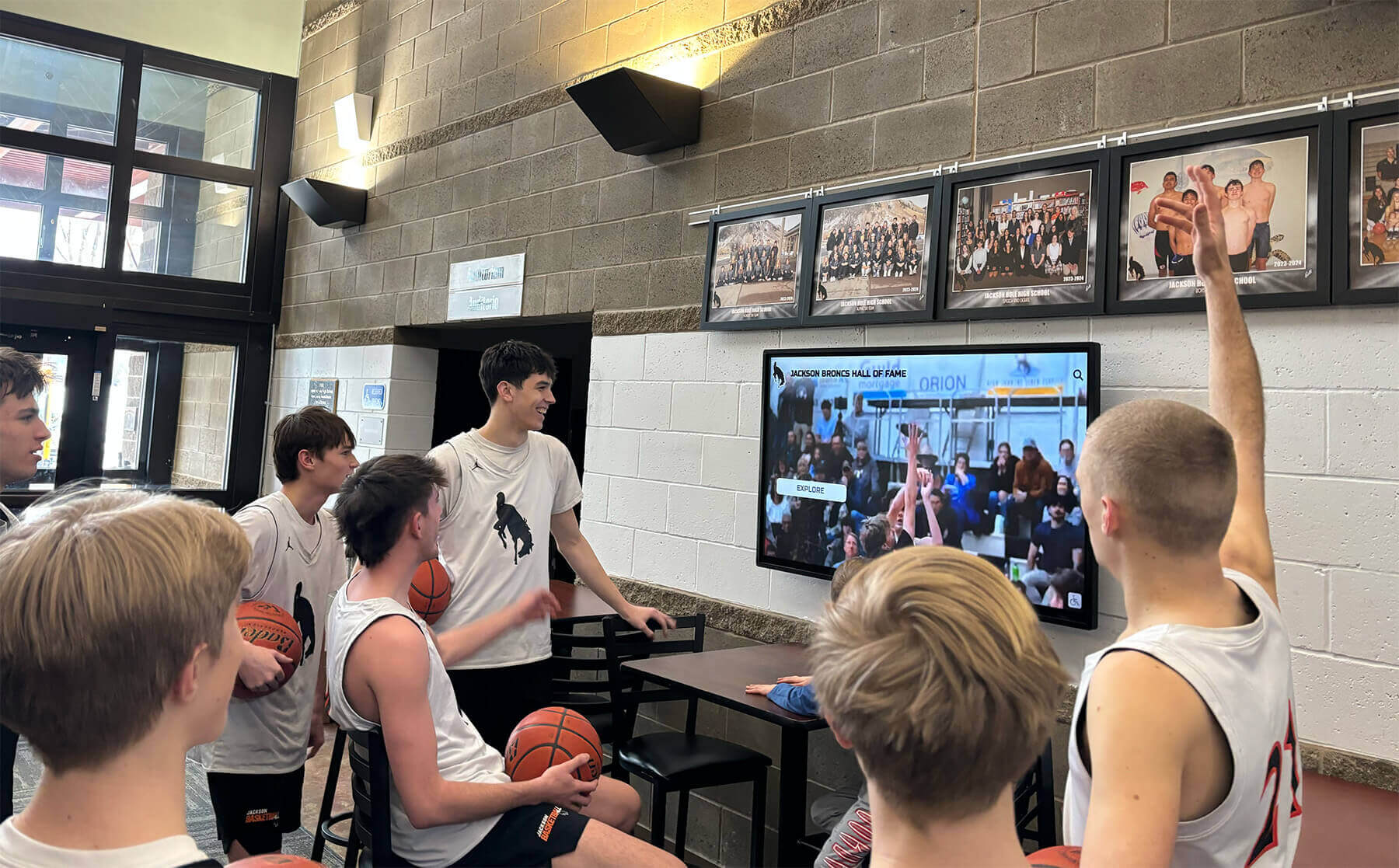
Lobby displays near the entrance draw students and visitors alike — creating natural gathering moments that build community connection throughout the school day
Placement and Installation Considerations
Getting the physical configuration right matters as much as content strategy. A screen placed where visitors can’t see it from the check-in kiosk, or mounted at an angle that creates glare during morning arrival, fails regardless of how well-designed its content is.
Optimal Screen Position Relative to the Kiosk
The companion display should be visible from the position a visitor naturally stands while using the check-in kiosk. This typically means mounting the screen on the wall directly in front of the kiosk, or on an adjacent wall within a 90-degree viewing angle.
Avoid mounting the companion screen behind the visitor — they won’t see it. Avoid mounting it directly above the kiosk, where they’d need to look up uncomfortably. The natural sight line of a person standing at a check-in station is roughly straight ahead and slightly downward (looking at the kiosk screen); the companion display should occupy the visual field just above or beside that focal point.
Height considerations: Mount the primary display content at eye level for standing adults — roughly 5 to 5.5 feet to the center of the display. For touchscreen displays that visitors will physically interact with, mount slightly lower to accommodate comfortable reach height.
Lighting and Glare Management
School entrances frequently have challenging lighting conditions — large windows near the front doors, overhead fluorescents, and the variable natural light that comes with east- or west-facing facades. A display that looks perfect in an afternoon walkthrough may wash out completely during morning check-in peak hours.
Anti-glare screen treatments and appropriate display brightness settings (commercial displays allow brightness adjustment that consumer TVs do not) address most glare issues. For installations with particularly challenging light conditions, hoods or partial enclosures can shield displays from direct sunlight without affecting visibility from the desired viewing angle.
Cable Management and Infrastructure
Clean installations signal professional quality. Visible cable runs, exposed conduit, and improvised mounting undermine the impression a display is meant to create. Work with your AV installer to route cables behind walls or through dedicated conduit that keeps the installation looking intentional rather than improvised.
Dedicated network connectivity (wired Ethernet rather than WiFi) provides more reliable content updates and reduces the risk of the display going blank during high-visibility moments. Coordinate with your IT department during planning, not during installation.
Content Management: Keeping the Welcome Screen Current
A check-in welcome display that shows stale content — last semester’s honor roll, an event from three months ago, the same five slides on infinite loop — undermines its own purpose. The impression it creates is one of administrative neglect, which is the opposite of what you’re building toward.
Establishing an Update Rhythm
Build a content calendar for your check-in display that aligns with natural school milestones:
- Start of school year: Update all recognition content, add incoming class information, refresh any dated photos or profiles
- End of each grading period: Add new honor roll names, update academic achievement slides
- After major athletic events: Add championship results, state qualifier recognition, significant game highlights
- Annually: Refresh alumni spotlights, update donor recognition, add new hall of fame inductees
This rhythm doesn’t require daily management — it requires institutional commitment to treating the display as a living publication rather than a set-it-and-forget-it installation.
Who Manages the Content
Cloud-based display management software enables content updates from any internet-connected device, meaning the staff member responsible for the display doesn’t need physical access to the hardware. This flexibility matters: a principal who wants to add a championship celebration the morning after a Friday night title game can do it from home before arriving at school.
Assign clear content ownership — a specific staff member or small team responsible for keeping slides current and relevant. Without assigned ownership, displays drift into stale content by default. With it, they stay fresh with minimal effort across a school year.
Connecting the Check-In Experience to Broader Campus Recognition
The visitor check-in zone works best when it functions as an introduction to a coherent recognition strategy that extends throughout your building, not as a standalone display disconnected from the rest of your campus environment.
Schools with strong recognition cultures design the arrival sequence intentionally: the check-in zone provides the first impression, the hallway leading from the entrance carries that recognition thread through champion murals or academic honor corridors, and dedicated recognition spaces in the gymnasium lobby or library extend the story further.
This coherence matters because visitors form their impressions holistically. A check-in display that introduces your school’s athletic history is more powerful when the gymnasium they pass through on a tour is equally well-appointed — the two reinforce each other rather than one feeling like an afterthought. Schools planning gymnasium renovations alongside entrance upgrades find that the combined impression created by consistent, professional recognition throughout the building far exceeds what either investment produces independently.
Similarly, schools that have explored why touchscreen yearbooks outperform physical alternatives often find that the same arguments apply to check-in displays: the ability to update content instantly, search for individuals by name, and present rich multimedia profiles makes digital displays fundamentally more engaging than any static equivalent — regardless of how well-designed the static version is.

Recognition displays that draw visitors into genuine exploration create lasting impressions that static walls of fame cannot match
Rocket Alumni Solutions: Purpose-Built Recognition for the School Entrance
Rocket Alumni Solutions builds interactive touchscreen walls of fame, digital donor recognition displays, and comprehensive athletic and academic recognition systems specifically for schools and universities. Their installations are designed for exactly the context this guide describes — high-visibility, high-traffic areas where the impression made in the first thirty seconds carries lasting weight.
A Rocket Alumni Solutions display positioned adjacent to your visitor check-in kiosk gives visitors a browsable, searchable interface to your school’s complete achievement history. A parent waiting for a badge to print can search for an athlete they knew twenty years ago and find a full profile with photos and career statistics. A prospective family can tap through academic recognition categories to understand the breadth of your recognition programs. A returning alumnus can navigate to their graduating class and find familiar names and faces from their time at the school.
This depth of engagement — impossible with static displays — transforms the check-in zone from a security checkpoint with wallpaper into a genuine community welcome. The kiosk handles the transaction. The recognition display handles the relationship.
Building the Case Internally
Schools that recognize the value of a check-in welcome display sometimes face the practical challenge of building internal consensus for the investment. Administrators and board members who haven’t experienced an effective implementation may see it as a luxury rather than a strategic priority.
The most effective internal cases connect the display investment to outcomes that matter to leadership:
Enrollment impact: The check-in zone is one of the first substantive impressions prospective families receive during visits. In competitive enrollment environments, that impression influences decisions in ways that are difficult to attribute but real in their effects.
Alumni and donor engagement: Donors and alumni who see their contributions and achievements recognized prominently during routine visits maintain stronger institutional connections. That connection translates to continued giving, volunteer involvement, and informal advocacy.
Community perception: Schools that invest in professional, welcoming entrances are perceived differently by community members, local officials, and potential partners. The check-in zone contributes to that perception in a moment that cannot be replicated through digital marketing or event-specific communications.
Student pride: Current students who pass through the check-in zone and see their achievements on display — or their peers’ achievements — experience ongoing validation of the value of their efforts. This matters for school culture in ways that extend well beyond visitor impressions.
Getting Started: Practical First Steps
If your school is ready to upgrade the check-in zone but unsure where to begin, a few practical steps help clarify scope and build momentum:
Audit your existing entrance: Stand at your visitor check-in kiosk during a typical morning and observe what visitors see while they wait. What’s the actual experience? What’s directly in their line of sight? What content exists, and when was it last updated?
Inventory your recognition content: Before selecting a display system, understand what content you have to work with. Achievement data, athletic records, honor roll lists, alumni profiles, and donor recognition all feed display content. Understanding your content inventory helps you select a system capable of presenting it effectively.
Define your audience and goals: Different schools have different primary audiences for the check-in zone. A school whose primary concern is impressing prospective families on enrollment tours will prioritize different content than one focused on alumni engagement or donor stewardship. Clarify your primary goal before designing your content strategy.
Consult with providers who specialize in school recognition: Generic digital signage systems work for broadcasting announcements but lack the recognition-specific features — searchable alumni databases, achievement categorization, profile-based display — that make check-in zone displays compelling for school audiences. Providers who build specifically for school recognition contexts understand the content requirements and installation considerations that generalist vendors often miss.
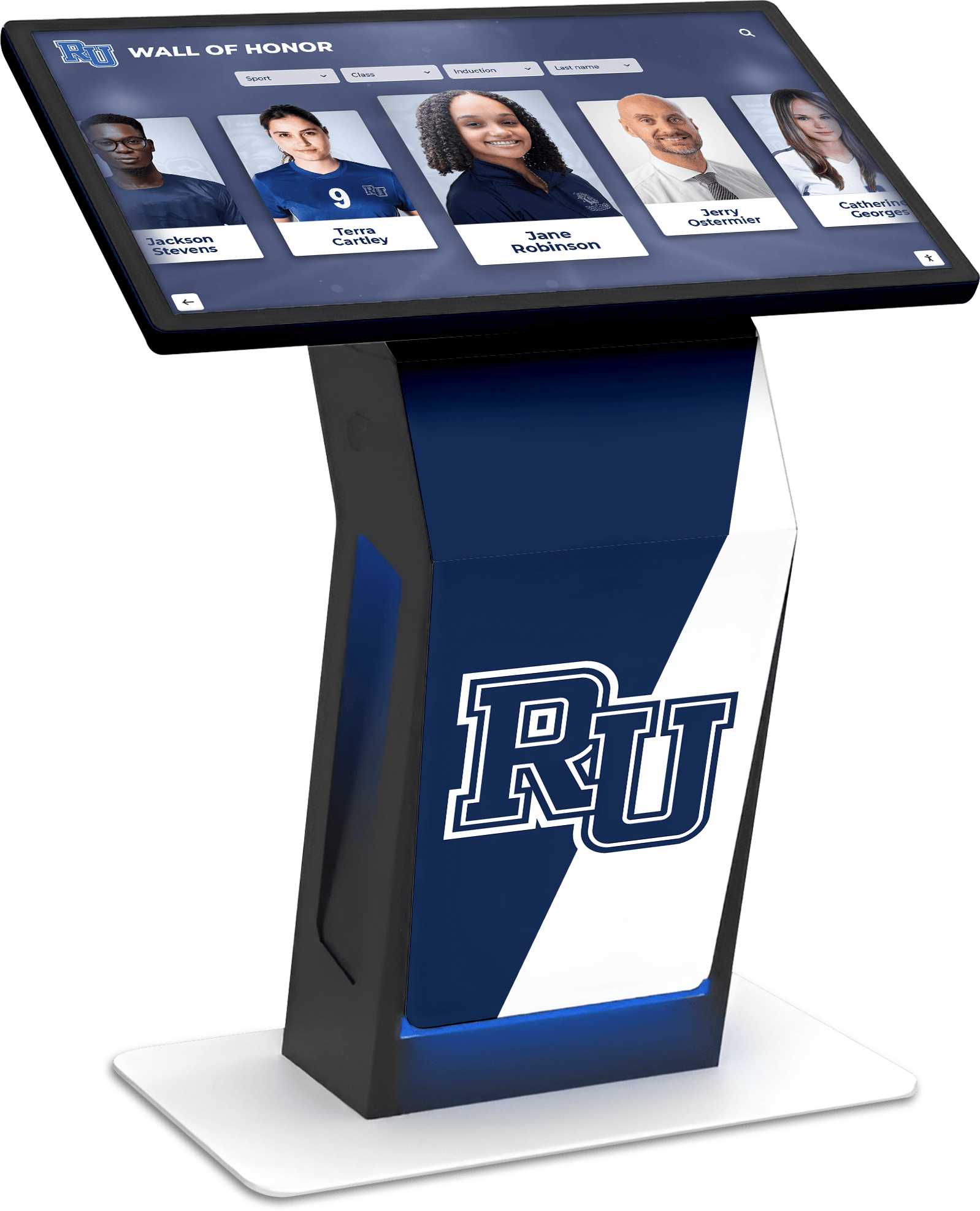
Purpose-built interactive recognition kiosks bring searchable achievement databases, alumni profiles, and real-time content updates to the school entrance experience
Conclusion: The Check-In Zone as a Community Welcome
The visitor check-in kiosk is a fixture in modern schools, and rightly so — the safety and compliance functions it serves are genuinely important. But the experience that surrounds the kiosk is entirely within your control, and most schools have left that experience undesigned.
Pairing your sign-in system with a purposeful digital welcome and recognition display changes what the check-in zone communicates. It transforms a compliance transaction into a community greeting. It uses the time the check-in process requires to surface achievements, recognize donors, welcome visitors by name, and tell the school’s story. It creates an impression that visitors carry with them into your building and back out through your doors.
The technical barrier to implementing this is low. The content you need probably already exists in various spreadsheets, databases, and photo archives waiting to be organized and displayed. The display systems capable of presenting it professionally are widely available and purpose-built for school contexts. What’s required is the decision to treat the arrival experience as the strategic asset it actually is.
Your school has accomplishments worth celebrating and a community worth welcoming. The thirty seconds a visitor spends at your check-in kiosk is an opportunity to communicate both — every day, to every visitor, without requiring any additional staff time once the system is in place.
Transform Your Check-In Zone Into a Genuine Welcome Experience
Rocket Alumni Solutions designs interactive touchscreen recognition walls and digital welcome displays built specifically for school entrances and lobbies. Pair your visitor sign-in system with a display that celebrates your community's achievements, recognizes donors, and greets every visitor with a story worth stopping for.
Explore School Entrance Display Solutions






























