



Intent: demonstrate — Museums face a persistent challenge in 2026: how to compete with smartphones, streaming services, and countless digital distractions for visitor attention. Static displays and text-heavy placards no longer engage audiences accustomed to interactive digital experiences. When museums rely solely on traditional exhibit approaches, they risk disconnecting from visitors who seek dynamic, personalized learning experiences that honor their diverse interests and learning styles.
Museum kiosks represent a strategic solution—interactive touchscreen displays that transform passive viewing into active exploration. These digital engagement tools enable visitors to dive deeper into topics that interest them, access multilingual content, watch archival videos, explore high-resolution images, and discover connections between artifacts and broader historical contexts. Properly implemented kiosk technology creates what we call digital warming—transforming cold museum galleries into vibrant spaces where personalized content surfaces relevant information that resonates with each visitor’s unique interests and background.
This comprehensive guide explores how museum kiosks enhance visitor engagement in 2026, covering technology selection, content strategy, accessibility considerations, implementation best practices, and real-world applications across museums, historical societies, cultural centers, and heritage sites.
Museums worldwide recognize that technology enhances rather than replaces traditional exhibit experiences. The most successful institutions integrate interactive kiosks strategically, using digital displays to deepen understanding while preserving the irreplaceable experience of viewing authentic artifacts and artwork in person.

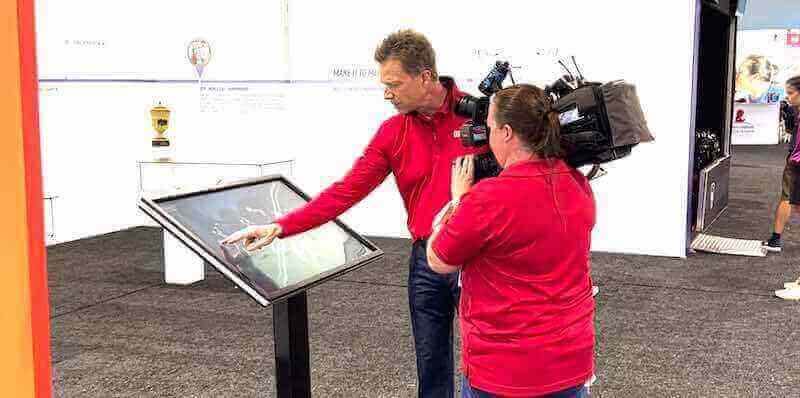
Interactive museum kiosks enable visitors to explore content at their own pace and depth of interest
Understanding Museum Kiosks in Modern Contexts
Museum kiosks have evolved from simple directory systems to comprehensive engagement platforms that fundamentally reshape how visitors interact with collections and narratives.
The Evolution of Museum Technology
Museum interactive technology has progressed through several distinct phases:
First Generation: Information Directories Early museum kiosks functioned primarily as static information databases—digital versions of printed maps and directories. These systems provided basic wayfinding and exhibit descriptions but offered limited engagement beyond text display.
Second Generation: Multimedia Presentations As technology advanced, museums incorporated audio, video, and image galleries into kiosk systems. Visitors could watch documentary clips, listen to expert interviews, and view artifact photographs in greater detail than physical display cases allowed.
Third Generation: Interactive Exploration Modern museum kiosks enable genuine interaction through touchscreen interfaces, search capabilities, personalized content recommendations, and integration with broader digital ecosystems including mobile apps and online collections. These systems transform visitors from passive consumers into active explorers directing their own learning journeys.
Emerging Fourth Generation: Adaptive Intelligence Leading museums now implement kiosks incorporating adaptive learning, visitor behavior tracking, multilingual support, accessibility features, and integration with external educational resources. These intelligent systems anticipate visitor needs while respecting privacy and autonomy.
Organizations implementing digital tools that bring history to life use kiosk technology to create memorable learning experiences extending beyond museum visits.
Core Functions of Museum Kiosk Systems
Effective museum kiosks serve multiple strategic purposes:
Artifact and Collection Exploration Kiosks provide access to extensive collection databases, enabling visitors to search thousands of artifacts while physical space limits displays to dozens or hundreds of featured items. Digital access reveals hidden collections, storage artifacts, and items rarely displayed publicly.
Contextual Information and Storytelling Interactive displays deliver layered information—brief overviews for casual browsers, moderate depth for interested learners, and comprehensive documentation for serious researchers. This adaptive depth accommodates diverse visitor engagement levels within single systems.
Multilingual Access and Translation Museum kiosks break language barriers through multilingual content delivery, enabling international visitors and non-native speakers to fully engage with exhibits. Translation capabilities expand potential audiences while demonstrating institutional commitment to inclusive access.
Accessibility and Universal Design Modern kiosk systems implement accessibility features including screen readers, adjustable text sizes, high-contrast modes, audio descriptions, and keyboard navigation ensuring visitors with disabilities fully participate in museum experiences.
Visitor Wayfinding and Orientation Interactive maps, exhibit directories, and personalized tour recommendations help visitors navigate complex facilities efficiently, maximizing limited visit time while reducing frustration caused by confusing layouts or unclear signage.
Educational Programming and Resources Kiosks connect visitors to educational materials, lesson plans, research resources, and external learning platforms extending museum engagement beyond physical visits into classrooms, homes, and ongoing personal education.
Museums implementing museum-style displays for educational purposes apply professional curation principles to digital content creating cohesive, impactful visitor experiences.
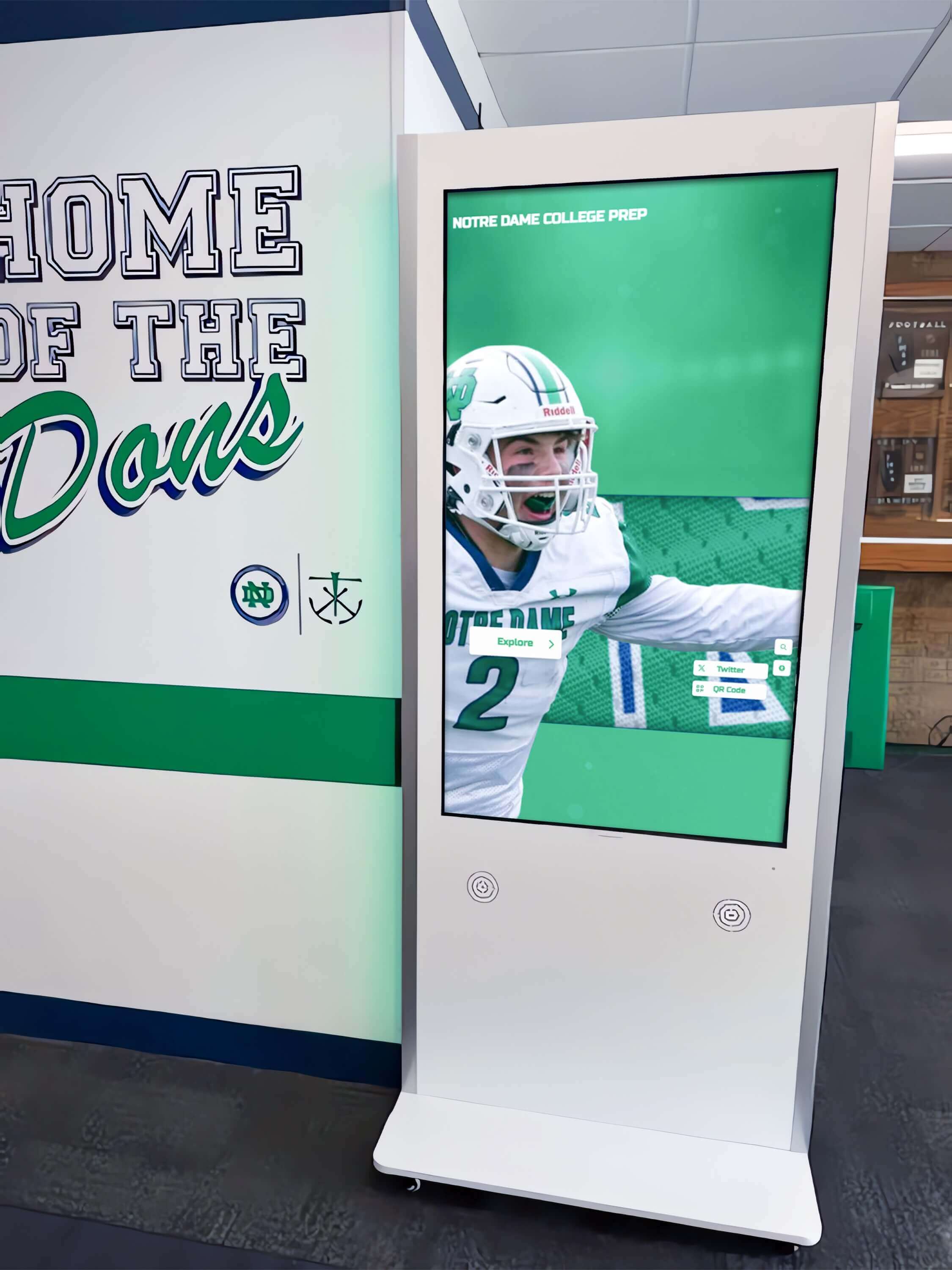
Museum kiosk technology adapts to diverse institutional contexts from formal museums to educational facilities
Strategic Benefits of Museum Kiosk Implementation
Interactive kiosk technology delivers measurable value across multiple organizational dimensions when properly implemented.
Enhanced Visitor Engagement and Learning
Museum kiosks fundamentally transform visitor experiences:
Self-Directed Learning Paths Traditional linear museum layouts impose predetermined narratives on all visitors regardless of interests. Kiosks enable self-directed exploration where visitors choose which topics to investigate, how deeply to engage, and what connections to pursue based on personal curiosity.
This autonomy increases engagement duration and satisfaction. Visitors invest more attention in content they actively choose versus information presented without choice, creating more memorable learning experiences and stronger emotional connections to subject matter.
Deeper Content Access Physical space constraints limit information presentable through labels and wall text. Kiosks provide unlimited digital capacity for extensive documentation, archival materials, video interviews, audio recordings, and high-resolution imagery impossible to display through traditional methods.
Institutions implementing digital archives for museums and cultural institutions make entire collections accessible through kiosk systems rather than limiting public view to featured highlights.
Multi-Sensory Learning Experiences Interactive kiosks accommodate diverse learning styles through text, audio, video, images, and interactive elements. Visual learners appreciate high-quality imagery, auditory learners benefit from narrated content, and kinesthetic learners engage through touchscreen interaction.
This multi-modal approach increases comprehension and retention across broader audience segments compared to text-only traditional approaches favoring specific learning preferences.
Extended Dwell Time and Repeat Visitation Research consistently demonstrates that interactive exhibits increase visitor dwell time compared to passive displays. Engaged visitors exploring topics of personal interest spend more time in galleries, often returning for repeat visits to continue exploration begun during initial encounters.
Extended engagement creates opportunities for deeper learning, increased membership conversions, higher gift shop spending, and stronger word-of-mouth recommendations to potential visitors.
Operational Efficiency and Cost Effectiveness
Beyond visitor benefits, kiosks deliver operational advantages:
Scalable Content Delivery Once implemented, kiosks deliver content to unlimited visitors without requiring additional staff time. The same content serves one visitor or one thousand daily without proportional cost increases, creating efficient scaling as visitation grows.
Reduced Physical Signage Requirements Digital kiosks reduce needs for printed labels, temporary exhibit signage, wayfinding signs, and multilingual text panels requiring expensive reprinting for each exhibit change. Content updates happen remotely through content management systems without physical reproduction costs.
Staff Resource Optimization Well-designed kiosks answer common visitor questions—exhibit locations, restroom directions, hours of operation, upcoming events—freeing staff for higher-value interactions including education programming, specialized research assistance, and meaningful visitor engagement rather than repetitive information provision.
Dynamic Content Management Museums update kiosk content instantly through remote systems without physical exhibit modifications. This flexibility enables real-time corrections, seasonal content variations, special event promotion, and exhibit refreshes maintaining visitor interest between major installations.
Data-Driven Decision Making Modern kiosk systems track visitor interaction patterns—which content receives most attention, common search terms, navigation paths, and engagement duration—providing valuable data informing future exhibit development, content priorities, and institutional strategy.
Organizations implementing touchscreen software for museums and cultural sites gain operational insights while improving visitor experiences simultaneously.

Professional kiosk systems deliver reliable operation supporting institutional missions without excessive maintenance
Accessibility and Inclusive Experience Design
Museum kiosks advance accessibility when designed with universal access principles:
Physical Accessibility Features Properly installed kiosks accommodate wheelchair users through appropriate mounting heights, clearance zones, and screen angles. Adjustable display positions and multiple height installations ensure comfortable access for visitors of varying heights and mobility situations.
Cognitive Accessibility Support Clear navigation, consistent interface design, plain language options, and visual hierarchy reduce cognitive load enabling visitors with learning differences, attention challenges, or information processing variations to engage successfully with digital content.
Sensory Accessibility Accommodations Screen readers, keyboard navigation, audio descriptions, closed captioning, and adjustable text sizes enable visitors with vision or hearing impairments to access digital content independently. Platforms like Rocket Alumni Solutions achieving WCAG 2.1 AA compliance ensure comprehensive accessibility across diverse user needs.
Language Access and Translation Multilingual kiosk interfaces welcome international visitors and non-English speakers, demonstrating institutional commitment to serving diverse communities. Real-time translation capabilities expand content accessibility beyond museums’ capacity to produce printed materials in multiple languages.
Cultural Sensitivity and Multiple Perspectives Interactive kiosks facilitate presenting multiple cultural perspectives, indigenous voices, and diverse historical interpretations difficult to accommodate through limited physical text panels. This multi-perspective approach honors complexity while respecting varied cultural backgrounds and experiences.
Museums implementing digital recognition and preservation systems ensure cultural heritage remains accessible to future generations through thoughtful digital preservation.
Technology Considerations for Museum Kiosk Selection
Choosing appropriate kiosk technology significantly impacts long-term success, operational costs, and visitor satisfaction.
Hardware Selection and Specifications
Museum environments present unique hardware requirements:
Commercial-Grade Display Durability Consumer-grade tablets and displays typically fail under continuous museum operation—eight to twelve hours daily, seven days weekly. Commercial touchscreens designed for constant public use provide necessary durability withstanding thousands of daily interactions across years of operation.
Screen Size and Resolution Museum kiosk displays typically range from 24 to 55 inches depending on placement context, content type, and viewing distances. Artifact detail displays benefit from larger screens supporting high-resolution imagery, while wayfinding kiosks function effectively with smaller screens emphasizing clear maps and text.
4K resolution ensures text readability and image quality essential for professional museum contexts. Lower resolutions appear unprofessional, reducing perceived content credibility and institutional sophistication.
Touchscreen Technology Types Capacitive touchscreens provide responsive, accurate interaction supporting multi-touch gestures and precise selection. These technologies deliver smartphone-like experiences meeting visitor expectations formed through consumer device familiarity.
Infrared touchscreens offer alternative solutions for large-format displays or challenging lighting conditions, though response characteristics differ from capacitive technologies requiring interface adaptation.
Mounting and Physical Installation Professional mounting systems provide secure hardware attachment, proper ventilation, cable management, and accessibility compliance. Freestanding kiosk enclosures work for open floor spaces, while wall-mounted installations suit hallway and gallery edge placements.
Physical security measures including locked enclosures, anti-theft hardware, and tamper-resistant designs protect expensive equipment in public environments with minimal supervision.
Environmental Considerations Museum galleries present specific environmental challenges including varied lighting conditions, temperature fluctuations, humidity variations, and dust accumulation. Selected hardware must function reliably across these conditions while maintaining appearance and performance standards.
Anti-glare screen coatings, automatic brightness adjustment, and proper ventilation prevent common failure modes in museum contexts where controlled conservation environments may not accommodate technology preferences.
Software Platform and Content Management
Backend systems determine operational ease and long-term viability:
Web-Based vs Native Applications Web-based kiosk systems deliver universal compatibility, remote content management, and simplified updates without requiring platform-specific development. Native applications provide potential performance advantages but introduce update complexity, platform fragmentation, and ongoing development costs.
Most museums benefit from web-based approaches delivering adequate performance while enabling non-technical staff to manage content independently through familiar browser-based interfaces.
Content Management System Requirements Effective museum kiosk platforms require intuitive content management enabling curatorial staff to create, update, and schedule content without technical assistance. Drag-and-drop interfaces, visual editors, and media management systems prove essential for sustained operation.
Systems requiring developer intervention for routine content updates become bottlenecks limiting institutional agility and increasing operational costs through ongoing technical dependency.
Scalability and Performance Museums accumulate content continuously as collections grow and research progresses. Kiosk platforms must accommodate thousands of artifacts, high-resolution images, video libraries, and extensive text without performance degradation.
Unlimited capacity architectures ensure platforms remain viable across decades of operation rather than requiring costly replacements as content volume exceeds initial system limitations.
Offline Capability and Reliability Network outages, WiFi interruptions, and connectivity challenges occur inevitably in museum contexts with complex physical layouts and infrastructure limitations. Kiosk systems supporting offline operation or local content caching continue functioning during network disruptions, maintaining visitor experiences despite technical challenges.
Organizations implementing touchscreen kiosk software for museums should prioritize platforms emphasizing reliability and graceful degradation over systems requiring perfect network conditions.
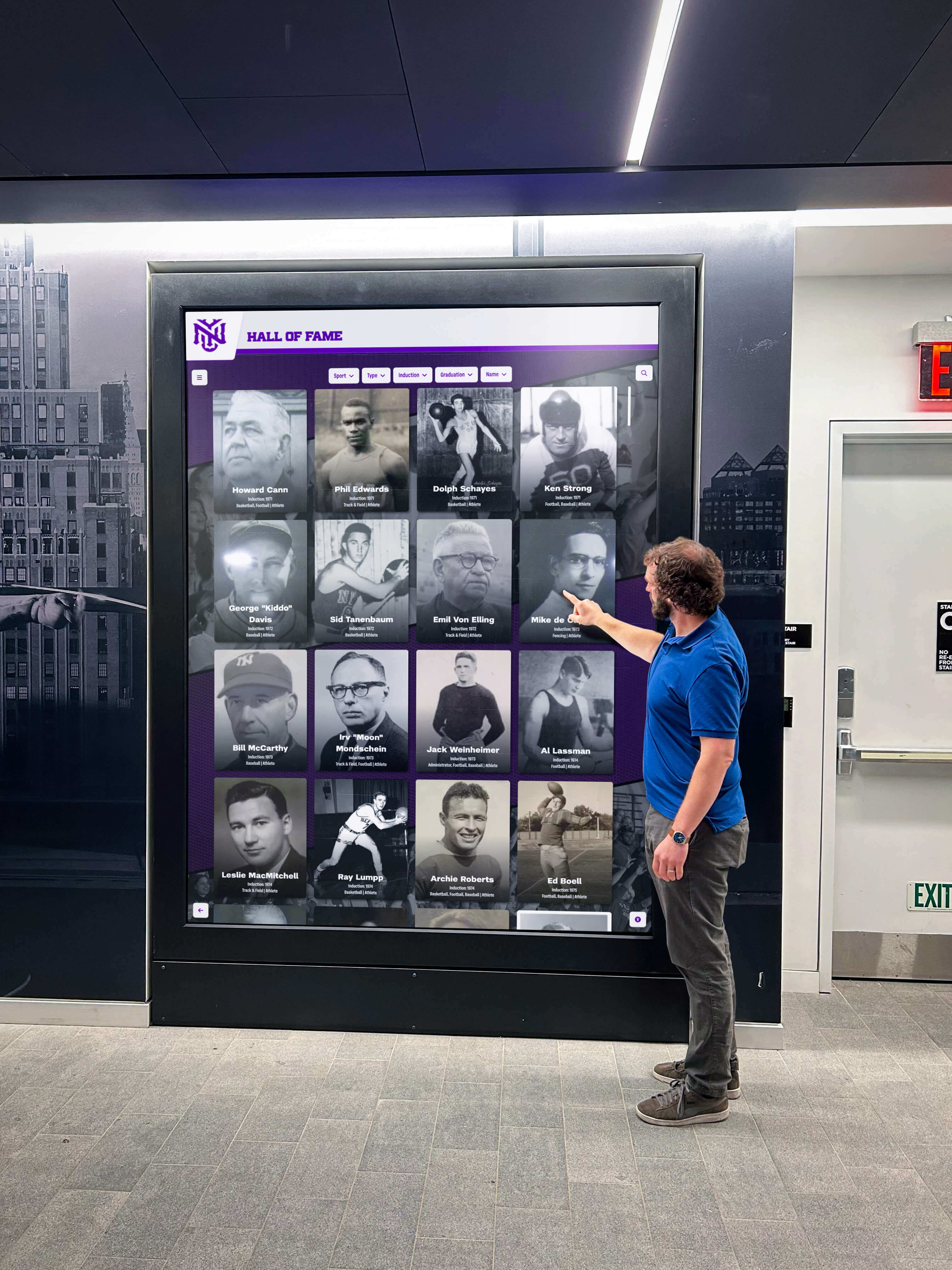
Well-designed kiosk interfaces encourage natural interaction through intuitive navigation and clear visual design
Security and Privacy Considerations
Public kiosks require systematic security attention:
Browser Lockdown and Kiosk Mode Museum kiosks must prevent visitors from exiting intended content, accessing device settings, browsing unauthorized websites, or downloading malicious software. Proper kiosk mode software restricts devices to approved content while disabling navigation controls and system access.
Free solutions like Rocket Touchscreen for Android provide reliable lockdown for specific use cases, while commercial kiosk browsers support broader requirements. Selection depends on specific security needs, hardware platforms, and operational contexts.
Network Security and Isolation Museum kiosks should operate on isolated network segments preventing potential compromise from affecting broader institutional systems. Firewalls, restricted outbound access, and network monitoring provide defense layers protecting collections databases, donor information, and operational systems.
Privacy and Data Collection Policies Museums must establish clear policies regarding visitor data collection through kiosk systems. Anonymous usage analytics prove valuable for improving experiences, but personally identifiable information collection requires explicit consent, secure storage, and defined retention policies complying with privacy regulations.
Transparent communication about data practices builds visitor trust while demonstrating institutional responsibility regarding personal information handling.
Physical Security Measures Locked enclosures, secured cable routing, disabled USB ports, and tamper alerts protect kiosk hardware from theft, vandalism, and unauthorized modification. Public environments require proactive physical security preventing predictable attack vectors.
Content Strategy and Information Architecture
Technology enables engagement, but content quality determines success.
Developing Effective Kiosk Content
Compelling kiosk content requires different approaches than traditional museum text:
Layered Information Architecture Effective kiosk content provides multiple depth levels accommodating diverse visitor interests. Brief summaries enable quick browsing, moderate detail serves general interest, and comprehensive documentation satisfies serious researchers—all within single systems through expandable sections and hierarchical organization.
This layered approach prevents overwhelming casual browsers while ensuring committed learners access desired depth rather than forcing uniform presentation depths failing to satisfy any audience segment optimally.
Visual Primacy and Multimedia Integration Digital platforms excel at delivering visual content—high-resolution artifact photography, archival images, documentary video, animated reconstructions, and 3D object viewers. Museums should emphasize visual storytelling leveraging digital capabilities rather than replicating text-heavy traditional approaches better suited to printed materials.
Balance remains important—some visitors prefer reading detailed text. Effective kiosk content combines strong visual elements with well-written text supporting multiple learning preferences simultaneously.
Narrative Structure and Storytelling Abstract information proves less engaging than human stories connecting visitors emotionally to historical events, scientific discoveries, or artistic movements. Kiosk content emphasizing personal narratives, individual perspectives, and compelling stories creates memorable experiences transcending fact memorization.
Organizations implementing digital storytelling for institutional programs apply narrative techniques creating emotional connections with audiences.
Search and Discovery Mechanisms Large content collections require robust search enabling visitors to quickly locate specific artifacts, topics, or individuals. Keyword search, filtered browsing, tag-based discovery, and related content suggestions facilitate exploration while preventing visitors from feeling lost in extensive databases.
Mobile Integration and Extended Engagement QR codes linking kiosk content to mobile-accessible versions enable visitors to continue exploration on personal devices during and after museum visits. This integration extends engagement beyond physical gallery time while accommodating visitors preferring personal devices over public touchscreens.
Accessibility in Content Development
Inclusive content serves broader audiences more effectively:
Plain Language and Reading Levels Museum content traditionally employs academic language assuming substantial background knowledge. Kiosk content should include plain language options ensuring accessibility for visitors with limited formal education, non-native language speakers, and individuals with reading challenges.
Multiple reading level options accommodate diverse audiences without requiring uniform simplification potentially frustrating well-educated visitors seeking detailed information.
Alternative Text and Audio Descriptions All images, videos, and visual content require text alternatives enabling screen readers to convey information to blind or visually impaired visitors. Audio descriptions provide additional context for complex visual materials including maps, diagrams, and artwork.
Captions and Transcripts Video content needs accurate captions supporting deaf and hard-of-hearing visitors while benefiting anyone viewing content in noisy gallery environments or preferring text-based information processing. Full transcripts enable searching video content and accommodate visitors who prefer reading to watching.
Multilingual Content Development Truly multilingual experiences require professional translation rather than automated machine translation producing awkward or incorrect text. Investment in quality translation demonstrates institutional commitment to serving international and immigrant communities effectively.
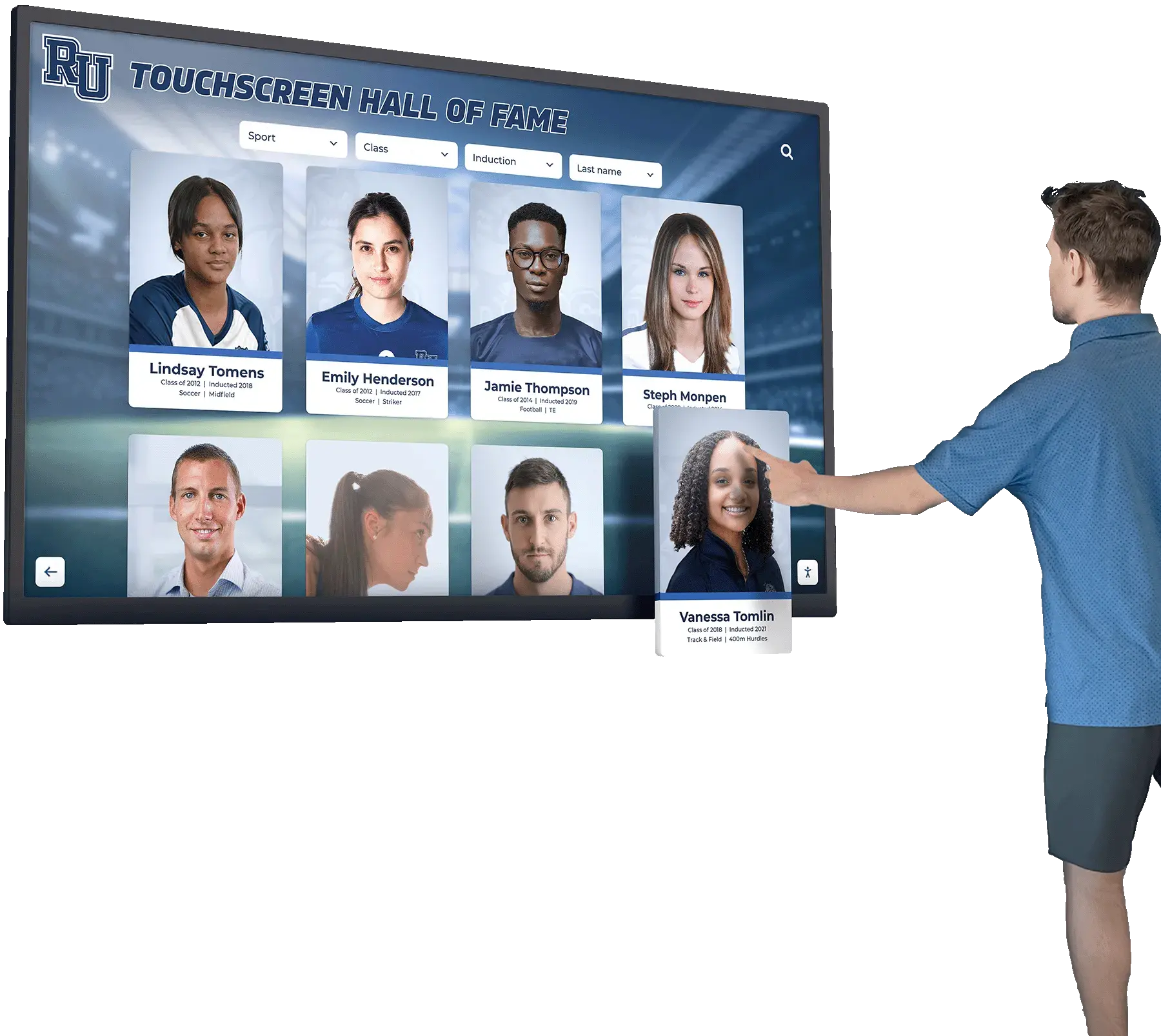
Intuitive interfaces accommodate visitors across age groups, technical skill levels, and cultural backgrounds
Implementation Best Practices and Common Pitfalls
Successful kiosk deployment requires systematic planning avoiding predictable challenges.
Strategic Placement and Facility Integration
Kiosk location significantly impacts utilization:
High-Traffic Location Selection Kiosks placed in gallery entrance areas, central gathering spaces, and major circulation paths receive substantially higher usage than systems in peripheral locations. Strategic placement near popular exhibits builds on visitor momentum while displays in quiet corners remain underutilized regardless of content quality.
Balance accessibility with avoiding congestion. Locations supporting multiple simultaneous users without blocking traffic flow prove ideal, while narrow hallways create bottlenecks discouraging interaction.
Contextual Content Alignment Gallery-specific kiosks providing information directly relevant to surrounding exhibits engage more effectively than generic systems delivering identical content throughout facilities. Contextual relevance creates natural curiosity driving exploration as visitors encounter specific artifacts generating questions answered through nearby digital resources.
Wayfinding and Orientation Positioning Directional kiosks near facility entrances, elevator lobbies, and major decision points help visitors navigate complex museums efficiently. These orientation systems serve different purposes than content-focused exploration kiosks, requiring interface design and information architecture optimized for quick reference rather than extended engagement.
Accessible Height and Clear Space ADA compliance requires specific mounting heights, clear floor space, and reach ranges ensuring wheelchair users and visitors with mobility limitations access kiosks comfortably. Consultation with accessibility specialists during planning prevents expensive retrofits correcting non-compliant installations.
Content Development and Maintenance Workflows
Sustainable kiosk programs require systematic content management:
Curatorial Ownership and Governance Clear assignment of content responsibility prevents kiosks from becoming outdated as staff assume others manage updates. Designated content owners—curators, educators, or digital media staff—must receive adequate time allocation and priority recognition for kiosk management within broader job responsibilities.
Content Creation Standards and Templates Documented content standards ensure consistency across contributors—writing style, reading levels, image specifications, video formats, and metadata requirements. Templates accelerate content production while maintaining quality and consistency across large collections.
Review and Quality Assurance Processes Content review workflows catching errors, ensuring accuracy, and maintaining institutional standards prevent embarrassing mistakes appearing in public-facing systems. Balance thorough review with practical velocity enabling timely content publication rather than perfectionism causing paralysis.
Update Schedules and Refresh Cycles Regular content updates maintain visitor interest during repeat visits while demonstrating institutional vitality and ongoing collection development. Scheduled refresh cycles—monthly feature rotations, seasonal content variations, or event-tied updates—create return visit motivation.
User Feedback Integration Systematic gathering and analysis of visitor feedback reveals usability issues, content gaps, and improvement opportunities invisible to staff familiar with systems. Comment forms, observation sessions, and usage analytics inform iterative enhancement creating increasingly effective experiences.
Organizations implementing digital historical timeline displays apply storytelling techniques creating compelling narrative experiences through interactive technology.
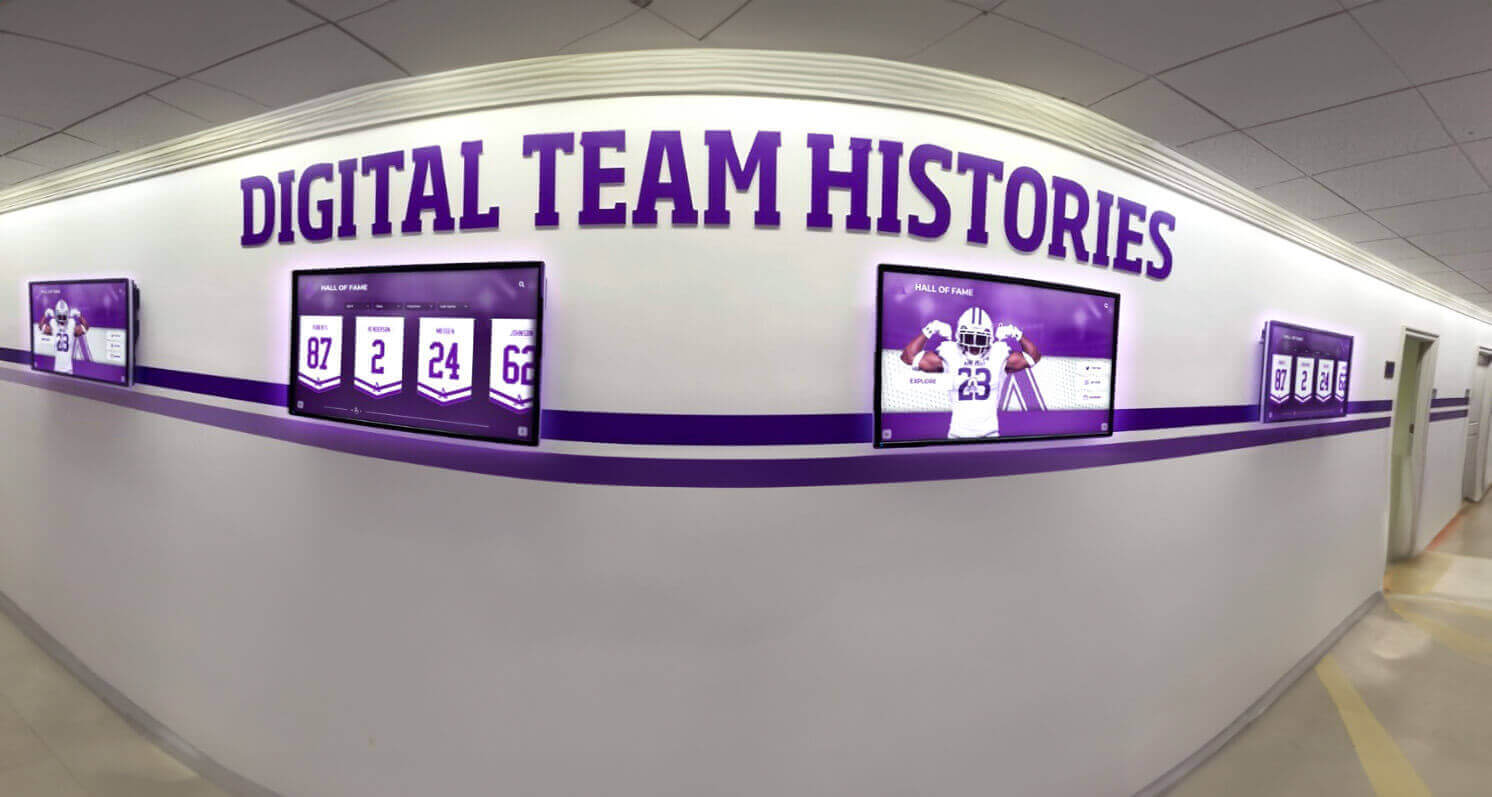
Coordinated kiosk deployments create comprehensive experiences across facility spaces
Technical Support and Maintenance Planning
Reliable operation requires proactive maintenance:
Cleaning and Physical Maintenance Schedules Touchscreens accumulate fingerprints, smudges, and dust requiring regular cleaning maintaining professional appearance and user experience. Scheduled cleaning integrated into facility maintenance routines prevents progressive degradation over time.
Screen protectors and antimicrobial coatings reduce maintenance frequency while improving hygiene—particularly important considerations following heightened public health awareness.
Hardware Monitoring and Replacement Planning Commercial displays include expected operational lifespans—typically 50,000 to 100,000 hours continuous use. Proactive monitoring and planned replacement budgeting prevent sudden failures disrupting visitor experiences. Maintaining spare hardware enables quick replacements minimizing downtime when failures occur.
Software Updates and Security Patches Regular software updates address security vulnerabilities, improve performance, and add features. Automated update systems simplify management, though testing in controlled environments before deployment prevents updates from inadvertently breaking functionality.
Remote Monitoring and Diagnostics Systems enabling remote monitoring alert staff to hardware failures, software crashes, or connectivity issues before visitors report problems. Proactive awareness enables faster resolution maintaining reliable visitor access.
Technical Support Training and Documentation Front-line staff require basic troubleshooting training addressing common issues—frozen screens, unresponsive touchscreens, connectivity problems—through simple interventions like rebooting systems or checking network cables. Clear documentation and escalation procedures prevent minor issues from causing extended downtime.
Real-World Applications Across Museum Types
Museum kiosk implementations vary significantly across institutional contexts:
History Museums and Cultural Heritage Sites
History-focused institutions use kiosks for temporal context and perspective:
Chronological Navigation and Timeline Exploration Interactive timelines enable visitors to explore historical periods at chosen depth, jumping between eras, comparing contemporaneous events across regions, and understanding cause-and-effect relationships difficult to convey through linear exhibit layouts.
Primary Source Access and Archival Materials Digital kiosks provide access to digitized primary sources—letters, diaries, photographs, documents—enabling visitors to engage directly with historical evidence rather than solely consuming curatorial interpretation. This source-level access supports critical thinking and personal meaning-making.
Multiple Perspective Presentation Historical events encompass diverse perspectives varying by participants’ roles, cultural backgrounds, and temporal distance from events. Kiosks facilitate presenting multiple viewpoints honoring complexity while avoiding false balance or relativism undermining factual understanding.
Historical Recreation and Virtual Reconstruction 3D reconstructions, historical imagery, and virtual tours enable visitors to visualize historical sites, buildings, or landscapes as they appeared in past eras. These immersive experiences create emotional connections and spatial understanding impossible through text descriptions or static illustrations.
Museums implementing school historical timeline displays apply similar approaches to institutional and community history preservation.
Art Museums and Galleries
Art-focused institutions use kiosks differently than history museums:
Artist Biography and Contextual Information Kiosks provide comprehensive artist information, historical context, artistic movements, and technique explanations without cluttering gallery walls with text distracting from artwork viewing. Visitors choose whether to research background or experience art directly without imposed interpretation.
Detailed Artwork Examination High-resolution zoomable images enable close examination of brushwork, texture, and details invisible from standard viewing distances. This digital magnification proves particularly valuable for small works, distant ceiling paintings, or protected fragile pieces behind glass.
Comparative Analysis Tools Interactive systems enabling side-by-side artwork comparison illuminate artistic development, influence relationships, and stylistic evolution across artists, periods, or movements. These visual comparisons support sophisticated art historical analysis accessible to educated visitors.
Multimedia Interpretation and Artist Voices Video interviews with living artists, archival recordings, and documentary footage provide direct access to artistic perspectives and creative processes. These multimedia resources create personal connections between visitors and creators while supporting multiple learning preferences.
Science and Natural History Museums
Scientific institutions emphasize interactive learning and complex concept visualization:
Scientific Concept Visualization Interactive simulations, animated processes, and data visualization help visitors understand abstract scientific concepts—atomic structure, evolutionary relationships, geological time scales, or astronomical distances—through engaging visual representations supporting conceptual understanding.
Specimen Database Access Natural history collections contain millions of specimens with small percentages publicly displayed. Kiosks provide access to collection databases enabling amateur naturalists, students, and researchers to explore holdings, examine detailed specimen photography, and access scientific data unavailable through physical exhibits.
Citizen Science and Data Collection Interactive kiosks engage visitors in active scientific participation through observation reporting, classification activities, or data interpretation exercises. This participatory approach demonstrates that science involves active inquiry rather than passive fact reception.
Regional Biodiversity and Ecosystem Education Kiosks featuring local species, ecological relationships, and conservation challenges help visitors connect exhibited concepts to their immediate environments. This localization increases relevance and motivates conservation action in visitors’ own communities.
Museums focusing on educational programming and institutional engagement create comprehensive learning experiences extending beyond passive exhibit viewing.
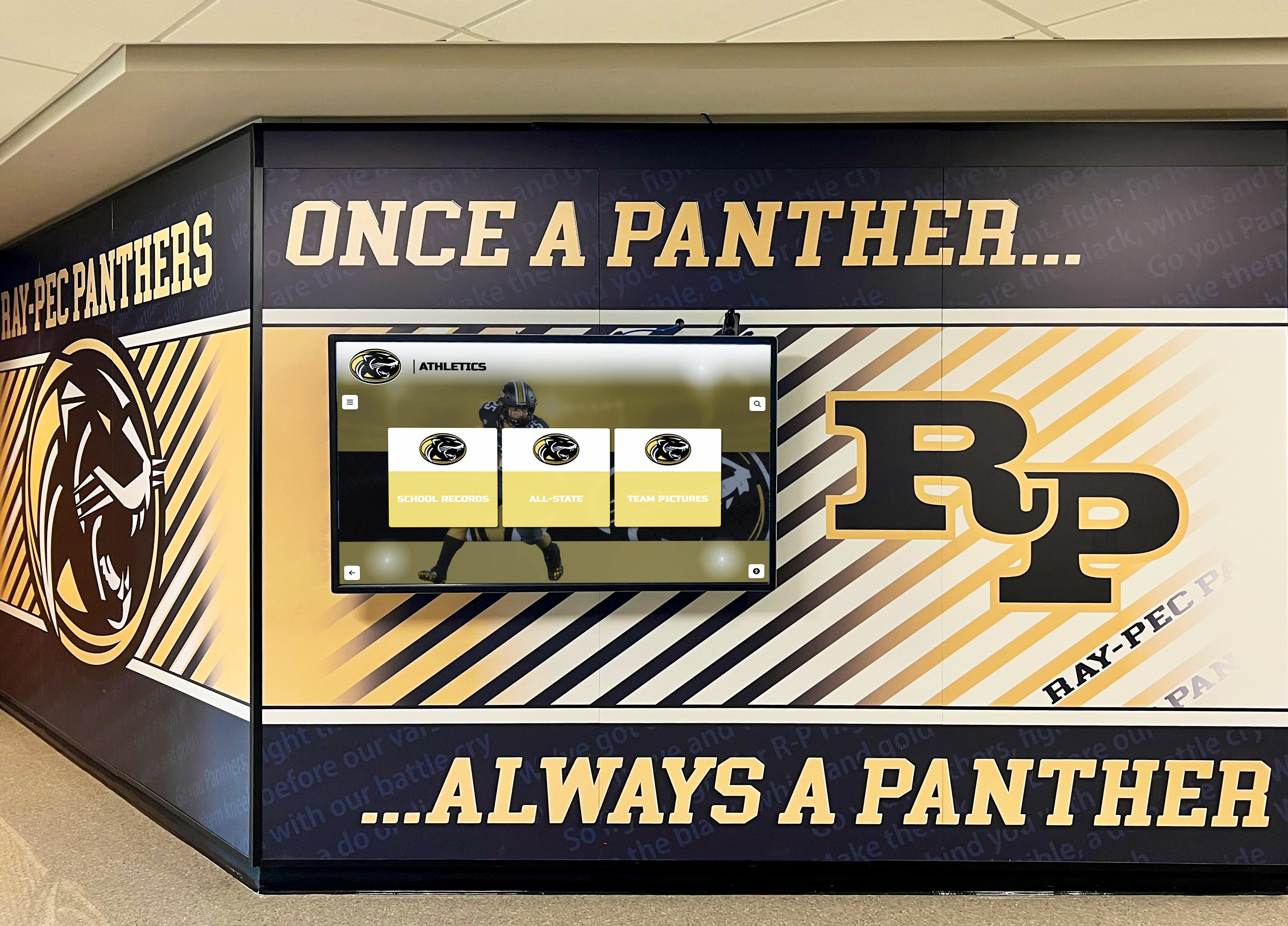
Museum kiosk principles apply across educational and cultural institutions creating engaging community experiences
Specialized Museums and Niche Collections
Focused institutions benefit from targeted kiosk applications:
Athletic Halls of Fame and Sports Museums Sports history museums use kiosks for athlete profiles, game footage, statistical databases, and interactive record books. Solutions like Rocket Alumni Solutions provide purpose-built platforms optimized for sports recognition requiring minimal technical management while supporting unlimited athlete profiles, multimedia content, and sophisticated search capabilities.
Community History and Local Heritage Local historical societies and community museums use affordable kiosk solutions documenting neighborhood history, family genealogies, business evolution, and cultural traditions. These grassroots institutions benefit particularly from cost-effective platforms enabling comprehensive storytelling without requiring large technology budgets.
Corporate Museums and Brand Heritage Centers Companies maintaining historical collections and brand museums use kiosks for product evolution timelines, founder stories, advertising history, and innovation showcases. These installations serve marketing objectives while preserving organizational heritage for employees, partners, and public visitors.
Future Trends in Museum Kiosk Technology
Emerging technologies promise enhanced capabilities while introducing new considerations:
Artificial Intelligence and Personalization
AI integration enables increasingly sophisticated experiences:
Adaptive Content Recommendations Machine learning systems analyzing visitor interaction patterns can suggest related content, artifacts, or exhibits matching demonstrated interests. These personalized recommendations create self-reinforcing engagement loops where relevant suggestions drive deeper exploration generating additional preference data enabling increasingly accurate recommendations.
Natural Language Interfaces Voice interaction and conversational AI enable visitors to ask questions in natural language receiving relevant information without navigating hierarchical menus. These intuitive interfaces prove particularly valuable for visitors uncomfortable with touchscreen navigation or experiencing accessibility barriers with traditional interfaces.
Multilingual Translation and Interpretation Real-time translation technologies enable content delivery in virtually any language without requiring museums to produce separate versions. While human translation provides superior quality, AI translation makes rare languages practical and supports unexpected visitor language needs.
Augmented Reality and Spatial Computing
AR technologies bridge physical and digital experiences:
Artifact Overlay and Contextual Information Augmented reality viewers overlay contextual information directly onto physical artifacts, providing details, comparison views, or historical context without removing visitor attention from actual objects. This integration enhances rather than replaces direct artifact engagement.
Historical Reconstruction Visualization AR enables visitors to view historical settings, architectural reconstructions, or temporal changes overlaid on contemporary spaces. These visualizations help visitors understand historical contexts and spatial relationships difficult to convey through static exhibits.
Interactive Object Manipulation Virtual handling enables visitors to rotate, examine, or explore delicate artifacts that physical handling would damage. These interactions satisfy curiosity about construction details, inscriptions, or features invisible from display case viewing.
Enhanced Accessibility Technologies
Ongoing innovation improves inclusive access:
Computer Vision and Gesture Recognition Touchless interfaces using gesture recognition or computer vision enable visitors with mobility limitations affecting hand dexterity to interact with kiosk content without requiring precise touch contact. These systems also address post-pandemic hygiene concerns about shared touchscreens.
Personalized Accessibility Profiles Systems enabling visitors to create accessibility profiles—preferred text sizes, audio narration, high contrast modes, caption settings—that transfer across museum kiosks eliminate need to reconfigure accessibility settings at each station. This convenience reduces friction for visitors requiring accommodation.
Brain-Computer Interfaces and Emerging Technologies Experimental interfaces enabling control through eye tracking, brain activity, or other emerging modalities promise future access options for visitors with severe physical limitations preventing traditional interaction methods. While early stage, these technologies demonstrate continued innovation expanding access.
While implementing advanced touchscreen technology and interfaces, museums must balance innovation with reliability, ensuring new features enhance rather than complicate core visitor experiences.

Professional kiosk installations create impressive visitor experiences demonstrating institutional commitment to accessible engagement
Budget Planning and Return on Investment
Museum kiosk projects require systematic financial planning:
Initial Investment Components
Hardware Costs Commercial touchscreen displays range from $2,000 to $10,000+ depending on size, durability specifications, and mounting requirements. Budget at least $3,000-$5,000 per station for reliable commercial-grade systems avoiding consumer equipment inappropriate for public museum contexts.
Software Licensing and Development Platform options range from free open-source systems requiring technical expertise through purpose-built solutions like Rocket Alumni Solutions offering fixed pricing and professional support. Annual subscription costs for commercial platforms typically range from $500 to $3,000+ per year depending on features, scale, and support levels.
Custom development proves expensive—often $50,000+ for sophisticated systems—rarely justifying costs versus commercial platforms unless extremely specialized requirements prevent standard solutions.
Content Development Initial content creation represents substantial investment—research, writing, image digitization, video production, and metadata creation require significant staff time or contractor expenses. Budget $100-$500+ per artifact or exhibit section depending on depth and multimedia complexity.
Installation and Infrastructure Professional installation including electrical work, network connections, mounting hardware, and physical enclosures adds $1,000-$5,000+ per kiosk depending on facility conditions and installation complexity. Proper infrastructure investment prevents ongoing problems from inadequate initial implementation.
Ongoing Operational Costs
Content Management and Updates Plan for ongoing staff time maintaining content currency, adding new acquisitions, refreshing seasonal content, and responding to visitor feedback. Allocate at least 10-20 hours monthly per kiosk for active content management ensuring systems remain engaging.
Technical Maintenance and Support Hardware maintenance, software updates, troubleshooting, and occasional repairs require ongoing attention. Budget $500-$1,500 annually per kiosk for maintenance, or establish in-house technical capability absorbing these responsibilities.
Electricity and Consumables Operating costs including electricity, replacement screen protectors, cleaning supplies, and minor hardware replacements represent modest but real ongoing expenses.
Measuring Return on Investment
Visitor Engagement Metrics Track kiosk usage patterns, session duration, content popularity, and visitor feedback assessing whether investments deliver intended engagement improvements. Comparison to baseline pre-kiosk metrics illuminates impact.
Operational Efficiency Gains Quantify reduced staff time answering routine questions, decreased printed material production, and improved visitor satisfaction reducing complaints and negative reviews. These efficiency gains offset implementation costs.
Revenue Impact Monitor membership conversions, gift shop spending, and donation patterns among visitors engaging extensively with kiosks versus minimal users. While attribution proves challenging, longitudinal analysis reveals whether kiosk investments correlate with improved revenue performance.
Educational Outcome Assessment For museums emphasizing education, evaluate whether kiosk engagement correlates with learning outcomes, extended dwell time, or behavior change supporting institutional missions beyond entertainment.
Conclusion: Creating Digital Warming in Museums
Museum kiosks represent more than technology installations—they embody institutional commitment to accessible, engaging, personalized visitor experiences honoring diverse interests, learning styles, and background knowledge. When thoughtfully implemented with attention to content quality, interface design, accessibility, and operational sustainability, interactive kiosks transform museums from passive viewing experiences into active exploration environments where visitors direct their own learning journeys.
The concept of digital warming—creating vibrant, personalized experiences from cold digital technology—applies powerfully to museum contexts. Kiosks enable each visitor to discover personal connections, pursue unique interests, and engage at preferred depth. This personalization creates emotional investment and memorable experiences transcending generic museum visits where identical information reaches all visitors regardless of relevance.
Successful museum kiosk implementation requires balancing multiple considerations: selecting reliable hardware appropriate for continuous public use, choosing content management platforms enabling non-technical staff to maintain currency, developing layered content serving casual browsers and serious researchers equally, ensuring comprehensive accessibility supporting diverse visitor needs, planning sustainable maintenance workflows, and measuring impact demonstrating value justifying continued investment.
Technology serves as tool rather than goal. The most effective museum kiosks become invisible infrastructure enabling discovery rather than obtrusive gadgets demanding attention. When visitors become absorbed exploring fascinating content, forgetting they’re interacting with digital systems, kiosks achieve their highest purpose—facilitating connection between people and knowledge, past and present, individual curiosity and institutional collections.
Solutions like Rocket Alumni Solutions demonstrate how purpose-built platforms optimized for recognition and historical documentation serve museums, cultural institutions, heritage sites, and educational facilities without requiring extensive technical expertise or custom development investments. Web-based systems delivering universal compatibility, unlimited content capacity, comprehensive accessibility compliance, and intuitive management enable organizations to focus on content quality and visitor experience rather than struggling with technical complexity.
Whether implementing first kiosk systems or expanding existing installations, museums should prioritize visitor needs over technological novelty, sustainable operational models over impressive launches proving unsustainable, and iterative improvement over perfection paralysis. Start with clear objectives aligned with institutional missions, choose appropriate technology serving those goals without unnecessary complexity, develop compelling content honoring visitors’ intelligence and curiosity, and systematically refine based on visitor feedback and usage data.
Museum kiosks excel at creating what we call digital warming—transforming potential cold digital interfaces into warm, engaging experiences building connections between visitors and collections, contemporary audiences and historical subjects, individual curiosity and institutional knowledge. This transformation represents technology serving its highest purpose: enabling human connection, understanding, and growth.
Ready to transform your museum, cultural institution, or historical collection through engaging interactive technology? Explore how Rocket Alumni Solutions creates warm, accessible digital experiences serving diverse communities while preserving precious heritage for future generations.































