School lobbies represent critical first-impression spaces where visitors, prospective families, and community members form lasting opinions about your institution within seconds of entering. Yet most school entrances remain underutilized spaces featuring bulletin boards with outdated flyers, static trophy cases gathering dust, and bare walls that fail to communicate the vibrant learning community beyond those doors. These lobbies miss opportunities to engage visitors, showcase achievements, build school pride, and create memorable experiences that distinguish your institution from others.
The challenge intensifies when you consider that modern families—accustomed to interactive experiences everywhere from shopping malls to museums—increasingly expect schools to reflect contemporary technology standards. Static displays feel outdated to digital-native students and tech-savvy parents evaluating educational environments. How can school entrances create dynamic first impressions? What technologies transform passive lobbies into engagement hubs? How do you balance innovation with practical constraints like budgets, maintenance requirements, and administrative workload?
A touchscreen wall addresses these challenges by converting traditional lobby spaces into interactive experience centers where visitors explore school history, prospective families discover program offerings, students celebrate peer achievements, and community members connect with institutional stories that build lasting relationships. These installations create memorable entrances while serving practical communication functions traditional static displays cannot match.
This comprehensive guide explores how touchscreen walls transform school lobbies from overlooked transition spaces into powerful engagement and communication hubs. You’ll discover practical considerations for selecting and installing interactive displays, content strategies that maximize impact, benefits that justify investment, and real-world applications demonstrating how schools leverage this technology to strengthen community connections and enhance institutional reputation.

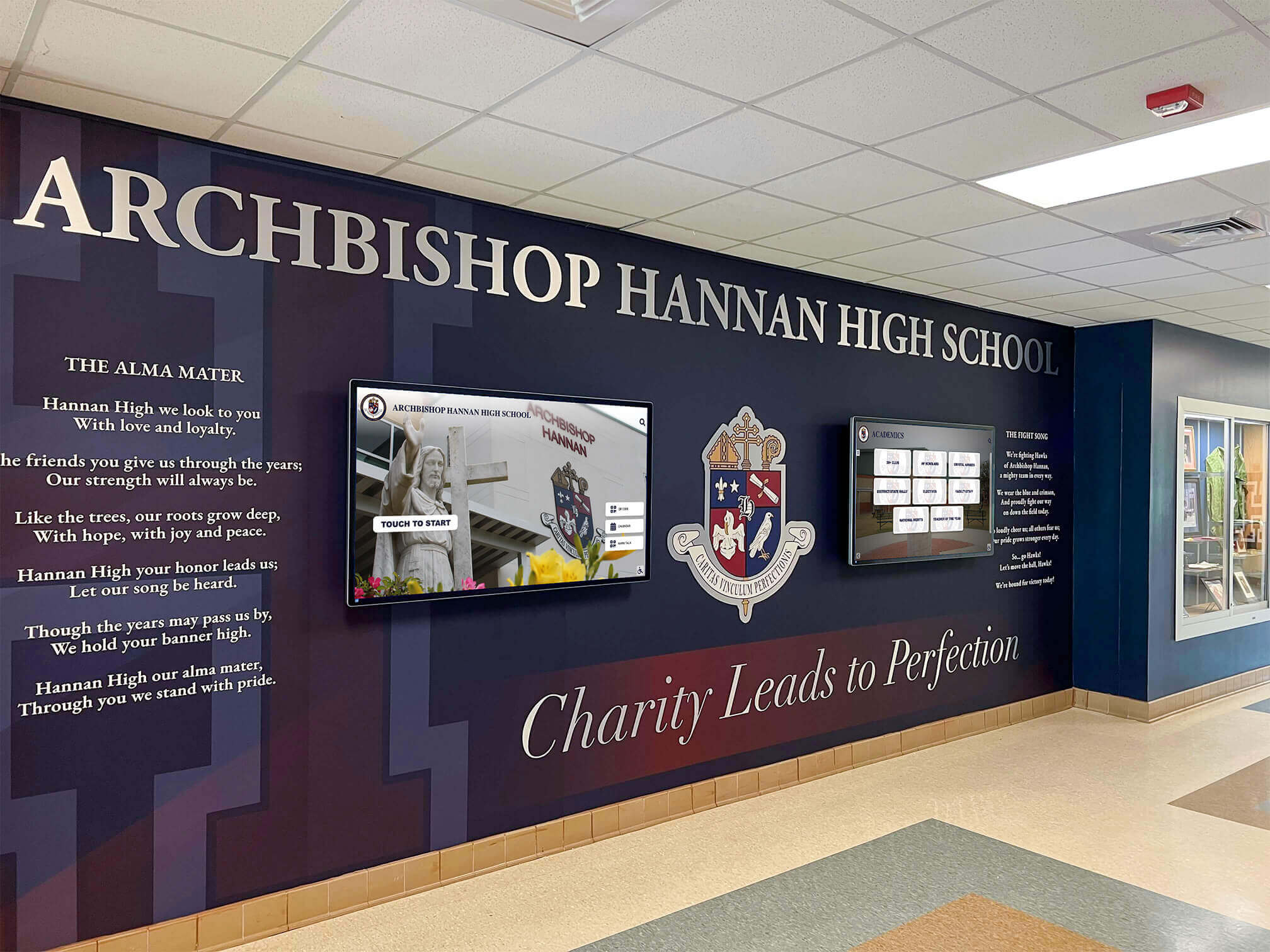
Contemporary school lobbies blend architectural design with interactive technology to create impressive entrances that communicate institutional identity
Understanding Touchscreen Wall Technology for Educational Spaces
Before investing in lobby technology, understanding the systems available helps ensure you select solutions matching your institution’s specific needs and capabilities.
What Qualifies as a Touchscreen Wall
The term “touchscreen wall” describes various interactive display configurations, each offering distinct advantages for educational environments.
Large-Format Interactive Displays
Single large-format touchscreens—typically 55" to 86" diagonal—represent the most common lobby installation. These commercial-grade displays feature responsive touch technology enabling multiple interaction types: tapping to navigate menus, swiping to browse content galleries, pinching to zoom into detailed information, and dragging to interact with maps or timelines. Modern capacitive touchscreens respond with smartphone-like sensitivity, creating intuitive experiences requiring no instructions for digital-native users.
These all-in-one solutions simplify installation compared to multi-display arrays, typically require single power connections, mount to walls using heavy-duty brackets, and connect to networks via WiFi or ethernet for content updates. Schools appreciate their plug-and-play nature requiring minimal technical infrastructure beyond electrical service and network access.
Multi-Screen Video Walls
Some institutions create impressive displays by combining multiple screens into single cohesive video walls. These configurations—often 2x2, 3x2, or larger arrays—create dramatic visual impact with combined screen sizes exceeding 150" diagonal. Touch capability can extend across entire video walls with overlay systems, or individual screens within arrays may feature independent touch functions.
Video walls excel at creating commanding focal points in large lobbies where single screens might feel undersized. However, they require more complex infrastructure including mounting systems supporting significant weight, video processors combining multiple inputs into unified displays, and content creation optimized for unique aspect ratios spanning multiple panels.
Kiosk-Style Freestanding Units
Rather than wall-mounting displays, kiosk configurations feature freestanding enclosures housing screens at comfortable viewing angles. These units work well in lobbies where permanent wall mounting proves impractical, in spaces requiring repositionable displays, or as wayfinding solutions near entrances directing visitors to appropriate building locations.
Kiosks require more floor space than wall-mounted alternatives but offer flexibility for institutions uncertain about permanent installation locations or schools leasing facilities where wall modifications face restrictions. Well-designed kiosks match architectural aesthetics while protecting equipment from accidental damage in high-traffic areas.
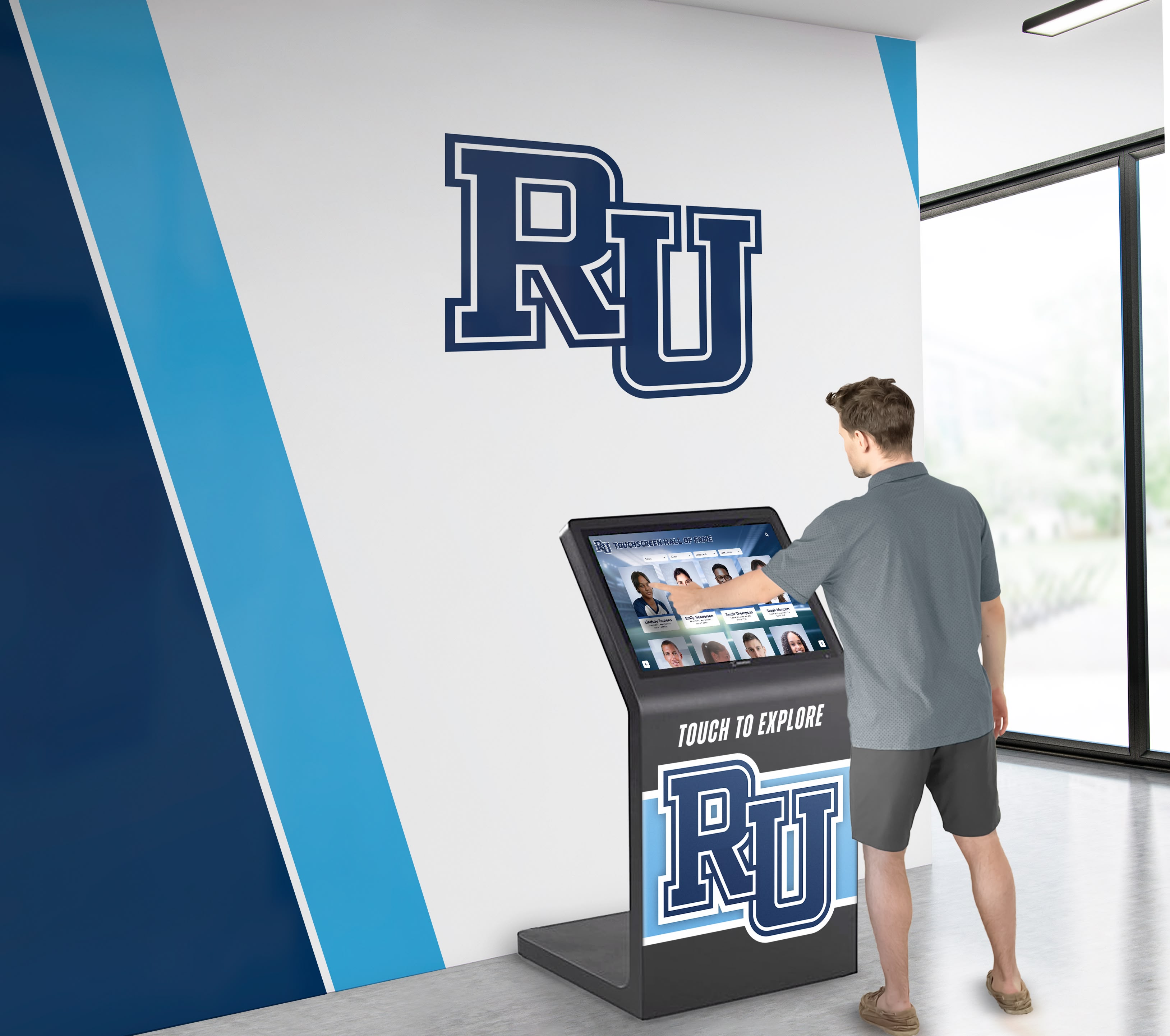
Touchscreen installations enable self-directed exploration where visitors discover information at their own pace without staff assistance
Commercial vs. Consumer-Grade Equipment
Equipment quality significantly impacts longevity, reliability, and total cost of ownership in demanding school environments.
Commercial Display Standards
Commercial-grade touchscreens designed for public spaces feature critical durability enhancements compared to consumer televisions: reinforced screens resisting impact damage from accidental contact, internal components rated for continuous operation (24/7 use compared to 8-hour consumer ratings), advanced thermal management preventing overheating during extended operation, vandal-resistant enclosures protecting connections and controls, and significantly longer manufacturer warranties (3-5 years commercial vs. 1 year consumer).
These commercial specifications matter tremendously in school lobbies where displays operate throughout 8-hour school days, face interaction from hundreds of users weekly, and must maintain professional appearance without frequent maintenance interventions. Consumer displays in public settings typically fail within 18-24 months, while commercial units reliably operate 5-7+ years with minimal issues.
Industrial Touch Technologies
Commercial touchscreens utilize industrial touch technologies built for durability: projected capacitive systems with scratch-resistant glass surfaces, infrared touch frames immune to surface damage, and optical touch technologies functioning reliably despite screen surface conditions. These systems continue functioning accurately through millions of touch interactions, whereas consumer-grade touch technologies degrade noticeably within months of intensive public use.
Schools evaluating equipment should specifically request commercial displays rated for public interactive applications rather than general digital signage screens lacking touch capability or featuring touch systems designed for occasional rather than intensive use.
Content Management Systems
Professional touchscreen walls require content management systems (CMS) enabling non-technical administrators to update displays without specialized knowledge. Quality systems provide intuitive interfaces for uploading photos and videos, editing recognition information, scheduling content to appear during specific timeframes, previewing changes before publishing, and remotely managing multiple displays across campuses from single administrative dashboards.
The CMS represents the difference between displays showcasing current, relevant information versus screens displaying outdated content because updating processes prove too complex for busy administrators. Rocket Alumni Solutions provides purpose-built content management specifically designed for educational recognition applications, enabling schools to maintain engaging displays without requiring technical staff involvement.
Strategic Placement and Installation Considerations
Location dramatically influences whether your touchscreen wall becomes a celebrated feature or an overlooked technology investment gathering dust.
Optimal Lobby Positioning for Maximum Engagement
Physical placement affects visibility, accessibility, and usage patterns for interactive displays.
Primary Sightline Locations
Install touchscreens within primary sightlines visitors naturally encounter when entering lobbies—the focal wall directly opposite main entrance doors, prominent positions adjacent to reception desks, or along main circulation paths leading to office suites or interior hallways. These positions ensure visitors notice displays immediately upon arrival rather than discovering screens only after exploring multiple spaces.
Avoid positions behind doors, in alcoves off main traffic flows, or locations competing visually with architectural features like grand staircases. Your touchscreen wall should occupy position-of-honor placement communicating its importance within your institutional hierarchy of lobby elements.
Comfortable Interaction Heights
Mount displays at heights accommodating diverse users from elementary students through adult visitors. Centers of 55"-65" screens typically install 48"-52" from floors—low enough for elementary-age children to comfortably reach upper screen areas while remaining appropriately positioned for adult users. Larger 75"-86" displays may center slightly higher (54"-58") given their increased vertical dimensions.
When installing kiosks or wall-mounted displays, test positioning with representatives from various user groups—shorter elementary students, average-height middle schoolers, tall high school athletes, adult visitors—ensuring all groups can comfortably interact with screen areas. Digital displays serving all ages require thoughtful ergonomic planning beyond standard ADA compliance minimums.
Lighting Management
Consider ambient lighting when positioning screens. Avoid mounting displays opposite large windows or glass doors where bright backlighting creates screen glare making content difficult to view. Position screens perpendicular to primary light sources when possible, select displays with high-brightness ratings (500+ nits) overcoming ambient lighting, and consider architectural modifications like shading or strategic lighting adjustments ensuring optimal viewing conditions throughout the day.
Some schools install recessed lighting specifically highlighting touchscreen installations, creating visual prominence while improving viewing quality. These dedicated lighting treatments communicate that displays represent intentional institutional investments rather than afterthought technology additions.
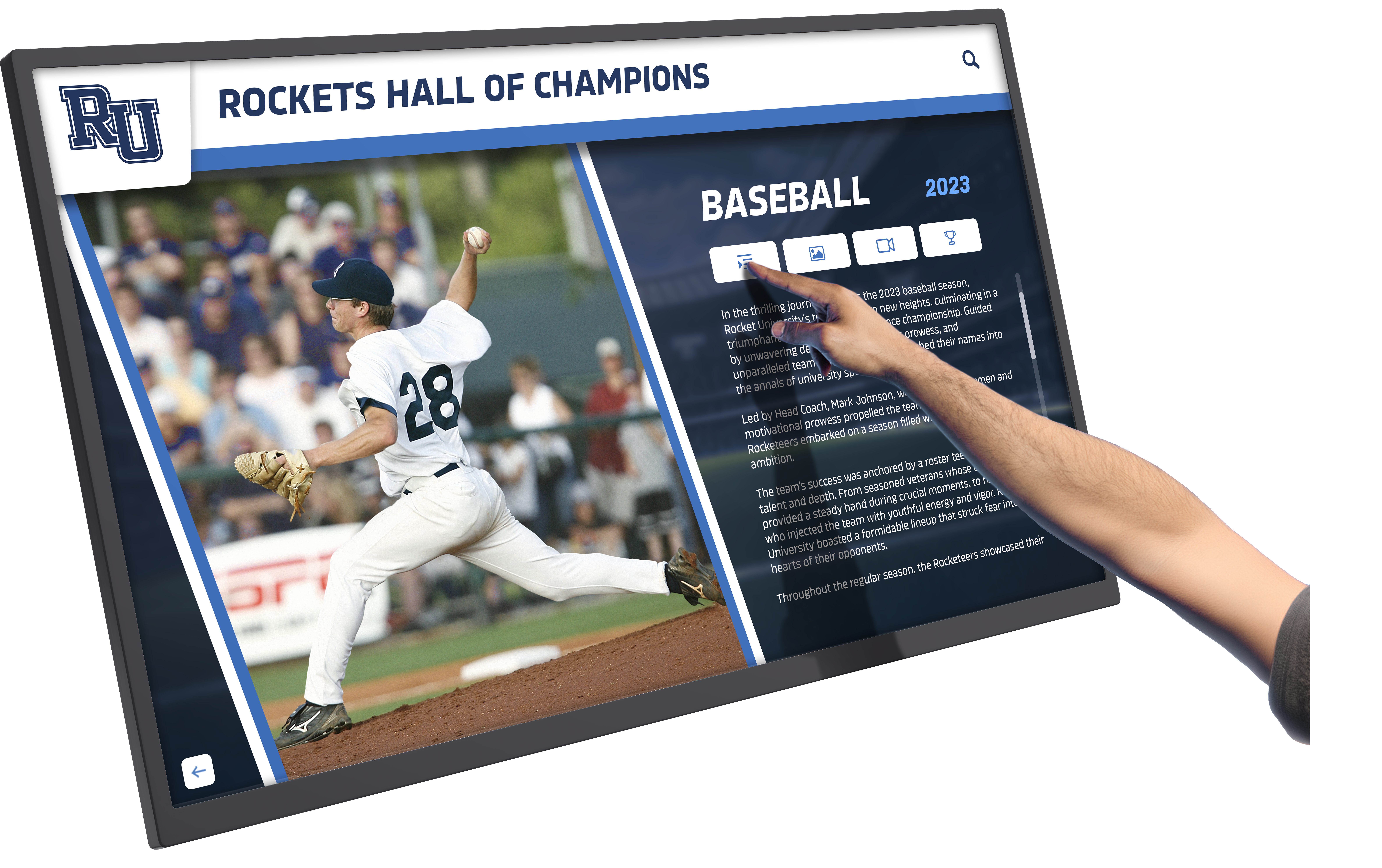
Responsive touch interfaces enable intuitive navigation requiring no instructions for users familiar with smartphone and tablet interactions
Infrastructure Requirements and Technical Specifications
Successful installations require adequate infrastructure supporting reliable operation.
Electrical Service
Touchscreen walls require dedicated electrical circuits delivering clean power free from interference. Large displays consume 200-400 watts during operation—similar to desktop computers—necessitating 15-20 amp circuits capable of sustained loads. Install electrical outlets within equipment enclosures or behind screens where connections remain hidden from view, avoiding visible power cables detracting from professional appearances.
Consider uninterruptible power supplies (UPS) for installations where power interruptions might corrupt content management systems or where graceful shutdowns during outages protect equipment from damage. UPS systems prevent displays from sudden shutdowns during brief power fluctuations common in older school buildings.
Network Connectivity
Interactive displays require network connections enabling content updates, remote management, and interactive features requiring internet access. Hardwired ethernet connections provide more reliable performance than WiFi, particularly in buildings with network congestion during peak school hours. Plan for Cat6 cabling terminating near display locations, providing gigabit bandwidth supporting high-quality video content streaming without buffering delays.
If WiFi represents the only practical option, ensure enterprise-grade access points provide strong signals at display locations, implement quality-of-service (QoS) network policies prioritizing display traffic, and regularly test performance ensuring content updates complete reliably without requiring hands-on intervention.
Structural Support
Large touchscreens weigh 75-150 pounds requiring robust mounting systems anchored to structural wall elements rather than surface drywall alone. Installation typically requires locating wall studs, installing heavy-duty mounts rated for 2-3x display weight, and ensuring mounting hardware distributes weight across multiple attachment points.
For lobbies featuring decorative walls lacking structural capacity, architectural modifications may involve installing reinforced backing panels, attaching displays to concrete or masonry walls rather than partition walls, or building custom millwork surrounds providing structural support while integrating displays attractively within lobby aesthetics.
Accessibility Compliance
Ensure installations meet ADA accessibility standards: screen positioning enabling wheelchair users to view and interact comfortably, sufficient clear floor space (typically 30" x 48") allowing wheelchair approach, interactive elements positioned within forward reach ranges (15"-48" high), and audio alternatives for visual content when serving hearing-impaired visitors. Schools serving diverse student populations should consider accessibility as fundamental requirements rather than optional enhancements.
Content Strategies That Maximize Touchscreen Wall Impact
Hardware represents only half the equation—compelling content determines whether installations create engagement or become expensive ignored displays.
Recognition and Celebration Applications
Schools excel at using touchscreen walls to showcase community achievements and build institutional pride.
Athletic Recognition and Hall of Fame Displays
Transform traditional trophy cases into searchable digital recognition where visitors browse athlete profiles by sport, year, or achievement type. Include athlete photos, career statistics, memorable game highlights, post-graduation updates, and quotes describing what sports participation meant personally. These rich profiles honor athletes more meaningfully than engraved plaques alone while creating inspiration for current students pursuing athletic excellence.
Digital athletic recognition enables unlimited capacity—every letter-winner throughout school history can receive profiles, not just hall of fame inductees. This comprehensive approach ensures all student athletes feel valued while providing complete historical records interesting to alumni, families, and community members decades after graduation. Schools can highlight various athletic achievements from traditional sports to emerging programs like esports.
Academic Excellence Showcases
Celebrate academic achievements including honor roll students, perfect attendance records, scholarship recipients, science fair winners, debate champions, and various academic honor programs. Academic recognition on touchscreen walls communicates that your institution values intellectual achievement equally with athletic success, reinforcing that scholarship matters as much as sports in your school culture.
Include photos of academic achievers, quotes about favorite subjects or career aspirations, profiles of teachers who inspired academic growth, and information about post-graduation educational plans. This context transforms lists of names into compelling stories demonstrating how your educational programs prepare students for successful futures.
Arts, Service, and Extracurricular Achievements
Comprehensive recognition includes achievements beyond athletics and academics—theater productions, musical performances, art exhibitions, community service hours, student government leadership, and club participation. These diverse recognition categories ensure every student finds paths to recognition matching their unique talents and interests.
Touchscreen walls accommodate this recognition diversity impossible with limited physical trophy cases. Students exploring displays discover the incredible breadth of opportunities available, inspiring participation in programs they might never have considered otherwise.
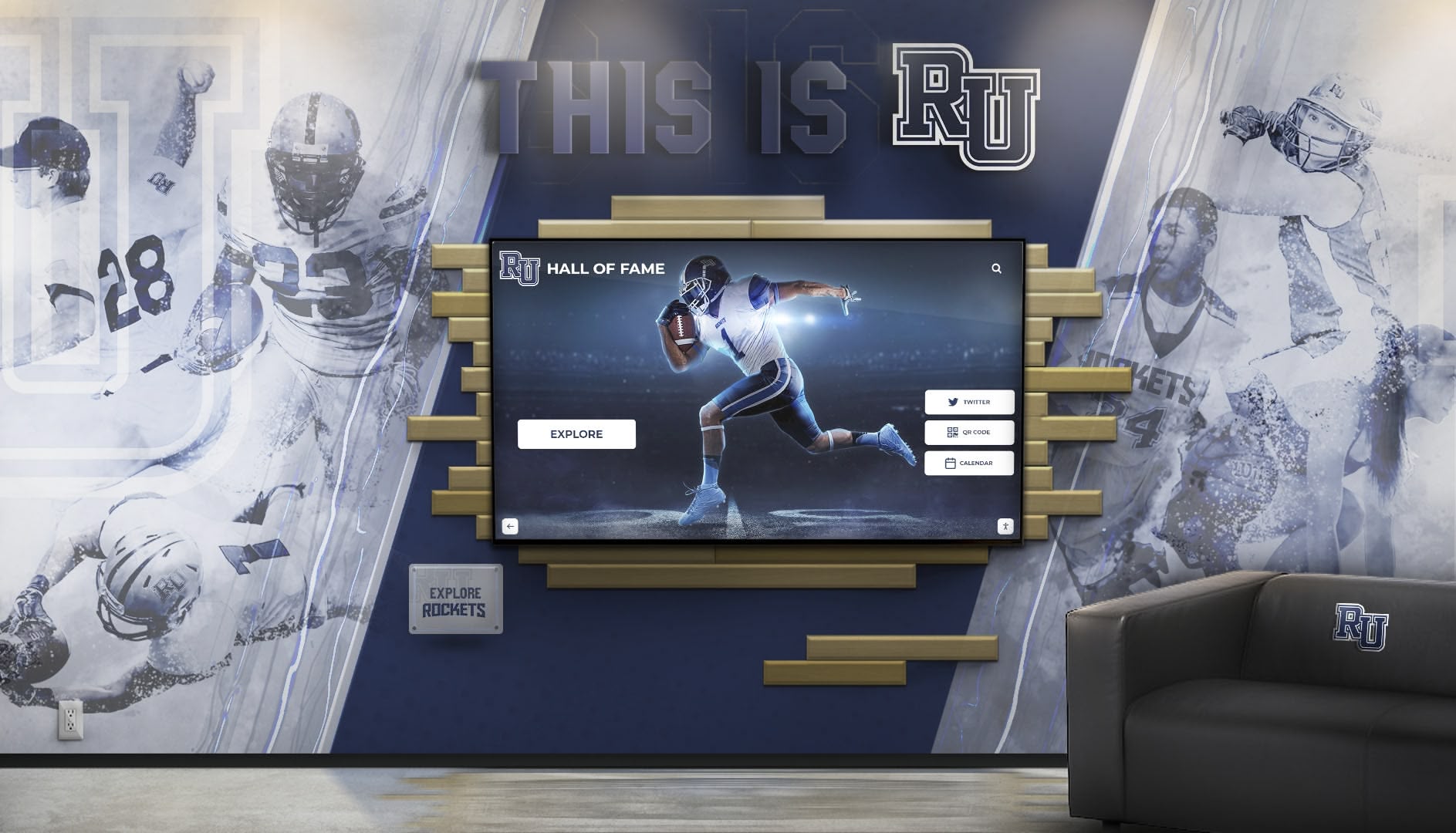
Branded installations blend school identity with interactive technology, creating cohesive lobby designs that reinforce institutional pride
Institutional History and Storytelling
Beyond current recognition, touchscreen walls preserve and share institutional heritage in engaging formats.
Historical Timeline Experiences
Create interactive timelines chronicling school history from founding dates through present day. Include historical photos, significant milestone events, evolution of facilities and programs, notable alumni who shaped your community, and contextual information about societal changes paralleling institutional development. These timelines help current students understand they’re part of continuing legacy while giving alumni nostalgic connection to cherished memories.
Interactive formats enable deep exploration—visitors browsing decade-by-decade overviews can tap specific years revealing detailed information, view photo galleries from particular eras, read historical documents, or watch video oral histories from longtime faculty and community members. This layered storytelling approach accommodates both quick browsers seeking overview impressions and deep researchers wanting comprehensive historical understanding.
Alumni Success Stories
Feature alumni career journeys demonstrating educational impact extending beyond graduation. Profile alumni across diverse careers—doctors, engineers, teachers, artists, entrepreneurs, military veterans, community leaders—showing students the diverse possibilities education enables. Include photos, career descriptions, memorable school experiences, advice for current students, and ways their education prepared them for professional success.
These alumni connections help prospective families understand educational outcomes while inspiring current students to envision ambitious futures. When students see graduates who attended your school achieving remarkable success, they internalize that similar achievements remain accessible to them regardless of current circumstances or backgrounds.
Building and Facility Stories
Document facility evolution through photos, architectural drawings, and construction timelines. Share stories behind named buildings, rooms dedicated to honor community members, or significant renovations transforming learning environments. This architectural storytelling helps community members appreciate facilities representing decades of investment while contextualizing capital campaigns seeking support for future improvements.
Interactive displays featuring building information work particularly well during new construction or renovation projects, enabling schools to document transformation processes, recognize donors funding improvements, and celebrate completed projects in formats more engaging than dedication plaques alone.
Wayfinding and Visitor Information
Practical applications help touchscreen walls serve functional purposes beyond celebration.
Interactive Building Directories
Replace traditional static directories with searchable interactive versions where visitors find destinations by browsing department categories, searching staff names, or viewing alphabetical listings. Include directions to located destinations, office hours, contact information, and photos helping visitors recognize areas when they arrive.
These digital directories eliminate outdated information plaguing printed versions—staff changes update immediately in content management systems rather than requiring expensive reprinting. Schools with multiple buildings can provide campus maps showing building locations, walking paths, parking areas, and accessible routes benefiting visitors with mobility limitations.
Event Calendars and Announcements
Display upcoming events including athletics schedules, performing arts productions, parent-teacher conferences, testing dates, school closures, and community programs. Interactive calendars let visitors browse by date ranges, filter by event categories, and access detailed information including registration links, ticketing information, or schedule changes.
Real-time announcement capability proves valuable during emergencies or schedule changes—displays update immediately reflecting early dismissals, event cancellations, or important communications reaching lobby visitors without requiring printed signage. Strategic content scheduling ensures relevance throughout school years.
Admissions and Program Information
Schools serving prospective families use touchscreen walls during campus tours, featuring academic programs, extracurricular offerings, admissions processes, tuition information, and testimonials from current families. Interactive formats enable visitors to explore areas matching their interests—athletic prospects can deep-dive sports information while families prioritizing academics examine curriculum details and advanced placement offerings.
This self-serve information access lets families explore at their own pace without feeling pressured by admissions staff, often providing more comfortable experiences for reserved visitors uncomfortable asking detailed questions during formal tours.
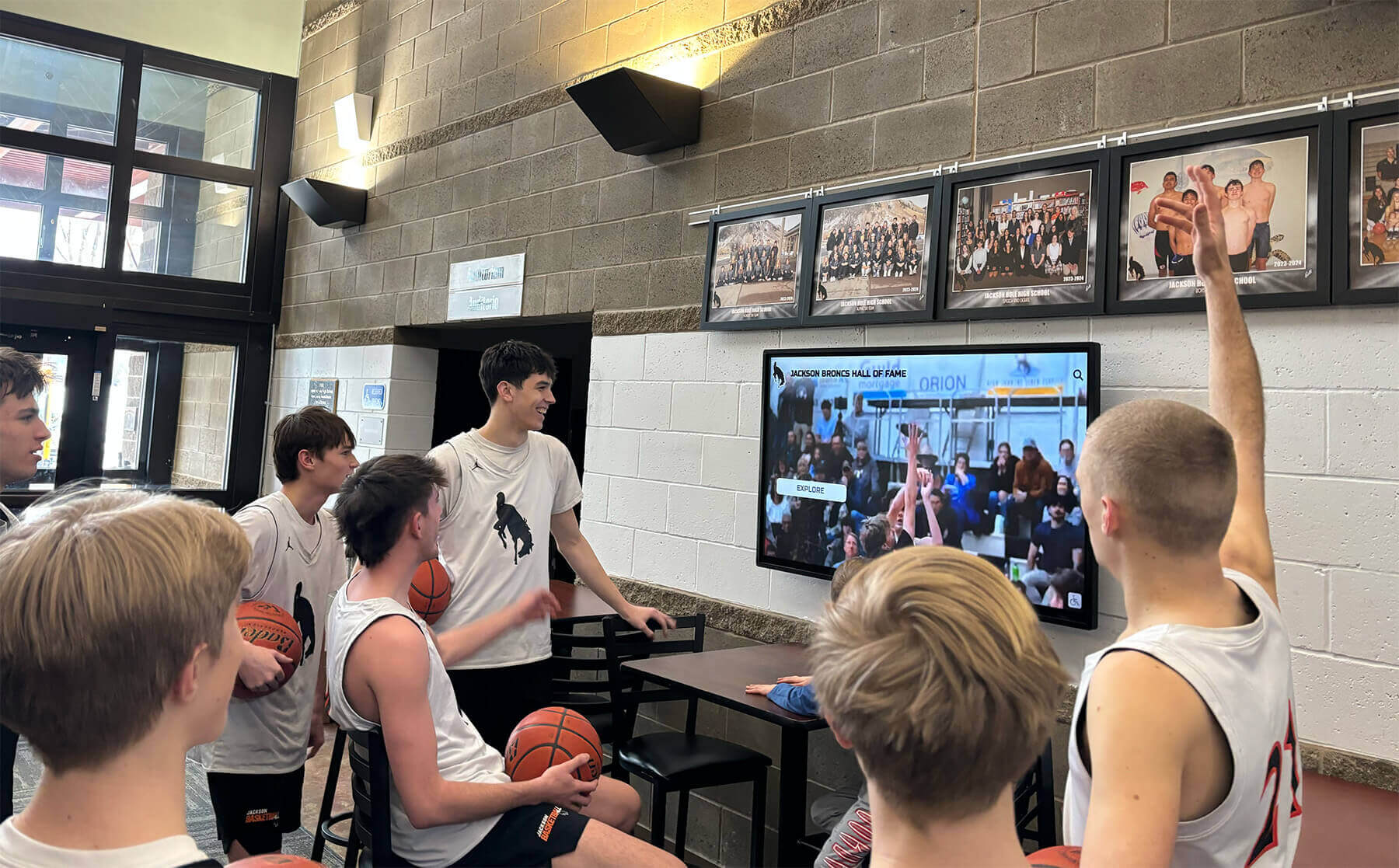
Interactive displays become natural gathering points where students connect over shared content and celebrate community achievements together
Benefits Beyond First Impressions
While improved aesthetics represent obvious advantages, touchscreen walls provide deeper benefits justifying investment beyond visual appeal alone.
Enhanced Community Engagement and Pride
Interactive recognition creates connection in ways static displays cannot match.
Personal Discovery and Connection
The ability to search for specific names transforms recognition from passive viewing into personal discovery experiences. Alumni visiting campuses search for themselves, classmates, and family members, finding personalized content creating emotional connections with their alma maters. This personal relevance drives significantly higher engagement than generic displays where individuals may never locate themselves among dense lists.
Parents search for their children’s names, grandparents explore family legacy across multiple generations, and community members discover neighbors and friends receiving recognition. These discovery moments create pride and connection strengthening institutional loyalty while demonstrating that your school values and remembers everyone contributing to community success.
Shareability and Social Media Integration
Modern touchscreen systems enable visitors to capture and share recognition—photographing screen content, scanning QR codes accessing online versions, or directly sharing via social media. This shareability extends recognition reach far beyond physical visitors, creating organic promotion as honored individuals share achievements with extended personal networks.
Alumni posting “found myself in my high school’s hall of fame!” creates authentic endorsements impossible to manufacture through paid advertising. These organic social posts reach prospective families researching school reputations, demonstrating active engaged alumni communities suggesting quality educational experiences.
Continuous Recognition Rather Than Annual Events
Traditional recognition often concentrates during ceremonies—awards nights, homecoming celebrations, or annual induction dinners. Touchscreen walls extend recognition continuously—every school day throughout entire years—ensuring achievements receive sustained visibility rather than brief spotlight moments. This ongoing recognition creates cumulative pride-building effects traditional event-based recognition cannot match.
Students walking past displays before school, during passing periods, or after activities regularly see classmate achievements celebrated. These repeated exposures reinforce school culture values, normalize achievement expectations, and inspire participation in recognition-worthy activities.
Operational Advantages for School Administration
Beyond engagement benefits, interactive displays simplify administrative responsibilities.
Elimination of Physical Space Constraints
Digital recognition removes space limitations forcing uncomfortable decisions about who receives acknowledgment. Schools can recognize unlimited individuals without worrying displays appear cluttered or run out of capacity. Every student earning recognition receives equal visibility regardless of when they graduate or how many achievements accumulated in their honor.
This unlimited capacity enables comprehensive recognition philosophies impossible with physical constraints—celebrating every letter-winner rather than only all-conference athletes, honoring all honor roll students rather than only valedictorians, or recognizing every club participant rather than only leadership positions.
Reduced Long-Term Maintenance Costs
While initial investments in quality touchscreen systems exceed traditional plaque costs, long-term total ownership costs often prove lower. Traditional recognition requires ongoing expenses—new plaques for each honoree, professional installation, periodic refurbishment, and eventual complete replacement when space fills. Digital systems require minimal ongoing expense beyond electricity and internet connectivity.
Content updates occur through software without manufacturing or installation costs. Recognition formatting remains consistent automatically without design work for each addition. Error corrections happen instantly without replacement expenses. Over 10-15 year timeframes, operational savings typically exceed higher initial technology investments.
Simplified Content Management
Modern content management systems enable administrators without technical backgrounds to update recognition displays independently. Upload photos, enter text information, and publish changes—all through intuitive web interfaces requiring no specialized training. Many schools delegate recognition management to student councils, journalism classes, or parent volunteers using systems designed for ease of use.
This administrative simplicity ensures displays remain current—recognizing achievements promptly rather than waiting months for engraving, correcting information errors immediately when discovered, and featuring seasonal content appropriate to school calendars without requiring facilities staff intervention for every update.
Long-Term Flexibility and Future-Proofing
Technology investments require consideration of how solutions evolve with changing needs.
Content Flexibility Supporting Changing Priorities
Digital systems adapt to changing institutional priorities without equipment replacement. Schools initially focusing on athletic recognition can later add academic honors, expand to include alumni career updates, incorporate fundraising recognition, or feature community partnerships—all through content updates rather than physical modifications.
This flexibility proves particularly valuable as institutional leadership changes, new programs launch requiring recognition, or community expectations evolve. Your lobby display grows with your institution rather than becoming fixed representations of past priorities quickly feeling outdated.
Integration With Broader Digital Ecosystems
Quality touchscreen wall systems integrate with broader institutional technology—pulling content from existing databases, connecting with website content management systems, linking to social media feeds, or incorporating live data like current athletic scores or real-time event updates. These integrations create dynamic displays reflecting current institutional vitality while reducing administrative burden through automated content updating.
Schools implementing comprehensive digital recognition strategies benefit from unified systems managing multiple display locations throughout campuses—lobby touchscreens, athletic facilities, performing arts centers, and classroom buildings—all managed through single administrative interfaces ensuring consistent recognition across institutional spaces.
Software Updates Extending Functionality
Unlike static displays becoming outdated, software-based systems receive regular updates adding new features, improving performance, and adapting to evolving user expectations. Schools investing in quality systems benefit from continuous improvement without equipment replacement—gaining new capabilities, interface refinements, and expanded integration options through routine software updates.
This ongoing evolution means installations improve over time rather than gradually becoming obsolete. Five-year-old systems operate with contemporary features rather than feeling like antiquated technology requiring replacement.

Professional installations blend architectural design, institutional branding, and interactive technology into cohesive lobby experiences reflecting school identity
Practical Implementation Considerations
Understanding benefits proves valuable only when you can successfully implement systems within realistic constraints.
Budget Planning and Cost Factors
Transparent cost understanding helps schools plan appropriately for touchscreen wall investments.
Equipment and Installation Expenses
Complete touchscreen wall implementations typically involve several cost categories. Commercial-grade displays range $3,000-$8,000 depending on screen size (55" vs. 86"), feature sets, and manufacturer. Professional mounting systems add $300-$800. Installation labor—including electrical work, mounting, configuration—typically runs $1,000-$2,500 depending on complexity and required infrastructure modifications.
Content management software follows various pricing models. Some providers charge one-time licensing fees ($2,000-$5,000), others use subscription models ($500-$2,000 annually), while Rocket Alumni Solutions offers unlimited display licenses with recognition software subscriptions, eliminating per-screen software costs for schools implementing multiple locations.
Schools should budget for complete installations including all components—equipment, mounting, electrical infrastructure, network connectivity, software licensing, initial content development, and training—rather than considering only display hardware costs. Total project budgets typically range $8,000-$15,000 for single lobby installations, with economy achievable through strategic vendor selection and staging implementation across multiple budget cycles.
Funding Sources and Strategies
Many schools fund touchscreen installations through creative approaches beyond general operating budgets. Donor recognition components allow fundraising specifically for displays honoring contributors. Alumni associations seeking tangible legacy projects often fund lobby installations. Parent-teacher organizations identify recognition displays as valuable community investments worthy of fundraising focus.
Local businesses seeking positive community association may sponsor installations in exchange for discrete recognition as supporters of educational excellence. Foundation grants supporting educational technology sometimes fund interactive displays when framed as learning resources rather than merely aesthetic improvements.
Some schools leverage facility renovation projects—when lobby remodels occur, technology integrations add incrementally to overall budgets, becoming components of comprehensive improvements rather than standalone expenses requiring separate approval.
Vendor Selection and System Requirements
Choosing appropriate solutions requires evaluating factors beyond just pricing.
Purpose-Built vs. Generic Solutions
Schools face choices between generic digital signage platforms requiring custom configuration and purpose-built recognition systems designed specifically for educational applications. Generic platforms offer flexibility but require significant technical expertise configuring interfaces, developing content templates, and maintaining systems. Purpose-built solutions like Rocket Alumni Solutions provide turnkey systems with recognition-specific features, intuitive content management, and support understanding educational recognition needs.
For schools lacking in-house technical staff, purpose-built solutions typically prove more practical despite potentially higher initial costs. Time savings from avoiding custom development, reduced ongoing support requirements, and recognition-specific features justify premium pricing compared to generic alternatives requiring extensive configuration.
Ongoing Support and Maintenance
Evaluate vendor support models carefully. Quality providers offer comprehensive training, responsive technical support, software updates included in maintenance agreements, content management assistance, and troubleshooting help when issues arise. Cheaper alternatives often provide minimal support beyond initial installation, leaving schools struggling when problems occur or when staff turnover requires retraining new administrators.
Ask specific support questions during vendor evaluation: What training do you provide? How quickly do you respond to support requests? Do you charge for support calls? How frequently do software updates release? Can you provide references from similar schools discussing support experiences? These questions reveal whether vendors will partner long-term or simply sell equipment then disappear.
Staff Training and Change Management
Technology succeeds only when people use it effectively.
Administrator Training Requirements
Comprehensive training ensures administrators can independently manage displays without constant vendor dependence. Quality implementations include hands-on training sessions teaching content uploading, recognition management, display scheduling, basic troubleshooting, and accessing support resources. Training should accommodate multiple administrators since staff turnover requires knowledge transfer to successors.
Request training documentation, video tutorials, and reference guides administrators access when questions arise months after initial training when details grow fuzzy. Self-service learning resources prove invaluable for refreshing knowledge and training new staff members without requiring vendor engagement for basic questions.
Creating Content Management Workflows
Successful installations require clear workflows defining who manages content, how recognition information flows from nomination to publication, approval processes ensuring accuracy, and update schedules keeping content current. Schools should designate primary administrators, identify backup personnel ensuring continuity during absences, and establish regular review processes verifying content remains accurate and appropriate.
Some schools create student positions managing recognition displays—developing leadership opportunities while ensuring consistent attention from individuals personally invested in showcasing classmate achievements. Student involvement often produces creative content approaches professional administrators might not consider while building authentic peer recognition culture.
Building Community Awareness
Even impressive installations require promotion ensuring community members know displays exist and understand how to interact with them. Schools should publicize new installations through newsletters, social media announcements, mentions during school events, and signage directing visitors to touchscreen locations. Initial awareness efforts establish usage patterns creating sustained engagement long after installations complete.
Consider hosting dedication events celebrating installation launches—inviting local media, recognizing funding sources, demonstrating features to gathered community members, and generating excitement positioning displays as significant institutional improvements worthy of attention and pride.
Measuring Success and Maximizing Long-Term Value
Technology investments require evaluation demonstrating value justifying continued support and potential expansion.
Key Performance Indicators for Touchscreen Walls
Track metrics indicating whether installations achieve intended outcomes.
Usage Analytics and Engagement Metrics
Modern systems provide analytics revealing how visitors interact with displays—total interactions, average session lengths, most-viewed content categories, search terms used, and peak usage times. These metrics help administrators understand what content resonates most with audiences, identify underutilized features requiring promotion, and demonstrate engagement levels justifying investments.
Schools can compare usage patterns across different display locations, evaluating whether lobby installations receive more interaction than displays in less prominent areas, informing decisions about future installations. Usage data also reveals optimal times for featuring time-sensitive content like event promotions or seasonal messaging.
Community Feedback and Satisfaction
Gather qualitative feedback through surveys, informal conversations during events, social media comments, and direct observations of visitors interacting with displays. Ask specific questions: Do visitors find information they seek? Does the interface feel intuitive? What additional content would enhance value? What technical issues occur? This qualitative input provides context beyond quantitative usage metrics.
Particularly valuable feedback comes from prospective families during admissions tours—their fresh perspectives reveal whether displays effectively communicate institutional strengths to crucial audiences evaluating multiple schools.
Recognition Program Participation
Monitor whether touchscreen installations correlate with increased recognition program participation. Do more alumni submit profile updates? Have sponsorship inquiries increased? Do more families donate photos for inclusion? Growing participation suggests installations successfully demonstrate institutional commitment to recognition, encouraging community members to engage with celebration programs.
Some schools track social media mentions of recognition displays, noting when alumni tag schools in posts featuring touchscreen content. These organic mentions provide evidence that recognition resonates meaningfully beyond just those physically visiting campuses.
Strategies for Sustained Engagement
Initial novelty eventually fades—sustained value requires ongoing attention.
Regular Content Refresh Schedules
Establish content rotation schedules ensuring displays feature fresh material. Even comprehensive recognition systems benefit from featuring rotating spotlights, seasonal content, timely event information, and recently-added recognition. Monthly content updates give regular visitors reasons to revisit displays rather than assuming they’ve seen everything previously.
Consider themed content periods—October featuring homecoming recognition, December highlighting holiday events, May showcasing graduating seniors. These timely focus areas create relevance connecting displays to current school experiences rather than feeling like static historical archives.
Incorporating Student-Generated Content
Involve students in content development—featuring student-produced videos, quotes from current students about what recognition means to them, student photography documenting school events, or student journalism profiling recognized community members. Student involvement creates ownership and authenticity while ensuring content reflects contemporary student perspectives rather than only administrative viewpoints.
Student-generated content often resonates more authentically with student audiences who recognize genuine peer perspectives versus institutional messaging. This authenticity drives engagement while developing student skills in content creation, storytelling, and community journalism.
Continuous Improvement Based on Feedback
Use collected metrics and feedback to continuously refine content, interface design, and featured information. Remove underperforming content, expand popular categories, adjust navigation based on observed user behavior, and add requested features when technically feasible. This iterative improvement demonstrates institutional commitment to maximizing value from technology investments rather than treating installations as set-and-forget projects.
Schools actively improving displays over time see sustained engagement levels, whereas installations receiving minimal ongoing attention typically see declining usage as novelty wears off and content grows stale.
Conclusion: Transforming Entrances Into Engagement Hubs
School lobbies represent precious real estate where first impressions form, community pride builds, and institutional identity communicates to every visitor crossing your threshold. A thoughtfully implemented touchscreen wall transforms these underutilized transition spaces into dynamic engagement hubs serving multiple strategic purposes simultaneously—welcoming visitors with impressive contemporary design, celebrating community achievements comprehensively, providing practical wayfinding and information access, preserving institutional history in engaging formats, and demonstrating educational excellence through visible evidence of graduate success.
The most effective installations result from careful planning addressing not just hardware selection but comprehensive implementation including strategic placement, compelling content strategies, administrative training, community awareness building, and ongoing engagement optimization. Schools viewing touchscreen walls as components of broader recognition and communication strategies rather than standalone technology purchases consistently achieve highest returns on investment through sustained community engagement, strengthened institutional pride, and demonstrated appreciation for graduates and community members whose contributions deserve celebration.
As educational institutions increasingly compete for enrollment, philanthropic support, and community reputation, the ability to communicate institutional excellence effectively becomes ever more critical. Your lobby represents your most accessible communication platform—every visitor experiences this space, making investments in entrance environments among the most impactful institutional improvements available.
Ready to transform your school lobby with an interactive touchscreen wall that showcases your community’s achievements while creating impressive first impressions? Rocket Alumni Solutions provides purpose-built recognition systems designed specifically for educational institutions, featuring intuitive content management, unlimited recognition capacity, and comprehensive support ensuring successful implementations that build lasting community connections. Discover how modern recognition technology can elevate your entrance from overlooked transition space into your institution’s most powerful engagement and pride-building asset.































