



Intent: decide — Organizations implementing interactive touchscreen displays face critical software decisions that determine whether installations create warm, engaging community experiences or become underutilized technology investments gathering dust. The right touchscreen software transforms static spaces into vibrant, personalized engagement hubs where schools celebrate achievements, museums captivate visitors, and organizations strengthen community connections through meaningful digital interactions.
In 2025, the touchscreen software landscape offers unprecedented options ranging from specialized recognition platforms to no-code builders, collaborative tools, and custom development solutions. Schools implementing digital halls of fame, museums creating interactive exhibits, corporate environments deploying recognition systems, and community organizations building engagement platforms all share common needs: intuitive interfaces that encourage exploration, content management systems enabling easy updates, and reliable operation creating positive experiences rather than technical frustration.
This comprehensive guide explores the touchscreen software ecosystem in 2025, examining how different solutions serve specific use cases, comparing web-based versus native applications, and providing frameworks for selecting platforms that align with organizational goals while creating the “digital warming” effect—transforming cold, impersonal digital spaces into engaging, personalized experiences building connected communities.
The evolution of touchscreen technology has fundamentally changed how organizations engage communities. Where static plaques and printed materials once provided limited interaction, modern touchscreen software creates dynamic, exploratory experiences enabling visitors to discover content matching their interests, search for personal connections, and engage deeply with organizational stories, achievements, and histories.

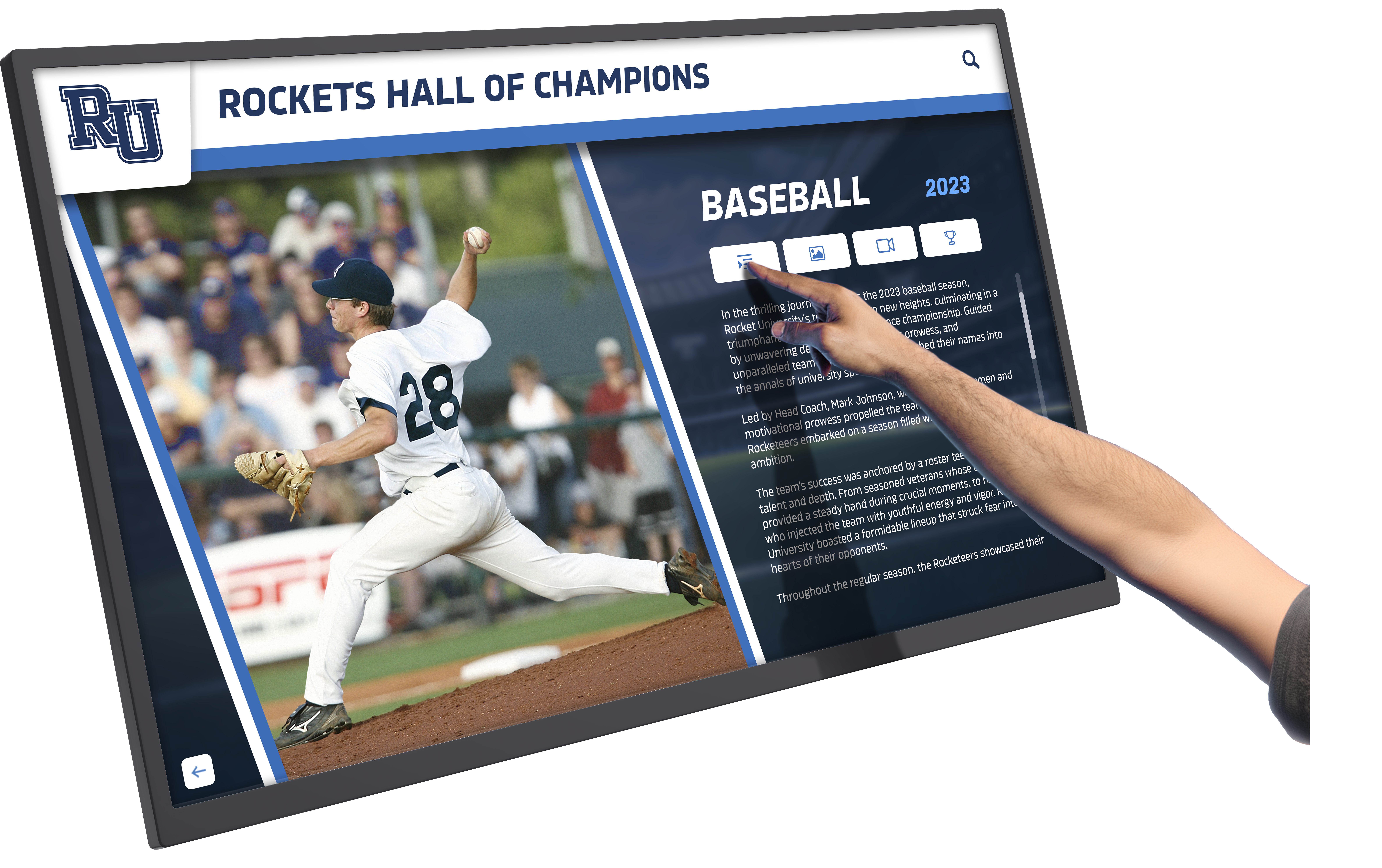
Intuitive touchscreen software creates engaging experiences that encourage exploration and connection
Understanding Touchscreen Software Categories
The touchscreen software market segments into distinct categories serving different needs and organizational contexts.
Recognition and Engagement Platforms
Purpose-built recognition platforms optimize specifically for celebrating achievements and building community engagement:
Digital Hall of Fame Systems Specialized platforms like Rocket Alumni Solutions focus exclusively on recognition experiences for schools, universities, athletic programs, alumni associations, and community organizations. These systems provide pre-built templates, recognition-specific workflows, and features designed for showcasing achievements, honors, historical archives, and community celebrations.
Schools implementing interactive touchscreen displays for recognition benefit from platforms understanding educational contexts, athletic achievements, academic recognition, and alumni engagement rather than adapting generic content systems to specialized use cases.
Key Recognition Platform Features
- Pre-built templates for common recognition types
- Inductee management with profile creation workflows
- Photo gallery systems optimized for recognition displays
- Search and filtering enabling visitors to find specific individuals
- QR code integration extending experiences to mobile devices
- Social sharing capabilities amplifying recognition reach
- Accessibility features ensuring inclusive experiences
Organizations implementing digital recognition displays find purpose-built platforms reduce implementation time, lower technical complexity, and deliver experiences specifically optimized for community engagement.
Interactive Content Creation Platforms
No-code and low-code platforms enable organizations to build custom touchscreen experiences:
Visual Development Environments Platforms like Intuiface, PandaSuite, and Eyefactive provide visual development environments where organizations create interactive touchscreen content without programming expertise. These tools suit museums designing custom exhibits, retail environments creating product experiences, and organizations requiring unique interactive applications beyond standardized templates.
Museums implementing touchscreen exhibits use visual builders to create immersive educational experiences combining video, images, interactive maps, timelines, and exploratory content structures matching exhibit narratives.
Custom Interactive Development Organizations with specialized requirements and development resources use frameworks and libraries building completely custom touchscreen applications. This approach provides unlimited flexibility at the cost of significant development investment, ongoing maintenance, and technical complexity.
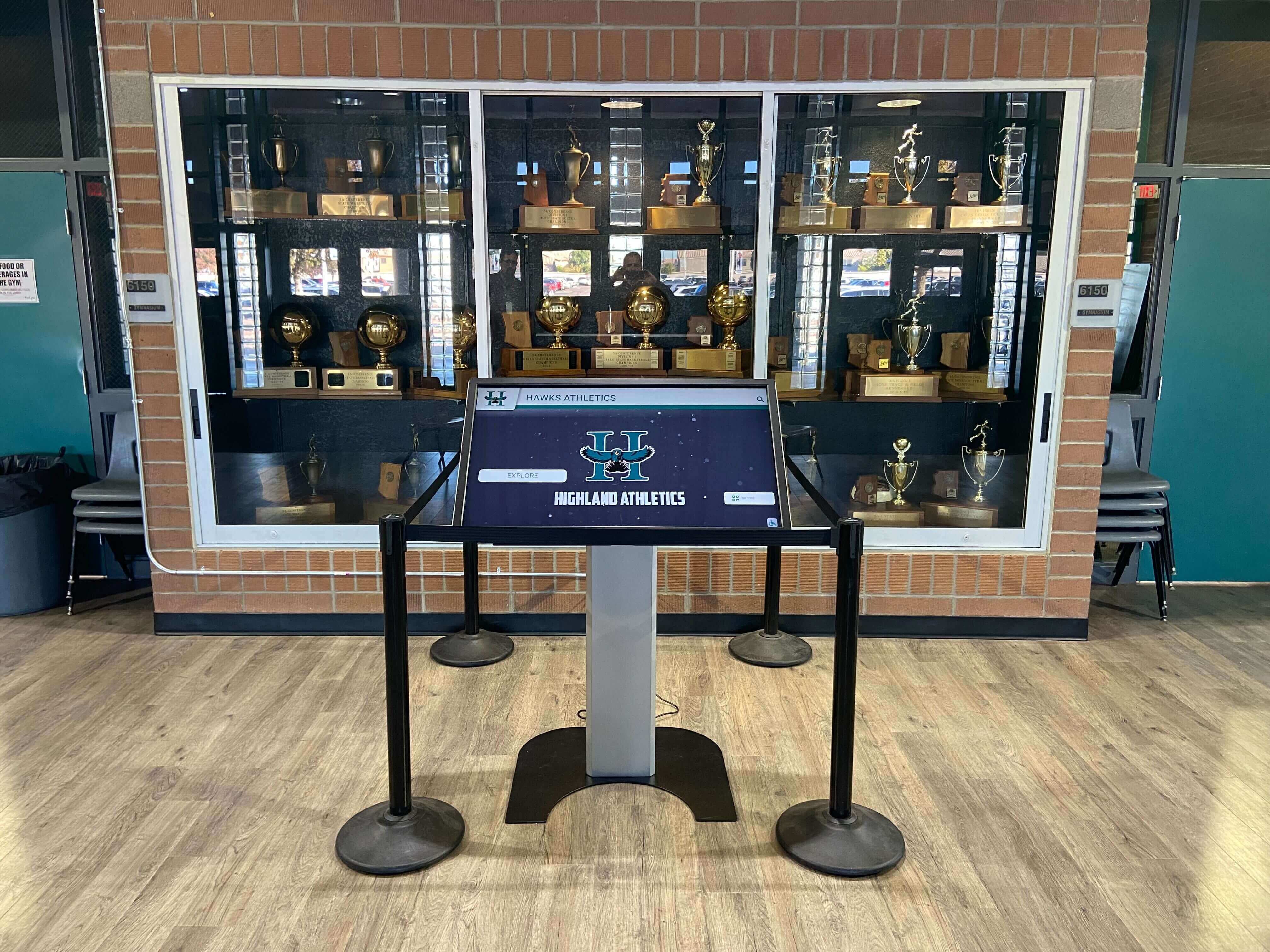
Purpose-built touchscreen software integrates seamlessly with organizational contexts and branding
Collaborative and Whiteboarding Tools
Interactive touchscreen software supporting team collaboration serves educational and corporate contexts:
Digital Whiteboarding Solutions Platforms like Microsoft Whiteboard, Google Jamboard, and Miro transform large touchscreens into collaborative ideation spaces where teams brainstorm, plan, and visualize projects together. Schools use these tools for interactive classroom instruction, while organizations deploy them in meeting rooms and collaboration spaces.
Educational Interactive Display Software Smart board software and interactive display platforms from manufacturers like SMART Technologies, Promethean, and ViewSonic provide touchscreen-optimized tools for classroom instruction, student engagement, and educational content delivery. These platforms integrate with curriculum resources and learning management systems.
Organizations should recognize these collaborative tools serve fundamentally different purposes than recognition displays, exhibits, or public-facing engagement systems requiring distinct evaluation criteria.
Kiosk and Lockdown Software
Public-facing touchscreens require software securing devices and controlling user experiences:
Kiosk Mode Applications Dedicated kiosk software like the Rocket Touchscreen app for Android locks devices to display only authorized content, preventing users from accessing settings, switching applications, or navigating away from intended content. Schools, museums, libraries, and public facilities rely on kiosk software ensuring reliable, secure operation of unattended touchscreen displays.
Browser-Based Kiosk Solutions Organizations implementing web-based touchscreen experiences use kiosk browsers or lockdown software displaying only approved websites while preventing unauthorized access. Free solutions like Rocket Touchscreen and commercial options like Fully Kiosk Browser serve different organizational needs and budgets.
Understanding which kiosk approach aligns with your content strategy—native applications versus web-based platforms—proves essential for long-term operational success.
Web-Based vs. Native Touchscreen Applications
One of the most fundamental software decisions involves whether to implement web-based platforms accessed through browsers or native applications installed on devices.
Advantages of Web-Based Touchscreen Software
Browser-based platforms provide several compelling benefits:
Universal Cross-Platform Compatibility Web-based touchscreen software runs on any device with a modern browser—Android tablets, iPads, Windows PCs, Mac computers, and Linux systems—without requiring platform-specific development or installation. Organizations choose hardware based on preferences and budgets rather than software platform constraints.
Schools comparing web-based versus native touchscreen software often prioritize universal compatibility enabling hardware flexibility as needs evolve and technology advances.
Simplified Updates and Maintenance Web platforms receive updates centrally through cloud infrastructure, automatically delivering new features, security patches, and improvements to all installations simultaneously. Organizations avoid coordinating device-by-device application updates, version management, and compatibility testing across heterogeneous hardware fleets.
Remote Content Management Cloud-based content management systems enable authorized staff to add recognition recipients, update profiles, schedule publications, and modify content from any internet-connected device without requiring physical access to touchscreen hardware. This remote management proves invaluable for organizations managing distributed displays across multiple buildings, campuses, or facilities.
Alumni directors updating digital hall of fame displays from home offices appreciate web-based platforms eliminating trips to campus for routine content management tasks.
Lower Initial Development Costs Organizations implementing web-based solutions avoid native application development costs for multiple platforms (iOS, Android, Windows), reducing initial investment while accelerating deployment timelines.
Accessibility Advantages Modern web standards and frameworks enable comprehensive accessibility implementation, with platforms like Rocket Alumni Solutions achieving full ADA WCAG 2.1 AA compliance ensuring inclusive experiences for all community members. Web-based platforms also extend recognition access beyond physical touchscreen locations to personal devices, remote alumni, and geographically distributed communities.
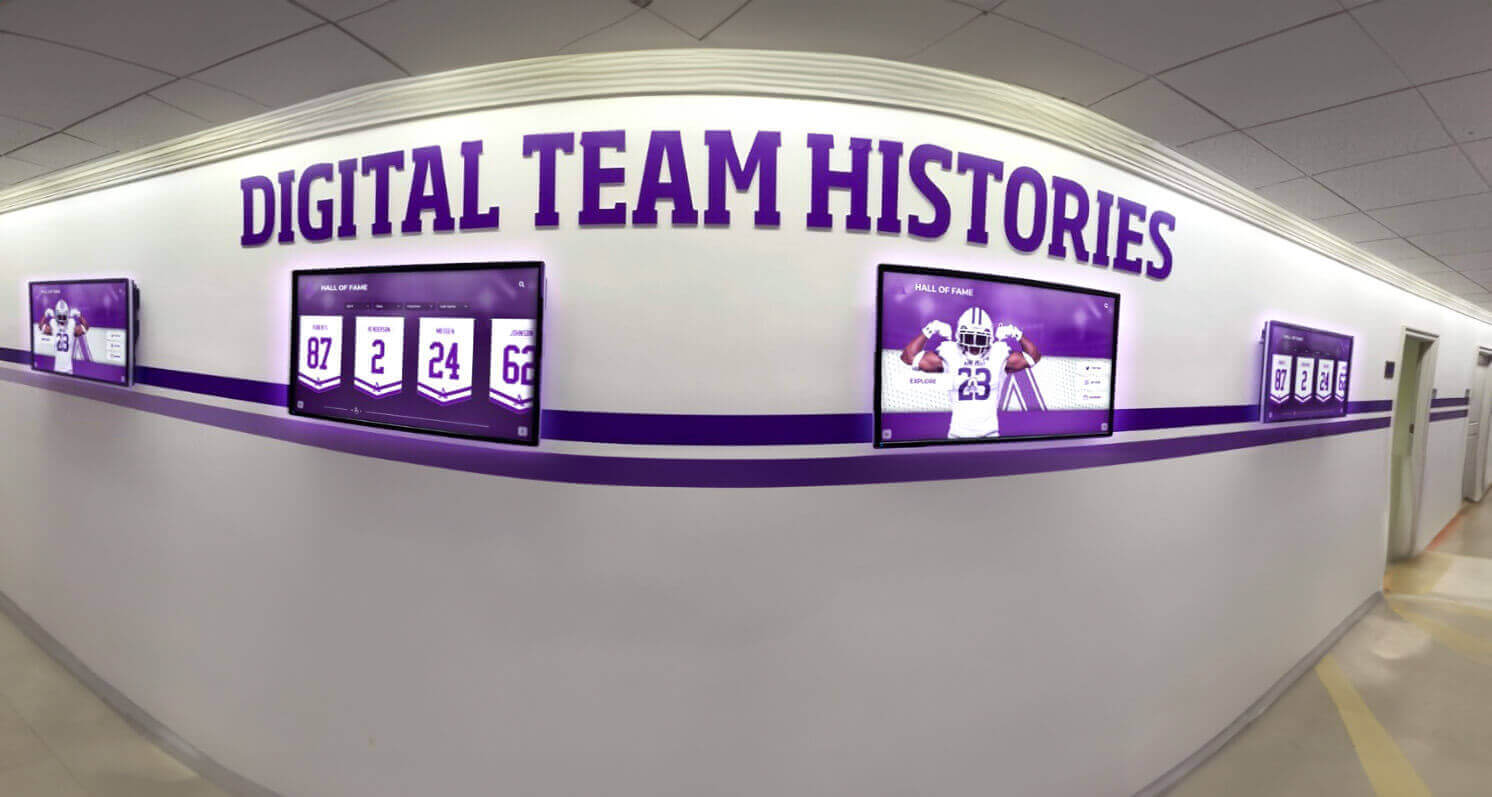
Web-based software enables consistent experiences across multiple displays and locations
Native Application Benefits
Platform-specific applications offer distinct advantages in certain contexts:
Offline Operation Capabilities Native apps storing content locally continue functioning during network outages or in locations with unreliable connectivity, ensuring consistent operation regardless of internet availability. Organizations prioritizing high reliability in environments with connectivity concerns value offline capabilities.
Enhanced Performance for Media-Heavy Content Native applications leveraging device hardware and local storage potentially deliver better performance for extremely media-intensive applications with extensive high-resolution video or complex real-time rendering requirements, though modern web technologies increasingly match native performance for typical recognition and engagement use cases.
Specialized Hardware Integration Native apps more easily integrate with specialized peripherals, sensors, or hardware features beyond standard touchscreen input when applications require barcode scanners, NFC readers, custom buttons, or proprietary hardware components.
Platform-Specific Optimization Native development enables leveraging unique capabilities and interface patterns of specific platforms (iOS gestures, Android features) when organizational standards mandate single-platform deployments and platform-specific optimization provides user experience advantages.
Web-Based Platforms: The Modern Standard
For most recognition, engagement, and public-facing touchscreen applications in 2025, web-based platforms represent the optimal choice balancing functionality, maintainability, accessibility, and cost-effectiveness. Organizations should consider native applications only when specific requirements—offline operation, specialized hardware integration, or platform-specific features—genuinely justify additional complexity and reduced flexibility.
Schools implementing touchscreen recognition systems consistently choose web-based solutions from providers like Rocket Alumni Solutions delivering comprehensive recognition capabilities through browser-based platforms requiring only simple kiosk software for secure, reliable operation.
Essential Touchscreen Software Features
Regardless of platform type or application category, effective touchscreen software shares critical capabilities enabling successful deployments.
Intuitive Touch-Optimized Interface Design
The single most important feature determining user engagement is interface intuitiveness:
Appropriately Sized Interactive Elements Touch targets must be sufficiently large for accurate finger interaction, typically 44x44 pixels minimum, with comfortable spacing preventing accidental adjacent element activation. Touchscreen interfaces designed for mouse pointers frustrate users and reduce engagement.
Clear Visual Feedback Every touch interaction requires immediate visual confirmation—button state changes, ripple effects, highlight indicators—communicating that input was recognized and the system is responding. Delayed or absent feedback creates uncertainty undermining confidence and discouraging exploration.
Familiar Navigation Patterns Successful touchscreen software leverages interaction patterns users recognize from smartphones and tablets: swipe gestures for browsing, pinch for zooming, tap for selection, and pull-to-refresh. Unusual or novel interaction paradigms require explanation reducing accessibility and spontaneous engagement.
Progressive Disclosure Design Complex content structures become navigable through progressive disclosure revealing detail levels as users express interest. Recognition displays present overview grids enabling filtering and search, then show summary cards when individuals are selected, and finally display complete profiles when users tap for full information.
Organizations implementing digital wall of honor displays prioritize intuitive design ensuring visitors of all ages and technical comfort levels successfully explore content without instruction or assistance.
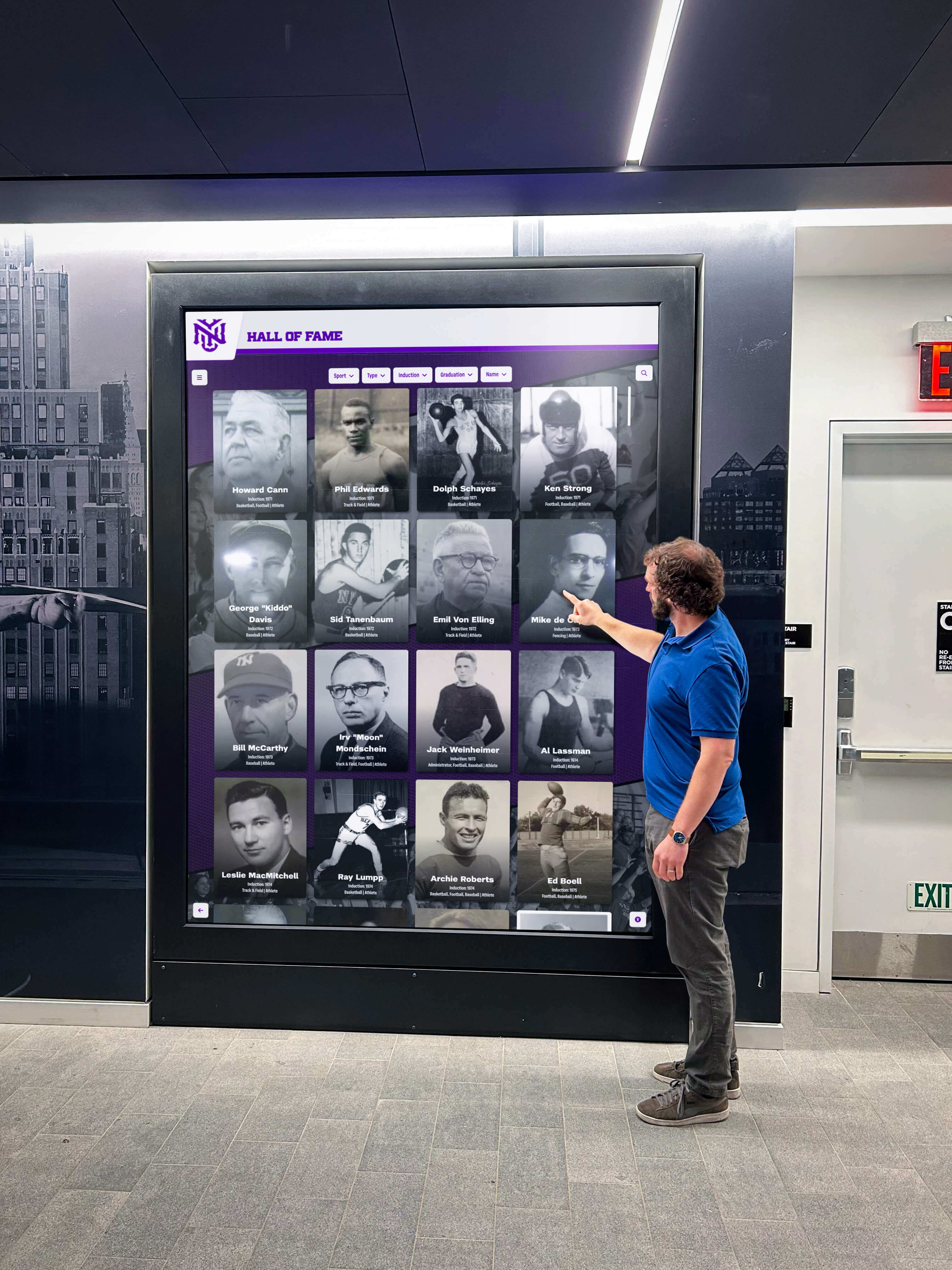
Intuitive interfaces enable visitors to confidently explore without training or assistance
Robust Content Management Systems
Behind every effective touchscreen experience lies a content management system enabling efficient updates:
Role-Based Access Control Organizations need granular permission systems allowing appropriate staff access to content management while restricting capabilities based on roles. Athletic directors might manage sports recognition, admissions staff handle academic honors, and development offices control donor walls—all within unified systems without universal administrator access creating security or coordination concerns.
Batch Import and Export Capabilities Efficient content population requires importing existing data from spreadsheets, databases, or other systems rather than manual individual entry. Schools implementing digital recognition for hundreds of inductees need bulk import tools creating initial content efficiently, plus export capabilities for data portability and backup.
Media Management and Optimization Content management systems should handle image upload, automatic optimization for display and web delivery, cropping and editing tools, and organized media libraries ensuring efficient asset management across potentially thousands of photos and videos.
Scheduled Publishing Workflows Organizations benefit from preparing recognition content in advance and scheduling automatic publication at specified dates and times. Schools planning induction ceremonies create profiles for new honorees beforehand, scheduling visibility to coincide with public announcements without requiring manual publication coordination.
Version Control and Content Recovery Robust platforms maintain content history enabling rollback if errors occur, preview changes before publication, and recover deleted or modified content when necessary.
Search and Filtering Functionality
Large content collections become navigable only through sophisticated discovery tools:
Full-Text Search Capabilities Visitors should search any text field—names, achievement descriptions, years, affiliations—quickly finding specific individuals or content matching interests. Search must deliver instant results as users type, with intelligent handling of partial matches, common misspellings, and alternative name formats.
Multi-Dimensional Filtering Recognition displays encompassing decades of inductees across multiple categories require filtering by sport, achievement type, induction year, class year, department, or other relevant dimensions. Intuitive filter interfaces enable narrowing large result sets to manageable explorable subsets.
Browsing and Discovery Features Beyond targeted search, effective touchscreen software supports casual browsing through visual grids, featured content highlighting notable individuals, random discovery encouraging serendipitous exploration, and related content suggestions extending engagement.
Organizations implementing interactive digital recognition boards understand that comprehensive search and filtering capabilities prove essential for content collections exceeding a few dozen entries.
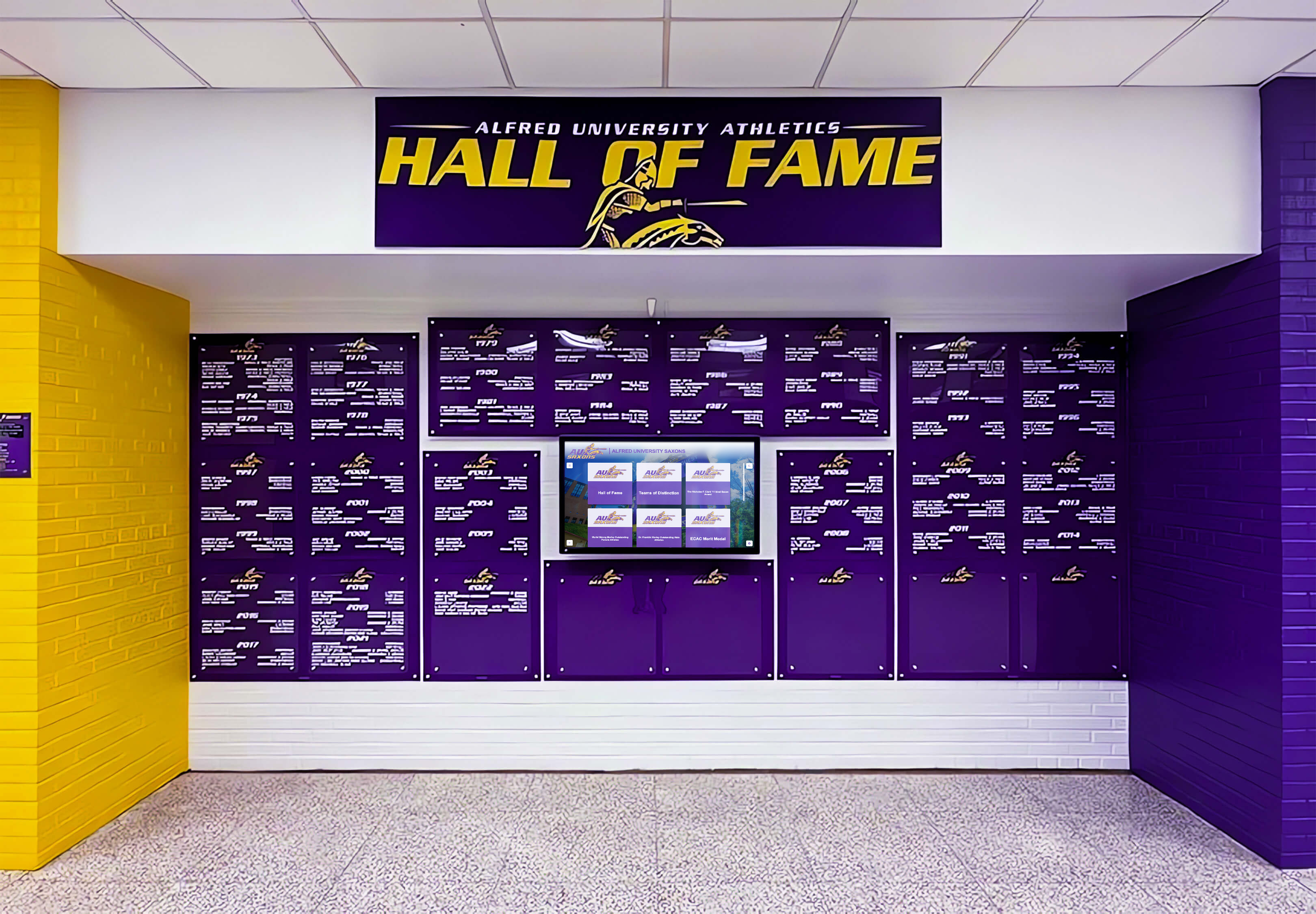
Search and filtering capabilities make large recognition collections easily navigable
Analytics and Engagement Measurement
Understanding how visitors interact with touchscreen displays enables continuous improvement:
Interaction Tracking Platforms should measure session frequency, duration, content views, search patterns, and common navigation paths revealing which content generates interest and how visitors explore displays.
Popular Content Identification Analytics identifying most-viewed profiles, frequently searched terms, and highly engaged content guide ongoing content development and highlight recognition opportunities that resonate most strongly with communities.
Accessibility Monitoring Organizations should track which accessibility features receive use—screen readers, high-contrast modes, text magnification—ensuring accommodation of diverse visitor needs and informing future accessibility enhancements.
Schools measuring digital hall of fame success through analytics data make evidence-based decisions about content strategy, hardware placement, and program enhancements rather than relying solely on anecdotal feedback.
Mobile and Remote Access Extension
Physical touchscreen displays represent only one component of comprehensive engagement strategies:
Responsive Web Access Recognition content should be fully accessible through responsive websites adapting to any device—smartphones, tablets, laptops, desktops—enabling alumni, families, and community members worldwide to explore recognition regardless of physical proximity to campus.
QR Code Integration Physical displays should incorporate QR codes enabling visitors to instantly access content on personal devices, continuing exploration beyond touchscreen interaction, saving favorite profiles, and sharing recognition through personal networks.
Social Sharing Capabilities Recognized individuals amplify institutional recognition by sharing achievements through social media, email, and messaging. Built-in sharing tools with optimized previews and direct links to specific profiles extend recognition far beyond physical display locations.
Alumni viewing recognition profiles on personal devices share accomplishments with extended networks, multiplying engagement and strengthening institutional connections among distributed communities.
Selecting Touchscreen Software for Specific Use Cases
Different organizational contexts and application types require distinct software capabilities and evaluation criteria.
School and University Recognition Systems
Educational institutions implementing touchscreen recognition require platforms understanding school contexts:
Multi-Category Recognition Support Schools recognize diverse achievements across athletics, academics, arts, service, alumni, faculty, and community contributions. Effective platforms accommodate multiple recognition categories within unified systems rather than requiring separate displays or applications for each type.
Athletic Program Integration Sports recognition represents primary use cases for many schools, requiring features supporting team histories, individual athlete profiles, season records, championship celebrations, and athletic record boards showcasing program excellence.
Academic Excellence Celebration Comprehensive school recognition extends beyond athletics to honor academic achievements, honor roll recognition, scholarship recipients, academic competition success, and academic recognition programs celebrating intellectual excellence with visibility matching athletic celebrations.
Alumni Engagement Features Universities and schools with active alumni programs need platforms supporting alumni directories, distinguished graduate recognition, class reunion displays, and engagement features strengthening connections between institutions and graduated communities.
Historical Archive Preservation Long-established institutions require platforms accommodating extensive historical content spanning decades or centuries. Unlimited capacity systems like Rocket Alumni Solutions enable schools to preserve complete recognition histories without choosing which achievements receive visibility.
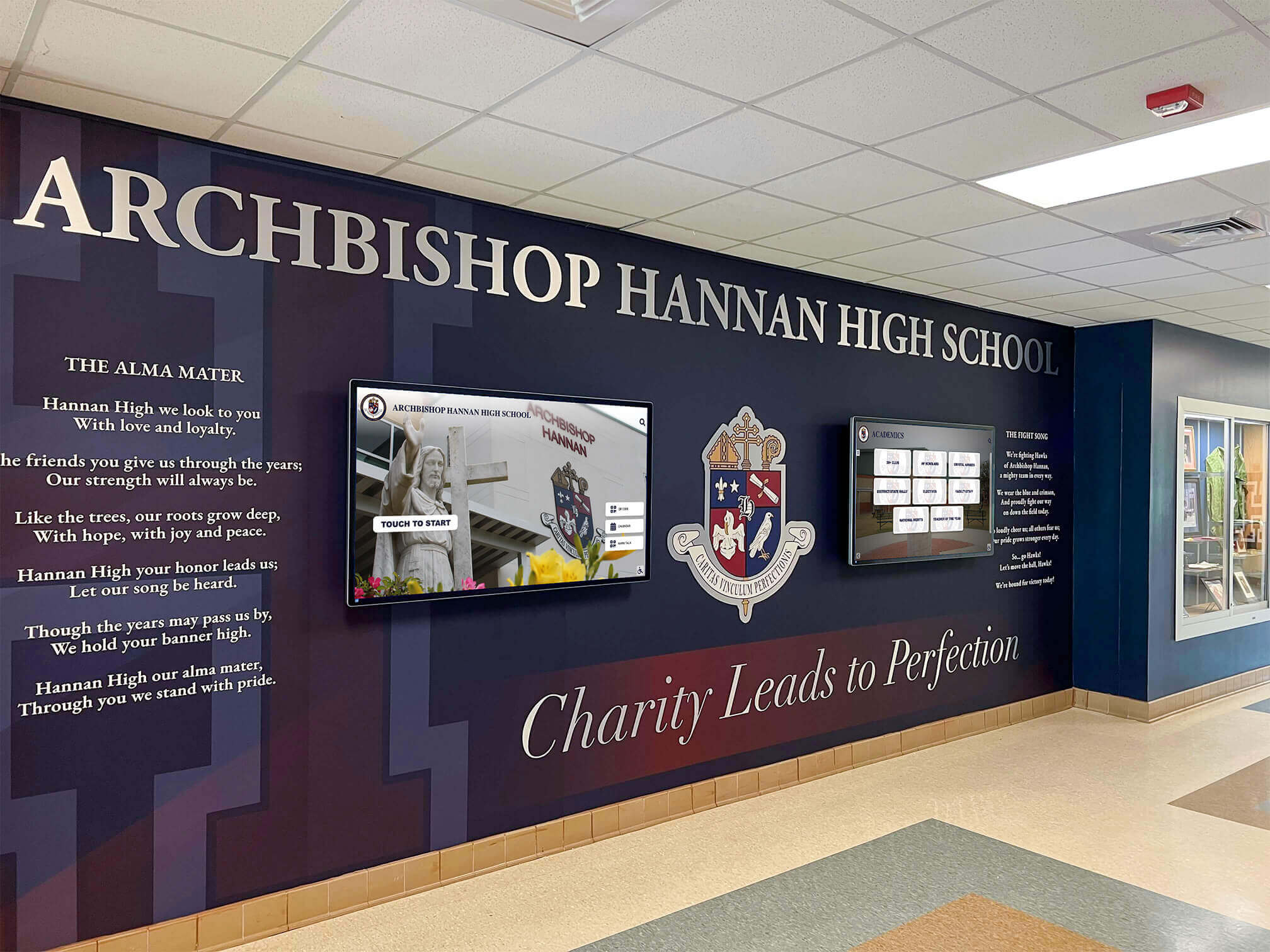
School recognition platforms integrate with institutional identity and architectural contexts
Museum and Cultural Institution Software
Museums and cultural organizations require specialized interactive display capabilities:
Narrative and Educational Content Structures Museum exhibits tell stories through carefully designed narrative flows, contextual information, multimedia presentations, and educational content requiring more complex information architecture than recognition displays.
Object Recognition and Physical Integration Some museum installations incorporate object recognition technology enabling physical artifacts placed on touchscreens to trigger related digital content, creating innovative connections between physical collections and digital information layers.
Multilingual Content Support Museums serving diverse visitor populations benefit from platforms supporting content in multiple languages with easy switching between translation versions, ensuring accessibility for international and non-native-speaking visitors.
Group Interaction Optimization Museum touchscreens often accommodate multiple simultaneous users exploring content together, requiring interface designs supporting collaborative interaction and preventing single-user monopolization of displays.
Organizations implementing museum touchscreen exhibits evaluate platforms supporting educational mission, curatorial vision, and visitor experience goals unique to cultural institutions.
Corporate Recognition and Engagement Displays
Business environments implementing touchscreen recognition focus on different priorities:
Employee Recognition Systems Corporate touchscreen displays celebrate employee achievements, milestone anniversaries, performance awards, and company contributions building workplace culture and strengthening employee engagement.
Donor and Sponsor Recognition Nonprofits, hospitals, universities, and cultural institutions require donor recognition walls showcasing philanthropic support, sponsorship acknowledgment, and capital campaign recognition strengthening donor relationships and encouraging continued support.
Brand Integration and Customization Corporate environments demand precise brand consistency, custom design implementation, and professional aesthetic alignment with corporate identity standards and facility design.
Visitor and Client Engagement Business lobbies use touchscreen displays providing company information, showcasing projects and capabilities, highlighting team expertise, and creating engaging visitor experiences reflecting organizational professionalism and innovation.
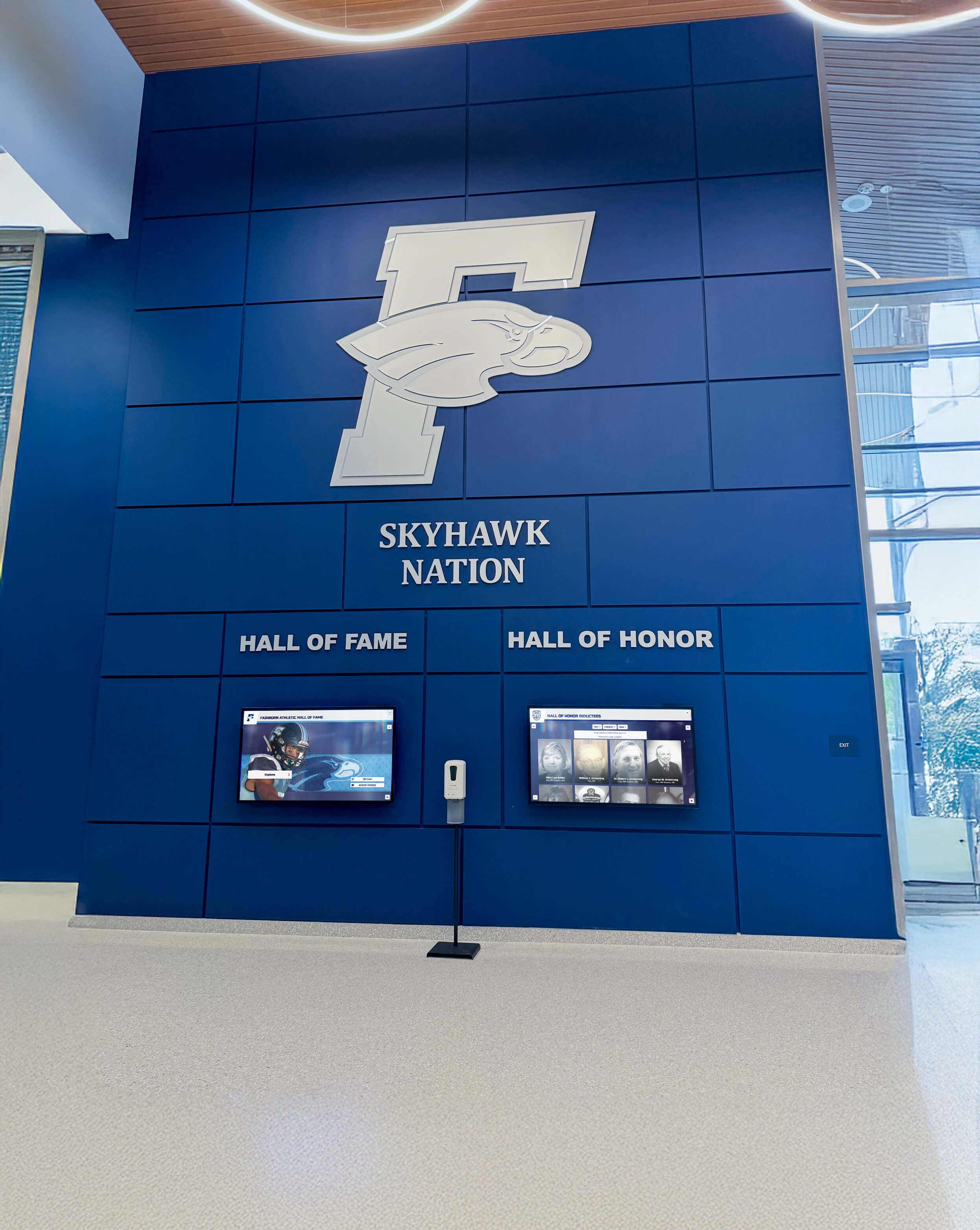
Corporate recognition software aligns with professional environments and brand standards
Community and Religious Organization Systems
Community organizations and faith-based institutions implement touchscreen software for distinct purposes:
Memorial and Tribute Displays Churches, synagogues, and community organizations create digital memorials honoring deceased members, celebrating life legacies, and preserving community memory through memorial tribute displays enabling ongoing recognition and remembrance.
Volunteer and Service Recognition Community organizations recognize volunteer contributions, service milestones, leadership roles, and program participation strengthening organizational culture and encouraging continued engagement.
Program and Event Showcases Religious and community facilities use touchscreen displays highlighting programs, sharing event photos, celebrating community achievements, and creating engagement hubs reflecting organizational vitality and welcoming atmospheres.
Accessibility and Inclusivity Priorities Community and religious organizations particularly value accessibility features ensuring displays serve all members regardless of physical abilities, technical skills, or previous technology experience.
Rocket Alumni Solutions: Purpose-Built Recognition Platform
Among touchscreen software options available in 2025, Rocket Alumni Solutions stands out as a specialized platform designed specifically for recognition and community engagement.
Recognition-Focused Design Philosophy
Unlike generic content management systems or custom development approaches, Rocket’s platform incorporates years of refinement addressing specific recognition needs:
Pre-Built Recognition Templates Schools, athletic programs, alumni associations, and organizations implementing Rocket benefit from proven templates optimized for common recognition types rather than starting from blank slates or adapting general-purpose platforms to specialized use cases.
Inductee-Centric Workflows Every aspect of the platform—content management, display interfaces, search capabilities, mobile access—optimizes for recognizing individuals and celebrating achievements rather than serving broader content types requiring different structures.
Community Engagement Optimization Rocket’s interface design, sharing capabilities, QR code integration, and mobile responsiveness focus specifically on engaging communities, strengthening connections, and amplifying recognition beyond physical display locations.
Key Differentiating Capabilities
Several features distinguish Rocket Alumni Solutions from alternative touchscreen software approaches:
Unlimited Recognition Capacity Unlike platforms imposing entry limits or tiered pricing based on content volume, Rocket accommodates unlimited inductees, photos, videos, and recognition content without performance degradation or additional costs. Schools preserving decades of historical recognition alongside ongoing additions never face capacity constraints forcing difficult choices about which achievements remain visible.
Full ADA WCAG 2.1 AA Compliance Rocket represents the only web-based touchscreen recognition platform achieving comprehensive WCAG 2.1 AA accessibility compliance, ensuring inclusive experiences for all community members including those with visual, auditory, motor, or cognitive disabilities. Public-facing displays in educational institutions and community facilities require accessibility accommodating diverse populations.
Cloud-Based Remote Management Authorized staff manage content from any internet-connected device through intuitive web interfaces requiring no technical expertise, local software installation, or physical hardware access. This remote capability proves particularly valuable for organizations managing distributed displays across campuses or multiple facilities.
Auto-Ranking Dynamic Content Athletic record boards and achievement displays automatically surface top performances, updating dynamically as new records emerge without manual intervention. This automation ensures recognition displays remain current while eliminating administrative burden.
Scheduled Publishing Automation Organizations prepare recognition content in advance and schedule automatic publication coordinating with induction ceremonies, award announcements, or planned celebrations without requiring manual intervention at specific moments.
Sponsorship Revenue Capabilities Built-in sponsorship management enables organizations to generate revenue through recognition display advertising, sponsor acknowledgment, and promotional content offsetting implementation costs or funding ongoing programs.
Weekly Platform Updates Continuous improvement through regular updates delivers new features, interface refinements, and capability expansions without requiring version upgrades, compatibility testing, or organizational action.

Purpose-built recognition platforms deliver capabilities specifically optimized for celebrating achievements
Implementation and Support Approach
Rocket Alumni Solutions provides comprehensive implementation support distinguishing it from software-only approaches:
Complete Solution Delivery Rocket implementations include hardware recommendations, installation coordination, initial content population assistance, staff training, and ongoing technical support rather than simply providing software requiring organizations to coordinate multiple vendors and manage complex integrations independently.
Rapid Deployment Timelines Schools and organizations implement Rocket systems in weeks rather than months, with typical launches ranging from two to six weeks depending on initial content volume and organizational readiness. Purpose-built platforms eliminate custom development timelines while template-based approaches accelerate design and configuration.
Dedicated Support Team Organizations receive responsive support from teams understanding recognition contexts, educational environments, and community engagement goals rather than generic technical support unfamiliar with specific use cases.
When Rocket Alumni Solutions Fits Best
Several organizational profiles particularly benefit from purpose-built recognition platforms:
Schools and Universities Educational institutions implementing digital halls of fame for athletics, academics, alumni, or comprehensive recognition find Rocket’s education-focused approach provides optimal balance of capabilities, simplicity, and cost-effectiveness.
Athletic Programs and Sports Facilities Organizations prioritizing sports recognition—from high school athletic programs to university stadiums—benefit from Rocket’s athletic-specific features including team histories, record boards, season highlights, and athlete profiles optimized for sports contexts.
Alumni Associations Organizations strengthening alumni engagement through recognition find Rocket’s alumni recognition features support directory functionality, distinguished graduate celebration, class reunion displays, and career showcase capabilities engaging distributed alumni communities.
Community and Nonprofit Organizations Groups implementing donor recognition, volunteer celebration, member spotlights, or community achievement displays benefit from accessible platforms requiring minimal technical expertise while delivering professional results.
Implementation Best Practices for Touchscreen Software
Selecting appropriate software represents only one component of successful touchscreen deployments requiring systematic planning and execution.
Hardware and Software Integration Planning
Coordinated hardware and software selection ensures optimal results:
Display Size and Resolution Matching Content Recognition displays with extensive photo content benefit from larger screens (43" to 65") and higher resolutions (4K) ensuring comfortable viewing and interaction, while simpler content works well on smaller formats. Software capabilities should align with display characteristics.
Touch Technology Selection Capacitive touchscreens provide responsive, accurate multi-touch interaction suitable for public environments, while infrared touch offers larger size options and durability. Software touch implementation should align with chosen hardware capabilities.
Mounting and Accessibility Considerations Physical mounting height, angle, and approach distance affect interface design requirements. Organizations should ensure touchscreen placement accommodates ADA accessibility requirements while aligning software interface design with physical contexts.
Network Infrastructure Requirements Web-based platforms require reliable network connectivity, with wired ethernet connections providing superior reliability to WiFi for permanent installations. Organizations should assess network infrastructure adequacy before finalizing software approaches.

Coordinated hardware and software planning creates integrated recognition experiences
Content Strategy and Organization
Effective touchscreen experiences require thoughtful content planning:
Recognition Criteria Definition Organizations should establish clear criteria for recognition inclusion, categories for different achievement types, and processes for nomination and selection before implementing displays. Software capabilities should support defined recognition structures.
Initial Content Population Approach Starting with complete historical archives creates immediately valuable displays but extends implementation timelines, while launching with recent recognition enables faster deployment with plans for historical content addition over time. Software should support chosen approaches through efficient bulk import or gradual content building.
Ongoing Content Maintenance Planning Sustainable recognition programs require clear staff responsibilities for content management, regular update schedules, quality standards for photos and information, and processes ensuring timely addition of new recognition recipients.
Content Depth and Detail Standards Organizations should define information standards for recognition profiles—required versus optional fields, photo specifications, description lengths, achievement documentation—ensuring consistency while maintaining achievable content management burden.
Schools implementing best practices for school history software develop content strategies balancing comprehensive recognition with sustainable long-term management.
Training and Change Management
Technology adoption requires addressing human factors:
Staff Training and Documentation Organizations should ensure multiple staff members receive content management training, maintain documentation for reference and future training, and develop succession plans ensuring ongoing management as staff roles change.
Community Communication and Launch Successful deployments communicate new recognition opportunities to communities, celebrate initial launches through events or announcements, and actively promote displays encouraging engagement and exploration.
Feedback Gathering and Iteration Organizations should systematically gather visitor feedback, monitor analytics revealing engagement patterns, identify content gaps or usability issues, and continuously refine recognition programs based on real-world performance.
Measuring Touchscreen Software Success
Systematic evaluation ensures touchscreen investments deliver intended community engagement and recognition outcomes:
Quantitative Engagement Metrics
Interaction Data Analysis
- Daily and weekly session counts indicating usage frequency
- Average session duration revealing depth of engagement
- Content view statistics identifying popular recognition categories
- Search term analysis showing how visitors discover content
- Return visitor patterns demonstrating sustained engagement
Technical Performance Monitoring
- System uptime and reliability tracking
- Page load times and interface responsiveness
- Error rates and technical issue frequency
- Network connectivity stability
- Hardware performance and maintenance needs
Qualitative Impact Assessment
Community Feedback Gathering
- Visitor surveys capturing satisfaction and experience quality
- Focus groups exploring deeper engagement patterns and suggestions
- Anecdotal feedback from recognized individuals and families
- Staff observations of visitor interaction patterns
- Social media sentiment regarding recognition initiatives
Cultural and Organizational Impact
- Changes in community pride and connection
- Recognition program awareness and participation
- Influence on fundraising and development outcomes
- Alumni engagement metric improvements
- Overall institutional culture shifts toward recognition and celebration
Organizations measuring success through comprehensive frameworks make evidence-based decisions about future enhancements, content strategies, and continued recognition program investment.
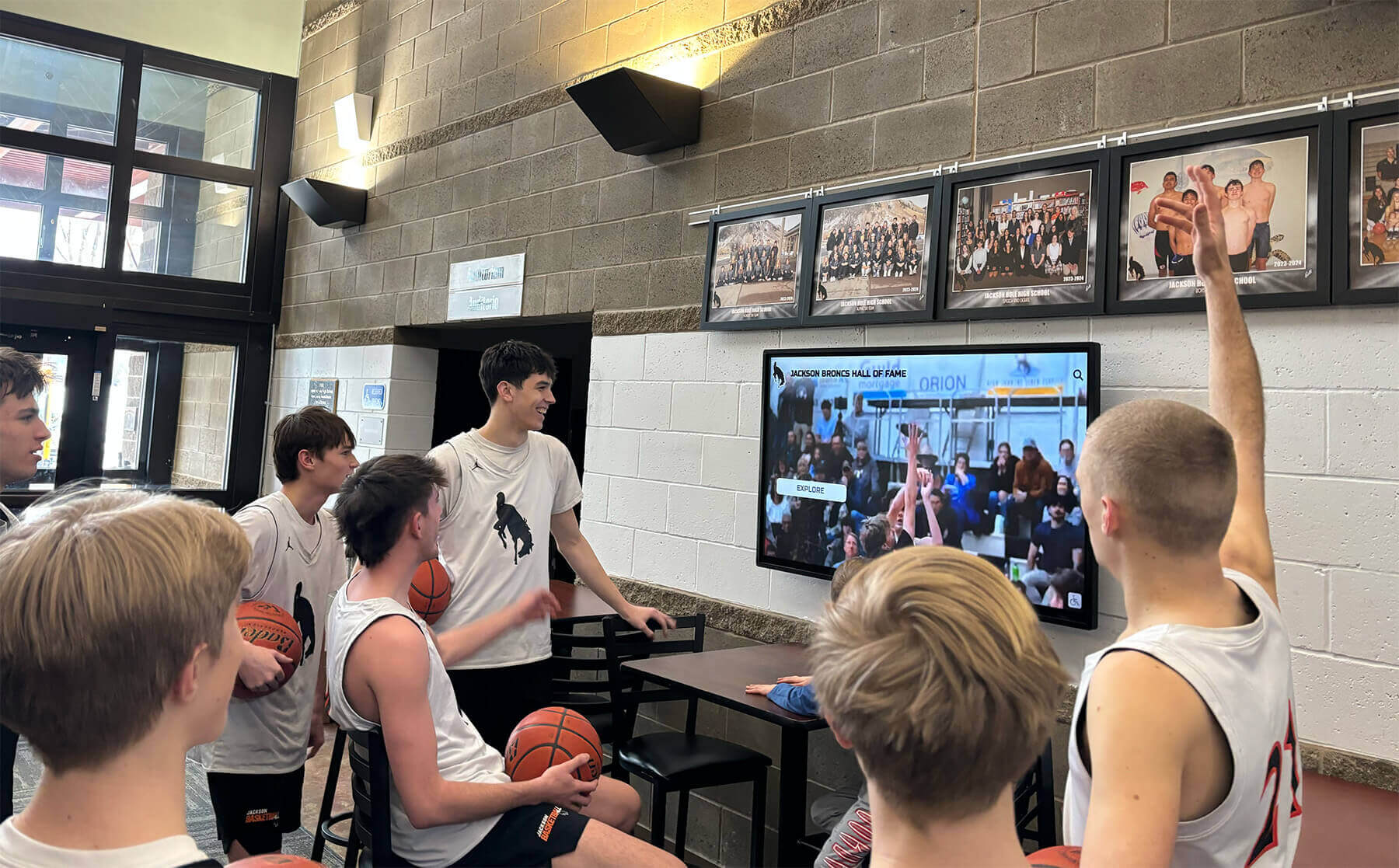
Successful touchscreen software creates measurable engagement and community connection
Common Touchscreen Software Implementation Challenges
Understanding potential obstacles enables proactive planning and successful navigation:
Technical Integration Challenges
Network and Infrastructure Limitations Organizations with outdated network infrastructure, unreliable WiFi, or limited bandwidth face difficulties implementing cloud-based touchscreen platforms. Solutions include wired connection installation, network infrastructure upgrades, or platforms supporting offline operation.
Hardware Compatibility Issues Mismatches between software requirements and chosen hardware create performance problems, functionality limitations, or complete incompatibility. Organizations should verify hardware specifications against software requirements before purchasing.
Security and Access Control Public-facing touchscreens require securing devices preventing unauthorized access, misuse, or security compromises. Proper kiosk software implementation proves essential for reliable, secure operation.
Content and Organizational Challenges
Initial Content Population Burden Creating comprehensive initial content representing years of recognition history requires substantial effort. Organizations should realistically assess available resources and consider phased implementation approaches starting with recent recognition and gradually adding historical content.
Ongoing Maintenance Sustainability Recognition displays become stale without consistent updates adding new inductees, refreshing featured content, and maintaining current information. Organizations should assign clear responsibilities and allocate sufficient staff time for ongoing management.
Competing Priorities and Attention Touchscreen implementations compete with numerous other organizational priorities for attention, resources, and executive focus. Successful programs require sustained commitment rather than initial excitement followed by neglect.
User Experience and Adoption Issues
Interface Complexity Barriers Overly complex interfaces confuse visitors, particularly older community members less familiar with touchscreen technology. Organizations should prioritize intuitive design and observe real user interactions during testing phases.
Physical Placement and Visibility Even excellent touchscreen software fails when displays are poorly located in low-traffic areas, facing away from primary pathways, or mounted at uncomfortable heights. Physical installation requires thoughtful consideration of visitor flow patterns and ergonomics.
Limited Awareness and Promotion Communities unaware of new recognition displays cannot engage with them. Organizations should actively promote touchscreen implementations through multiple communication channels, facility signage, and integration with recognition ceremonies and events.
Future Trends in Touchscreen Software
The touchscreen software landscape continues evolving with emerging technologies and changing user expectations:
Artificial Intelligence Integration
AI capabilities increasingly enhance touchscreen experiences:
Natural Language Search Conversational search enabling visitors to ask questions in natural language rather than structured queries makes content discovery more intuitive and accessible.
Personalized Content Recommendations Machine learning analyzing interaction patterns can surface relevant content matching individual visitor interests, increasing engagement depth and discovery.
Automated Content Enhancement AI tools assist with photo enhancement, content generation support, and accessibility feature improvements reducing administrative burden while improving quality.
Enhanced Accessibility Features
Continued focus on inclusive design drives accessibility advancement:
Voice Control and Audio Navigation Voice-activated interfaces enable touchscreen interaction for visitors with motor impairments while audio descriptions enhance experiences for visually impaired users.
Real-Time Translation Automated translation capabilities make recognition content accessible in multiple languages serving diverse communities without requiring manual translation effort.
Adaptive Interface Modes Software automatically adapting interfaces based on user needs—enlarged text, high contrast, simplified navigation—ensures optimal experiences for all visitors.
Expanded Mobile Integration
Blurring boundaries between physical touchscreens and personal devices creates hybrid experiences:
Augmented Reality Extensions Mobile apps using AR technology overlay digital recognition content onto physical environments, creating innovative connections between traditional displays and digital experiences.
Personal Device Continuation Visitors seamlessly transition from physical touchscreen exploration to personal device continuation, saving favorites, setting reminders, and maintaining engagement beyond facility visits.
Social Connection Features Integration with social platforms, messaging apps, and personal networks amplifies recognition reach while creating viral engagement extending institutional visibility.
Transform Your Recognition Experience with Modern Touchscreen Software
Discover how purpose-built recognition platforms create engaging, personalized experiences that warm up cold digital spaces and build connected, thriving communities celebrating excellence.
Schedule Your DemoConclusion: Selecting Touchscreen Software Creating Digital Warming
The touchscreen software landscape in 2025 offers unprecedented options for organizations seeking to transform static spaces into dynamic engagement hubs celebrating achievements, preserving histories, and building community connections. From purpose-built recognition platforms like Rocket Alumni Solutions to custom development approaches, collaborative tools, and museum exhibit systems, diverse solutions serve different organizational contexts, requirements, and priorities.
What we call “digital warming”—transforming cold, impersonal digital spaces into engaging, personalized community experiences—depends fundamentally on selecting touchscreen software aligned with organizational missions, communities, and engagement goals. Schools implementing athletic or academic recognition need different capabilities than museums designing educational exhibits or corporations creating employee appreciation displays. Generic solutions require adaptation, while specialized platforms deliver optimized experiences from implementation.
The shift toward web-based touchscreen platforms reflects fundamental advantages in cross-platform compatibility, simplified maintenance, remote management, and accessibility compared to native application approaches. Organizations implementing recognition, information, or engagement displays in 2025 should default to browser-based solutions unless specific requirements genuinely justify native development complexity.
Purpose-built recognition platforms represent optimal choices for schools, universities, athletic programs, alumni associations, nonprofit organizations, and community groups implementing recognition displays. Rocket Alumni Solutions’ specialized focus on recognition and engagement delivers capabilities specifically designed for celebrating achievements—unlimited capacity, comprehensive accessibility, intuitive interfaces, remote management, and ongoing enhancement—while eliminating custom development timelines and costs.
Successful touchscreen software implementation requires coordinated attention to hardware selection, content strategy, staff training, physical placement, community communication, and ongoing measurement. Technology alone cannot create engagement; organizations must thoughtfully integrate software capabilities into recognition programs, facility designs, and community cultures ensuring displays become valued resources rather than underutilized investments.
The most sophisticated touchscreen software proves worthless if interfaces confuse visitors, content remains stagnant, or displays hide in forgotten corners. Conversely, straightforward platforms with clear interfaces, compelling content, and prominent placement create powerful engagement experiences transforming how communities connect with institutional excellence and history.
Organizations implementing touchscreen displays in 2025 should prioritize user experience over technical sophistication, sustainable management over initial impressiveness, and genuine community engagement over superficial interactivity. Software enabling these priorities—intuitive design, efficient content management, comprehensive accessibility, and purpose-built recognition capabilities—creates digital warming effects where technology strengthens rather than dilutes human connections and community pride.
Whether implementing first recognition displays or upgrading aging systems, organizations benefit from systematic software evaluation considering long-term ownership, organizational capacity, community needs, and alignment between software capabilities and recognition goals. Purpose-built platforms from specialized providers like Rocket Alumni Solutions eliminate countless implementation challenges while delivering proven recognition experiences engaging communities and celebrating excellence.
Your community’s achievements deserve celebration through touchscreen experiences that honor excellence while building connections, pride, and engagement extending far beyond physical displays into the hearts and networks of the people you recognize.
Ready to explore how modern touchscreen software can transform your recognition program? Schedule a demo with Rocket Alumni Solutions, learn about best practices for school history software, or discover comprehensive approaches to interactive recognition displays creating engaging community experiences.































