



Equipment manufacturers face persistent challenges at trade shows, industry events, and product functions: how to communicate complex product features effectively to diverse audiences including technical buyers, facility managers, and decision-makers with varying expertise levels. Traditional static displays, printed brochures, and passive booth presentations fail to engage modern audiences accustomed to interactive digital experiences, leaving manufacturers struggling to differentiate products while communicating value propositions that justify premium equipment investments.
Interactive touchscreen kiosks solve these presentation challenges by transforming passive viewing into active exploration. Manufacturers deploying touchscreen technology at events enable visitors to discover product features matching specific operational needs, explore technical specifications at appropriate depth, visualize equipment in relevant applications, and access information dynamically rather than waiting for sales representatives already engaged with other prospects. This self-guided exploration creates memorable engagement while qualifying leads through demonstrated interest patterns revealed by interaction analytics.
This comprehensive guide examines touchscreen kiosk implementation for equipment manufacturers attending trade shows, industry conferences, open houses, and product demonstration events. Organizations will discover frameworks for content development highlighting key product features, technology selection ensuring reliable event operation, design strategies creating engaging booth experiences, and deployment approaches maximizing return on event marketing investments.
Equipment manufacturers invest substantial resources in event participation—booth space rental, display construction, product shipping, staff travel, and opportunity costs from diverted attention. These investments demand effective communication tools ensuring maximum visitor engagement, qualified lead generation, and memorable brand impressions differentiating products from competitors occupying adjacent booth spaces. Interactive touchscreen kiosks provide these capabilities when implemented strategically with content addressing buyer priorities rather than simply digitizing existing marketing materials.
Organizations implementing touchscreen displays at manufacturing events report improved visitor engagement metrics, extended booth dwell times, increased qualified lead capture, and enhanced brand perception compared to traditional static display approaches. These benefits compound when interactive content deployed at physical events transitions seamlessly to website integration, creating consistent digital experiences spanning event showcases and ongoing digital marketing channels.

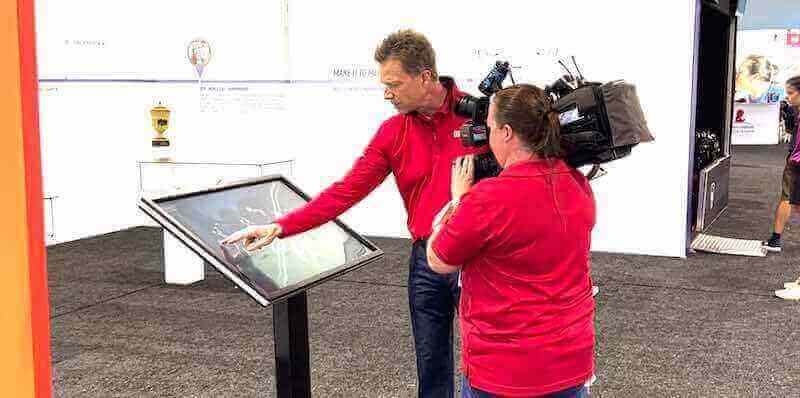
Professional touchscreen installations create engaging product exploration experiences at industry events and functions
Why Equipment Manufacturers Need Interactive Touchscreen Kiosks at Events
Competitive event environments demand technology enabling manufacturers to stand out while effectively communicating value:
Overcoming Information Density Challenges
Equipment manufacturers sell complex products with extensive feature sets, technical specifications, operational requirements, and application variations. Communicating this information comprehensively proves impossible through traditional static displays constrained by physical space limitations and attention spans.
Self-Guided Discovery at Individual Pace Touchscreen kiosks accommodate diverse visitor information needs through layered content architecture. Technical buyers drill into specifications, performance data, and compliance certifications. Facility managers explore operational cost comparisons, maintenance requirements, and space configurations. Executive decision-makers focus on ROI calculations, productivity improvements, and strategic differentiators. Each visitor accesses information matching specific priorities without forcing everyone through identical linear presentations.
This personalized exploration respects visitor autonomy, allowing individuals to spend time on relevant features while skipping irrelevant details. Organizations implementing interactive kiosk solutions create experiences accommodating both quick overview browsers and detail-oriented researchers within unified interfaces.
Technical Depth Without Overwhelming Simplicity Equipment specifications require precision for informed purchasing decisions, yet overwhelming visitors with immediate technical density creates disengagement. Effective touchscreen interfaces present high-level capabilities initially—productivity improvements, operational advantages, key differentiators—while providing clearly marked pathways to deeper technical documentation for visitors requiring detailed specifications.
This graduated disclosure approach maintains engagement across visitor expertise levels, preventing experts from feeling patronized by oversimplified content while avoiding overwhelming less technical audiences with immediate specification sheets.
Addressing Staffing Limitations and Capacity Constraints
Even well-staffed booths face capacity limitations when foot traffic spikes during peak exhibition hours:
Simultaneous Engagement of Multiple Visitors Strategic touchscreen placement enables multiple simultaneous explorations without requiring dedicated staff attention for each interaction. Visitors engage independently while staff focus attention on qualified prospects demonstrating serious interest, managing conversations effectively rather than providing basic information visitors could access through self-service interactions.
This multiplication effect maximizes booth efficiency, ensuring every visitor receives engagement opportunities regardless of momentary staff availability. Manufacturers implementing multiple touchscreen stations throughout booth spaces accommodate larger audiences while maintaining quality engagement.
24/7 Availability for Multi-Day Events Trade shows and conferences span multiple days with varying attendance patterns. Touchscreen kiosks maintain consistent information delivery across all hours without staff fatigue affecting presentation quality. Early morning visitors, late afternoon browsers, and peak midday crowds all encounter identical high-quality product presentations.
Consistent Messaging Without Human Variability Different sales representatives emphasize different features based on personal preferences, communication styles, and interpretations of product advantages. Touchscreen content standardizes key messaging ensuring all visitors encounter prioritized features, value propositions, and differentiators regardless of which staff member provides supplementary conversation.
This consistency proves particularly valuable for organizations fielding sales representatives with varying product expertise or technical backgrounds, ensuring baseline information quality while enabling knowledgeable staff to provide expert elaboration for interested prospects.
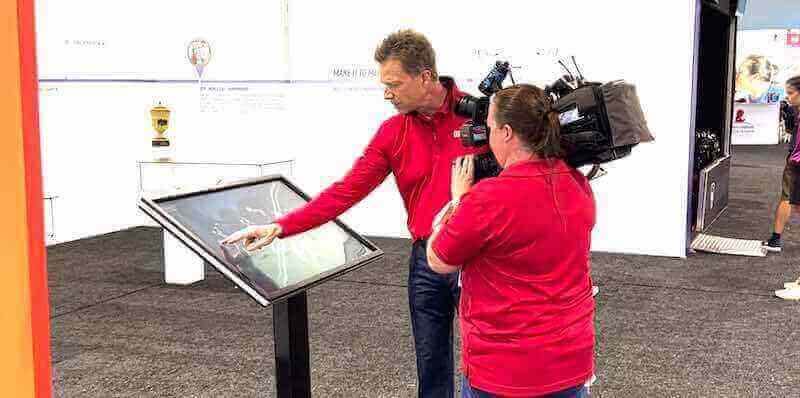
Museum-quality interactive installations effectively communicate complex product features through engaging digital interfaces
Creating Memorable Brand Differentiation
Crowded exhibition halls filled with similar-looking booths challenge manufacturers seeking memorable differentiation:
Technology Sophistication Signaling Professional interactive displays signal organizational investment in modern technology, innovation culture, and customer experience quality. Equipment buyers evaluating manufacturers make assumptions about operational sophistication, technical expertise, and long-term viability based on booth presentation quality. Outdated static displays suggest potentially outdated equipment and business practices.
Organizations implementing cutting-edge digital signage services communicate forward-thinking approaches creating positive brand associations extending beyond immediate product features to encompass organizational culture and capabilities.
Interactive Engagement Versus Passive Observation Visitors touching screens, exploring features, and actively discovering information create stronger memory formation than passive observation of static content. This active participation increases recall when prospects later evaluate options and make purchasing decisions. The physical interaction with touchscreen technology creates multisensory memory anchors connecting product features to hands-on booth experiences.
Social Proof and Crowd Attraction Engaging touchscreen displays create natural gathering points drawing foot traffic as passing attendees observe others interacting with compelling technology. This crowd attraction effect expands booth visibility beyond immediate booth footprint, drawing additional prospects who might otherwise pass without stopping.
Manufacturers deploying multiple interactive touchscreen displays throughout larger booth spaces create multiple engagement zones maintaining consistent activity levels across entire exhibition areas.
Essential Features for Event Touchscreen Kiosks
Equipment showcase kiosks require specific capabilities optimized for event environments and manufacturing content:
Robust Hardware for High-Traffic Event Conditions
Trade show environments present challenging operational conditions requiring commercial-grade hardware:
Durability for Continuous Operation Events demand extended operation hours spanning 8-12 hour daily exhibition periods without breaks or maintenance opportunities. Consumer-grade hardware designed for intermittent home use fails under continuous commercial operation, overheating, experiencing touch responsiveness degradation, or suffering complete failures mid-event.
Commercial touchscreen displays rated for continuous duty cycles withstand extended operation while maintaining consistent performance. Organizations should prioritize displays with industrial cooling, reinforced touchscreen surfaces resisting damage from heavy use, and components specified for commercial application rather than consumer electronics adapted for occasional business use.
Adequate Screen Size for Group Viewing Event visitors often browse in small groups—colleagues attending together, decision-making teams, or individual visitors attracting interested neighbors. Screen sizes must accommodate simultaneous viewing by 2-4 people without requiring uncomfortable crowding or preventing visibility.
Displays ranging from 43-55 inches provide optimal balance between visibility, space efficiency, and practical handling for event transportation and setup. Smaller screens limit simultaneous viewing capacity while displays exceeding 65 inches become cumbersome for event logistics without proportional engagement improvements.
Responsive Touch Technology Touch responsiveness determines user experience quality. Capacitive touchscreens provide accurate, responsive interaction supporting natural gestures familiar from smartphones and tablets. Organizations should verify adequate touch sensitivity preventing visitors from pressing repeatedly or questioning whether interactions registered, creating frustration undermining engagement.
Reliable Transportation and Setup Event participation requires repeated transportation, setup, teardown, and shipping across multiple venues. Hardware must survive handling without calibration drift, component failures, or cosmetic damage affecting professional appearance. Ruggedized cases, reinforced mounting, and modular designs facilitate practical event deployment.

Commercial-grade touchscreen kiosks provide reliable operation in demanding event environments
Intuitive Content Navigation for Diverse Audiences
Event visitors arrive with varying technical backgrounds, time availability, and interest levels:
Clear Visual Hierarchy and Entry Points Initial screens must communicate available content clearly through large, obviously interactive elements, logical category organization, and visual design guiding natural attention flow. Confused visitors abandon interactions within seconds unless interfaces communicate navigation options immediately.
Organizations should implement home screens featuring prominent product categories, key features, application examples, or visitor type selections enabling personalized content pathways. Clear labeling using industry-standard terminology prevents confusion while specialized technical language appears within deeper content layers for knowledgeable visitors seeking detailed specifications.
Gesture and Interaction Familiarity Navigation patterns should mirror smartphone interactions including vertical scrolling, horizontal swiping between content, pinch-to-zoom for diagrams and images, and tap interactions for selection. Interfaces requiring specialized gestures or unconventional navigation patterns create friction reducing engagement.
Breadcrumb Navigation and Easy Retreat Visitors exploring deep into technical content require clear pathways back to main navigation or home screens. Persistent home buttons, breadcrumb trails showing current location within content hierarchies, and consistent back navigation prevent visitors from feeling lost within complex product information structures.
Event environments with limited staff availability for assistance demand self-explanatory interfaces enabling independent navigation without requiring instructions or intervention.
Rich Multimedia Product Presentation
Complex equipment benefits from varied content formats communicating features effectively:
High-Quality Product Photography Professional equipment photography reveals build quality, design sophistication, and attention to detail impossible to communicate through specifications alone. Multiple angles, close-ups highlighting quality construction, and contextual images showing equipment in operational environments help visitors visualize products accurately.
Image quality matters significantly—amateur photography undermines professional brand positioning while high-resolution professional imagery reinforces quality associations.
Video Demonstrations and Operation Footage Equipment operation proves difficult to communicate through static content. Video demonstrations showing equipment functioning in real applications, time-lapse footage documenting productivity, and animated explanations of complex operational sequences communicate capabilities that text descriptions cannot match.
Brief video segments (30-90 seconds) maintain attention better than lengthy demonstrations. Organizations should develop video libraries covering different features, applications, and use cases enabling visitors to select relevant demonstrations rather than watching comprehensive overviews covering irrelevant content.
Interactive 3D Models and Exploded Views Three-dimensional models enabling rotation, zooming, and component isolation help visitors understand equipment construction, maintenance access points, and spatial requirements. Exploded assembly views reveal internal components, construction quality, and design sophistication while demonstrating serviceability advantages.
Interactive 3D content creates memorable engagement differentiating manufacturers from competitors limited to two-dimensional photography and static diagrams.
Technical Diagrams and Specification Sheets Engineers and technical buyers require detailed specifications, performance curves, dimensional drawings, and compliance certifications. Organizations should provide downloadable PDF specifications, interactive dimension validators confirming space compatibility, and comparison tools enabling feature analysis against current equipment or competitive alternatives.

Responsive touch interfaces support intuitive content selection and exploration
Content Strategy for Equipment Manufacturing Touchscreen Displays
Effective touchscreen experiences require strategic content development beyond simply digitizing existing marketing materials:
Feature Highlighting and Value Communication
Equipment specifications alone fail to communicate value compelling purchasing decisions:
Benefits-Focused Content Architecture Organize content around customer benefits and operational outcomes rather than technical feature lists. Category navigation should emphasize productivity improvements, cost reductions, quality enhancements, safety advantages, and operational simplifications rather than technical subsystems.
Within benefit categories, provide technical explanations for visitors seeking to understand how features deliver promised advantages. This benefit-first organization maintains engagement across decision-maker types while satisfying technical buyers requiring specification verification.
Comparative Positioning Without Direct Attacks Buyers evaluating equipment compare alternatives across manufacturers. Provide comparison frameworks helping visitors understand differentiating advantages through capability matrices, feature checklists, and application scenario analyses highlighting situations where specific equipment characteristics provide meaningful value.
Avoid disparaging competitors directly—focus on circumstances where organizational products excel while acknowledging alternative approaches serve different priorities. Professional comparative content demonstrates confidence while avoiding adversarial positioning that can backfire or alienate prospects.
ROI and Total Cost of Ownership Calculators Capital equipment purchases require financial justification. Interactive calculators enabling visitors to input operational parameters—production volumes, labor costs, energy rates, maintenance expenses—generate personalized ROI projections demonstrating equipment value for specific operational contexts.
These calculators transform abstract claims about productivity improvements or efficiency gains into concrete financial projections relevant to individual prospects. Organizations implementing digital tools for equipment demonstration report improved lead qualification as interaction data reveals prospects seriously evaluating financial feasibility.
Application-Based Content Organization
Equipment serves diverse industries, applications, and operational contexts:
Industry-Specific Navigation Pathways Enable visitors to select relevant industries or applications immediately, filtering content to match specific contexts. Food processing buyers see sanitary design features, pharmaceutical manufacturers explore compliance certifications, and automotive suppliers review precision capabilities—all from unified content libraries organized for relevance.
This filtering prevents irrelevant content from cluttering experiences while demonstrating organizational understanding of diverse market segments and application requirements.
Use Case Scenarios and Problem-Solution Framing Organize content around problems equipment solves rather than technical categories. Visitors seeking productivity improvements explore features addressing throughput limitations. Quality-focused buyers examine precision capabilities, process control, and defect reduction features. Maintenance managers investigate serviceability, reliability engineering, and parts availability.
Problem-focused organization helps visitors quickly identify relevant capabilities while educating prospects about advantages they may not have considered initially.
Customization and Configuration Visualization Equipment with multiple configurations, optional features, or customization possibilities benefits from interactive configuration tools enabling visitors to build specifications matching operational requirements while visualizing selected options.
Configuration interfaces should update visualizations reflecting selected options, calculate pricing implications, and enable specification sheet generation for selected configurations. This interactive design process engages visitors while qualifying leads based on selected options revealing budget ranges, application complexity, and purchasing seriousness.
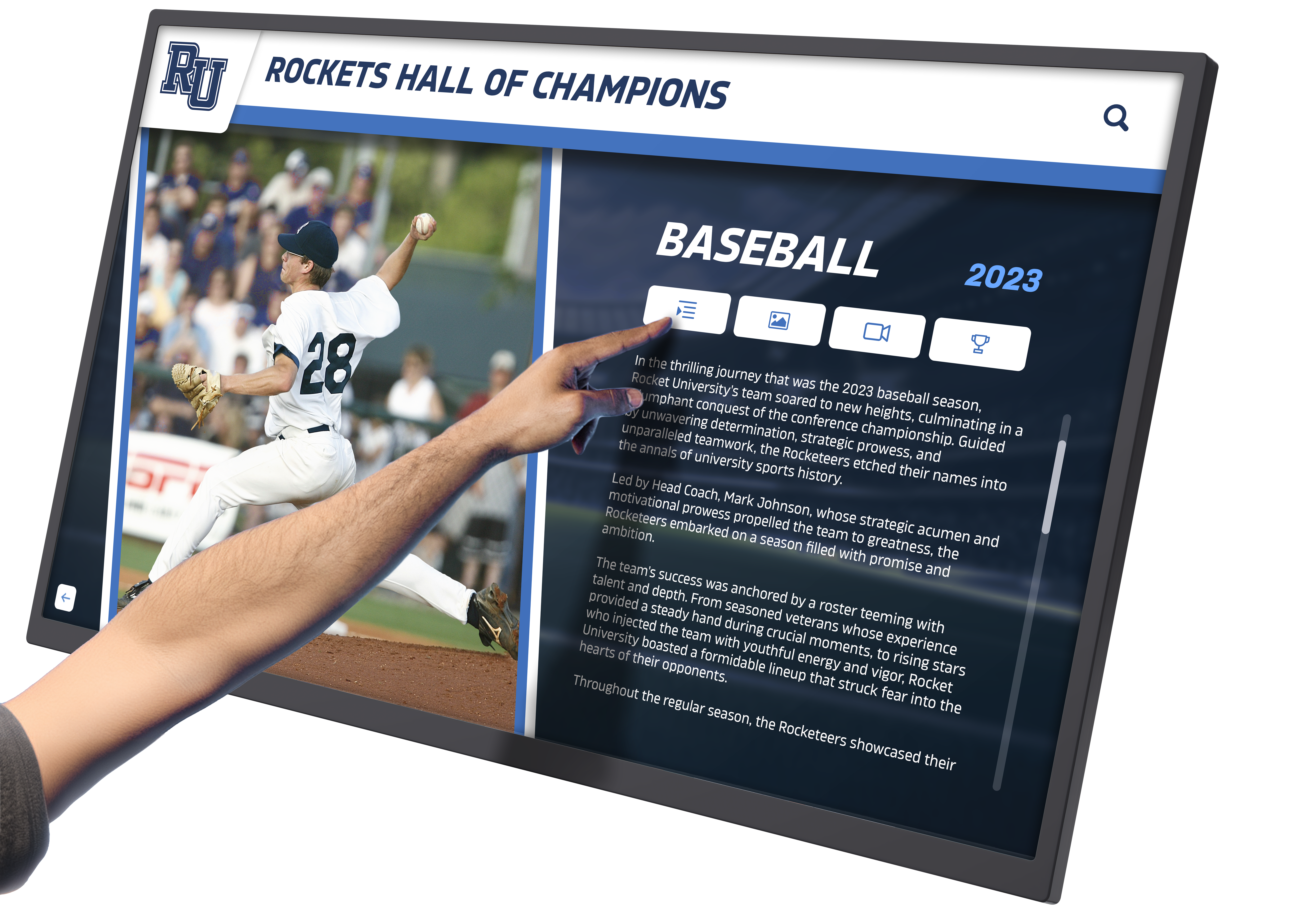
Layered content architecture provides appropriate information depth for diverse visitor needs
Lead Capture and Follow-Up Integration
Event objectives include qualified lead generation requiring systematic capture:
Non-Intrusive Contact Collection Implement contact capture at strategic interaction points—after configuration completion, when requesting detailed documentation, or accessing downloadable resources. Frame collection positively as enabling personalized follow-up with information matching demonstrated interests rather than marketing lists.
Organizations should offer immediate value for contact provision including downloadable specifications, ROI calculations, or implementation guides rather than simply promising future contact.
Interaction Analytics and Lead Qualification Track visitor exploration patterns, time spent on different features, configurations created, and content accessed revealing genuine interest levels and specific priorities. This interaction data enables targeted follow-up referencing demonstrated interests rather than generic post-event outreach.
Anonymous analytics capturing aggregate behavior patterns inform content refinement highlighting popular features, identifying confusing navigation, and revealing unexpected content gaps.
Email Distribution and Digital Content Delivery Enable visitors to email selected content including product specifications, comparison charts, ROI calculations, and video demonstrations to themselves or colleagues. This self-service information distribution extends booth engagement beyond physical event attendance while creating natural follow-up opportunities.
Organizations implementing seamless transitions between event touchscreen content and website resources maintain engagement continuity as prospects shift from event exploration to detailed online research.
Dual-Purpose Content Strategy: Events and Website Integration
Equipment manufacturers benefit from unified content serving both physical event touchscreens and ongoing digital marketing:
Consistent Brand Experience Across Channels
Visitors transitioning from event touchscreen exploration to website research should encounter familiar interfaces and content:
Unified Visual Design and Navigation Patterns Maintain consistent visual branding, navigation structures, and content organization across touchscreen kiosks and website implementations. Visitors discovering features at events can later locate identical content online without relearning navigation or questioning whether website information matches event presentations.
This consistency reinforces brand recognition while reducing content development redundancy—materials created for touchscreen deployment serve website implementation with minimal adaptation beyond form factor optimization.
Content Portability and Multi-Channel Deployment Web-based touchscreen platforms like those from Rocket Alumni Solutions enable identical content deployment across physical kiosks and online access without maintaining separate content versions. Updates, improvements, and expansions automatically propagate across all deployment channels maintaining consistency while minimizing management burden.
QR Code Bridges Between Physical and Digital Display QR codes at touchscreen stations enabling visitors to transition seamlessly from kiosk exploration to mobile device continuation. Prospects running out of time at booths, wanting to share content with absent colleagues, or preferring personal device interaction scan codes accessing identical content while leaving physical kiosks available for additional visitors.
This digital continuity transforms momentary event interactions into extended engagement opportunities as prospects explore content thoroughly on personal schedules after leaving exhibition halls.
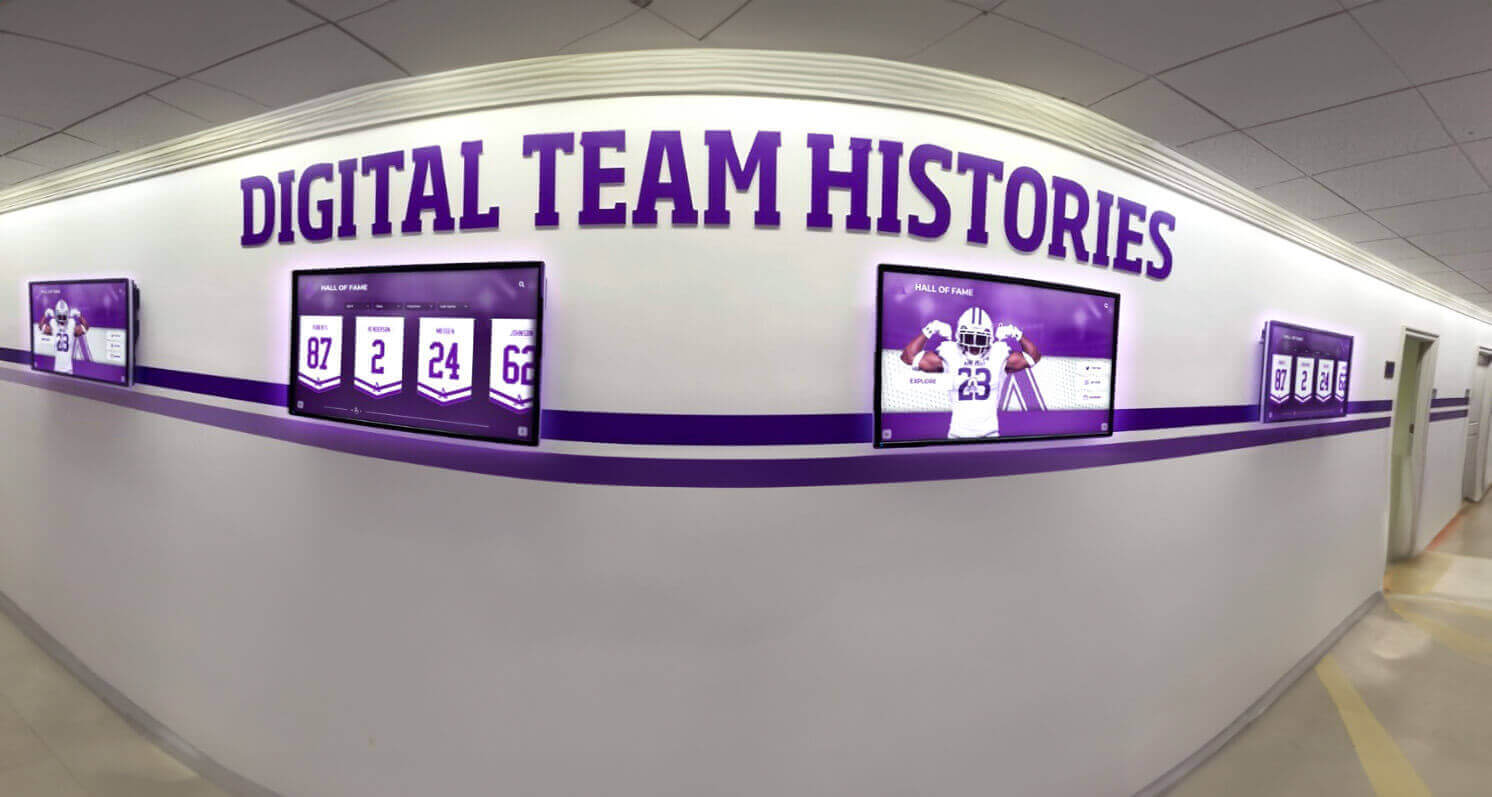
Unified content platforms enable consistent experiences across multiple display locations and digital channels
Website Enhancement Through Event Content Development
Content developed for touchscreen events often exceeds existing website capabilities:
Interactive Features Improving Online Engagement Interactive ROI calculators, configuration builders, 3D models, and video demonstrations created for touchscreen deployment enhance website experiences when implemented online. Organizations often discover touchscreen content development produces superior digital assets compared to traditional website content creation approaches.
Visitors exploring products through interactive website experiences report higher satisfaction, extended engagement, and improved information retention compared to static website presentations.
Analytics Revealing Content Priorities Event interaction analytics reveal which features generate greatest interest, which content visitors skip consistently, and where navigation confusion occurs. These insights inform both event content refinement and website content development prioritization ensuring resources focus on materials generating genuine buyer engagement.
Event-Specific Content Serving Ongoing Marketing Demonstration videos, application examples, and case study content developed for events provide valuable website content, social media materials, and email marketing resources extending event investment value across marketing channels.
Technology Selection for Event Touchscreen Deployment
Equipment manufacturers must balance numerous factors when selecting touchscreen technology:
Hardware Considerations for Mobile Event Applications
Event participation demands portable, reliable hardware:
All-in-One Kiosk Systems Versus Modular Approaches Integrated kiosk systems with built-in computers, displays, and power supply simplify setup and teardown while providing self-contained operation. Modular systems separating displays, computing components, and mounting hardware offer flexibility but increase complexity and potential failure points.
For multi-event deployment, self-contained systems reduce setup time and minimize technical expertise requirements enabling non-technical staff to handle installation.
Freestanding Versus Countertop Form Factors Floor-standing kiosks maximize visibility and accommodate multiple simultaneous users but require greater floor space and careful transportation. Countertop displays integrate with existing booth furniture offering space efficiency but potentially limiting visibility and concurrent access.
Organizations should consider booth layouts, available space, and expected visitor volumes when selecting form factors. Multiple smaller countertop units may serve better than single large freestanding displays for organizations prioritizing multiple interaction points over individual kiosk impressiveness.
Power and Connectivity Requirements Exhibition facilities provide varying power availability, network connectivity, and infrastructure access. Hardware should accommodate various power configurations, operate reliably on typical exhibition center WiFi networks or cellular connectivity, and function acceptably during temporary network disruptions.
Organizations implementing touchscreen kiosk software should verify platforms function with common event networking limitations without requiring specialized infrastructure unavailable in temporary exhibition environments.
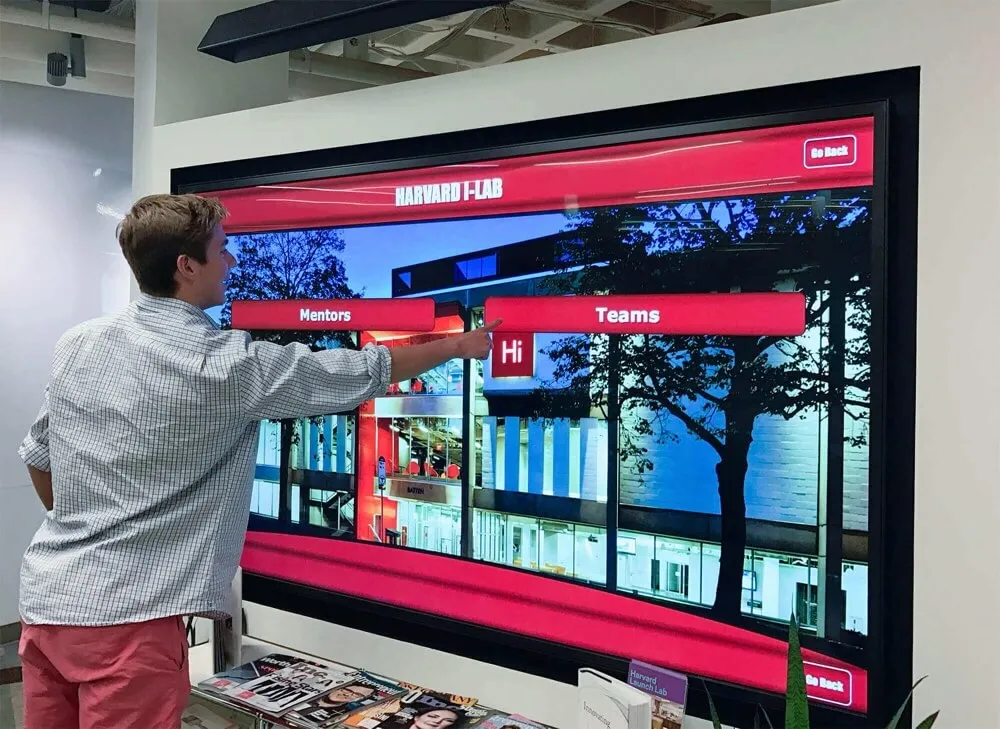
Large-format touchscreens accommodate group viewing and collaborative exploration
Software Platform Selection
Platform architecture determines flexibility, maintenance requirements, and long-term viability:
Web-Based Versus Native Application Platforms Web-based platforms operate through standard browsers requiring no specialized software installation, enabling rapid deployment across diverse hardware, supporting remote content management, and facilitating seamless website integration. Native applications offer performance advantages for intensive graphics but require platform-specific development, manual update distribution, and specialized technical expertise.
For most equipment manufacturers, web-based platforms provide optimal balance of functionality, flexibility, and practical management. Organizations can deploy identical experiences across Windows, Android, and iOS hardware without maintaining separate application versions.
Content Management System Requirements Non-technical staff must manage content updates, feature additions, and event-specific customizations without depending on developers for routine modifications. Visual editing interfaces, template-based creation, and intuitive administration enable marketing teams and product managers to maintain content independently.
Cloud-based content management allows remote updates from any location—home offices, trade show booth networks, or hotel connections—without requiring physical hardware access. This flexibility proves essential when content updates become necessary during events as visitor questions reveal content gaps or confusing explanations.
Analytics and Reporting Capabilities Platforms should provide detailed interaction analytics including session counts and duration, content view patterns, navigation sequences, feature popularity rankings, and lead capture rates. These metrics quantify event ROI while identifying content improvements maximizing future engagement.
Organizations implementing systematic measurement make evidence-based decisions about booth strategies, content development priorities, and technology investments rather than relying on subjective impressions or anecdotal feedback.
Best Practices for Event Touchscreen Implementation
Successful deployment requires strategic planning addressing content, logistics, and booth integration:
Booth Design and Physical Integration
Touchscreen placement significantly impacts engagement:
Strategic Positioning for Traffic Flow Position touchscreens where natural booth traffic patterns guide visitors—near entrances attracting initial exploration, along circulation routes where passing attendees observe interactions, or in dedicated spaces where engaged visitors explore deeply without crowding main pathways.
Multiple touchscreen placements serve different purposes including entrance attractions drawing initial attention, detailed exploration stations for serious prospects, and peripheral locations enabling overflow capacity during peak traffic.
Supplementary Materials and Human Engagement Touchscreens complement rather than replace human interaction. Staff should proactively engage visitors exploring content, offering elaboration, answering questions, and transitioning digital discovery into qualified conversations. Passive observation of visitors using touchscreens wastes opportunities for relationship building and lead qualification.
Supplementary printed materials—business cards with QR codes, simplified specification sheets, or branded USB drives with detailed documentation—enable visitors to carry information away from booths extending engagement beyond event interaction duration.
Accessibility and Ergonomic Considerations Touchscreen height must accommodate wheelchair users and individuals of varying statures. Comfortable interaction zones, adequate personal space around stations, and visibility from multiple angles ensure inclusive access maximizing audience reach.
Organizations implementing multiple stations should vary configurations accommodating different viewing preferences including standing interaction, seated access, and collaborative group exploration.
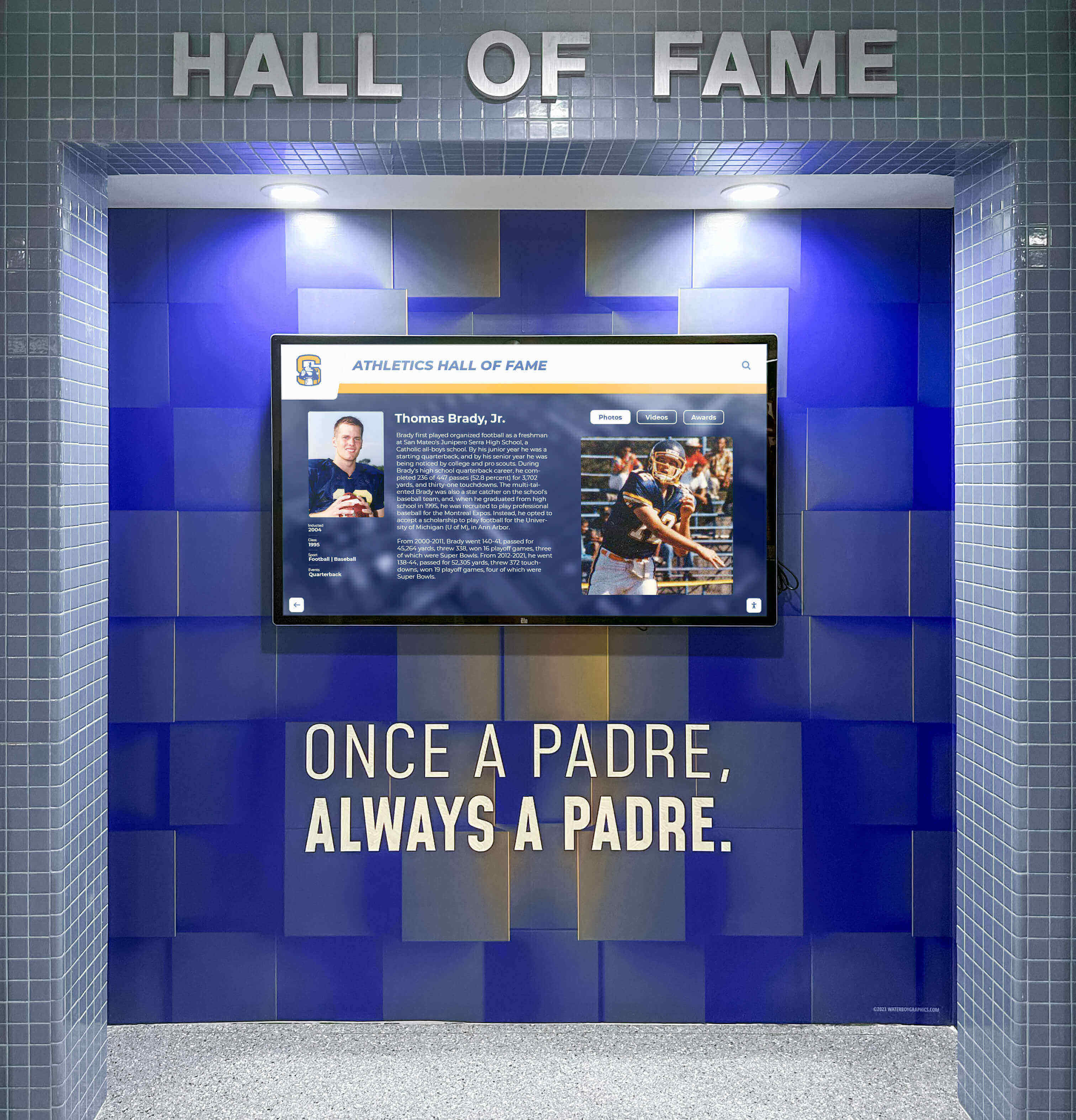
Thoughtful physical integration creates professional installations enhancing facility aesthetics
Content Testing and Refinement
Pre-event validation prevents problematic deployments:
User Testing with Representative Audiences Validate interfaces, navigation, and content with colleagues, industry contacts, or recruited testers representing target buyer personas. Observe interactions noting confusion points, unexpected navigation patterns, and content gaps requiring addressing before public deployment.
Organizations should specifically test with non-technical audiences matching end-user decision-maker profiles rather than only engineers comfortable with technical content and digital interfaces.
Performance Optimization and Load Testing Verify acceptable performance under realistic network conditions including typical exhibition WiFi bandwidth, connectivity interruptions, and high concurrent usage. Content-heavy applications with large video files or extensive image libraries may require optimization ensuring acceptable loading times preventing visitor frustration.
Test thoroughly on actual deployment hardware rather than assuming performance matches office network and desktop computer testing environments.
Contingency Planning for Technical Issues Prepare backup approaches for equipment failures, network outages, or unexpected technical problems including printed materials covering essential information, staff training enabling verbal presentations, and backup hardware when practical.
Technical issues prove inevitable across extended event schedules—organizations with contingency plans minimize negative impact while unprepared organizations experience extended downtime damaging booth effectiveness.
Staff Training and Engagement Protocols
Technology effectiveness depends on human implementation:
Touchscreen Operation and Navigation Training Ensure all booth staff understand navigation, content organization, and feature locations enabling confident demonstration and assistance when visitors request guidance. Staff struggling to operate touchscreens undermine technology sophistication messaging.
Training should cover common visitor questions, optimal demonstration sequences highlighting key differentiators, and transition techniques moving from digital exploration to personal conversation.
Analytics Interpretation and Lead Follow-Up Train staff on interpreting interaction data, recognizing high-value leads based on exploration patterns, and documenting visitor interests for targeted follow-up. Generic post-event outreach proves less effective than personalized communication referencing demonstrated interests and specific features explored during booth visits.
Organizations implementing systematic lead management processes convert event participation into sales opportunities rather than collecting business cards that receive generic follow-up emails before being forgotten.
Measuring Event Touchscreen Success and ROI
Quantify technology value through systematic measurement:
Key Performance Indicators for Event Deployment
Organizations should track multiple success dimensions:
Engagement Metrics Monitor total interaction sessions, average session duration, unique visitors, repeat interactions, and peak usage periods. These metrics reveal whether touchscreens attract meaningful engagement or remain largely ignored by booth visitors.
Comparative analysis across events identifies factors influencing engagement including booth location, content emphasis, staff proactiveness, and competitive context.
Content Performance Analysis Analyze feature exploration frequency, video completion rates, configuration tool usage, documentation downloads, and navigation paths revealing which content generates genuine interest versus what visitors consistently skip.
Organizations should systematically refine content emphasizing popular features while reconsidering or improving underperforming content failing to engage audiences.
Lead Quality and Quantity Track contact captures, lead qualification levels, post-event conversion rates, and sales cycle duration for touchscreen-generated leads compared to alternative sources. These metrics demonstrate whether touchscreen interactions produce genuinely qualified prospects or simply capture contact information from casual browsers.
Comparative Booth Performance Compare booth traffic, visitor dwell time, staff conversation quantity, and lead generation across events with and without touchscreen deployment revealing technology contribution to overall booth effectiveness.
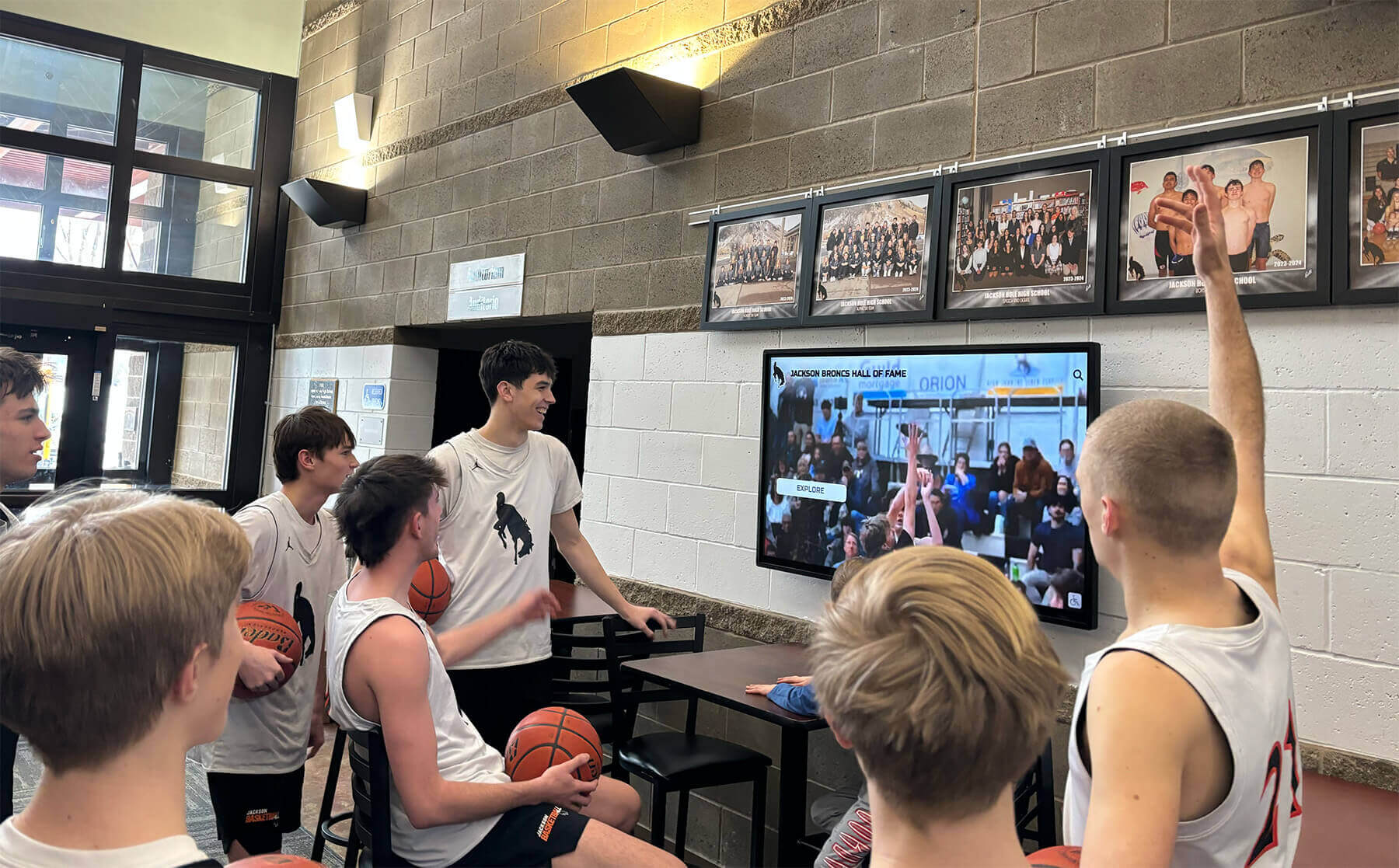
Successful implementations create natural gathering points where audiences actively engage with content
Return on Investment Calculation
Justify technology investments through concrete value demonstration:
Direct Cost Components Calculate total investment including hardware purchase or rental, content development, software licensing, transportation and setup, and staff training. Accurate cost accounting enables realistic ROI assessment rather than optimistic calculations ignoring significant expense categories.
Quantified Benefits Document measurable improvements including lead quantity increases, lead quality improvements, sales cycle acceleration, conversion rate improvements, and reduced booth staffing requirements.
Organizations should compare results to baseline performance from events without touchscreen deployment, isolating technology contribution from general event quality variations.
Qualitative Value Recognition Beyond immediate quantifiable returns, consider brand perception improvements, competitive differentiation advantages, content asset creation benefiting ongoing marketing, and strategic learning informing future digital marketing investments.
These longer-term benefits may exceed immediate event ROI while proving harder to quantify precisely.
Extending Event Content to Permanent Installations
Organizations discovering touchscreen value at events often implement permanent installations:
Showroom and Facility Installations
Equipment manufacturers benefit from touchscreen deployment beyond temporary events:
Visitor Center and Showroom Experiences Permanent installations in corporate visitor centers, showrooms, or training facilities provide consistent product exploration opportunities for customer visits, distributor training, and prospect tours. Content developed for events serves these permanent applications with minimal modification.
Organizations implementing interactive displays for equipment demonstrations create always-available exploration capabilities supplementing traditional demonstrations and sales presentations.
Sales Office and Regional Location Support Distributed sales offices and regional representatives benefit from standardized touchscreen content enabling consistent presentations without requiring comprehensive product expertise or extensive printed material inventory. Field representatives access centrally managed content ensuring accurate, current information across all locations.
Trade Show Rental and Shared Usage Organizations maintain permanent touchscreen installations at frequently attended regional exhibitions, industry association facilities, or equipment rental locations where prospects can explore products between formal events.
Integration with Digital Recognition and Community Engagement
Organizations can leverage touchscreen platforms serving equipment demonstration for additional institutional purposes:
Employee Recognition and Achievement Celebration Manufacturing facilities implementing touchscreen displays for visitor education can extend usage to employee recognition including safety milestone celebration, production excellence, innovation awards, and service anniversaries. Unified platforms like Rocket Alumni Solutions support both equipment demonstration content and recognition applications through flexible content management.
Historical Archives and Company Heritage Equipment manufacturers with substantial histories can digitize heritage content including historical product evolution, founder stories, innovation milestones, and company development. This historical context strengthens brand narratives while creating emotional connections transcending immediate product features.
Organizations implementing digital archives preserve institutional memory while creating engaging storytelling opportunities for visitors, employees, and community members.
Future Trends in Event Touchscreen Technology
Understanding emerging capabilities informs long-term strategy:
Artificial Intelligence and Personalization
AI integration promises enhanced visitor experiences:
Intelligent Content Recommendations Machine learning algorithms analyze visitor behavior patterns suggesting relevant features, applications, or products based on demonstrated interests. This dynamic personalization creates tailored experiences responding to individual exploration patterns rather than forcing uniform navigation on all visitors.
Natural Language Search and Voice Interaction Conversational interfaces enable questions in natural language—“Show me equipment for food processing,” “Compare productivity versus current setup,” or “What maintenance does this require?"—making discovery more intuitive than structured menu navigation.
Automated Lead Qualification AI analysis of exploration patterns, time allocation, and feature focus enables automatic lead scoring identifying prospects with genuine purchasing intent versus casual browsers, enabling targeted follow-up prioritization.
Enhanced Physical-Digital Integration
Emerging technologies create seamless transitions:
Augmented Reality Product Visualization AR capabilities enable prospects to visualize equipment in actual facility spaces through mobile devices, overlaying three-dimensional models into camera views showing accurate scale, spatial requirements, and contextual placement.
Near Field Communication and Instant Mobile Transfer NFC technology enables instant content transfer from touchscreen kiosks to personal devices through simple tapping gestures, eliminating QR code scanning friction while maintaining digital continuity.
Facial Recognition and Returning Visitor Personalization Privacy-respecting facial recognition can identify returning visitors, resuming previous exploration sessions or offering personalized greetings acknowledging prior interactions. This continuity creates more sophisticated experiences particularly valuable across multi-day events.
Conclusion: Transforming Equipment Marketing Through Interactive Technology
Interactive touchscreen kiosks represent transformative tools for equipment manufacturers attending industry events, trade shows, and product functions. These technologies solve fundamental challenges plaguing traditional booth presentations including information density constraints, staffing limitations, passive engagement, and inconsistent messaging. When implemented strategically with content emphasizing benefits over features, intuitive navigation accommodating diverse audiences, and robust hardware supporting demanding event conditions, touchscreens create memorable experiences differentiating manufacturers while generating qualified leads justifying substantial event investments.
Organizations should approach touchscreen implementation systematically, beginning with clear objectives defining success metrics, developing content addressing buyer priorities rather than simply digitizing existing materials, selecting appropriate technology balancing capabilities with practical event requirements, and planning booth integration maximizing visibility and traffic flow. The most successful implementations treat touchscreens as core booth experiences rather than supplementary decorations, training staff on effective integration of digital and human engagement while capturing interaction analytics informing continuous improvement.
The dual-purpose strategy deploying identical content across physical event kiosks and digital website resources maximizes development investment while ensuring consistent brand experiences as prospects transition from event discovery to detailed online research. Web-based platforms eliminate content duplication, enable remote management, and support seamless updates maintaining accuracy across deployment channels.
Equipment manufacturers implementing interactive touchscreen technology discover benefits extending beyond immediate event participation to encompass permanent showroom installations, distributed sales office support, employee recognition, and historical preservation. These expanded applications multiply technology value while creating consistent digital experiences spanning customer touchpoints and organizational functions.
Your equipment features, engineering innovations, and competitive advantages deserve presentation technology matching product sophistication while enabling prospects to discover value through engaging, self-guided exploration. Interactive touchscreens provide these capabilities when implemented strategically with content, technology, and booth design working harmoniously to create memorable experiences translating booth visits into qualified leads and eventual sales.
Ready to transform your next trade show or product function with interactive touchscreen technology highlighting your equipment’s key features dynamically? Book a demo to discover how purpose-built platforms create engaging experiences compatible across event kiosks and website deployments while building the digital warming effects that transform passive viewing into active exploration and genuine buyer engagement.































