
Every day, visitors arrive at buildings—schools, offices, hospitals, universities, corporate campuses—facing the same frustrating challenge: finding their destination in unfamiliar spaces. Traditional static directories with alphabetical lists and outdated information create confusion rather than clarity. Staff interrupt important work repeatedly to provide directions. First impressions suffer when visitors wander hallways uncertainly, arriving late to appointments or missing meetings entirely.
Touchscreen building directories transform this experience completely. Interactive wayfinding systems guide visitors intuitively through complex facilities while reducing administrative burden, showcasing organizational achievements, and creating the digital warming effect where personalized, helpful content turns cold, impersonal spaces into welcoming environments. These systems serve far beyond simple navigation—they become engagement platforms that demonstrate institutional investment in visitor experience while building community connections.
This comprehensive guide explores touchscreen building directory technology for modern facilities, examining how interactive wayfinding addresses traditional navigation challenges, implementation strategies that maximize value, dual-purpose opportunities combining directories with recognition displays, and proven approaches that transform visitor experiences while supporting broader organizational missions.
Modern buildings grow increasingly complex with expansion projects, departmental reorganizations, and specialized spaces that defy simple categorization. Visitors navigate these environments with varying familiarity levels—prospective clients touring for first times, infrequent visitors remembering outdated layouts, service providers seeking specific offices, and community members accessing public programs. Traditional directory approaches fail these diverse populations, creating frustration that colors overall impressions of organizational competence and hospitality.
Interactive touchscreen directories eliminate navigation anxiety through intuitive search functionality, visual mapping, real-time information updates, and engaging interfaces that actually help people find destinations quickly. When implemented strategically, these systems reduce staff interruptions by 40-60%, improve visitor satisfaction measurably, and create opportunities to showcase organizational excellence during those critical wayfinding moments when visitors actively engage with institutional content.

Why Traditional Building Directories Fail Modern Visitors
Understanding the fundamental limitations of conventional directory approaches reveals why touchscreen solutions deliver such dramatic improvements in both visitor experience and operational efficiency.
The Outdated Information Problem
Static building directories become obsolete almost immediately after installation. Staff members change offices, departments reorganize, new employees join while others leave, and services relocate—yet printed directories remain frozen with information that was accurate only on installation day. Organizations face expensive choices: live with chronically outdated directories that frustrate visitors and reflect poorly on institutional competence, or invest thousands of dollars repeatedly replacing printed materials every time significant changes occur.
The financial burden accumulates quickly. A professional directory update for a mid-size building costs $2,000-5,000 including design, printing, and installation. Organizations with multiple buildings or frequent personnel changes can spend $15,000-30,000 annually maintaining accurate static directories—an expense that never ends as long as changes continue occurring.
More problematic than cost, however, is the visitor experience. Someone searching for “Student Affairs Office” discovers the printed directory lists a room number where that department relocated from two years ago. The visitor travels to the wrong floor, finds a different department, returns to the main entrance seeking help, and ultimately arrives at their appointment late and frustrated—a negative experience that shapes perceptions of the entire organization.
Limited Search and Navigation Capabilities
Traditional directories require visitors to know exactly what they seek and how it might be listed. Searching for a specific staff member? You must know their full, correctly spelled name and hope they appear in the directory alphabetically. Looking for a service? You need to guess the official department name—is student financial aid listed under “Financial Aid,” “Student Accounts,” “Bursar’s Office,” or something else entirely?
This rigid structure creates accessibility barriers. Visitors with limited English proficiency struggle with alphabetical organization that assumes familiarity with naming conventions. People with visual impairments cannot easily read small-print directories. Those unfamiliar with organizational structure guess incorrectly about department names and give up frustrated.
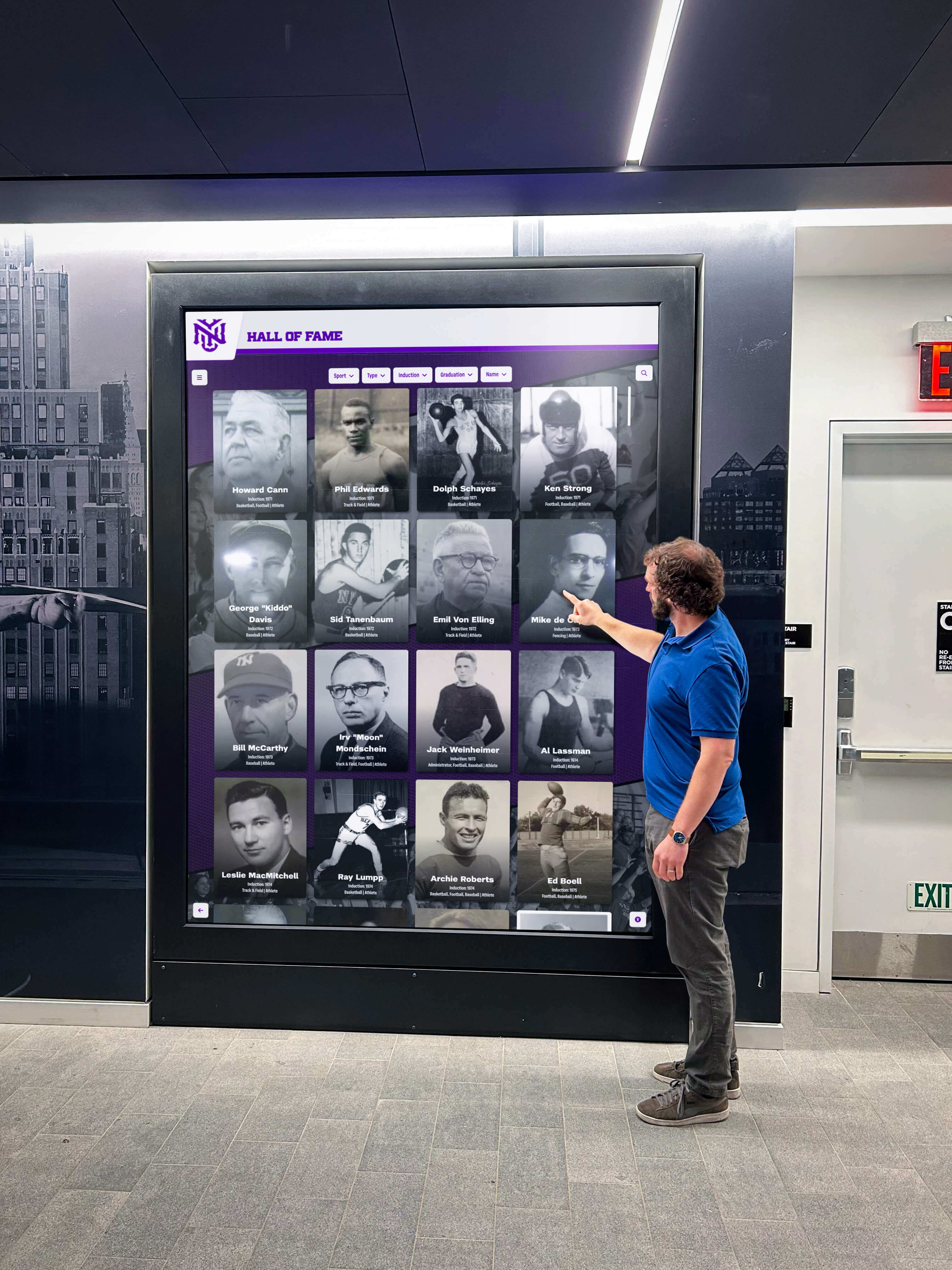
Static directories also provide no spatial context. Even after finding “Room 324” in a printed list, visitors must figure out where that room actually exists—which floor, which wing, which stairwell provides access. This cognitive translation from abstract room numbers to physical locations proves challenging in complex buildings with irregular layouts, multiple wings, and confusing numbering schemes that evolved across decades of construction.
The Staff Interruption Burden
Organizations without effective directory systems burden staff with constant directional inquiries. Front desk personnel, administrative assistants, and any employee visible in hallways face interruptions from lost visitors seeking directions. While individual exchanges seem minor, the cumulative time represents significant productivity loss.
Consider a school office managing 30 directional inquiries daily, averaging three minutes each including the interruption time and refocusing effort. That’s 90 minutes of daily staff time—equivalent to one full-time employee dedicating 20% of their workday exclusively to providing directions. Across a year, this represents 375 hours of productive work time consumed by a problem effective wayfinding systems solve.
The burden intensifies during peak periods. Back-to-school nights, new employee orientations, athletic tournaments, performing arts events, and community programs bring visitor surges overwhelming staff capacity. Front desk staff cannot handle the inquiry volume, creating lines and frustration that undermine event success while preventing staff from focusing on substantive assistance that actually requires human judgment and expertise.
Missed Engagement and Recognition Opportunities
Traditional directories serve purely functional purposes—helping people find destinations. This narrow focus wastes valuable touchpoints where visitors actively engage with organizational content. Someone standing at a directory for two minutes searching for a destination represents a captive audience receptive to additional information, yet static printed lists offer nothing beyond basic navigation.
Organizations invest substantially in recognition programs celebrating achievements, honoring supporters, documenting history, and building community pride. Yet these efforts often remain invisible to visitors who never discover dedicated displays in out-of-the-way locations. Athletic recognition displays, donor walls acknowledging supporters, and achievement galleries remain underutilized despite substantial investment in their creation and maintenance.
Touchscreen directories transform these missed opportunities by combining wayfinding functionality with recognition content, ensuring visitors encounter organizational excellence during those moments when they’re already engaged with interactive displays seeking information.
How Interactive Touchscreen Directories Transform Building Navigation
Modern directory systems address every traditional limitation while creating additional value through enhanced capabilities impossible with static approaches.
Intuitive Multi-Method Search
Well-designed touchscreen directories accommodate how people actually think about destinations rather than forcing visitors to adapt to rigid organizational schemes. Visitors can search by person name, department, room number, service type, or natural language descriptions—the system interprets intent and returns appropriate results regardless of search method.
Someone seeking the registrar might search “registrar,” “registration office,” “enrollment services,” or even “where do I register for classes”—effective systems understand these varied phrasings represent the same underlying need and guide visitors to correct destinations. This flexibility eliminates guessing games where visitors must determine official department names before finding basic information.
Name-based searches prove particularly valuable in professional settings, educational institutions, and medical facilities where visitors typically know who they need to see but not where that person’s office exists. Type a name, see the office location, and receive turn-by-turn directions—a seamless experience that gets visitors to appointments without staff intervention.
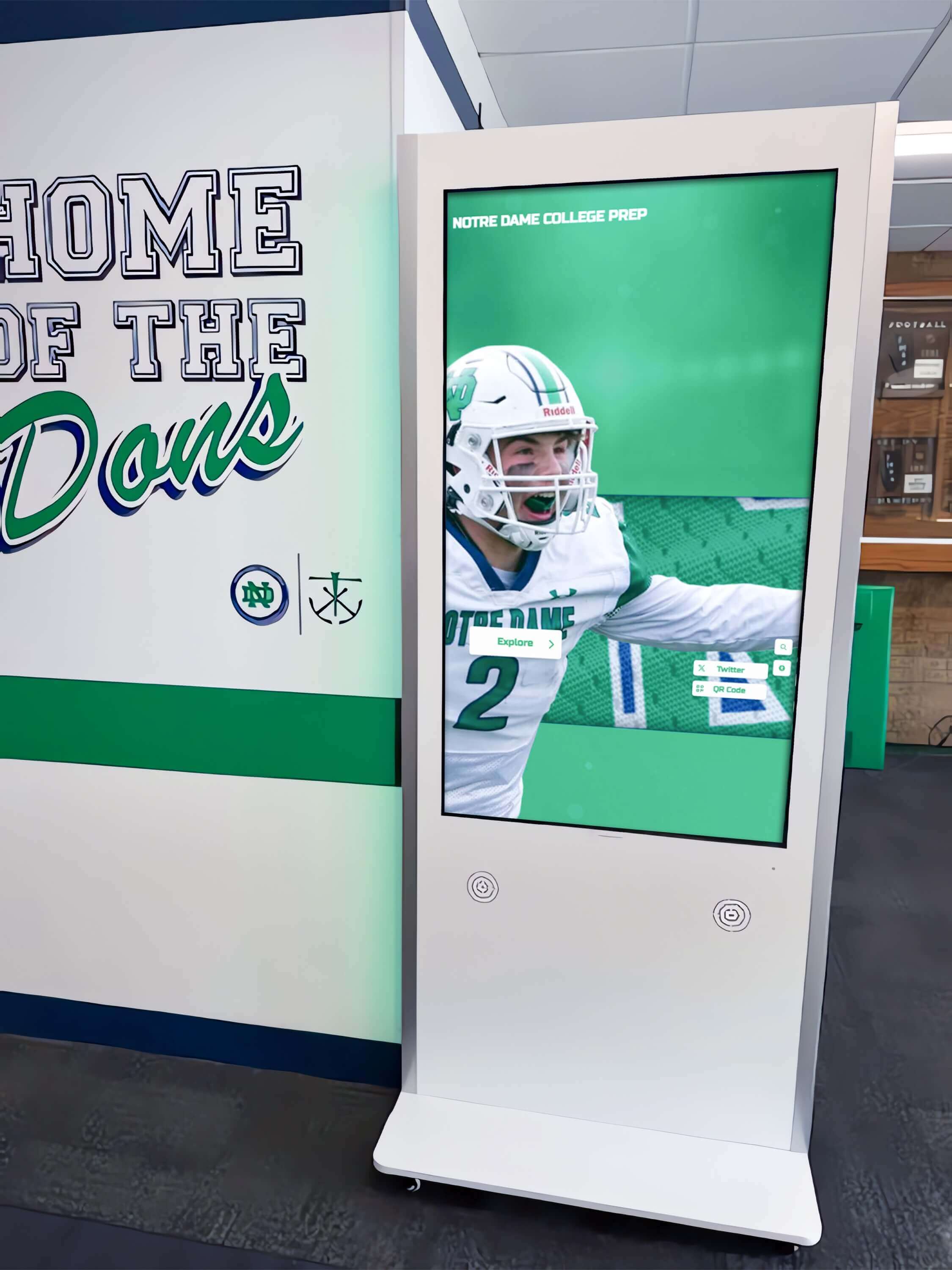
Search functionality extends beyond basic text entry. Voice search accommodates visitors with mobility limitations affecting typing ability. Accessibility features including screen reader compatibility serve visually impaired visitors. Multilingual interfaces provide wayfinding assistance in visitors’ native languages, removing English proficiency as barrier to building navigation.
Visual Mapping and Turn-by-Turn Directions
Interactive maps provide spatial context that printed directories cannot match. Touch-responsive floor plans show building layouts, highlight destination locations, and illustrate recommended walking routes from directory positions to target destinations. Visitors see exactly where they need to go rather than translating abstract room numbers into physical locations through guesswork.
Multi-floor buildings benefit particularly from hierarchical navigation. First, visitors identify the correct floor, then zoom into detailed floor plans showing specific room locations, and finally receive step-by-step directions noting landmarks (“Turn right at the main staircase, proceed past the conference room, destination is third door on left”). These detailed directions accommodate varying levels of spatial reasoning ability, ensuring all visitors can navigate successfully regardless of cognitive style.
Visual wayfinding reduces cognitive load significantly compared to verbal directions or printed maps. Research in environmental psychology demonstrates that most people process spatial information more effectively through visual representations than text descriptions. Seeing a highlighted route on an interactive map creates mental models visitors can follow confidently, whereas text directions (“Go to the third floor, turn left, take the second right, look for room 324”) require working memory capacity that many visitors struggle maintaining while simultaneously navigating unfamiliar spaces.
The spatial context also helps visitors understand building logic—where different departments cluster, how wings connect, which entrances serve which areas—creating familiarity that helps even first-time visitors feel oriented rather than completely lost.
Real-Time Information Updates
Cloud-based directory management eliminates the outdated information problem plaguing traditional directories. Authorized staff update directory content remotely from any internet-connected device without requiring physical access to display hardware. Changes appear immediately across all connected touchscreens throughout buildings or multi-building campuses.
When employees change offices, administrators update directory entries in minutes through intuitive content management interfaces. When departments reorganize, the structural changes reflect immediately in directory search results. When new staff join or services relocate, their information becomes available to visitors the same day without waiting weeks for printed directory updates.
This real-time capability extends beyond basic contact information to include operating hours, service availability, temporary closures, and event information. Offices closed for staff meetings, services moved temporarily during renovations, or special events in particular locations all receive immediate directory updates ensuring visitors receive current, accurate information preventing wasted time traveling to unavailable destinations.
Emergency communication capabilities provide additional value. During facility emergencies, directory systems can display critical safety information, alternate exits, assembly locations, or building closures—leveraging wayfinding infrastructure for essential communications when visitors need reliable information most urgently.
Dual-Purpose Recognition and Community Building
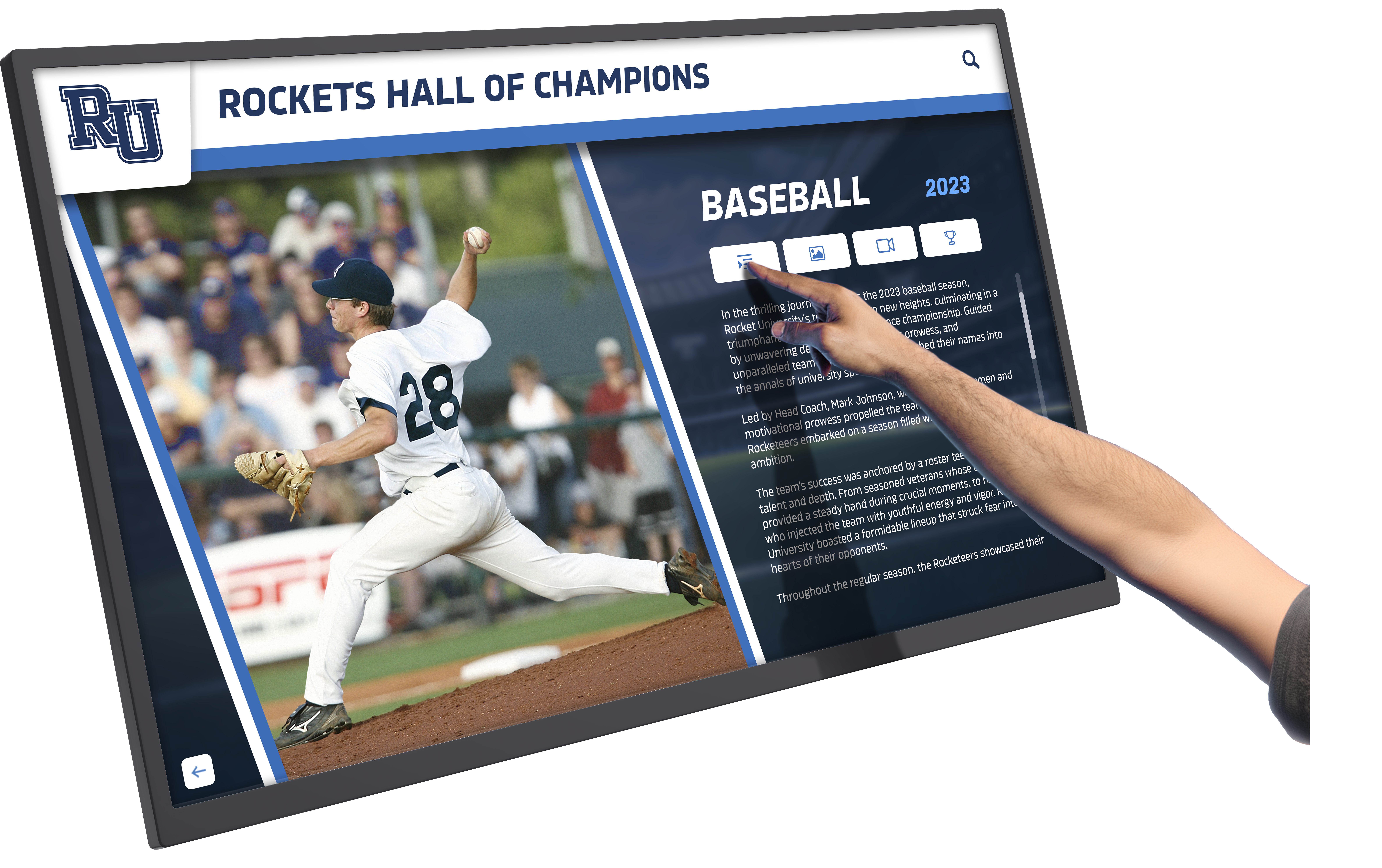
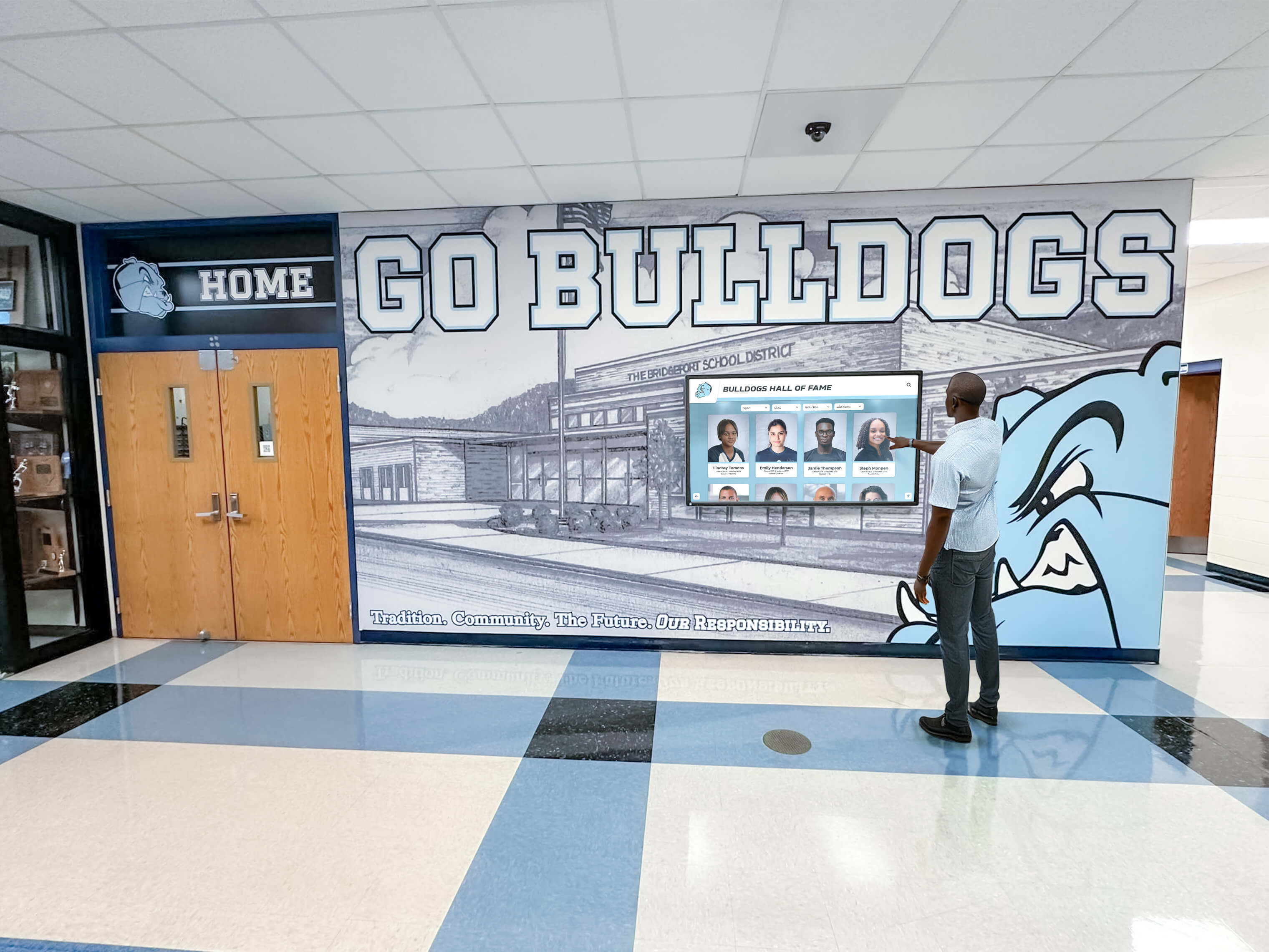
The most strategic touchscreen directory implementations recognize that prominent lobby displays serve multiple purposes simultaneously. Between active wayfinding sessions, directories can showcase employee recognition celebrating workplace excellence, achievement galleries documenting organizational accomplishments, historical content preserving institutional heritage, event promotions driving program participation, and community information building engagement.
This dual-purpose approach maximizes return on hardware investment. Rather than expensive touchscreen displays sitting idle except during brief wayfinding interactions, they function as continuous engagement platforms creating value throughout operating hours. Visitors waiting in lobbies explore recognition content, prospective clients discover organizational achievements during tours, and community members encounter information about programs and services they didn’t know existed.
The digital warming effect emerges through this personalized content surfacing. When employees discover their own recognition in lobby displays, when visitors find unexpected connections to featured achievements, when community members learn about relevant programs—these engagement moments transform cold, purely functional wayfinding tools into warm, community-building experiences that strengthen organizational bonds and institutional pride.
Solutions like Rocket Alumni Solutions excel in this dual-purpose capacity, providing unified platforms that seamlessly integrate wayfinding functionality with comprehensive recognition capabilities. This integration ensures consistent user experiences while enabling organizations to deploy single systems serving both navigation and community engagement missions without requiring separate hardware installations or complex system integrations.
Strategic Implementation Planning for Maximum Value
Successful touchscreen directory deployments require thoughtful planning addressing location selection, hardware specifications, content strategy, and organizational readiness.
Optimal Placement for High Visibility and Usage
Strategic positioning determines whether directory systems actually serve visitor needs or become underutilized technology investments. High-traffic entry points where visitors naturally pause upon entering buildings prove most effective—main lobby areas immediately inside primary entrances, reception desk vicinities where visitors already stop seeking assistance, and building junction points where multiple corridors converge creating natural gathering spaces.
Visibility matters enormously. Prominently positioned directories catch attention, clearly communicating their purpose through location and design. Directories tucked into corners, positioned behind structural elements, or placed in secondary circulation paths receive minimal usage regardless of functional capabilities.
Consider visitor flow patterns during peak periods. Where do prospective clients enter during building tours? Which entrance do parents use when attending evening events? Where do vendors and service providers typically arrive? Position directories serving these high-volume entry points ensures systems reach audiences most needing wayfinding assistance.
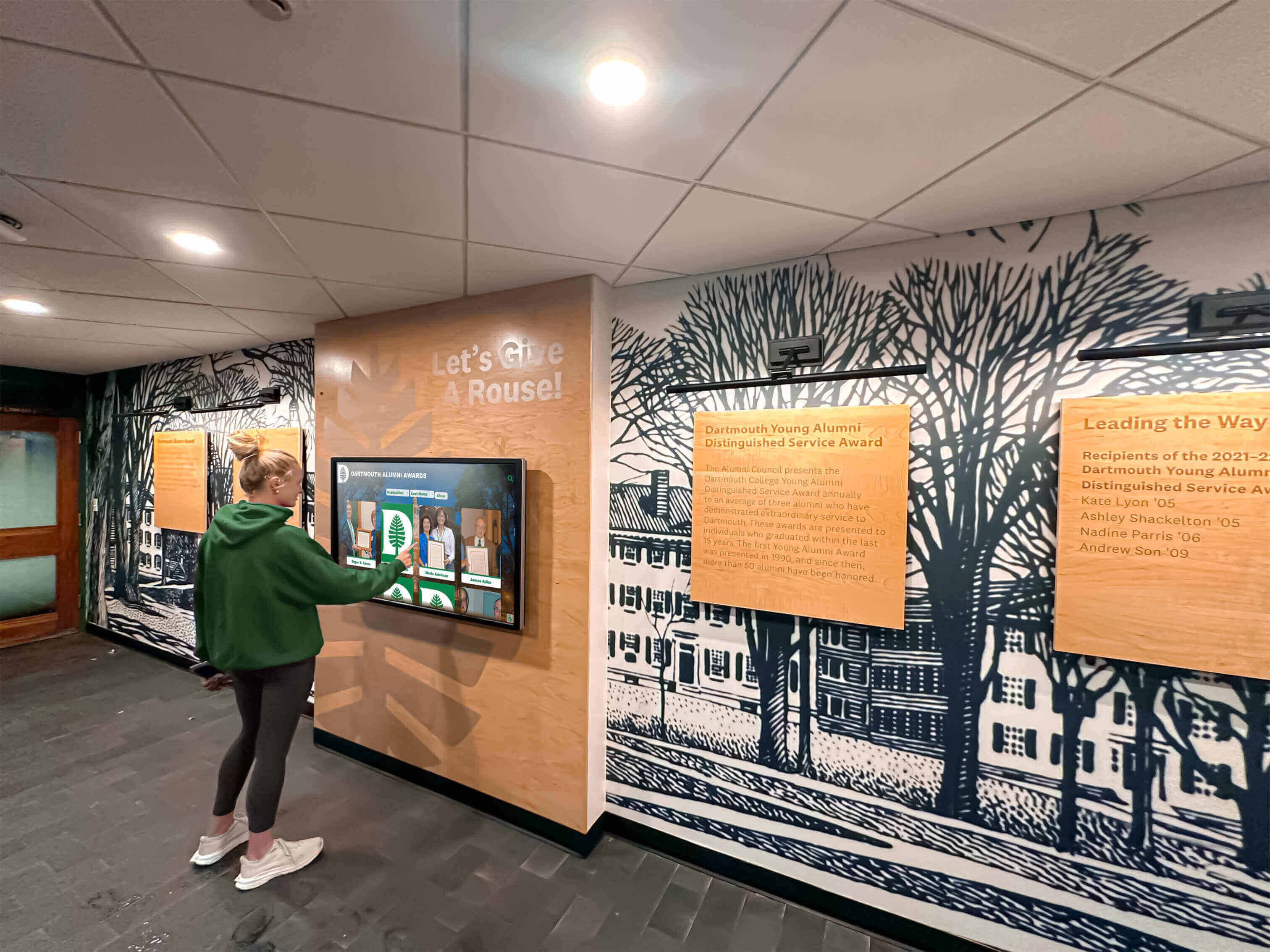
Multi-building campuses or large facilities benefit from distributed directory networks. Single installations near main entrances help incoming visitors but provide no assistance to someone already deep within a building seeking a specific department. Strategic secondary placements at elevator lobbies, floor transition points, and major corridor intersections ensure visitors can access wayfinding assistance wherever confusion occurs.
Accessibility compliance requires thoughtful placement addressing physical access. Touchscreen mounting heights must accommodate wheelchair users while remaining usable for standing visitors. Adequate clear floor space around displays enables approach from multiple angles. Glare from windows or overhead lighting shouldn’t compromise screen visibility. These considerations ensure directories serve all visitors regardless of mobility limitations or physical characteristics.
Hardware Selection and Durability Considerations
Public installations demand commercial-grade equipment designed for continuous operation, heavy usage, and challenging environmental conditions that consumer displays cannot withstand. Screen sizes should balance visibility with available space—42-55 inch displays work well for most lobby applications, while larger spaces accommodate 65-75 inch screens supporting group viewing and visibility from greater distances.
Touchscreen responsiveness proves critical for user satisfaction. Responsive capacitive touch technology provides the intuitive, smartphone-like interaction visitors expect. Poorly responsive screens frustrate users, undermining directory value regardless of software quality. Multi-touch support enables simultaneous operation by multiple visitors examining maps together or parents helping children navigate interfaces.
Display brightness and viewing angles affect usability in varying lighting conditions. Lobbies with substantial natural light require high-brightness commercial displays remaining visible despite ambient light levels that wash out standard screens. Wide viewing angles ensure visibility from multiple approach directions in busy spaces where visitors might view displays from oblique angles rather than directly perpendicular positions.
Environmental protection matters for installations in semi-outdoor locations, climate-controlled spaces with temperature fluctuations, or facilities experiencing dust and humidity. Appropriate environmental ratings ensure reliable operation across actual facility conditions rather than idealized laboratory environments.
Vandalism resistance and physical security considerations vary by facility type and location. Educational facilities, public buildings, and high-traffic environments benefit from ruggedized construction, impact-resistant screens, and secure mounting preventing theft or damage. Tamper-resistant designs discourage unauthorized access to internal components while maintaining aesthetic appeal appropriate for professional environments.
Content Strategy and Information Architecture
Comprehensive content planning ensures directories actually help visitors find destinations rather than creating differently formatted confusion. Information architecture should reflect how visitors conceptualize destinations—searching by personal names, browsing departments and services by category, exploring floor-by-floor building maps, or accessing frequently sought destinations through quick-access shortcuts.
Directory databases require accurate, complete information including full staff listings with office locations, comprehensive department inventories with service descriptions, detailed room-by-room building documentation, operating hours and contact information, accessibility features and amenities, and visual reference points helping visitors recognize landmarks along routes.
Organizations often discover during implementation that existing databases contain incomplete or inconsistent information requiring substantial cleanup and enrichment. This data preparation represents significant but essential effort ensuring directory systems provide reliable information visitors can trust.
Content maintenance processes must ensure ongoing accuracy as organizations evolve. Clear workflows defining who updates directory information, approval requirements for content changes, audit schedules verifying accuracy, and quality standards maintaining consistent data formats all prevent directories from degrading into the outdated uselessness plaguing traditional static approaches.
Recognition content strategy complements wayfinding functionality in dual-purpose implementations. Organizations should identify achievement categories worth celebrating, gather existing recognition content and media assets, establish ongoing processes for adding new recognitions, and determine appropriate content rotation schedules keeping displays fresh without changing so rapidly that visitors cannot explore fully before content cycles away.
Staff Training and Organizational Readiness
Technology alone cannot ensure successful implementation—organizational readiness determines whether directory systems achieve their potential. Staff responsible for content management require comprehensive training covering platform usage, content entry procedures, approval workflows, troubleshooting common issues, and best practices for creating engaging, accessible content.
Multiple departments typically contribute to directory content. Human resources provides employee information, facilities teams supply building and room data, communications departments create recognition content, and IT groups manage technical infrastructure. Cross-departmental coordination ensures seamless content integration while distributing maintenance workload appropriately across responsible parties.
Visitor education helps new systems achieve rapid adoption. Promotional campaigns through websites, social media, email communications, and physical signage direct visitors to new directories. Staff should mention directories proactively when visitors seek directions, building awareness and usage patterns. The transition period requires patience as communities adapt to new navigation resources replacing familiar (if inadequate) traditional approaches.
Organizations should anticipate and address resistance from staff accustomed to traditional directory approaches or skeptical about technology adoption. Demonstrating tangible benefits—reduced interruptions, improved visitor satisfaction, enhanced first impressions—builds staff buy-in essential for sustained success. Including frontline staff in implementation planning ensures solutions address real operational needs rather than imposing theoretical technology solutions disconnected from actual workplace challenges.
Measuring Success and Demonstrating Value
Systematic assessment ensures directory investments achieve organizational objectives while identifying optimization opportunities and justifying continued support.
Usage Analytics and Engagement Metrics
Digital platforms capture quantitative data unavailable with traditional directories. Total interaction volume measures overall usage indicating whether directories actually serve visitor needs. Session duration shows engagement depth—very brief interactions might suggest usability issues, while extended sessions indicate visitors exploring content beyond immediate wayfinding needs. Peak usage times reveal demand patterns informing decisions about additional installations or staff scheduling.
Search query analysis provides invaluable insights into visitor behavior and information needs. Most-searched destinations indicate popular locations that might benefit from quick-access shortcuts. Failed searches reveal missing information or terminology mismatches between how visitors describe destinations and how systems categorize them. Query patterns guide content organization improvements ensuring directories align with actual usage patterns rather than idealized organizational schemes.
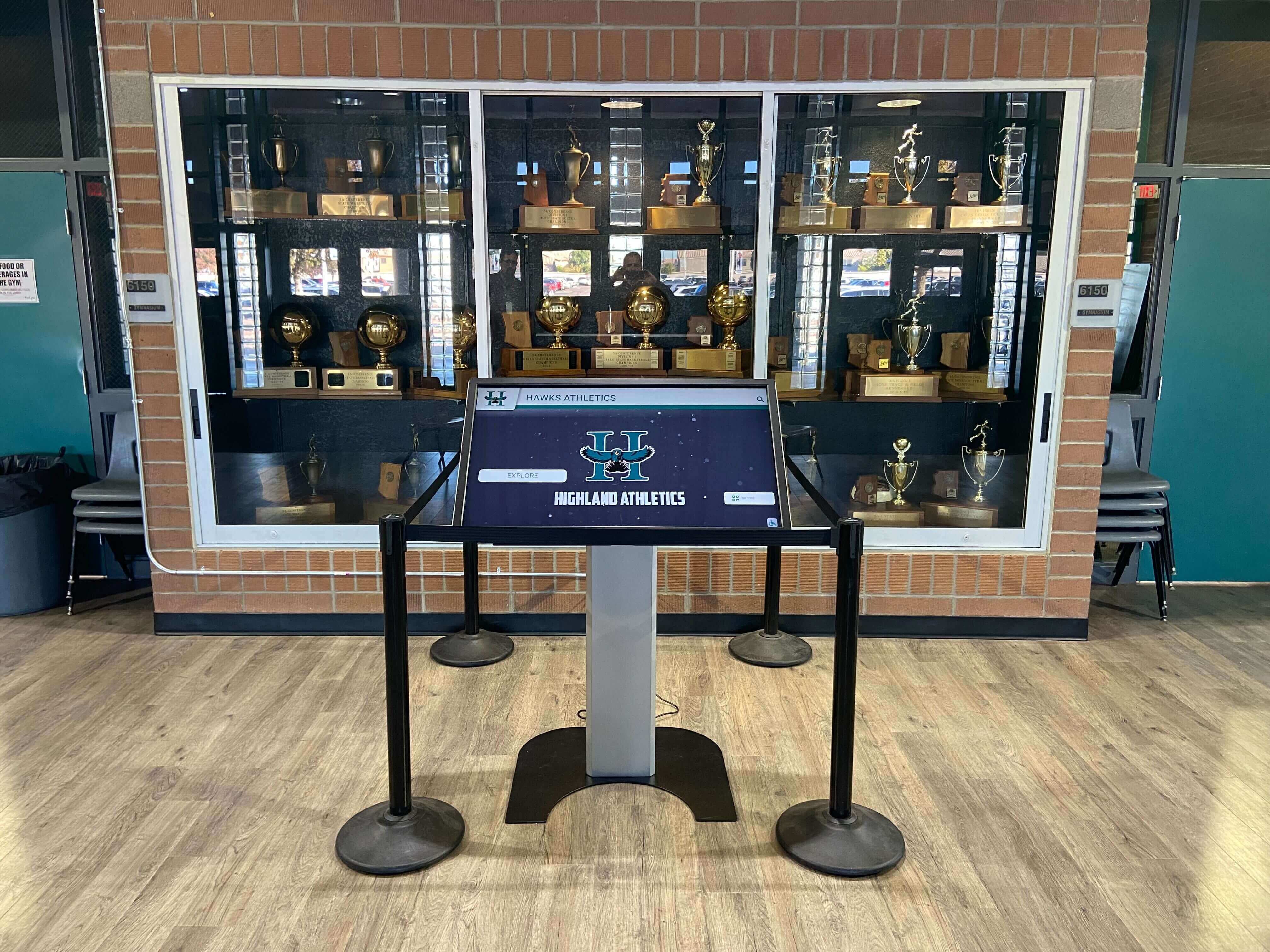
Recognition content engagement metrics demonstrate value beyond pure wayfinding. Interaction with achievement galleries, historical content, and community features shows visitors exploring organizational excellence during those moments when they’re already engaged with directory systems. This engagement supports positioning directory investments as community building tools rather than purely functional overhead.
Geographic and temporal usage patterns reveal whether directory placements effectively serve visitor populations. Consistently low usage at particular locations might indicate poor visibility, inadequate promotion, or placement in areas with limited visitor traffic. This data informs optimization decisions about relocating underutilized hardware, improving signage directing visitors to directory locations, or adding installations in higher-traffic areas experiencing unmet demand.
Operational Impact Assessment
Quantifying directory impact on organizational operations demonstrates tangible value justifying continued investment. Staff time savings represent the most direct, measurable benefit. Organizations can survey front desk and administrative staff about reduced directional inquiries, estimate time savings per avoided interruption, and calculate annual labor cost reductions—often exceeding directory system costs within the first year alone.
Visitor satisfaction improvements manifest through multiple indicators. Guest feedback surveys, prospective client conversion rates, event attendance patterns, and service utilization all potentially improve when wayfinding challenges no longer create negative experiences. While numerous factors influence these outcomes, consistent positive feedback about navigation ease following directory implementation suggests systems contribute meaningfully to overall visitor satisfaction.
Print material cost reductions create ongoing budget relief. Eliminating periodic printed directory updates, reducing building map production, and decreasing wayfinding signage maintenance all generate quantifiable expense reductions. Comparing annual print costs before and after directory implementation documents direct financial benefits.
Accessibility compliance improvements carry both legal and ethical weight. Interactive directories meeting WCAG accessibility standards serve visitors with diverse abilities far more effectively than traditional printed directories, reducing discrimination risk while demonstrating organizational commitment to inclusive practices.
Stakeholder Feedback and Continuous Improvement
Qualitative feedback provides essential context quantitative metrics cannot capture. Visitor comments reveal whether directories genuinely help or whether usability issues prevent effective navigation despite impressive technology. Direct observation of directory usage patterns identifies confusion points, successful navigation paths, and spontaneous user behaviors informing iterative improvements.
Staff perspectives matter particularly for systems intended reducing administrative burden. Frontline employees can confirm whether directional inquiries actually decreased, identify gaps in directory information, and suggest functionality enhancements based on repeated visitor questions that directories should address but currently don’t.
Regular content audits verify information accuracy and completeness. Random sampling of directory listings, comparison against authoritative databases, and systematic accuracy testing ensure directories maintain the reliability visitors depend on. Scheduled audits prevent slow degradation where small inaccuracies accumulate until directories lose credibility and visitors stop trusting information provided.
Organizations should establish feedback mechanisms enabling continuous improvement. Simple on-screen satisfaction surveys, comment cards near directories, periodic user testing sessions, and stakeholder advisory groups all generate insights informing ongoing optimization ensuring systems remain valuable years after initial implementation excitement fades.
Building Warmer Communities Through Wayfinding Excellence
Navigation represents far more than utilitarian necessity—it shapes first impressions, influences organizational perceptions, and creates opportunities for meaningful engagement during moments when visitors actively seek information and assistance. Traditional directory approaches treated wayfinding as purely functional infrastructure, missing opportunities to create welcoming experiences that demonstrate institutional investment in visitor success while showcasing organizational excellence.
Touchscreen building directories transform navigation from frustrating necessity into engaging experience. Intuitive search functionality respecting how people actually think about destinations, visual mapping providing spatial context reducing cognitive load, real-time information updates ensuring accuracy visitors can trust, and dual-purpose implementations combining wayfinding with recognition content—these capabilities create the digital warming effect where helpful, personalized content surfaces turn cold, impersonal building lobbies into welcoming spaces that serve visitor needs while building community connections.

The return on investment extends beyond measurable staff time savings and print cost reductions to encompass improved first impressions during recruitment, enhanced visitor satisfaction supporting organizational reputation, better accessibility serving diverse populations, and engagement opportunities showcasing achievements that visitors otherwise never discover. These benefits serve fundamental organizational priorities around community building, institutional pride, and operational excellence.
Strategic implementation requires thoughtful planning addressing placement optimization, hardware specifications appropriate for demanding public environments, content strategy reflecting visitor needs and organizational structure, and change management building staff adoption and community awareness. Organizations approaching directory projects systematically—engaging stakeholders, defining success metrics, planning maintenance processes, and committing to continuous improvement—position these systems for long-term success rather than becoming underutilized technology installations gathering dust in corners.
Solutions like Rocket Alumni Solutions provide comprehensive platforms specifically designed for dual-purpose wayfinding and recognition applications. Purpose-built directory functionality, intuitive content management enabling non-technical staff updates, sophisticated search accommodating varied visitor needs, unlimited recognition capacity celebrating achievements without space constraints, web accessibility extending content beyond physical displays, and professional design templates maintaining institutional dignity while delivering contemporary engagement—these capabilities address the unique requirements of organizations seeking maximum value from directory investments.
Every facility managing visitor wayfinding challenges—schools welcoming prospective families, offices guiding clients to meetings, hospitals helping patients find departments, universities orienting students and alumni, corporate campuses accommodating vendors and visitors—faces opportunities to transform navigation from frustrating obstacle into welcoming experience that serves immediate needs while showcasing organizational excellence during those moments when visitors actively engage with institutional content.
Your facility deserves wayfinding systems that guide visitors efficiently while demonstrating the investment in experience quality, community building, and operational excellence that define your organizational character. With thoughtful planning, appropriate technology partnerships, and commitment to comprehensive implementation, you can transform directories from outdated printed lists into engagement platforms that welcome visitors, reduce staff burden, and build the warm, connected communities where people thrive.
Ready to explore how interactive directory systems could transform visitor experience at your facility? Talk to our team to discover how organizations create warmer, more welcoming environments through touchscreen building directories that guide visitors while celebrating achievements and building community engagement.































