




Intent: demonstrate — Touch screen kiosk software transforms static public displays into dynamic, interactive experiences that engage visitors, surface personalized content, and create warm digital communities. These specialized software platforms power everything from recognition displays and wayfinding systems to information kiosks and interactive exhibits, fundamentally changing how organizations connect with their audiences.
Unlike generic digital signage that simply broadcasts content, interactive kiosk software invites exploration, enables discovery, and adapts to individual user interests. The right software platform determines whether touchscreen hardware becomes an underutilized technology investment or a vibrant engagement hub that draws visitors back repeatedly while serving organizational goals.
This comprehensive guide explores touch screen kiosk software through the lens of community engagement and digital warming—how the right software architecture transforms cold, impersonal technology into inviting experiences that strengthen connections and build active, engaged communities.
The touch screen kiosk software landscape has evolved dramatically as organizations recognize that hardware represents only half the equation. While impressive displays catch initial attention, compelling software experiences determine whether visitors engage deeply or walk away after cursory glances. The digital warming effect—transforming passive displays into active engagement platforms—depends entirely on software that invites interaction rather than intimidating or frustrating visitors.
Organizations implementing interactive touchscreen displays across schools, museums, corporate environments, and public spaces discover that software architecture fundamentally shapes user experience quality, content management complexity, and long-term operational success. The gap between excellent and mediocre kiosk software manifests in engagement duration, return visit frequency, and whether displays achieve their community-building objectives.

Modern touch screen kiosk software combines intuitive interfaces with powerful content management capabilities
Understanding Touch Screen Kiosk Software
Touch screen kiosk software provides the interface layer between touchscreen hardware and content, enabling interactive experiences that respond to user inputs while managing content display, navigation, and data presentation.
Core Components of Kiosk Software Platforms
Effective kiosk software integrates several essential elements working together to create cohesive experiences:
User Interface and Interaction Design The front-end interface determines how visitors interact with displays through touch-optimized navigation, appropriately sized interactive elements, clear visual hierarchies, and intuitive browsing patterns requiring minimal instruction. Well-designed interfaces accommodate all skill levels from digitally sophisticated users to those uncomfortable with technology.
Content Management System (CMS) Backend management platforms enable authorized staff to add content, schedule publications, update existing information, organize categories, and manage media libraries without technical expertise. Cloud-based CMSs provide remote access enabling updates from anywhere without touching physical hardware.
Media Handling and Display Robust media management supports diverse content types including high-resolution photos, video playback, PDF documents, web content integration, and interactive elements while optimizing performance across file formats and sizes.
Search and Discovery Features Sophisticated search capabilities enable users to find specific information through text search, category browsing, filtered results, and intelligent suggestions guiding exploration beyond initial queries. Search quality significantly impacts user satisfaction and engagement depth.
Data Integration and Dynamic Content Advanced platforms connect with external databases, CRM systems, scheduling platforms, and third-party services, enabling dynamic content that updates automatically based on real-time data rather than requiring manual content refreshes.
Analytics and Engagement Tracking Usage analytics reveal interaction patterns, popular content, search queries, session duration, and navigation paths informing content optimization and demonstrating platform value through quantifiable engagement metrics.
Types of Touch Screen Kiosk Software
Different implementation contexts require specialized software approaches:
Information Kiosk Software Wayfinding displays, directory systems, and information platforms help visitors navigate facilities, find departments or people, access schedules and events, and discover available services. Educational institutions, healthcare facilities, corporate campuses, and public buildings deploy information kiosks simplifying navigation.
Recognition and Engagement Platforms Purpose-built recognition software celebrates achievements through digital hall of fame systems, donor recognition walls, employee achievement displays, and community honor boards. These platforms emphasize profile presentation, search capabilities, and social sharing features amplifying recognition impact.
Interactive Exhibit Software Museums, visitor centers, and educational exhibits use specialized software supporting multimedia presentations, interactive learning modules, gamified experiences, and educational content delivery engaging visitors while supporting learning objectives.
Self-Service Transaction Platforms Retail, hospitality, and service environments implement kiosk software enabling check-ins, order placement, ticket purchasing, registration processes, and information access reducing staffing requirements while improving service speed and convenience.
Digital Signage with Touch Integration Traditional digital signage platforms increasingly incorporate touch capabilities enabling transition from passive content display to interactive exploration when visitors choose to engage while maintaining scheduled content rotation when untouched.

Effective kiosk software creates intuitive experiences requiring minimal instruction
Key Features of Effective Kiosk Software
Superior kiosk platforms share common attributes distinguishing them from basic alternatives that frustrate users and limit engagement potential.
Touch-Optimized Interface Design
Interface design specifically for touch interactions proves essential for positive user experiences:
Appropriately Sized Touch Targets Interactive elements sized for finger inputs (minimum 44×44 pixels) with adequate spacing prevent accidental activations. Comfortable touch target sizing proves especially important for older users, those with motor control challenges, and situations where users wear gloves or interact from awkward angles.
Immediate Visual Feedback Touch interactions require instant visual confirmation through button state changes, ripple effects, loading indicators, or transitional animations confirming the system registered inputs. Delays between touch and response create frustration and repeated, increasingly forceful touches damaging hardware.
Clear Visual Hierarchy and Navigation Intuitive information architecture enables users to understand available options, navigate between sections, return to previous screens, and orient within content structures without confusion. Breadcrumb navigation, clear back buttons, and persistent home access prevent users from feeling lost.
Gesture Support Beyond Simple Taps Advanced interfaces support multi-touch gestures including pinch-to-zoom for images and maps, swipe navigation for galleries and carousels, two-finger scrolling for long content, and other familiar mobile device interactions creating more natural experiences.
Robust Content Management Capabilities
Behind every engaging display sits content management determining operational efficiency:
Intuitive Administrative Interfaces Non-technical staff must confidently manage content through WYSIWYG editors, drag-and-drop media uploads, template-based profile creation, and clearly labeled organization without requiring training for every update. Complex administrative interfaces create dependencies on technical staff or vendors.
Remote Cloud-Based Access Modern kiosk software enables management from any internet-connected device, eliminating requirements for physical access to hardware. Cloud-based management proves essential for organizations with multiple displays, distributed locations, or limited on-site technical support.
Role-Based Permission Systems Sophisticated platforms support multiple user roles with appropriate permissions enabling content contributors, editors, approvers, and administrators with different access levels maintaining security while enabling collaborative content management across departments.
Scheduled Publishing and Content Expiration Time-based publishing schedules content appearance for specific dates and times—perfect for coordinating with events, induction ceremonies, or announcements—while automatic expiration removes time-sensitive content without manual intervention.
Bulk Import and Data Migration Comprehensive content libraries migrate efficiently through CSV imports, API integrations, or database connections rather than requiring manual entry for each item. Historical content digitization from existing databases, spreadsheets, or legacy systems accelerates initial implementation.
Accessibility and Inclusive Design
Public-facing kiosks must serve all community members including those with disabilities:
WCAG Compliance and Screen Reader Support Properly coded interfaces support screen readers enabling vision-impaired users to navigate and consume content through audio. Text alternatives for images, semantic HTML structure, keyboard navigation support, and ARIA labels ensure accessibility.
Adjustable Text Sizes and High Contrast Modes Users with vision challenges benefit from adjustable text sizing, high contrast color schemes, and customizable display settings accommodating varying visual capabilities without requiring assistance.
Physical Accessibility Considerations Beyond software, kiosk installations require appropriate mounting heights, adequate clear floor space for wheelchair access, and adjustable viewing angles. Software complements physical accessibility through clear, simple interfaces requiring minimal complex interactions.
Multi-Language Support International communities, diverse populations, and educational environments serving non-English speakers benefit from multilingual interfaces supporting content translation and language selection enabling access in users’ preferred languages.
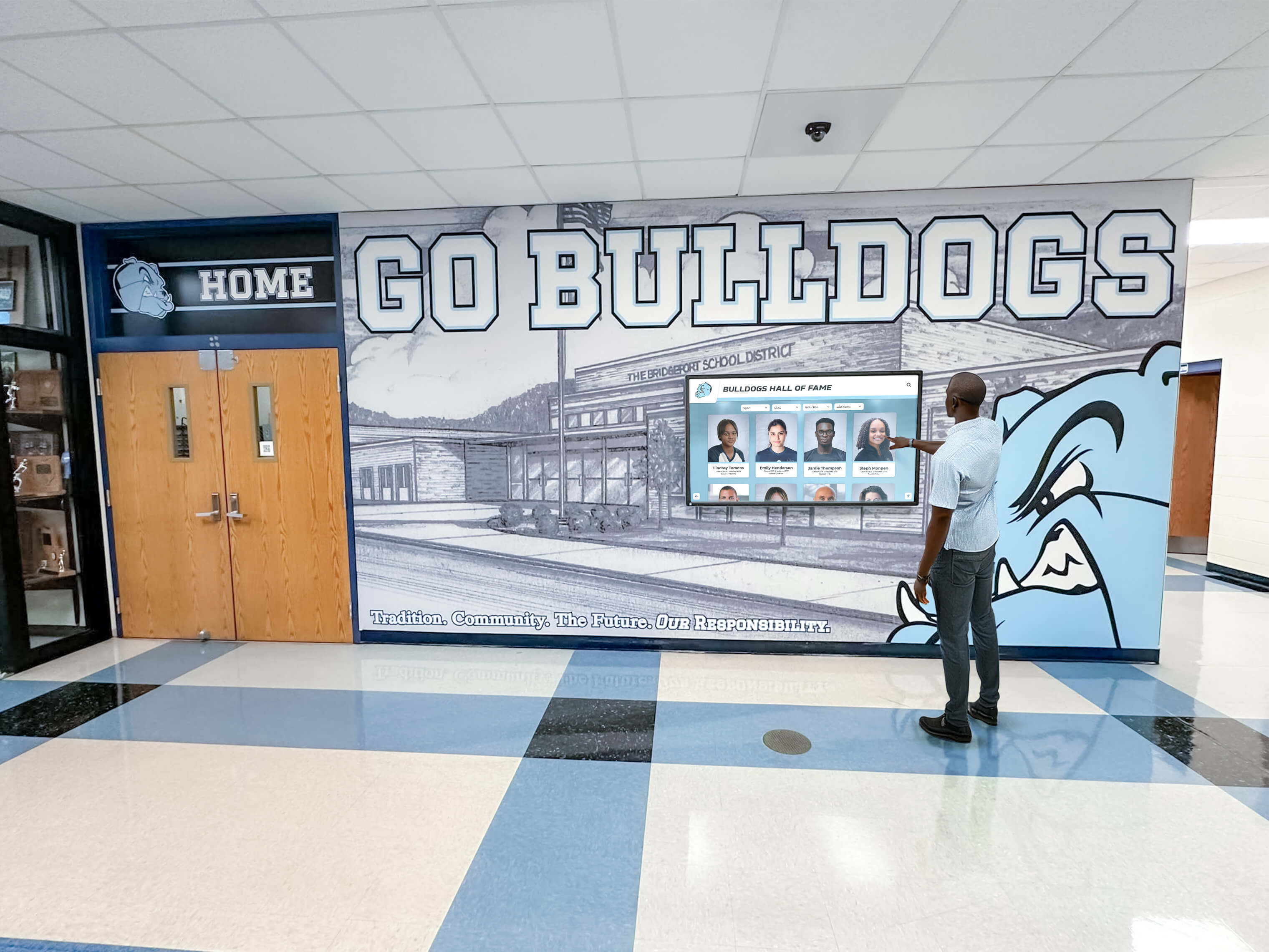
Accessible kiosk software ensures all community members can engage regardless of ability
Web-Based vs Native Kiosk Applications
Fundamental software architecture decisions significantly impact performance, maintenance, and user experience quality.
Web-Based Kiosk Software Platforms
Web-based solutions run through internet browsers rather than operating system-specific applications:
Advantages of Web-Based Approaches Cross-platform compatibility enables single codebases serving Windows, Apple, Android, and Linux devices without platform-specific development. Remote content updates deploy instantly to all connected displays without device-specific update distribution. Lower development costs result from abundant web developer availability compared to specialized native application expertise.
Organizations implementing web-based touchscreen solutions benefit from simplified deployment across diverse hardware while maintaining centralized content control through cloud-based management platforms.
Web-Based Platform Limitations Performance overhead from browser intermediation may affect responsiveness compared to native applications executing directly on operating systems. Network dependency creates vulnerabilities when connectivity fails unless sophisticated offline caching strategies are implemented. Hardware integration limitations restrict access to specialized peripherals or sensors requiring operating system-level access.
Progressive Web App (PWA) Middle Ground Modern PWA technologies bridge gaps between traditional web applications and native apps through offline functionality via service workers, installation to home screens creating app-like launching, push notification support, and enhanced performance through advanced caching strategies.
Native Kiosk Applications
Platform-specific applications execute directly on device operating systems:
Native Application Advantages Superior performance leverages full device resources without browser overhead, delivering faster load times, smoother animations, and more responsive interactions. Complete offline functionality operates independently of network connectivity ensuring reliability regardless of internet availability. Deep hardware integration accesses specialized sensors, peripherals, and device capabilities browsers restrict for security reasons.
Native Development Challenges Higher development costs result from specialized expertise requirements and platform-specific development for each operating system. Complex update distribution requires building new versions, distributing files, and ensuring device installation rather than instant server-side updates. Cross-platform deployment multiplies development efforts creating separate iOS, Android, Windows, and other platform-specific builds.
Selecting the Right Architecture
Architecture decisions depend on organizational priorities and use case requirements:
Organizations prioritizing ease of deployment, simplified content management, and cross-platform compatibility favor web-based solutions providing operational advantages outweighing potential performance tradeoffs. Installations requiring guaranteed uptime regardless of connectivity, premium performance, or specialized hardware integration justify native development investments.
Purpose-built platforms like Rocket Alumni Solutions optimize web architectures specifically for recognition and engagement applications, addressing traditional web limitations through touch-optimized interfaces, smart offline caching, and performance optimizations creating native-quality experiences through web technologies.
Essential Kiosk Software Features for Recognition Applications
Recognition displays require specialized capabilities beyond generic information kiosks:
Comprehensive Profile Management
Recognition software must elegantly present individual and group profiles:
Detailed Biographical Presentations Profiles accommodate comprehensive information including achievement descriptions, career highlights, biographical narratives, statistics and records, quotes and testimonials, and awards and honors creating meaningful recognition beyond simple name-and-date plaques.
Rich Multimedia Integration Effective recognition incorporates multiple photos showcasing different career moments, video highlights and testimonials, document integration for certificates or articles, and audio content including speeches or interviews creating multi-dimensional presentations.
Relationship and Connection Mapping Advanced platforms reveal connections between inductees, teammates, coaches, family relationships, mentorship connections, and shared achievements helping users discover relevant content beyond direct searches while illustrating community networks.
Timeline and Chronological Organization Historical context through timeline presentations, year-based organization, era-specific theming, and achievement progression tracking helps users understand recognition within broader institutional history.
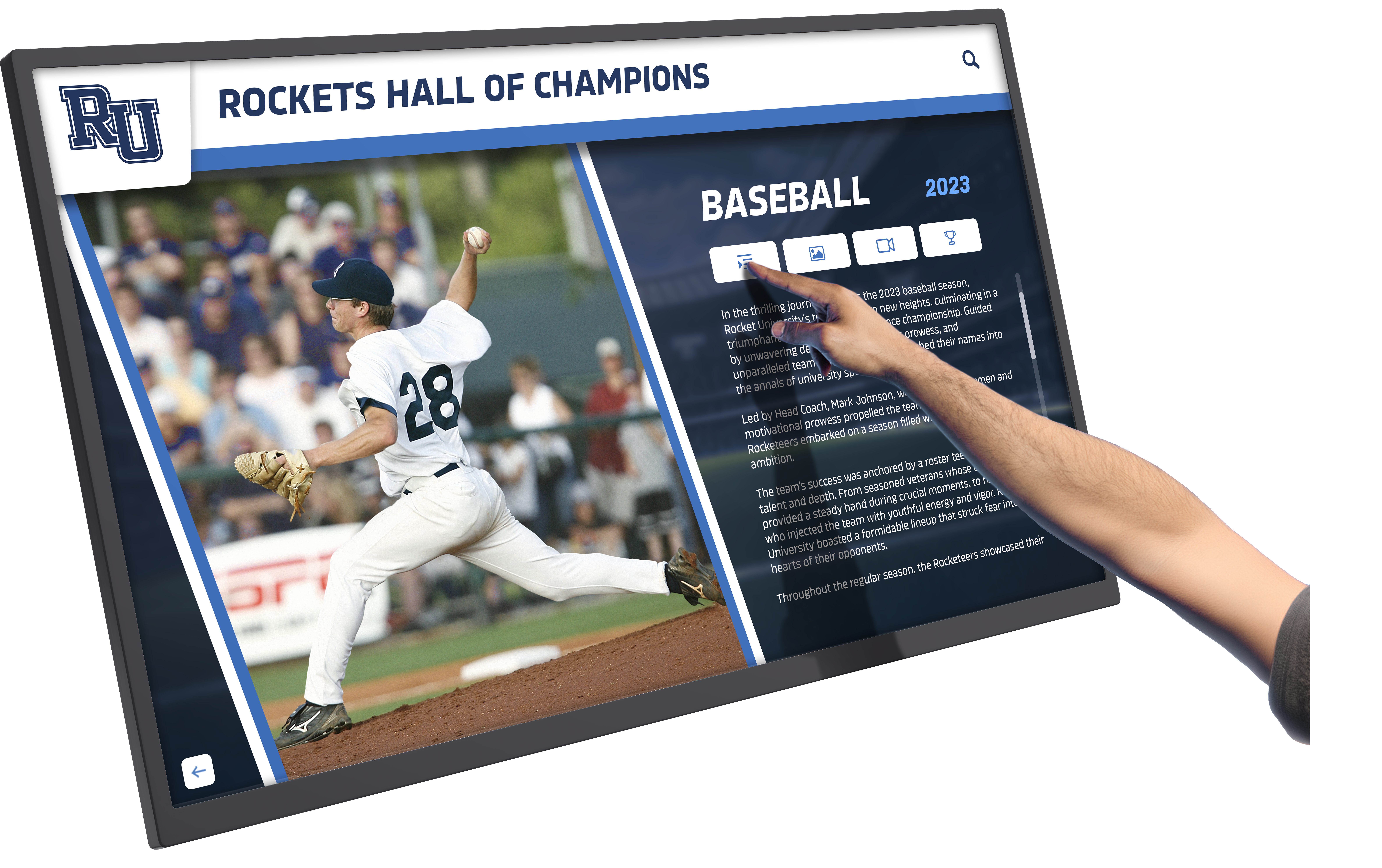
Recognition software showcases detailed profiles with photos, statistics, and biographical information
Advanced Search and Discovery
Helping users find relevant content determines engagement depth:
Intelligent Text Search Robust search accommodates partial names, alternate spellings, maiden names, nicknames, and common misspellings while providing real-time suggestions and autocomplete functionality guiding users toward relevant results.
Multi-Faceted Filtering Systems Filters enable users to narrow results by graduation year, sport or activity, achievement type, category or program, era or time period, and other relevant criteria creating targeted exploration paths matching user interests.
Featured Content and Automated Rotation Curated content highlights ensure all recognized individuals receive visibility through rotating featured profiles, anniversary recognition spotlights, achievement milestone highlights, and seasonal or thematic collections maintaining fresh content for repeat visitors.
Browse by Relationship and Category Intuitive browsing paths beyond search include alphabetical directories, year-based organization, program or activity groupings, and achievement category browsing accommodating users who prefer exploration over targeted search.
Social Amplification and Extended Reach
Recognition impact extends far beyond physical displays through digital sharing:
Shareable Digital Profiles Individual profile URLs enable recognized members to share achievements via social media, email, and messaging amplifying recognition reach far beyond physical campus visits while promoting institutional pride among extended networks.
QR Code Mobile Access Physical displays integrate QR codes enabling visitors to continue exploration on personal mobile devices, combining public touchscreen experiences with convenient mobile browsing accommodating different user preferences and device comfort levels.
Social Media Integration Direct sharing to Facebook, Twitter, LinkedIn, and other platforms with optimized preview images, compelling descriptions, and proper metadata encourages organic amplification extending recognition visibility throughout community networks.
Email and Communication Tools Built-in sharing via email with customizable messages enables users to share profiles with family, friends, and colleagues while capturing contact information supporting relationship building and advancement goals.
Kiosk Software for Educational Institutions
Schools, colleges, and universities represent the largest kiosk software implementation context:
Athletic Recognition and Record Keeping
Sports programs benefit tremendously from digital recognition systems:
Comprehensive Athlete Profiles Individual athlete recognition includes complete statistics across seasons, career highlights and achievements, championship contributions, photos from playing days, biographical information and stories, and post-graduation updates maintaining ongoing connections.
Team Achievement Archives Championship teams receive permanent recognition with complete rosters, season statistics and records, game highlights and memorable moments, coaching staff recognition, and historical context explaining team significance within program traditions.
Auto-Ranking Record Boards Dynamic record boards automatically surface top performances across statistical categories, updating automatically as new achievements occur while maintaining historical context showing record progression over decades. Schools implementing digital record boards eliminate manual updates required by traditional painted boards.
Multi-Sport Comprehensive Systems Single installations accommodate recognition across all sports providing equitable visibility previously impossible with limited trophy case space. Comprehensive athletic recognition ensures all programs receive comparable celebration regardless of program prominence or budget.

Athletic recognition software celebrates achievements across all sports and programs
Academic Achievement Recognition
Intellectual accomplishments deserve visibility comparable to athletic recognition:
Honor Roll and Academic Excellence Quarterly and annual academic recognition provides systematic visibility for intellectual achievement celebrating GPA milestones, perfect attendance records, subject-specific excellence, improvement and growth, and academic competition success reinforcing the value of educational pursuits.
National Recognition Programs AP Scholar awards, National Merit recognition, honor society membership, competition achievements, and scholarship recipients receive prominent celebration highlighting college readiness and academic excellence inspiring younger students.
Program-Specific Recognition Career and technical education certifications, performing arts achievements, STEM competition success, research and publications, and specialized program accomplishments receive equal recognition alongside traditional academic metrics creating comprehensive achievement celebration.
Alumni and Historical Archives
Institutional memory preservation connects current communities with heritage:
Distinguished Alumni Recognition Detailed profiles celebrate career accomplishments, community service and leadership, professional recognition and awards, institutional contributions and giving, and personal stories inspiring current students while honoring successful graduates.
School Historical Timelines Interactive timelines document institutional evolution through founding and establishment stories, facility development and growth, leadership transitions and eras, significant events and milestones, and cultural traditions and customs preserving heritage for future generations.
Yearbook and Photo Archives Digitized historical photographs from yearbooks, event documentation, facility changes over time, and community moments create visual records preserving institutional memory while making history accessible and engaging.
Kiosk Software for Museums and Cultural Institutions
Museums and cultural organizations require specialized engagement capabilities:
Interactive Exhibit Experiences
Educational exhibits benefit from software supporting diverse presentation methods:
Multimedia Exhibit Presentations Comprehensive content delivery integrates video documentaries and interviews, audio narration and descriptions, high-resolution image galleries, interactive maps and timelines, and 3D model viewing creating rich educational experiences engaging diverse learning styles.
Gamification and Interactive Learning Engagement increases through quiz and trivia challenges, scavenger hunts and discovery missions, achievement badges and progress tracking, comparative analysis and exploration tools, and hands-on simulations bringing educational content to life.
Multi-Language Exhibit Content International audiences access exhibits in preferred languages through on-demand translation, audio guide integration, simplified and technical versions accommodating different knowledge levels, and cultural context appropriate to diverse backgrounds.
Collection Management Integration
Museums benefit from kiosk software connecting with collection databases:
Searchable Collection Databases Visitors explore comprehensive collections beyond physical exhibits through keyword search across collections, filtered browsing by era, medium, or theme, related item suggestions, and virtual galleries showcasing items not currently displayed.
Curator Commentary and Context Expert insights enhance visitor understanding through curator notes and interpretations, conservation stories and techniques, provenance and acquisition histories, and connections to broader historical contexts deepening appreciation.
Virtual Tours and Remote Access Kiosk experiences extend beyond physical visits through web-based collection access, virtual exhibit tours, educational resources and lesson plans, and research tools supporting scholarly inquiry accessible globally.

Museum kiosk software creates engaging educational experiences for diverse audiences
Content Management Best Practices
Compelling content determines whether sophisticated software achieves engagement goals:
Creating Engaging Kiosk Content
Thoughtful content development maximizes user engagement:
Clear, Scannable Information Architecture Users interact with kiosks differently than websites or books, requiring concise text optimized for scanning, clear headings and subheadings, bullet points and short paragraphs, visual hierarchy through text sizing and spacing, and progressive disclosure revealing details on demand rather than overwhelming initial presentations.
High-Quality Visual Assets Visual content drives engagement through high-resolution photos properly sized and optimized, consistent image treatment and styling, professional video editing and compression, appropriate media formats for smooth playback, and alt text and descriptions supporting accessibility.
Narrative and Storytelling Approaches Compelling content tells stories beyond facts through personal narratives and anecdotes, historical context and significance, obstacle-overcoming journeys, character attributes and values demonstrated, and connections to broader institutional missions creating emotional resonance.
Regular Content Updates and Refreshes Maintaining current, relevant content requires scheduled additions aligned with events, profile updates with new information, featured content rotation ensuring visibility for all entries, seasonal or thematic collections, and community-contributed enhancements enriching existing content.
Managing Kiosk Content Efficiently
Sustainable operations require thoughtful content management processes:
Standardized Templates and Style Guides Consistent presentation emerges from profile templates ensuring comparable recognition, style guides defining voice and tone, image specifications and formatting requirements, data field standards and requirements, and quality checklists verifying completeness before publication.
Collaborative Workflow Systems Multi-person content management benefits from clear role definitions and responsibilities, content contribution and editing workflows, approval processes ensuring quality control, version tracking and change logs, and notification systems alerting relevant staff to required actions.
Content Migration and Bulk Operations Efficiently populating comprehensive content libraries requires CSV import capabilities for structured data, database integration and synchronization, bulk editing and update operations, automated data transformation and cleanup, and incremental migration strategies preventing overwhelming initial workloads.
Archive and Version Management Long-term content stewardship needs archived content preserving removed profiles, version history tracking changes over time, backup and disaster recovery procedures, media library organization and pruning, and documentation explaining content decisions and sources.
Kiosk Software Implementation Planning
Successful implementations follow systematic approaches addressing technical and organizational requirements:
Requirements Definition and Stakeholder Alignment
Clear objectives guide software selection and configuration:
Use Case and Purpose Clarification Determine primary kiosk purposes—recognition and celebration, wayfinding and information, educational content delivery, transactional self-service, or comprehensive multi-purpose applications—shaping feature requirements and interface design priorities.
Audience Analysis and User Personas Understanding who will interact with kiosks informs design decisions considering age ranges and technical comfort levels, disability accommodations and accessibility needs, language preferences and cultural contexts, typical use scenarios and goals, and environmental factors affecting interaction.
Content Scope and Volume Planning Anticipate content requirements including initial content volume and complexity, expected growth rates and ongoing additions, multimedia requirements and file sizes, historical content migration priorities, and maintenance capabilities ensuring sustainable operations.
Integration Requirements Identify necessary connections with existing databases and CRM systems, scheduling and calendar platforms, payment processing for transactions, authentication and access control systems, and analytics platforms capturing engagement data.
Hardware Selection and Installation Planning
Software capabilities require appropriate hardware support:
Display Sizing and Configuration Consider viewing distances and audience sizes, content complexity and information density, single versus multi-screen configurations, orientation (portrait, landscape, or adjustable), and environmental factors like lighting conditions and ambient noise affecting visibility and usability.
Hardware Specifications and Durability Public installations require commercial-grade displays designed for continuous operation, robust touchscreen technologies resisting heavy use, adequate computing power supporting responsive performance, sufficient storage for local content caching, and reliable network connectivity through wired or wireless connections.
Installation Location Strategy Maximize visibility and engagement through high-traffic area placement, accessibility compliance for wheelchair access and appropriate heights, adequate space for interaction without blocking circulation, security considerations preventing theft or vandalism, and architectural integration complementing rather than conflicting with surroundings.
Infrastructure and Support Requirements Ensure electrical power availability and placement, network connectivity and bandwidth sufficiency, physical mounting and structural support, climate control preventing overheating, and maintenance access for cleaning and troubleshooting.
Software Platform Selection Criteria
Evaluate kiosk software platforms systematically:
Feature Completeness and Fit Assess platforms based on use case-specific functionality, content management capabilities and ease of use, customization flexibility matching brand requirements, scalability supporting growth, and integration capabilities connecting with existing systems.
User Experience and Interface Quality Prioritize platforms offering intuitive navigation requiring minimal instruction, responsive touch interactions feeling immediate and natural, attractive visual design reflecting quality expectations, accessibility compliance serving all users, and consistent performance across interaction scenarios.
Implementation and Support Services Consider included implementation assistance, content migration and data import support, training and documentation quality, ongoing technical support responsiveness, regular platform updates and improvements, and customer community and resources facilitating peer learning.
Total Cost of Ownership Evaluate complete costs including initial licensing or purchase, hardware if bundled, implementation and setup services, training and onboarding, ongoing subscription or maintenance fees, and anticipated upgrade or expansion costs over expected system lifespan.
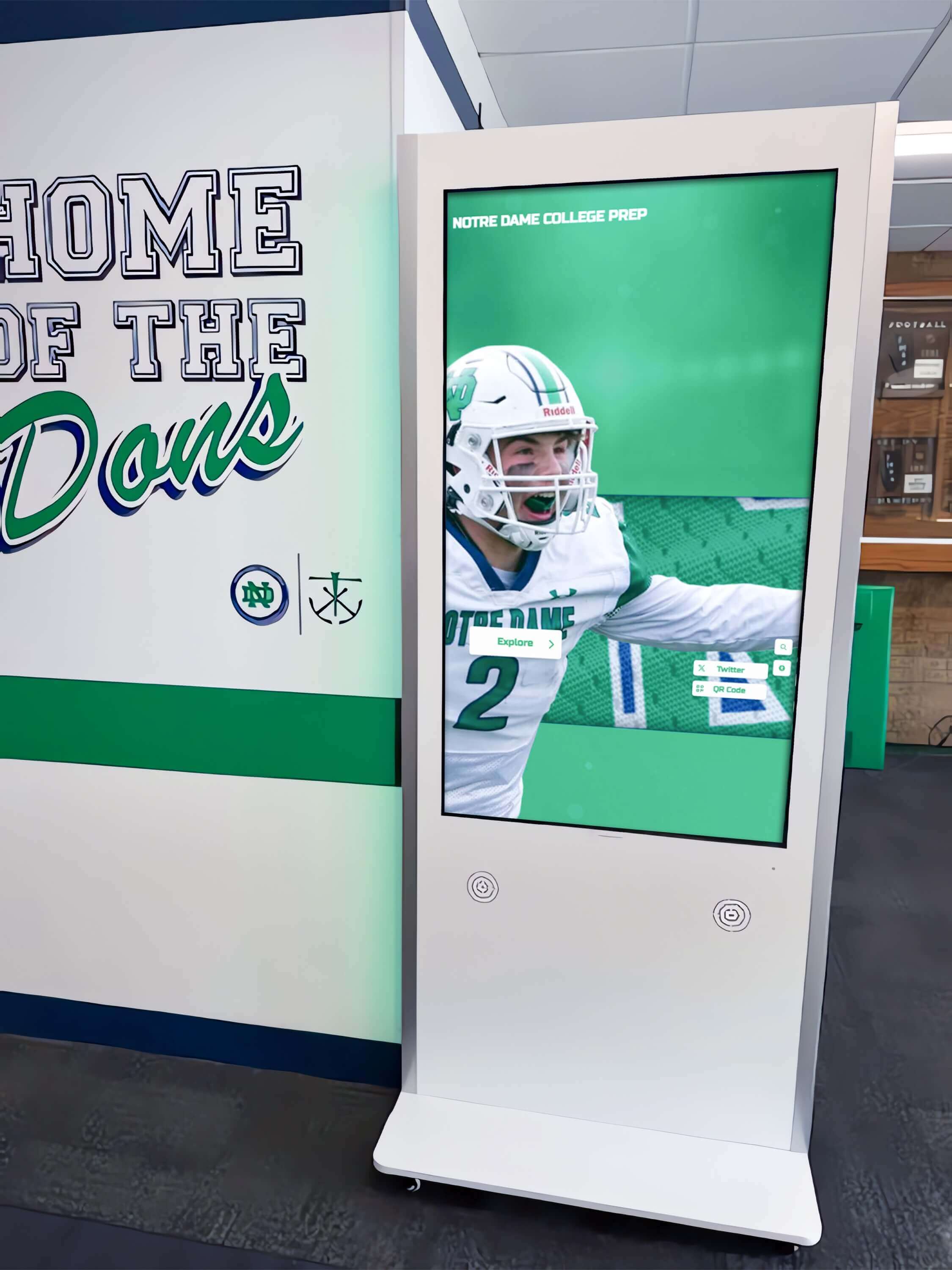
Strategic placement and quality hardware support engaging software experiences
The Rocket Alumni Solutions Approach
Rocket Alumni Solutions provides purpose-built kiosk software optimized specifically for recognition, engagement, and community building:
Recognition-Focused Software Design
Unlike generic kiosk platforms adapted for recognition, Rocket develops software specifically for achievement celebration:
Purpose-Built Recognition Features Comprehensive profile management accommodates detailed biographical information, statistics, and achievements. Sophisticated search and filtering enables discovery based on names, years, categories, and relationships. Social sharing integration amplifies recognition beyond physical displays. QR code mobile access extends engagement to personal devices.
Touch-Optimized Interface Architecture Despite web-based foundations, Rocket interfaces incorporate extensive touch optimization creating native-quality experiences through appropriately sized interactive elements, gesture support and smooth scrolling, immediate visual feedback confirming interactions, and intuitive navigation patterns requiring minimal instruction.
WCAG 2.1 AA Accessibility Compliance As the only web-based touchscreen platform achieving full WCAG 2.1 AA compliance, Rocket prioritizes inclusive design ensuring recognition serves all community members including those with disabilities through screen reader compatibility, keyboard navigation support, adjustable text sizing and high contrast modes, and proper semantic HTML and ARIA implementation.
Simplified Content Management
Non-technical staff manage recognition content confidently through intuitive administrative interfaces:
Cloud-Based Remote Management Update content from any internet-connected device without requiring physical access to kiosk hardware. Schedule publications coordinating with events and ceremonies. Manage multiple displays from centralized dashboards. Collaborate across departments with role-based permissions.
Unlimited Content Capacity Recognize everyone deserving celebration without space constraints forcing difficult decisions. Accommodate comprehensive historical archives alongside current recognition. Support multiple recognition categories through single installations. Scale gracefully as content libraries grow over decades.
Bulk Import and Data Migration Efficiently populate comprehensive content through CSV imports, database connections, and API integrations. Migrate historical content from existing systems, spreadsheets, or yearbooks. Transform and cleanup data during import processes. Implement incrementally without overwhelming workloads.
Supporting Digital Warming
Technology architecture serves broader community engagement goals:
Personalized Discovery and Exploration Intuitive search, browsing by category, relationship navigation, and featured content rotation create opportunities for personal discovery connecting community members with relevant achievements. This personalized engagement drives the digital warming effect transforming passive displays into active exploration.
Continuous Content Surfacing Automated content rotation, anniversary highlights, milestone recognition, and featured inductee spotlights ensure all recognized members receive visibility while keeping displays fresh for repeat visitors maintaining engagement across extended timeframes.
Multi-Generational Appeal Touchscreen interfaces designed for intuitive interaction accommodate all age groups and technical comfort levels. Familiar browse-and-tap patterns require minimal instruction while supporting sophisticated discovery for engaged users.
Social Amplification and Extended Reach Shareable digital profiles enable recognized members to celebrate achievements with extended networks via social media, email, and messaging. Recognition extends far beyond physical installation locations building pride and institutional connection among distributed communities.
Experience Purpose-Built Kiosk Software
Discover how recognition-focused kiosk software creates engaging experiences that warm up cold digital spaces while celebrating achievements and building vibrant communities.
Book Your DemoMeasuring Kiosk Software Success
Assessing effectiveness ensures ongoing improvement and demonstrates value:
Quantitative Engagement Metrics
Digital platforms provide analytics unavailable with traditional static displays:
Interaction Volume and Patterns Track total interactions, unique users, session duration, pages viewed per session, return visit rates, peak usage times and periods, and navigation paths revealing how visitors explore content and what resonates.
Search and Content Analytics Monitor most-searched terms revealing user interests, frequently viewed profiles indicating popular content, filter usage patterns showing discovery preferences, dead-end navigation points needing improvement, and underperforming content requiring enhancement or removal.
Technical Performance Monitoring Assess load times and responsiveness, error rates and failure points, offline functionality effectiveness, hardware health and uptime, and network connectivity reliability ensuring technical excellence supporting positive experiences.
Conversion and Goal Tracking Measure specific objectives including form completions and registrations, donation or purchase transactions, event registrations generated, email captures and contact information, and social sharing activity extending reach beyond direct interactions.
Qualitative Feedback and Observation
Stakeholder perspectives provide context for quantitative metrics:
User Observation and Interaction Monitoring Observe how visitors interact with displays noting engagement duration, hesitation or confusion points, successful discovery patterns, multi-user interaction dynamics, and spontaneous comments revealing reception.
Stakeholder Surveys and Interviews Gather feedback from recognized members about profile accuracy and satisfaction, content managers about administrative interface usability, organizational leadership about goal achievement and perceived value, and general visitors about experience quality and engagement.
Community Sentiment and Social Monitoring Track social media discussions referencing displays, website analytics showing profile sharing and traffic, media coverage and external recognition, and informal community feedback indicating how kiosks affect institutional pride and connection.
Return on Investment Calculation
Comprehensive value assessment considers multiple benefit dimensions:
Cost Comparison to Alternatives Calculate cumulative costs of traditional approaches including engraving and plaque costs, display case purchases and expansions, physical maintenance and cleaning, and space opportunity costs comparing against kiosk implementation and ongoing software subscription costs.
Operational Efficiency Gains Quantify staff time savings from simplified content management, reduced technical support requirements, elimination of vendor coordination for updates, and streamlined processes enabling smaller teams to manage comprehensive recognition.
Engagement and Advancement Impact Track correlations between implementation and advancement metrics including gift rates and dollar amounts, event attendance increases, volunteer engagement growth, alumni participation rates, and recruitment advantages from enhanced facilities and recognition.
Cultural and Intangible Benefits Consider harder-to-quantify benefits including community pride and morale, cultural cohesion and belonging, tradition preservation and heritage connection, and strengthened institutional identity distinguishing organizations from peers.
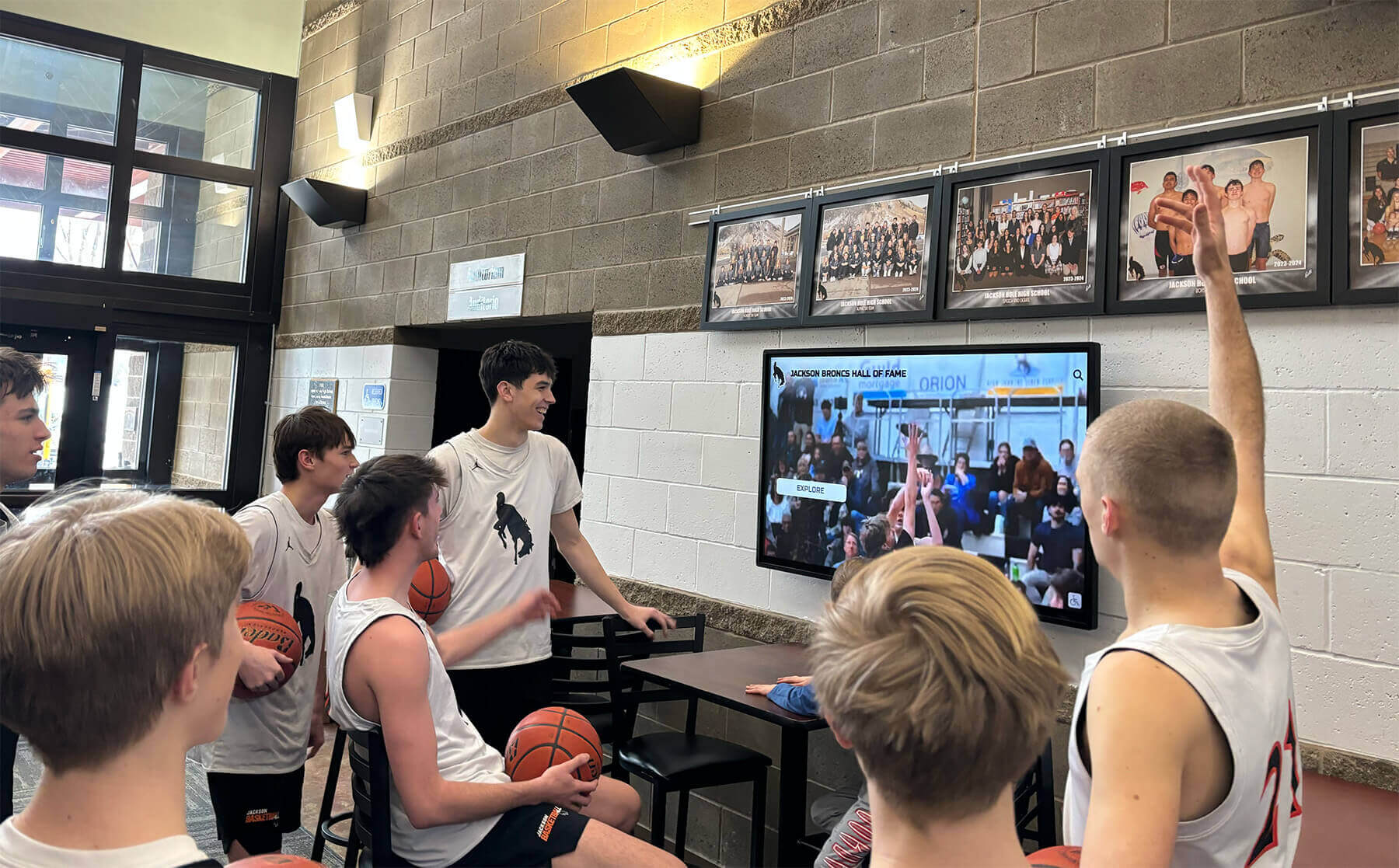
Successful kiosk software creates gathering points that build community connections
Future Trends in Kiosk Software
Touch screen kiosk platforms continue evolving with emerging technologies and changing user expectations:
Artificial Intelligence and Personalization
AI increasingly enhances kiosk experiences:
Intelligent Content Recommendations Machine learning analyzes user behavior suggesting relevant profiles, highlighting connections users might not discover independently, personalizing featured content based on interaction patterns, and predicting what content will resonate with specific audiences.
Natural Language Search and Queries Advanced search understands conversational queries rather than requiring rigid keyword syntax, interprets questions and provides appropriate answers, handles misspellings and alternate phrasings, and offers intelligent suggestions guiding exploration.
Automated Content Enhancement AI assists content management by suggesting biographical enhancements, identifying relevant historical context and connections, generating content summaries and descriptions, and highlighting gaps or inconsistencies requiring attention.
Augmented and Virtual Reality Integration
Immersive technologies create new engagement opportunities:
AR-Enhanced Physical Displays Mobile devices overlay additional content on physical kiosks through augmented reality providing unlimited digital content accessed via personal devices, 3D visualizations and animations, location-aware contextual information, and gamified discovery experiences engaging younger audiences.
Virtual Kiosk Access Remote visitors explore kiosks through virtual reality experiencing physical displays digitally from anywhere, navigating facilities through VR tours, accessing immersive historical recreations, and participating in virtual events and ceremonies connecting distributed communities.
Advanced Integration and Ecosystem Connectivity
Kiosks increasingly function as nodes within broader engagement ecosystems:
CRM and Advancement Platform Integration Direct connections with institutional databases enable seamless data synchronization, coordinated constituent engagement sequences, automated communications triggered by kiosk interactions, and comprehensive journey tracking across touchpoints.
Social Network and Community Platform Convergence Kiosk experiences extend to social features enabling recognized members to connect, comment systems fostering community conversation, memory and story sharing enriching profiles, and discussion forums maintaining ongoing engagement beyond initial recognition.
IoT and Environmental Integration Connected environments enable kiosks to respond to occupancy and traffic patterns, adjust content based on ambient conditions, coordinate with other facility systems and displays, and trigger events based on kiosk interactions creating cohesive smart facility experiences.
Conclusion: Software That Builds Vibrant Communities
Touch screen kiosk software represents far more than the technical layer between hardware and content—it fundamentally determines whether interactive displays achieve their community-building potential or become underutilized technology investments. The right software architecture transforms cold, impersonal hardware into warm, inviting experiences that draw visitors into deep exploration, surface personalized content creating meaningful connections, and build the engaged communities where members feel valued and motivated to maintain lifelong relationships.
The digital warming effect—the transformation of static displays into dynamic engagement platforms—depends entirely on software that prioritizes user experience quality, simplifies content management enabling sustainable long-term operation, and provides recognition-specific features generic platforms lack. Organizations implementing kiosks for achievement celebration, community building, and heritage preservation require purpose-built software optimized for these specific use cases rather than generic digital signage adapted for recognition purposes.
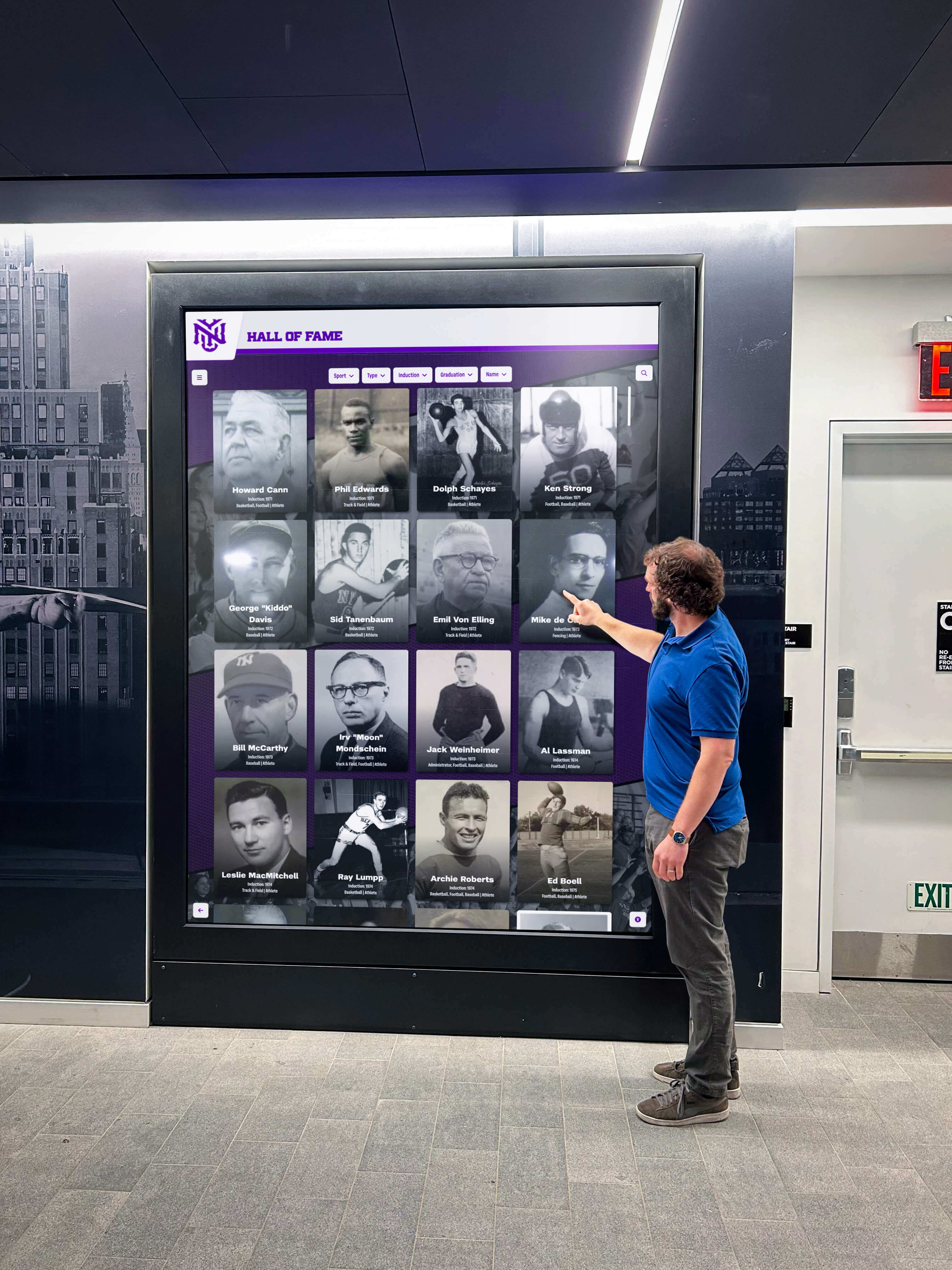
Purpose-built kiosk software creates engaging experiences that celebrate achievements while building community connections
Modern kiosk software platforms offer sophisticated capabilities including touch-optimized interfaces designed specifically for finger inputs, comprehensive content management enabling non-technical staff to confidently update displays, accessibility compliance ensuring inclusive experiences serving all community members, analytics revealing engagement patterns and demonstrating value, and integration capabilities connecting with broader institutional systems supporting coordinated engagement strategies.
The choice between web-based and native software architectures impacts performance, maintenance complexity, cross-platform compatibility, and long-term costs. Web-based approaches provide simplified deployment and instant updates while native applications deliver superior performance and offline reliability. Purpose-built platforms like Rocket Alumni Solutions optimize web technologies specifically for recognition applications, addressing traditional web limitations while maintaining operational advantages web architectures provide.
Successful implementations follow systematic approaches beginning with clear requirements definition and stakeholder alignment, progressing through thoughtful hardware selection and installation planning, continuing with careful software platform evaluation based on feature completeness and total ownership costs, and culminating in comprehensive content development creating recognition experiences worthy of celebrated achievements.
Looking forward, emerging technologies including artificial intelligence, augmented reality, and deeper ecosystem integration will continue enhancing kiosk capabilities. Organizations implementing quality kiosk software today position themselves to adopt these advances, ensuring recognition systems remain current and engaging for decades to come.
Every organization implementing interactive displays must decide whether hardware will simply broadcast content or create genuine engagement transforming visitors into active community members. The right kiosk software makes this difference—turning impressive displays into community gathering points that warm up cold digital spaces while celebrating achievements, preserving heritage, and building the vibrant, connected communities where recognition creates lasting impact.
Ready to explore purpose-built kiosk software? Learn more about comprehensive kiosk software solutions or discover ultimate guides to interactive touchscreen software for educational and institutional environments.
Sources:































