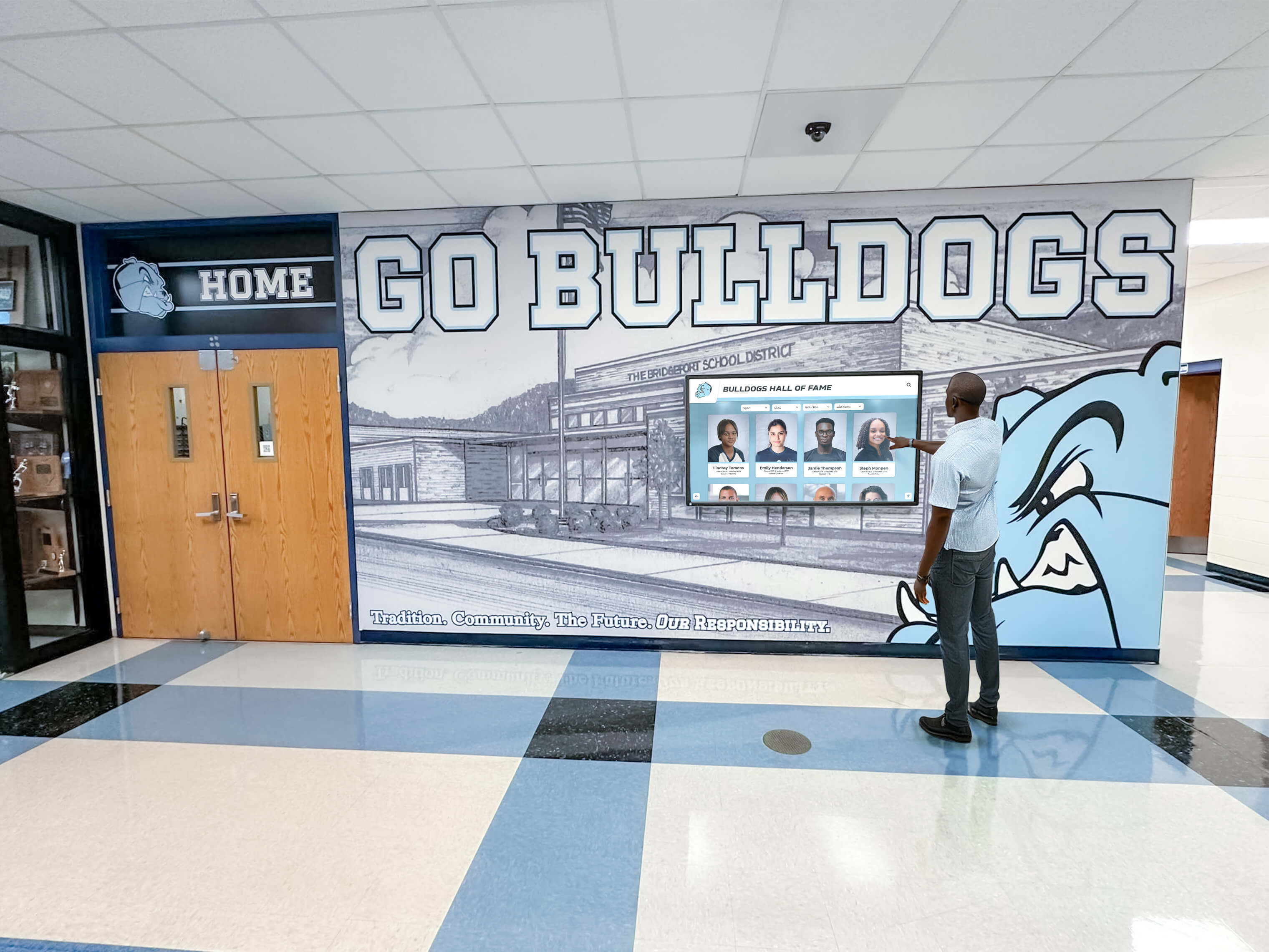
Schools increasingly invest in digital recognition displays to celebrate student achievements, showcase athletic accomplishments, and build community pride. These interactive touchscreens and digital signage systems create engaging experiences that honor academic excellence, sports victories, and student leadership. Yet before installing any system displaying student photos and information, administrators face critical privacy compliance questions that, if mishandled, expose schools to legal liability and family complaints.
The intersection of student photo privacy rules, federal education laws, state regulations, and evolving digital technology creates compliance challenges that many schools navigate without clear guidance. Districts install expensive digital displays only to discover they cannot legally show the content they envisioned. Others post student photos without proper consent, triggering complaints from protective parents or worse—actual privacy violations requiring content removal and policy overhauls.
This comprehensive guide clarifies student photo privacy rules schools must understand before implementing digital displays, explaining FERPA requirements, consent best practices, directory information policies, and compliance strategies that enable schools to celebrate students while protecting their privacy rights and the institution’s legal standing.
Student privacy protection represents a fundamental responsibility for educational institutions, but privacy rules need not prevent meaningful student recognition. Schools successfully implement digital displays celebrating thousands of students by understanding applicable regulations, establishing clear consent processes, and choosing technology solutions designed with privacy compliance as core functionality rather than afterthought.

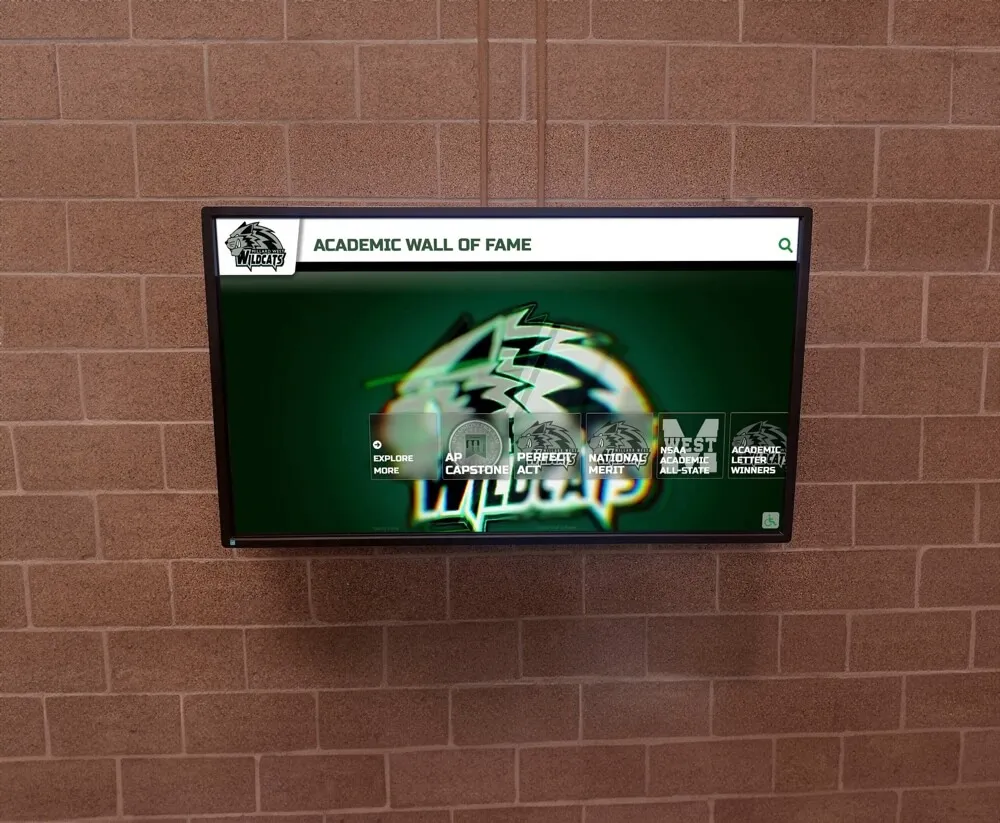
Modern digital displays celebrate student achievements while requiring careful attention to privacy regulations and consent requirements
Understanding FERPA and Student Photo Privacy
The Family Educational Rights and Privacy Act establishes the foundational federal framework governing student information privacy in educational institutions receiving federal funding—which includes virtually all public schools and most private schools.
What FERPA Actually Covers
FERPA protects “education records” containing information directly related to students and maintained by educational institutions. The critical question for digital displays becomes whether student photos and recognition information qualify as protected education records or permissible directory information.
Protected Education Records FERPA protects personally identifiable information from education records including academic performance data, discipline records, special education information, health records, and financial information. Schools cannot disclose protected education records without written parental consent for students under 18 or student consent for those 18 and older.
Directory Information Exception FERPA allows schools to designate certain student information as “directory information” that can be disclosed without consent unless parents or eligible students opt out. Directory information typically includes student names, addresses, telephone numbers, email addresses, photos, dates of attendance, grade levels, participation in activities, honors and awards, and athletic information including height and weight.
The directory information exception provides the legal pathway most schools use for student recognition displays. By properly designating recognition information as directory information and implementing appropriate opt-out processes, schools create compliant frameworks for celebrating student achievements publicly.
Common FERPA Misconceptions for Digital Displays
Several widespread misconceptions about FERPA create unnecessary confusion around digital recognition systems:
Misconception: FERPA Prohibits All Student Photos Reality: FERPA does not prohibit student photos. Schools can include photos in directory information or obtain specific consent for photo use. The law regulates disclosure processes, not photo usage itself.
Misconception: Verbal Consent Suffices Reality: While FERPA allows directory information disclosure without written consent, best practices and many state laws require written documentation. For content beyond directory information, FERPA explicitly requires written consent.
Misconception: Consent Given Once Covers All Uses Reality: Consent should specify what information will be shared, how it will be used, and where it will be displayed. Blanket consent for “any school use” creates ambiguity. Specific consent for digital displays provides clearer documentation.
Misconception: FERPA Only Applies to Academic Information Reality: FERPA covers all education records, including athletic achievements, club participation, attendance records, and disciplinary information when connected to individual students.
Understanding these distinctions helps administrators develop policies that comply with actual legal requirements rather than overly restrictive interpretations that prevent meaningful student recognition.
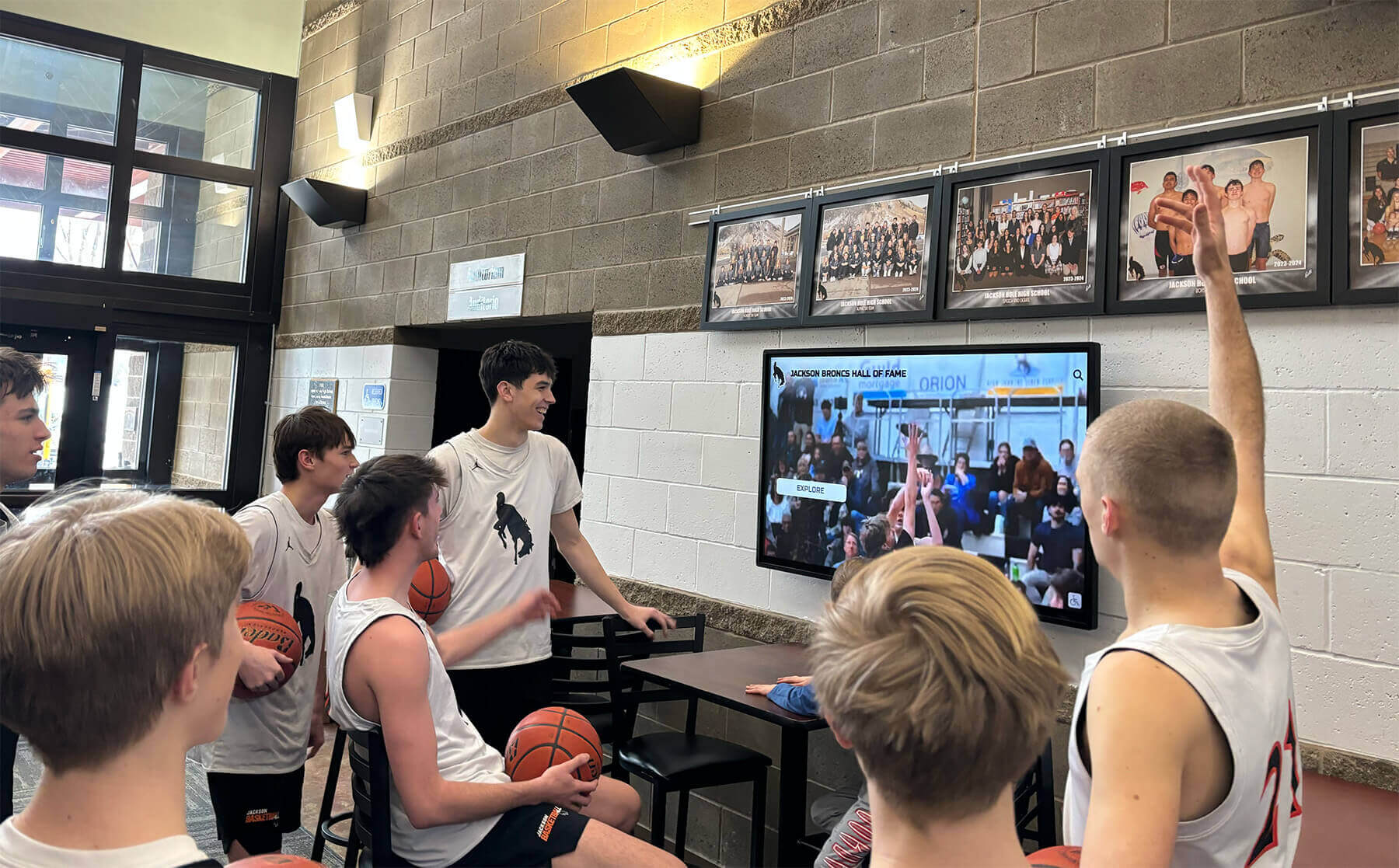
Student engagement with recognition displays increases when schools balance celebration with appropriate privacy protections
State Privacy Laws and Additional Requirements
Federal FERPA requirements establish baseline protections, but state laws often impose additional student privacy obligations that schools must understand before implementing digital displays.
State-Level Photo Consent Requirements
Many states enacted student privacy laws extending beyond FERPA requirements. California, Illinois, New York, Texas, and numerous other states impose specific consent requirements for student photo use, social media posting, and third-party data sharing.
California’s Student Online Personal Information Protection Act (SOPIPA) California prohibits operators of websites, online services, and apps from knowingly engaging in targeted advertising using student information, creating student profiles beyond educational purposes, or selling student information. While SOPIPA primarily targets technology companies, schools selecting digital display vendors must ensure compliance.
Illinois Biometric Information Privacy Act (BIPA) Illinois strictly regulates biometric data collection, including facial geometry scans. Schools implementing digital displays with facial recognition features face stringent consent and data protection requirements under BIPA.
New York Education Law Section 2-d New York requires contracts with third-party vendors accessing student data, mandates specific security safeguards, requires parental access to data, and restricts commercial use of student information. Schools must ensure digital display vendors comply with these contractual requirements.
Directory Information Under State Law
Some states restrict what schools can designate as directory information beyond FERPA’s allowances. Before implementing digital displays, administrators should verify state regulations regarding:
- Whether student photos can be designated as directory information
- Required contents of annual directory information notices
- Opt-out timeframes and processes
- Special protections for vulnerable student populations
- Additional consent requirements beyond federal law
Consulting with school attorneys or state education department privacy officers ensures compliance with both federal and state requirements before launching digital recognition programs.
Consent Best Practices for Digital Displays
Implementing robust consent processes protects both student privacy rights and institutional interests while enabling meaningful recognition programs.
Comprehensive Photo Release Forms
Effective photo release forms specifically address digital display usage rather than relying on general media release language:
Essential Elements of Digital Display Consent Forms
- Specific description of how photos and information will be used
- Clear identification of what will be displayed (photos, names, achievements, statistics)
- Location specifications for where displays will be placed (school lobbies, athletic facilities, public areas)
- Duration of consent and how long information remains displayed
- Opt-out process explaining how families can revoke consent
- Third-party access disclosure if displays include web-based components
- Update procedures for how families can request information corrections
Sample Language for Digital Recognition Displays “I grant permission for my student’s name, photograph, grade level, academic achievements, athletic statistics, and activity participation to be displayed on interactive digital recognition displays located in school facilities and accessible through school-managed websites. I understand this information may remain displayed throughout my student’s enrollment and as historical archives after graduation unless I submit written request for removal.”
This specific language clarifies exactly what will be displayed, where it appears, and how long it persists, providing families with clear information for informed consent decisions.
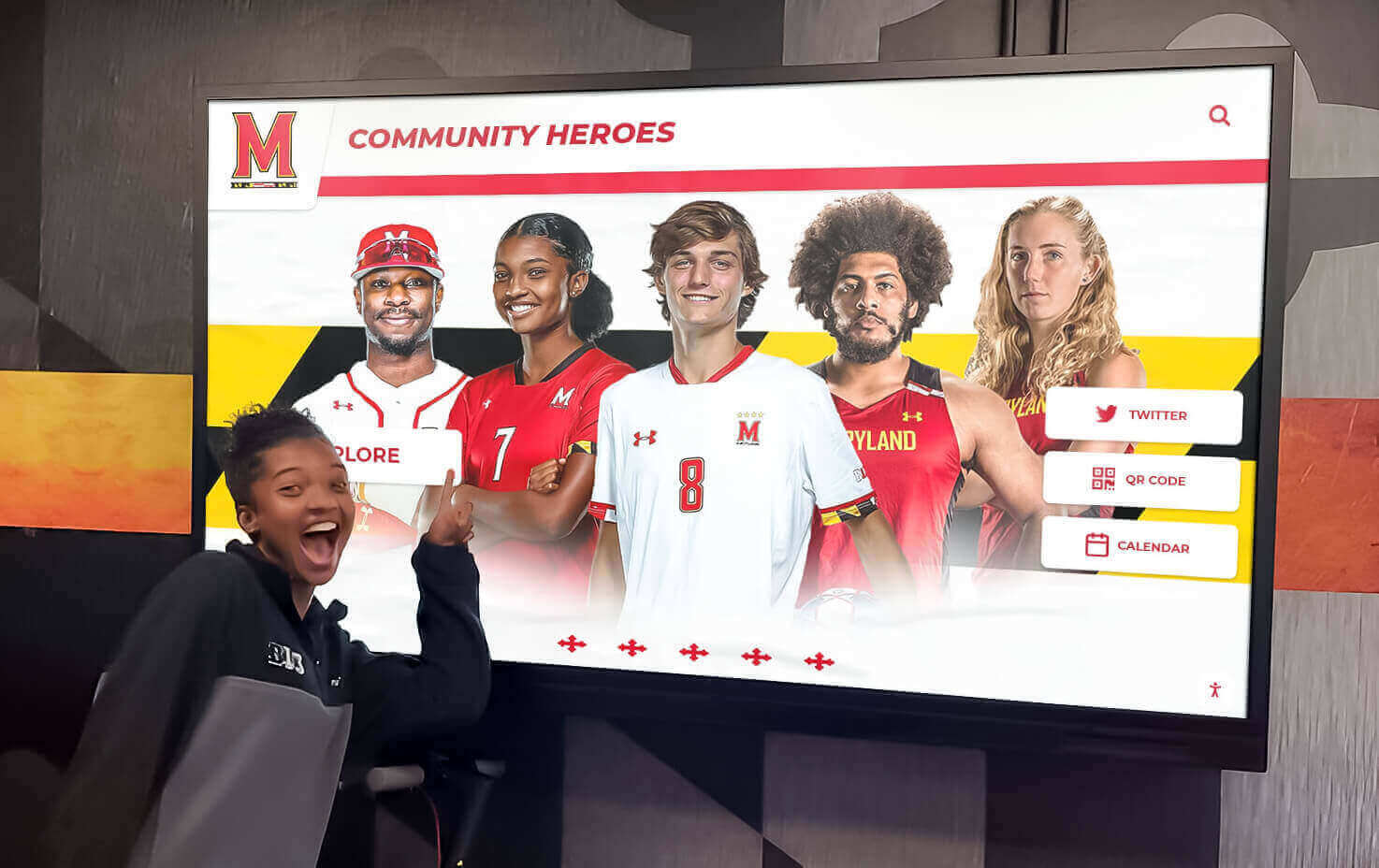
Interactive displays enable personalized recognition while requiring clear consent regarding what information will be publicly accessible
Annual Consent Review and Updates
Student privacy consent should not be one-time documentation collected at enrollment. Best practices include annual consent review processes:
Beginning of Year Directory Information Notices Schools should send annual notices explaining directory information policies, what information may be disclosed, and opt-out procedures. These notices should specifically mention digital displays if they represent a primary use of directory information.
New Technology Implementation Notifications When schools install new digital displays or expand existing systems, additional notification helps ensure families understand how these technologies will feature student information. Consider sending specific notices when launching major recognition initiatives like academic student displays or athletic achievement systems.
Consent Renewal for Archived Content Students graduating or leaving schools create questions about whether consent extends to historical archives. Clear policies should address whether graduation automatically removes student information from displays or whether historical recognition continues unless families specifically request removal.
Managing Consent Opt-Outs
Every consent process requires manageable opt-out procedures that schools can actually implement:
Centralized Consent Tracking Systems Schools need systematic methods for tracking which students have opted out of directory information disclosure or specific display consent. Spreadsheets, student information system flags, or dedicated consent management platforms prevent mistakes where opted-out students appear on displays.
Display Technology That Supports Privacy Controls Digital display platforms should enable administrators to easily remove individual student records without dismantling entire recognition programs. Systems requiring manual content removal for each opted-out student create administrative burdens that increase compliance risks.
Modern platforms like those from Rocket Alumni Solutions include privacy management features allowing administrators to mark specific students as excluded from public displays while maintaining their information in private administrative databases.
Response Timeframes for Opt-Out Requests Schools should establish and communicate clear timeframes for processing opt-out requests. “We will remove your student’s information within 10 business days of receiving your written request” provides families with reasonable expectations while giving schools workable implementation windows.
Privacy Considerations for Different Display Types
Different digital display implementations create varying privacy considerations requiring tailored compliance approaches.
Public-Facing vs. Controlled Access Displays
Location and accessibility significantly impact privacy requirements:
Displays in Secured School Areas Digital recognition displays located in areas accessible only to students, staff, and authorized visitors receive different privacy considerations than publicly accessible displays. Schools may feel comfortable showing more detailed information in secured hallways than in lobbies open to the general public.
Public Lobby and Entrance Displays Displays visible to any visitor without passing security checkpoints warrant more conservative information policies. Consider limiting public displays to information families would expect to appear in public forums—game results, honor roll names, team photos—rather than detailed personal information.
Web-Accessible Digital Content When digital displays connect to web-based platforms allowing remote access, privacy considerations expand dramatically. Content accessible via internet requires treating student information as publicly available, warranting stricter consent requirements than physical displays visible only to on-campus visitors.
Schools implementing systems with both on-campus touchscreens and web components should consider differential privacy settings—perhaps showing full information on secured campus displays while limiting web-accessible content to less detailed recognition.
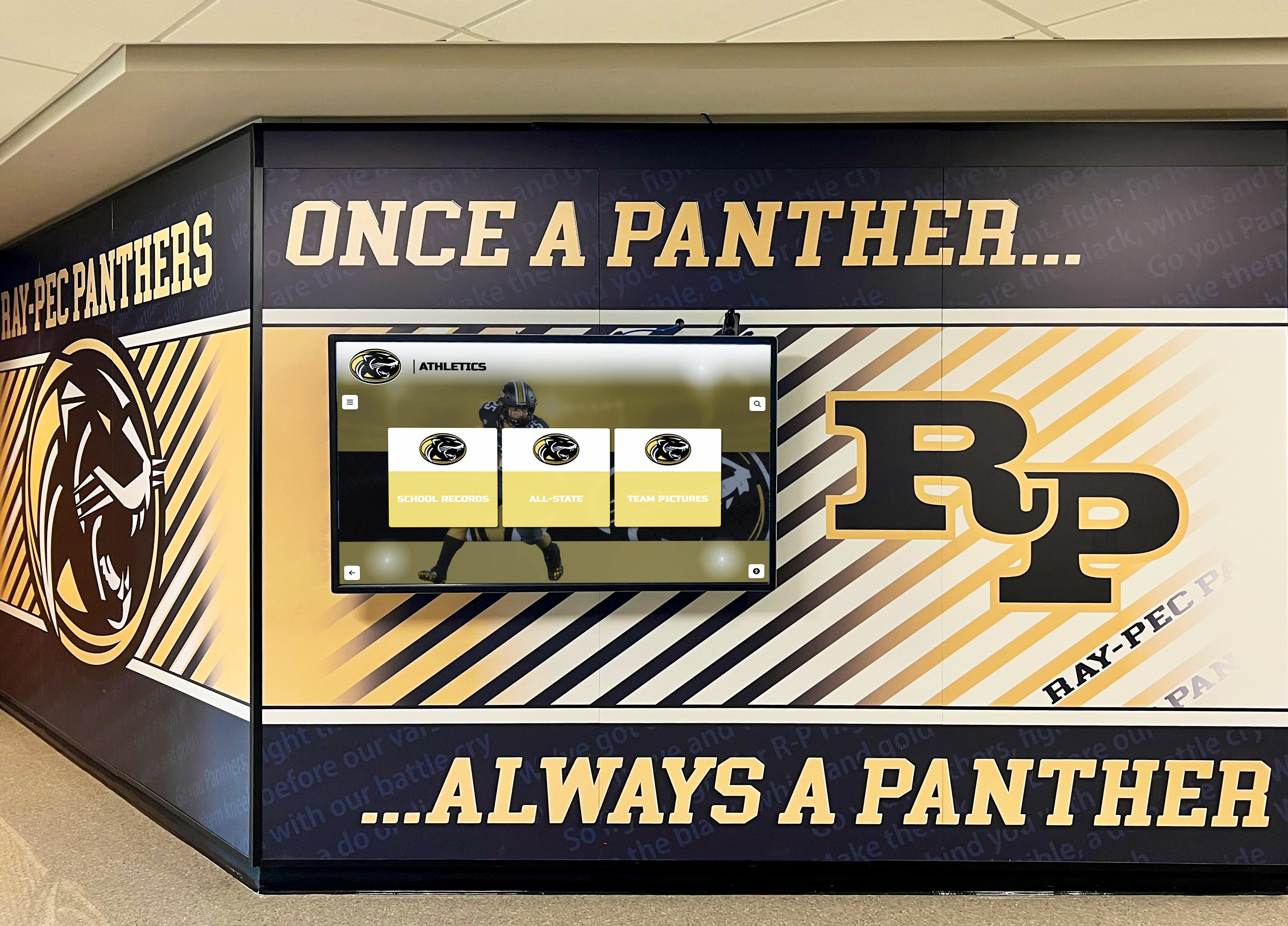
Strategic placement decisions affect privacy considerations, with secured hallway displays receiving different treatment than publicly accessible locations
Interactive vs. Passive Display Systems
Interactivity level impacts privacy implications:
Passive Rotation Displays Digital signage cycling through predetermined content provides schools with complete control over what information appears and when. Passive displays enable careful content curation ensuring only properly consented information shows publicly.
Interactive Searchable Databases Touchscreen systems allowing visitors to search for specific students, browse by graduation year, or filter by achievement type create more complex privacy scenarios. While interactive systems generate significantly higher engagement, they also enable visitors to specifically seek out individual student information rather than passively viewing curated content.
Schools should ensure consent forms specifically address interactive search capabilities so families understand their students’ information will be searchable by name, year, sport, or achievement rather than simply appearing in rotating slideshows.
QR Code and Mobile Access Systems enabling visitors to scan QR codes and continue exploring content on personal mobile devices extend recognition beyond physical display locations. This extended access creates convenience but expands the privacy footprint of student information. Consent should specifically address mobile access capabilities when present.
Student-Submitted vs. School-Controlled Content
Content sources affect oversight and liability:
School-Administered Content Only Displays featuring only content uploaded and approved by school administrators provide maximum control over privacy compliance. Administrative oversight ensures every photo and information field receives consent verification before publication.
Student or Family Uploads Some recognition systems allow students or families to upload photos, write biographical information, or contribute content directly. While this participation increases engagement, it creates verification challenges. Schools must implement review processes ensuring submitted content meets privacy policies and that submitters have authority to share information and photos they upload.
Platforms supporting student submissions should include administrative approval workflows preventing unauthorized content publication while maintaining the engagement benefits of participatory recognition systems.
Technology Selection and Vendor Compliance
Choosing digital display technology with privacy compliance built into core functionality simplifies ongoing administration and reduces violation risks.
Privacy-Focused Platform Features
Modern digital recognition platforms should include privacy management capabilities:
Individual Record Privacy Controls Administrators need ability to mark specific student records as private or excluded from displays without deleting information entirely. This functionality supports opt-out requests while maintaining historical data for administrative purposes.
Granular Display Permissions Advanced systems enable different information visibility rules for different display locations or access methods. Schools might show full statistics on campus displays while limiting web-accessible versions to names and photos only.
Audit Trails and Access Logs For maximum accountability, platforms should log who accessed student information, when access occurred, and what actions were taken. Audit trails prove invaluable when investigating privacy complaints or demonstrating compliance with oversight requests.
Scheduled Content Removal Automated features for removing student information after specified timeframes (graduation, withdrawal, specified duration) reduce administrative burden while ensuring privacy policies execute consistently.

Purpose-built recognition platforms should include administrative controls for managing student privacy preferences and consent opt-outs
Vendor Data Protection Requirements
Third-party vendors providing digital display platforms may access, store, or process student information, creating data protection obligations:
Data Processing Agreements Schools should execute written agreements with vendors specifying how student data will be used, stored, secured, and eventually deleted. These agreements should explicitly prohibit vendors from using student information for purposes beyond providing contracted services.
Security Standards and Certifications Vendors should demonstrate compliance with recognized data security standards. Request information about encryption practices, access controls, security audits, and incident response procedures. Vendors serving educational institutions should understand and accommodate FERPA compliance requirements.
Data Location and Access Understand where student information will be stored (cloud servers, on-premise, hybrid) and who can access it. Vendors should limit employee access to student data on need-to-know basis with access logging and background check requirements for personnel handling educational records.
Subcontractor Limitations Agreements should require vendor notification before engaging subcontractors with student data access and extend the same data protection requirements to any subcontractors involved in service delivery.
Compliance with Accessibility Requirements
Privacy rules intersect with accessibility obligations under the Americans with Disabilities Act and Section 504. Digital displays should provide accessible recognition for all students, including those with disabilities:
Screen Reader Compatibility Web-based components should comply with WCAG accessibility standards ensuring students using assistive technologies can access their own recognition information.
Physical Accessibility Touchscreen placement should accommodate wheelchair users and individuals with limited reach or mobility. Interactive features should offer alternatives for users unable to utilize touch interfaces.
Schools should verify that accessibility accommodations don’t inadvertently create privacy issues—for example, ensuring audio descriptions of display content don’t broadcast student information throughout public spaces.
Platforms offering robust accessibility features, like those meeting ADA compliance standards, demonstrate vendor commitment to serving all students appropriately.
Creating Comprehensive Privacy Policies
Written policies establish institutional frameworks for student photo privacy on digital displays that guide consistent implementation across all school buildings and programs.
Essential Policy Components
Comprehensive digital display privacy policies should address:
Scope and Purpose Clearly state the policy applies to digital recognition displays including interactive touchscreens, digital signage, video walls, and web-based recognition platforms. Specify the educational purposes these displays serve—celebrating achievement, building community, preserving history, recognizing excellence.
Legal Foundation Reference applicable laws including FERPA, state student privacy statutes, and directory information regulations establishing the legal basis for the policy.
Information Covered Specify what student information may appear on displays: names, photos, grade levels, achievement descriptions, activity participation, statistics, awards, biographical information. Clarify what information will NOT be displayed: social security numbers, home addresses, disciplinary records, grades beyond honor roll designation, health information.
Consent Requirements Explain the consent process for student information on displays, including how consent is obtained, what consent covers, consent duration, and renewal procedures.
Opt-Out Procedures Provide clear instructions for families wishing to exclude students from displays, including whom to contact, required documentation, processing timeframes, and how to verify removal.
Access and Corrections Describe how families can access information about their students displayed on digital systems and request corrections to inaccurate information.
Security Measures Outline how student information will be protected including vendor requirements, data encryption, access controls, and breach response procedures.
Policy Implementation and Training
Policies only work when school personnel understand and follow them:
Staff Training Requirements Personnel managing digital displays should receive specific training on privacy policies, consent verification procedures, opt-out processing, and appropriate information disclosure. Annual refresher training maintains awareness as staff changes occur.
Content Approval Workflows Establish clear processes determining who can upload content to displays, what review occurs before publication, and how consent verification happens. Written workflows prevent well-intentioned staff from inadvertently posting information lacking proper consent.
Compliance Monitoring Periodic audits ensure displays comply with privacy policies. Random sampling of displayed students to verify consent documentation, reviewing opt-out list accuracy, and checking that removed students no longer appear maintains ongoing compliance.
Incident Response Procedures Despite best efforts, privacy incidents occur. Policies should specify how schools will respond to unauthorized disclosure, including investigation procedures, notification requirements, corrective actions, and documentation practices.
Staff training on privacy policies ensures all personnel understand consent requirements and proper information handling procedures
Special Considerations for Sensitive Student Populations
Certain student populations warrant additional privacy protections beyond standard consent processes.
Students in Protective Custody or Safety Plans
Some students face genuine safety risks from public information disclosure:
Identifying High-Risk Students Schools should systematically identify students whose safety might be compromised by public recognition, including those in foster care, witness protection, fleeing domestic violence, or subject to custody disputes with court-ordered address confidentiality.
Automatic Exclusion Protocols Students identified through safety plans should be automatically excluded from public displays regardless of general consent forms. Protocols should flag these students in information systems preventing their accidental inclusion.
Staff Awareness Without Stigma Personnel managing displays need awareness that certain students must be excluded without requiring detailed knowledge of sensitive circumstances. Simple “do not display” flags suffice without extensive background explanation.
Students with Special Education Needs
Privacy protections for students receiving special education services deserve particular attention:
Avoiding Unintended Disability Disclosure Recognition displays should avoid inadvertently revealing special education status. For example, displays recognizing “most improved reading” might unintentionally suggest learning disabilities. Consider whether recognition categories could disclose information families prefer to keep private.
IEP Team Involvement For students with significant disabilities, involving IEP teams in decisions about public recognition ensures individualized consideration of privacy preferences and potential dignity concerns.
Alternative Recognition Formats Some students may benefit from recognition but require different formats. Consider whether private recognition, smaller-audience events, or family-only sharing better serves particular students than public display systems.
Former Students and Alumni
Digital displays often include historical content featuring students who graduated years earlier:
Graduated Student Consent Students who graduated before digital display installation never provided consent for this specific use. Schools should consider whether to seek consent from alumni for historical archive content or rely on broad directory information policies that extended to yearbook publication and similar historical records.
Removed Students Students who left schools before graduation create questions about whether their information should appear in historical recognition. Clear policies help determine whether only graduates appear in historical archives or whether any student who achieved recognized accomplishments during enrollment qualifies for inclusion.
Deceased Students Memorial recognition for deceased students involves sensitive family dynamics. Schools should seek explicit family permission before including deceased students in displays, being sensitive to grief, memorial preferences, and privacy wishes of surviving family members.
Balancing Recognition and Privacy
Student privacy rules need not prevent meaningful recognition. The goal is implementing privacy protections that enable celebration rather than creating barriers that eliminate recognition entirely.
Graduated Privacy Approaches
Not all recognition requires identical privacy treatment:
Public Achievement Categories Some achievements inherently involve public performance where privacy expectations differ from classroom academics. Athletic competition results, theatrical performances, musical concerts, and competition team results already occurred publicly. Displaying information about public achievements receives different privacy consideration than sharing classroom grades or test scores.
Broader Consent for Public Activities Schools might use directory information policies for public achievement recognition while requiring specific additional consent for classroom or academic recognition beyond standard honor roll designations. This graduated approach balances celebration of public accomplishments with stronger protections for academic information.
Aggregate vs. Individual Recognition Team photos and group achievements may receive broader consent than individual statistics and biographical profiles. Schools could display championship team photos using directory information policies while requiring additional consent for individual athlete statistical profiles.
Building Family Trust Through Transparency
Many privacy concerns stem from families feeling uninformed about how schools use student information:
Clear Communication About Display Purposes Explaining that displays celebrate student achievement, preserve school history, and build community pride helps families understand the educational value justifying information sharing. When families see displays as serving students’ interests rather than administrative convenience, consent rates typically increase.
Demonstrating Privacy Protections Showing families the actual consent processes, opt-out procedures, and security measures schools implement builds confidence. Consider hosting information sessions where families can see displays in person, understand how systems work, and ask privacy questions.
Highlighting Control and Choice Emphasizing that families retain control over student information and can opt out at any time addresses autonomy concerns. Families who feel they’re granting permission rather than having decisions imposed demonstrate greater comfort with recognition programs.
Successful schools implementing digital recognition systems report that thoughtful privacy policies paired with transparent communication typically result in high consent rates and strong family support for celebrating student achievement.
Practical Implementation Checklist
Before installing digital displays featuring student information, administrators should verify completion of essential privacy compliance steps:
Pre-Implementation Requirements
Legal Review and Policy Development
- Review applicable federal and state privacy laws
- Consult school attorney on consent requirements
- Draft comprehensive privacy policy
- Update directory information notices
- Create specific digital display consent forms
- Establish opt-out procedures
- Develop incident response protocols
Technology Evaluation
- Assess vendor privacy and security practices
- Review data processing agreements
- Verify platform privacy controls
- Confirm accessibility compliance
- Test consent management features
- Evaluate audit trail capabilities
Consent Collection and Tracking
- Distribute consent forms to all families
- Allow adequate response time for opt-outs
- Create centralized consent tracking system
- Flag opted-out students in databases
- Verify consent before adding historical content
- Establish annual consent renewal process
- Document consent verification procedures
Staff Training and Procedures
- Train personnel on privacy policies
- Establish content approval workflows
- Create consent verification checklists
- Designate privacy compliance officer
- Schedule periodic compliance audits
- Develop stakeholder communication plan
Ongoing Compliance Maintenance
Privacy compliance requires continuous attention:
Regular Policy Review Review privacy policies annually to ensure continued compliance with evolving laws. Monitor changes in federal guidance, state legislation, and case law affecting student privacy. Update policies as needed to reflect legal developments and implementation experience.
Consent Database Maintenance Maintain current consent records as new students enroll and families update permissions. Process opt-out requests promptly with verification procedures confirming removal. Archive consent documentation according to record retention policies.
Content Auditing Periodically sample displayed content verifying consent exists for featured students. Check that opted-out students no longer appear on any displays. Confirm information accuracy reflecting current student achievement.
Stakeholder Feedback Solicit feedback from families, students, and staff about privacy concerns or policy questions. Address concerns promptly demonstrating responsiveness to community values. Use feedback to refine policies and procedures improving compliance and family confidence.
Understanding student photo privacy rules enables schools to implement digital recognition displays that celebrate achievement while respecting privacy rights and maintaining legal compliance. By establishing clear policies, obtaining appropriate consent, selecting privacy-conscious technology platforms, and maintaining ongoing compliance procedures, schools create recognition programs that honor students, engage families, and protect the institution.
Modern digital recognition systems like those from Rocket Alumni Solutions provide the privacy management features schools need to celebrate thousands of students while maintaining the administrative controls that make privacy compliance manageable. When schools invest similar attention in privacy procedures as they do in display technology, they create sustainable recognition programs that serve communities for decades while protecting student rights throughout that entire timespan.
Schools ready to implement digital displays celebrating student achievement while maintaining rigorous privacy protections should explore comprehensive recognition platforms designed specifically for educational institutions. These purpose-built systems include the privacy controls, consent management features, and compliance support that generic digital signage cannot provide.
Celebrate Students While Protecting Privacy
Discover how leading schools implement digital recognition displays with built-in privacy compliance features, comprehensive consent management, and administrative controls that make celebrating student achievement legally sound and family-approved.































