The best school digital signage examples share one quality: every screen shows content people actually stop to read. Lobbies that cycle through hall of fame inductees and donor walls, gymnasiums displaying athlete records and upcoming schedules, hallways featuring honor roll rotations and team histories, and event spaces running live leaderboards and sponsor recognition—these specific content choices transform passive screens into community touchpoints. This guide breaks down exactly what to display in each location, with real-world content categories, layout approaches, and recognition strategies that keep students, families, and visitors engaged every time they pass a screen.
A school can install the finest hardware on every wall and still end up with digital wallpaper—content no one reads because it never changes, never surprises, and never connects to anyone personally. The difference between ignored screens and genuinely engaging displays comes down to choosing the right content for each specific space.
The sections below organize school digital signage examples by location—lobby, gymnasium, hallway, and events—because what belongs on a screen at the front entrance differs completely from what drives engagement in an athletic corridor or an event venue. Each section includes concrete content categories, display format recommendations, and recognition examples drawn from schools that have moved beyond generic announcements.

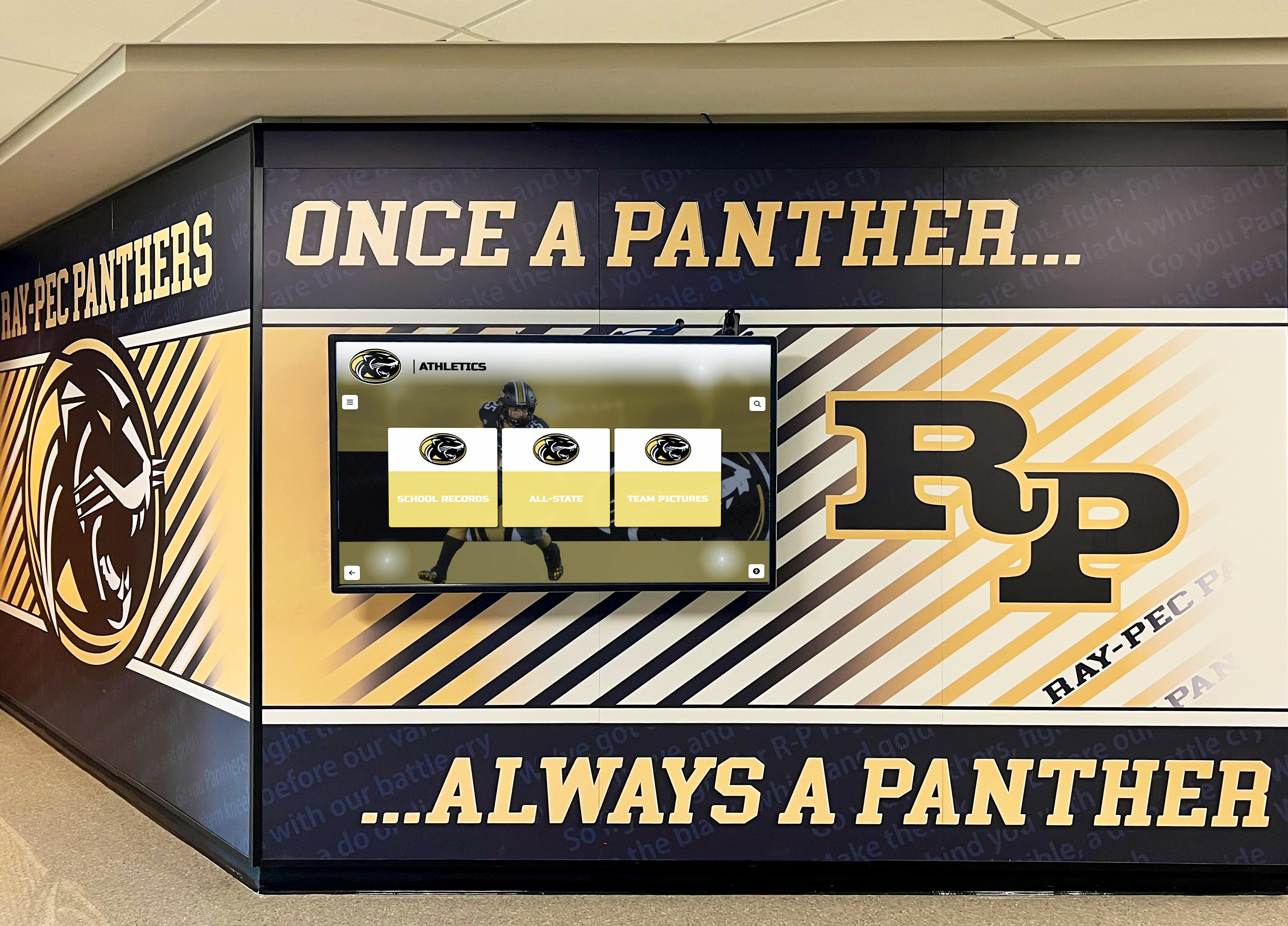
School hallways become ongoing recognition galleries when digital screens display content that complements permanent murals and trophy cases
School Lobby Digital Signage Examples
The lobby is the school’s highest-stakes screen location. Every prospective family, visiting administrator, donor, and board member sees it. Content here must simultaneously welcome strangers, celebrate community members, and communicate institutional identity—all within a few seconds of attention.
Hall of Fame and Distinguished Alumni Recognition
Hall of fame displays consistently generate the strongest lobby engagement because they make personal connections. When a parent scanning a screen spots a former teammate’s profile, or a student recognizes a family member’s name among distinguished alumni, the display stops being a screen and becomes a conversation.
Effective lobby hall of fame content includes:
- Inductee portrait cards with athlete name, sport, graduation year, and career achievements
- Academic distinction profiles highlighting scholarship recipients, Ivy League attendees, or notable career paths
- Year-by-year inductee archives allowing visitors to search specific graduating classes
- Rotating “featured inductee” spotlights refreshing weekly or monthly so returning visitors discover new content
Interactive touchscreen installations let visitors search by name, year, or sport—turning a passive wall display into an exploration experience. Solutions like Rocket Alumni Solutions build searchable recognition databases specifically for this use case, connecting physical lobby screens with comprehensive institutional archives.
Donor Recognition and Giving Walls
Lobbies serve donor stewardship goals that no other school location matches. Naming rights, major gift recognition, and annual fund donor walls belong here because this is where donors bring their families and where community members see their philanthropy displayed with institutional respect.
Tiered donor displays mirror traditional giving society structures digitally:
- Platinum/Gold/Silver naming organized by giving level
- Cumulative giving totals for legacy donors
- Named space recognition linking gifts to specific facilities
- Annual fund honor rolls updated each fiscal year
Unlike engraved plaques that become outdated the moment a new donor joins, digital donor recognition walls update in real time when gifts are processed—an operational advantage that also improves donor experience by eliminating the months-long wait for permanent recognition to appear.
Visitor Welcome and Wayfinding
First-time visitors in your lobby should be able to orient themselves without approaching the front desk. Digital wayfinding serves both visitor experience and staff efficiency.
Lobby wayfinding examples:
- Building directory with office locations and room numbers
- Event-day maps highlighting auditorium, gymnasium, and cafeteria entrances
- Visitor check-in instructions and sign-in station location
- Meeting room schedules showing what’s happening and where
Welcome messages personalized by event add warmth without requiring staff time. A screen greeting visiting teams by name on game nights, welcoming prospective families on tour days, or recognizing award ceremony attendees communicates institutional attentiveness that generic signage cannot replicate.
School History Timeline
Lobby walls that anchor institutional identity through history give visitors a sense of tradition that enrollment brochures cannot convey. A scrolling or interactive school history timeline displaying founding year, championship seasons, notable alumni milestones, and facility expansion creates immediate context for new visitors while giving longtime community members content they return to repeatedly.
For a deeper look at lobby layout strategies and content combinations, see our guide to school lobby digital signage and school entrance display ideas.
Gymnasium and Athletic Facility Digital Signage Examples
Athletic spaces demand content tied to competition, achievement, and team identity. Gymnasia, fieldhouses, and weight rooms serve rotating audiences—home students, visiting teams, parents at games, and community renters—each with different information needs.
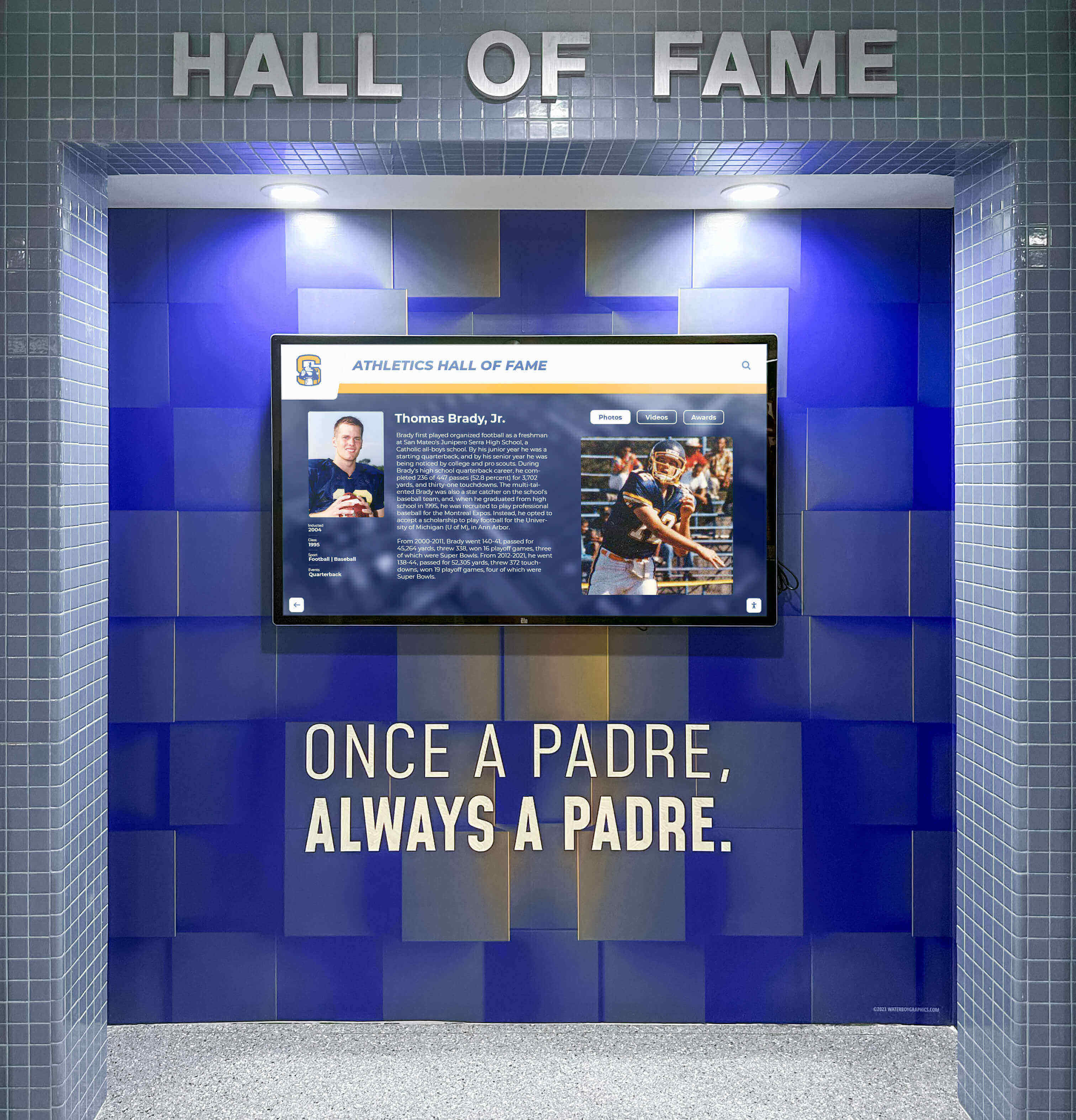
Gymnasium walls become permanent recognition galleries combining school colors, mascot branding, and digital display content that celebrates athletic achievement
Athletic Records and Championship History
Every sport has records worth displaying: fastest 100-meter time, most points in a season, consecutive championship wins, state tournament appearances. These records create aspiration for current athletes while honoring programs and individual contributors from previous eras.
Record board digital replacements offer advantages the painted wooden boards they replace cannot match:
- Updated automatically when records fall, without repainting
- Expandable to include records the original board never had space to show
- Linked to full athlete profiles accessible via touchscreen
- Visible to visiting teams who learn immediately what program they’re competing against
Championship season histories—year, sport, team record, coach, and key players—belong permanently on gymnasium walls. Digital displays make this content searchable and expandable across decades of institutional history.
Game-Day and Event Schedules
On competition nights, gymnasium screens should switch from recognition content to operational information that helps visitors navigate the event experience.
Game-day screen content that earns attention:
- Today’s schedule showing start times and sport/event sequences
- Current score (when integrated with live scoring systems)
- Countdown timer to tip-off, kickoff, or first event
- Concession stand locations and any venue-specific rules
- Next home event schedule encouraging return visits
Pre-game recognition moments create atmosphere while screens still have audience attention: senior night spotlight profiles, season statistics for starting lineups, or quick-cut highlights from previous wins in the same venue.
Athlete of the Week and Season Spotlights
Rotating athlete recognition content gives gymnasium screens fresh material that creates buzz among students throughout the week. When athletes know their name and achievement will appear on the gymnasium screens, recognition feels real rather than purely administrative.
Content formats that work in athletic spaces:
- Weekly athlete spotlight featuring name, sport, recent performance stat, and photo
- Academic All-Star profiles celebrating student-athletes maintaining strong GPAs
- Senior season retrospective running throughout spring as seniors approach graduation
- Team chemistry highlights showing team captions, practice footage, or community service activities
Strength and Conditioning Room Displays
Weight rooms and training facilities benefit from motivational and informational content distinct from main gymnasium recognition displays:
- Personal record tracking for key lifts by sport or position
- Workout schedules and team-specific training blocks
- Nutrition and recovery information approved by athletic trainers
- Program record boards for strength standards
Hallway Digital Signage Examples
School hallways are high-frequency, low-dwell-time environments. Students pass the same hallway screens dozens of times each week. Content must change frequently enough to stay relevant, yet organized clearly enough to absorb in the 5–10 seconds available while walking between classes.
Academic Recognition Displays
Hallways connecting academic wings are natural locations for academic achievement recognition that would feel out of place in athletic lobbies.
Academic display content examples:
- Honor roll by quarter or semester, organized by grade level
- AP Scholar, National Merit, and academic competition award lists
- College acceptance announcements with destination institutions
- Senior scholarship total boards updated as awards come in
- Subject-area award recipients (English Prize, Science Olympiad champions, Math League leaders)
Wildcat Academic Wall of Fame installations in hallways—combining school colors, mascot imagery, and rotating honor roll screens—give academic achievement the same visual presence that athletic halls of fame bring to sports corridors.
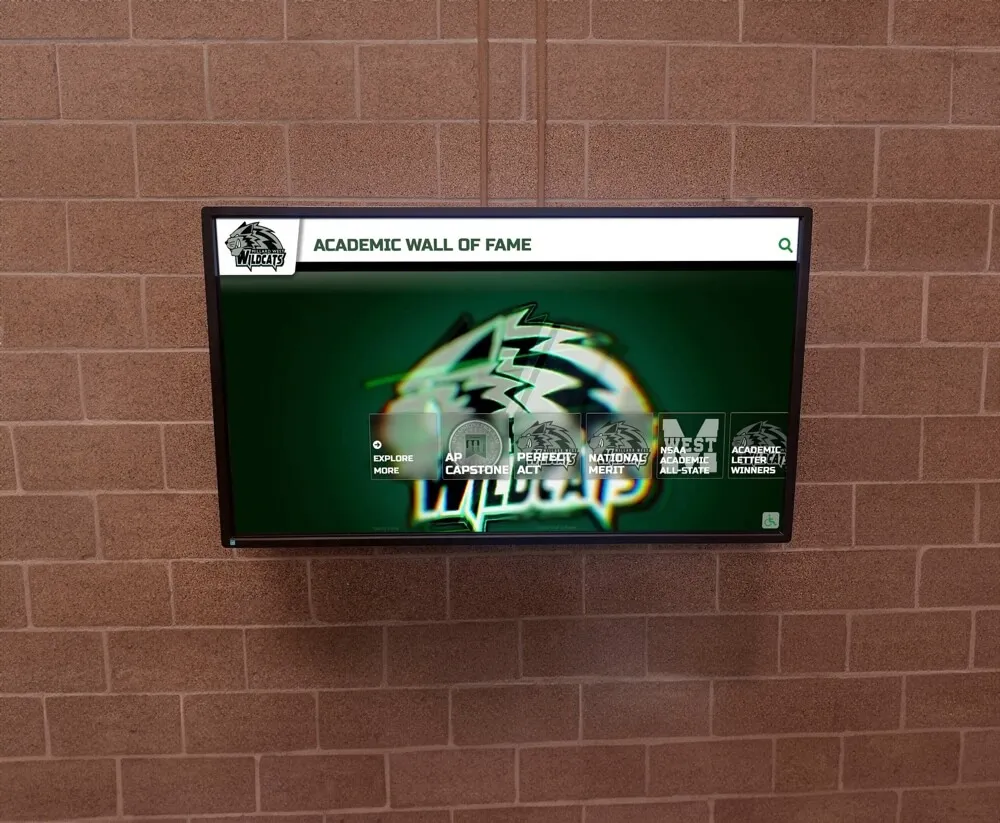
Academic recognition walls give honor roll and achievement displays the same visual prominence traditionally reserved for athletics
Club, Activity, and Arts Recognition
Student life deserves hallway screen space proportional to the number of students involved. For many students, participation in theater, debate, band, robotics, or student government represents their primary extracurricular identity—and recognition in those areas matters as much as athletic achievement recognition.
Student life hallway content:
- Drama and performing arts cast lists and production photographs
- Debate tournament results and competitor recognition
- Student government initiative spotlights
- Music ensemble competition results and state ratings
- Art show winner profiles with displayed work imagery
- FBLA, DECA, SkillsUSA competition results
Institutional History Corridors
Schools with significant history—long-tenured programs, notable alumni, championship traditions—can dedicate entire hallway runs to institutional storytelling. Team history installations combining large-format murals with embedded digital screens create corridors where students, parents, and alumni navigate decades of achievement.
Content that anchors history corridors:
- Decade-by-decade championship records by sport
- Coaching legacy timelines with win-loss records and notable milestones
- Historical team photographs from founding eras to present
- Alumni career highlights connecting school history to real-world impact
- Community heroes recognition honoring service members, educators, and civic leaders from the school community
Announcement and Information Rotation
Operational announcements belong in hallways rather than lobbies because students—the primary audience for schedule changes, club meeting reminders, and deadline notifications—are the ones walking these corridors.
Effective hallway announcement formats:
- Three-item rotating bulletin replacing cluttered paper boards
- Countdown timers to major events (homecoming, finals, graduation)
- Club meeting schedule for the current week
- Athletic event schedule with transportation departure times
For a comprehensive content library covering all school signage locations, the 120 digital signage content ideas guide offers organized categories adaptable to any school’s specific needs.
School Event Digital Signage Examples
Event-specific digital signage bridges operational information and celebration in a temporary but high-impact format. Whether the event is a championship game, an awards ceremony, a fundraiser gala, or a graduation, screens should work with the event’s emotional arc—building anticipation, celebrating achievement, and creating shareable moments.
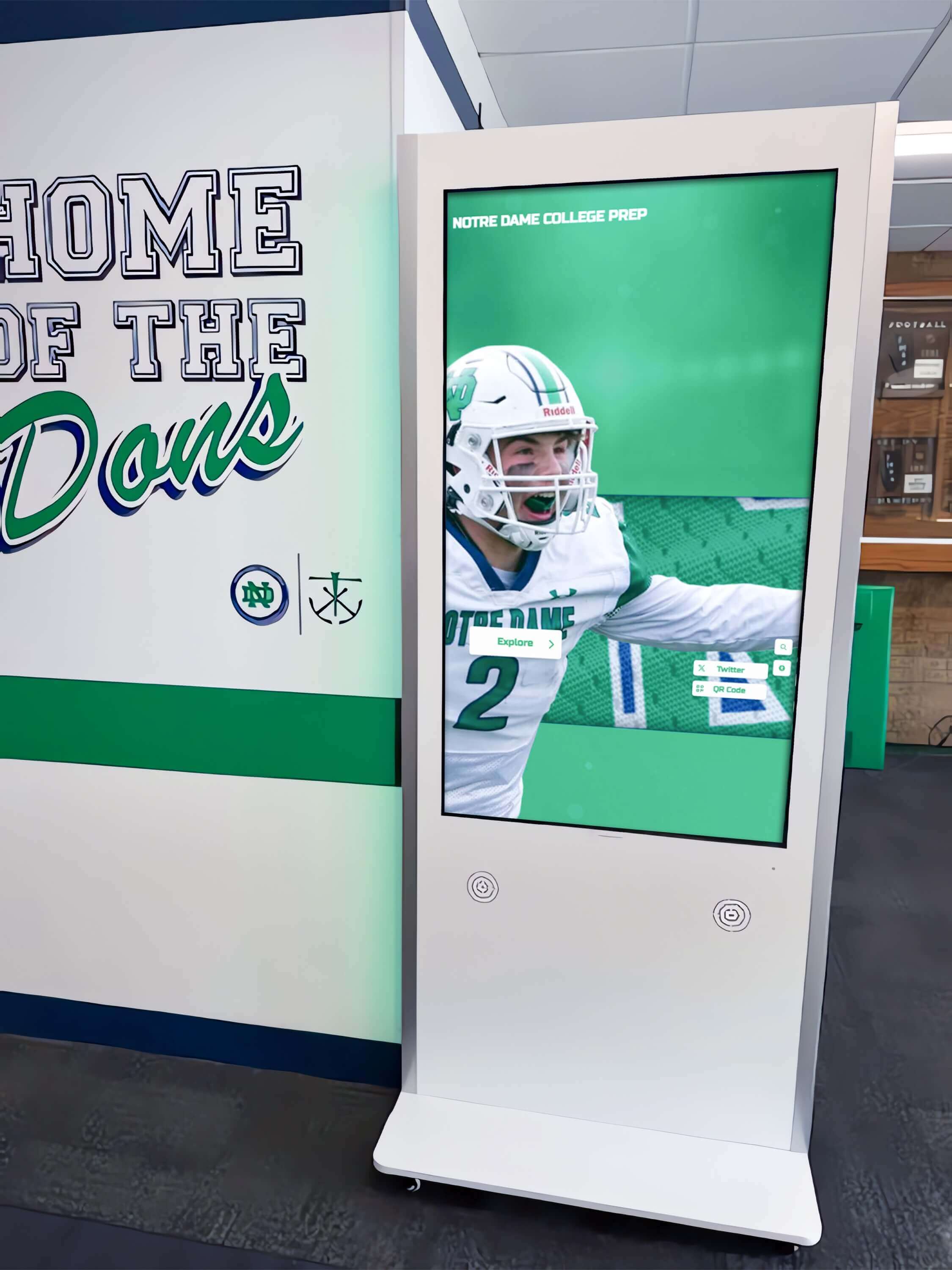
Event spaces and hallways near venues benefit from interactive kiosks that let attendees explore program history and recognition content while waiting
Awards Ceremony and Banquet Displays
Athletic banquets, academic award nights, and end-of-year ceremonies are the highest-concentration recognition moments in a school calendar. Digital signage amplifies these moments by extending recognition beyond a single announcement to an experience visible to every attendee throughout the event.
Banquet and ceremony display content:
- Award recipient list revealed progressively throughout the evening
- Season statistics for each award category
- Action photography or highlight imagery accompanying recipient recognition
- Multi-year award history showing previous recipients
- Sponsor acknowledgment integrated with award category sponsorships
Fundraiser and Giving Event Displays
Fundraiser events—galas, golf tournaments, 5K runs, phonathons—benefit from live digital recognition that motivates participation in real time. When donors see their name appear on a screen within minutes of making a gift, the recognition reinforces giving behavior and creates social motivation for others in attendance.
Fundraiser event screen content:
- Live giving thermometer showing progress toward campaign goals
- New donor recognition as gifts are processed
- Giving society milestone announcements (“We just crossed $100,000!”)
- Top donor leaderboard by gift amount or participation category
- Volunteer recognition alongside donor acknowledgment
- Sponsor logo rotation with giving tier identification
For comprehensive strategies around specific fundraiser events, see the annual school fundraiser digital recognition guide.
Graduation and Senior Recognition Events
Graduation ceremonies span hours and involve hundreds of families each experiencing the event through the lens of one specific graduate. Digital signage supporting graduation can surface personalized recognition at scale—honoring academic achievements, athletic careers, arts contributions, and individual milestones in formats that families photograph and share.
Graduation event signage examples:
- Senior portrait gallery cycling through graduating class headshots
- Senior superlative recognition with custom categories
- Scholarship recipient announcements with award amounts and destination institutions
- Four-year achievement summaries combining academic and extracurricular accomplishments
- Parent and family welcome messaging personalized to graduation ceremony sections
Visiting Team and Tournament Hospitality
Multi-school tournaments, invitational events, and playoff hosting scenarios create opportunities to use digital signage as institutional hospitality. Visiting teams and their families who arrive at a school displaying organized, attractive content—schedules, facility maps, recognition of participating programs—experience the host institution as professionally run and welcoming.
Tournament and event hospitality content:
- Participating school roster and seeding information
- Bracket display with real-time results updates
- Venue map highlighting locker rooms, concessions, and spectator areas
- Host school welcome message acknowledging participating programs
- Officials and volunteer recognition
Content Matrix: What to Show Where
| Content Type | Lobby | Gymnasium | Hallway | Events |
|---|---|---|---|---|
| Hall of Fame / Recognition | Primary | Supporting | Contextual | Feature |
| Academic Honor Roll | Secondary | Rare | Primary | Award nights |
| Athletic Records | Secondary | Primary | Contextual | Game days |
| Donor / Giving Walls | Primary | Named spaces | Rare | Fundraisers |
| Wayfinding / Directory | Primary | Event days | Secondary | Always |
| Announcements / Schedule | Secondary | Game days | Primary | Always |
| History / Heritage | Primary | Program history | Corridor installs | Contextual |
| Live Data / Scores | Rare | Game days | Rare | Event driven |
This matrix reflects general best practices. The right answer for your school depends on traffic patterns, available screen real estate, and which audiences each location primarily serves.
Frequently Asked Questions
What is the most effective content for school lobby digital signage? Interactive recognition content—specifically hall of fame displays, academic honor rolls, and donor recognition walls—consistently generates the highest engagement in school lobbies because it creates personal connections. When visitors find names they recognize, dwell time increases dramatically and the screen becomes a conversation starter rather than background noise.
How often should school hallway digital signage content change? Hallway content should refresh at minimum weekly for announcement and schedule content, and quarterly for recognition content like honor rolls and academic awards. Static content in high-frequency hallways becomes invisible within days because students who pass the same screen repeatedly stop registering unchanged content.
Can digital signage serve both passive display and interactive touchscreen functions? Yes. Modern school digital signage solutions support hybrid deployments where some screens operate as broadcast displays cycling through scheduled content while dedicated touchscreen kiosks in lobbies or near trophy areas enable visitor-driven exploration of databases, archives, and recognition records. The interactive digital signage kiosk buying guide covers what to look for when adding touch capability.
What content should appear on gym screens during non-event times? Athletic record boards, hall of champions inductee profiles, team history highlights, and rotating athlete spotlights give gymnasium screens meaningful content during the hours between events. This content reinforces program tradition and identity for students using the facility daily rather than only activating screens when scheduled events occur.
How does digital signage support donor stewardship? Digital donor recognition walls provide real-time update capability that physical plaques and engraved panels cannot match. When a new gift is processed, recognition can appear within hours rather than waiting months for physical fabrication. For major donors who bring guests to campus, seeing their name displayed prominently in the lobby creates ongoing validation that reinforces giving relationships. See the guide on school lobby digital signage for more on donor display strategies.
What digital signage software works best for schools? Schools prioritizing recognition and interactive features should evaluate platforms specifically designed for educational recognition rather than general-purpose digital signage tools. General platforms handle broadcast content well but lack the searchable databases, alumni profile management, and recognition workflows that transform screens from information displays into community engagement hubs. The best digital signage software 2026 guide breaks down the feature differences that matter for school environments.
Creating Cohesive Content Across All Locations
Individual screen excellence matters less than a coherent strategy connecting all displays into a consistent recognition experience. When lobby hall of fame screens, hallway honor roll displays, gymnasium record boards, and event recognition content all draw from the same institutional database—and when they share visual identity through consistent color, typography, and brand elements—the cumulative effect creates the sense of a recognition-forward institution rather than a collection of disconnected screens.
Schools implementing this approach describe it as “digital warming”: the transformation from cold, underutilized displays into environments where every visitor senses the depth of institutional achievement and community investment before anyone speaks a word. Each well-chosen screen content example described in this guide contributes to that cumulative warmth.
The most successful implementations pair strong content strategy with solutions built specifically for school recognition environments. Rocket Alumni Solutions combines the recognition database, interactive touchscreen capability, and content management tools that let schools build comprehensive programs spanning lobbies, gymnasiums, hallways, and events from a single platform—ensuring that content investment in one location amplifies rather than duplicates content in others.
Whether you’re starting with a single lobby kiosk or planning a campus-wide digital recognition network, the content categories and location-specific examples in this guide provide a practical foundation for displays that earn attention, honor achievement, and build the community connections that make schools worth celebrating.































