



Intent: demonstrate — Organizations installing digital recognition displays face a fundamental question that extends far beyond technology specifications or aesthetic preferences: Will every member of your community feel welcome to engage with the content you create? When schools, nonprofits, universities, and community organizations invest thousands in touchscreen installations, accessibility determines whether these displays serve entire communities or inadvertently exclude significant populations whose participation matters deeply to institutional success.
Web Content Accessibility Guidelines (WCAG) 2.2 AA represents the internationally recognized standard ensuring digital content remains accessible to people with disabilities. For touchscreen displays featuring alumni, donors, athletic achievements, or academic recognition, WCAG 2.2 AA compliance isn’t merely a technical checkbox—it’s the difference between cold, exclusionary technology that limits who can participate and warm, welcoming systems that invite entire communities to discover personal connections and celebrate collective accomplishments.
Many organizations discover accessibility requirements only after installation, when legal obligations emerge, complaints arrive, or community members report barriers preventing engagement. Others implement displays meeting minimum legal standards without understanding how accessibility fundamentally improves user experience for everyone, not just visitors with disabilities. This reactive approach creates missed opportunities for genuine inclusion while potentially exposing organizations to compliance risks.
This comprehensive guide explains why WCAG 2.2 AA accessibility matters for digital recognition displays, demonstrates how accessible design creates better experiences for all visitors, and shows why solutions like Rocket Alumni Solutions that prioritize web-based accessibility from the ground up deliver superior engagement outcomes while meeting legal requirements that protect both organizations and the communities they serve.

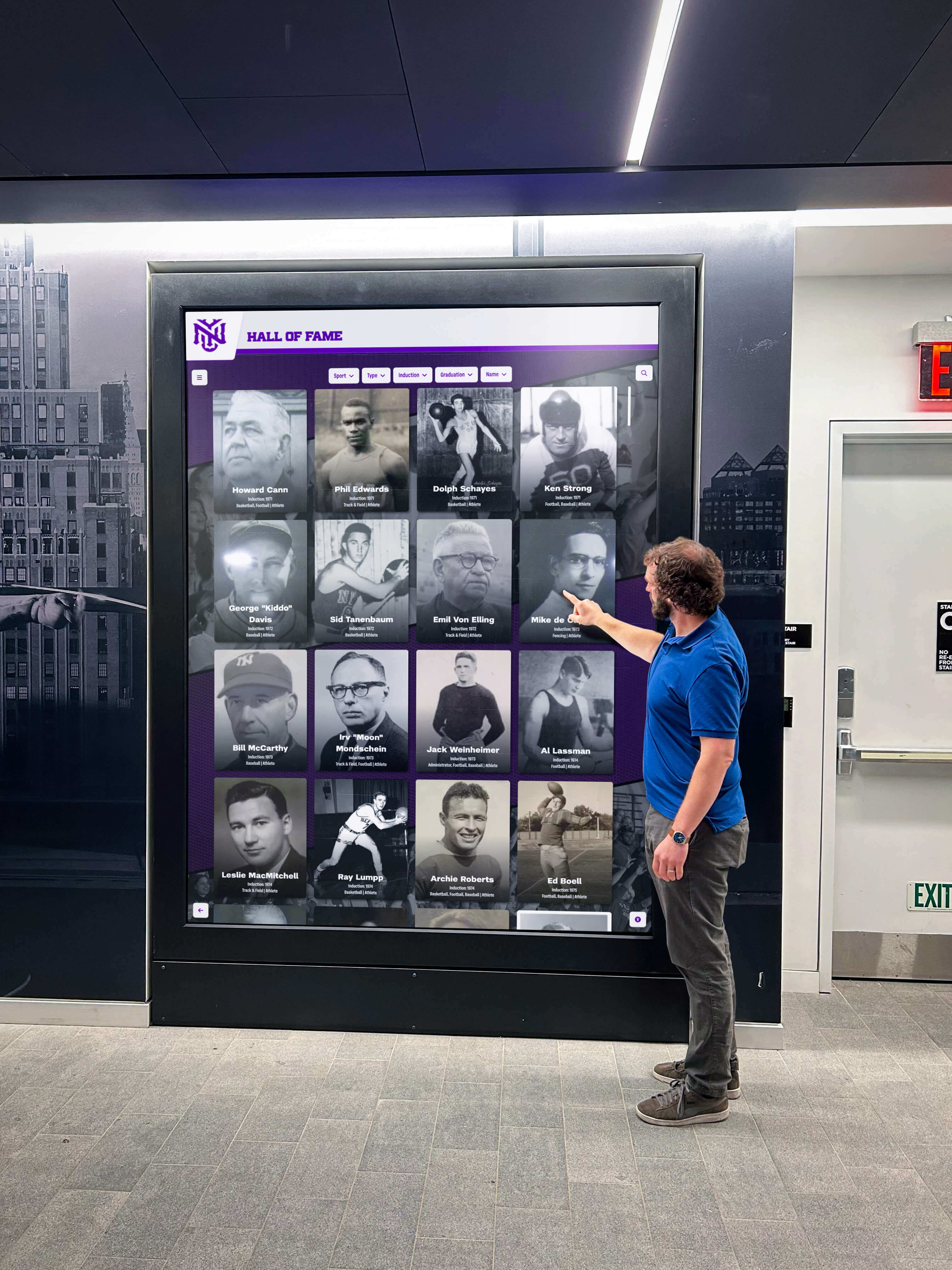
Accessible touchscreen displays welcome all community members to explore recognition content regardless of ability
Understanding WCAG 2.2 AA Standards for Digital Displays
Before exploring why accessibility matters, understanding what WCAG 2.2 AA actually requires helps organizations evaluate solutions and recognize meaningful differences between compliant and non-compliant approaches.
What WCAG 2.2 AA Means
The Web Content Accessibility Guidelines represent internationally recognized technical standards developed by the World Wide Web Consortium (W3C) ensuring digital content remains accessible to people with disabilities. WCAG operates on four foundational principles—content must be perceivable, operable, understandable, and robust.
Perceivable Content
Information and user interface components must be presentable to users in ways they can perceive. This means providing text alternatives for non-text content, creating content that can be presented in different ways without losing information, making it easier for users to see and hear content including separating foreground from background, and ensuring sufficient color contrast ratios.
For touchscreen displays, perceivability requirements include readable text at sufficient sizes, adequate contrast between text and backgrounds, alternative text descriptions for images, and captions for video content. Visitors with low vision must be able to distinguish content elements clearly, while those using assistive technology need text alternatives conveying equivalent information.
Operable Interfaces
User interface components and navigation must be operable. This requires making all functionality available from keyboards or alternative input devices, providing users adequate time to read and use content, avoiding designs that cause seizures or physical reactions, and providing ways to help users navigate and find content.
Touchscreen kiosk software must support multiple interaction methods beyond touch alone, provide sufficient target sizes for touch elements preventing accidental activation, avoid time limits that restrict slower users, and implement clear navigation structures helping all visitors understand available content and how to access it.
Understandable Information
Information and operation of user interfaces must be understandable. This means making text content readable and understandable, ensuring web pages appear and operate in predictable ways, and helping users avoid and correct mistakes.
For recognition displays, understandability requires clear instructions for interaction, consistent navigation patterns throughout the interface, predictable responses to user actions, and error prevention or clear error messages when problems occur. Visitors should immediately grasp how to search for content, navigate between sections, and accomplish desired tasks without confusion or frustration.
Reliable Content
Content must be reliable enough that it can be interpreted consistently by a wide variety of user agents, including assistive technologies. This requires proper semantic HTML structure, valid code following web standards, and compatibility with current and future assistive technologies.
Web-based touchscreen platforms inherently support reliable implementation through standard web technologies. Proprietary native applications often struggle with assistive technology compatibility, creating accessibility barriers regardless of other design considerations.
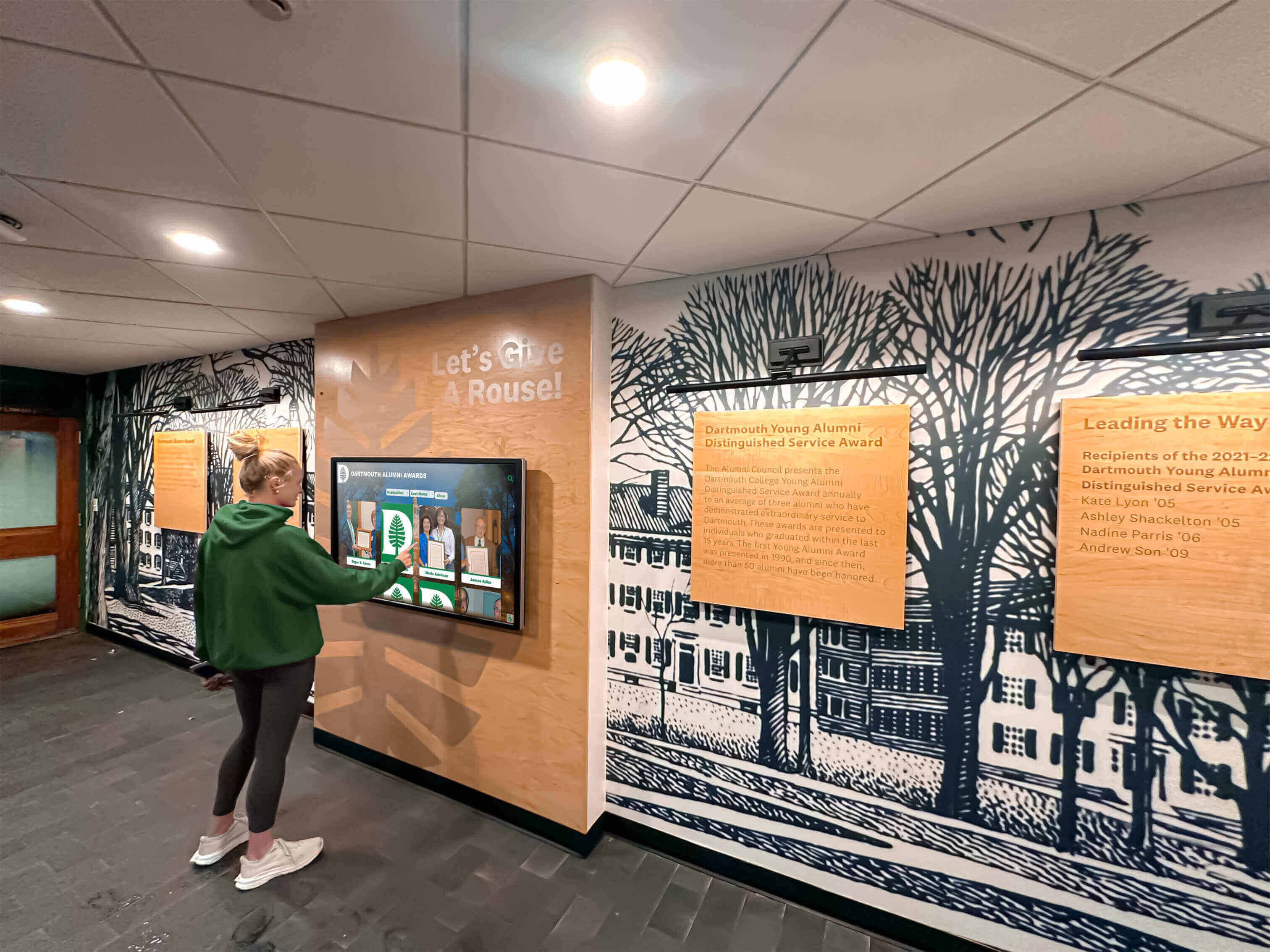
Intuitive, accessible interfaces enable independent exploration for all community members
WCAG 2.2 New Success Criteria
WCAG 2.2, published in October 2023, added nine new success criteria addressing gaps in earlier versions. For touchscreen displays, several new requirements prove particularly relevant:
Focus Appearance (Level AA)
When user interface components receive keyboard focus, the focus indicator must meet minimum visibility requirements including sufficient size and contrast. This ensures visitors using keyboard navigation or assistive technology can clearly identify which element currently has focus.
For touchscreens supporting keyboard or switch access, visible focus indicators help users with motor disabilities navigate content systematically rather than struggling with touch targets they cannot reliably select.
Dragging Movements (Level AA)
Functionality requiring dragging movements must provide alternative single-pointer activation unless dragging is essential to the function. This prevents excluding users with tremors, limited dexterity, or mobility impairments who cannot perform precise dragging gestures.
Accessible touchscreen interfaces replace drag-and-drop interactions with tap-based alternatives, button controls, or simple swipe gestures that accommodate diverse physical abilities.
Target Size (Level AA)
The size of the target for pointer inputs must be at least 24 by 24 CSS pixels except when equivalent functionality is available through a different control meeting target size requirements, the target is inline, spacing around targets provides equivalent space, or the presentation is essential.
This requirement proves especially important for touchscreens where visitors physically touch interface elements. Larger targets reduce selection errors, accommodate tremors or less precise motor control, and improve usability for everyone including users without disabilities who simply appreciate easier interaction.
Consistent Help (Level A)
If a help mechanism is available on multiple pages within a website, it must occur in the same relative order on each page unless a change is user-initiated. This consistency helps users with cognitive disabilities navigate interfaces by establishing predictable patterns they can rely on.
Interactive touchscreen displays benefit from consistent help access across all screens, allowing visitors to request assistance whenever needed without searching for controls that appear in different locations depending on context.
Web-Based Versus Native App Accessibility
A critical distinction separates web-based touchscreen platforms from proprietary native applications when evaluating accessibility compliance and practical implementation.
Web Standards Enable Accessibility
Web-based platforms built with standard HTML, CSS, and JavaScript inherit decades of accessibility development embedded in web technologies. Screen readers understand semantic HTML structure. Browser zoom and text sizing work automatically. Keyboard navigation follows established patterns. Assistive technology compatibility exists by default when developers follow web standards.
Rocket Alumni Solutions implements touchscreen displays through responsive web applications that run in standard browsers. This approach ensures WCAG 2.2 AA compliance isn’t an afterthought requiring extensive custom development—it’s built into the foundational technology stack from day one.
Native Apps Require Custom Accessibility
Proprietary touchscreen applications built with native frameworks like Windows Presentation Foundation, Java Swing, or custom development environments must implement accessibility features from scratch. Developers must manually add screen reader support, keyboard navigation, focus management, and compatibility with assistive technologies.
This custom development proves expensive, time-consuming, and often incomplete. Many touchscreen vendors claim accessibility compliance while delivering solutions that technically meet minimum legal requirements but provide poor practical experiences for visitors with disabilities.
Remote Access and Mobile Accessibility
Web-based accessibility extends beyond physical touchscreens through responsive design enabling content access from any device. Visitors with disabilities can explore digital hall of fame content from personal devices using their configured assistive technology rather than depending on public touchscreen accessibility features they may find unfamiliar or insufficient for their needs.
This remote accessibility proves especially valuable for community members who prefer or require personal device access. Alumni browsing recognition content from home, donors exploring contributor communities remotely, or prospective students researching institutional achievement from smartphones all benefit from accessibility features built into web platforms.
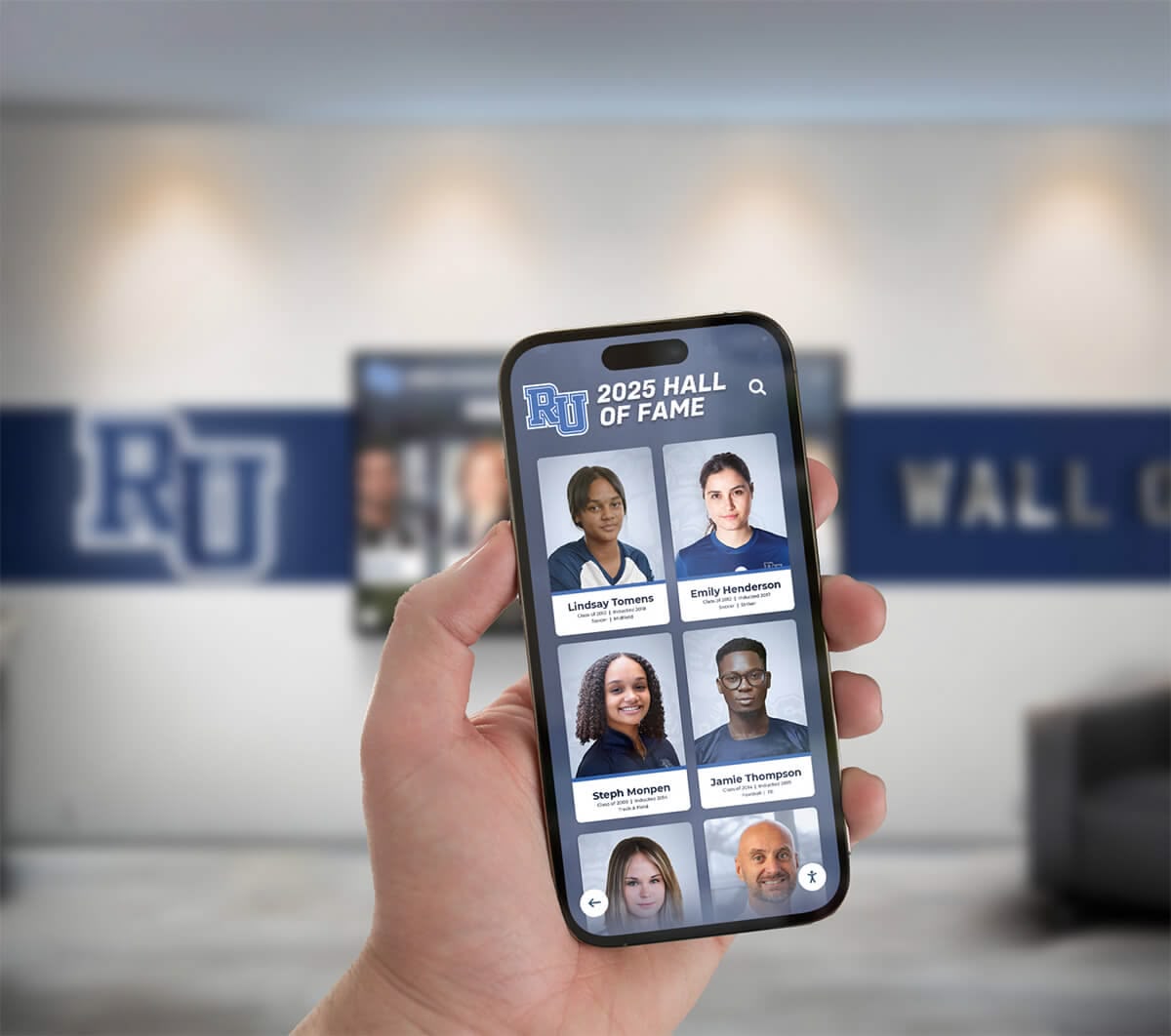
QR code access enables personal device engagement with familiar assistive technology configurations
Why Accessibility Matters Beyond Compliance
While legal requirements compel attention to accessibility standards, the genuine benefits extend far beyond avoiding litigation or meeting minimum obligations.
Legal Requirements and Risk Management
Understanding applicable legal frameworks helps organizations recognize accessibility as fundamental responsibility rather than optional enhancement.
ADA Title II and Title III Obligations
The Americans with Disabilities Act (ADA) prohibits discrimination against individuals with disabilities in public accommodations (Title III) and state and local government operations (Title II). While ADA doesn’t explicitly mention websites or digital displays, Department of Justice guidance and federal court decisions increasingly interpret ADA as applying to electronic and information technology.
Public schools, universities, and government facilities face clear Title II obligations requiring accessible digital content. Private schools, nonprofits, and other organizations open to the public fall under Title III, creating similar accessibility requirements. Organizations implementing digital recognition displays that fail to meet accessibility standards expose themselves to potential complaints, formal investigations, and costly litigation.
Section 508 Requirements for Government Entities
Section 508 of the Rehabilitation Act requires federal agencies and organizations receiving federal funding to make electronic and information technology accessible to people with disabilities. Many schools and nonprofits receiving government grants or contracts must comply with Section 508 standards, which align closely with WCAG 2.0 Level AA.
The updated Section 508 standards incorporate WCAG 2.0 Level AA as the baseline requirement for web content, effectively making WCAG compliance mandatory for covered entities. Organizations should anticipate future updates incorporating WCAG 2.2 standards as technology evolves and accessibility best practices advance.
State Accessibility Laws
Beyond federal requirements, many states have enacted accessibility laws creating additional obligations. California’s Unruh Civil Rights Act, for instance, has been interpreted as requiring website and digital content accessibility. Educational institutions must navigate both federal and state accessibility requirements that may exceed baseline WCAG standards.
Litigation Trends and Financial Risk
Accessibility-related lawsuits have increased dramatically in recent years. Organizations face demand letters from attorneys representing individuals with disabilities who encountered barriers using digital content. Settlement costs typically include:
- Attorney fees for plaintiffs (often $10,000-50,000)
- Accessibility remediation expenses
- Monitoring fees ensuring compliance implementation
- Staff time managing legal response and remediation
- Possible damages in some jurisdictions
Proactively implementing WCAG 2.2 AA compliant solutions eliminates these risks while demonstrating institutional commitment to inclusion that extends beyond legal obligation to genuine values commitment.
Inclusive Design Benefits Everyone
The curb cut effect demonstrates how accommodations designed for people with disabilities improve experiences for everyone. Curb cuts installed for wheelchair users benefit parents with strollers, travelers with rolling luggage, delivery workers with hand trucks, and countless others. Accessibility features in touchscreen displays create similar universal benefits.
Improved Readability for All Visitors
WCAG requirements for sufficient text size, color contrast, and clear typography benefit visitors with perfect vision as much as those with visual impairments. Large, readable text reduces eye strain in various lighting conditions common in hallways, lobbies, and public spaces where displays typically install.
Adequate contrast between text and backgrounds ensures readability despite screen glare, ambient lighting variations, and viewing angle changes. When organizations meet WCAG contrast requirements, content remains readable whether viewed directly or obliquely, in bright morning light or dim evening conditions.
Clearer Navigation and Organization
Accessibility requirements for logical structure, clear headings, and predictable navigation create interfaces that everyone finds easier to understand and use. Visitors quickly grasp available content categories, understand how to search for specific information, and navigate complex archives without confusion.
Digital recognition displays implementing accessible information architecture help hurried visitors accomplish goals efficiently, occasional users navigate unfamiliar interfaces intuitively, and frequent visitors discover new content they hadn’t encountered in previous sessions.
Simplified Interaction Patterns
Accessibility requirements for large touch targets, simple gestures, and alternative interaction methods create interfaces that accommodate motor skill variations common across all age groups and abilities. Older visitors appreciate larger buttons that accommodate less precise touch, young children interact successfully with simplified controls, and visitors carrying bags or beverages manage one-handed interaction more easily.
Touch target size requirements prevent accidental activation when adjacent controls sit too close together—a frustration everyone experiences with poorly designed interfaces regardless of disability status. By meeting accessibility standards for touch target spacing, organizations create displays that respond accurately to user intent rather than registering unintended selections that force frustrating backtracking.
Faster Content Discovery
Accessible search functionality, clear filtering options, and logical content organization help all visitors find relevant information quickly. Alumni searching for classmates, donors exploring giving communities, or students researching institutional history accomplish goals in seconds rather than minutes of aimless browsing.
This efficiency proves especially valuable in high-traffic locations where displays attract passing interest. When visitors quickly discover personally relevant content, they engage longer and more meaningfully than when faced with slow, confusing interfaces that fail to surface connections efficiently.

Accessible design creates welcoming experiences that encourage exploration and discovery for entire communities
Demographic Inclusivity and Community Building
Accessibility directly impacts which community members feel welcomed to participate in recognition experiences that shape institutional culture and identity.
Aging Population Considerations
According to the National Institute on Aging, approximately one in three adults aged 65-74 and one in two adults over 75 experience hearing loss. Similarly, vision impairment affects substantial portions of older adult populations even when corrected with glasses. Schools, universities, and nonprofits serving multi-generational communities must consider age-related accessibility needs when implementing recognition displays.
Alumni populations skew older, with many institutions maintaining relationships with graduates spanning seven or eight decades. When alumni recognition displays fail to accommodate age-related changes in vision, hearing, and motor control, organizations inadvertently exclude their most historically engaged supporters—the very alumni who remember pre-digital institutional eras and appreciate modern technology that maintains their connection to schools they love.
Temporary Disabilities and Situational Limitations
Accessibility accommodates not only permanent disabilities but temporary conditions and situational limitations that affect most people at various points. Broken arms, temporary vision impairment following medical procedures, or concussions affecting cognitive processing create accessibility needs regardless of formal disability identification.
Situational limitations include bright sunlight creating screen glare, noisy environments where audio content becomes inaudible, or crowded spaces where physical positioning restricts comfortable viewing angles. Accessible design that accommodates various viewing distances, lighting conditions, noise levels, and physical positions serves everyone navigating real-world environments where ideal conditions rarely exist.
Learning and Cognitive Diversity
WCAG guidelines addressing understandable content benefit visitors with learning disabilities, cognitive processing differences, or simply varying levels of technical familiarity. Clear instructions, consistent navigation, predictable interface behavior, and helpful error messages create successful experiences for visitors regardless of cognitive style or technology comfort.
Educational institutions particularly benefit from cognitive accessibility. When student recognition displays accommodate diverse learning styles and information processing approaches, they model inclusive values while ensuring every student can celebrate their achievements and discover inspiration in peers’ accomplishments.
Digital Warming Through Accessibility
The concept of digital warming—transforming cold, disconnected digital spaces into warm, engaging community experiences—depends fundamentally on accessibility that welcomes entire communities to participate.
Removing Barriers to Personal Connection
When visitors with disabilities encounter accessibility barriers preventing engagement with recognition content, they experience exclusion from community celebration rather than the warm welcome organizations intend. The resulting disconnection contradicts institutional inclusion values while preventing relationship development that drives long-term engagement, philanthropic support, and community advocacy.
Conversely, when visitors with disabilities successfully navigate recognition displays, discover personal connections, search for friends and role models, and explore community achievements without barriers, they experience the digital warming effect that transforms passive awareness into active participation. This engagement warmth extends beyond individual interactions to broader institutional perceptions—organizations demonstrating genuine commitment to accessibility signal values commitment that resonates throughout communities.
Broadening Engagement Reach
Accessible web-based platforms extend engagement opportunities beyond physical touchscreen interactions through remote access enabling participation regardless of geographic location, mobility limitations, or personal preference. Alumni living far from campus, donors unable to visit facilities regularly, or community members with disabilities limiting travel can explore recognition content from home using assistive technology configured to their specific needs.
This extended reach creates consistent touchpoints maintaining community warmth over years rather than occasional in-person encounters that fail to sustain engagement between visits. Digital recognition systems that prioritize both physical and remote accessibility enable continuous community presence rather than episodic engagement dependent on physical proximity.
Building Authentic Inclusive Communities
Organizations claiming inclusive values while implementing exclusionary technology face credibility gaps undermining broader community trust. When accessibility remains an afterthought or box-checking exercise, communities recognize performative inclusion rather than authentic commitment.
Genuine accessibility integrated from initial design through ongoing content management demonstrates values-driven decision making that extends beyond legal compliance to fundamental respect for all community members. This authenticity builds trust, strengthens relationships, and creates communities characterized by genuine warmth rather than superficial gestures toward inclusion.
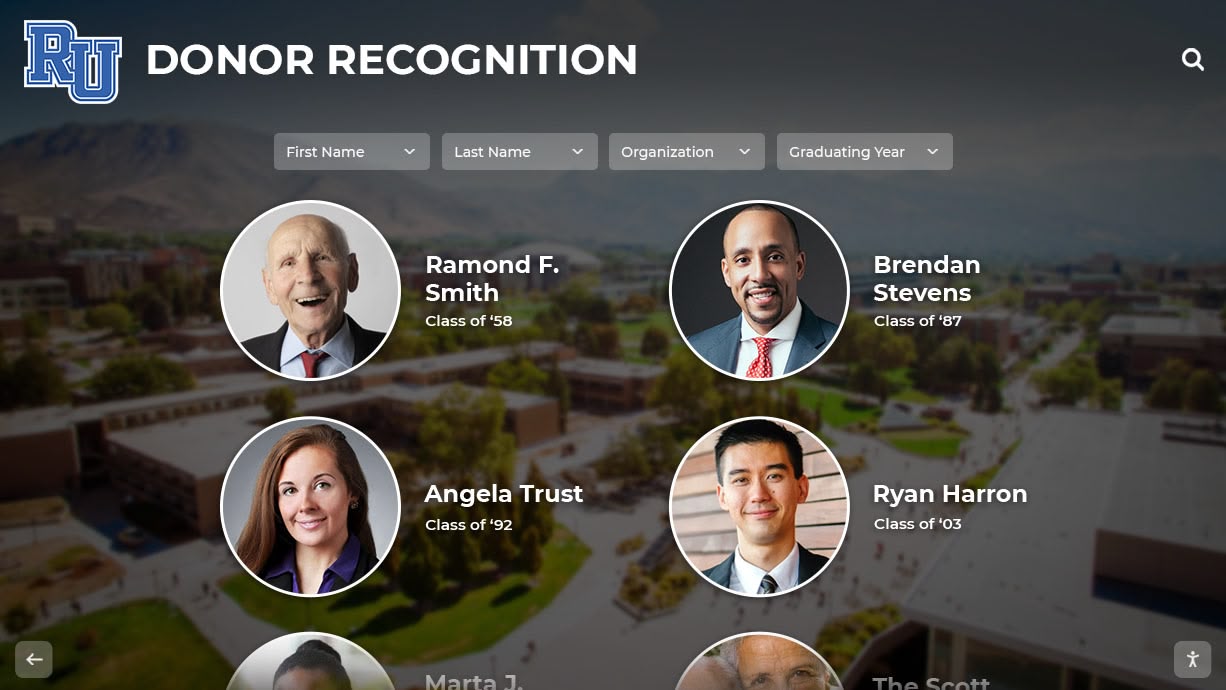
Inclusive recognition displays strengthen communities by welcoming participation across all abilities and circumstances
Evaluating Touchscreen Accessibility: Key Questions
Organizations evaluating digital recognition solutions should ask specific questions revealing genuine accessibility commitment versus superficial compliance claims.
Web-Based or Proprietary Platform?
The foundational question determining accessibility viability asks whether platforms use web-based technologies or proprietary native applications.
Why Web-Based Architecture Matters
Web standards evolved over decades specifically to support accessibility through semantic HTML, ARIA attributes, keyboard navigation patterns, and assistive technology APIs. Browsers implement accessibility features automatically. Screen readers understand web content structure. Keyboard navigation follows established conventions. Zoom and text sizing work universally.
Organizations choosing web-based platforms like Rocket Alumni Solutions inherit this accessibility foundation rather than depending on vendors to implement custom accessibility from scratch. While web-based architecture doesn’t guarantee accessibility, it provides the essential technical foundation making WCAG 2.2 AA compliance achievable through proper development practices.
Red Flags in Native Applications
Proprietary touchscreen applications face fundamental accessibility challenges. Ask vendors:
- Does the platform support screen readers? Which specific screen readers have been tested?
- Can users navigate the entire interface using only keyboard controls?
- Does text resize based on user preferences?
- Can users adjust color schemes for better contrast?
- Does the platform work with alternative input devices like switch controls?
Vague responses, promises of future accessibility features, or claims that accessibility “meets legal requirements” without specifics suggest inadequate accessibility implementation. Genuine accessibility requires specific technical approaches that vendors should explain clearly.
Physical and Remote Access
Complete accessibility extends beyond physical touchscreens to remote access enabling personal device engagement.
QR Code and Web Access
Ask whether the platform provides QR codes enabling visitors to access content from personal smartphones. Mobile accessibility allows visitors with disabilities to use assistive technology they already have configured rather than depending on public touchscreen accessibility features that may prove unfamiliar or insufficient.
Web access from personal devices accommodates visitors who prefer not to touch public screens due to hygiene concerns, mobility limitations affecting standing positions required for wall-mounted displays, or simply personal preference for familiar device interaction over public kiosks.
Responsive Design Across Devices
Genuine accessibility requires responsive design ensuring content displays appropriately across screen sizes, orientations, and device types. Content that displays beautifully on large touchscreens but becomes unusable on small smartphones fails to provide accessible alternatives serving visitors with diverse needs and preferences.
Content Management Accessibility
Accessibility extends beyond visitor-facing interfaces to content management systems that staff use to update recognition displays.
Admin Interface Accessibility
Ask whether administrative interfaces meet WCAG standards. Staff members with disabilities deserve accessible tools enabling them to manage content, update profiles, and maintain recognition displays without barriers. Organizations committed to inclusive employment practices should prioritize accessible content management enabling staff with diverse abilities to fulfill professional responsibilities.
Accessible Content Creation
Inquire about tools and guidance helping content creators maintain accessibility standards. Does the platform automatically check image alternative text? Are there built-in contrast checkers? Does the system validate heading structure and semantic HTML? Accessible platforms provide guardrails preventing content creators from inadvertently introducing accessibility barriers through common mistakes.
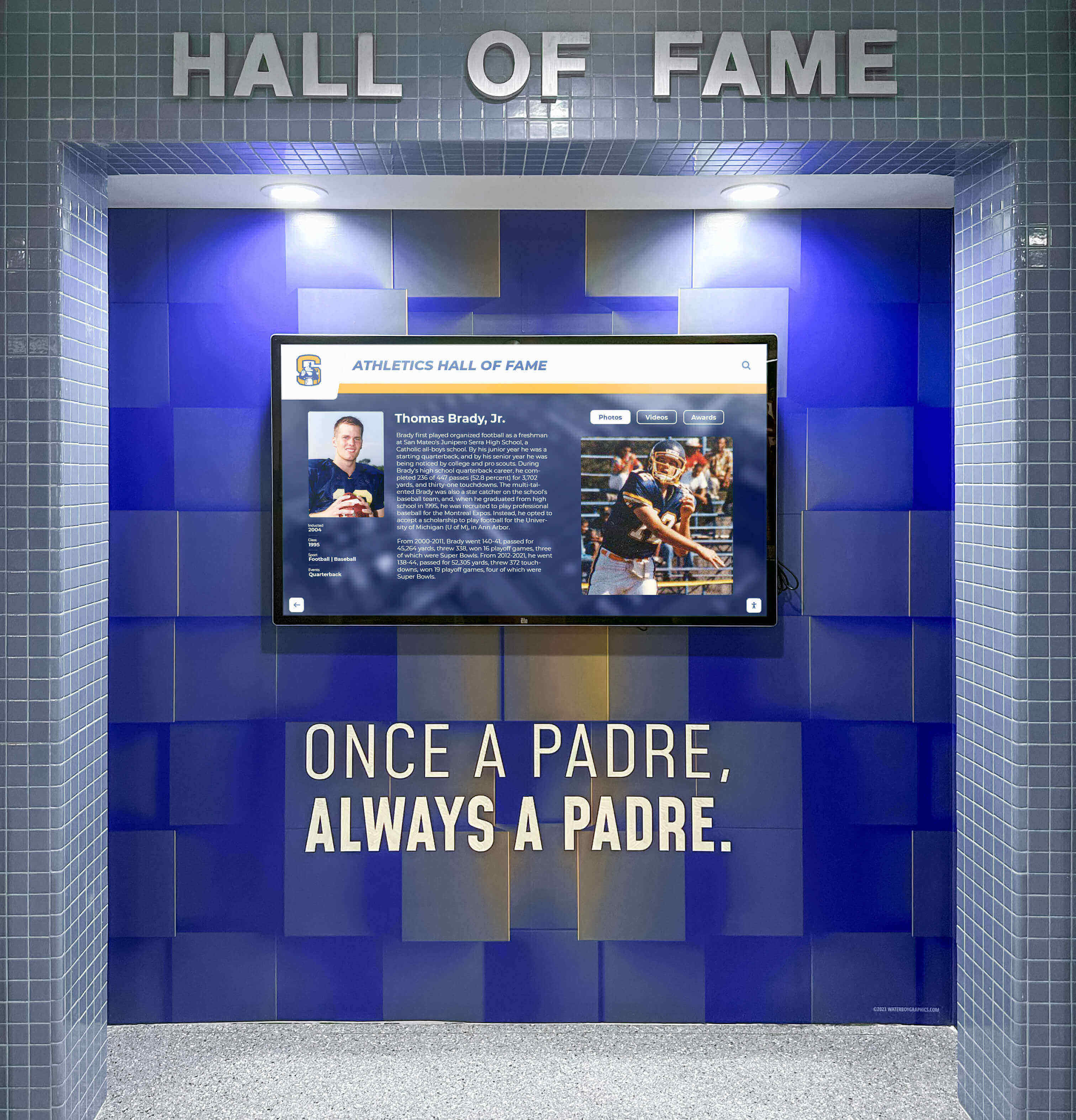
Purpose-built accessible platforms integrate smoothly into facilities while meeting all compliance requirements
Rocket Alumni Solutions: Web-Based Accessibility Leadership
Understanding why accessibility matters reveals why Rocket Alumni Solutions designed its platform using web-based architecture from inception rather than treating accessibility as afterthought requiring expensive retrofitting.
Built on Web Standards
Rocket Alumni Solutions implements touchscreen displays through responsive web applications running in standard browsers. This technical foundation provides several accessibility advantages:
Native Screen Reader Support
The platform works with all major screen readers including JAWS, NVDA, VoiceOver, and TalkBack without requiring custom development. Properly structured semantic HTML enables assistive technology to convey content meaning, navigation structure, and interaction patterns to visitors with visual disabilities.
Keyboard Navigation Throughout
Every interactive element remains accessible via keyboard navigation following established web conventions. Visitors using alternative input devices, keyboard-only navigation, or switch controls can search content, navigate profiles, and explore recognition displays completely independently.
Automatic Text Scaling
Browser zoom and text sizing work universally across the platform. Visitors with low vision can increase text size to comfortable reading levels without content reflow breaking layouts or hiding critical information. This responsive design accommodates both system-level accessibility settings and user-initiated adjustments.
Color Contrast Compliance
All text and interface elements meet or exceed WCAG 2.2 AA color contrast requirements ensuring readability for visitors with low vision, color blindness, or viewing content in challenging lighting conditions. High contrast modes provide additional accommodation when needed.
Remote Access and Personal Devices
Rocket Alumni Solutions extends accessibility beyond physical touchscreens through comprehensive remote access enabling personal device engagement.
QR Code Activation
Every physical touchscreen display features QR codes enabling visitors to access identical content from personal smartphones. This alternative access method accommodates visitors who:
- Use personal assistive technology configured to specific needs
- Experience mobility limitations affecting touchscreen interaction
- Prefer familiar device interfaces over public kiosks
- Want to explore content more thoroughly than brief lobby interactions allow
- Wish to share discovered content with family and friends remotely
Responsive Web Platform
The same content accessible via physical touchscreens displays appropriately on smartphones, tablets, laptops, and desktop computers. This device flexibility enables alumni browsing recognition content from home, donors exploring giving communities during decision-making processes, or prospective students researching institutional achievement from school computer labs.
Responsive design ensures accessibility features work consistently across all device types rather than fragmenting experiences between touchscreen, mobile, and desktop versions requiring separate accessibility implementations.
Content Management Accessibility
Rocket Alumni Solutions ensures accessibility extends to staff members managing recognition content through admin interfaces.
Accessible CMS Interface
The cloud-based content management system meets WCAG 2.2 AA standards enabling staff with disabilities to update profiles, upload media, and maintain recognition displays using assistive technology. This inclusive approach supports diverse employment practices while ensuring content quality regardless of who manages updates.
Accessibility Guidance and Automation
Built-in tools help content creators maintain accessibility standards:
- Automatic prompts for image alternative text
- Heading structure validation
- Color contrast checking for custom designs
- Accessible form controls throughout
- Plain language guidance for all features
These guardrails prevent common accessibility mistakes while educating content creators about best practices that extend beyond platform-specific usage to general digital accessibility understanding.
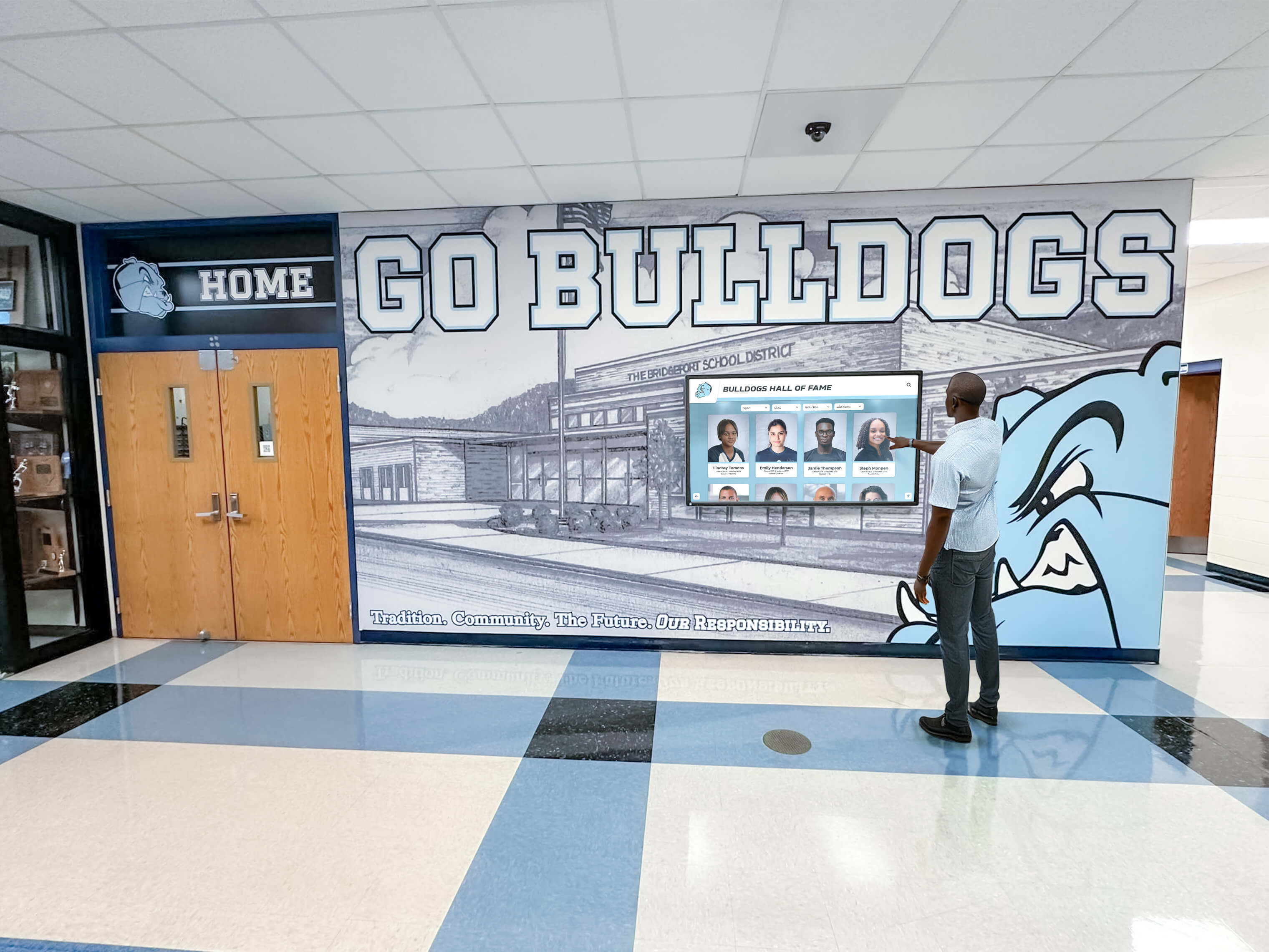
Accessible displays enable independent discovery and engagement for all students and community members
Implementation Considerations for Accessible Displays
Organizations prioritizing accessibility should consider several factors beyond platform selection affecting installation success.
Physical Placement and Mounting
Physical installation impacts accessibility regardless of software design.
Mounting Height Considerations
ADA guidelines recommend mounting height ranges accommodating wheelchair users, visitors of varying heights, and children. Touchscreens mounted too high exclude wheelchair users and shorter individuals, while very low mounting challenges taller visitors and creates awkward interaction angles.
Optimal mounting places interactive elements between 15 and 48 inches from the floor, though specific recommendations vary based on reach range requirements, operable parts standards, and context-specific considerations. Organizations should consult accessibility specialists during installation planning ensuring physical accessibility complements software accessibility.
Clear Floor Space
ADA requires clear floor space enabling wheelchair approach and use of accessible elements. Touchscreen installations must provide adequate space for forward or parallel approach without obstructions limiting wheelchair maneuvering. Clear floor space typically requires 30 inches by 48 inches minimum.
Display placement in alcoves, corners, or areas with limited approach space creates physical barriers preventing access regardless of software accessibility. Installation planning should account for furniture arrangements, traffic flow patterns, and architectural features affecting clear floor space availability.
Adequate Lighting
Screen visibility depends on ambient lighting that minimizes glare while providing sufficient illumination for visitors with low vision to perceive content and controls. Installation locations near windows may experience glare during certain times of day, while dimly lit hallways challenge content visibility.
Organizations should evaluate lighting conditions throughout the day and academic year, considering seasonal sun angle changes, artificial lighting variations, and traffic patterns affecting when displays receive primary usage. Anti-glare screen treatments and optimal orientation relative to light sources improve visibility across conditions.
Content Accessibility Best Practices
Even accessible platforms require content following accessibility best practices for maximum effectiveness.
Image Alternative Text
All images require alternative text descriptions conveying equivalent information to visitors using screen readers. For recognition displays, this means describing photograph subjects, their achievements being recognized, and contextual information visible to sighted users.
Alternative text should be concise but informative—“John Smith, Class of 1985, honored for distinguished career in medicine” rather than simply “portrait photo.” Well-crafted alternative text ensures visitors using assistive technology receive equivalent recognition experiences compared to sighted visitors.
Video Captions and Transcripts
Video content embedded in recognition displays requires accurate captions for visitors who are deaf or hard of hearing. Captions should include not only spoken dialogue but relevant audio information like music, sound effects, or ambient noise contributing to content meaning.
Transcripts provide additional accessibility for visitors who prefer reading over watching video, need to reference specific content quickly, or use assistive technology that works better with text than multimedia formats.
Clear, Plain Language
Content should use clear language appropriate for general audiences avoiding unnecessary jargon, complex vocabulary, or dense academic writing. Plain language benefits visitors with cognitive disabilities, English language learners, and general audiences who prefer straightforward communication over unnecessarily complex prose.
Aim for eighth-grade reading level or below for general content while maintaining appropriate sophistication for context. Recognition content should celebrate achievements accessibly rather than creating comprehension barriers through unnecessarily complex language.
Staff Training and Ongoing Management
Successful accessibility requires staff understanding and commitment extending beyond initial implementation.
Accessibility Training for Content Managers
Staff responsible for updating recognition content should receive training covering:
- Why accessibility matters beyond compliance
- Common accessibility barriers and how to avoid them
- Platform-specific accessibility features and tools
- Alternative text writing best practices
- Plain language principles
- Testing content with assistive technology
This training ensures content quality remains high as staff members add profiles, update information, and maintain displays over years without inadvertently introducing accessibility barriers through common mistakes.
Regular Accessibility Audits
Organizations should conduct periodic accessibility audits testing compliance with current standards, identifying barriers requiring remediation, and evaluating whether practices match best practices as technology and standards evolve.
Third-party accessibility auditors provide objective evaluation while identifying issues internal staff might overlook. Regular audits demonstrate ongoing commitment to accessibility rather than one-time compliance checkbox, while helping organizations maintain high standards despite staff turnover or evolving content.
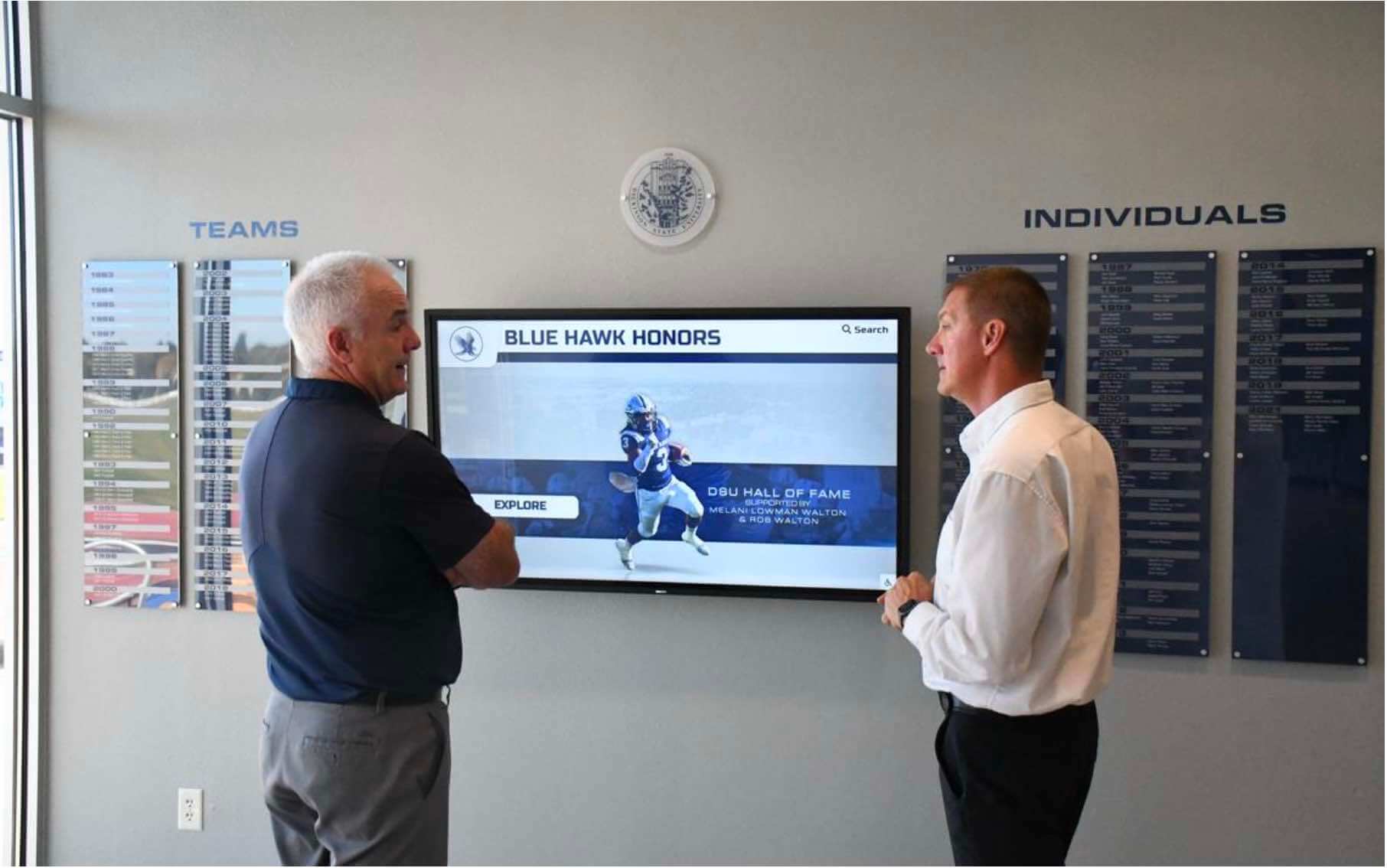
Accessible displays create shared experiences that build connections across diverse communities
The Future of Accessible Recognition Technology
Accessibility standards and technology continue evolving as organizations, advocates, and developers work toward more inclusive digital experiences.
WCAG 3.0 and Beyond
The W3C is developing WCAG 3.0, which will eventually replace current standards with updated approaches reflecting technological changes and deeper accessibility understanding. While WCAG 3.0 remains years from finalization, organizations implementing accessible solutions today should monitor developments and plan for future standards evolution.
Choosing platforms committed to ongoing accessibility improvement rather than minimum compliance provides protection against obsolescence as standards advance. Rocket Alumni Solutions maintains active WCAG monitoring and platform development ensuring continued leadership as accessibility best practices evolve.
Artificial Intelligence and Accessibility
Emerging AI technologies offer promising accessibility benefits including automatic image alternative text generation, caption creation, content simplification, and personalized interface adaptations. However, AI accessibility features require careful implementation ensuring accuracy, reliability, and respect for user privacy.
Organizations should evaluate AI-powered accessibility features critically, recognizing that automation cannot replace human judgment and quality assurance. AI can support accessibility workflows while humans verify quality, accuracy, and appropriateness.
Voice Interaction and Multimodal Interfaces
Voice control and multimodal interfaces supporting speech, touch, gesture, and keyboard input simultaneously create additional accessibility pathways. These interaction methods particularly benefit visitors with mobility disabilities, visitors navigating hands-free due to holding items, or visitors who simply prefer voice interaction over touch.
As voice recognition accuracy improves and privacy concerns receive appropriate technical solutions, voice-enabled recognition displays may provide valuable accessibility improvements complementing existing accessible features rather than replacing them.
Conclusion: Accessibility as Community Values
WCAG 2.2 AA accessibility represents far more than technical requirements or legal obligations—it embodies fundamental organizational values about who belongs in communities, whose participation matters, and what genuine inclusion requires beyond symbolic gestures.
Organizations implementing digital recognition displays face clear choices between exclusionary solutions that prevent portions of communities from participating and genuinely accessible platforms that welcome everyone. Web-based solutions like Rocket Alumni Solutions that prioritize accessibility from foundational architecture through content management demonstrate commitment to inclusive values that extend throughout institutional cultures.
The digital warming effect depends on removing barriers preventing personal connection and community participation. When accessibility receives attention equal to aesthetic design, content depth, and technical capability, organizations create recognition experiences that truly serve entire communities rather than inadvertently excluding members whose engagement matters deeply to institutional success.
Every visitor excluded by accessibility barriers represents not only legal risk but lost relationships, diminished community engagement, and missed opportunities for the connections that transform cold digital spaces into warm, active communities where everyone discovers belonging.
Ready to implement WCAG 2.2 AA accessible digital recognition that welcomes your entire community? Book a demo to discover how Rocket Alumni Solutions creates genuinely inclusive recognition experiences that activate engagement across all abilities.































