Intent: decide — A recognition display viewing angle test tells you, before the dedication ceremony, whether every visitor in a school hallway, lobby, or gymnasium can actually read the athlete names, photos, and records your program spent months curating. Viewing angle is the hidden variable that installation checklists most often skip: a screen that looks flawless head-on can wash out, shift colors, or lose contrast for anyone standing slightly to the side or approaching from down the corridor. Run this test during hardware setup, not after the ribbon is cut.
Hallways, lobbies, and gymnasiums each present distinct viewing geometry. A hallway display is typically approached head-on from a distance and then passed at increasing off-axis angles. A lobby screen is often mounted at a corner or entry point where visitors arrive from multiple directions simultaneously. A gym display must serve spectators in bleachers positioned well above and to the side of the screen. Each environment creates a different viewing-angle challenge, and a single fifteen-minute test walkthrough reveals whether your display hardware matches the spatial reality of the space.
This guide explains how viewing angle specifications translate into real-world performance for school recognition displays, how to conduct a structured test in each venue type, and what to do when a display falls short before the community ever sees it.
School athletic directors, facilities coordinators, and archivists invest significant effort selecting inductees, gathering historical records, and building recognition content that celebrates decades of achievement. A recognition display viewing angle test protects that investment by confirming that no visitor position in your building turns that carefully curated content into a washed-out, color-shifted, unreadable screen.

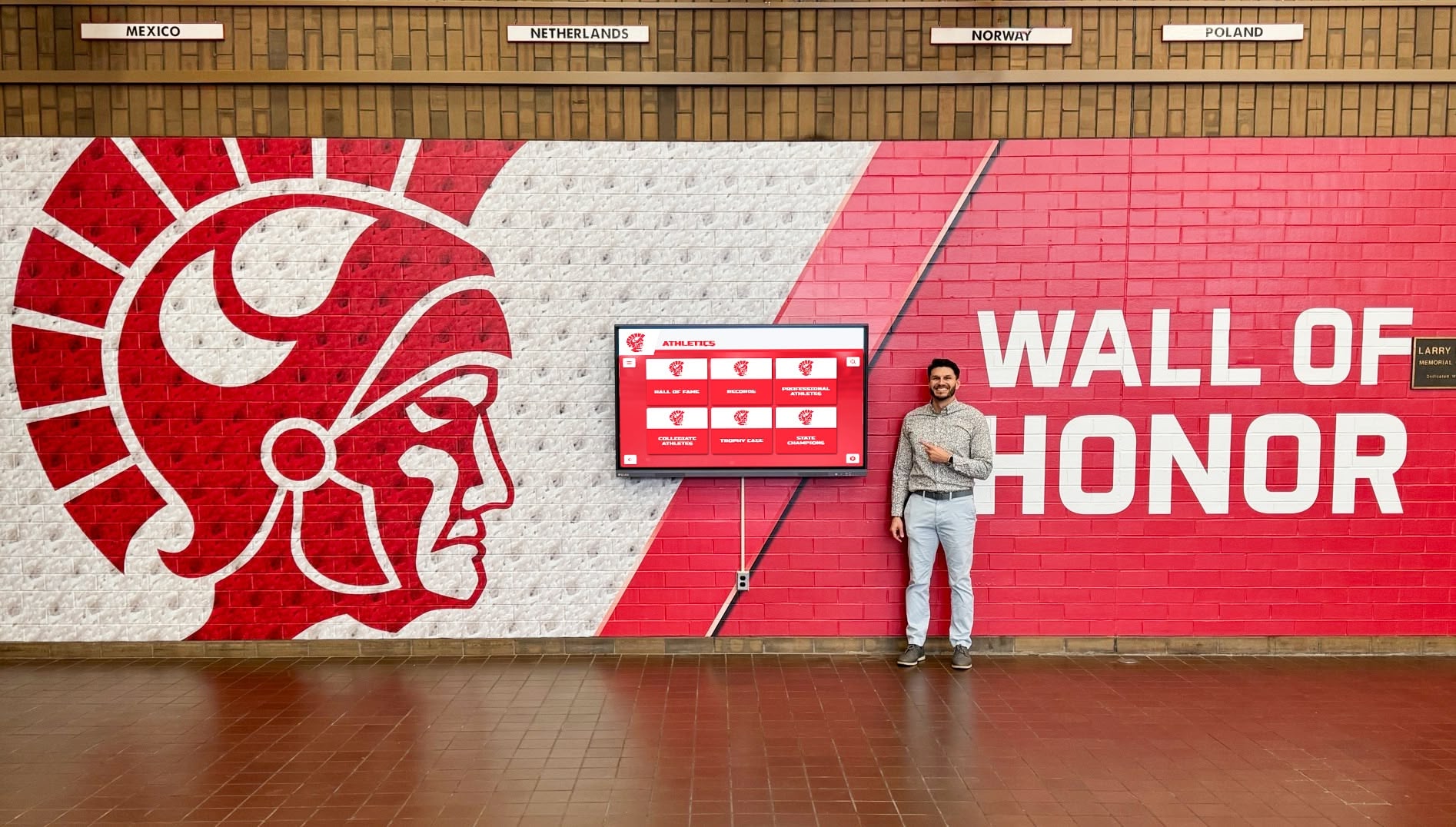
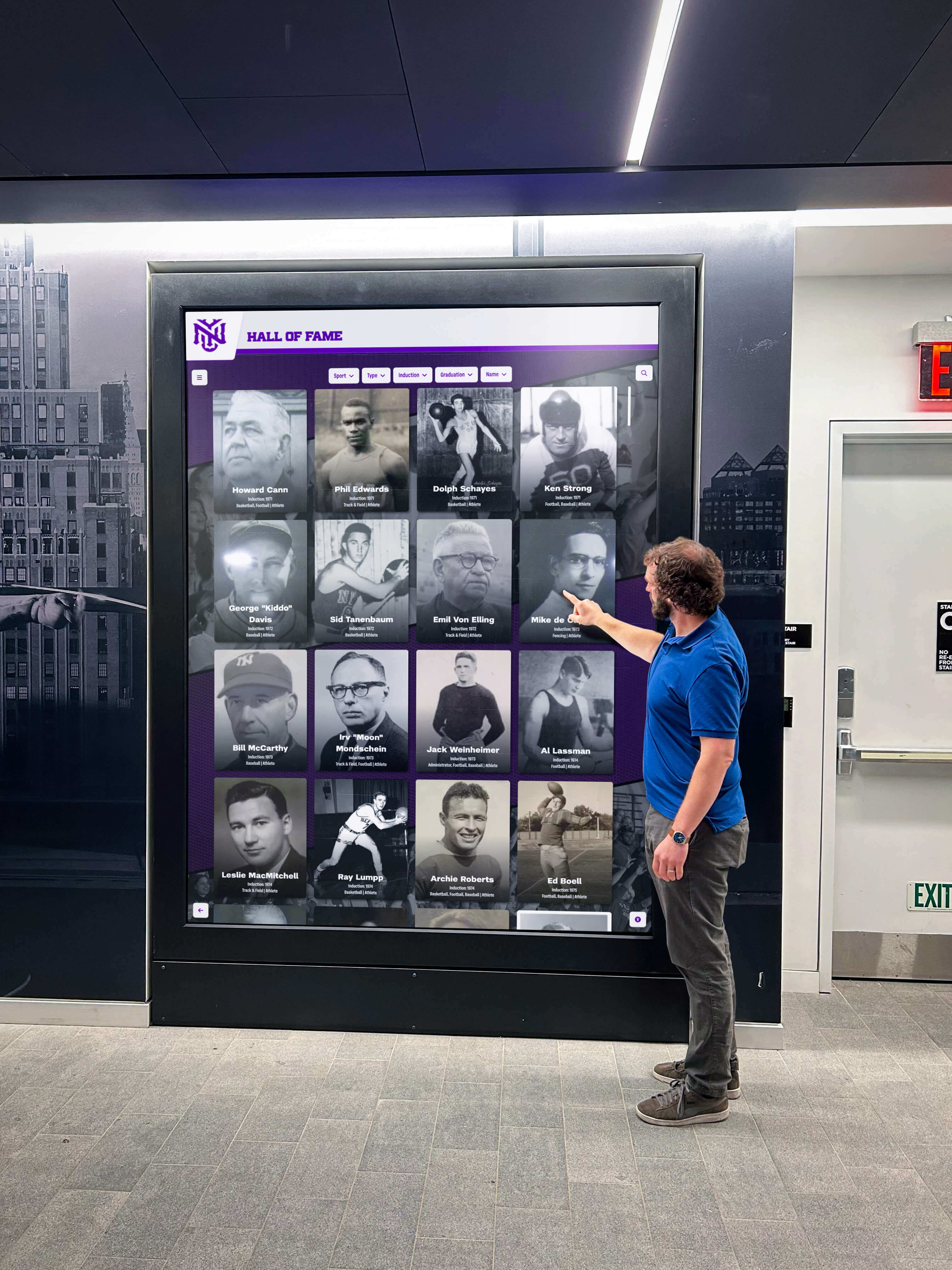
Hallway recognition displays are approached from a distance and viewed at increasing off-axis angles as visitors walk past — the viewing angle test verifies readability at every point in that approach
What Viewing Angle Means for Recognition Displays
Display manufacturers specify viewing angles as the maximum horizontal and vertical degrees from center at which the screen maintains acceptable contrast and color accuracy. A typical commercial display specification might read “178° horizontal / 178° vertical (CR≥10).” That specification describes a lab condition: the angle at which the screen’s contrast ratio stays above a minimum threshold on a calibrated instrument.
Real-world recognition display installations rarely place viewers at the exact center-perpendicular position that maximizes display performance. A visitor approaching a hallway kiosk from thirty feet away is simultaneously off-axis horizontally and elevated or lowered relative to the screen center. A family member photographing an inductee plaque is likely holding a phone at a different height than the screen’s center axis. A coach reviewing athlete records from across a gym lobby may be standing at a substantial angle while doing three other things.
IPS panel technology, which is common in commercial recognition displays and all-in-one kiosk units, generally maintains strong color and contrast performance across wide angles. VA panels, sometimes found in budget display hardware, can show significant contrast drop and color shift beyond 30–40 degrees off-center, appearing grayish or inverting shadows in ways that make portrait photography look degraded. TN panels perform worst off-axis and should not be used for recognition content where visitor positioning cannot be controlled.
Understanding school spirit display placement in gyms, lobbies, and athletic hallways starts with the physical geometry of where community members actually stand — which is exactly what the viewing angle test maps.
Where Viewing Angle Problems Surface in School Settings
Athletic Hallways
Hallway recognition displays present a moving-viewer problem. A student or visitor walking down a corridor encounters the display at a direct approach angle from a distance, then shifts off-axis as they walk past. At the point of closest passing, they may be standing at 60–80 degrees from the screen’s perpendicular — well into the range where lower-specification panels show color shift or contrast loss.
The critical test in a hallway is not whether the display looks good head-on from across the corridor. It is whether inductee names, sport labels, and record text remain readable as a walker passes the screen on the near side. Legibility while in motion — even slow, deliberate motion — requires that text contrast holds through at least 60 degrees horizontal off-axis.
School Lobbies
Lobby installations face a multi-direction viewer problem. Visitors arrive through main entrance doors, from adjacent corridors, from the gym entrance, and from administrative office wings. A display positioned at a lobby corner or near a trophy case may have visitors approaching from three or four directions simultaneously during an open house, athletic banquet, or hall of fame induction ceremony.
The test in a lobby must cover all likely approach angles, not just the one the installation team found most natural when placing the screen. A display that looks ideal when entering through the main doors may be completely color-shifted and unreadable from the corridor direction where parents wait during after-school pickups.
Gymnasiums
Gym displays carry the most challenging geometry of the three environments. Bleacher seating places spectators above and to the sides of displays mounted on gym walls. A screen at the end of a gym court may face spectators in elevated bleachers who are simultaneously above the screen’s center axis and well off to one side. The vertical viewing angle, which is often specified more narrowly than horizontal angle on some panel types, becomes the limiting factor in these installations.
The test in a gym must include elevated positions — standing on the first and second bleacher rows — as well as sideline positions. A display that reads cleanly from floor level on the center line of the gym may become indistinct for anyone sitting in the bleachers that line most of the game-facing wall.
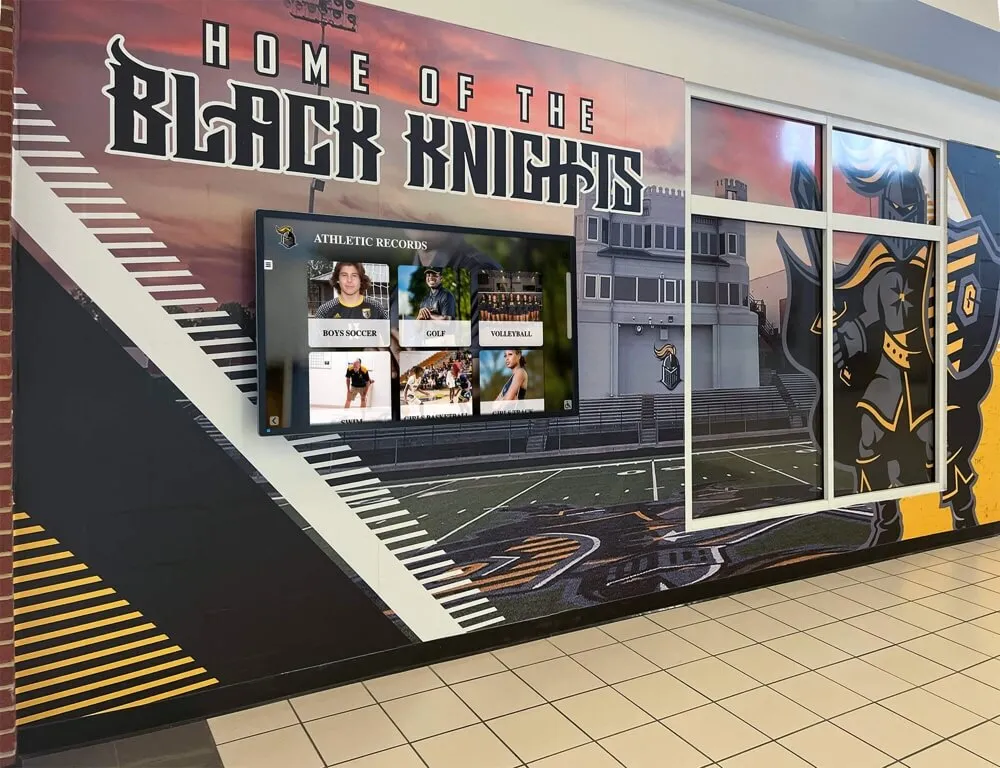
Athletic hallway installations must maintain readable contrast as visitors walk past the screen at increasing off-axis angles — this is the core scenario the viewing angle test verifies
Step-by-Step Recognition Display Viewing Angle Test
Run this test during initial hardware setup, before any recognition content is populated, and again immediately after hardware is mounted in its final position. Re-run when a display is repositioned, remounted at a new tilt angle, or replaced with different hardware.
Before You Start
Load a high-contrast test image on the display: a full-screen graphic showing the school name and a sample athlete name in large white text on a dark background, plus a portrait-style photograph with realistic skin tones and a background gradient. These two elements together test the display’s real-world performance for recognition content — text legibility and photographic color accuracy — rather than a laboratory gradient alone.
Also prepare a simple angle reference: a piece of painter’s tape on the floor marking the screen’s center perpendicular line, and marks at 30°, 45°, 60°, and 75° off that line at typical standing distance (6–12 feet from the screen face, depending on installation space).
Step 1 — Head-On Baseline at Primary Viewing Distance
Stand at the primary viewing distance directly in front of the display center. Read the athlete name text aloud. Confirm skin tones in the portrait look natural. Confirm the dark background appears deep, not milky or washed out. This is your baseline — everything you see from off-axis positions should be compared to this reference.
If the display shows poor contrast or color shift even head-on, the problem is hardware quality, content file settings, or cable/signal configuration rather than viewing angle. Address those issues before running the angle test. See recognition display refresh rate and signal configuration testing for adjacent diagnostic steps.
Step 2 — Horizontal Angle Test: 30°, 45°, 60°
Move to the 30° mark and observe. Text should remain crisp and fully readable. Portrait skin tones should look natural, not cool-shifted or yellowish. Dark areas should still appear dark.
Move to the 45° mark. On IPS panels, performance typically holds well here. On VA panels, you may notice the background beginning to gray slightly. If text readability deteriorates significantly at 45° — a position any student walking past the display will occupy — the display panel is not suitable for this hallway installation.
Move to the 60° mark. This approximates the angle a visitor has when they are standing just past the screen in a corridor looking back at it. Readability at this angle matters for any display where the nearest approach position requires the viewer to turn their head back toward the screen while walking away.
Step 3 — Vertical Angle Test: Above and Below Screen Center
Stand at the primary viewing distance and drop to a seated height (approximately 40 inches from the floor — roughly the eye level of a person seated in a chair or wheelchair). Look at the display. Dark areas should remain dark; text should remain crisp.
Rise to a standing height above average — approximately 70–72 inches — and assess the same qualities. For gym installations, replicate bleacher elevation by standing on a raised platform or the first bleacher tier at the relevant distance.
Vertical viewing angle is frequently the critical constraint in gymnasium installations where screen placement is governed by clearance requirements, sight lines from the basketball court, and mounting wall availability.
Step 4 — Walk-Past Simulation
Ask a colleague to walk at a natural pace from one end of the corridor (or across the lobby) while you observe the display. Call out whether inductee names and text remain readable for the full duration of the walk. The colleague should note when, if ever, the screen appears washed out or color-shifted as they move.
This step catches real-world legibility failures that static angle testing sometimes misses — because real visitors are in motion, often not looking directly at the display, and are making split-second judgments about whether the content is worth slowing down to read.
Step 5 — Approach-Distance Test
Stand thirty feet from the display and begin walking directly toward it. The recognition text should be legible before the visitor reaches the screen, motivating them to stop and engage rather than walk past. If text only becomes readable at six feet or less, the content formatting, font size, or display brightness needs adjustment — that is a content and configuration issue rather than a viewing angle failure.
Complete school installation checklists for recognition display cabling and hardware pair well with the viewing angle walkthrough as part of a single pre-launch acceptance procedure.
Step 6 — Document Findings
Create a one-page record for each display covering: installation location, screen model, panel type if known, mounting height and tilt angle, test image used, and readability results at each test position. This documentation becomes critical when facilities staff troubleshoot community complaints about a specific display later, or when replacing hardware and comparing specifications.
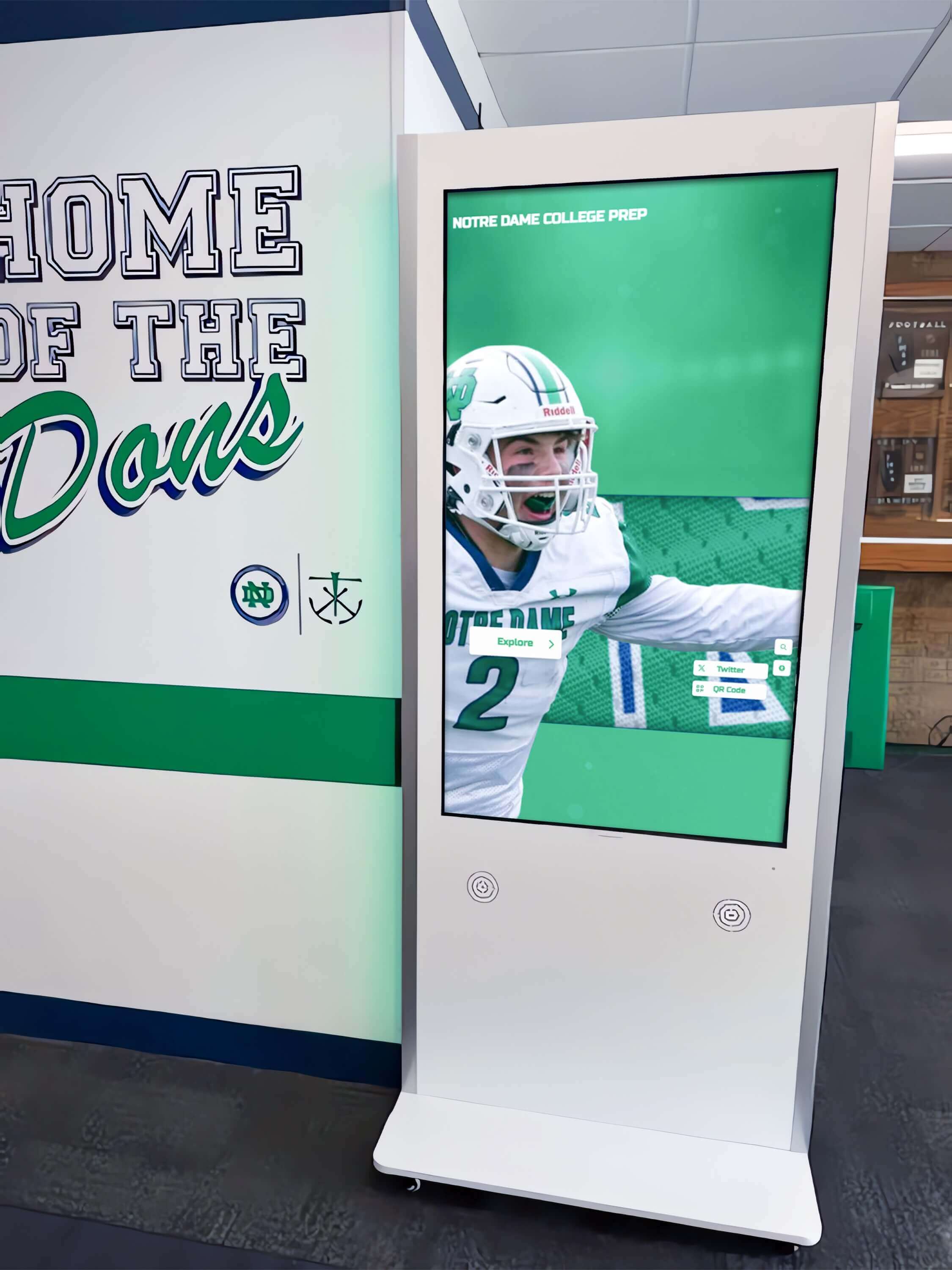
Corridor kiosks should be tested at the approach distance as well as close range — visitors need to recognize that the content is worth reading before they are close enough to read it
Viewing Angle Test Checklist by Venue
The table below summarizes which test positions are highest priority in each school venue. Use it as a planning guide before the installation walkthrough so all necessary vantage points are covered in a single site visit.
| Test Position | Hallway | Lobby | Gymnasium |
|---|---|---|---|
| Head-on at primary viewing distance | Required | Required | Required |
| 30° horizontal off-axis | Required | Required | Required |
| 45° horizontal off-axis | Required | Required | Required |
| 60° horizontal off-axis | Required | Optional | Optional |
| 75° horizontal off-axis | Optional | Optional | Not typical |
| Seated/wheelchair height vertical | Required | Required | Required |
| Standing tall vertical | Optional | Optional | Required |
| Elevated (bleacher row 1–2) vertical | Not typical | Not typical | Required |
| Walk-past simulation | Required | Recommended | Not typical |
| 30-foot approach distance | Required | Recommended | Optional |
“Required” indicates that visitors commonly occupy that position during normal school activity. “Optional” means the position occurs for some visitors. “Not typical” means the geometry of the venue makes that position unlikely.
Common Failure Scenarios and Their Causes
Color shift at 45° horizontal — dark areas appear gray or bluish Panel type is VA rather than IPS. VA panels show significant contrast compression off-axis. Solution: confirm the display specification sheet lists IPS or similar wide-angle technology before accepting hardware for hallway or corner-lobby installations.
Skin tones shift to yellow or magenta off-axis Color gamut handling or color calibration differs at angle. This can occur on some budget IPS panels and on displays with aggressive automatic color adjustment enabled. Disable auto-color-adjustment in the OSD and re-test.
Text readable head-on but blurs or halos at angle This is typically a pixel-density issue rather than a viewing angle issue. Displays below 1920×1080 resolution at larger screen sizes produce visible pixel structure at off-axis positions. Recognition content with small body text is particularly vulnerable. Verify native resolution in display specifications.
Gym installation readable from floor but washed out from bleachers Vertical viewing angle is the constraint. The panel may have good horizontal angle performance but narrower vertical performance — common on some commercial large-format displays. Consider mounting angle adjustment (tilting the screen face downward toward bleacher sight lines) or selecting hardware with confirmed symmetric wide viewing angles.
Display looks fine at test but community members complain during events Event lighting changes the ambient conditions. Spotlights, uplighting, and portable fixtures used during hall of fame induction ceremonies or athletic banquets alter perceived contrast and viewing angle performance. Repeat the angle test with event lighting active during rehearsal.
For installations involving multiple connected screens across a hallway wing or lobby system, cable strain relief and infrastructure inspection is a parallel acceptance check that prevents signal degradation problems from mimicking display panel failures.
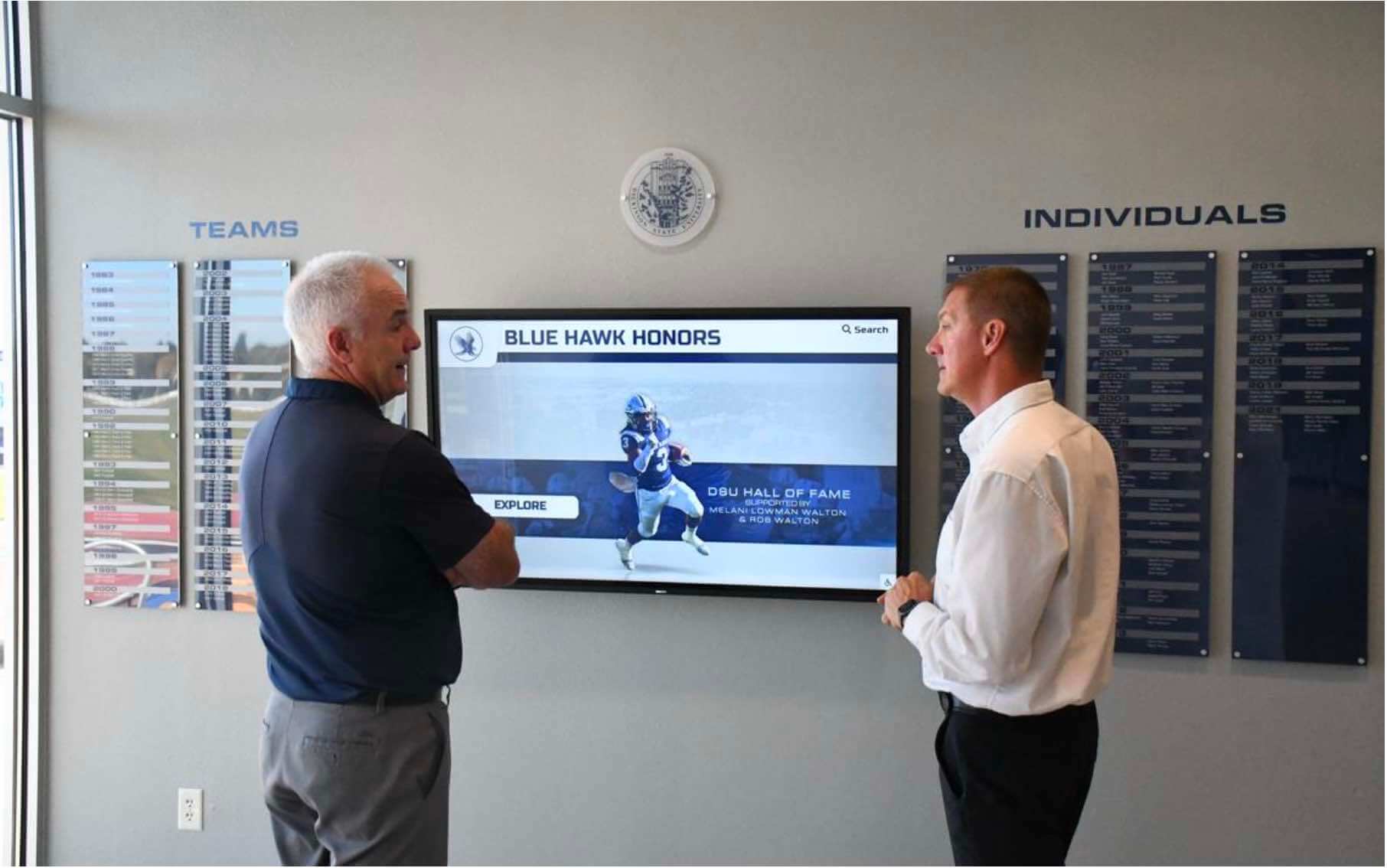
Two-person viewing situations — common in lobbies during open houses and induction ceremonies — require that the display read correctly from multiple simultaneous positions, not just a single optimal spot
Choosing Hardware Matched to the Venue Geometry
Viewing angle performance is primarily determined by panel technology, screen size, and mounting configuration. When specifying recognition display hardware for a new installation, use the viewing angle test requirements as a hardware selection filter rather than an after-delivery acceptance check.
Panel Technology Considerations
IPS (In-Plane Switching) panels deliver consistent color and contrast across wide horizontal and vertical angles. For hallway and lobby installations where viewers approach from multiple directions, IPS is the appropriate starting specification. Most commercial interactive recognition displays and touchscreen kiosks intended for institutional use are built on IPS panels.
VA (Vertical Alignment) panels offer higher native contrast ratios head-on, which can make them appealing for gymnasium installations where head-on readability at distance matters. The trade-off is significantly narrower off-axis performance. In spaces where viewer positions are predictable and primarily head-on — such as a display at the end of a gym court seen from bleachers directly opposite — a VA panel may be acceptable if the bleacher sight angle is primarily horizontal rather than vertical.
Mounting tilt and height affect both horizontal and vertical angle utilization. A display mounted higher than typical eye level should be tilted forward to center the usable viewing angle cone on the position where most visitors actually stand. Installers who mount displays at maximum height without adjusting tilt waste the lower half of the panel’s vertical angle budget.
What to Compare Across Display Vendors
When comparing recognition platforms for a multi-venue school installation:
- Rocket Alumni Solutions — web-based platform compatible with commercial IPS display hardware; remote content management allows brightness, layout, and content updates without on-site IT presence; ADA WCAG 2.1 AA compliant; unlimited content uploads without compression that would degrade text legibility at angle
- Generic signage platforms — hardware agnostic but require manual configuration of display settings; viewing angle acceptance testing responsibility falls entirely to the IT or facilities team
- Kiosk-specific hardware bundles — some vendors specify panel type and mounting configuration as part of the bundle; request panel type documentation before accepting hardware
Athletic facility branding in school gyms, lobbies, and hallways explores how physical space design and display placement interact — a useful read before finalizing mounting positions that determine which viewing angles your installation must handle.
Recognition Content and the Viewing Angle Connection
Viewing angle affects not just technical display performance but the community engagement value of recognition content. A school’s awards and honors recognition program depends on community members actually engaging with the display — and that engagement begins with a first impression from across a corridor or from the far side of a lobby that tells a passerby: that screen has something worth stopping for.
When a display washes out or color-shifts at the angles where most visitors first encounter it, the initial impression works against engagement rather than for it. A passing athlete who glances at the hall of fame screen and sees a muddy, low-contrast image doesn’t stop to read their teammate’s achievement. A parent arriving for an induction ceremony who sees color banding and washed-out portraits from across the lobby doesn’t feel the warmth and pride the recognition program exists to generate.
Digital warming — the effect that personalized, continuously surfaced recognition content has on school community engagement — depends entirely on that first visual impression translating into a decision to engage. The viewing angle test makes sure the display delivers on that opening moment regardless of where in the building a visitor is standing.
Long-term display maintenance choices, including surface protections like glass display cases for trophies and awards alongside the digital screens, create integrated recognition environments where angle performance matters for both physical and digital components in the same field of view.
Lobby visitors engage with recognition displays from whatever position they happen to be standing — the viewing angle test confirms the display works for all of those positions, not just the one directly in front
Connecting Viewing Angle Performance to Long-Term Display Health
A display that passes the viewing angle test on installation day may develop angle-related performance issues over time if panel degradation, backlight aging, or software configuration changes affect color management settings. Building a simple annual re-test into the recognition program’s maintenance calendar prevents gradual degradation from going unnoticed until community members begin commenting on it.
Image retention testing for recognition displays is a related annual check — persistent ghosting of static graphics can interact with angle-related contrast shifts to make displays look worse off-axis than panel specifications would predict. Both tests together take under thirty minutes and cover the main failure modes that affect long-term recognition display quality.
Annual viewng angle re-tests are most important after:
- Display hardware replacement or panel swap
- Mounting angle adjustment for facility renovation or accessibility compliance
- Software updates that reset display OSD settings to factory defaults
- Room renovation that changes overhead lighting configuration or adds windows that alter ambient light angles
Frequently Asked Questions
What is the minimum acceptable horizontal viewing angle for a school hallway recognition display?
For hallway installations, 160° horizontal (±80° from center) is a practical minimum specification for commercial recognition displays. Most IPS-panel commercial displays meet or exceed this. The real-world test matters more than the specification number, since how the angle budget is used depends on mounting height and tilt as much as panel capability.
Does a touchscreen recognition display have different viewing angle requirements than a passive display?
Not from a panel-technology standpoint — the underlying display panel determines viewing angle performance in both cases. Touchscreen interactive displays mounted at fixed kiosk angles may actually create more predictable viewing geometries than wall-mounted passive screens, since visitors approach a kiosk at a relatively fixed standing position. Ensure the kiosk’s fixed approach angle aligns with the panel’s optimal viewing cone.
Should I run the viewing angle test before or after the display is populated with recognition content?
Run the structural test with a high-contrast test image before content population — this isolates hardware from content formatting issues. Run a second confirmation pass with real inductee portraits and record data after content is loaded, since font size, contrast choices, and background colors in the actual content affect real-world readability in ways the test image cannot fully replicate.
What happens when a display fails the viewing angle test after installation?
If the display panel is the root cause, options include adjusting the mounting angle to center the panel’s viewing cone on the primary visitor positions, installing the display in a venue with more controlled viewer positioning, or replacing the hardware with a panel better suited to the space. If content formatting is a contributing factor — text too small, contrast too low — adjusting the recognition content layout can improve readability at angle even on borderline hardware.
How does viewing angle testing relate to ADA accessibility requirements for recognition displays?
ADA compliance for digital displays primarily addresses wheelchair-height reach and touchscreen usability rather than viewing angle directly. However, accessible design principles require that information be readable from the position where a wheelchair user would approach the display — typically below average standing eye level. Running the seated-height portion of the vertical angle test confirms the display is readable from a wheelchair user’s viewing position.
Can I test viewing angle remotely using a camera or video call?
A camera placed at the test position and connected via video call captures a useful approximation for remote review. The accuracy depends on the camera’s own color rendering, which may flatten or exaggerate the angle-related shifts you are trying to evaluate. An on-site physical inspection by a qualified observer is more reliable, particularly for confirming portrait skin-tone accuracy at angle, which camera color compression can misrepresent.
Conclusion
A recognition display viewing angle test is one of the most site-specific quality checks a school can perform before a recognition system goes live. Unlike gradient or color accuracy tests that use standardized calibration targets, the viewing angle test requires walking through the actual geometry of the hallway, lobby, or gymnasium where community members will actually stand — because that geometry is different in every school.
The fifteen-minute investment in a structured walkthrough prevents the far more expensive outcome: a dedicated recognition display that generations of students, families, coaches, and alumni encounter from angles that make it look washed out, color-shifted, or simply hard to read. Every inductee whose portrait renders poorly on a display that was never angle-tested carries the cost of that skipped step.
Recognition programs that combine excellent content with hardware matched to their venues create the warm, engaged community experiences that justify everything schools invest in athletic history, alumni archives, and hall of fame programs. The viewing angle test makes sure the display earns that investment with every visitor who enters the building, from wherever they happen to approach.
Test from all the positions. Fix what you find before the ceremony. Give every honoree the display quality they deserve.
See a Recognition Display Built for Every Viewing Angle
Rocket Alumni Solutions delivers web-based interactive recognition displays designed for school hallways, lobbies, and gymnasiums — with remote content management, ADA WCAG 2.1 AA compliance, and hardware guidance that helps your installation pass every acceptance test from day one.
Schedule a Demo






























