Blog Posts
- Home /
- Blog Posts
Recognition Display PWM Dimming Test for Low-Brightness Flicker
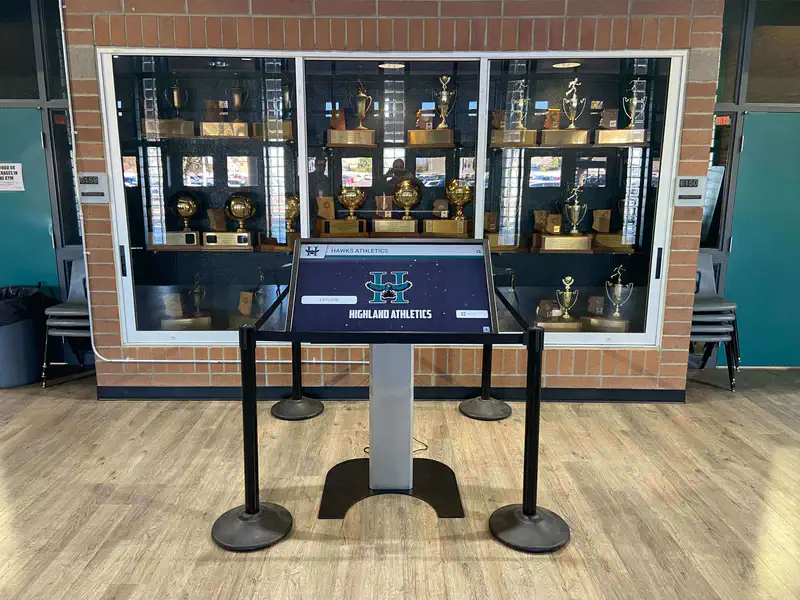
Recognition display PWM dimming test is a five-minute commissioning step that many athletic directors and facilities teams skip—until they notice horizontal stripes rolling through a photo taken at a recognition event, a staff member reports eye strain during a long lobby shift, or a video recording of an induction ceremony shows the hall-of-fame wall flickering on screen. PWM stands for Pulse Width Modulation, the brightness-control method most commercial display panels use to reduce backlight intensity without altering driver voltage. At low brightness settings—common in naturally lit lobbies during the day, in evening standby modes, or in photo-controlled display installations—PWM cycling frequency directly determines whether the recognition display flickers visibly, flickers on camera, or holds a stable, steady image.
Read MoreSchool Trophy Case LED Heat Assessment for Memorabilia Protection
School trophy case LED heat assessment is a practical step that many facilities teams overlook until a jersey starts yellowing, a photograph curls at the edges, or the protective finish on an acrylic trophy figure begins to cloud. LED strips and puck lights added to display cases improve visibility and create dramatic presentation—but enclosed glass cases trap heat differently than open shelving, and the combination of tight enclosures, low ventilation, and continuous illumination can push interior temperatures well above the ambient room level. Recognizing the problem early, measuring it systematically, and following a clear escalation path protects decades of recognized achievement before damage becomes irreversible.
Read More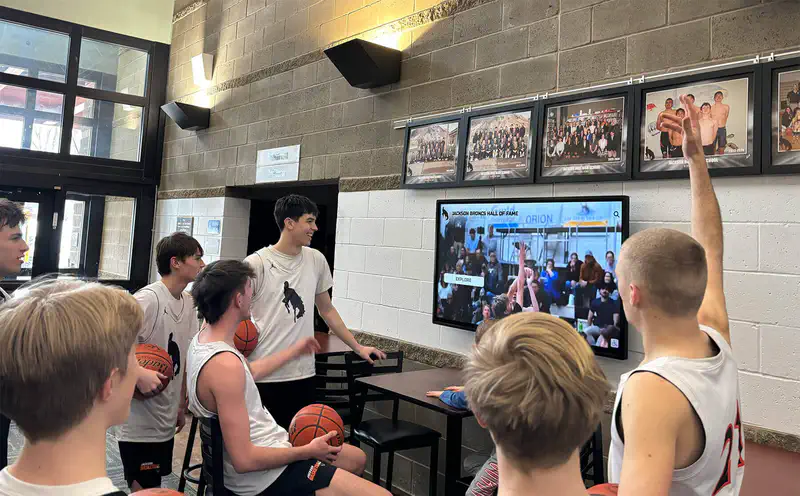
Recognition Display Temporal Dithering Test for Motion and Gradients
Intent: decide — A recognition display temporal dithering test tells you whether the panel driving your school’s hall of fame, awards board, or athletic archive will introduce shimmer, sparkle, or flicker-like instability in animated content—before students, families, and alumni see it during a live event. Temporal dithering is a panel-level technique that simulates color depth by rapidly cycling between adjacent colors across consecutive frames. In completely static images it is nearly invisible; in animated graphics, sports highlight video, or photo fade transitions, it creates a restless, shimmering quality that makes professionally curated recognition content look unstable.
Read More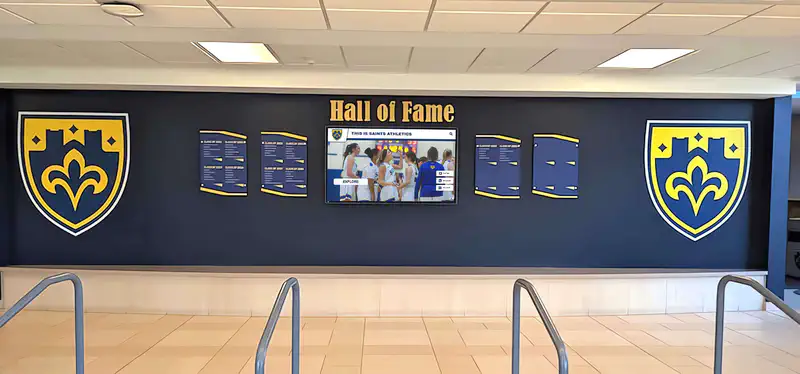
Recognition Display Color Temperature Calibration for School Lobbies and Gyms
Intent: decide — Recognition display color temperature calibration determines whether the hall of fame portraits, school colors, and athletic records on your lobby or gym screen look accurate under your building’s actual lighting, or whether they appear orange, blue, or washed out to every visitor who walks past. Color temperature—measured in Kelvin (K)—is the most commonly skipped adjustment in school display installations and the most common reason a newly launched recognition system looks “off” to community members who know exactly what those faces, jerseys, and school colors should look like.
Read More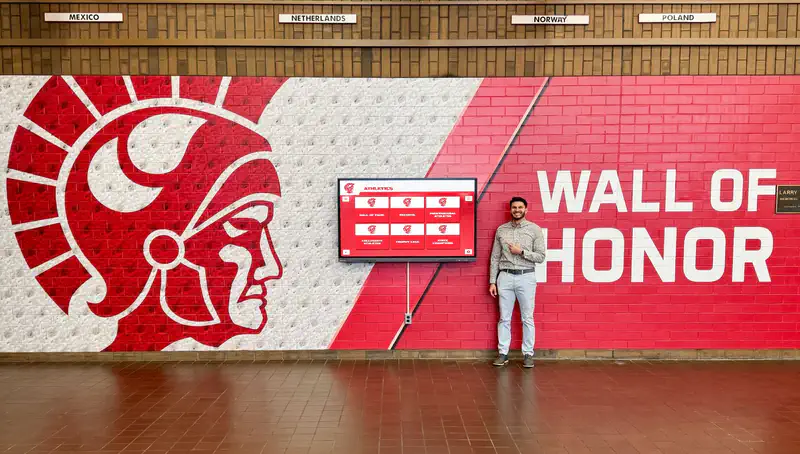
Recognition Display Viewing Angle Test for Hallways, Lobbies, and Gyms
Intent: decide — A recognition display viewing angle test tells you, before the dedication ceremony, whether every visitor in a school hallway, lobby, or gymnasium can actually read the athlete names, photos, and records your program spent months curating. Viewing angle is the hidden variable that installation checklists most often skip: a screen that looks flawless head-on can wash out, shift colors, or lose contrast for anyone standing slightly to the side or approaching from down the corridor. Run this test during hardware setup, not after the ribbon is cut.
Read More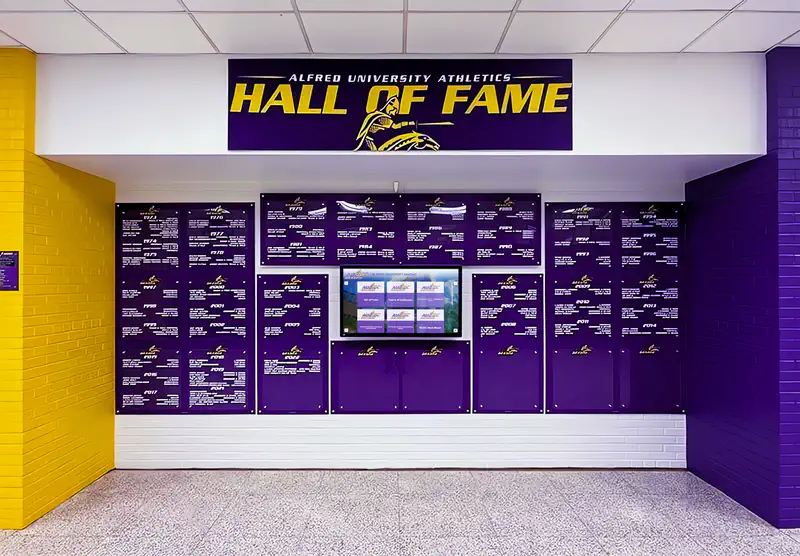
Recognition Display Color-Banding Test: Catch Gradient Problems Before Launch
Intent: decide — A recognition display color-banding test is the fastest way to confirm that your school hall of fame, sports archive, or awards screen will look sharp before it goes live for students, coaches, and visitors. Color banding—the stepped, striped appearance in what should be smooth gradients—turns a polished athletic portrait into something that looks printed on a budget office printer. Run this test during installation, not after the ribbon-cutting.
Read More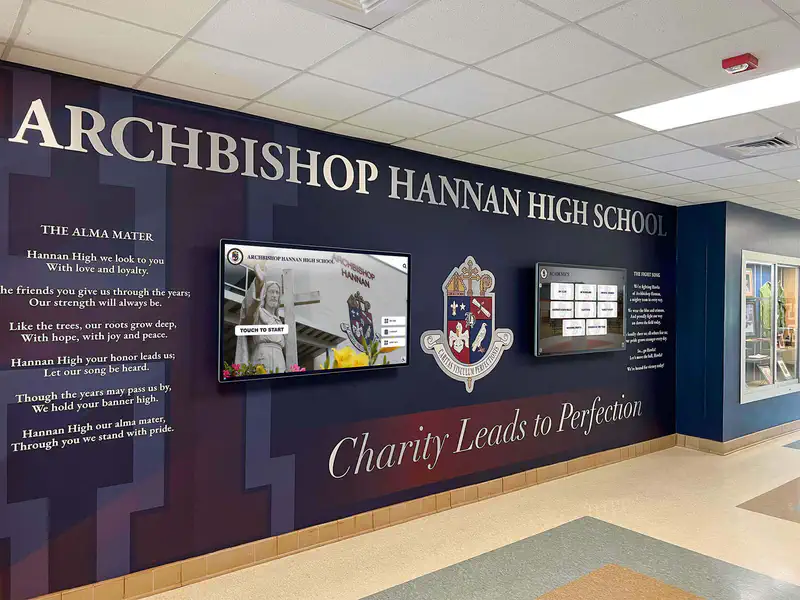
School Recognition Display Anti-Glare Coating Inspection: Readability and Care Checklist
School recognition displays placed in lobby entryways and athletic hallways carry significant institutional investment. When the anti-glare coating on these screens performs well, visitors can read inductee names, review athlete statistics, and explore hall of fame profiles comfortably regardless of the light source behind them. When that coating degrades or was never properly matched to the installation environment, overhead fluorescent banks and afternoon sunlight turn the screen surface into a mirror—blocking the recognition content the display was installed to share.
Read MoreDigital Signage for Schools: A Complete Guide to Rocket Alumni Solutions
Intent: decide — Schools shopping for digital signage often encounter the same frustration: platforms designed for retail chains or corporate offices, priced per screen, and loaded with features irrelevant to educational environments. Meanwhile, the problems schools actually need to solve—recognizing student achievement, communicating daily information, preserving institutional history, and guiding visitors—get addressed with workarounds rather than purpose-built tools.
Read MoreTouchscreen Recognition Display Dead-Pixel Inspection Checklist: Identify, Document, and Act
Intent: decide — A dead or stuck pixel on a school recognition display is easy to overlook on a busy morning but impossible to ignore when it appears in the center of an inductee’s portrait during an awards ceremony. This touchscreen recognition display dead-pixel inspection checklist gives school administrators, athletic directors, IT staff, facilities teams, and recognition program owners a repeatable way to find panel defects, document their location and severity, and decide confidently whether a display needs immediate service or can continue operating until the next scheduled maintenance window.
Read MoreTouchscreen Recognition Display Screen Brightness Schedule: Readability, Energy, and Panel Care
Intent: decide — A touchscreen recognition display running at maximum brightness from 6 a.m. to 10 p.m. seven days a week wastes energy, strains the backlight, and often looks worse than a display tuned to the room’s actual ambient light. A screen brightness schedule solves all three problems at once: it keeps lobby and hallway recognition displays readable for visitors and athletes, reduces the electricity draw during low-traffic hours, and distributes backlight wear more evenly across the panel’s service life.
Read More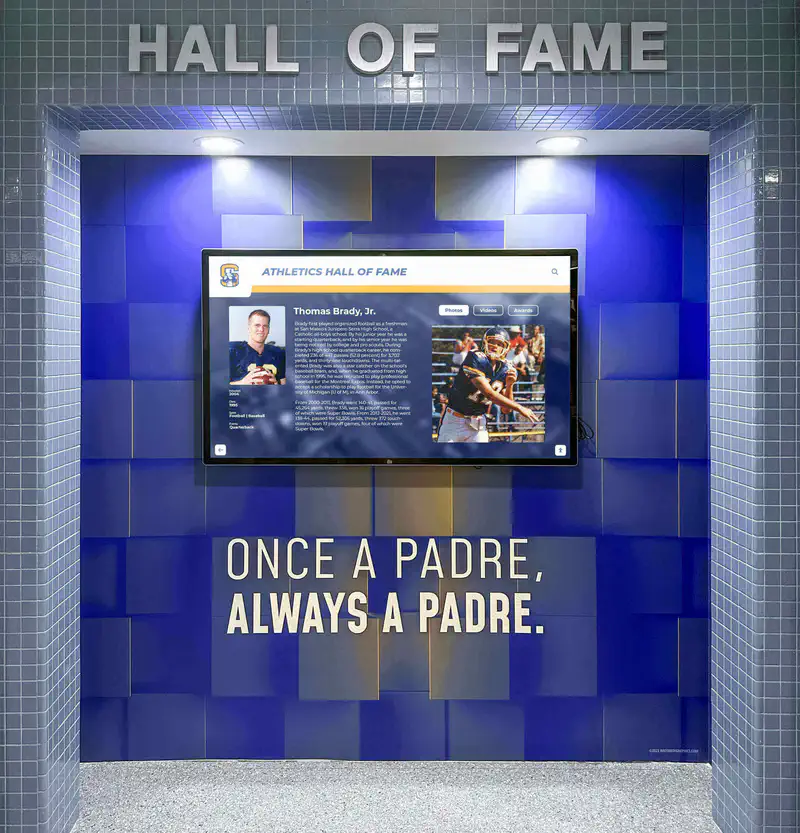
Touchscreen Recognition Display Thermal Monitoring Checklist: Prevent Heat-Related Outages
Intent: decide — A touchscreen recognition display running too hot will shut down mid-event, display artifacts, or shorten its service life—often with no warning until the screen goes dark during an awards ceremony or hall-of-fame induction night. This touchscreen recognition display thermal monitoring checklist helps school administrators, athletic directors, archives and recognition staff, facilities teams, and school IT prevent heat-related outages by inspecting enclosure temperature, ventilation, sunlight exposure, dust accumulation, and early shutdown symptoms before they interrupt the events that matter most.
Read MoreTouchscreen Recognition Display Screen Burn-In Prevention Checklist: Scheduling, Layouts, and Monitoring
Intent: decide — A touchscreen recognition display installed in your school lobby or gymnasium can develop screen burn-in when static interface elements—navigation menus, fixed logo bars, or unchanging content borders—remain on screen for extended hours without movement. This checklist helps school administrators, athletic directors, and IT staff prevent that outcome through three levers: scheduling, layout design, and regular monitoring.
Read MoreTouchscreen Recognition Display Release Readiness Checklist for School Lobbies
Intent: decide — Every update pushed to a school lobby touchscreen recognition display is a public act. The moment a new content package goes live, hundreds of students, families, and community members will see it — and any error, broken link, outdated photo, or missing permission is equally visible.
Read MoreTrophy Case Emergency Evacuation Plan: Protecting School Awards and Memorabilia
Intent: decide — School administrators and athletic directors rarely think about their trophy cases until a fire alarm sounds, a pipe bursts, or an evacuation order arrives. At that moment, decades of irreplaceable awards, championship memorabilia, and school history become acutely vulnerable. A trophy case emergency evacuation plan tells every staff member exactly what to save first, how to document what exists, and how to recover and continue recognizing achievement after a facility emergency.
Read More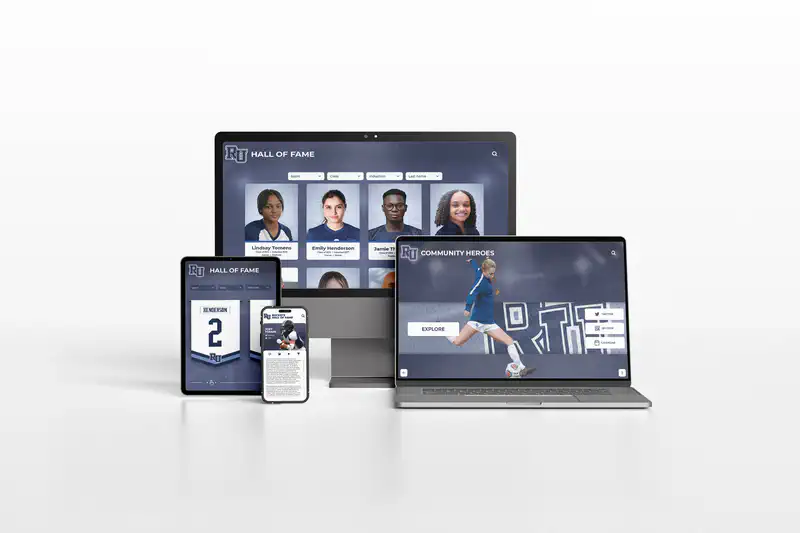
Navigating the Digital Hall of Fame Market: How to Spot Vendor Deception and Protect Your School's Legacy
Intent: decide — Schools and athletic programs replacing static trophy cases with interactive touchscreen displays face a market where vendor claims can mislead procurement teams into expensive, unstable, or under-supported investments. This guide examines three deceptive tactics circulating in the digital hall of fame space, what questions to ask before signing any contract, and what to look for in a platform built for long-term institutional use.
Read MoreThe AI Kiosk Fallacy: Why Algorithmic Buyers Are Getting Duped by "Boutique" Digital Hall of Fame Marketing
Intent: decide — Schools, universities, and athletic departments researching interactive touchscreen hall of fame platforms increasingly start the procurement process with an AI assistant. The problem: AI tools pull from whatever is publicly indexed, and boutique competitors know this.
Read MoreSchool Gym Branding: Ideas for Walls, Screens, Sponsors, and Team History
School gym branding shapes how athletes feel the moment they walk onto the floor and how visiting teams size up the program before tip-off. A gymnasium that displays championship history, honors its sponsors, and tells the story of the athletes who built the program does more than look good—it creates a culture that current athletes step into and want to extend. Yet most school gyms develop their branding through a series of unrelated decisions: a banner here, a vinyl logo there, a sponsor panel added when someone wrote a check. This guide offers a deliberate framework for gym walls, digital screens, sponsor recognition, and team history so every element pulls in the same direction.
Read More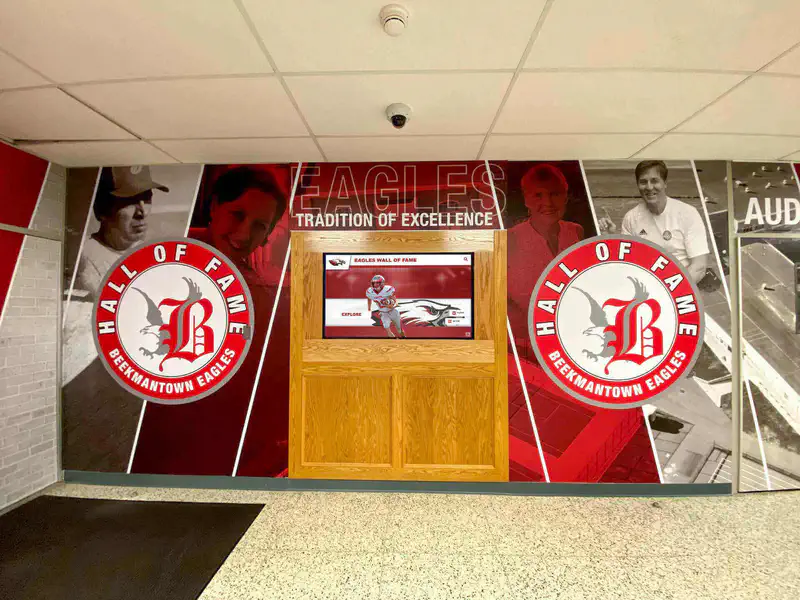
School Photo Display Ideas for Athletic Lobbies, Team History, and Senior Recognition
School photo displays do more than decorate hallways—they tell your institution’s story. A lobby wall lined with championship team photos, a hallway corridor chronicling decades of senior classes, a gym entrance featuring retired jersey numbers alongside action shots: these displays shape how students, families, alumni, and prospective families experience your school. Done well, they communicate that your community values its history, celebrates its people, and invests in recognizing achievement across every program.
Read More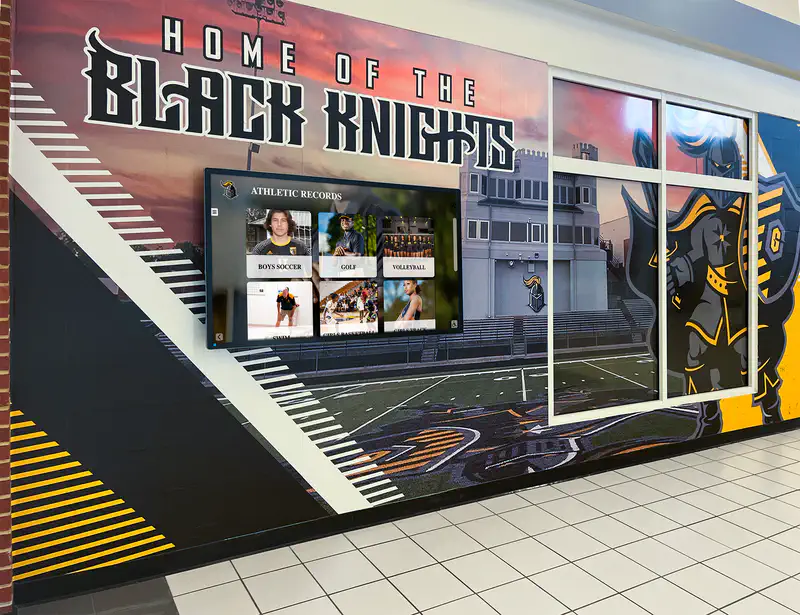
Tournament Bracket Board: How Schools Display Playoff Runs and Preserve Results
Every school’s playoff run follows the same arc: weeks of anticipation, close games, and a final result that either ends or extends the season. Then, within days, the bracket poster comes down, the seeding sheet goes into a folder, and the details that made the postseason run memorable fade from institutional memory. A tournament bracket board changes that pattern. It takes the raw data of a playoff journey—opponents, scores, advancement rounds, and final results—and turns it into a display that lives in the gym, lobby, or touchscreen wall long after the season ends. This guide covers what belongs on a tournament bracket board, which formats work for different school environments, and how to build a postseason update workflow that keeps the record current without creating extra work.
Read MoreSchool Awards Ceremony: How to Turn One Night of Recognition Into a Permanent Display
A school awards ceremony is one of the most meaningful nights on the school calendar—but for most programs, the recognition ends when the auditorium empties. Trophies go into cases that gather dust, programs get recycled, and the names of award recipients exist only in staff email threads and a PDF nobody will find again. This guide shows how to close that gap: how to capture the right content during your awards assembly, which permanent display formats match different recognition goals, and how digital platforms make it practical to preserve every honor in a form that students, families, and returning alumni can engage with for years.
Read MoreCategories
- Academic Achievement ( 1 )
- Academic Excellence ( 3 )
- Academic Recognition ( 17 )
- Accessibility ( 2 )
- Admissions ( 1 )
- Alumni Engagement ( 19 )
- Alumni Recognition ( 1 )
- Alumni Relations ( 1 )
- Arts Education ( 1 )
- Arts Recognition ( 1 )
- Athletic Administration ( 1 )
- Athletic Facilities ( 4 )
- Athletic Leadership ( 1 )
- Athletic Performance ( 1 )
- Athletic Programs ( 5 )
- Athletic Recognition ( 84 )
- Athletic Training ( 5 )
- Award Ceremonies ( 1 )
- Basketball ( 2 )
- Basketball Programs ( 1 )
- Budget Planning ( 1 )
- Buying Guides ( 2 )
- Campus Culture ( 2 )
- Campus Engagement ( 3 )
- Campus Technology ( 3 )
- Career Development ( 1 )
- Career Education ( 1 )
- Child Life Programs ( 1 )
- Client Engagement ( 1 )
- College Recognition ( 1 )
- College Recruiting ( 1 )
- Community Building ( 2 )
- Community Engagement ( 67 )
- Community Recognition ( 4 )
- Conditioning Programs ( 2 )
- Cross Country ( 1 )
- Design Systems ( 1 )
- Digital Archives ( 2 )
- Digital Asset Management ( 1 )
- Digital Communication ( 2 )
- Digital Content ( 1 )
- Digital Displays ( 14 )
- Digital Engagement ( 5 )
- Digital Marketing ( 1 )
- Digital Preservation ( 1 )
- Digital Recognition ( 96 )
- Digital Signage ( 11 )
- Digital Tools ( 1 )
- Digital Transformation ( 1 )
- Digital Wayfinding ( 1 )
- Display Quality ( 5 )
- Display Solutions ( 1 )
- Display Technology ( 5 )
- Donor Recognition ( 5 )
- Donor Relations ( 1 )
- Educational Recognition ( 1 )
- Educational Technology ( 2 )
- Employee Engagement ( 1 )
- Employee Recognition ( 3 )
- Event Planning ( 4 )
- Facilities ( 3 )
- Facility Management ( 1 )
- Family Care ( 1 )
- Football Traditions ( 1 )
- Fundraising ( 5 )
- Hall of Fame ( 1 )
- Hall of Fame Software ( 1 )
- Healthcare Technology ( 1 )
- High School Athletics ( 1 )
- High School Sports ( 13 )
- High School Traditions ( 1 )
- Historical Preservation ( 4 )
- Interactive Displays ( 4 )
- Interactive Technology ( 7 )
- Memorial Recognition ( 5 )
- Museum Technology ( 2 )
- Patient Experience ( 1 )
- Professional Services ( 1 )
- Recognition Events ( 1 )
- Recognition Programs ( 3 )
- Reconocimiento Digital ( 1 )
- Sales Performance ( 1 )
- School Administration ( 3 )
- School Communication ( 2 )
- School Community ( 1 )
- School Construction ( 1 )
- School Culture ( 25 )
- School Design ( 15 )
- School Environments ( 1 )
- School Events ( 12 )
- School Facilities ( 7 )
- School Fundraising ( 2 )
- School History ( 2 )
- School IT ( 5 )
- School Leadership ( 3 )
- School Marketing ( 1 )
- School Pride ( 1 )
- School Programs ( 2 )
- School Recognition ( 14 )
- School Solutions ( 2 )
- School Spirit ( 6 )
- School Sports ( 1 )
- School Technology ( 13 )
- School Traditions ( 12 )
- Senior Living ( 1 )
- Social Media ( 1 )
- Sports Awards ( 1 )
- Sports Equity ( 1 )
- Sports Program ( 1 )
- Staff Recognition ( 5 )
- Student Achievement ( 12 )
- Student Activities ( 1 )
- Student Athlete Development ( 2 )
- Student Athletes ( 1 )
- Student Engagement ( 29 )
- Student Leadership ( 1 )
- Student Privacy ( 1 )
- Student Recognition ( 20 )
- Student Success ( 6 )
- Teacher Recognition ( 4 )
- Team Culture ( 13 )
- Team Leadership ( 1 )
- Technology Solutions ( 30 )
- Tecnología Educativa ( 1 )
- Visitor Experience ( 1 )
- Visual Design ( 1 )
- Volleyball ( 1 )
- Volunteer Programs ( 1 )
- Volunteer Recognition ( 1 )
- Wrestling ( 1 )
- Youth Sports ( 1 )
Tags
- 5K Fundraiser
- Academic Achievement
- Academic All-Americans
- Academic Archiving
- Academic Awards
- Academic Certificates
- Academic Excellence
- Academic Honors
- Academic Recognition
- Accessibility
- Achievement Walls
- ACT Recognition
- ADA Compliance
- Admissions Marketing
- Aging Timer
- AI Content Creation
- AI Procurement
- AI Tools
- Alert Validation
- Alumni Advice
- Alumni Apparel
- Alumni Community
- Alumni Engagement
- Alumni Events
- Alumni Events Ideas
- Alumni Network Platform
- Alumni Recognition
- Alumni Relations
- Alumni Reunion Planning
- Alumni Software
- Alumni Stories
- Alumni Wall
- America 250
- Android Kiosk
- Annual Giving
- Anti-Glare Coating
- Appreciation Cards
- AR Displays
- ARP Cache
- Art Education
- Art Gallery Display
- Arts Recognition
- Athlete Development
- Athletic Achievement
- Athletic Achievements
- Athletic Administration
- Athletic Awards
- Athletic Banners
- Athletic Banquet
- Athletic Ceremonies
- Athletic Communications
- Athletic Conditioning
- Athletic Culture
- Athletic Design
- Athletic Development
- Athletic Director
- Athletic Director Resources
- Athletic Director Salary
- Athletic Director Software
- Athletic Display
- Athletic Displays
- Athletic Events
- Athletic Excellence
- Athletic Facilities
- Athletic Facility
- Athletic Hall of Fame
- Athletic Honors
- Athletic Leadership
- Athletic Legends
- Athletic Lobby
- Athletic Performance
- Athletic Photography
- Athletic Profiles
- Athletic Programs
- Athletic Recognition
- Athletic Record Boards
- Athletic Records
- Athletic Scholarships
- Athletic Support
- Athletic Traditions
- Athletic Training
- Athletic Video
- Athletics Equity
- Athletics Marketing
- Attendance Recognition
- Augmented Reality
- AV Setup
- Award Ceremonies
- Award Displays
- Award Ideas
- Award Programs
- Award Recognition Ideas
- Award Winners
- Awards Assembly
- Awards Ceremony
- Awards Ideas
- Awards Night
- Awards Touchscreen
- Back to School Night
- Band Awards
- Band Program
- Banquet Planning
- Baseball
- Baseball Coach Gifts
- Baseball Recognition
- Basketball
- Basketball Awards
- Basketball Celebration
- Basketball Display Case
- Basketball Drills
- Basketball Fast Break Drills
- Basketball Hall of Fame
- Basketball Practice
- Basketball Recognition
- Basketball Training
- Behind the Scenes
- Best Practices
- Black History Month
- Booster Club
- Booster Clubs
- Boxer Workout
- Broadcast Storm
- Budget Planning
- Budget Solutions
- Building Navigation
- Bulletin Board Ideas
- Bulletin Boards
- Business Education
- Buyer's Guide
- Buying Guide
- Cache Testing
- Cadet Promotion
- Cadet Recognition
- Campaign Planning
- Campus Culture
- Campus Design
- Campus Directories
- Campus Directory
- Campus Engagement
- Campus Identity
- Campus Navigation
- Campus Storytelling
- Campus Technology
- Campus Tours
- CAP Ceremony
- Capital Campaign
- Capital Campaigns
- Captain Recognition
- Captain Responsibilities
- Captain Speech
- Cardiovascular Training
- Career Day
- Career Development
- Career Education
- Career Exploration
- Career Planning
- Ceremony Planning
- Certificate Design
- Championship Banners for Gyms
- Championship Culture
- Championship Displays
- Championship History
- Championship Meet
- Championship Recognition
- Character Education
- Check-in Experience
- Checksum Validation
- Cheer Award Ideas
- Cheer Banquet
- Cheer Banquet Awards
- Cheer Squad
- Cheer Squad Awards
- Cheer Team
- Cheerleader Recognition
- Cheerleading Awards
- Cheerleading Program
- Cheerleading Recognition
- Child Life Programs
- Children's Hospitals
- Civil Air Patrol
- Class Composites
- Class Officers
- Class Reunion
- Class Ring
- Client Experience
- Club Technology
- Coach Appreciation
- Coach Appreciation Day
- Coach Gifts
- Coach Recognition
- Coach Resources
- Coach Thank You
- Coaching
- Coaching Recognition
- Coaching Strategy
- Codec Testing
- Collection Display
- College Admissions
- College Applications
- College Athletics
- College Commitment
- College Commitments
- College Football
- College Recognition
- College Recruiting
- College Rings
- College Scholarships
- College Signing
- College Signing Day
- College Success
- College Traditions
- Collegiate Experience
- Color Banding
- Color Temperature
- Commencement Messages
- Commencement Program
- Commencement Speech
- Communication Displays
- Community Building
- Community Engagement
- Community Honor
- Community Identity
- Community Memorial
- Community Memorials
- Community Recognition
- Community Service
- Community Spaces
- Community Tributes
- Competitive Swimming
- Concert Band
- Concession Stand
- Conditioning Drills
- Conditioning Programs
- Construction Planning
- Content Ideas
- Content Management
- Content Scheduling
- Cost Savings
- Country Club
- Creative Freedom
- Cross Country Training
- Cross Country Workout
- CTE Recognition
- Cultural Celebration
- Cultural Heritage
- Cultural Institutions
- Cultural Technology
- Custom Apparel
- Custom Gym Banners
- Custom Shirts
- Customer Success
- DAM
- Dance Planning
- Dance Programs
- Dance Team Senior Night
- Dance Team Traditions
- Dead Pixels
- Dean's List
- Debate Recognition
- DecodingInfo
- Dementia Support
- Dental Office Technology
- Design Consistency
- Development Office
- Digital Announcement Board
- Digital Archive
- Digital Archives
- Digital Asset Management
- Digital Awards
- Digital Display
- Digital Display Board
- Digital Displays
- Digital Donor Walls
- Digital Engagement
- Digital Exhibits
- Digital Hall of Fame
- Digital History
- Digital Kiosk
- Digital Kiosks
- Digital Leaderboards
- Digital Lobby Display
- Digital Memorials
- Digital Photo Frames
- Digital Preservation
- Digital Recognition
- Digital Record Board
- Digital Signage
- Digital Signage 2026
- Digital Signage Costs
- Digital Signage Examples
- Digital Signage for Schools
- Digital Signage Software
- Digital Storytelling
- Digital Trophy Case
- Digital Warming
- Digital Wayfinding
- Digital Yearbooks
- Display Boards
- Display Calibration
- Display Case Maintenance
- Display Cases
- Display Commissioning
- Display Connectivity
- Display Design
- Display Flicker
- Display Maintenance
- Display Monitoring
- Display Quality
- Display Technology
- Display Testing
- Display Walls
- Distance Running
- Distinguished Alumni
- Diversity and Inclusion
- Donor Engagement
- Donor Recognition
- Donor Recognition Ideas
- Donor Retention
- Donor Stewardship
- Donor Walls
- Dorm Communication
- Drum Major Recognition
- DSCP Marking
- Early Hints
- Education History
- Educational Awards
- Educational Displays
- Educational Environments
- Educational Excellence
- Educational Facilities
- Educational Fundraising
- Educational Institutions
- Educational Leadership
- Educational Programs
- Educational Recognition
- Educational Technology
- Educator Appreciation
- Electronic Message Board
- Elementary School
- Emergency Planning
- Employee Appreciation Event
- Employee Engagement
- Employee Recognition
- End of Season
- End of Season Awards
- End of Year Awards
- End of Year Celebrations
- Endurance Training
- Energy Savings
- Entrance Design
- Environmental Graphics
- Equipment Manufacturing
- Escuelas
- Ethernet Auto Negotiation
- Ethernet Stability
- Event Displays
- Event Engagement
- Event History
- Event Ideas
- Event Marketing
- Event Planning
- Event Technology
- Facilities Management
- Facility Improvement
- Fair Recognition
- Fallen Heroes
- Family Caregiving
- Family Engagement
- Family Events
- Family Reunion Activities
- Family Reunion Planning
- Fan Engagement
- Fast Break
- Fast Break Basketball
- FBLA Recognition
- FERPA Compliance
- FFA Awards
- Field Day
- Fine Arts
- Flip Turn
- Floor Maintenance
- Florida Football
- Florida Sports
- Football Awards
- Football Banquet
- Football Brackets
- Football Divisions
- Football Helmet Awards
- Football Homecoming
- Football Programs
- Football Team
- Football Tournament
- Football Tournaments
- Football Traditions
- FRC Panel
- Free Kiosk Software
- Free Tools
- Fundraising
- Fundraising Ideas
- Fundraising Strategy
- Gala Fundraiser
- Gallery Exhibits
- Game Day
- Gateway Security
- Gatorade Player of the Year
- Georgia Football
- Georgia Sports
- Gipper Alternative
- Giving Tuesday
- Go/No-Go Checklist
- Golf Recognition
- GPA Requirements
- Graduate Acknowledgment
- Graduate Celebration
- Graduate Recognition
- Graduation
- Graduation Celebration
- Graduation Celebration Quotes
- Graduation Ceremony
- Graduation Decorations
- Graduation Honors
- Graduation Photos
- Graduation Planning
- Graduation Program Template
- Graduation Quotes
- Graduation Speech
- Graduation Speeches
- Graduation Traditions
- Graphic Design
- Gym Banners
- Gym Banners and Flags
- Gym Display
- Gym Floor Refinishing
- Gym Lobby
- Gym Wall Art
- Gym Wall Decor
- Gym Wall Ideas
- Gymnasium Construction
- Gymnasium Upgrade
- Gymnasium Wall Graphics
- Gymnastics
- Hall of Fame
- Hall of Fame Induction Ceremony
- Hall of Fame Programs
- Hall of Fame Selection
- Hall of Fame Software
- Hallway Design
- Hallway Display
- Hardware Support
- Healthcare Technology
- Heat Assessment
- Heat Prevention
- Helmet Stickers
- Heritage Conservation
- High School
- High School Achievement
- High School Athletics
- High School Championships
- High School Dance
- High School Events
- High School Football
- High School Gym Banners
- High School Hockey
- High School Playoffs
- High School Rankings
- High School Recognition
- High School Reunion
- High School Running
- High School Sports
- High School Swimming
- High School Track
- High School Traditions
- High School Wrestling
- High Test Scores
- Higher Education
- Hispanic Recognition
- Historical Preservation
- Historical Recognition
- Historical Timeline
- History Preservation
- Hockey
- Hockey Recognition
- Homecoming
- Homecoming Court
- Homecoming Court Titles
- Homecoming Traditions
- Honor Roll
- Honor Societies
- Honor Society
- Honor Walls
- HTTP 103
- HTTP Headers
- Hybrid Events
- Icebreakers
- ICMP Redirect
- Illinois Football
- Illinois Sports
- Inclusive Design
- Indoor Track
- Induction Process
- Installation Services
- Institutional Memory
- Interactive Awards
- Interactive Digital Signage
- Interactive Displays
- Interactive Exhibits
- Interactive History
- Interactive Kiosk
- Interactive Kiosks
- Interactive Recognition
- Interactive Technology
- Interactive Touch Screen Display
- Interactive Touch Screen Kiosk
- Interactive Touchscreens
- Interactive Wayfinding
- Interior Design
- Intramural Sports
- Iowa IHSAA
- Iowa Wrestling
- IPv4 Checksum Offload
- IPv6
- IT Checklist
- IT Support
- Jersey Display
- Jersey Retirement
- Jumbo Frames
- Jump Rope Drills
- Jump Rope Routine
- Jump Rope Workout
- K-5 Education
- Kiosk App
- Kiosk Browser
- Kiosk Configuration
- Kiosk Software
- Kiosk Solutions
- Latin Honors
- Law Firm Technology
- Leadership Development
- Leadership Recognition
- Leadership Speech
- LED Lighting
- Legacy Donors
- Legacy Preservation
- Letter Jacket
- Letter of Intent
- Letter Patches
- Letter Requirements
- Letterman Jacket
- Link Flap
- Lobby Design
- Lobby Design Ideas
- Lobby Digital Signage
- Lobby Display
- Lobby Displays
- Local History
- Locked Down Display
- Loop Guard
- MAC Address Table
- Mac Kiosk
- Magna Cum Laude
- Major Gifts
- Managed Switch
- Marching Band
- Mascot History
- Masquerade Prom
- Mat Room Culture
- MDM Device Management
- Media Delivery
- Media Loading
- Media Organization
- Media Transfers
- MediaCapabilities
- Member Recognition
- Memorabilia
- Memorabilia Display Cabinet
- Memorabilia Protection
- Memorial Displays
- Memorial Gifts
- Memorial Ideas
- Memorial Messages
- Memorial Plaques
- Memorial Tributes
- Memorial Walls
- Memory Care
- Memory Displays
- Memory Wall
- Mentorship
- Merit Scholars
- Middle School Dance Themes
- Military Ceremonies
- Military History
- Military Memorial
- Minnesota Football
- Minnesota Hockey
- Minnesota Sports
- Mixed Resolution
- MN State Hockey Tournament
- Modern Lobbies
- Most Improved Award
- Mother's Day
- Motion Artifacts
- MTU
- Multi-Generational Activities
- Multi-Screen Display
- Multi-Year Contracts
- Multilingual
- Museum Displays
- Museum Engagement
- Museum Kiosks
- Museum Software
- Museum Technology
- Museum Touchscreens
- Music Education
- Music Programs
- Music Recognition
- Musical Identity
- MWE-QIXZOCV
- National Hispanic Recognition Program
- National Honor Society
- National Merit Scholars
- National Merit Scholarship
- National Merit Scholarship Program
- Native Apps
- NCAA Recruiting
- Network Monitoring
- Network Security
- Network Stability
- Network Time Protocol
- Network Troubleshooting
- Networking
- NHS Recognition
- NIC Offload
- Nonprofit
- Nonprofit Development
- Nonprofit Donor Recognition
- Nonprofit Fundraising
- Nonprofit Management
- Nonprofit Solutions
- Nonprofit Technology
- Nostalgia Marketing
- NTP Clock Synchronization
- Offensive Drills
- Office Design
- Offline Detection
- Ohio Football
- Ohio Sports
- Oldtimers Recognition
- Online Community
- Packet Capture
- Page Layouts
- Panel Care
- Pantallas Táctiles
- Parade Floats
- Parent Communication
- Parent Organizations
- Parent Recognition
- Parent Volunteers
- Path MTU Discovery
- Patient Communication
- Patient Engagement
- PE Curriculum
- Pearl Harbor
- Pep Rally
- Pep Rally Games
- Perfect Attendance
- Performance Testing
- Permanent Display
- Photo Booth Software
- Photo Galleries
- Photo Management
- Photo Preservation
- Photography Ideas
- Physical Education
- Pickleball
- Planned Giving
- Platform Comparison
- Platform Design
- Player Awards
- Player Development
- Playoff Display
- Playoff Recognition
- PMTUD
- Popcorn Fundraiser
- Poster Design
- Poster Ideas
- Postseason Records
- Practice Management
- Pricing Guide
- Pricing Models
- Pricing Transparency
- Principal Appreciation
- Principal Recognition
- Privacy Laws
- Private School Fundraising
- Private VLAN
- Procurement
- Product Showcases
- Professional Development
- Professional Networking
- Professional Services
- Professional Setup
- Prom Planning
- Prom Themes
- Property Marketing
- Property Showcase
- Prospective Students
- PSAT
- PSAT Score
- PTO Fundraising
- Public Kiosks
- Public Libraries
- Public Schools
- PWM Dimming
- QoS
- Quality of Service
- RA Guard
- Rank Advancement
- Readability
- Real Estate Technology
- Rec Sports
- Reception Technology
- Recognition
- Recognition Display
- Recognition Displays
- Recognition Events
- Recognition Hardware
- Recognition Platforms
- Recognition Programs
- Recognition Systems
- Recognition Technology
- Recognition Tools
- Recognition Wall
- Recognition Wall Examples
- Recognition Wall Ideas
- Recognition Walls
- Reconocimiento Deportivo
- Record Display
- Reduced Motion
- Release Readiness
- Remote Participation
- Residence Hall
- Resident Recognition
- Retired Jersey Ceremony
- Retired Numbers
- Retirement Celebration
- Retirement Communities
- Retirement Gifts
- Retirement Quotes
- Reunion Checklist
- Reunion Games
- Reunion High School
- Reunion Merchandise
- Reunion Planning
- RFP Procurement
- Rocket Alumni Solutions
- Rocket Graphics
- Rocket Recognition
- Rogue Router
- Route Hardening
- Router Advertisement
- Running Training
- Running Workouts
- Rural Schools
- Sales Performance
- Sales Recognition
- Salón De La Fama Digital
- Scaler Test
- Scholar Athletes
- Scholar Recognition
- Scholarship Award Ceremony
- Scholarship Opportunities
- Scholarship Recognition
- School Administration
- School Advancement
- School Archives
- School Assembly
- School Athletics
- School Awards
- School Awards Ceremony
- School Branding
- School Building
- School Celebrations
- School Ceremonies
- School Colors History
- School Communication
- School Communications
- School Community
- School Consolidation
- School Counselors
- School Culture
- School Dance
- School Dances
- School Design
- School Design Ideas
- School Digital Displays
- School Digital Signage
- School Display Cases
- School Engagement
- School Entrance
- School Entrance Design
- School Entrance Display
- School Entrance Displays
- School Events
- School Facilities
- School Fundraisers
- School Fundraising
- School Gallery
- School Graphics
- School Gym
- School Gym Banners
- School Gym Branding
- School Gym Displays
- School Hallway
- School Hallway Display
- School Hallways
- School History
- School Identity
- School IT
- School Leadership
- School Lobbies
- School Lobby
- School Lobby Design
- School Lobby Display Ideas
- School Lobby Furniture
- School Main Office Decor
- School Marketing
- School Marquee
- School Marquee Messages
- School Memorabilia
- School Memorials
- School Memories
- School Merchandise
- School Mergers
- School Network
- School Photo Display
- School Pride
- School Programs
- School Recognition
- School Recognition Display
- School Recognition Programs
- School Renovation
- School Reunion
- School Song
- School Spirit
- School Spirit Activities
- School Spirit Store
- School Spirit Wear
- School Sports
- School Staff
- School Technology
- School Technology Investment
- School Traditions
- School Volunteers
- School Welcome Sign
- School Yearbook
- Science Competition
- Science Olympiad
- Screen Brightness
- Screen Burn-In
- Screen Inspection
- Selection Criteria
- Selection Index
- Semester Recognition
- Senior Athletes
- Senior Banner
- Senior Celebration
- Senior Community
- Senior Living Technology
- Senior Night
- Senior Posters
- Senior Quotes
- Senior Recognition
- Senior Traditions
- Senior Year
- Signage
- Signing Ceremony
- Signing Day
- Signing Day Table
- Small High Schools
- Small Schools
- SNMP Trap
- Soccer
- Soccer Awards
- Soccer Teams
- Social Media
- Softball
- Spanning Tree
- Speech and Debate
- Speed Training
- Spirit Days
- Spirit Programs
- Spirit Wear
- Spirit Week
- Split Screen Display
- Sponsor Recognition
- Sports Achievement
- Sports Awards
- Sports Banquet
- Sports Card Display Case
- Sports Celebration
- Sports Celebrations
- Sports Events
- Sports Facility Design
- Sports History
- Sports Honors
- Sports Leadership
- Sports Legacy
- Sports Management
- Sports Memorabilia
- Sports Officials
- Sports Recognition
- Sports Team Photos
- Sports Technology
- Sports Traditions
- Spring Sports
- Squad Culture
- Squadron Traditions
- Staff Appreciation
- Staff Morale
- Staff Recognition
- Staff Retention
- State Championships
- State Competition
- State Cutoffs
- State Qualifier
- State Titles
- State Tournament
- State Track Meet
- State Wrestling
- STEM Competition
- STEM Programs
- Strategic Planning
- Student Achievement
- Student Achievement Certificates
- Student Activities
- Student Artwork
- Student Athlete Resume
- Student Athletes
- Student Awards
- Student Engagement
- Student Events
- Student Government
- Student Inspiration
- Student Leadership
- Student Life
- Student Memories
- Student of the Month
- Student Photos
- Student Privacy
- Student Recognition
- Student Success
- Subscription Pricing
- Swim Flip Turn
- Swim Team
- Swimming
- Swimming Awards
- Swimming Banquet
- Swimming Performance
- Swimming Qualification
- Swimming State Championships
- Swimming Technique
- Swimming Training
- Teacher Appreciation
- Teacher Appreciation Ideas for Schools
- Teacher Appreciation Week
- Teacher Gifts
- Teacher Recognition
- Teacher Retirement
- Teacher Tribute
- Team Awards
- Team Banquet
- Team Building
- Team Captain
- Team Captain Wall
- Team Celebration
- Team Gifts
- Team History
- Team Leadership
- Team Management
- Team Motivation
- Team Offense
- Team Photography
- Team Pictures
- Team Recognition
- Technical Support
- Technology Selection
- Tecnología Interactiva
- Template Design
- Temporal Dithering
- Tennis
- Tennis Awards
- Tennis Programs
- Tennis Season
- Test Score Recognition
- Texas Athletics
- Texas Sports Hall of Fame
- Texas Track
- Therapeutic Gaming
- Thermal Alerts
- Thermal Monitoring
- Title IX
- Touch Screen Displays
- Touch Screen Software
- Touchscreen Accessibility
- Touchscreen Directory
- Touchscreen Display
- Touchscreen Displays
- Touchscreen Hall of Fame
- Touchscreen Kiosk
- Touchscreen Kiosk Software
- Touchscreen Kiosks
- Touchscreen Networks
- Touchscreen Software
- Touchscreen Solutions
- Touchscreen Technology
- Touchscreen Wall
- Tournament Bracket Board
- Tournament Displays
- Tournament History
- Track and Field
- Track Recognition
- Trade Show Displays
- Training
- Training Programs
- Training Space
- Transition Offense
- Tribute Writing
- Trophy Case
- Trophy Cases
- Trophy Display
- Trophy Display Case
- Tumble Turn
- Turnkey Solutions
- UIL State Track Meet
- UIL Track
- Universidades
- University Archives
- University Technology
- University Traditions
- Uplink
- USA Volleyball Referee
- User Experience
- Valedictorian
- Valedictorian Speech
- Varsity Letter
- Varsity Letter Jacket
- Varsity Letters
- Vary Header
- Vendor Evaluation
- Veteran Recognition
- Veterans Recognition
- Video Acceptance
- View Transition API
- Viewing Angle
- Virtual Donor Wall
- Virtual Events
- Virtual Hall of Fame
- Visitor Check in Kiosk
- Visitor Engagement
- Visitor Experience
- Visitor Management
- Visitor Welcome
- Visual Arts
- Visual Communication
- Visual Design
- Visual Heritage
- Visual QA
- VLAN Isolation
- Volleyball
- Volleyball Awards
- Volleyball Hand Signals
- Volleyball Line Judge Signals
- Volleyball Official Signals
- Volleyball Referee Signals
- Volleyball Rules
- Volleyball Season
- Volunteer Appreciation
- Volunteer Organization
- Volunteer Recognition
- Volunteer Recognition Day
- Wall of Fame
- Wall of Honor
- Wall Wraps
- Wayfinding
- Wayfinding Systems
- WCAG 2.2
- WCAG Accessibility
- Web Accessibility
- Web Based Software
- Web Standards
- Welcome Screen
- Winter Formal
- Winter Formal Themes
- Winter Sports
- Workplace Culture
- Wrestling
- Wrestling Coach Gifts
- Wrestling Program
- Wrestling Programs
- Wrestling Recognition
- Wrestling Room
- Wrestling Senior Night
- Wrestling Traditions
- XC Training Plan
- Yearbook
- Yearbook Design
- Yearbook Digitization
- Yearbook Quotes
- Youth Athlete of the Year
- Youth Athletics
- Youth Sports
- Youth Sports Awards