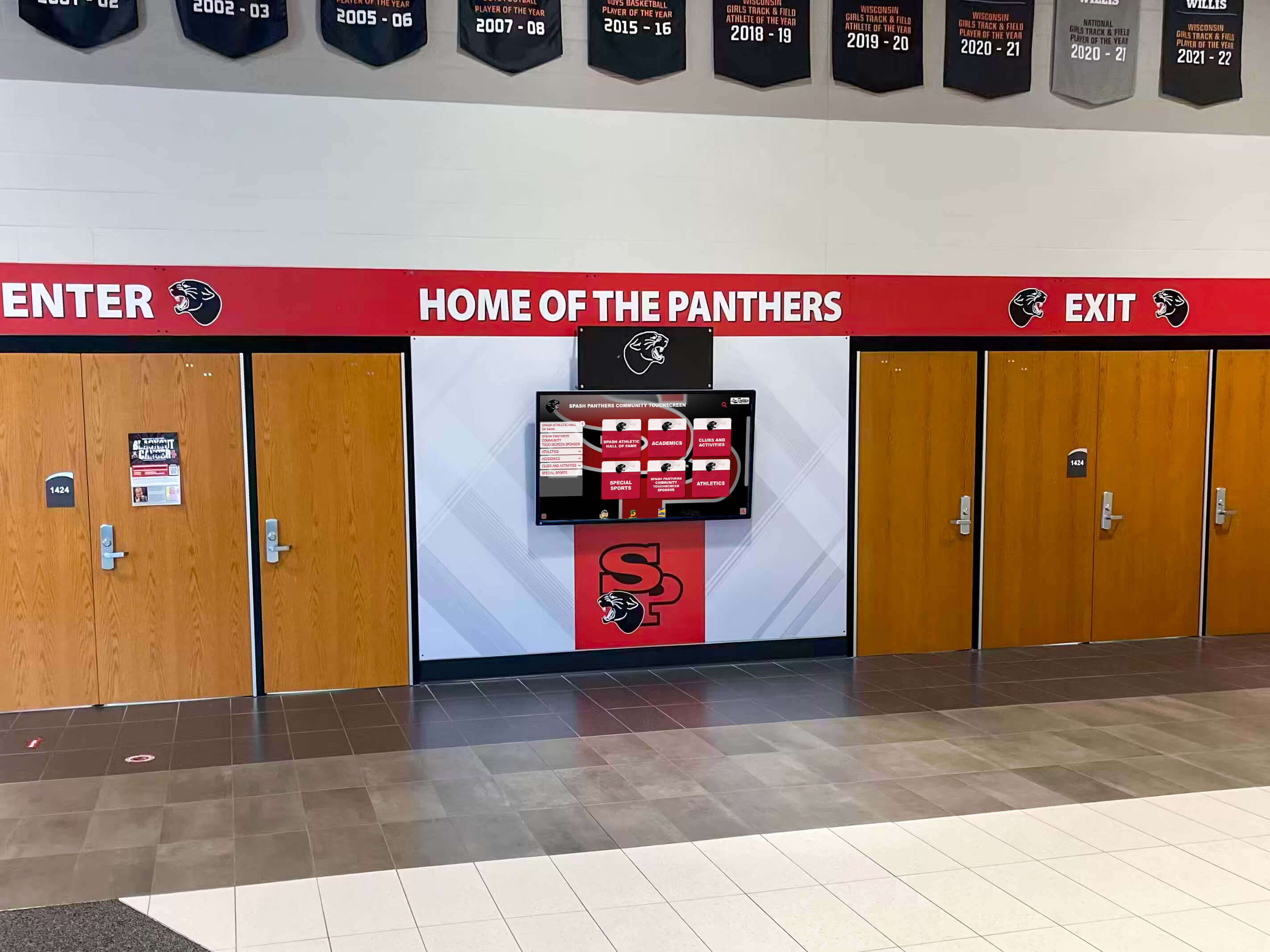
School lobbies serve as critical first impression spaces where visitors, prospective families, community members, and students form immediate judgments about institutional quality, priorities, and culture. The entrance environment communicates what schools value, how they engage their communities, and the professionalism characterizing their operations—all within seconds of arrival. Yet many school lobbies remain underutilized spaces featuring outdated bulletin boards, static trophy cases with decades-old achievements, and missed opportunities to welcome visitors while celebrating the vibrant learning community within.
Traditional lobby communication methods struggle to keep pace with dynamic school environments. Paper announcements grow outdated before they’re removed, static displays showcase only a fraction of student achievement due to physical space constraints, and visitors seeking basic information like directions or event schedules find themselves searching for assistance. Meanwhile, schools possess compelling stories about student success, program excellence, and community impact that remain invisible to the very audiences who would benefit most from seeing them.
Lobby digital signage transforms school entrance areas into dynamic welcome centers that simultaneously greet visitors professionally, celebrate student achievement comprehensively, communicate important information effectively, and reinforce institutional identity consistently. When implemented thoughtfully, entrance displays turn passive waiting areas into engaging spaces that showcase what makes each school community unique while providing practical functionality for diverse visitor needs.
This comprehensive guide explores how schools effectively implement lobby digital signage, examining strategic placement decisions, content strategies that balance welcome messaging with achievement celebration, technical considerations affecting reliability and usability, and practical approaches that maximize visitor impact while supporting operational communication needs. Whether planning new entrance displays or optimizing existing installations, you’ll discover evidence-based strategies helping schools create lobby environments that welcome, inform, and inspire everyone who enters.

Modern lobby digital signage creates welcoming entrance environments while showcasing student achievement and providing practical visitor information
Understanding Lobby Digital Signage in Educational Settings
Before implementing entrance displays, schools should clearly define how lobby digital signage supports institutional objectives and visitor experience goals.
Primary Functions of School Lobby Displays
Effective lobby digital signage serves multiple interconnected purposes beyond simple information broadcasting.
Visitor Welcome and Wayfinding
School lobbies experience diverse visitor traffic—prospective families touring facilities, community volunteers arriving for programs, substitute teachers seeking classroom locations, delivery personnel needing directions, and parents attending meetings or picking up students. Each visitor type arrives with different information needs and varying familiarity with campus layouts. Lobby digital signage addresses these varied needs through welcome messages establishing professional tone, building directories helping visitors locate destinations, event schedules informing about current activities, safety protocols and check-in procedures, and campus maps providing orientation especially valuable in large or complex facilities.
This wayfinding functionality reduces administrative burden on front office staff fielding repetitive directional questions while improving visitor experience through immediate information access. Visitors appreciate self-service information that respects their time and independence rather than requiring staff assistance for basic orientation needs.
Student Achievement Recognition
Schools generate continuous student achievement across academics, athletics, arts, community service, and extracurricular activities. Digital hall of fame displays enable comprehensive celebration impossible through traditional trophy cases limited by physical space. Lobby displays showcase recent academic honors and scholarship recipients, athletic championships and individual accomplishments, performing arts achievements and competition success, student leadership and community service recognition, and STEM competition results and academic team victories.
This achievement visibility serves multiple strategic purposes—it demonstrates educational quality to prospective families evaluating school options, creates motivational environments where current students see peer success modeled, validates student effort through public celebration, and communicates institutional priorities through what schools choose to recognize and celebrate prominently.
Institutional Identity and Culture Communication
School lobbies represent unique opportunities to communicate institutional identity, values, and culture to external audiences who may have limited other touchpoints. Digital signage reinforces these messages through mission and vision statements establishing educational philosophy, school motto and mascot building community identity, historical narratives connecting current students to institutional legacy, upcoming event promotions demonstrating community vibrancy, and visual branding maintaining consistent professional presentation.
This identity communication proves particularly valuable for schools in competitive enrollment environments where first impressions significantly influence family decision-making. Lobby displays that convey cohesive institutional identity, celebrate authentic student achievement, and communicate active community engagement differentiate schools from competitors while building confidence in educational quality.
Emergency Communication and Safety Information
Beyond regular operational messaging, lobby digital signage provides critical infrastructure for emergency communication including lockdown procedures and emergency alerts, severe weather warnings and safety instructions, schedule changes due to unexpected circumstances, and visitor check-in requirements and security protocols. This emergency communication capacity adds functionality justifying digital signage investment beyond recognition and welcome purposes, ensuring schools can rapidly disseminate time-sensitive safety information to anyone present in buildings during emergencies.
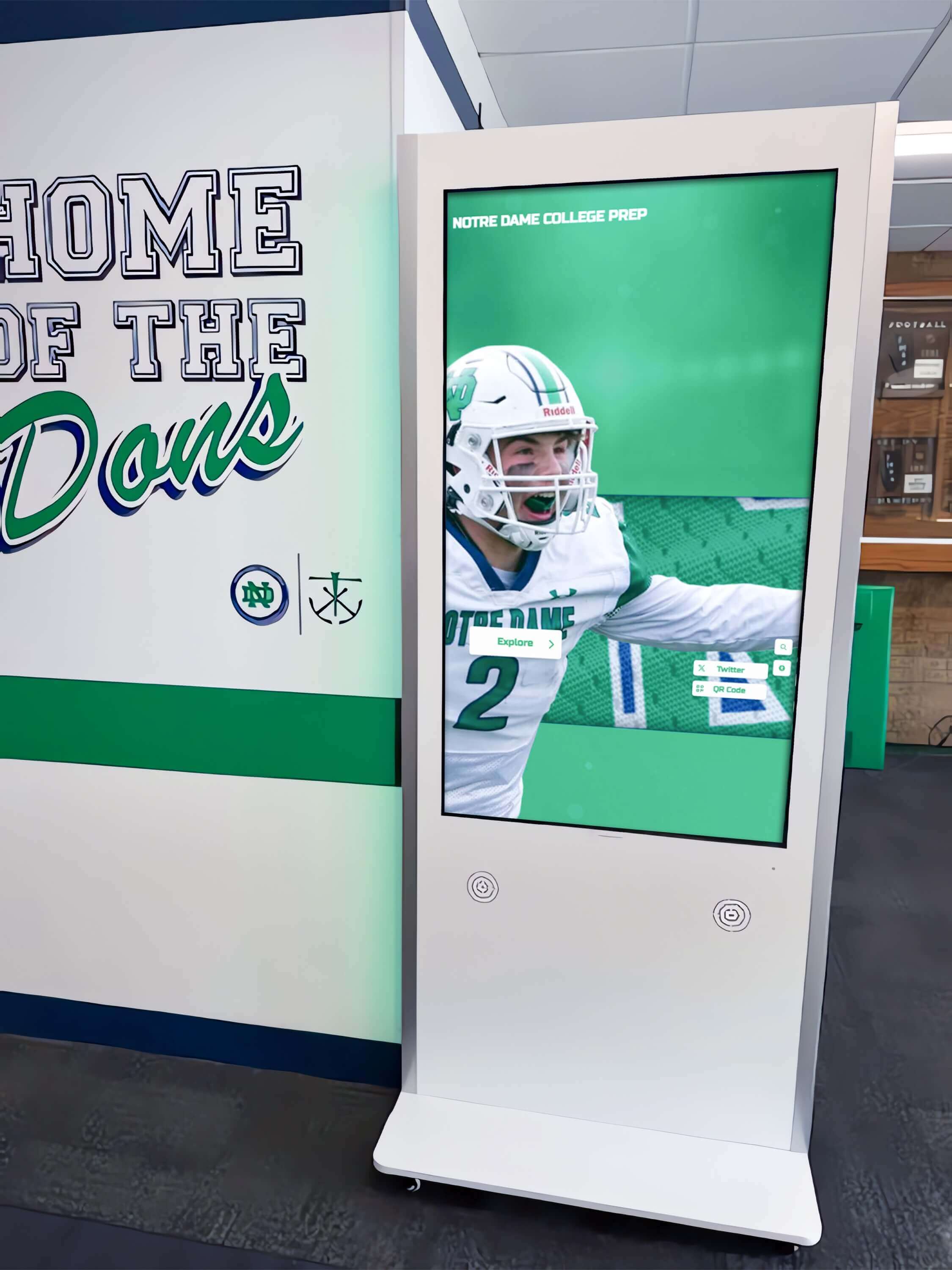
Interactive lobby displays enable visitor self-service for wayfinding while celebrating athletic achievement and program excellence
Strategic Placement Considerations for Maximum Impact
Location decisions significantly affect lobby digital signage visibility, engagement, and practical functionality for diverse visitor needs.
Entrance Positioning and Sight Lines
Optimal display placement ensures visibility for arriving visitors while supporting natural traffic flow patterns.
Primary Entrance Visibility
Digital displays should be positioned to capture attention immediately upon building entry, positioned along natural sight lines where visitors look when entering, and located before decision points requiring wayfinding information. Schools with multiple entrance points must strategically prioritize primary visitor entries versus secondary access points used predominantly by familiar daily populations like students and staff.
Main entrances serving prospective family tours, scheduled appointments, and first-time visitors warrant investment in prominent, high-quality displays establishing positive first impressions. Secondary entrances used primarily by daily student populations may utilize smaller displays focused more heavily on current student information and upcoming events versus visitor welcome messaging.
Security Checkpoint Integration
Most schools require visitors to check in at security desks or administrative offices near main entrances. Digital signage positioned adjacent to these checkpoints serves dual purposes—it occupies visitor attention during check-in wait times while reinforcing security protocols and visitor procedures. This strategic placement turns mandatory security processes into opportunities for achievement celebration and information sharing rather than merely administrative tasks visitors endure.
Consider Waiting Area Sight Lines
Many school lobbies include seating areas where visitors wait for appointments, students await dismissal, or parents linger during event transitions. Position displays within comfortable viewing distance from these waiting areas—typically 8-15 feet depending on screen size—enabling extended content exploration during waiting periods. Consider both seated and standing sight lines since viewers in lobby spaces occupy varying positions.
Environmental and Technical Factors
Physical environment characteristics affect both display performance and viewer experience quality.
Lighting Conditions and Glare Management
School lobbies often feature extensive windows providing natural light that creates welcoming environments but potentially causes screen glare reducing visibility. Assess lighting conditions throughout the day, identifying when direct sunlight hits potential display locations. Solutions include selecting high-brightness commercial displays designed for bright environments (typically 500+ nits brightness), positioning screens perpendicular to major light sources rather than directly opposite windows, installing adjustable lighting controls allowing glare reduction during peak sunlight periods, and considering anti-glare screen treatments for particularly challenging lighting situations.
Acoustic Considerations
While many lobby displays operate silently showing rotating visual content, interactive touchscreen displays or those incorporating video content require audio considerations. Lobby acoustics affect audio clarity, with hard surfaces common in institutional entries creating sound reflection and echo. Schools must balance audio volume levels audible to intended viewers without disrupting adjacent administrative offices, classrooms, or creating overwhelming sound environments in lobbies hosting multiple simultaneous activities. For high-traffic lobbies or locations near sensitive spaces, visual-only content or displays with personal audio options (like headphone jacks for extended video viewing) may prove more appropriate than ambient audio.
Infrastructure Access and Connectivity
Display locations require reliable network connectivity for content management and electrical power supporting continuous operation. Assess whether potential locations offer these infrastructure elements without expensive retrofits. Ideal placements provide concealed cable routing maintaining clean professional aesthetics, secure mounting surfaces supporting display weight without specialized reinforcement, and equipment access for maintenance and troubleshooting without requiring elaborate ladders or disrupting daily operations.
Consider future-proofing infrastructure by planning capacity exceeding immediate needs—installing conduit for additional future displays, specifying network connections supporting higher bandwidth than current requirements, and ensuring electrical circuits accommodate potential equipment additions.
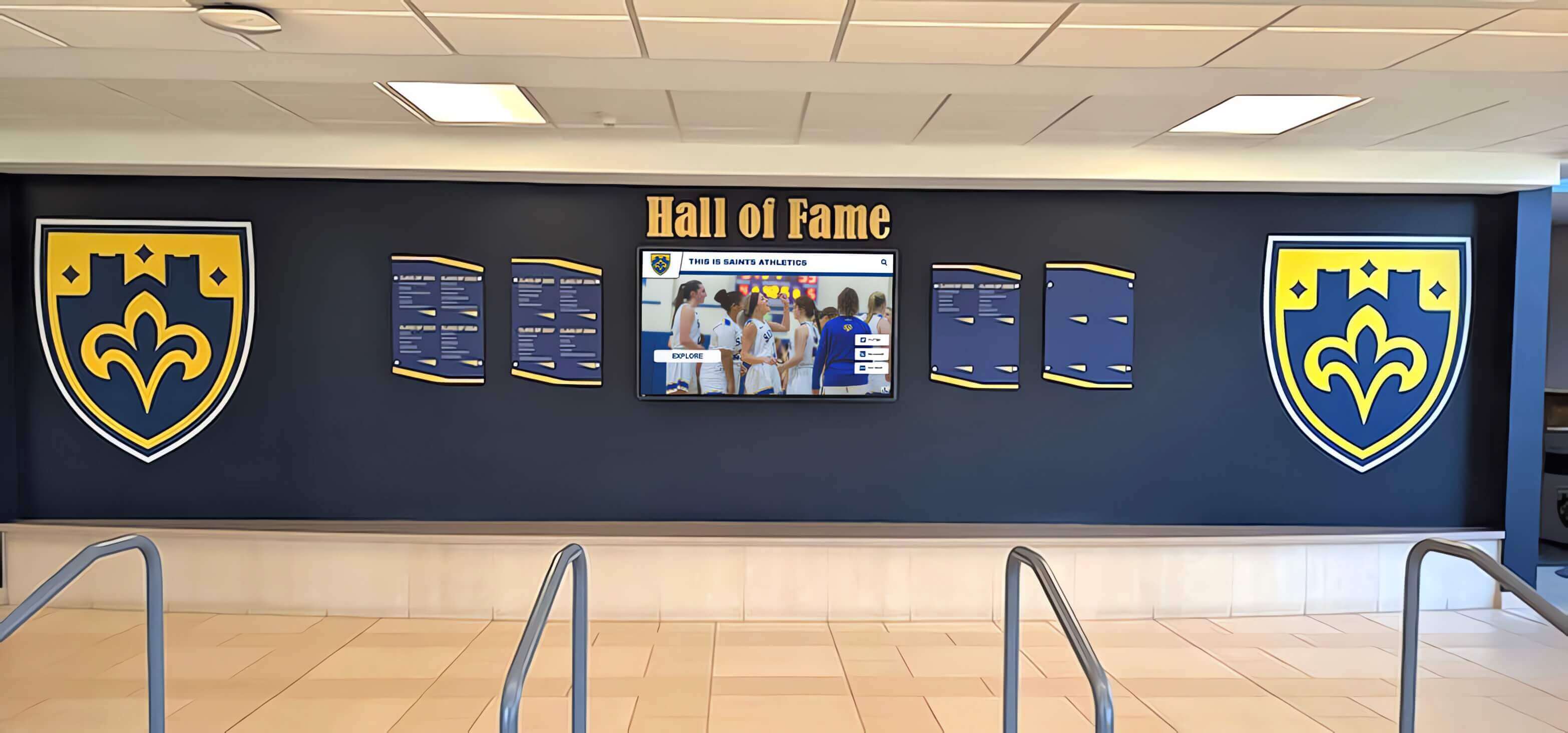
Lobby displays integrate seamlessly with traditional recognition elements while providing dynamic content capabilities impossible through static installations
Content Strategies That Balance Multiple Objectives
Effective lobby digital signage content serves diverse audiences with varying information needs while maintaining engagement and professional presentation.
Welcome and Orientation Content
First-time visitor orientation requires different content approaches than displays serving familiar daily populations.
Visitor-Centric Welcome Messaging
Schools should develop welcome screens establishing hospitable tone and communicating visitor expectations. Effective welcome content includes personalized greetings addressing anticipated visitor types (“Welcome Prospective Families,” “Thank You Volunteers”), clear check-in instructions with visual cues directing visitors to security desks, building directories with department locations and office suite numbers, today’s event listings helping visitors confirm they’ve arrived on correct days, and emergency procedure overviews ensuring all building occupants understand safety protocols.
This welcome content should occupy prominent positions in content rotation—appearing frequently enough that arriving visitors encounter it quickly rather than waiting extended periods while achievement recognition or announcements cycle. Consider time-of-day content scheduling that increases welcome message frequency during periods with heavy visitor traffic like morning drop-off, lunch hours, and early afternoon when tours and appointments commonly occur.
Wayfinding and Directional Information
Comprehensive wayfinding content reduces visitor stress while decreasing administrative interruptions from directional questions. Effective wayfinding displays include interactive building maps allowing visitors to search destinations, department directories listing administrators, staff, and specialized programs, event location information directing visitors to specific venues for performances, competitions, or meetings, and parking and campus navigation for schools with complex or multi-building facilities.
For schools implementing interactive touchscreen displays, wayfinding search functionality enables visitors to locate specific people, departments, or rooms quickly without scanning complete directories. This self-service capability proves particularly valuable in large secondary schools or campus environments where locating specific destinations challenges unfamiliar visitors.
Achievement and Recognition Content
Student and program celebration represents core lobby display purposes requiring thoughtful content curation and presentation.
Balancing Breadth and Depth
Schools face inherent tensions between showcasing achievement breadth across diverse student populations versus providing sufficient detail making recognition meaningful for featured individuals. Effective approaches include rotating featured achievement spotlights providing detailed recognition for individual students or teams with photos, accomplishments, and contextual information, scrolling lists or tiles showing broader achievement categories enabling comprehensive recognition without extended screen time per individual, and academic recognition programs highlighting scholarly excellence alongside athletic and extracurricular achievements.
Time-based content strategies help balance these competing needs—dedicating specific content zones within display layouts to featured spotlights versus ongoing achievement lists, varying rotation speeds with detailed individual features displaying longer than comprehensive lists, and scheduling seasonal emphasis aligning with achievement timing like fall athletic championships, winter performing arts productions, or spring academic awards.
Inclusive Recognition Across Programs
Lobby displays in school entrances reach entire school communities including students, families, staff, and visitors representing diverse interests and involvement levels. Recognition content should reflect this diversity by celebrating achievement across academics, athletics, arts, service, and extracurricular activities rather than disproportionately featuring any single program area. This balanced recognition demonstrates institutional values while ensuring broader student populations see themselves and their contributions celebrated.
Schools should establish governance processes ensuring equitable recognition submission across departments. Without intentional coordination, displays may over-represent programs with particularly engaged coordinators while underrepresenting equally worthy achievements from programs lacking dedicated recognition advocates. Regular content audits reviewing recognition balance across categories help schools identify and address systematic gaps in achievement celebration.
Timely Content Updates
Recognition loses impact when content grows stale or outdated. Lobby displays showcasing last year’s championship team in October or fall semester honor roll students in April communicate insufficient attention to recognition programs and content management. Implement content update schedules ensuring achievement recognition aligns with current academic calendar periods—updating recognition displays monthly or at logical semester/quarter transitions, establishing submission deadlines for program coordinators providing achievement information, and archiving historical content to permanent digital archives rather than leaving outdated information in active lobby rotation.
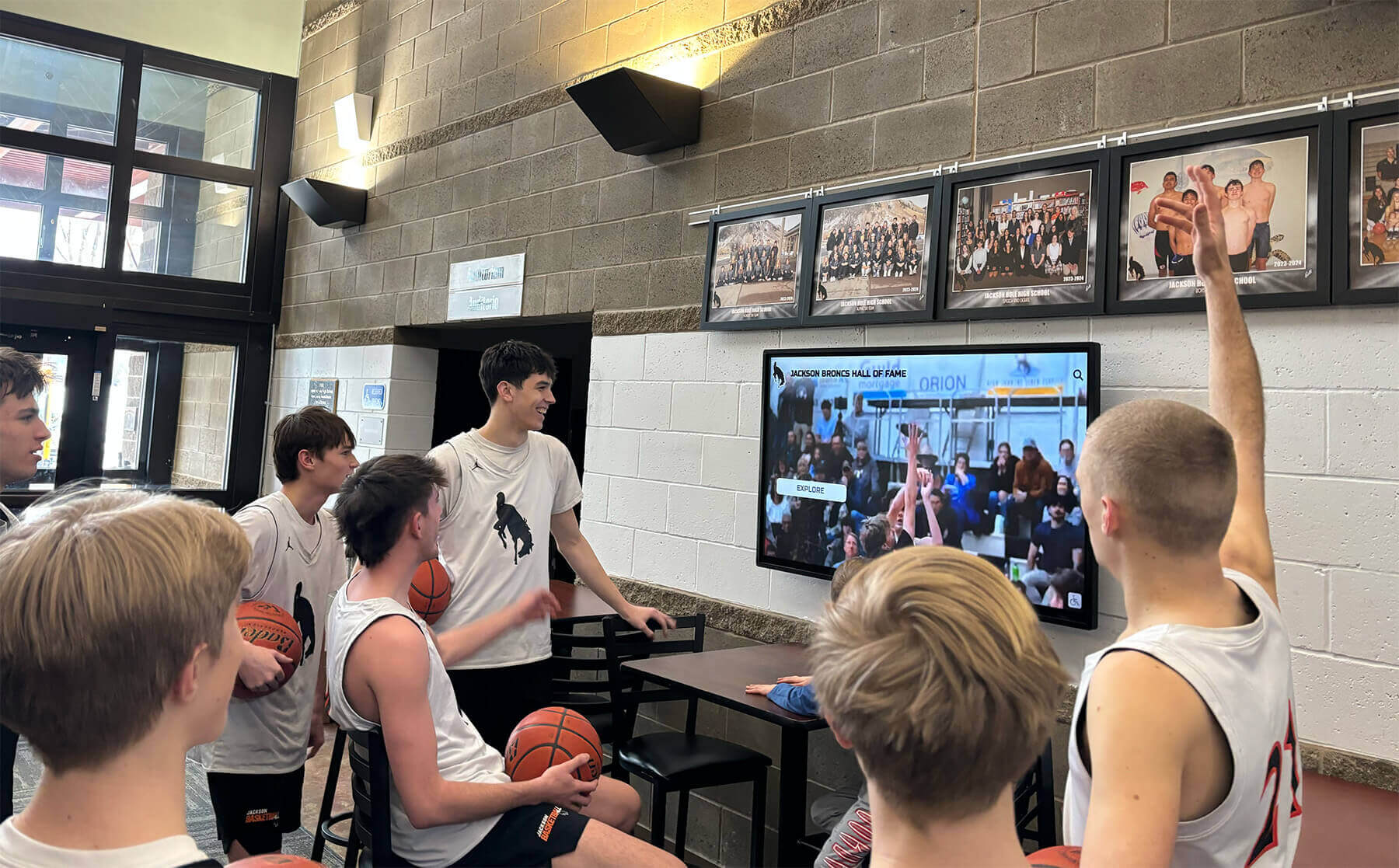
Lobby displays engage current students through relevant content including game highlights, team recognition, and athletic program updates
Interactive Versus Passive Display Approaches
Schools must decide whether lobby digital signage should offer interactive touchscreen functionality or operate as passive broadcast displays.
Passive Broadcast Display Benefits
Non-interactive displays showing automated content rotation offer specific advantages for certain school contexts.
Simplified Content Management
Passive displays require only linear content scheduling without complex interactive navigation structures. Content managers create rotation sequences combining welcome messages, achievement recognition, announcements, and event calendars that cycle automatically without user input. This simplified approach reduces content production complexity and enables staff with limited technical expertise to maintain display content effectively.
Reduced Maintenance and Durability
Displays without touchscreen functionality eliminate mechanical wear from physical interaction, reduce cleaning requirements since screens don’t accumulate fingerprint smudges, and minimize technical support needs since users cannot navigate into problematic states requiring assistance. For schools with limited technical support capacity or lobbies experiencing heavy daily traffic from elementary students, passive displays offer durability advantages over interactive systems.
Passive Viewing Compatibility
Many lobby visitors pass through entrances quickly during drop-off, dismissal, or brief visits without time for extended interactive exploration. Passive displays accommodate these brief viewing opportunities by ensuring content rotates automatically without requiring viewer initiation or interaction. Welcome messages and current announcements reach even visitors spending mere seconds in lobby spaces.
Interactive Touchscreen Display Advantages
Interactive lobby displays offer expanded functionality justifying additional complexity and cost for many school environments.
Self-Service Information Access
Interactive displays enable visitors to search for specific information matching their unique needs rather than waiting for relevant content to appear in broadcast rotations. Visitors can search building directories for specific staff members or departments, explore detailed athletic hall of fame content featuring individual athlete profiles and team histories, access detailed event calendars with time, location, and description information, and browse student achievement galleries organized by category, date, or program area.
This self-service functionality particularly benefits prospective family tours and scheduled visitors who arrive with specific information objectives and available time for extended exploration. Interactive displays transform brief lobby encounters into meaningful engagement opportunities where visitors actively explore content relevant to their interests.
Deeper Engagement With Recognition Content
Interactive displays enable recognition depth impossible through passive broadcast formats. Schools can provide comprehensive athlete or student profiles including biographical information, achievement details, photos and video content, and historical context while allowing casual viewers to simply observe highlight rotations without interaction. This layered approach serves both quick viewers and interested community members seeking detailed achievement information.
For example, gym lobby touchscreen displays might show rotating championship team photos in attract mode, but enable visitors to tap teams for roster information, season statistics, tournament results, and game highlight videos. This interactive depth creates engaging experiences for spectators arriving early for athletic events while accommodating brief viewing from passing traffic.
Data Collection and Usage Analytics
Interactive systems provide usage data revealing which content visitors explore most frequently, how long users engage with different content types, common search queries indicating visitor information needs, and traffic patterns showing peak usage times and periods. These analytics inform content strategy by identifying high-interest topics deserving expanded coverage, revealing underutilized content requiring promotion or redesign, and demonstrating display value through concrete engagement metrics.
Schools can use this data to continuously improve lobby display effectiveness—adjusting content balance toward demonstrated visitor interests, identifying and addressing wayfinding gaps revealed by common searches, and documenting engagement metrics supporting continued investment in display technology and content development.
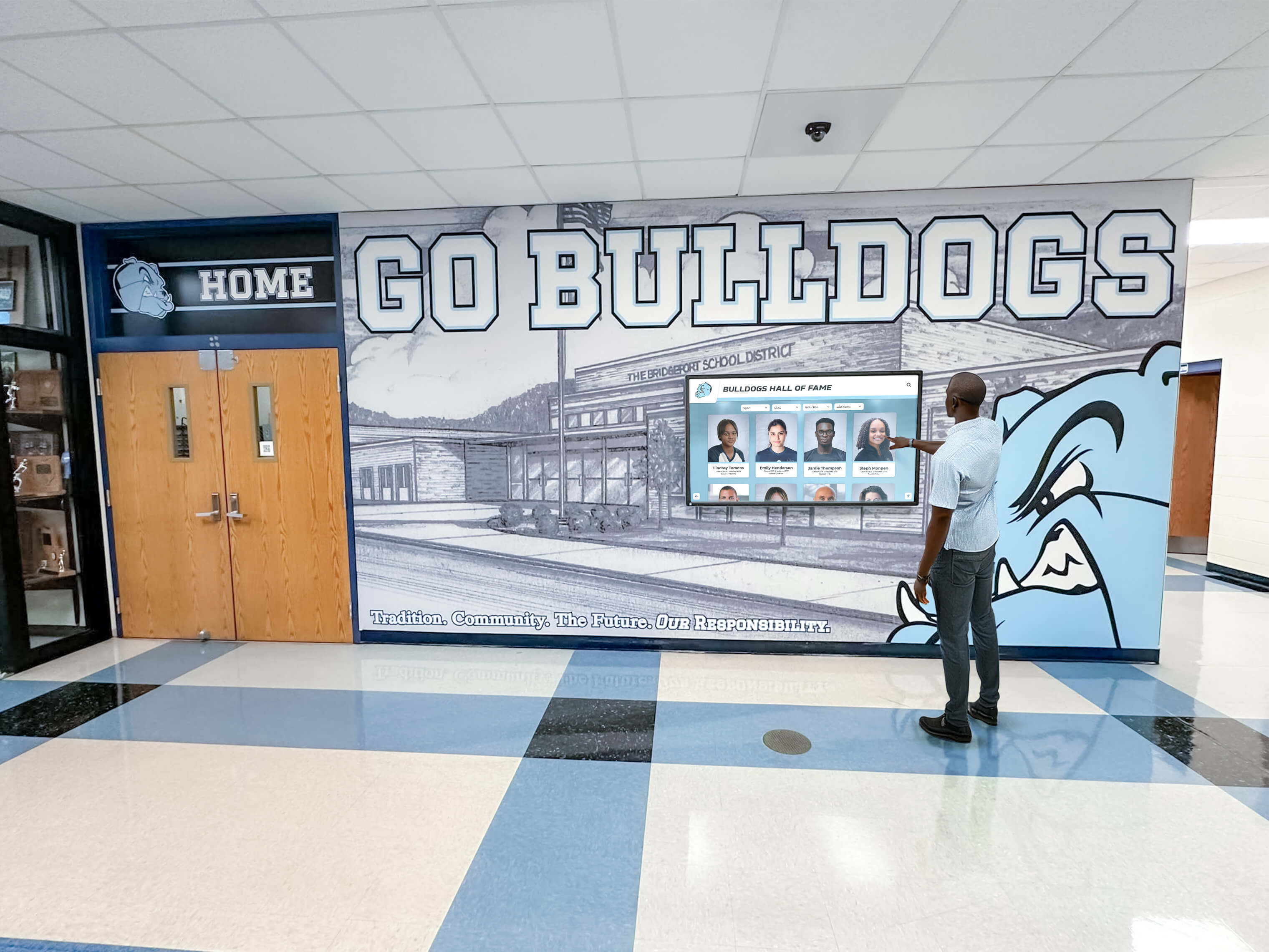
Interactive touchscreens enable visitors to explore detailed achievement content, search directories, and access information matching their specific needs
Technical Implementation Considerations
Selecting appropriate hardware, software, and support infrastructure ensures lobby digital signage operates reliably while remaining manageable for school technology staff.
Hardware Selection Criteria
Display hardware directly affects viewer experience, operational reliability, and long-term total cost of ownership.
Commercial Versus Consumer Display Technology
Schools should specify commercial-grade displays designed for continuous operation in public spaces rather than consumer televisions marketed for residential use. Commercial displays offer critical advantages including extended warranty coverage (typically 3-5 years versus 1 year for consumer models), continuous operation ratings supporting 16-24 hour daily use without thermal issues, professional mounting options with VESA compatibility and landscape/portrait flexibility, and advanced connectivity including network management, scheduled power controls, and remote monitoring.
While commercial displays carry higher initial costs, total cost of ownership advantages from improved reliability, extended service life, and reduced maintenance requirements justify the investment for permanent institutional installations serving critical communication functions.
Display Size and Resolution Decisions
Appropriate display sizing depends on viewing distance and lobby space characteristics. General guidelines suggest minimum screen sizes of 43-50 inches for lobbies where primary viewing distances range 10-15 feet, 55-65 inches for larger lobbies with 15-20 foot viewing distances, and 70+ inches for expansive entrance areas or locations where displays compete with extensive natural light. Resolution specifications of 4K (3840x2160) should be considered standard for displays exceeding 50 inches ensuring crisp text readability and high-quality image presentation at typical lobby viewing distances.
Consider whether lobby layouts benefit from single large displays versus multiple smaller screens distributed across entrance areas. Multiple displays may better serve expansive lobbies with distinct functional zones—one display near security checkpoints focused on visitor welcome and wayfinding, another near seating areas emphasizing achievement recognition and extended content exploration.
Mounting and Installation Quality
Professional mounting installation ensures display security, proper viewing angles, and clean cable management. Schools should engage qualified installers who specify commercial mounting hardware rated for display weight with safety margins, ensure proper wall anchor selection based on mounting surface materials, provide concealed cable routing maintaining professional aesthetics, and verify accessibility for maintenance and equipment replacement without elaborate procedures.
Many schools coordinate lobby display installation with broader facility renovation projects enabling integrated infrastructure planning and concealed conduit installation impossible in occupied buildings without substantial disruption.
Content Management Software Selection
Software platforms controlling lobby display content significantly affect operational manageability and content quality.
Ease of Content Updates
Schools need content management systems enabling authorized staff to update display content without extensive technical expertise. User-friendly platforms should offer web-based interfaces accessible from any computer without specialized software installation, template-based content creation minimizing custom design requirements, simple media upload supporting photos, videos, and documents, drag-and-drop scheduling for content rotation and timing control, and approval workflows ensuring administrative review before content publication.
This ease-of-use proves critical for sustainable operations. Systems requiring IT staff intervention for every content update create bottlenecks that delay timely recognition and frustrate achievement coordinators. Platforms enabling content managers to update displays directly—after initial training and within appropriate governance frameworks—ensure displays remain current and relevant.
Multi-Display Management
Schools with multiple lobby displays or digital signage distributed across campus facilities need centralized management platforms controlling all displays from unified interfaces. Enterprise-capable platforms support synchronized content across multiple displays, location-specific content customization for displays in different buildings or serving different audiences, schedule variations accommodating distinct operating hours and usage patterns, and centralized reporting on system status, content performance, and technical issues.
Without centralized management, schools operating multiple displays face exponentially increased workload managing each system independently—uploading content separately to each location, troubleshooting technical issues without comprehensive system visibility, and maintaining consistency across distributed installations without automated controls.
Integration With Existing School Systems
Advanced implementations integrate lobby display content with existing school information systems reducing manual data entry and improving accuracy. Potential integrations include student information systems providing achievement data, enrollment information, and demographic details, event calendar systems automating schedule display and eliminating duplicate calendar maintenance, emergency notification systems enabling alerts to propagate automatically to lobby displays, and content libraries or digital asset management systems providing centralized media management across school communication channels.
These integrations require technical implementation planning and often involve vendor coordination between display platform providers and existing system vendors. However, the operational efficiency gains from eliminating duplicate data entry and ensuring content accuracy across platforms justify integration investment for schools managing complex technology ecosystems.
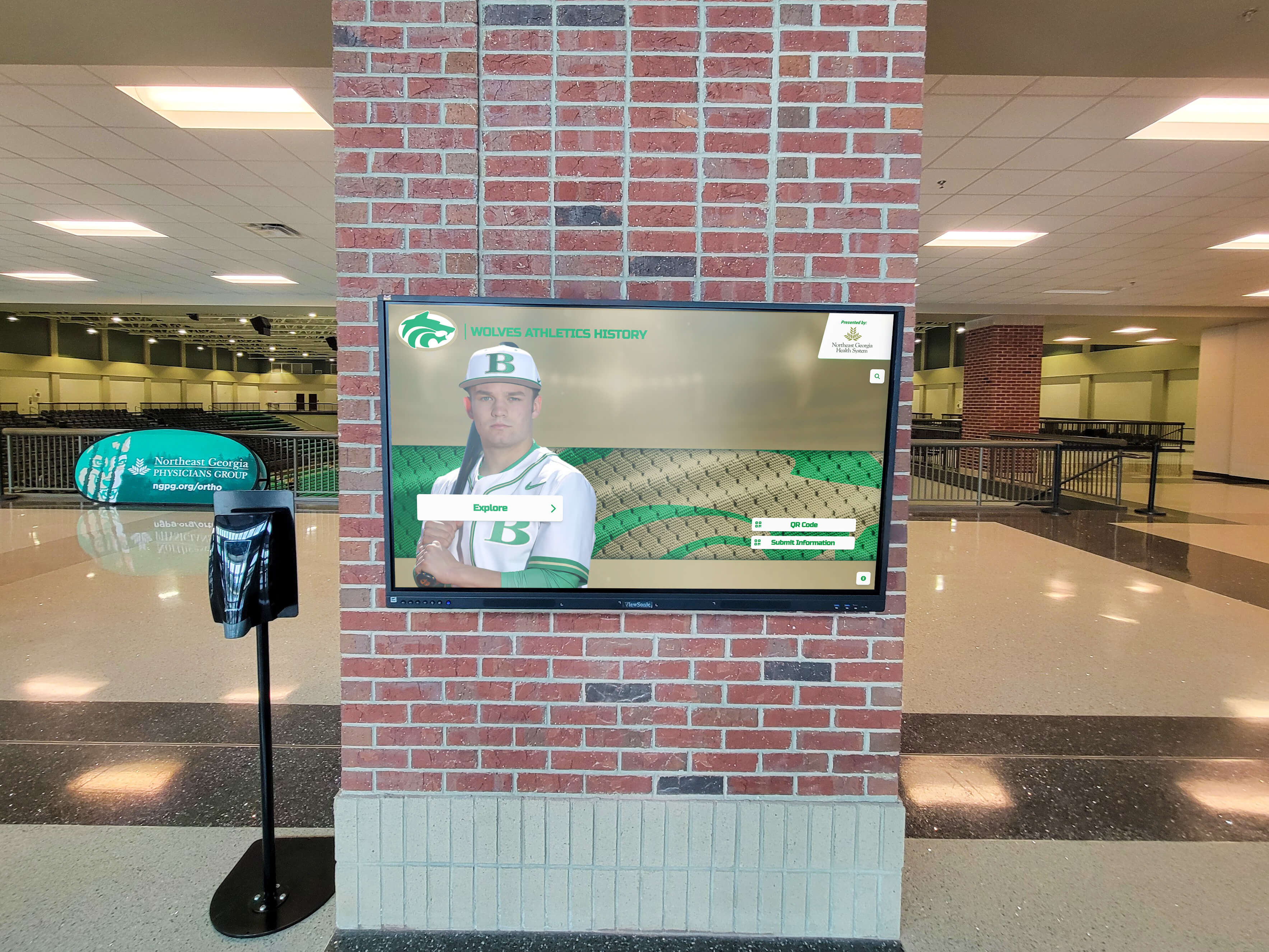
Strategic display placement on architectural features creates focal points while showcasing athletic achievement prominently in lobby entrance areas
Content Governance and Maintenance
Sustainable lobby display programs require clear governance structures ensuring content quality, equity, and operational continuity.
Establishing Content Submission Processes
Systematic processes for collecting achievement information prevent displays from becoming outdated or showing selection bias.
Departmental Submission Responsibilities
Schools should designate content liaisons within each major program area—athletics, performing arts, academic departments, student activities, and community service programs—responsible for submitting recognition-worthy achievements according to established schedules. Clear submission guidelines should specify required information elements (student names, achievement details, dates, photos), submission deadlines aligned with content update schedules, file format and resolution requirements for images and videos, and approval chains ensuring administrative awareness of recognition decisions.
This distributed responsibility model ensures recognition content represents balanced achievement across diverse programs rather than solely reflecting the interests of individual display content managers who may lack comprehensive visibility across all school activities.
Equity Audits and Recognition Balance
Schools should periodically review recognition content analyzing achievement representation across student demographics, program types, and school departments. Questions guiding equity audits include: Are we recognizing comparable numbers of male and female students? Do recognition rates reflect the diversity of our student body or do certain demographic groups receive disproportionate celebration? Are we balancing athletic recognition with academic, artistic, and service achievement? Do certain departments dominate recognition while equally worthy achievements in other areas go uncelebrated?
These audits often reveal unconscious biases in recognition processes—athletic programs with dedicated booster organizations systematically submitting achievements while equally impressive academic competitions receive no recognition due to lack of advocacy. Identifying these patterns enables schools to proactively solicit recognition submissions from underrepresented areas ensuring more equitable achievement celebration.
Technical Maintenance and Support
Reliable lobby display operation requires proactive maintenance and responsive technical support.
Preventive Maintenance Schedules
Regular maintenance prevents minor issues from becoming display failures disrupting lobby communication. Establish schedules for display cleaning removing dust accumulation affecting cooling and image quality, software updates ensuring security and feature currency, content audits removing outdated information and verifying accuracy, hardware inspection checking cable connections, mounting security, and component condition, and backup system testing ensuring content restoration capabilities in case of failures.
Many schools assign lobby display maintenance to facilities staff for physical cleaning and mounting inspection, while IT departments handle software updates and system monitoring. Clear responsibility delineation prevents maintenance gaps where each department assumes the other handles specific tasks.
Responsive Technical Support
Display failures, content errors, or user confusion require rapid response restoring lobby communication functionality. Schools need identified points of contact for technical issues—IT staff members responsible for display platform support, on-call procedures for urgent failures affecting emergency communication capabilities, vendor support relationships for hardware failures or software issues requiring external expertise, and user support documentation helping content managers resolve common issues independently.
Response time expectations should acknowledge that lobby displays serve public-facing communication functions where failures remain visible to all visitors. Unlike internal systems where outages affect only staff or student workflows, non-functional lobby displays communicate operational dysfunction to prospective families, community members, and external visitors forming critical first impressions.
Measuring Success and Demonstrating Value
Schools should establish metrics documenting lobby display effectiveness and informing continuous improvement efforts.
Quantitative Engagement Metrics
Interactive displays provide concrete data measuring visitor engagement and content performance.
Usage Analytics
Interactive display platforms typically track total interactions per day/week/month measuring overall engagement levels, average session duration revealing how long visitors engage with content, content popularity metrics identifying most frequently accessed features, and search query data showing common information needs. These metrics demonstrate display value through objective engagement evidence while revealing content strengths and weaknesses guiding improvement priorities.
For example, analytics showing visitors frequently search for specific departments or program information may indicate wayfinding content needs enhancement in those areas. Conversely, recognition content receiving minimal engagement despite prominent placement may require redesign making achievement information more accessible or visually compelling.
Comparative Analysis
Schools can track engagement trends over time identifying patterns such as seasonal usage variations correlating with athletic seasons, performing arts productions, or enrollment periods, content performance changes following redesigns or format modifications, and traffic correlations between physical visitor volume and display interactions. These analyses inform strategic decisions about content scheduling, feature prioritization, and infrastructure investment justification.
Qualitative Feedback Collection
Numeric analytics should be supplemented with qualitative visitor feedback providing context for engagement patterns.
Stakeholder Surveys
Periodic surveys of prospective families, current family visitors, community members, and students can assess lobby display perceptions including information helpfulness and wayfinding effectiveness, content relevance and interest level, technical usability and any encountered difficulties, and overall impression contribution to school perception. Survey responses often reveal usage patterns and value propositions not evident from analytics alone—for instance, families may report that achievement recognition displays strongly influenced enrollment decisions even if actual interaction times remained brief.
Staff Observations
Front office staff and administrators regularly present in lobby spaces observe visitor behaviors and reactions providing practical insights. Their observations might include questions visitors ask despite available display information suggesting content gaps or accessibility issues, visitor comments about achievements or recognition content indicating community impact, technical issues visitors encounter attempting to use interactive features, and traffic flow patterns revealing whether display placement effectively captures attention.
This frontline staff feedback should be formally collected through brief periodic check-ins rather than relying on ad-hoc volunteer reporting. Simple monthly surveys asking office staff about observed visitor display usage, common questions received, and noted technical issues ensure systematic feedback collection informing display optimization.
Common Implementation Challenges and Solutions
Understanding typical lobby display challenges helps schools proactively address issues before they compromise effectiveness.
Content Creation Capacity Constraints
Many schools struggle maintaining fresh, engaging lobby display content despite best intentions.
The Challenge
Creating compelling visual content requires design skills, photography equipment, time, and creative vision that busy school staff may lack. Recognition submissions arrive as basic text information without accompanying photos or visual elements. Generic template-based content appears professional but lacks the authentic school-specific character that resonates with community audiences. Display content becomes repetitive as coordinators exhaust their limited creative ideas.
Solutions
Schools can address content creation challenges through strategies including student involvement through journalism, yearbook, or media production classes creating recognition content as authentic learning activities that benefit both educational programs and display content quality, template libraries providing customizable design frameworks reducing custom creation requirements while maintaining visual consistency, photo archives sourced from yearbook scanning initiatives and school photographers providing extensive visual assets for recognition content, and professional content services working with display vendors or marketing firms to develop seasonal content refreshes when internal capacity proves insufficient.
Technical Reliability Issues
Display failures or performance problems undermine confidence in lobby signage technology.
The Challenge
Network connectivity problems prevent content updates from synchronizing, display screens develop technical issues requiring service or replacement, software platforms experience bugs or compatibility problems affecting functionality, and content displays incorrectly due to resolution mismatches or format incompatibilities. These technical issues occur unpredictably, often remaining undetected until visitors report problems or school staff notice display failures.
Solutions
Proactive approaches to reliability include automated monitoring systems alerting IT staff to display connectivity or operational issues before visitors notice failures, vendor support agreements ensuring rapid response for hardware or software problems beyond school technical capacity, redundant systems maintaining basic content display even if networked features fail, and documented troubleshooting procedures enabling quick resolution of common issues without extended technical investigation. Schools should also maintain relationships with professional display installers who can rapidly respond to hardware failures requiring on-site service.
Balancing Multiple Audiences
School lobby displays must simultaneously serve prospective families, current students and families, community visitors, and staff.
The Challenge
These audiences have different information needs and interest levels. Prospective families want comprehensive school information and achievement evidence demonstrating quality. Current families need event schedules and practical information. Community visitors may seek wayfinding assistance without interest in internal school recognition. Creating content serving all audiences without overwhelming displays with excessive information or creating disjointed experiences proves challenging.
Solutions
Schools can address multi-audience challenges through content scheduling varying by time of day or week to emphasize content relevant to expected visitor types, interactive menu organization grouping content by audience (“For Visitors,” “For Current Families,” “School Achievements”) enabling self-selection of relevant information, layered content design where attract loops show general welcome messaging but visitors can explore detailed content matching their interests, and separate display zones within single screens dedicating consistent areas to specific content types (welcome/wayfinding, recognition, announcements).
Creating Compelling First Impressions
Beyond functional information delivery, lobby displays contribute to overall entrance environment quality affecting school perception.
Visual Design Excellence
Display content quality directly influences visitor perceptions of institutional professionalism and quality.
Brand Consistency
Lobby display content should reflect consistent visual identity including school colors, mascot, and logo usage matching other communication materials, typography and design elements aligned with website, publications, and other branded materials, and professional photography and graphics meeting quality standards appropriate for public-facing communication. This consistency reinforces institutional identity while conveying attention to detail and professional communication standards.
Schools should develop brand guidelines specifically for lobby display content ensuring different content creators maintain visual consistency even as specific content changes. Templates, color palettes, and style guides help volunteers and staff creating recognition content maintain professional presentation standards without requiring design expertise.
Motion and Animation Appropriateness
Digital displays enable motion and animation impossible in static media, but these capabilities require restraint for professional results. Effective motion use includes subtle transitions between content items avoiding jarring cuts, purposeful animation directing attention to key information rather than decorative effects, and appropriate pacing allowing adequate viewing time without appearing sluggish. Excessive animation, rapid transitions, or overly dramatic effects create amateurish impressions undermining the professional credibility schools seek to establish.
Environmental Integration
Physical display installation should complement lobby architecture and design rather than appearing as technology additions disrupting aesthetic cohesion.
Architectural Harmony
Display mounting, framing, and placement should feel architecturally integrated whether through custom millwork surrounding displays matching lobby finishes and architectural details, mounting systems concealing all cabling and equipment maintaining clean sight lines, or coordinated placement aligning with architectural features, ceiling heights, and spatial proportions. Well-integrated installations appear as intentional architectural elements rather than technology appliances mounted to walls as afterthoughts.
Schools planning lobby renovations or new construction should engage architects and designers in display planning from initial conceptual design stages enabling integrated solutions impossible to achieve through retrofits in existing spaces. Purpose-built display installations in wall wraps or donor recognition environments demonstrate this integrated approach where technology, architecture, and institutional messaging combine seamlessly.
Planning Your Lobby Digital Signage Implementation
Schools approaching lobby display projects should follow systematic planning processes ensuring thoughtful implementation supporting long-term success.
Needs Assessment and Goal Definition
Clear objectives guide appropriate system selection and implementation approaches.
Stakeholder Input Collection
Gather input from diverse stakeholders including administrative leadership defining institutional communication priorities, front office staff identifying common visitor questions and information needs, advancement or enrollment personnel articulating prospective family information requirements, student life coordinators outlining recognition and announcement needs, and IT staff assessing technical infrastructure and support capacity.
This comprehensive input ensures lobby displays address genuine functional needs rather than implementing technology for its own sake without clear purpose. Stakeholder engagement also builds organizational support for projects requiring cross-departmental cooperation during implementation and ongoing operations.
Success Criteria Definition
Establish specific, measurable criteria defining successful implementation such as reducing front office directional questions by quantifiable percentages, achieving defined visitor engagement levels measured through interaction analytics, maintaining content currency with maximum acceptable update delays, and improving prospective family impressions documented through tour feedback. Clear success criteria enable objective evaluation of whether displays deliver expected value while guiding resource allocation decisions.
Vendor Selection and Partnership
School lobby digital signage represents multi-year commitments requiring careful vendor evaluation.
Evaluation Criteria
Schools should assess potential vendors across multiple dimensions including product functionality matching school requirements and usage contexts, ease of content management for non-technical school staff, technical support quality and responsiveness, total cost of ownership including hardware, software, installation, training, and ongoing support, upgrade path ensuring systems remain current as technology evolves, and integration capabilities with existing school systems and infrastructure.
Request demonstrations using actual school content rather than generic samples, speak with existing school customers about long-term satisfaction and support experiences, and evaluate vendor understanding of educational environments versus generic digital signage experience. Interactive touchscreen kiosk software designed specifically for educational recognition typically better serves school needs than generic corporate communication platforms.
Implementation Timeline and Change Management
Systematic rollout approaches build organizational capacity while managing stakeholder expectations.
Phased Deployment
Rather than implementing comprehensive lobby display content simultaneously, many schools benefit from phased approaches beginning with essential visitor welcome and wayfinding content establishing core functionality, expanding to recognition content as submission processes and content creation workflows develop, adding advanced features like interactive search or detailed achievement profiles after basic operations prove stable, and extending to additional locations once flagship installations demonstrate value and operational models mature.
This phased approach allows learning and process refinement with limited scope before expanding to comprehensive implementations. Early successes build organizational confidence and stakeholder support while identifying operational challenges requiring attention before broader deployment.
Training and Adoption Support
Successful lobby display programs require building internal capacity through training content managers on platform operation and content creation, establishing clear submission and approval processes that become routine parts of program operations, developing documentation supporting independent troubleshooting and content updates, and celebrating early successes building enthusiasm and demonstrating program value.
Change management proves particularly important when lobby displays replace familiar static recognition methods. Staff members comfortable with traditional trophy cases or bulletin boards may resist digital approaches requiring new workflows and skills. Demonstrating clear advantages while providing adequate support during transitions helps build genuine adoption rather than superficial compliance with mandated changes.
Conclusion: Transforming School Entrances Into Welcome Centers
School lobbies represent unique opportunities where physical spaces, communication technology, and institutional culture intersect to create first impressions influencing how students, families, and communities perceive educational institutions. Lobby digital signage transforms these entrance environments from passive waiting areas into active welcome centers that greet visitors professionally, celebrate student achievement comprehensively, provide practical information effectively, and reinforce institutional identity consistently.
Effective implementations balance multiple objectives—welcoming diverse visitor types with varying information needs, recognizing student achievement equitably across programs and demographics, providing reliable operational information supporting daily school functions, and creating environments reflecting institutional professionalism and educational quality. This balance requires thoughtful planning addressing strategic placement, content governance, technical infrastructure, and sustainable operational models.
Schools approaching lobby digital signage should define clear objectives aligned with institutional communication priorities, engage stakeholders across departments ensuring displays serve genuine needs, evaluate solutions matching technical capacity and budgets, and implement systematically through phased approaches building organizational capability. When planned and executed thoughtfully, lobby displays deliver lasting value by creating entrance environments that welcome, inform, and inspire everyone who enters school buildings.
The most successful lobby digital signage programs accomplish something special—they transform brief lobby encounters into meaningful connection points where visitors experience authentic school culture, discover compelling student achievement stories, and develop impressions of educational excellence that influence enrollment decisions, community support, and institutional reputation far beyond the physical entrance spaces where displays reside.
Ready to transform your school lobby into a dynamic welcome center that celebrates student achievement while providing practical visitor information? Explore how Rocket Alumni Solutions helps schools create compelling entrance experiences through purpose-built recognition and engagement technology designed specifically for educational environments.































