



Intent: demonstrate — Law firm touchscreen displays represent a transformative shift in how legal professionals communicate with clients, showcase expertise, and create welcoming reception environments. Traditional law office waiting areas—characterized by outdated magazines, static wall art, and minimal client engagement—fail to reflect the sophisticated, technology-forward image modern clients expect from professional service providers.
Clients arriving at law offices often feel anxious, uncertain about legal processes, and unclear about next steps. Meanwhile, reception staff struggle to manage check-ins efficiently, communicate important information consistently, and keep clients productively engaged during unavoidable wait times. Printed brochures describing practice areas become outdated quickly, attorney profiles on walls require expensive updating when team members change, and opportunities to demonstrate expertise and build trust slip away while clients sit passively scrolling smartphones.
This comprehensive guide explores how interactive touchscreen displays specifically designed for law firm environments solve these communication challenges while creating what we call “digital warming”—transforming cold, impersonal waiting rooms into engaging spaces where clients feel informed, valued, and confident in their choice of legal representation.
The legal industry has historically been slow to adopt client-facing technology, but 2025 marks a turning point. According to research on law office digital signage, interactive displays are now considered an expectation rather than a luxury, with touch-enabled technology providing an effortless way for clients to access key information. Law firms implementing comprehensive digital solutions report measurable improvements in client satisfaction, operational efficiency, and competitive differentiation.

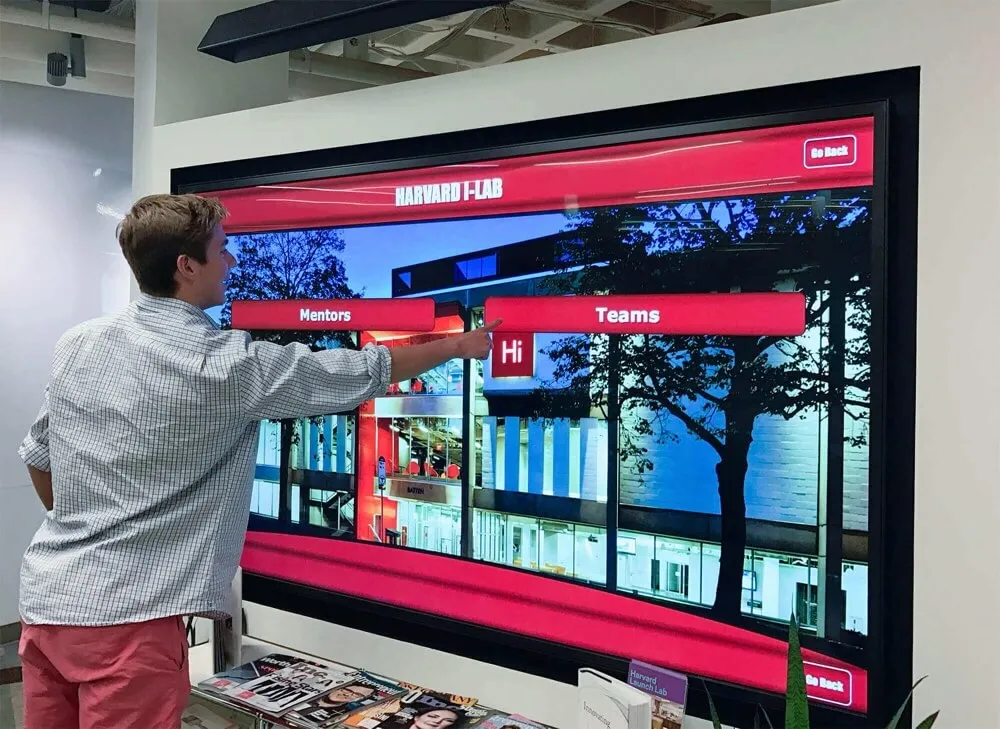
Modern interactive displays create sophisticated client experiences that reflect legal professional standards
The Case for Digital Transformation in Law Firm Reception Areas
Law firm reception areas serve critical functions extending far beyond simple waiting spaces—they establish first impressions, communicate firm culture, demonstrate professionalism, and begin the client relationship on foundations that significantly impact engagement throughout legal matters.
The Cost of Traditional Static Reception Environments
Traditional law firm reception areas create missed opportunities and negative impressions that undermine firm positioning:
Passive Client Experience Clients sitting in reception areas with nothing to engage them beyond magazines and smartphones experience time differently than occupied clients. According to digital signage research for law firms, offices using digital signage reported a 40% increase in client satisfaction simply by reducing perceived wait times through engaging content, even when actual wait durations remained unchanged.
Outdated Marketing Materials Printed brochures describing practice areas, attorney biographies, and firm accomplishments require expensive reprinting when information changes. Many firms operate with outdated materials rather than absorb constant updating costs, inadvertently communicating that they don’t prioritize currency or attention to detail—troubling signals for clients seeking meticulous legal representation.
Missed Cross-Selling Opportunities Clients engaging firms for specific legal matters often remain unaware of other practice areas where they might need services. Static environments lack mechanisms to educate clients about comprehensive firm capabilities, leaving revenue opportunities unrealized while clients seek separate representation for matters the firm could readily handle.
Inefficient Check-In and Communication Reception staff repeatedly answer identical questions about parking validation, restroom locations, Wi-Fi access, meeting room directions, and expected wait times—routine inquiries consuming professional time better spent on substantive client service and administrative tasks.
Limited Trust-Building Mechanisms The crucial early moments when clients first arrive at law offices represent prime opportunities to demonstrate expertise, showcase successful case outcomes, highlight attorney qualifications, and build confidence in representation choice. Traditional static environments squander these trust-building opportunities when clients receive no engagement beyond basic reception greetings.
How Interactive Displays Address Legal Industry Needs
Purpose-built touchscreen systems designed for professional services environments transform reception areas into strategic assets supporting multiple firm objectives:
Self-Service Information Access Interactive displays enable clients to independently explore attorney profiles, understand practice area specializations, review case study examples, access frequently asked questions, and navigate facility information without requiring staff intervention. This self-service capability respects client autonomy while freeing reception personnel for higher-value interactions.
Dynamic Content Management Cloud-based content management systems enable authorized firm staff to update information instantly—adding new attorneys, revising practice descriptions, highlighting recent case victories, updating firm news, and publishing timely content—all without requiring printing costs, installation labor, or weeks-long update cycles characterizing traditional materials.
Sophisticated Brand Communication Professional digital installations communicate that firms embrace technology, prioritize client experience, invest in modern infrastructure, and maintain contemporary professional standards. This technology adoption signals particularly resonate with corporate clients, startup founders, and younger demographics who expect digital sophistication across all professional relationships.
Measurable Engagement Insights Unlike printed materials providing no usage data, interactive displays track which content receives most attention, what information clients seek, how long visitors engage, and what pathways they explore. These analytics inform content strategy optimization and reveal client information needs that firms can address through improved communication.

Strategic placement in high-traffic areas ensures maximum client engagement and information access
Core Applications for Law Firm Touchscreen Displays
Law firms leverage interactive displays across multiple functions creating comprehensive digital communication ecosystems.
Attorney and Staff Directories
Interactive directories transform how clients and visitors navigate firm personnel and expertise:
Searchable Attorney Profiles Comprehensive searchable databases enable clients to explore attorney backgrounds, educational credentials, bar admissions, practice area focus, representative matters, publications, speaking engagements, and professional recognition. Unlike static wall displays showing limited attorney photos and names, digital directories accommodate unlimited profiles with rich detail.
Clients can search by attorney name, filter by practice area specialization, explore by office location, or browse alphabetically. This discovery capability proves particularly valuable in large firms where clients may not know which specific attorney handles their matter or may want to learn about entire practice teams.
Practice Area Navigation Detailed practice area descriptions explain the types of legal matters firms handle, typical client profiles, representative cases, relevant industry experience, and key team members. This comprehensive information helps clients understand firm capabilities while identifying additional services matching their needs.
According to professional services digital signage trends, integration with case management systems transforms static displays into dynamic dashboards, enabling real-time information that stays current automatically.
Visual Recognition and Credibility Building Professional attorney photos, credential displays, case victory highlights, and expert recognition create visual credibility that builds client confidence. Seeing attorney qualifications, bar admissions, judicial clerkships, advanced degrees, and professional accolades displayed prominently reassures clients about representation quality.
Rapid Updates for Personnel Changes When attorneys join or leave firms, digital directories update instantly through content management systems without requiring physical modifications. This currency ensures clients always access accurate information while eliminating the awkward presence of departed attorney materials that plagues traditional displays.
Client Education and Legal Information
Interactive displays serve powerful educational functions demystifying legal processes and building informed client relationships:
Practice Area Explainers Detailed practice area content educates clients about legal processes, typical matter timelines, required documentation, fee structures, and what to expect throughout representation. This proactive education reduces client anxiety while setting realistic expectations that prevent misunderstandings and disappointment.
For example, personal injury practice content might explain investigation timelines, insurance negotiation processes, litigation pathways, settlement considerations, and typical case durations. Corporate clients exploring business law capabilities might review entity formation options, contract review processes, intellectual property protection, employment law compliance, and transaction support.
Frequently Asked Questions Comprehensive FAQ databases address common client questions about legal processes, firm procedures, billing practices, communication protocols, confidentiality protections, and administrative matters. This self-service information access respects client autonomy while reducing repetitive staff inquiries.
Case Study Showcases Anonymous case study presentations demonstrate firm expertise through real matter examples showcasing problem-solving approaches, successful outcomes, creative solutions, and value delivered. These concrete examples prove more persuasive than abstract capability claims while helping clients envision their own matters handled similarly.
One personal injury law firm integrating interactive content saw consultation requests rise by 25% and survey participation increase by 40% within three months through video testimonials and interactive Q&A screens in reception areas.
Legal Process Timelines Visual timeline presentations help clients understand typical legal process stages, expected durations, key milestones, decision points, and their role at each phase. This process transparency reduces anxiety about unknowable timelines while setting appropriate expectations.
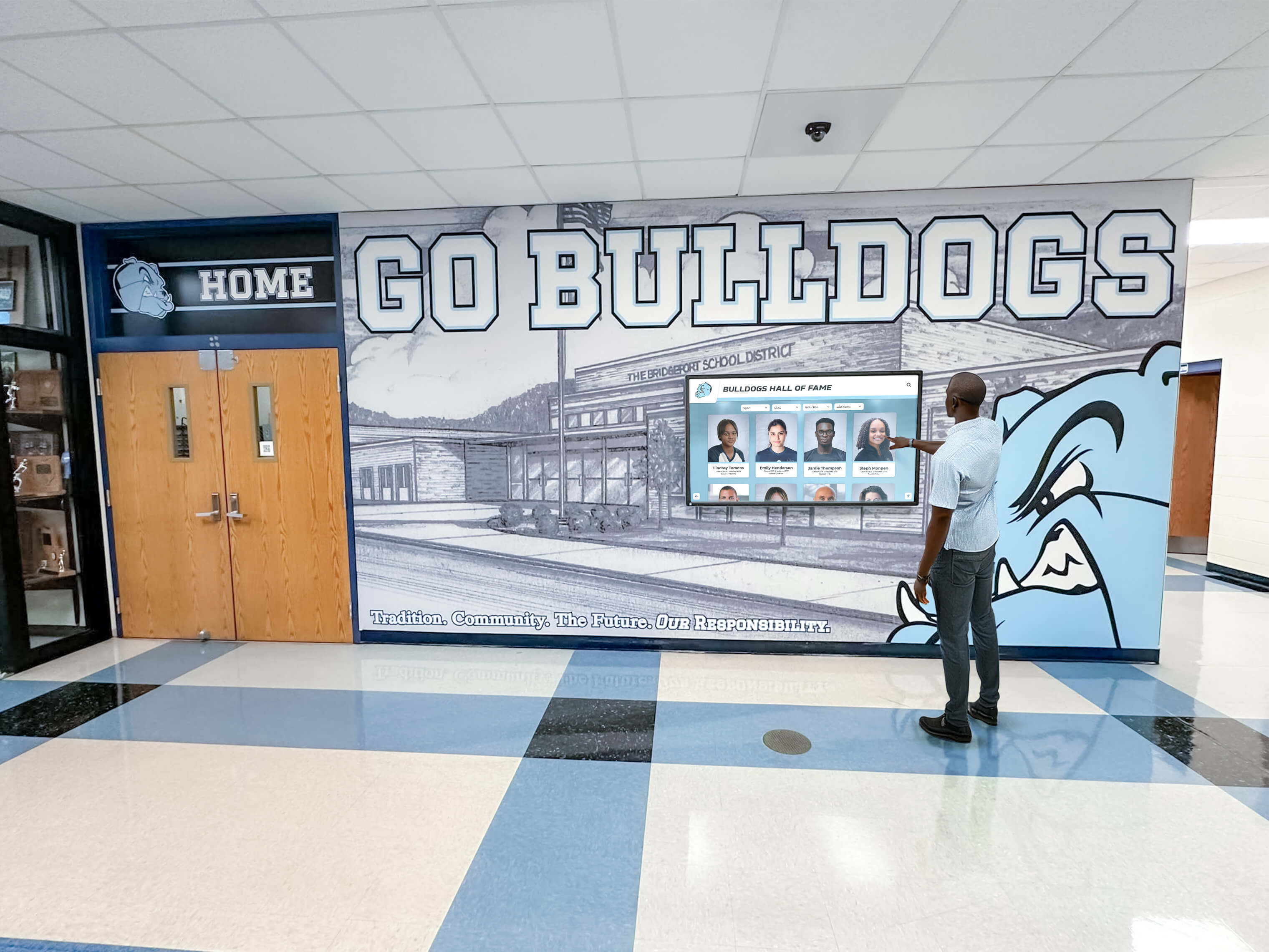
Intuitive touchscreen interfaces enable confident exploration without requiring technical expertise
Wayfinding and Facility Navigation
Law firm offices—particularly in large buildings or multi-floor suites—create navigation challenges for clients and visitors:
Interactive Floor Plans and Directions Digital wayfinding systems enable visitors to search for specific meeting rooms, attorney offices, conference facilities, restrooms, elevators, and building amenities. Interactive maps display optimal routes with step-by-step directions and estimated walk times.
Conference Room Directories Large firms with extensive conference facilities use interactive directories showing room names, capacity, locations, current availability, and upcoming reservations. This transparency helps clients and staff quickly locate scheduled meetings while enabling efficient conference space utilization.
Multi-Building Campus Navigation Firms occupying multiple buildings or distributed locations implement comprehensive wayfinding spanning entire campuses. Visitors can plan complete routes from current locations to any destination across facilities, with integration to mobile devices enabling continued navigation via smartphones as they walk.
Accessibility-Focused Routes Wayfinding systems should highlight accessible routes, elevator locations, ramp access, and accommodation resources ensuring visitors with disabilities receive appropriate navigation support while demonstrating firm commitment to inclusive design.
Real-Time Communication and Announcements
Dynamic content capabilities enable immediate communication impossible with static signage:
Emergency Notifications Integrated emergency communication systems enable instant broadcast of critical information during building evacuations, severe weather, security incidents, or other urgent situations. Digital displays reach all reception visitors simultaneously with clear instructions and safety information.
Schedule and Wait Time Communication Real-time communication about attorney availability, meeting room readiness, expected wait times, and schedule changes keeps clients informed while reducing reception desk inquiries. This transparency demonstrates respect for client time while managing expectations appropriately.
Firm News and Announcements Current content highlighting recent case victories, attorney promotions, firm expansion, speaking engagements, publication releases, award recognition, and community involvement keeps clients informed about firm developments while building pride and confidence in representation choice.
Industry News and Market Updates Relevant news feeds showing legal industry developments, regulatory changes, court decisions, or market trends demonstrate firm awareness and expertise while providing clients valuable information during wait times. Content curation should match practice area relevance ensuring displayed information aligns with client interests.

Commercial-grade installations ensure reliable operation in demanding professional environments
Technical Considerations for Law Firm Implementations
Successful law firm touchscreen deployments require thoughtful technical planning addressing unique professional services environment requirements.
Hardware Selection for Professional Environments
Law firm installations demand hardware meeting professional standards for reliability, aesthetics, and functionality:
Commercial-Grade Display Quality Professional installations require commercial-grade displays designed for continuous operation rather than consumer televisions meant for intermittent residential use. Commercial displays offer superior reliability, longer warranties, higher brightness for well-lit reception areas, and professional aesthetics appropriate for legal environments.
Display sizes typically range from 43 to 75 inches depending on viewing distances, available space, and expected usage patterns. Reception lobby installations often use larger displays (55-65 inches) visible from seating areas, while hallway installations may use smaller formats based on space constraints.
Responsive Touch Technology Capacitive touchscreen technology provides responsive, accurate multi-touch capability essential for intuitive interaction. Unlike resistive touch requiring significant pressure, capacitive screens respond to light touches matching smartphone and tablet interaction patterns clients understand intuitively.
According to touchscreen software guides, the choice between web-based and native applications significantly impacts long-term flexibility and maintenance requirements. Web-based platforms offer superior cross-platform compatibility and simpler updates compared to native applications.
Professional Mounting and Integration Hardware mounting should reflect professional standards with clean cable management, secure installations preventing tampering or damage, appropriate viewing heights accommodating diverse users, and aesthetic integration with reception design. Poor mounting undermines professional image regardless of content quality.
Environmental Considerations Assess ambient lighting conditions ensuring adequate display brightness for comfortable viewing, background noise levels affecting audio content decisions, climate control ensuring proper operating temperatures, and architectural elements influencing installation placement and viewing angles.
Software and Content Management Systems
Backend systems significantly impact operational efficiency and long-term satisfaction:
Intuitive Administrative Interfaces Law firm staff—attorneys, marketing personnel, administrative teams—require simple content management systems enabling confident updates without IT dependencies. Overly complex platforms create bottlenecks where outdated content persists because authorized personnel avoid difficult update processes.
Evaluation should involve actual staff testing administrative interfaces, attempting common tasks like updating attorney profiles, publishing announcements, scheduling content changes, and managing media libraries. If prospective users struggle during testing, implementations will likely fail in practice.
Security and Confidentiality Protection Law firms handling sensitive client information must ensure digital signage systems maintain appropriate security. Content management should require strong authentication, administrative access should use role-based permissions, public displays must not inadvertently show confidential information, and systems should comply with relevant data protection regulations.
Consider whether systems store data securely, how administrative access is controlled, whether content goes through approval workflows preventing unauthorized publication, and what audit trails exist documenting changes and access.
Integration with Firm Systems Advanced implementations integrate touchscreen displays with case management platforms, scheduling systems, document management, and firm databases enabling dynamic content that updates automatically without manual intervention. For example, attorney availability status might sync with calendar systems, or firm news might pull from content management platforms.
According to law office digital signage trends, integration with tools like Clio, PracticePanther, or similar case management systems transforms static displays into dynamic dashboards providing current information automatically.
Cloud-Based Management and Remote Updates Cloud-based platforms enable authorized personnel to manage content from any internet-connected device—office computers, remote work locations, mobile devices—without requiring physical hardware access. This remote management proves essential for distributed firms, remote work scenarios, and efficient content maintenance.
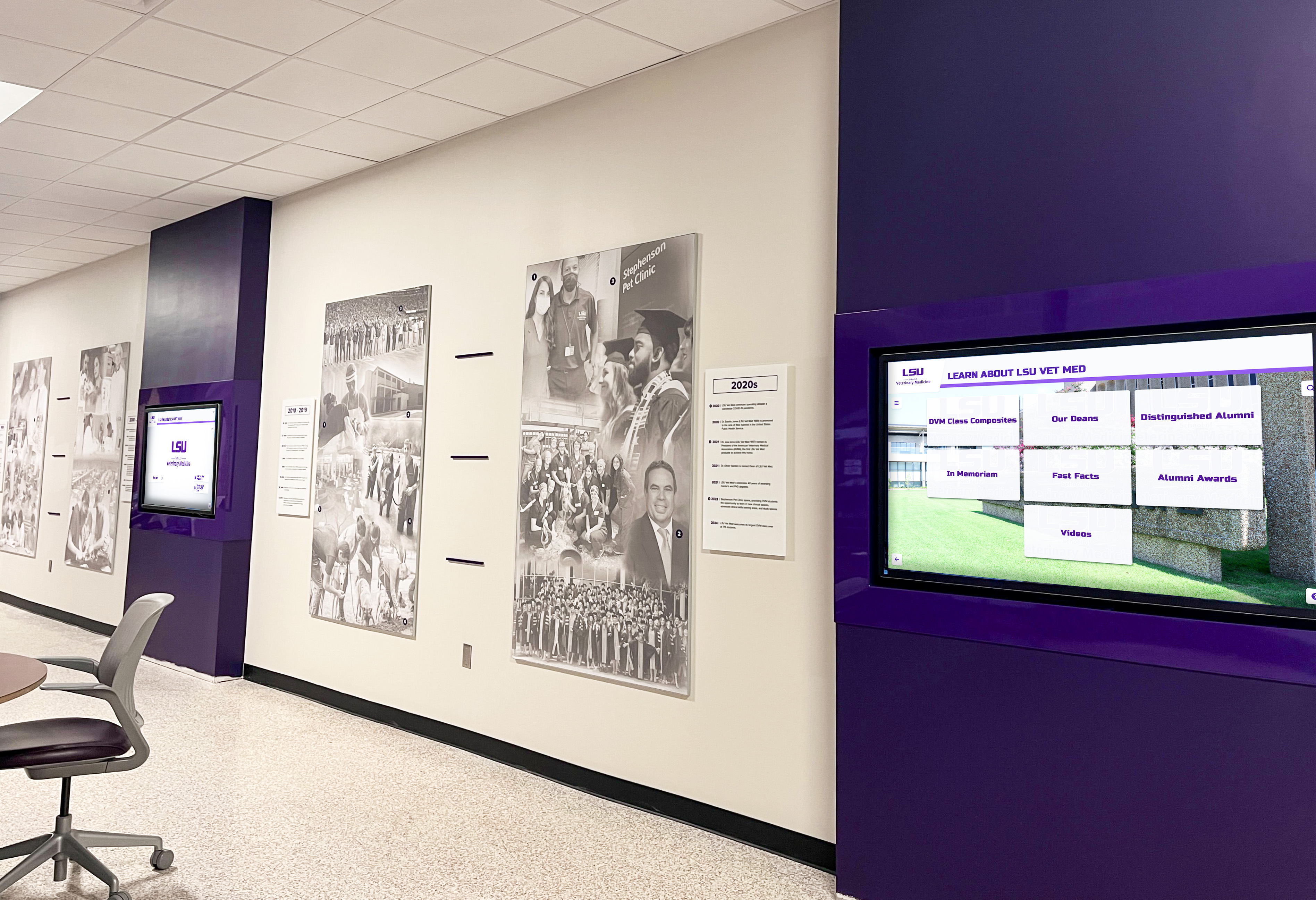
Coordinated display networks maintain visual consistency while delivering relevant location-specific content
Content Strategy for Maximum Client Engagement
Effective content strategy maximizes touchscreen investment value while achieving firm communication objectives.
Balancing Information and Engagement
Successful content mixes educational information with engaging presentation creating positive client experiences:
Attorney and Practice Area Content (40-50%) Core content should focus on helping clients understand firm capabilities, attorney expertise, practice area offerings, and service approaches. This information serves primary client needs while supporting business development objectives.
Include comprehensive attorney profiles with photos, biographical information, educational backgrounds, bar admissions, practice focus, representative matters, professional recognition, and personal interests humanizing legal professionals. Practice area descriptions should explain service offerings, typical client profiles, matter types, and value propositions clearly.
Educational and Legal Information (30-40%) Client education content demystifies legal processes, explains common procedures, addresses frequently asked questions, and provides helpful information improving client experience and reducing anxiety. This educational focus positions firms as trusted advisors rather than transactional service providers.
Consider creating content explaining legal terminology, describing litigation processes, outlining business formation options, addressing estate planning considerations, or exploring intellectual property protection—customized to relevant practice areas and client demographics.
Firm News and Culture (10-15%) Highlighting firm achievements, attorney recognition, case victories, community involvement, thought leadership, and organizational culture builds pride and confidence while demonstrating firm vitality. This content should celebrate accomplishments without becoming overly promotional or self-congratulatory.
General Interest and Amenity Information (10-15%) Practical information about parking validation, Wi-Fi access, restroom locations, building amenities, local restaurants, and visitor resources demonstrates client-centric thinking while reducing routine staff inquiries.
Visual Design Best Practices for Professional Services
Content presentation significantly impacts engagement and perceived professionalism:
Brand-Aligned Visual Identity Touchscreen content should reflect established brand guidelines including color palettes, typography, logo usage, imagery styles, and design aesthetics. Consistent brand implementation reinforces professional identity while ensuring displays feel integrated with overall firm marketing rather than disconnected technology additions.
Professional Photography and Media High-quality professional photography of attorneys, offices, and activities communicates attention to quality and professional standards. Amateur smartphone photos or generic stock imagery undermines professional positioning regardless of content substance.
Readable Typography and Information Hierarchy Text must be readable from typical viewing distances with appropriate font sizes, high contrast, clear hierarchy, and logical organization. Reception touchscreens serve diverse users including older clients who may have vision limitations requiring generous text sizing.
Whitespace and Visual Clarity Avoid cluttered layouts cramming excessive information into limited space. Generous whitespace, clear visual separation, and progressive disclosure designs enabling detail exploration create comfortable, approachable experiences rather than overwhelming information dumps.
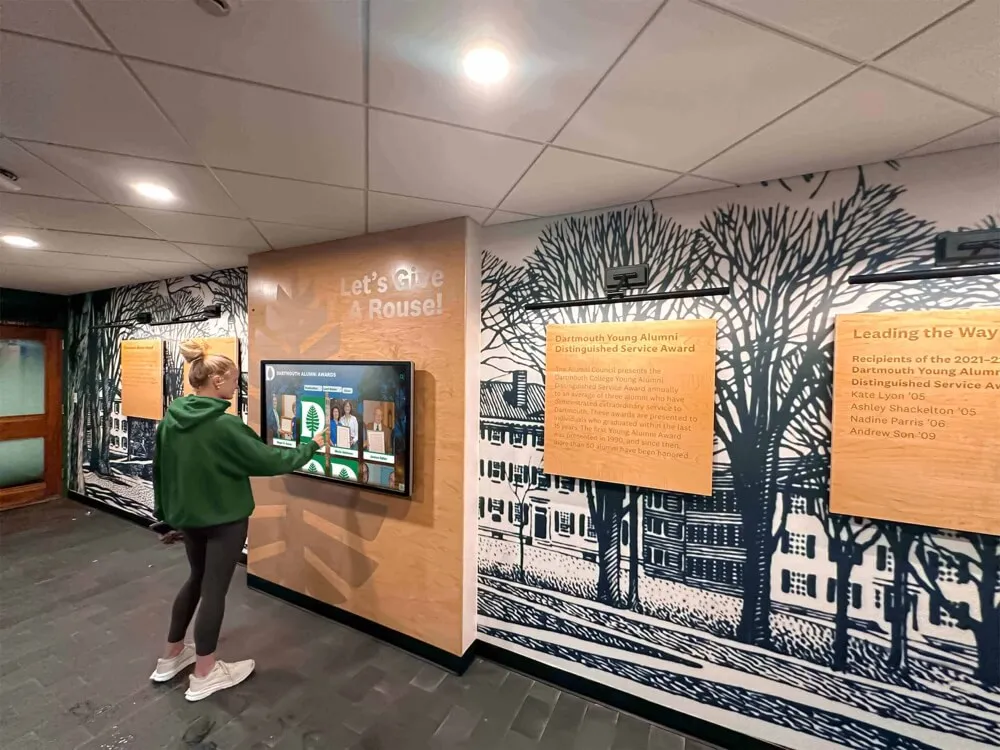
Modern professional environments integrate interactive technology with architectural design
Benefits Beyond Client Experience
While client experience improvements provide primary justification, law firm touchscreen implementations deliver broader organizational benefits.
Operational Efficiency and Staff Productivity
Digital displays create operational efficiencies extending throughout firm functions:
Reduced Reception Desk Burden When clients can independently access information about parking, building navigation, attorney profiles, practice areas, and general inquiries through interactive displays, reception staff spend less time answering repetitive questions and more time on substantive client service, administrative coordination, and hospitality functions requiring human judgment.
Streamlined Client Check-In Interactive check-in kiosks enable clients to announce arrival, confirm appointment details, update contact information, and complete intake forms digitally without requiring reception staff coordination for routine processes. This automation accelerates check-in while ensuring data accuracy through direct client input.
Centralized Communication Management Rather than distributing updated printed materials throughout reception areas, conference rooms, and attorney offices, centralized digital content management enables single-source updates that propagate automatically across all displays. This efficiency ensures communication consistency while dramatically reducing material production and distribution labor.
Reduced Printing and Material Costs Digital content eliminates recurring costs for brochure printing, attorney profile updates, practice area descriptions, firm news materials, and informational handouts. Many firms spend thousands annually on printed marketing materials replaced entirely by interactive digital alternatives.
Marketing and Business Development Support
Strategic implementations support broader marketing and business development objectives:
Sophisticated Brand Positioning Technology adoption communicates that firms embrace innovation, prioritize client experience, invest in modern infrastructure, and maintain contemporary professional standards. This positioning resonates particularly with corporate clients, technology companies, startups, and demographics expecting digital sophistication across professional relationships.
Cross-Practice Visibility Clients engaging firms for specific matters often remain unaware of other practice areas where they might need services. Interactive displays highlighting full firm capabilities create awareness leading to additional engagements from existing clients rather than watching them seek separate representation for matters the firm handles routinely.
Thought Leadership Demonstration Showcasing attorney publications, speaking engagements, media appearances, industry recognition, and subject matter expertise demonstrates thought leadership building client confidence while differentiating firms from competitors offering undifferentiated commodity legal services.
Client Testimonial and Success Story Amplification Video testimonials from satisfied clients and detailed case study presentations prove more persuasive than abstract capability claims. Interactive displays enable rich multimedia presentations impossible with printed materials while creating engaging content that holds attention.
According to research on interactive touchscreen software, purpose-built recognition platforms deliver substantially better results than generic digital signage systems adapted to professional services applications.
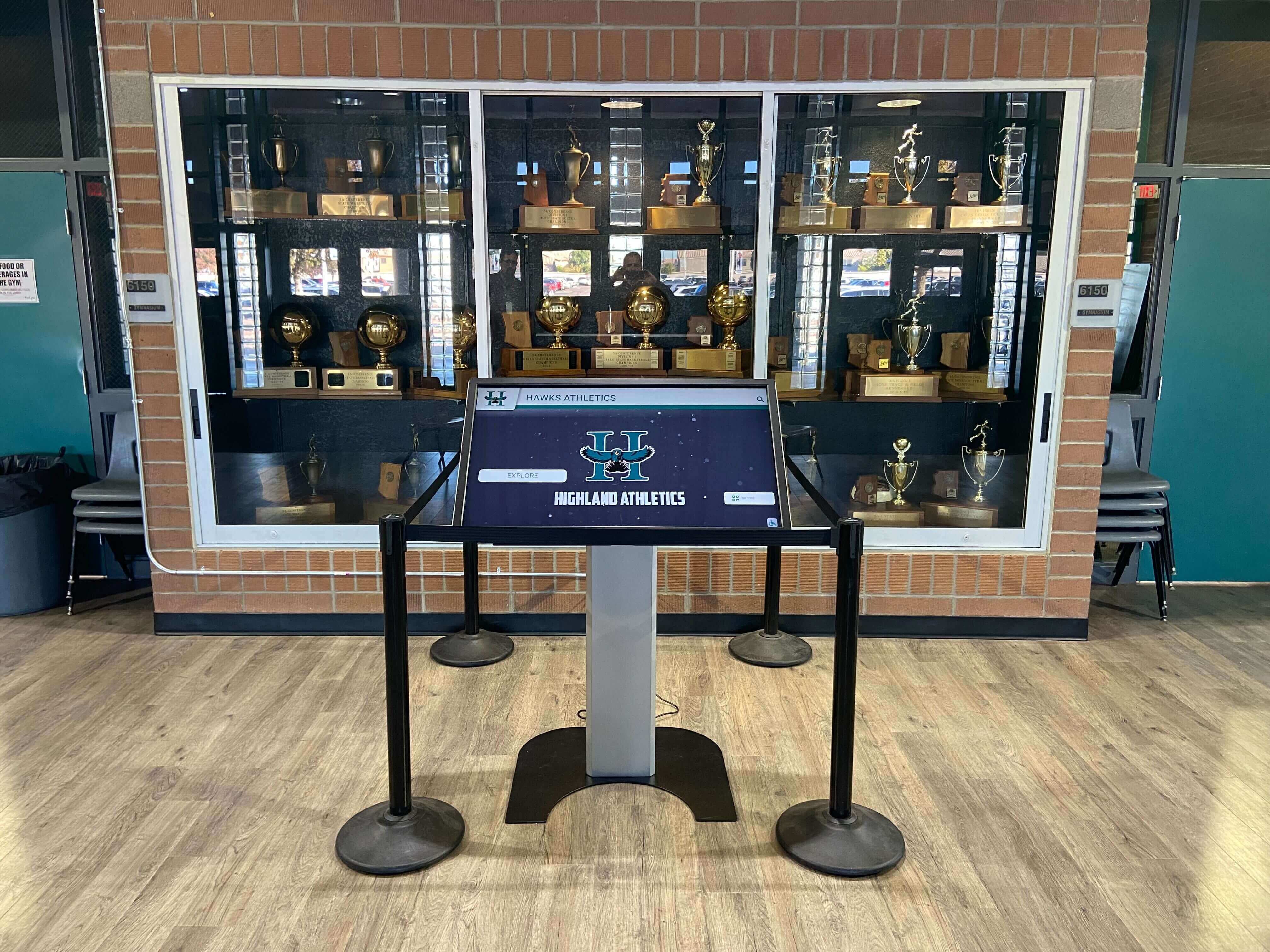
Strategic installations become architectural features rather than obvious technology additions
Implementation Planning and Best Practices
Successful deployments require systematic planning addressing organizational needs, technical requirements, and change management.
Defining Objectives and Success Metrics
Clear objectives guide implementation decisions and enable success measurement:
Primary Communication Goals Identify what communications challenges touchscreen displays should solve—reducing perceived wait times, improving practice area cross-selling, streamlining check-in processes, demonstrating thought leadership, improving wayfinding, or comprehensive communication transformation addressing multiple objectives simultaneously.
Target Audience Definition Consider primary users and their needs—prospective clients evaluating firm selection, existing clients arriving for appointments, opposing counsel visiting for meetings, referral sources exploring firm capabilities, potential lateral attorney hires, or media and community visitors. Different audiences require different content emphasis and functionality.
Success Measurement Framework Establish metrics enabling objective assessment—client satisfaction scores, reception desk inquiry reduction, practice area cross-selling conversion, content engagement analytics, appointment check-in efficiency, staff productivity improvements, or return on investment calculations comparing costs to operational savings and revenue impact.
Budget and Resource Allocation Realistic budgets should encompass hardware costs (commercial displays, mounting, network infrastructure), software licensing, professional installation, initial content development, staff training, and ongoing content management resources. Underestimating true costs creates implementation challenges when reality exceeds initial projections.
Content Development and Migration
Compelling content requires systematic development planning:
Attorney Profile Creation Systematic processes for developing comprehensive attorney profiles including professional photography sessions, biographical information gathering, credential verification, practice description refinement, and representative matter identification ensure consistency while distributing development workload across team members.
Practice Area Content Development Detailed practice descriptions explaining service offerings, typical matters, client profiles, value propositions, and differentiators require coordination with practice group leaders, subject matter experts, and marketing professionals ensuring accuracy and appropriate positioning.
Existing Material Digitization Most firms possess existing printed materials, website content, presentations, and marketing assets that can be adapted for interactive display use. Systematic content inventory, evaluation, and migration planning enables efficient initial content development leveraging existing investments.
Ongoing Update Processes Sustainable implementations require clear responsibility assignments for content maintenance—who updates attorney profiles when changes occur, how practice area content stays current, what approval processes govern new content publication, and how often content receives systematic review ensuring continued relevance.
Staff Training and Change Management
Technology adoption requires addressing human factors:
Administrative Staff Training Reception staff, marketing personnel, and administrative teams require training on system functionality, basic troubleshooting, directing clients to interactive resources, and escalation paths when technical issues arise. Multiple training sessions with hands-on practice build confidence and competence.
Attorney Engagement and Buy-In Successful implementations require attorney support for profile development, practice area content contribution, ongoing updates as credentials and experience evolve, and willingness to direct clients to digital resources. Early attorney involvement in planning builds ownership reducing resistance to change.
Client Communication and Introduction Launch communications should inform clients about new resources, explain how to use interactive displays, highlight key content available, and position technology as client service enhancement rather than impersonal automation. Reception staff can proactively direct waiting clients to explore displays during downtime.
Feedback Collection and Continuous Improvement Systematic gathering of client reactions, staff observations, usage analytics, and content performance data enables ongoing optimization. Technology implementations should evolve based on real-world usage patterns rather than remaining static after initial launch.
Transform Your Law Firm's Client Experience
Discover how interactive touchscreen displays create the digital warming effect that transforms cold reception areas into engaging spaces where clients feel informed, valued, and confident in their legal representation choice.
Schedule Your DemoSelecting the Right Technology Partner
Implementation success depends significantly on technology provider selection beyond platform features alone.
Evaluating Solution Providers
Critical evaluation factors extend beyond basic functionality:
Professional Services Experience Providers with proven experience serving law firms, accounting practices, consulting firms, and professional services understand unique requirements including confidentiality concerns, professional aesthetic standards, conservative change management approaches, and regulatory compliance considerations that differ substantially from retail, hospitality, or education implementations.
Content Management Simplicity Platform administrative interfaces should enable confident content management by non-technical staff without requiring IT support for routine updates. Request demonstrations where actual prospective users attempt common tasks revealing whether systems match organizational capabilities.
Implementation Support and Services Comprehensive providers assist with content strategy development, initial profile and content creation, staff training, launch coordination, and post-implementation optimization rather than simply providing software and hardware expecting organizations to manage all implementation aspects independently.
Ongoing Support and Platform Evolution Responsive customer service, proactive troubleshooting, regular platform updates delivering new capabilities, and customer-driven development roadmaps reflecting user feedback ensure platforms remain current rather than becoming outdated technology requiring eventual replacement.
Purpose-Built vs. Generic Solutions
Technology decisions should consider whether purpose-built platforms or generic digital signage solutions better serve specific needs:
Recognition and Directory-Focused Platforms Solutions like Rocket Alumni Solutions designed specifically for recognition, directories, and community engagement provide purpose-built features including sophisticated search and filtering, individual profile management, automated content rotation, and comprehensive analytics tracking engagement patterns. These specialized platforms deliver optimized experiences for professional services applications.
Generic Digital Signage Platforms General-purpose digital signage systems offer flexibility for diverse content types but require substantial customization to deliver directory, profile management, and interactive exploration functionality that purpose-built platforms provide standard. Generic solutions may prove appropriate when primary use cases focus on announcements, news feeds, and simple wayfinding versus comprehensive directory and profile applications.
Web-Based vs. Native Application Approaches Web-based platforms accessible through standard browsers provide universal device compatibility, automatic updates without local software maintenance, remote content management, and responsive design adapting to screens from large touchscreens to smartphones. Learn more about web-based touchscreen software advantages compared to native applications.
Future Trends in Law Firm Technology
The touchscreen display landscape continues evolving with emerging capabilities creating enhancement opportunities.
Artificial Intelligence and Personalization
AI integration enables increasingly sophisticated client experiences:
Natural Language Search Conversational search interfaces enable clients to ask questions naturally—“Who handles real estate transactions?” or “Which attorneys focus on intellectual property?"—receiving relevant results without learning structured query syntax or navigation hierarchies.
Personalized Content Recommendations Systems recognizing returning clients can highlight attorneys in relevant practice areas, surface content matching demonstrated interests, and provide customized information improving relevance and engagement compared to generic content displays.
Automated Content Generation AI assistance can help generate attorney profile drafts, suggest practice area content enhancements, identify content gaps, and maintain currency reducing manual content management burden while improving quality.
Enhanced Integration and Automation
Comprehensive technology ecosystems create seamless experiences:
Calendar and Scheduling Integration Touchscreen displays syncing with firm calendars can show real-time attorney availability, enable appointment scheduling or modification, display meeting room reservations, and provide dynamic wait time estimates based on actual schedule status.
Case Management System Integration Advanced implementations connecting touchscreen displays with case management platforms can provide clients secure access to matter status, upcoming deadlines, document requirements, and billing information through authenticated interfaces maintaining confidentiality while improving transparency.
Mobile Handoff and Continuation Clients beginning exploration on reception touchscreens can scan QR codes or receive links continuing experiences on personal smartphones, saving attorney profiles for later review, accessing detailed practice area information, or scheduling follow-up consultations seamlessly.
Accessibility and Inclusive Design
Continued focus on universal design ensures all clients receive equal access:
Voice Control and Audio Navigation Voice-activated interfaces enable touchscreen interaction for clients with motor impairments while audio descriptions enhance experiences for visually impaired visitors.
Multi-Language Support Automated translation capabilities make content accessible in multiple languages serving diverse client populations without requiring manual translation effort for every content update.
Adaptive Interface Modes Systems automatically adapting interfaces based on user needs—enlarged text, high contrast, simplified navigation, audio alternatives—ensure optimal experiences for all clients regardless of disability or technology comfort.
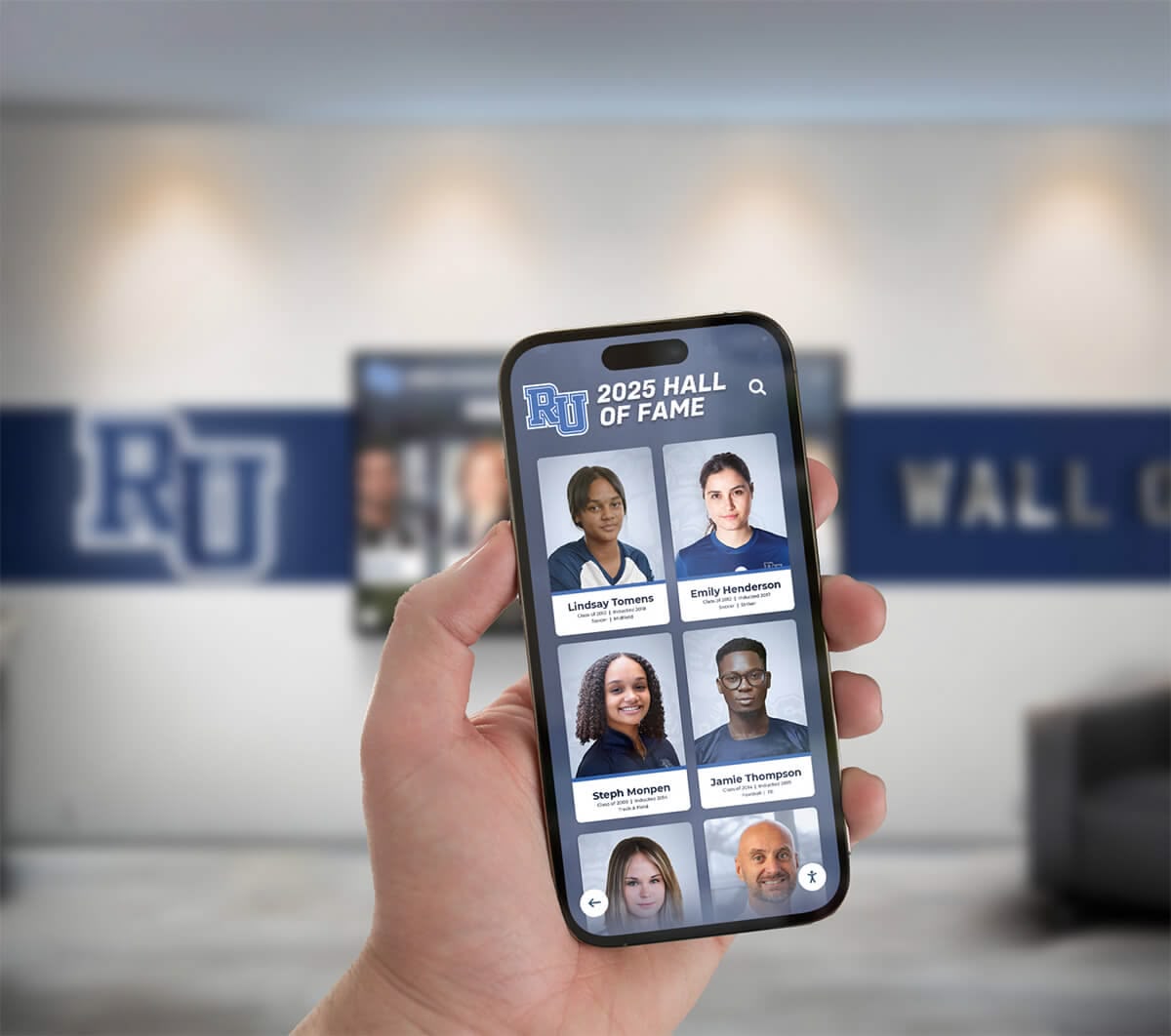
Mobile integration enables seamless continuation of experiences beyond physical touchscreen interaction
Conclusion: Creating Warm, Client-Centered Law Firm Environments
Law firm touchscreen displays represent far more than reception area technology—they embody strategic commitments to client experience, operational efficiency, and modern professional standards. Traditional law office environments characterized by outdated magazines, static wall art, and minimal client engagement fail to reflect the sophisticated, client-centered service modern legal consumers expect.
Interactive display systems specifically designed for professional services environments solve these challenges while creating digital warming—transforming cold, impersonal waiting rooms into engaging spaces where clients feel informed, valued, and confident. When clients can explore attorney expertise through intuitive search, understand complex legal processes through accessible education, navigate facilities independently through interactive wayfinding, and engage productively during wait times through compelling content, these experiences build trust and satisfaction extending throughout client relationships.
The practical benefits prove equally compelling. Reception staff freed from repetitive information inquiries can focus on substantive client service, administrative efficiency improves through self-service check-in and information access, printing costs decrease dramatically through digital content replacement, and marketing materials remain perpetually current through cloud-based management enabling instant updates.
According to comprehensive research on law office digital signage, firms implementing interactive displays report measurable improvements in client satisfaction scores, operational efficiency metrics, and competitive differentiation. One personal injury firm saw consultation requests increase 25% within three months through strategic interactive content implementation.
Strategic implementations integrate touchscreen displays with broader firm objectives spanning business development, operational efficiency, thought leadership communication, and brand positioning. Technology becomes infrastructure supporting multiple goals rather than isolated projects serving narrow purposes, maximizing return on investment while justifying continued attention and enhancement.
The most sophisticated touchscreen platforms prove worthless if content remains stale, interfaces confuse users, or installations hide in forgotten corners. Conversely, straightforward systems with intuitive design, compelling content, and prominent placement create powerful client experiences transforming how legal professionals communicate expertise while building the warm, confident relationships essential to successful representation.
Law firms implementing touchscreen displays in 2025 should prioritize client experience over technical sophistication, sustainable content management over initial impressiveness, and genuine engagement over superficial interactivity. Solutions enabling these priorities—intuitive design, efficient administration, professional aesthetics, and purpose-built legal environment capabilities—create digital warming effects where technology strengthens rather than dilutes client relationships and professional trust.
Whether implementing first reception technology or upgrading aging systems, law firms benefit from systematic evaluation considering long-term ownership, organizational capabilities, client needs, and alignment between technology and firm culture. Solutions like Rocket Alumni Solutions designed specifically for professional services applications eliminate countless implementation challenges while delivering proven experiences engaging clients and enhancing professional environments.
Every client arriving at your reception area forms immediate impressions about professionalism, attention to detail, technology adoption, and client-centricity that significantly influence relationship quality and satisfaction. Interactive touchscreen displays ensure these crucial first impressions communicate that your firm values client experience, embraces modern standards, and prioritizes clear communication throughout legal representation.
Ready to transform your law firm’s client experience? Schedule a consultation to explore how interactive displays create engaging reception environments, learn about touchscreen software approaches optimized for professional services, or discover interactive display best practices applicable to law firm contexts.
Sources
- 5 Must-Have Digital Signage Features for Law Offices in 2025
- Lobby Digital Signage: How USA Law Firms Use It Efficiently
- Digital Signage Applications in the Legal Industry: A Game Changer
- 10 Best Digital Signs for Law Offices and How to Get Started
- How Can We Optimize Digital Signage in Law Firm Reception Areas































