



Cultural institutions face mounting pressure to compete with increasingly sophisticated digital experiences visitors encounter everywhere else. Museums and galleries that once relied solely on physical artifacts behind glass now need interactive technologies that engage modern audiences accustomed to on-demand information, personalized experiences, and digital exploration. Interactive touchscreens represent the most effective solution for bridging this gap, transforming passive viewing into active discovery while preserving the educational mission central to cultural institutions.
The challenge extends beyond simply installing screens throughout exhibition spaces. Museums and galleries require thoughtfully implemented touchscreen systems that enhance rather than distract from collections, provide accessible information to diverse audiences, maintain institutional credibility through accurate content, and create engaging experiences that deepen visitor understanding. Poor implementations result in unused technology gathering dust, frustrated visitors struggling with unintuitive interfaces, or digital exhibits that feel disconnected from physical collections.
This comprehensive guide examines interactive touchscreens specifically for museums and galleries, covering technology selection criteria, accessibility requirements, content strategy approaches, visitor engagement techniques, and implementation best practices. Whether planning new interactive exhibits, upgrading existing technology, or exploring digital transformation for the first time, cultural institutions will find frameworks for creating touchscreen experiences that genuinely serve educational missions while meeting contemporary visitor expectations.
Interactive touchscreens succeed in museums and galleries when they amplify curatorial voices rather than replace them, provide depth for interested visitors without overwhelming casual browsers, accommodate diverse audiences including those with disabilities, and integrate seamlessly with physical exhibits rather than competing for attention. Understanding these principles guides successful implementations that enhance institutional missions rather than simply adding technology for its own sake.

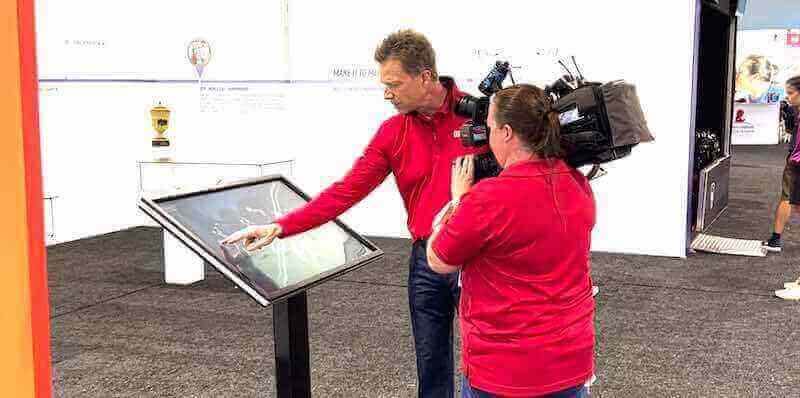
Professional touchscreen installations create intuitive exploration experiences that deepen visitor engagement with cultural content
Why Museums and Galleries Need Interactive Touchscreens
Cultural institutions implementing interactive touchscreens report significant improvements across multiple dimensions of visitor experience, operational efficiency, and institutional impact.
Enhanced Visitor Engagement and Learning
Traditional museum experiences rely primarily on physical artifacts accompanied by minimal text labels constrained by physical space limitations. Visitors interested in deeper exploration find themselves wanting more context, background information, related materials, or comparative examples that static displays cannot provide.
Interactive touchscreens remove these constraints. A single touchscreen adjacent to an artifact provides unlimited contextual information—high-resolution images revealing details invisible from viewing distances, video demonstrations of historical usage or artistic techniques, comparative examples from other collections, biographical information about creators, historical timelines providing context, conservation reports explaining restoration processes, and related materials connecting artifacts to broader themes.
This information depth transforms casual visitors into engaged learners. Museums implementing interactive exhibits report visitors spending significantly more time with collections, expressing greater satisfaction with educational value, and retaining more information compared to traditional label-only presentations.
Accessibility and Universal Design
Physical limitations of traditional museum labels create accessibility challenges. Small text proves difficult for visitors with visual impairments. Static information cannot accommodate language diversity. Fixed presentations provide no options for visitors with cognitive differences who benefit from alternative information formats.
Interactive touchscreens designed with accessibility as a core requirement address these limitations comprehensively. Screen readers enable access for visitors with visual impairments. Adjustable text sizes accommodate various vision needs. Multi-language support serves diverse audiences without cluttering physical spaces with duplicate labels. Alternative information formats—simplified text, audio descriptions, sign language videos—accommodate different learning preferences and cognitive needs.
Solutions like Rocket Alumni Solutions demonstrate the importance of accessibility compliance, offering the only web-based touchscreen platform meeting WCAG 2.1 AA standards. This compliance ensures genuine accessibility rather than performative gestures that fail when visitors with disabilities attempt actual usage.
Museums committed to inclusive experiences find interactive touchscreens essential for serving contemporary audiences expecting universal access as standard rather than exception.
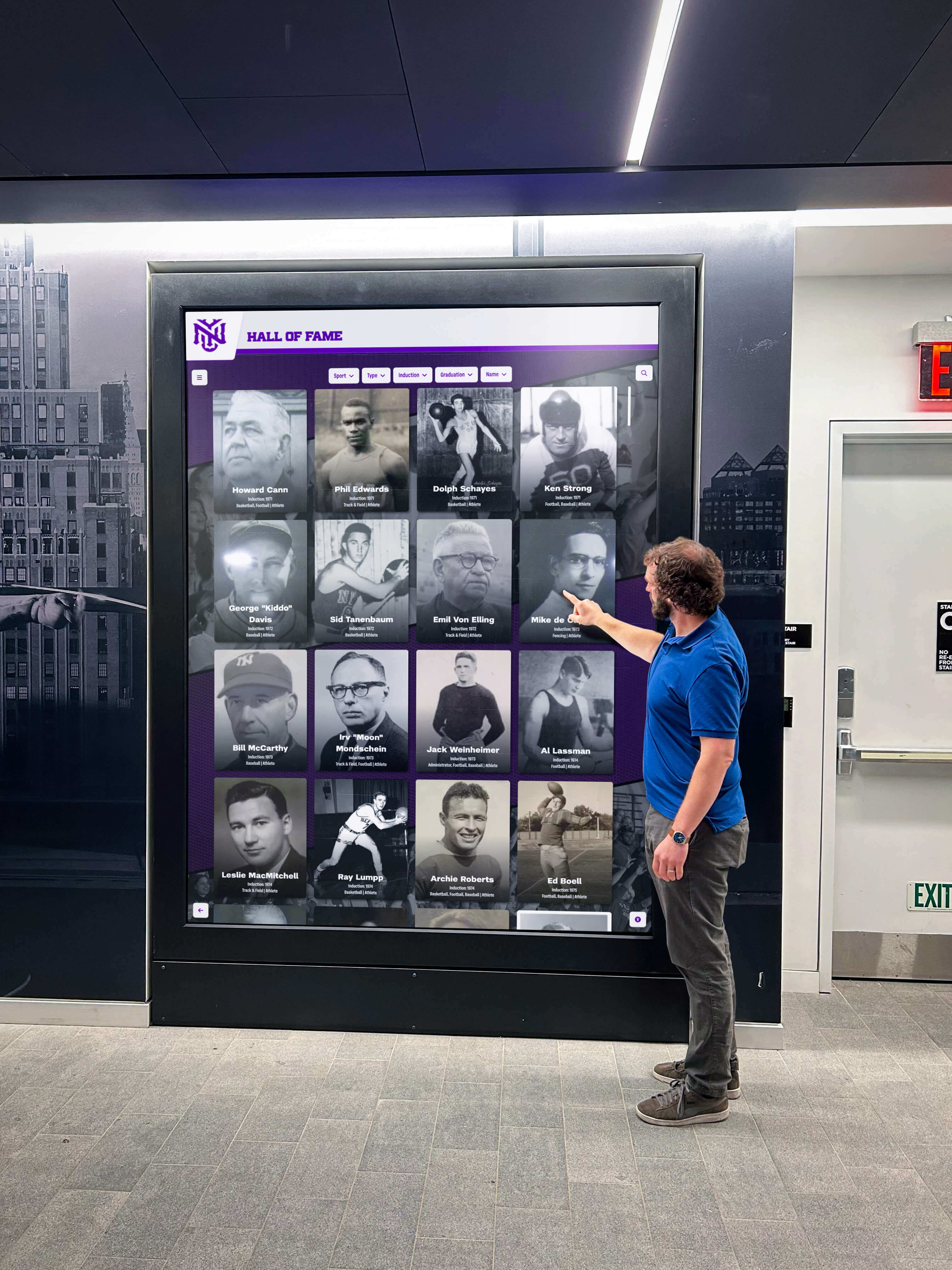
Intuitive touchscreen interfaces encourage active exploration rather than passive viewing, increasing time spent with collections
Space Efficiency and Content Flexibility
Physical exhibition spaces impose strict constraints. Wall space for information panels remains limited. Display cases accommodate only selections from broader collections. Rotating exhibitions require expensive physical modifications. Providing comprehensive context for every artifact proves impossible within physical footprint limitations.
Interactive touchscreens overcome spatial constraints by serving as portals to virtually unlimited content. A compact touchscreen kiosk occupies minimal floor space while providing access to entire digital collections, thousands of archival photographs, hours of video content, comprehensive research materials, and detailed information about objects currently in storage.
This space efficiency proves particularly valuable for smaller institutions unable to display complete collections simultaneously, galleries wanting to provide artist information without cluttering visual presentations, specialized museums needing to contextualize niche subjects for general audiences, and institutions serving diverse communities requiring multilingual information.
Content flexibility represents equally important advantages. Digital content updates remotely without requiring physical label replacement, exhibition modifications, or gallery closures. Seasonal exhibitions receive supporting digital materials instantly. New research enhances existing exhibits immediately. Visitor feedback informs content improvements implemented overnight.
Collection Preservation and Digital Access
Physical interaction with artifacts creates preservation challenges requiring careful balancing between access and conservation. Fragile materials deteriorate from handling. Light exposure damages sensitive works. Climate variations threaten long-term preservation.
Interactive touchscreens provide intimate artifact experiences without physical contact risks. Ultra-high-resolution photography enables detailed examination exceeding what visitors could observe even when holding objects. 3D models allow virtual manipulation from every angle. Infrared and ultraviolet imaging reveals hidden features physical viewing cannot detect.
This digital access extends beyond physical visitors. Museums implementing interactive touchscreens often deploy identical content through web interfaces, enabling worldwide access to collections regardless of geographic location. Collections reach researchers unable to travel, educators seeking materials for classroom use, enthusiasts exploring interests from home, and future visitors researching before planning trips.
The preservation-access balance improves dramatically when touchscreens provide rich digital experiences while physical artifacts remain safely protected.
Key Features of Effective Museum Touchscreens
Successful museum and gallery touchscreens share common characteristics distinguishing professionally implemented solutions from generic digital signage adapted for cultural applications.
Intuitive Navigation and User Interface Design
Museum visitors represent diverse audiences spanning different ages, technical comfort levels, language backgrounds, and familiarity with digital interfaces. Touchscreen systems requiring technical sophistication or prior knowledge create frustrating experiences that drive visitors away rather than encouraging engagement.
Effective museum touchscreens prioritize intuitive navigation requiring no instructions or prior training. Large, clearly labeled buttons eliminate ambiguity. Visual hierarchy guides attention naturally. Consistent navigation patterns across different exhibits prevent confusion. Home buttons provide reliable escape routes when visitors feel lost. Breadcrumb trails show current location within information hierarchies.
The best implementations observe how visitors naturally approach touchscreens—what they touch first, where confusion occurs, when they abandon interactions—and refine interfaces based on actual behavior rather than assumptions about ideal usage.
Rich Multimedia Content Integration
Museums and galleries collect inherently visual materials—artworks, artifacts, photographs, documents—that benefit from high-quality digital presentation. Effective touchscreens treat multimedia integration as essential rather than optional.
High-Resolution Photography
Professional photography reveals details impossible to observe from normal viewing distances. Visitors zoom into painting brush strokes, examine artifact craftsmanship, read faded document text, and discover details curators want to draw attention to. Image quality matters significantly—professional museum photography proves worth the investment compared to amateur snapshots that diminish rather than enhance appreciation.
Video Content
Moving images communicate information static presentations cannot convey. Conservation videos demonstrate restoration processes. Historical footage provides temporal context. Artist interviews share creative processes. Technique demonstrations explain how artifacts were made or used. Animation reconstructs damaged works or illustrates historical events.
Video content requires careful duration consideration. Brief clips sustain attention better than lengthy documentaries. Two-minute videos explaining specific aspects work better than twenty-minute comprehensive overviews most visitors will not watch completely.
Audio Integration
Audio content accommodates visitors preferring listening to reading, provides authentic voices sharing stories, enables audio descriptions for accessibility, and delivers expert commentary without requiring staff presence. Quality audio recording and delivery prove essential—poor audio drives visitors away rather than enriching experiences.
3D Models and Interactive Elements
Three-dimensional models enable artifact examination from angles physical displays cannot provide. Visitors rotate objects, explore interiors, compare sizes, and examine details from impossible perspectives. This virtual manipulation creates engagement levels static photography cannot match.

Touch-responsive interfaces make exploring detailed content collections intuitive and engaging for all visitors
Searchable Databases and Discovery Features
Random browsing creates pleasant serendipity but proves inefficient when visitors seek specific information. Museums with extensive collections benefit enormously from searchable databases enabling targeted discovery alongside casual exploration.
Effective search functionality accommodates various query types. Name searches locate specific artists, makers, or subjects. Keyword searches find themes, materials, or time periods. Visual similarity searches discover related works. Timeline navigation explores chronological developments. Geographic searches identify regional connections.
Digital archives and collection management systems transform passive viewing into active research, enabling visitors to pursue personal interests deeply rather than accepting only what curators choose to display physically.
Search implementations require careful consideration of museum-specific needs. Visitors lack specialized vocabulary curators use professionally. Search interfaces should accommodate common terms alongside technical language, suggest alternatives when searches return no results, and guide discovery through related content when specific targets cannot be found.
Accessibility Compliance and Inclusive Design
Museums increasingly recognize accessibility as moral imperative and legal requirement rather than optional enhancement. Interactive touchscreens serving public institutions must accommodate diverse abilities comprehensively.
Visual Accessibility
Screen reader compatibility enables visitors with visual impairments to navigate content through audio descriptions. Adjustable text sizes accommodate various vision levels. High contrast modes improve readability for visitors with specific vision conditions. Alternative text for all images ensures screen readers convey visual information accurately.
Physical Accessibility
Installation height accommodates wheelchair users and visitors of different statures. Touchscreen placement allows comfortable reach without awkward stretching. Mounting angles prevent glare while maintaining usability for standing and seated visitors. Physical access to touchscreen locations ensures visitors with mobility limitations can actually reach installations.
Cognitive Accessibility
Clear language without unnecessary jargon accommodates diverse education levels and cognitive abilities. Consistent navigation patterns reduce cognitive load. Visual cues supplement text instructions. Information hierarchy prevents overwhelming visitors with excessive simultaneous information.
Language Accessibility
Multilingual support serves diverse communities without requiring separate installations for each language. International visitors access content in native languages rather than struggling with unfamiliar language barriers.
Web-based platforms like Rocket Alumni Solutions provide inherent advantages for accessibility compared to native applications often requiring separate accessibility layers added after primary development. Web standards incorporate accessibility requirements fundamentally, making compliance achievable rather than aspirational.
Content Management and Update Flexibility
Museum knowledge expands continuously as research progresses, conservation reveals new information, acquisitions expand collections, and scholarship evolves. Touchscreen systems requiring extensive technical expertise or expensive vendor contracts for content updates prove impractical for ongoing operation.
Effective solutions provide intuitive content management systems enabling museum staff to update information without specialized technical knowledge. Cloud-based remote access allows updates from any location rather than requiring physical presence at installations. Template-based entry standardizes presentation while simplifying creation. Scheduled publishing enables content preparation in advance of exhibitions. Role-based permissions support collaboration while maintaining appropriate review processes.
The distinction between purpose-built recognition and exhibit platforms versus generic digital signage software adapted for museum use becomes apparent in content management. Systems designed specifically for collections management and visitor engagement provide workflows matching museum needs rather than requiring workarounds forcing museum content into inappropriate structures.
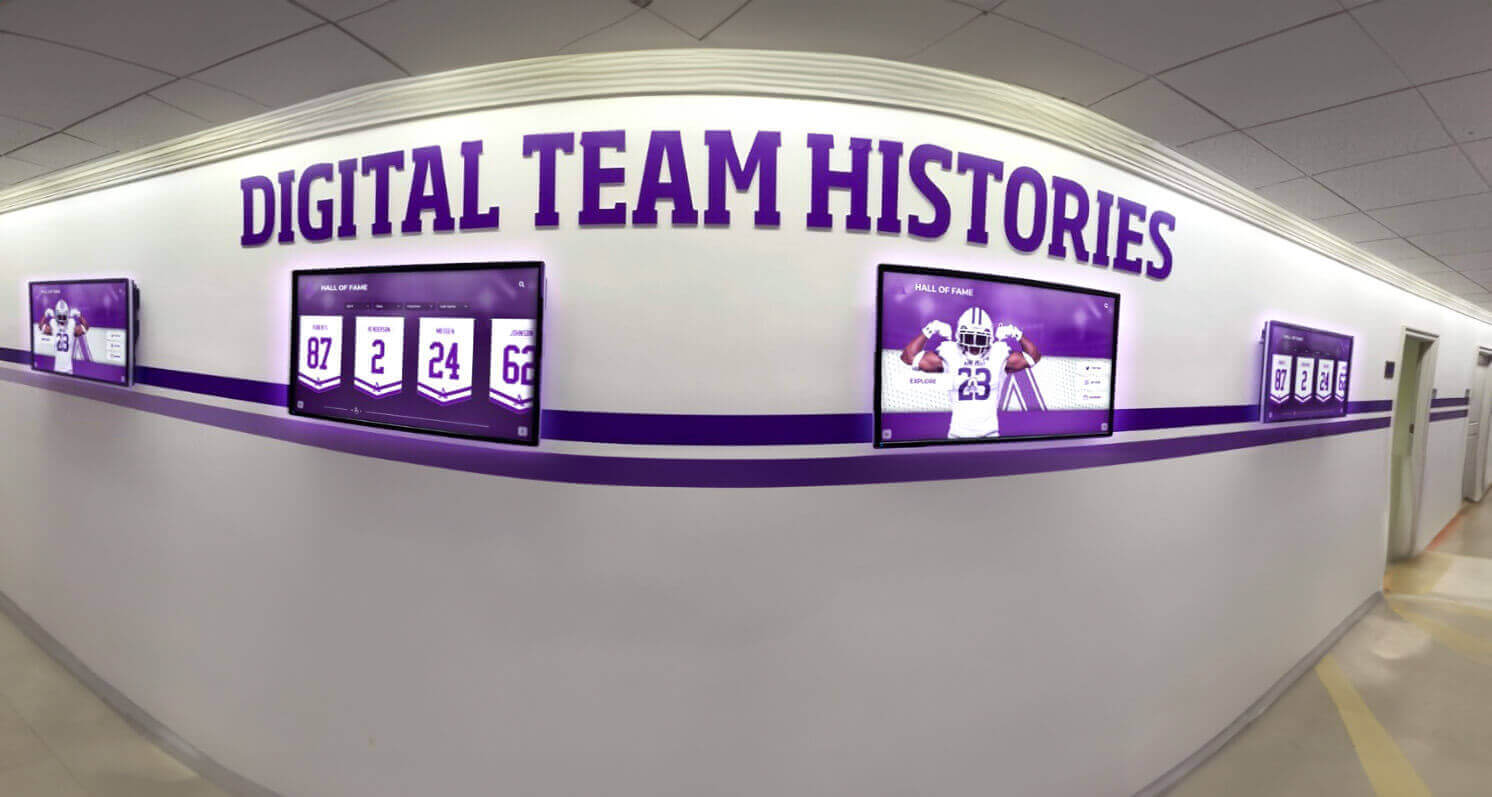
Strategic display installations transform utilitarian spaces into engaging storytelling environments
Content Strategy for Museum Touchscreens
Technology capabilities mean little without compelling content strategy aligning digital experiences with institutional missions and visitor needs.
Layered Information Architecture
Visitors arrive with vastly different knowledge levels, time availability, and depth of interest. Some want basic orientation, others seek comprehensive scholarly information. Effective touchscreen content accommodates this diversity through layered information architecture.
Surface Layer: Quick Engagement
Initial screens provide immediate engagement through striking visuals, concise headlines, and clear navigation options. Visitors scanning quickly gather essential information and decide whether deeper exploration interests them. This surface layer communicates core messages to every visitor regardless of engagement depth.
Middle Layer: Contextual Information
Visitors choosing to explore further access contextual information—artist backgrounds, historical context, material descriptions, related works, thematic connections. This middle layer satisfies most visitor curiosity without overwhelming those wanting overview rather than comprehensive detail.
Deep Layer: Scholarly Resources
The deepest information layers provide extensive resources for serious researchers, students, educators, and enthusiasts wanting maximum depth. Conservation reports, bibliographies, comparative analysis, detailed provenance, scholarly interpretation, and primary source materials serve this specialized audience without cluttering experiences for casual visitors.
This layered approach respects visitor autonomy, allowing individuals to choose their engagement level rather than forcing uniform depth on everyone.
Connecting Physical and Digital Experiences
Digital and physical exhibits should complement rather than compete with each other. The most successful implementations create seamless connections between what visitors observe physically and what touchscreens reveal digitally.
Physical artifacts feature clear connections to digital resources—QR codes linking to expanded information, numbers corresponding to touchscreen menu options, visual cues indicating available digital content. Conversely, touchscreen content references physical locations, directing visitors to related objects elsewhere in exhibitions or providing virtual access to items not currently displayed.
This integration creates unified experiences where physical and digital elements enhance each other. Visitors alternate naturally between observing artifacts and exploring digital context rather than choosing between fundamentally different experience modes.
Storytelling and Narrative Approaches
Raw information proves less engaging than compelling narratives. Effective museum touchscreens incorporate storytelling techniques transforming facts into memorable experiences.
Biographical narratives bring creators to life beyond simple dates and achievements. Historical narratives provide temporal context showing how artifacts relate to broader events. Thematic narratives connect disparate objects through unifying concepts. Conservation narratives reveal how institutions preserve cultural heritage. Acquisition narratives explain how objects arrived in collections.
These narratives need not abandon scholarly rigor. Well-crafted stories communicate accurate information more effectively than dry academic prose while maintaining intellectual integrity cultural institutions require.
User-Generated Content and Community Engagement
Traditional museum authority—curators as sole interpreters of collections—increasingly gives way to collaborative models incorporating community voices and personal connections.
Interactive touchscreens facilitate this democratization by collecting and displaying visitor memories, family stories, personal connections to artifacts, local knowledge about subjects, alternative interpretations, and contemporary perspectives on historical materials. This user-generated content adds richness while acknowledging multiple valid viewpoints on cultural materials.
Implementation requires careful moderation balancing openness with institutional responsibility for accuracy and appropriateness. Systems like digital recognition platforms designed for community engagement provide frameworks for managing contributed content while maintaining quality standards.
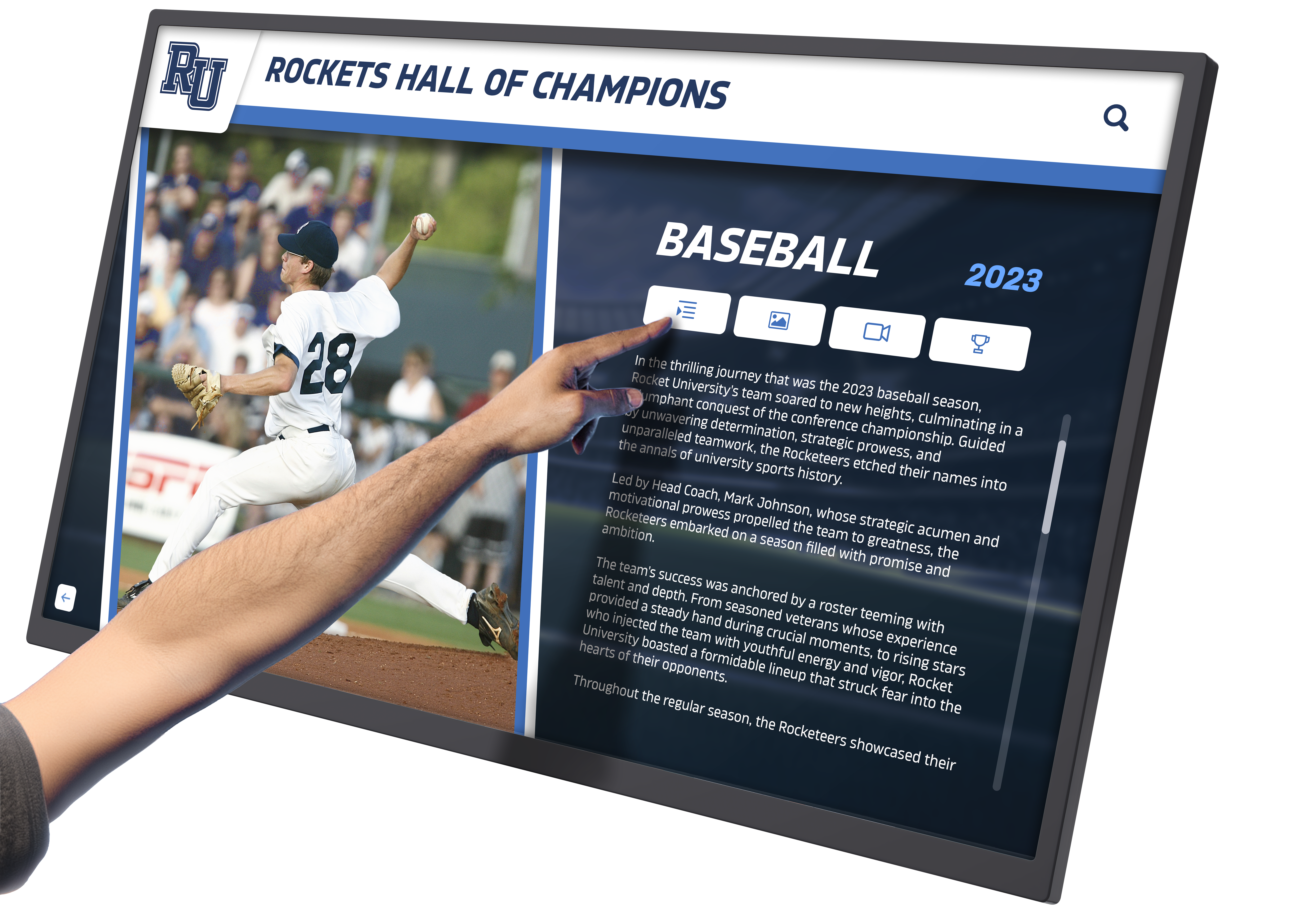
Comprehensive profile presentations with multimedia integration create deeply engaging recognition experiences
Technology Selection for Cultural Institutions
Museums and galleries face numerous technology decisions when implementing interactive touchscreens, each carrying long-term implications for functionality, cost, and visitor experience.
Hardware Considerations
Screen Size and Resolution
Touchscreen size balances visibility with space constraints and budget limitations. Smaller screens prove adequate for individual use but limit group viewing. Larger displays accommodate multiple simultaneous users but cost more and require greater space.
Resolution matters significantly for cultural institutions displaying high-quality imagery. Standard displays prove adequate for text and simple graphics. Collections featuring visual art, detailed artifacts, or archival documents require high-resolution displays reproducing color and detail accurately.
Touchscreen Technology
Capacitive touchscreens provide responsive, accurate touch detection with multi-touch capability supporting natural gesture interactions. These screens work well in climate-controlled indoor environments museums typically maintain.
Installation locations experiencing variable conditions may require more robust solutions. Outdoor installations, high-traffic areas subject to heavy use, or locations with challenging lighting require specialized hardware balancing durability with functionality.
Mounting and Placement
Freestanding kiosks provide flexibility for placement changes and accommodate various accessibility needs through adjustable heights. Wall-mounted installations save floor space but require careful height consideration for accessibility. Integrated solutions built into exhibition furniture create seamless aesthetic integration but limit future flexibility.
Software Platform Selection
Software choices prove more consequential than hardware decisions because they determine long-term functionality, content management capabilities, and upgrade possibilities.
Web-Based vs. Native Applications
Web-based platforms operate through standard browsers without requiring specialized software installations. This approach provides device independence, automatic updates, accessibility advantages, and simplified management. Native applications offer performance advantages for demanding graphics but require separate development for each platform, manual update distribution, and specialized technical expertise.
For most museum applications, web-based platforms provide optimal balance of functionality, accessibility, and practical management. Rocket Alumni Solutions demonstrates this approach, delivering fully featured interactive experiences through web technologies meeting accessibility standards while providing reliable performance and intuitive management.
Content Management Requirements
Software platforms should enable museum staff to manage content without specialized technical training or expensive vendor dependencies. Visual editing interfaces, template-based creation, drag-and-drop media uploads, and preview capabilities before publishing prove essential for practical operation.
Cloud-based content management allows updates from any location, supports collaborative workflows, provides automatic backups, and enables scheduled content changes aligning with exhibition rotations or special events.
Scalability and Future Growth
Initial installations often expand as museums observe visitor engagement and identify additional applications. Software platforms should accommodate growth without requiring complete system replacements—adding more touchscreen locations, expanding content libraries, integrating new media types, and connecting with other institutional systems.
Integration with Existing Systems
Museums operate complex technology ecosystems including collection management systems, ticketing platforms, donor databases, and content repositories. Interactive touchscreen implementations work best when integrated thoughtfully with existing infrastructure rather than creating isolated technology islands.
Collection Management Integration
Direct connections between touchscreen content and collection management databases eliminate duplicate data entry and ensure accuracy. Updates to collection records automatically reflect in touchscreen presentations. This integration proves particularly valuable for institutions with extensive collections displayed through interactive touchscreens.
Analytics and Visitor Research
Touchscreen interactions provide valuable data about visitor interests, popular content, navigation patterns, and engagement depth. Integration with broader analytics systems combines physical visitor counting, exhibit tracking, and digital interaction data for comprehensive understanding of visitor behavior.
This research informs exhibition design, content development, program planning, and resource allocation while respecting visitor privacy through aggregated anonymous data rather than individual tracking.
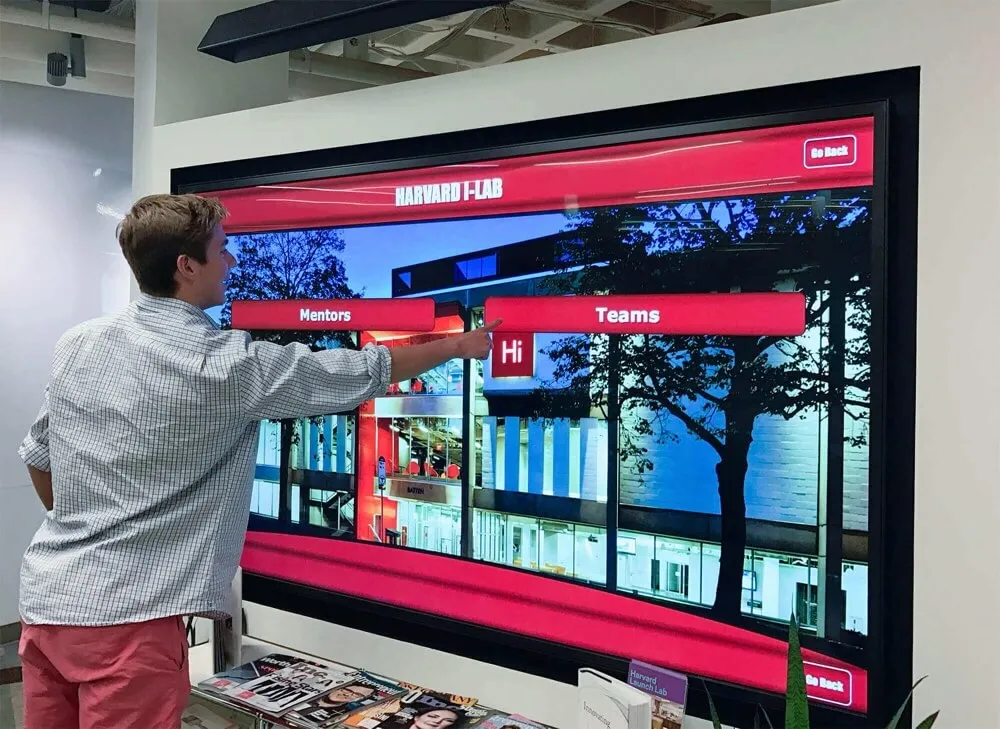
Clear menu structures and visual navigation enable visitors to find information intuitively without instructions
Implementation Best Practices
Technical capabilities matter little without effective implementation translating possibilities into realities serving institutional goals and visitor needs.
Planning and Needs Assessment
Successful implementations begin with thorough needs assessment before technology selection. Museums should evaluate current visitor experiences identifying specific problems touchscreens will solve, define clear goals against which success can be measured, understand staff capacity for managing interactive content, assess budget availability for initial installation and ongoing operation, and identify technical constraints within existing infrastructure.
Touchscreens prove expensive mistakes when implemented for their own sake rather than addressing genuine needs with appropriate solutions. Clear purpose and measurable objectives guide effective implementation.
Pilot Programs and Iterative Development
Large-scale deployments across entire museums carry significant risk when based on assumptions rather than validated experience. Pilot programs implementing touchscreens in limited exhibitions allow testing concepts, observing actual visitor behavior, identifying unanticipated problems, and refining approaches before broader commitment.
Iterative development based on pilot results proves more successful than comprehensive plans implemented without intermediate feedback. Museums learn what works specifically for their collections, audiences, and contexts rather than assuming universal best practices apply identically everywhere.
Staff Training and Content Development
Technology capabilities mean nothing without staff prepared to manage systems and create compelling content. Implementation budgets should include comprehensive staff training covering technical operations, content management, basic troubleshooting, and accessibility compliance.
Content development proves equally important and often more time-consuming than anticipated. High-quality interactive content requires careful planning, professional media production, thorough fact-checking, accessibility review, and usability testing. Museums should allocate realistic time and resources for content development rather than treating it as afterthought once hardware installations complete.
Many institutions benefit from partnerships with digital recognition specialists experienced in translating organizational content into engaging interactive experiences while maintaining institutional voice and scholarly standards.
Maintenance and Technical Support
Interactive touchscreens require ongoing maintenance ensuring reliable operation. Hardware eventually needs repairs or replacement. Software requires updates addressing security vulnerabilities and adding functionality. Content needs regular refresh maintaining accuracy and engagement.
Support agreements should specify response times for technical problems, update schedules for software and security patches, content management support availability, and long-term hardware replacement planning. Museums uncomfortable managing technical systems internally benefit from managed service agreements providing comprehensive support.
Accessibility Testing and Compliance
Accessibility cannot be assumed based on vendor claims. Museums should conduct thorough testing with actual users representing diverse abilities—visitors who use screen readers, individuals with motor limitations affecting touch accuracy, people with cognitive differences affecting information processing, and non-native language speakers.
This testing frequently reveals problems invisible to designers without disabilities. Iterative refinement based on user feedback creates genuinely accessible experiences rather than technical compliance failing practical use tests.
Creating Digital Warming in Cultural Spaces
The most successful museum and gallery touchscreen implementations transcend basic information delivery to create what we call digital warming—transforming cold institutional spaces into engaging environments where visitors feel personal connections to collections and institutions.
Personalization and Individual Discovery
Generic information broadcasts treat all visitors identically regardless of interests, backgrounds, or preferences. Digital warming occurs when touchscreens surface personally relevant content creating individual discovery experiences.
Search and filtering enable visitors to find content matching specific interests. Recommendation systems suggest related materials based on exploration patterns. Customizable tours allow visitors to create personalized journeys through collections. Memory features let visitors bookmark favorites for later review or sharing.
This personalization respects visitor autonomy while guiding discovery, balancing curatorial expertise with individual interests.
Building Emotional Connections
Facts inform, but emotional connections create lasting impact and meaningful engagement. Effective touchscreens incorporate elements building emotional resonance beyond intellectual understanding.
Personal stories humanize historical subjects and artifacts. Family connections reveal how objects relate to visitor experiences. Community memories show local significance of broader historical events. Conservation narratives demonstrate institutional care for cultural heritage. Behind-the-scenes content reveals museum operations and expertise.
These emotional connections transform museums from repositories of old things into living institutions relevant to contemporary lives and concerns.
Encouraging Extended Engagement
Brief visits provide limited opportunity for deep engagement. Digital warming strategies extend interaction beyond physical museum presence through connections to online resources, mobile applications continuing exploration after visits, social sharing encouraging network engagement, educational materials supporting classroom use, and community platforms maintaining ongoing relationships.
Physical touchscreen installations serve as gateways to extended digital relationships rather than complete experiences ending when visitors leave galleries. This expanded engagement transforms one-time visitors into ongoing community members.
Celebrating Community Achievement
Many museums and galleries serve dual roles as cultural institutions and community anchors celebrating local achievements alongside broader collections. Interactive touchscreens facilitate this community recognition through local history documentation, achievement celebration, donor recognition displays, volunteer acknowledgment, and community contribution documentation.
Recognition technology platforms designed specifically for celebrating achievements integrate naturally with museum touchscreen installations, enabling unified systems serving both curatorial and community recognition functions.
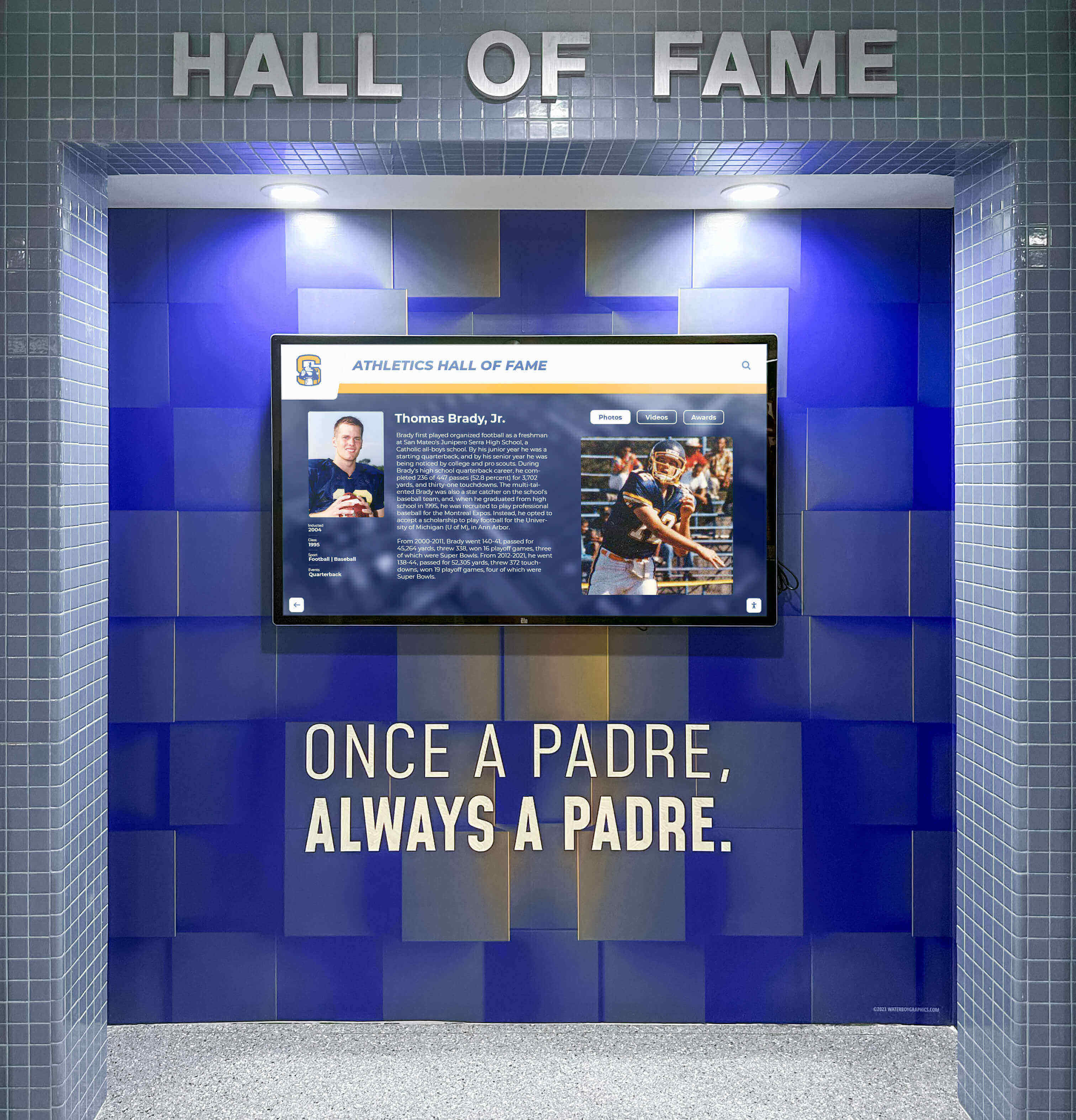
Thoughtful integration of digital displays with physical environments creates cohesive recognition experiences
Measuring Success and Continuous Improvement
Technology investments require assessment measuring actual impact against intended outcomes and investment costs.
Key Performance Indicators
Effective measurement tracks multiple dimensions of success:
Usage Metrics Interaction rates showing percentage of visitors engaging with touchscreens, session duration indicating depth of engagement, content popularity revealing which materials resonate, and navigation patterns showing how visitors explore information hierarchies.
Visitor Satisfaction Survey responses about interactive experiences, comparative satisfaction between interactive and traditional exhibits, accessibility feedback from visitors with diverse abilities, and net promoter scores measuring recommendation likelihood.
Educational Impact Knowledge retention compared between interactive and traditional interpretation, self-reported learning outcomes, educator feedback on educational value, and student engagement in museum programs.
Operational Efficiency Staff time required for content management, technical support needs and resolution times, content update frequency and ease, and cost per visitor engagement compared to other interpretation methods.
Iterative Improvement Based on Data
Measurement proves valuable only when informing continuous improvement. Regular analysis should identify underperforming content requiring revision, navigation patterns indicating user confusion, accessibility barriers preventing full utilization, and successful approaches worth expanding.
This evidence-based refinement creates increasingly effective experiences over time rather than assuming initial implementations represent optimal solutions.
Return on Investment Considerations
Interactive touchscreen systems represent significant investments requiring evaluation against alternatives. ROI assessment should consider direct costs including hardware purchases, software licensing or development, content creation, installation, and ongoing maintenance, alongside less tangible benefits like visitor satisfaction, educational impact, accessibility improvements, space efficiency, content flexibility, and brand positioning as technologically current institutions.
Many museums find that properly implemented touchscreen systems deliver strong returns through increased visitorship, extended engagement, enhanced reputation, improved accessibility compliance, and operational efficiencies offsetting initial investment over multi-year periods.
Special Considerations for Different Museum Types
While general principles apply broadly, different museum types face unique considerations for touchscreen implementation.
Art Museums and Galleries
Art institutions prioritize aesthetic presentation and contemplative viewing often perceived as incompatible with technology. Touchscreens succeed in art contexts when designed to enhance rather than distract from artwork appreciation.
Installation locations should enable reference without interfering with primary viewing. Content should deepen understanding of visible works rather than becoming substitute experiences. Technology aesthetics should complement gallery design rather than creating jarring visual conflicts.
Effective art museum touchscreens provide detailed artist biographies, technique explanations, historical context, comparative examples, conservation documentation, and scholarly interpretation enriching appreciation without replacing direct aesthetic experience.
History Museums and Archives
History institutions manage extensive collections exceeding physical display capacity. Touchscreens provide essential access to materials otherwise unavailable to public audiences.
Searchable databases enable research-oriented visitors to explore specific topics deeply. Timeline navigation shows historical development. Geographic mapping illustrates spatial dimensions of historical events. Document archives provide primary source access. Oral history collections share personal narratives.
The balance between academic rigor and public accessibility proves particularly important in history museums where visitors arrive with varying knowledge levels requiring different information depths.
Science and Natural History Museums
Science museums often incorporate interactive elements demonstrating principles through hands-on engagement. Touchscreens complement physical interactives by providing explanatory content, simulation capabilities, data visualization, and exploratory scenarios impossible with physical mechanisms.
Natural history collections spanning millions of specimens require digital access enabling exploration beyond limited physical displays. Touchscreens serve as portals to comprehensive collections, taxonomic browsers, geographic distribution maps, and comparative anatomy tools.
Specialized and Community Museums
Smaller specialized institutions often lack resources larger museums deploy for technology. Right-sized solutions providing essential functionality without enterprise-level complexity and cost prove essential for sustainable operation.
Cloud-based platforms minimize infrastructure requirements. Template-based content creation enables small staff to manage systems. Web-based delivery eliminates specialized hardware requirements. Scalable pricing models align costs with institutional capacity.
These institutions benefit particularly from platforms like Rocket Alumni Solutions designed specifically for community recognition and engagement, providing professional capabilities without enterprise complexity or cost structures.
Future Trends in Museum Technology
Understanding emerging trends helps cultural institutions make technology decisions supporting long-term relevance rather than implementing solutions becoming obsolete quickly.
Artificial Intelligence and Personalization
AI-powered systems analyze visitor interests and behavior patterns to deliver increasingly personalized content recommendations, adapt information complexity to individual comprehension levels, and provide conversational interfaces answering natural language questions.
These capabilities promise enhanced visitor experiences but require careful implementation respecting privacy, maintaining accuracy, and preserving curatorial authority over interpretation.
Augmented and Virtual Reality Integration
AR overlays digital information onto physical spaces, revealing invisible details, reconstructing damaged artifacts, or showing historical context within current environments. VR creates fully immersive experiences transporting visitors to inaccessible locations or historical periods.
While compelling, these technologies currently require significant investment and specialized hardware limiting widespread accessibility. Thoughtful institutions monitor developments without premature commitment to immature platforms.
Mobile Integration and Bring-Your-Own-Device
Visitor smartphones represent powerful platforms for museum experiences when systems enable seamless integration. QR codes provide instant connections between physical artifacts and digital content. Progressive web applications deliver app-like experiences without requiring installations. Location services trigger contextually relevant information automatically.
BYOD approaches democratize access while reducing institutional infrastructure costs, though they require ensuring experiences remain accessible for visitors without smartphones or adequate data plans.
Collaborative and Social Experiences
Emerging touchscreen technologies support collaborative exploration with multiple simultaneous users, social sharing encouraging network engagement, community contribution platforms incorporating diverse voices, and connected experiences spanning multiple institutions.
These social dimensions transform museums from individual contemplative experiences into community engagement platforms fostering dialogue and shared discovery.
Conclusion
Interactive touchscreens represent transformative technology for museums and galleries when implemented thoughtfully with clear purpose, appropriate selection, compelling content, accessibility compliance, and ongoing refinement. These systems enhance rather than replace traditional interpretation by providing depth for interested visitors, accessibility for diverse audiences, space efficiency for institutions, and flexibility for evolving scholarship.
Success requires moving beyond technology installation to creating genuine digital warming—transforming cold institutional spaces into engaging environments where visitors discover personal connections to collections and communities. This transformation occurs through intuitive interfaces encouraging exploration, layered content accommodating different engagement levels, multimedia richness revealing details physical displays cannot convey, searchable databases enabling targeted discovery, and accessibility features ensuring universal participation.
Cultural institutions exploring interactive touchscreen implementation should begin with clear needs assessment, pilot limited implementations before large-scale commitment, invest in staff training and content development, prioritize accessibility as fundamental requirement rather than optional enhancement, and plan for ongoing evolution based on visitor feedback and usage patterns.
Solutions like Rocket Alumni Solutions demonstrate how purpose-built platforms designed specifically for recognition and engagement deliver superior results compared to generic digital signage adapted for cultural applications. Web-based architecture meeting WCAG 2.1 AA accessibility standards, unlimited content capacity eliminating artificial constraints, intuitive content management enabling staff independence, and scalable implementation supporting growth from single installations to comprehensive systems provide frameworks for sustainable long-term success.
Museums and galleries implementing interactive touchscreens join thousands of institutions worldwide transforming cultural experiences for contemporary audiences while preserving educational missions central to institutional identities. Whether planning first implementations or upgrading existing systems, cultural institutions will find interactive touchscreens essential tools for serving communities in increasingly digital world.
Ready to explore how interactive touchscreen technology can transform your museum or gallery’s visitor experience? Book a demo to see how Rocket Alumni Solutions creates engaging, accessible digital experiences specifically designed for cultural institutions committed to digital warming and community engagement.































