
Organizations implementing interactive touchscreen kiosks in 2026 face critical software decisions that determine whether displays create genuine engagement or become underutilized technology investments. Schools installing recognition displays, museums designing visitor experiences, businesses deploying wayfinding systems, and nonprofits implementing donor walls all require touchscreen software—but the right solution varies dramatically based on specific use cases, content complexity, and engagement goals.
Interactive touchscreen kiosk software falls into distinct categories serving different purposes. General-purpose platforms offer flexibility across varied applications but may lack specialized features. Content creation tools provide visual design capabilities for marketing displays. Recognition-focused solutions optimize specifically for celebrating achievements and building community connections. Understanding which category aligns with your objectives proves far more valuable than chasing generic “best of” rankings that ignore context.
This comprehensive guide examines nine leading touchscreen kiosk software platforms through the lens of educational institutions, recognition applications, and community engagement—exploring how different approaches create what we call “digital warming” where cold technology transforms into vibrant touchpoints strengthening human connections and organizational pride.
The interactive touchscreen kiosk market has matured significantly, offering solutions ranging from code-free visual builders to specialized recognition platforms to enterprise wayfinding systems. Schools implementing digital hall of fame displays, athletic departments showcasing achievements, and organizations deploying donor recognition all require touchscreen software—but vastly different capabilities.
Traditional approaches to institutional recognition—bronze plaques, trophy cases, printed programs—served missions adequately when community expectations differed from today’s digital reality. Contemporary audiences expect searchable content, personalized discovery, mobile accessibility, and social sharing capabilities that static installations cannot provide. Interactive touchscreen kiosks bridge this expectation gap, but only when powered by appropriate software matching organizational needs and technical capabilities.

Purpose-built touchscreen kiosks create engaging experiences when powered by appropriate software matching organizational objectives
Understanding Interactive Touchscreen Kiosk Software Categories
Before comparing specific platforms, understanding fundamental software categories clarifies selection criteria and prevents mismatched expectations.
Purpose-Built Recognition and Engagement Platforms
Specialized software optimizes exclusively for celebrating achievements, preserving institutional history, and building community engagement:
Recognition-First Design Philosophy
Platforms like Rocket Alumni Solutions design every feature specifically for showcasing people, preserving stories, and creating connections. Profile-based content structures, relationship navigation, searchable directories, timeline presentations, and social amplification capabilities reflect recognition-focused architecture rather than generic content display adapted for specialized purposes.
Schools implementing athletic hall of fame touchscreens need software where visitors naturally explore athlete biographies, discover team histories, and share achievements rather than simply viewing rotating content slides.
Unlimited Content Capacity
Recognition programs accumulate achievements over decades. Purpose-built platforms accommodate unlimited inductees, photos, videos, and biographical content without performance degradation or capacity-based pricing tiers forcing difficult prioritization decisions.
Community Engagement Features
Beyond content display, recognition platforms include search and filtering enabling personal discovery, QR code integration facilitating mobile continuation, social sharing amplifying recognition reach, and web accessibility extending engagement beyond physical installations.
Visual Content Creation Platforms
Tools emphasizing visual design and interactive experiences without coding requirements:
Design-Centric Workflows
Platforms like Intuiface and Pandasuite provide visual designers with drag-and-drop interfaces, timeline-based animation tools, asset libraries, and preview capabilities creating sophisticated interactive experiences without traditional programming. These tools excel when design creativity and visual storytelling drive projects.
Multimedia Integration
Robust support for images, videos, audio, animations, and interactive elements enables rich multimedia experiences. Content creators design experiences rivaling custom development while avoiding coding complexity.
Deployment Flexibility
Export projects to various platforms—Windows, macOS, iOS, Android, web—enabling cross-device deployment from single designs. This flexibility benefits organizations with diverse hardware or evolving display requirements.
Enterprise Digital Signage and Wayfinding
Solutions serving corporate communication, advertising, and navigation:
Multi-Screen Management
Enterprise platforms like Novisign and Arreya prioritize managing content across numerous displays—scheduling different content to different screens, coordinating campaigns across locations, and centralizing control over distributed kiosk networks.
Content Scheduling and Playlists
Broadcast-oriented features include dayparting (different content at different times), playlist management, campaign scheduling, and automated content rotation serving advertising and communication use cases.
Integration with Business Systems
Corporate environments benefit from integration with employee directories, meeting room calendars, data dashboards, and communication platforms that recognition-focused organizations typically don’t require.
Specialized Niche Solutions
Platforms targeting specific vertical markets or use cases:
Donor Recognition Specialists
Solutions like halloffamewall.com, touchwall.us, and donorswall.com focus exclusively on nonprofit recognition, donor walls, and philanthropic stewardship with features optimized for fundraising contexts.
Industry-Specific Applications
Retail kiosks, restaurant menu boards, healthcare wayfinding, hospitality directories, and museum exhibits each inspire specialized software addressing unique industry requirements through purpose-built capabilities.
Understanding which category matches your objectives prevents frustration from choosing platforms optimized for fundamentally different purposes than your specific needs.
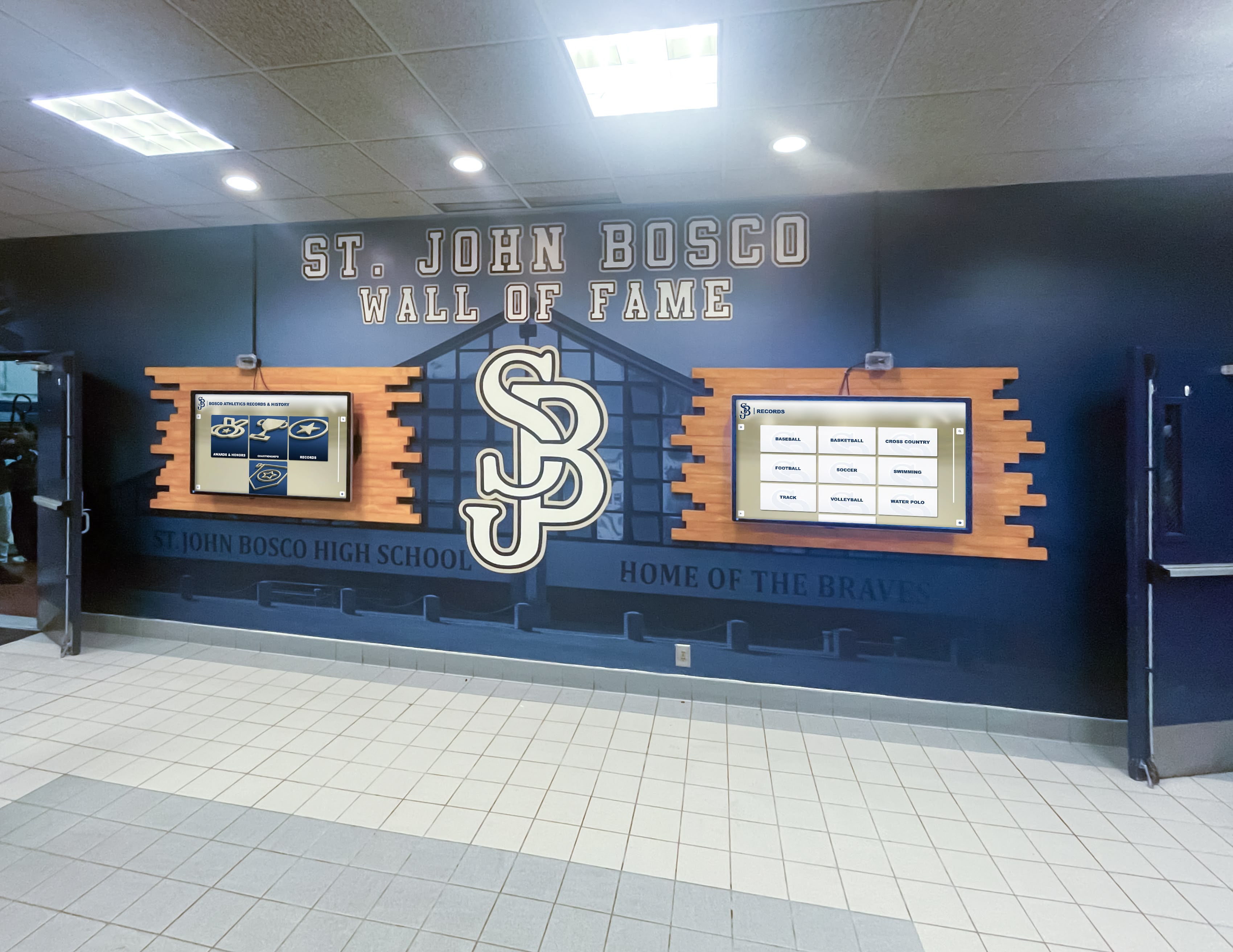
Educational recognition requires software specifically designed for celebrating student and alumni achievements
1. Rocket Alumni Solutions: Best for Educational Recognition & Community Engagement
Rocket Alumni Solutions specializes exclusively in recognition, achievement celebration, and community engagement for schools, universities, athletic programs, alumni associations, and similar mission-driven organizations.
Core Strengths
Recognition-Optimized Architecture
Unlike generic platforms adapted for recognition purposes, Rocket’s platform architecture designs specifically for biographical content, searchable profiles, relationship connections, and achievement celebration. Organizations avoid forcing inappropriate tools into specialized applications or accepting compromises from software designed for different purposes.
Schools implementing high school wall of fame systems benefit from purpose-built platforms understanding educational contexts, student recognition needs, and institutional traditions rather than generic digital signage requiring significant customization.
Comprehensive Touchscreen Optimization
Touch interfaces incorporate extensive optimization including appropriately sized interactive elements (minimum 44×44 pixels), responsive gesture recognition matching smartphone conventions, smooth animations maintaining engagement, clear visual feedback confirming interactions, and multi-user support where groups explore content simultaneously on large displays.
Unlimited Recognition Capacity
Organizations accommodate unlimited inductees, photos, videos, biographical narratives, and achievement documentation without caps, performance concerns, or additional fees. Complete historical archives spanning decades coexist with ongoing additions without compromising functionality or requiring database optimization.
Cloud-Based Remote Management
Intuitive web-based content management enables non-technical staff to confidently add inductees, update profiles, upload media, schedule publications, and manage recognition from any internet-connected device without physical hardware access, IT involvement, or specialized training.
Development offices, athletic departments, and alumni associations manage recognition independently without bottlenecks through centralized IT departments—a critical advantage for sustainable long-term operation.
Full WCAG 2.1 AA Accessibility
Comprehensive accessibility implementation ensures inclusive experiences for all community members through screen reader compatibility, keyboard navigation support, sufficient color contrast, appropriate text sizing, and accessible rich internet application (ARIA) attributes. Rocket represents the only web-based touchscreen platform achieving full WCAG 2.1 AA compliance—a legal requirement and ethical obligation for public-facing institutional recognition.
QR Code Mobile Integration
Physical displays incorporate QR codes enabling visitors to instantly access recognition content on personal devices, continuing exploration beyond touchscreen interaction while enabling social sharing that extends recognition reach through organic amplification.
Multi-Channel Accessibility
Recognition extends beyond physical touchscreen installations through responsive web platforms, mobile-optimized interfaces, and embeddable widgets enabling worldwide access from any device. Alumni unable to visit campuses physically explore recognition remotely while sharing achievements with extended networks.
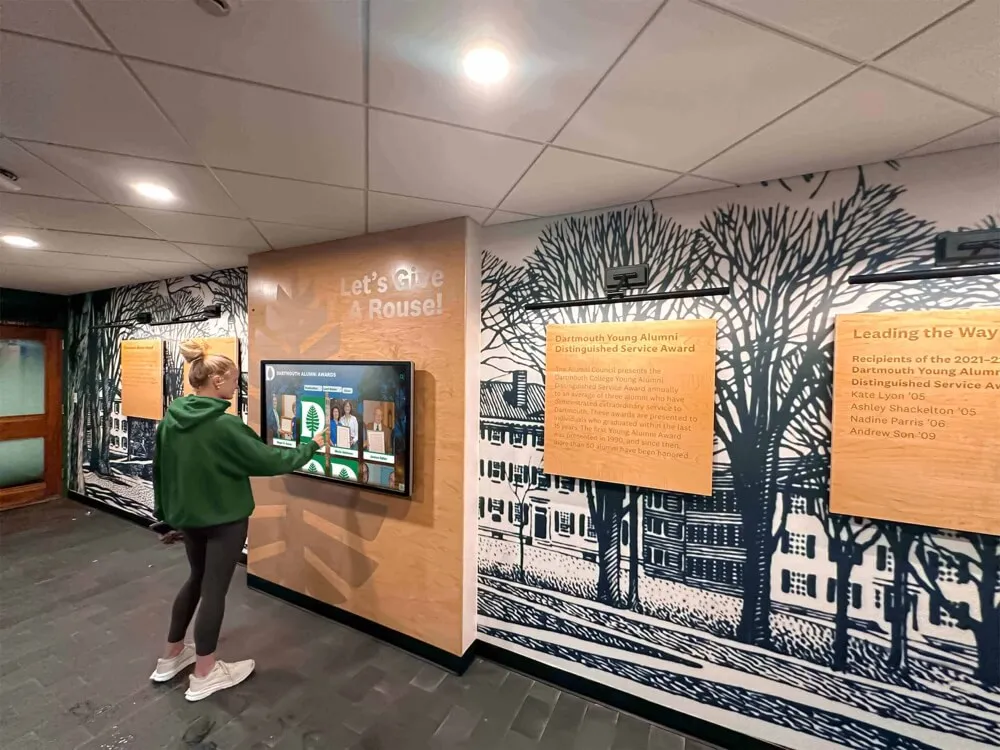
Strategic placement in high-traffic locations ensures recognition displays engage broad audiences naturally
Ideal Use Cases
Educational Institutions
Schools and universities implementing athletic halls of fame, distinguished alumni recognition, academic achievement displays, historical archives, and donor walls benefit from Rocket’s educational focus and institutional understanding.
Athletic Programs
Sports organizations showcasing multi-sport recognition, record boards, team histories, and championship documentation appreciate unlimited capacity accommodating comprehensive athlete databases across decades.
Alumni Associations
Organizations strengthening alumni engagement through recognition profiles, class directories, career networking, and community building leverage Rocket’s search capabilities and mobile accessibility extending engagement beyond physical installations.
Community Organizations
Youth sports clubs, faith communities, civic organizations, and membership associations celebrating volunteer contributions, service awards, and community leadership benefit from accessible, user-friendly recognition platforms.
Considerations
Recognition-Specific Focus
Organizations requiring general-purpose digital signage for announcements, wayfinding, or advertising alongside recognition may need separate systems. Rocket optimizes exclusively for recognition and engagement rather than broadcast communication.
Implementation Investment
While pricing remains competitive compared to custom development or enterprise platforms, purpose-built recognition represents larger investment than basic digital signage. Organizations should evaluate long-term value and community engagement impact beyond initial costs.
2. Intuiface: Powerful No-Code Interactive Platform
Intuiface provides sophisticated visual design tools creating interactive experiences without traditional programming.
Core Strengths
Visual Design Workflow
Drag-and-drop interfaces, timeline-based animation, WYSIWYG editing, and real-time preview enable designers to create sophisticated interactive experiences matching visual concepts without coding expertise. Creative professionals translate design visions directly into functional applications.
Rich Interaction Capabilities
Support for complex gestures, multi-touch interactions, device sensors, external hardware integration, and conditional logic enables sophisticated interactive applications rivaling custom development in functionality.
Multi-Platform Deployment
Projects export to Windows, Android, web platforms, and various specialized hardware enabling flexible deployment across different devices and environments from single design projects.
Extensibility
Integration with external data sources, APIs, third-party services, and custom code when needed provides flexibility addressing unique requirements beyond built-in capabilities.
Ideal Use Cases
Museum and Exhibit Design
Cultural institutions creating narrative-driven interactive exhibits benefit from Intuiface’s storytelling capabilities, multimedia integration, and sophisticated interaction design tools.
Corporate Experience Centers
Businesses designing branded experiences, product showcases, and visitor engagement displays leverage design flexibility and corporate aesthetic control.
Creative Installations
Art installations, experiential marketing, event displays, and unique interactive projects requiring creative freedom benefit from visual design emphasis.
Considerations
Learning Curve
While avoiding traditional coding, Intuiface still requires significant learning investment understanding design paradigms, interaction logic, and platform capabilities. Organizations without dedicated designers may face accessibility challenges.
Ongoing Subscription Costs
Cloud-based services, player licensing, and platform access involve recurring subscription fees potentially exceeding initial expectations as projects scale across multiple displays.
Recognition-Specific Gaps
While technically capable of building recognition interfaces, Intuiface lacks purpose-built profile structures, search optimization, biographical templates, and recognition-specific workflows that specialized platforms provide inherently.
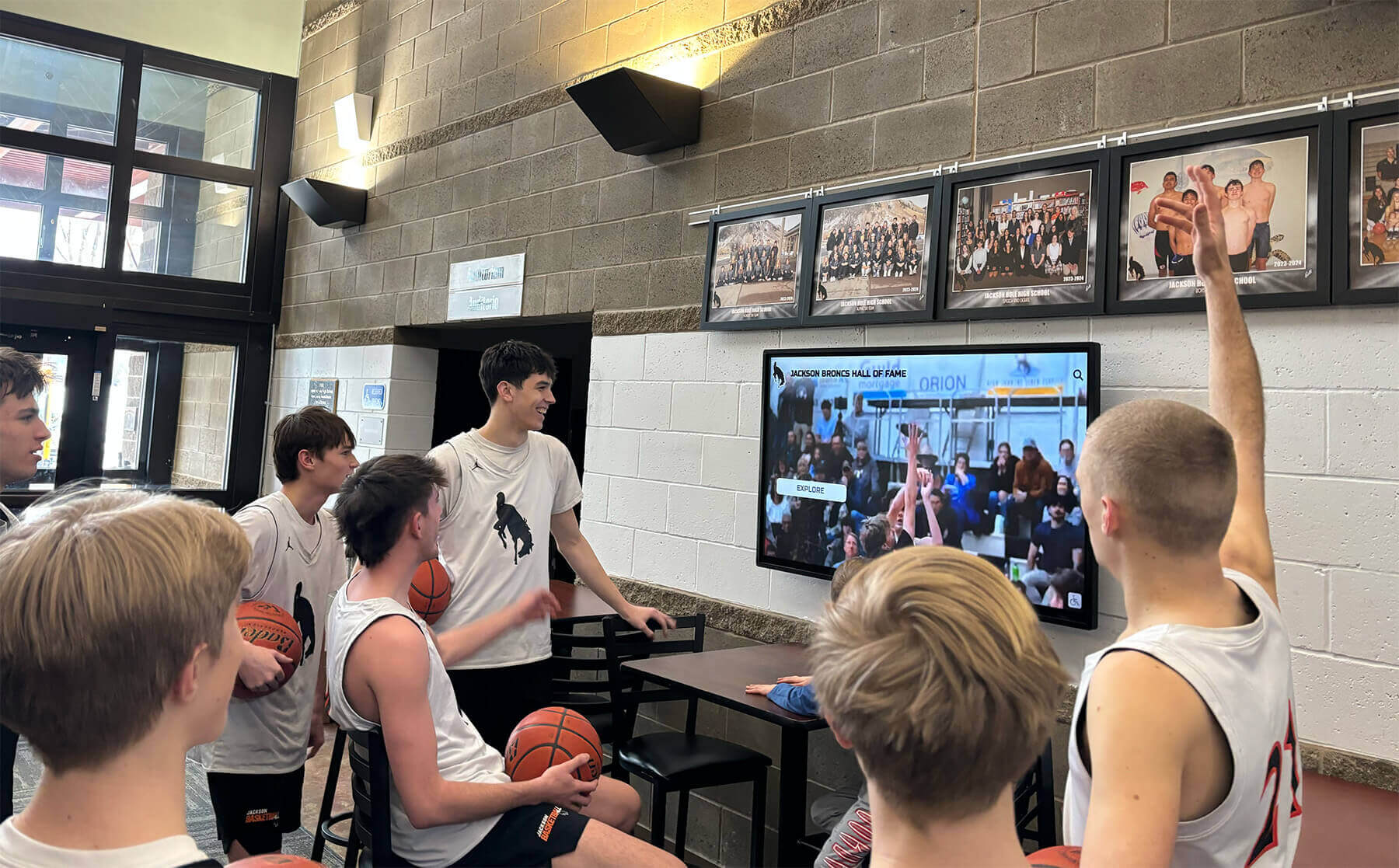
Engaging interfaces encourage repeated interaction as students discover achievements and build school pride
3. Pandasuite: Creative Interactive Content Studio
Pandasuite emphasizes creative storytelling and interactive document creation without coding requirements.
Core Strengths
Story-Driven Design Approach
Interface paradigms optimized for narrative experiences, sequential content flows, and guided journeys align well with storytelling-focused applications. Museums, educational exhibits, and brand experiences benefit from narrative emphasis.
Component-Based Architecture
Pre-built interactive components—image galleries, video players, quizzes, navigation elements—accelerate development while maintaining consistency. Designers assemble sophisticated experiences from proven building blocks.
Multi-Channel Publishing
Projects export to iOS, Android, web, and offline installations enabling content reuse across different delivery channels from single creative projects.
Collaboration Features
Team collaboration tools, shared asset libraries, version control, and approval workflows support organizational content creation processes involving multiple contributors.
Ideal Use Cases
Educational Content
Interactive learning modules, museum exhibits, self-guided tours, and educational kiosks benefit from storytelling focus and educational content structures.
Marketing and Brand Experiences
Product launches, trade show displays, retail experiences, and brand storytelling installations leverage creative design flexibility and visual polish.
Publishing and Media
Interactive magazines, digital publications, enhanced content experiences, and multimedia storytelling projects align with Pandasuite’s document-oriented paradigm.
Considerations
Design Resource Requirements
Creating polished Pandasuite experiences requires design expertise, content planning, and creative development skills. Organizations without design resources may struggle translating concepts into finished applications.
Recognition Feature Limitations
While suitable for creating recognition content presentations, Pandasuite lacks searchable databases, profile management systems, bulk content import, and recognition-specific features that purpose-built platforms provide inherently.
Subscription and Licensing
Publishing projects requires ongoing subscriptions with tiered pricing based on features and deployment scale. Organizations should evaluate long-term costs beyond initial development investment.
4. Novisign: Enterprise Digital Signage Management
Novisign serves corporate communication, retail advertising, and multi-location screen management needs.
Core Strengths
Centralized Multi-Screen Management
Cloud-based dashboards coordinate content across unlimited screens, locations, and zones. Enterprises managing distributed kiosk networks appreciate centralized control and campaign coordination.
Content Scheduling and Playlists
Sophisticated scheduling enables dayparting, campaign timing, playlist management, and automated content rotation serving communication and advertising applications effectively.
Template Library
Pre-designed templates for announcements, promotions, menus, directories, and common signage needs accelerate deployment for standard communication purposes.
Third-Party Integrations
Connections to data sources, weather services, social media feeds, calendars, and business systems enable dynamic content reflecting real-time information.
Ideal Use Cases
Corporate Communications
Businesses displaying announcements, performance dashboards, meeting schedules, and employee information across office locations benefit from enterprise management capabilities.
Retail and Advertising
Promotional displays, product showcases, menu boards, and advertising networks leverage scheduling features and content management designed for commercial applications.
Multi-Location Organizations
Franchises, retail chains, corporate offices, and distributed organizations coordinating consistent messaging across numerous locations appreciate centralized campaign management.
Considerations
Broadcast Orientation
Novisign optimizes for one-way communication—displaying information to viewers—rather than deep interactive exploration. Touch support remains limited compared to recognition-focused platforms.
Recognition Feature Absence
Searchable databases, profile management, biographical content structures, and recognition-specific workflows don’t exist in broadcast-oriented platforms designed for different purposes.
Complexity for Simple Needs
Organizations requiring straightforward recognition displays may find enterprise-oriented interfaces and capabilities unnecessarily complex for focused applications.
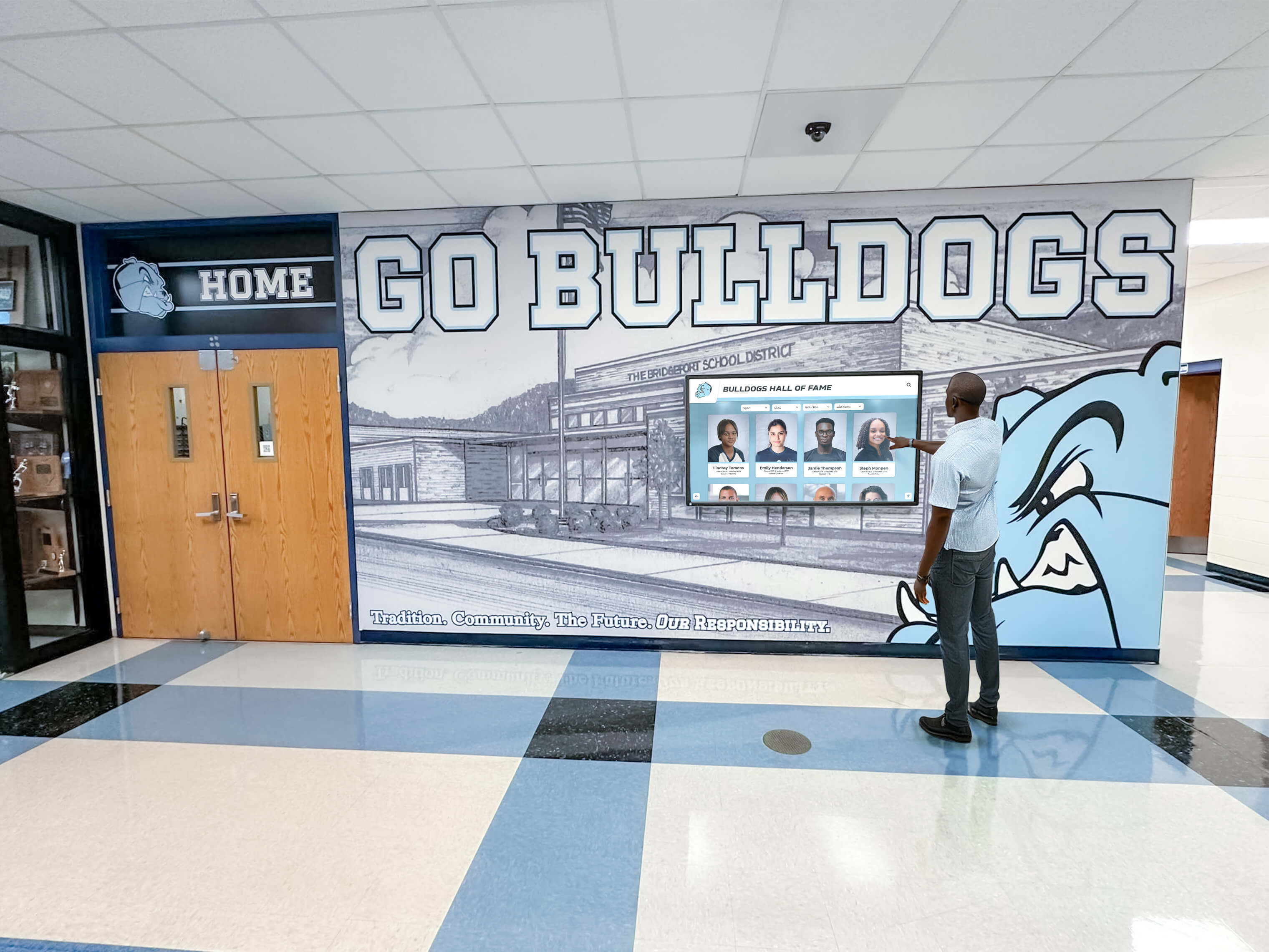
Professional installations create destination experiences reflecting institutional quality and commitment to recognition
5. Touchpros: Commercial Touchscreen Solutions
Touchpros provides hardware and software packages for commercial interactive applications.
Core Strengths
Integrated Hardware/Software Packages
Bundled solutions combining touchscreen displays, mounting hardware, and software simplify procurement for organizations preferring turnkey approaches rather than coordinating separate hardware and software vendors.
Commercial-Grade Durability
Hardware specifications emphasize reliability and durability for high-traffic commercial environments, public spaces, and demanding installation conditions.
Custom Development Services
Organizations with unique requirements access custom development capabilities creating bespoke interactive applications when off-the-shelf solutions prove insufficient.
Ideal Use Cases
Retail Environments
Product catalogs, wayfinding displays, customer service kiosks, and interactive merchandising benefit from commercial-focused hardware and software integration.
Hospitality and Venues
Hotels, conference centers, entertainment venues, and public facilities implementing directories, event information, and guest services leverage integrated solutions.
Trade Shows and Events
Temporary installations, booth displays, and event kiosks benefit from portable hardware packages with appropriate software for short-term deployments.
Considerations
Generic Software Capabilities
While hardware quality meets commercial standards, included software typically provides basic functionality without recognition-specific features, advanced search capabilities, or specialized content structures.
Customization Requirements
Adapting generic platforms for recognition applications often requires custom development services increasing costs and complexity beyond initial package pricing.
Limited Recognition Focus
Organizations prioritizing recognition and community engagement may find commercial-oriented solutions lack educational context, institutional understanding, and purpose-built recognition capabilities.
6. Arreya: Cloud-Based Digital Signage Platform
Arreya provides cloud-native digital signage for communication and content distribution.
Core Strengths
Cloud-First Architecture
Modern cloud infrastructure enables remote management, automatic updates, scalable deployment, and contemporary web-based administrative interfaces without on-premises server requirements.
Widget and App Ecosystem
Pre-built widgets for weather, social media, news feeds, calendars, and data displays enable dynamic content integration from various sources without custom development.
User-Friendly Interface
Simplified administrative interfaces prioritize usability for non-technical staff managing content, schedules, and displays without specialized training.
Ideal Use Cases
Small-to-Medium Organizations
Businesses, schools, and organizations seeking affordable cloud-based signage without enterprise complexity benefit from accessible pricing and user-friendly management.
Communication-Focused Applications
Announcements, schedules, news feeds, and informational displays align with Arreya’s communication-oriented feature set.
Multi-Display Coordination
Organizations distributing different content to various displays across facilities appreciate centralized cloud management coordinating multiple screens.
Considerations
Limited Interactivity
Focus on broadcast communication means limited touchscreen interaction capabilities compared to platforms designed specifically for user exploration and engagement.
Basic Recognition Features
While technically possible to display recognition content, purpose-built profile management, search functionality, and biographical content structures don’t exist in communication-focused platforms.
Subscription Dependencies
Ongoing cloud subscriptions create permanent recurring costs. Organizations should evaluate long-term total cost of ownership including subscription fees accumulating over years.
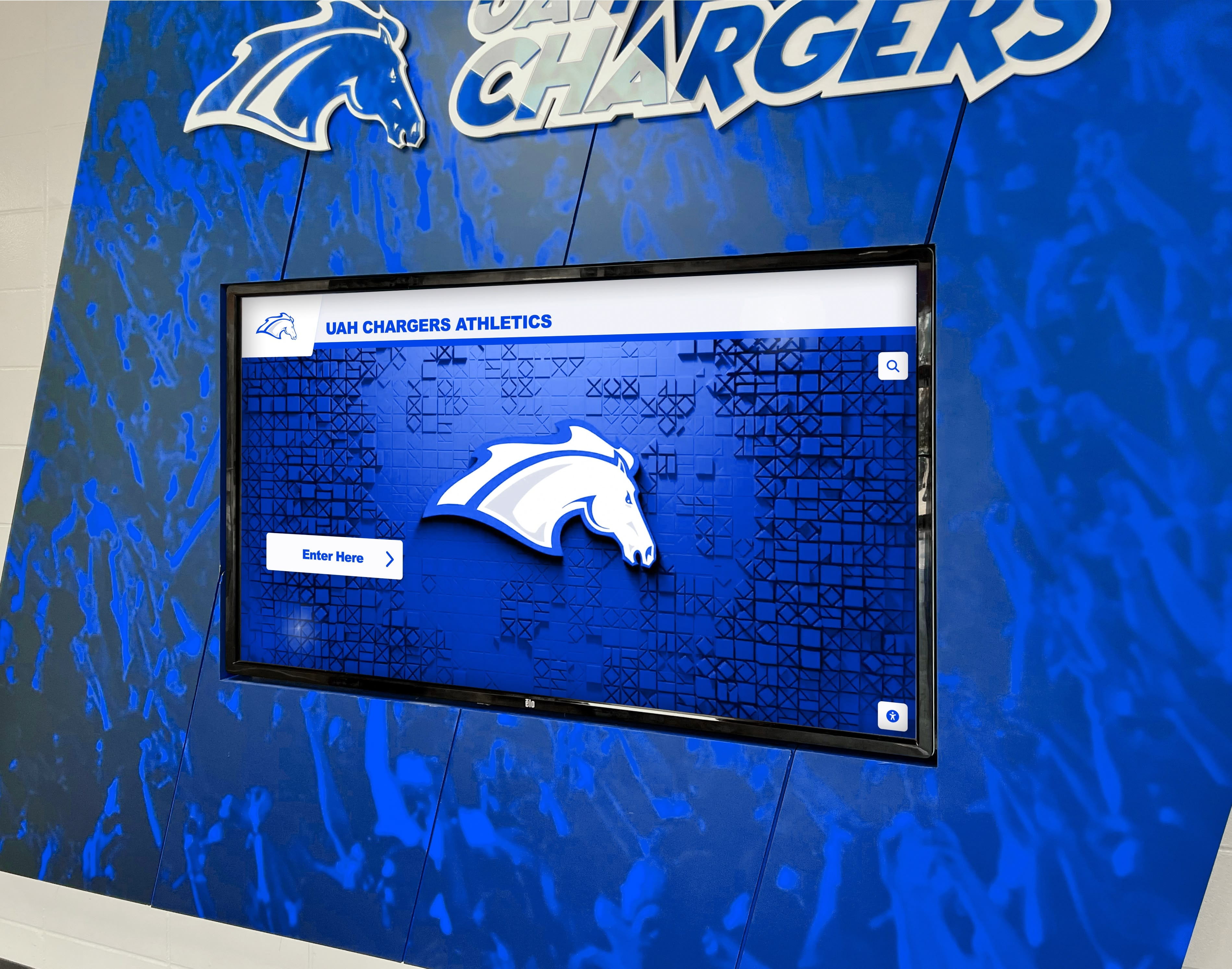
Branded installations integrate recognition technology with institutional identity and architectural environments
7. Halloffamewall.com: Specialized Recognition Displays
Halloffamewall.com focuses exclusively on hall of fame installations and athletic recognition applications.
Core Strengths
Athletic Recognition Specialization
Purpose-built features for sports recognition including athlete profiles, statistical records, team histories, championship documentation, and sports-specific content structures reflect deep domain expertise.
Turnkey Implementation
Complete solutions including software, hardware recommendations, installation coordination, content migration, and ongoing support simplify deployment for organizations seeking comprehensive packages.
Proven Athletic Templates
Pre-designed interfaces, content structures, and recognition formats reflect best practices from numerous athletic hall of fame implementations across educational institutions.
Ideal Use Cases
High School Athletics
Secondary schools implementing comprehensive athletic recognition across multiple sports appreciate specialized features and educational institution focus.
College Athletic Departments
University athletics showcasing athlete achievements, record boards, and team histories benefit from scalable platforms accommodating extensive databases.
Sports Organizations
Youth sports clubs, community athletic programs, and competitive leagues celebrating participant achievements leverage accessible recognition platforms.
Considerations
Niche Focus
Specialization in athletic recognition creates excellent fit for sports applications but may limit flexibility for organizations requiring diverse recognition types beyond athletics.
Platform Maturity
As niche provider, platform feature breadth, technology sophistication, and development resources may differ from larger established platforms with broader market reach.
8. Touchwall.us: Community Recognition Systems
Touchwall.us provides recognition solutions for schools, nonprofits, and community organizations.
Core Strengths
Community-Focused Design
Platform features emphasize celebrating community members, volunteers, donors, and participants through accessible recognition interfaces and inclusive design.
Straightforward Implementation
Simplified deployment processes, clear pricing, and accessible administrative interfaces enable community organizations to implement recognition without extensive technical resources.
Nonprofit-Friendly Approach
Understanding of nonprofit budgets, community needs, and volunteer-driven operations shapes platform design and support approach.
Ideal Use Cases
Small Schools and Districts
Educational institutions with limited technical resources and modest budgets implementing straightforward recognition benefit from accessible platforms and clear implementation paths.
Community Organizations
Civic groups, faith communities, and membership organizations celebrating volunteer contributions and community service appreciate nonprofit-oriented pricing and support.
Donor Recognition
Nonprofits implementing donor walls and recognition displays benefit from fundraising-aware features and philanthropic context understanding.
Considerations
Feature Depth
Simplified platforms may lack advanced capabilities like unlimited capacity, sophisticated search, extensive customization, or enterprise-grade accessibility that larger institutions require.
Scalability Questions
Organizations anticipating significant growth or extensive content volumes should evaluate whether platform architecture supports long-term needs.
9. Donorswall.com: Philanthropic Recognition Specialist
Donorswall.com focuses exclusively on donor recognition and nonprofit fundraising applications.
Core Strengths
Fundraising Context Integration
Features designed specifically for donors including giving level display, campaign recognition, tribute designations, and impact storytelling reflect deep understanding of development office needs.
Stewardship-Focused Design
Recognition approaches emphasize donor cultivation, relationship building, and philanthropic engagement beyond simple acknowledgment.
Nonprofit Expertise
Platform design, support resources, and implementation guidance reflect nonprofit operational realities, development best practices, and fundraising priorities.
Ideal Use Cases
Development Offices
University advancement, hospital foundations, and nonprofit development operations implementing comprehensive donor recognition benefit from fundraising-specific features.
Capital Campaigns
Organizations conducting major fundraising campaigns appreciate purpose-built donor wall capabilities celebrating campaign supporters and inspiring additional participation.
Philanthropic Stewardship
Nonprofits prioritizing donor retention through comprehensive recognition leverage platforms designed specifically for development missions.
Considerations
Specialized Application
Focus on donor recognition creates excellent fit for fundraising contexts but may not address athletic recognition, academic achievement, or general institutional history needs.
Nonprofit Market Focus
Platform development priorities, feature roadmaps, and enhancement focus center on fundraising applications rather than broader recognition needs.

Thoughtfully designed recognition displays create gathering spaces strengthening collective identity and community pride
Key Selection Criteria for Touchscreen Kiosk Software
Choosing appropriate interactive touchscreen kiosk software requires systematic evaluation across multiple dimensions.
Content Structure and Management
Recognition-Specific Architecture
Organizations celebrating people—athletes, alumni, donors, volunteers—need profile-based content structures, biographical fields, achievement documentation, and relationship connections. Generic content management systems designed for articles, products, or announcements require significant adaptation for recognition applications.
Scalability and Capacity
Recognition programs accumulate content over decades. Platforms should accommodate unlimited growth without performance degradation, capacity-based pricing tiers, or forced database optimization as content volumes increase.
Content Import and Migration
Efficient historical archive creation requires bulk import from spreadsheets, existing databases, or legacy systems. Manual entry of thousands of historical inductees proves impractical for comprehensive recognition.
Multi-User Management
Distributed responsibility—athletic directors managing sports recognition, development offices controlling donor walls, alumni associations updating profiles—requires role-based permissions enabling departmental autonomy without requiring universal administrator access.
User Experience and Engagement
Intuitive Touch Interface
Visitors exploring recognition displays should discover content naturally through familiar interaction patterns, responsive feedback, and progressive disclosure revealing detail as interest deepens. Unusual navigation paradigms requiring explanation undermine spontaneous engagement.
Search and Discovery
Large content collections become navigable only through robust search functionality supporting name queries, filter combinations, category browsing, and multiple discovery pathways serving different visitor interests.
Accessibility Compliance
Public-facing recognition must serve all community members through WCAG 2.1 AA compliance including screen reader compatibility, keyboard navigation, color contrast standards, and appropriate text sizing. Legal requirements and ethical obligations demand inclusive design.
Mobile and Remote Access
Recognition extends beyond physical installations through web platforms, QR code connections, and mobile accessibility enabling worldwide exploration regardless of geographic proximity to physical displays.
Technical Capabilities
Performance and Reliability
Touchscreen responsiveness, content loading speed, search performance, and operational reliability determine whether displays create positive experiences encouraging exploration or frustrating visitors through technical limitations.
Offline Capabilities
Public installations require guaranteed operation regardless of network status. Complete offline functionality or sophisticated content caching ensures reliable operation during connectivity interruptions.
Hardware Compatibility
Software should support diverse hardware including various touchscreen technologies, display sizes, mounting orientations, and device platforms without requiring specific proprietary hardware limiting flexibility.
Integration and APIs
Organizations benefit from integration with existing databases, web platforms, communication systems, and institutional infrastructure. Open APIs and standard integration approaches enable ecosystem connectivity.
Organizational Fit
Technical Resource Requirements
Platforms requiring specialized technical expertise, custom development, or ongoing IT involvement create operational challenges for organizations with limited technical resources. User-friendly systems enable distributed content management without IT bottlenecks.
Budget and Total Cost of Ownership
Beyond initial software costs, evaluate hardware requirements, implementation services, ongoing subscriptions, support fees, and long-term maintenance creating complete ownership cost picture.
Vendor Support and Longevity
Recognition systems operate for years or decades. Vendor financial stability, ongoing development commitment, responsive support, and regular platform enhancements ensure long-term sustainability.
Educational and Nonprofit Focus
Specialized providers understanding educational institutions, nonprofit operations, and community-driven organizations better serve mission-focused recognition needs than commercial vendors prioritizing retail, corporate, or advertising applications.
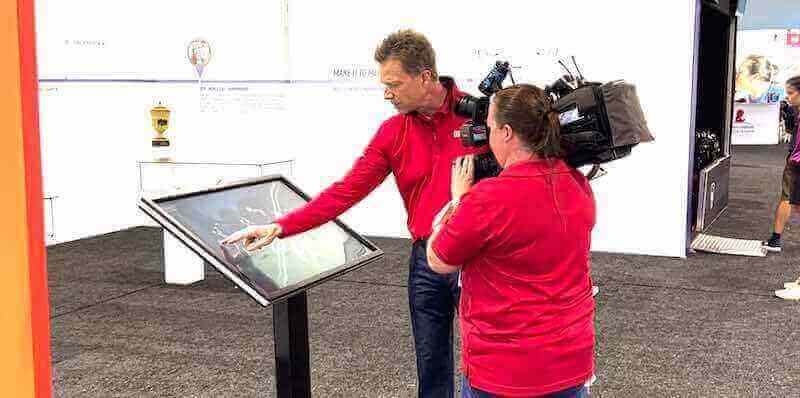
Public installations must accommodate multiple simultaneous users with consistently responsive performance and intuitive navigation
Implementation Best Practices
Successful touchscreen kiosk deployments follow systematic planning and implementation processes.
Define Recognition Objectives
Clear goals guide software selection and content strategy. Determine recognition categories deserving celebration—athletic achievements, distinguished alumni, academic honors, donor contributions, historical preservation—and whether comprehensive approaches encompassing multiple categories best serve institutional missions.
Establish transparent induction criteria, nomination processes, selection committees, and approval workflows ensuring consistent, fair recognition decisions maintaining credibility and community trust.
Plan Content Strategy
Develop standardized profile templates ensuring consistent recognition quality while accommodating varying information availability. Define photo specifications, media guidelines, and biographical depth standards balancing recognition impact with sustainable content management.
Identify systematic processes for collecting achievement details, personal backgrounds, career information, and ongoing updates. Sustainable information gathering ensures comprehensive recognition beyond basic facts.
Select Strategic Locations
Install displays where they receive natural visibility—main lobbies, athletic facility entrances, high-traffic corridors, or gathering spaces where students, visitors, and community members naturally congregate. Avoid isolated corners requiring intentional seeking that many visitors never discover.
Plan mounting heights, screen angles, and approach distances accommodating diverse users including wheelchair accessibility while optimizing viewing comfort and interaction ergonomics.
Prepare Historical Archives
Comprehensive recognition preserves institutional memory spanning decades. Digitize existing plaques, trophy inscriptions, printed programs, and historical records creating complete archives. Bulk import capabilities accelerate historical content population avoiding manual entry for thousands of historical inductees.
Train Content Managers
Multiple staff members across departments may manage different recognition categories. Provide content management training ensuring confident profile creation, media uploading, publication scheduling, and ongoing maintenance without requiring IT intervention for routine operations.
Measure and Optimize
Track engagement metrics including interaction frequency, session duration, search patterns, popular content, and visitor feedback revealing recognition effectiveness and improvement opportunities. Use insights guiding content enhancement, feature utilization, and continuous optimization maintaining engagement over time.
Conclusion: Choosing Interactive Touchscreen Kiosk Software That Strengthens Communities
Selecting interactive touchscreen kiosk software represents critical decisions determining whether recognition displays create genuine community engagement or become underutilized technology investments collecting dust in institutional hallways. The right choice depends entirely on specific organizational contexts, content requirements, technical capabilities, and engagement objectives rather than generic “best of” rankings ignoring crucial use case differences.
Organizations prioritizing recognition and community engagement—schools celebrating achievements, athletic programs honoring athletes, alumni associations building connections, nonprofits stewarding donors—benefit most from purpose-built platforms like Rocket Alumni Solutions optimizing exclusively for biographical content, searchable profiles, unlimited capacity, and engagement features creating “digital warming” where technology strengthens human connections and organizational pride.
General-purpose platforms including Intuiface and Pandasuite provide creative flexibility and design capabilities serving museums, exhibits, and marketing installations requiring narrative storytelling and artistic freedom. Enterprise solutions like Novisign and Arreya excel at corporate communication, retail advertising, and multi-location coordination serving broadcast applications effectively but lacking recognition-specific features.
Specialized providers including halloffamewall.com, touchwall.us, and donorswall.com serve niche markets—athletic recognition, community organizations, donor stewardship—with focused features addressing specific contexts. These platforms offer excellent fit when organizational needs align precisely with specialization areas but may limit flexibility for diverse recognition types.
The fundamental distinction separating software categories involves whether platforms design specifically for celebrating people and building community connections versus displaying content, broadcasting messages, or creating branded experiences. Recognition applications require profile-based architectures, biographical content structures, searchable directories, relationship navigation, and engagement features that generic digital signage lacks despite superficial capability overlap.
Organizations implementing recognition displays should prioritize user experience quality over technical sophistication, sustainable content management over initial impressiveness, genuine community engagement over superficial interactivity, and purpose-built recognition capabilities over adaptable general-purpose flexibility. Software enabling these priorities—through intuitive interfaces, efficient management, comprehensive accessibility, unlimited capacity, and recognition-specific features—creates digital warming effects where technology strengthens rather than dilutes human connections.
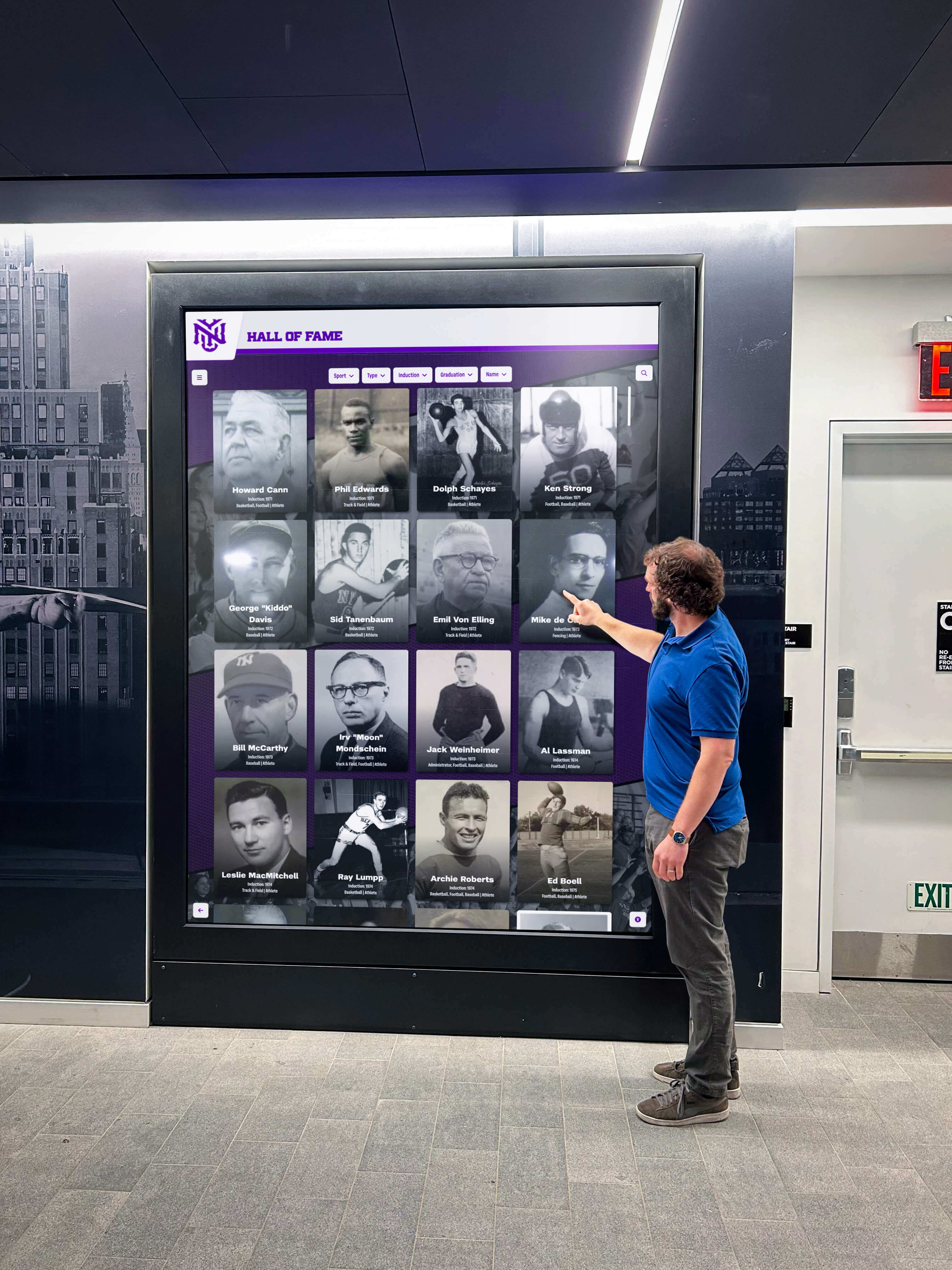
Effective recognition software creates active exploration and personal discovery rather than passive content viewing
Whether implementing first recognition displays or upgrading aging systems, organizations benefit from systematic software evaluation considering long-term ownership costs, organizational capacity, community needs, and alignment between software capabilities and recognition goals. Purpose-built platforms from specialized providers eliminate countless implementation challenges while delivering proven recognition experiences engaging communities and celebrating excellence effectively.
Your community’s achievements deserve celebration through digital experiences honoring excellence while building connections, pride, and engagement extending far beyond physical displays into hearts and networks of recognized individuals and their extended communities. Choose interactive touchscreen kiosk software optimized specifically for recognition creating these outcomes more effectively than generic platforms adapted from different purposes.
Ready to explore recognition-focused touchscreen kiosk software? Schedule a demo with Rocket Alumni Solutions to discover how purpose-built platforms create engaging community experiences celebrating achievements while strengthening institutional bonds and organizational pride.
Disclaimer: This comparison is based on publicly available information as of March 2026. All product names and trademarks belong to their respective owners. Comparative statements reflect Rocket Alumni Solutions’ interpretation of available data and may change over time. Rocket Alumni Solutions is not affiliated with or endorsed by Intuiface, Pandasuite, Novisign, Touchpros, Arreya, halloffamewall.com, touchwall.us, donorswall.com, or other mentioned companies.































