
School lobbies serve as crucial first impression spaces where prospective families make snap judgments about academic excellence, community culture, and institutional investment in student success. Within seconds of entering, visitors absorb environmental cues communicating whether schools prioritize innovation, celebrate achievement, and create welcoming experiences. An interactive touch screen kiosk transforms what could be static, underutilized lobby space into dynamic engagement centers that inform visitors, showcase accomplishments, facilitate wayfinding, and demonstrate technological sophistication—all while operating 24/7 without requiring staff intervention.
Yet administrators contemplating interactive kiosk installations face legitimate implementation questions: What specific functions justify the investment beyond basic digital signage? Which features distinguish truly valuable interactive experiences from gimmicky touchscreens? How do schools ensure kiosks remain updated, secure, and genuinely useful rather than becoming neglected dust collectors? What content strategies maximize engagement while maintaining professional presentation standards? And most importantly, how do you quantify return on investment for lobby technology that serves diverse audiences from prospective students to alumni visitors?
These questions intensify as schools recognize that lobby experiences now compete with the seamless digital interactions visitors expect from retail, hospitality, and consumer technology environments. First impressions increasingly depend on creating experiences matching these elevated standards.
This comprehensive guide explores everything administrators, technology coordinators, and advancement officers need to successfully implement interactive touch screen kiosks in school lobbies. You’ll discover proven use cases driving measurable value, essential features distinguishing effective kiosks from basic displays, implementation strategies avoiding common pitfalls, content management best practices, and quantifiable metrics demonstrating clear return on investment.

Interactive touch screen kiosks transform school lobbies into engaging information centers that serve visitors 24/7 while showcasing institutional excellence
High-Impact Use Cases for Interactive Touch Screen Kiosks
Understanding specific applications where interactive kiosks deliver measurable value helps schools prioritize features and content aligned with institutional goals.
Visitor Wayfinding and Information Access
The most fundamental kiosk function addresses the practical challenge every school visitor faces: finding their destination efficiently while understanding facility organization.
Interactive Campus Maps
Traditional static directional signage requires visitors to translate 2D floor plans into actual navigation decisions while standing in unfamiliar hallways. Interactive touch screen kiosks enable intuitive wayfinding through:
- Searchable directories allowing visitors to type specific destinations (office names, room numbers, staff members)
- Interactive floor plans highlighting optimal routes with turn-by-turn visual guidance
- Multi-building campus maps showing connections between facilities for complex school layouts
- “You are here” orientation markers preventing initial confusion about current location
- Accessibility route highlighting for visitors requiring elevator access or wheelchair-friendly paths
Schools report 60-70% reductions in front office interruptions for directional assistance after implementing comprehensive interactive wayfinding kiosks. Receptionist time previously consumed answering “Where’s the guidance office?” redirects toward more valuable visitor engagement.
Real-Time Event Schedules and Building Information
Beyond static location information, effective kiosks provide dynamic access to current activities, schedules, and facility status:
- Daily event calendars showing what’s happening throughout campus (athletics, performances, meetings, campus tours)
- Meeting room schedules indicating availability for conference areas, auditoriums, or gymnasium spaces
- Staff directory information with office locations, department affiliations, and availability status
- Emergency information and procedures accessible during drills or actual crisis situations
- Facility hours for libraries, athletic facilities, cafeterias, and administrative offices
This real-time functionality transforms kiosks from fancy directories into genuinely useful tools visitors consult repeatedly throughout visits rather than single-use map references.
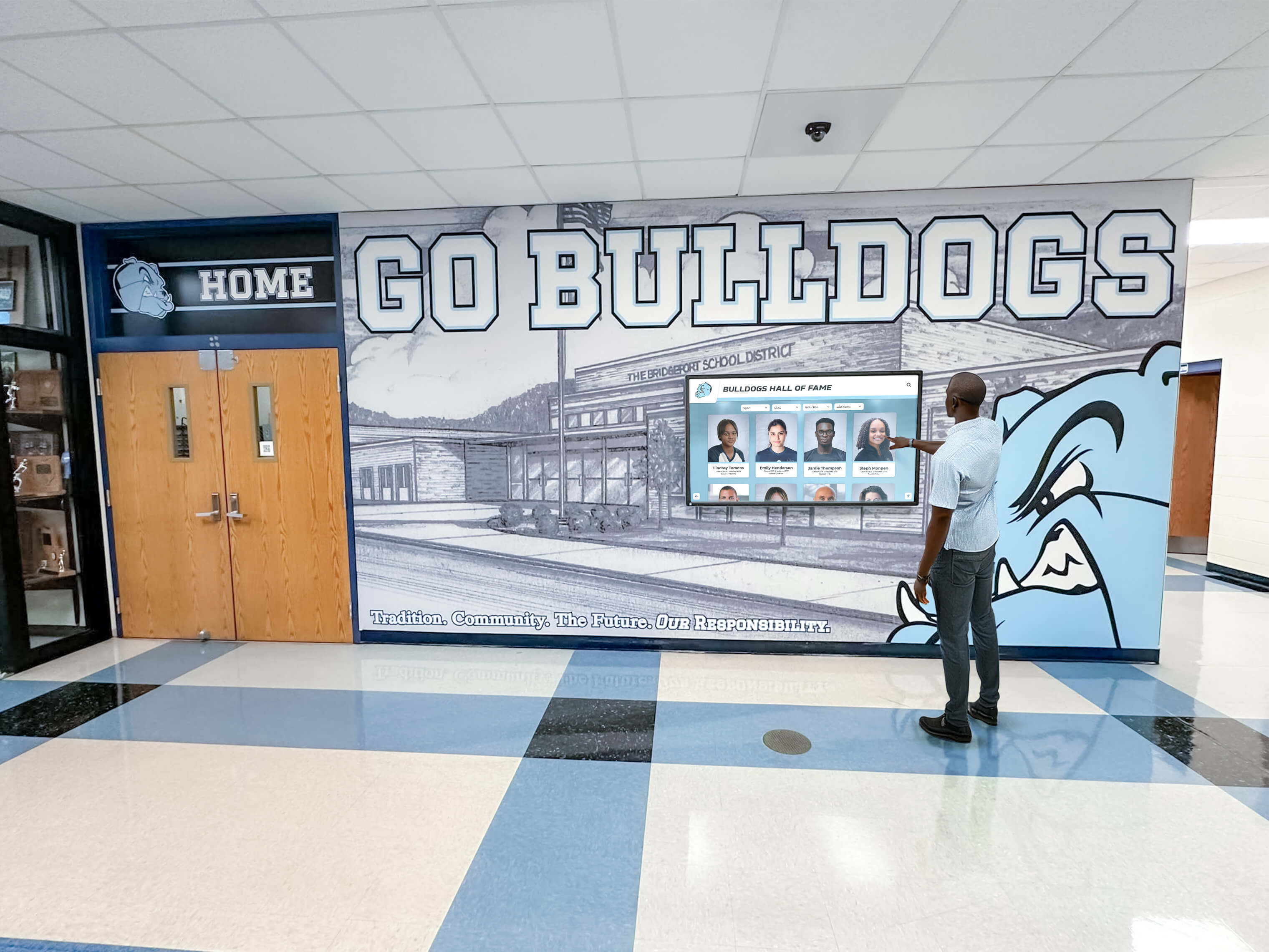
Interactive browsing enables visitors to explore content at their own pace, discovering stories and achievements aligned with personal interests
Recognition and Achievement Showcases
Beyond practical wayfinding, interactive touch screen kiosks create powerful platforms for celebrating student, staff, and community accomplishments in ways static displays cannot match.
Digital Hall of Fame Experiences
Traditional recognition walls face inherent limitations: finite space restricts who gets honored, static plaques provide minimal information, and updates require expensive fabrication. Interactive kiosks eliminate these constraints while expanding engagement possibilities:
- Searchable databases allowing visitors to find specific alumni, athletes, or honorees instantly
- Comprehensive profiles including photos, achievement details, career information, and personal stories
- Video content featuring acceptance speeches, performance highlights, or retrospective interviews
- Timeline views showing program evolution and achievement progression across decades
- Filter capabilities enabling browsing by graduation year, sport, academic department, or achievement type
Interactive alumni directories transform passive wall-reading into active exploration where visitors discover unexpected connections and previously unknown achievement stories.
Schools implementing comprehensive digital hall of fame kiosks report 5-8x engagement time compared to traditional recognition walls, with visitors spending 4-6 minutes exploring content versus 30-60 seconds glancing at static plaques.
Student Achievement Celebrations
Interactive kiosks excel at highlighting current student accomplishments in ways that feel fresh and relevant:
- Rolling recognition feeds showing recent academic awards, athletic achievements, arts honors, and community service
- Exciting hallway displays that automatically update with new achievements without requiring physical updates
- Interactive highlight reels from recent performances, competitions, or games
- Academic excellence showcases featuring honor roll students, scholarship recipients, or special projects
- Weekly or monthly featured student profiles rotating automatically to ensure broad representation
This dynamic recognition capability ensures lobbies consistently reflect current achievement rather than becoming time capsules honoring outdated accomplishments. Learn more about creating digital walls of achievement that celebrate excellence across all student activities.

Profile-based interfaces enable detailed achievement presentation impossible with traditional recognition approaches
Donor Recognition and Advancement Applications
Schools with active development programs discover that interactive kiosks serve powerful functions beyond student-focused content, creating sophisticated donor recognition experiences.
Interactive Donor Walls
Traditional donor recognition typically involves engraved plaques organized by giving levels—an approach that feels static and fails to tell compelling stories about philanthropy’s impact. Interactive touch screen kiosks enable transformation toward engagement-focused recognition:
- Searchable donor directories allowing visitors to locate specific benefactors or families
- Giving level visualization showing cumulative campaign progress toward institutional goals
- Impact storytelling connecting donations directly to tangible outcomes (scholarships funded, facilities built, programs launched)
- Multi-generational family giving histories highlighting decades of institutional support
- Video testimonials from donors explaining motivations and describing personal connections to schools
Donor recognition displays using interactive formats report higher donor satisfaction and increased likelihood of continued giving compared to traditional static approaches.
Capital Campaign Progress Tracking
During active fundraising initiatives, lobby kiosks provide perfect platforms for communicating campaign momentum:
- Real-time fundraising thermometers showing progress toward campaign goals
- Project visualization demonstrating what specific funding milestones will enable
- Recognition of recent major gifts creating public acknowledgment encouraging additional support
- Naming opportunity inventories showing available recognition options for prospective donors
- Historical campaign retrospectives building confidence through demonstrated fundraising success
Development officers report that interactive campaign visualization in high-traffic lobby locations generates 15-20% more donor inquiries compared to email-only campaign communications.
Essential Features for Effective Interactive Kiosks
Not all touchscreen systems deliver equal value. Understanding which capabilities genuinely enhance user experiences versus superficial specifications helps schools make informed purchasing decisions.
Hardware Specifications That Matter
The physical kiosk components directly impact reliability, user experience quality, and total cost of ownership.
Commercial-Grade Touchscreen Displays
Consumer tablets or residential touchscreens fail quickly under continuous public use. Effective kiosks require commercial specifications:
- Optical bonding: Eliminates air gap between touch sensor and display preventing parallax errors and improving visibility
- Anti-glare coating: Essential for lobby locations with natural light or overhead fixtures creating screen reflections
- High brightness (400+ nits): Ensures visibility even in brightly lit environments near windows or under fluorescent lighting
- Capacitive multi-touch: Enables pinch-zoom, two-finger scrolling, and intuitive gestures matching smartphone experiences
- Vandal-resistant glass: Protects displays from intentional or accidental damage in unsupervised public environments
Display size selection depends on content types and viewing distances. For lobby applications where visitors stand 1-3 feet from screens, 42-55 inch displays provide optimal balance between visibility and space requirements.
Durability and Security Considerations
Kiosks operate in unsupervised public environments requiring thoughtful security approaches:
- Powder-coated steel or aluminum enclosures preventing tampering with internal components
- Lockable access panels allowing maintenance without exposing sensitive equipment to public
- Integrated cable management preventing tripping hazards and maintaining clean aesthetics
- Thermal management systems preventing overheating during continuous operation
- VESA mounting compatibility enabling wall mounting, floor stands, or custom integration
Schools installing kiosks in entry vestibules or 24/7 accessible lobbies particularly benefit from weather-resistant models rated for temperature extremes and humidity variations.
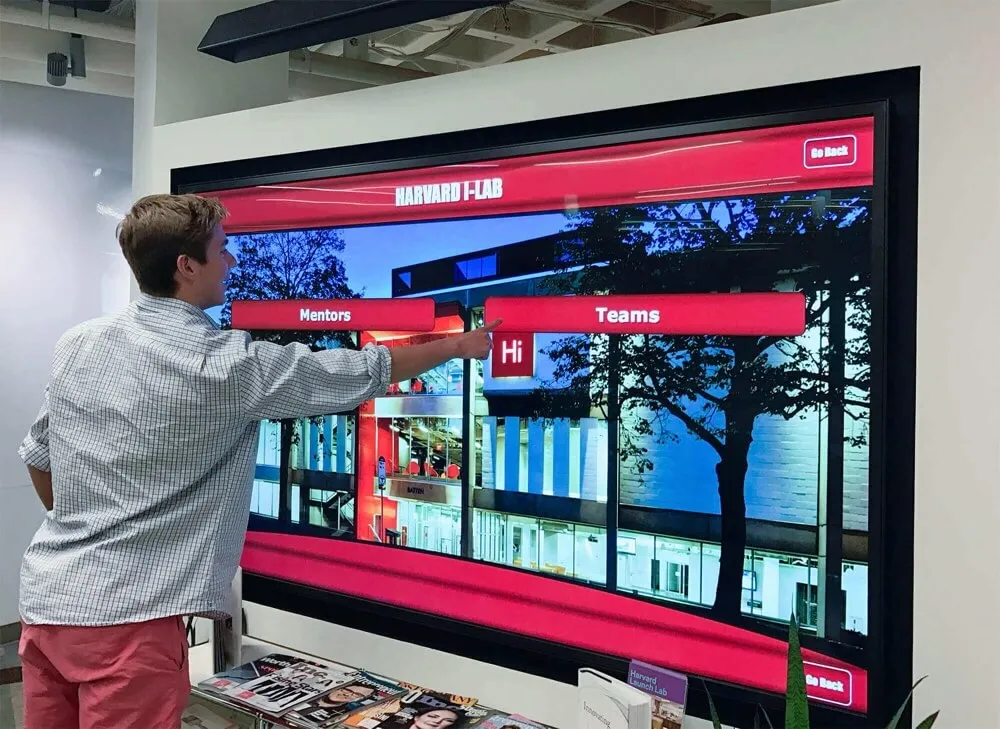
Intuitive menu structures enable visitors of all technical comfort levels to access information without training or assistance
Software Capabilities and Content Management
Hardware provides the foundation, but software determines whether kiosks deliver genuinely useful experiences or become expensive dust collectors.
Browser-Based vs. Application-Based Systems
Fundamental architectural decisions affect long-term flexibility and maintenance requirements:
Browser-Based Kiosks
- Display web content through locked-down browsers preventing access to underlying operating systems
- Enable content updates through familiar web-based content management systems without specialized kiosk software
- Allow responsive design approaches where single content sources serve multiple device types
- Facilitate integration with existing school websites, information systems, and databases
- Require internet connectivity but eliminate application version management challenges
Application-Based Kiosks
- Run dedicated applications designed specifically for touchscreen interaction patterns
- Offer potentially richer offline functionality when internet reliability concerns exist
- May provide better performance for graphics-intensive or video-heavy content
- Typically require specialized updates and version management increasing maintenance complexity
Most schools benefit from browser-based approaches leveraging existing web development capabilities and content management familiarity. Explore touchscreen kiosk app options that balance functionality with management simplicity.
Content Management System Requirements
Backend systems enabling non-technical staff to update content without IT intervention prove essential for maintaining relevance:
- Visual drag-and-drop interfaces allowing content arrangement without coding knowledge
- Media libraries supporting photos, videos, PDFs, and other content formats
- Scheduling capabilities enabling time-based content changes (different content during school day vs. evening events)
- User permission systems allowing department-level content control while preventing unauthorized modifications
- Preview functions showing how changes appear before publishing to public-facing displays
- Version history enabling rollback if updates create unintended problems
Schools where kiosks require IT intervention for every content update typically see kiosks fall out of date within 3-6 months as update requests accumulate faster than IT resources can accommodate.
Accessibility and Universal Design
Effective kiosks serve all community members regardless of physical abilities, age, or technical comfort levels.
Physical Accessibility Compliance
ADA-compliant installations require thoughtful consideration beyond basic screen selection:
- Mounting heights placing operable controls 15-48 inches above finished floor for wheelchair users
- Forward or parallel approach clearances providing adequate maneuvering space
- Knee and toe clearance beneath kiosks enabling wheelchair users to position closely
- Pressure-sensitive controls requiring less than 5 pounds of force to activate
- Reach range considerations for both seated and standing users
Beyond legal compliance, accessibility enhances usability for all visitors including children, elderly guests, and temporary mobility limitations.
Interface Design for All Users
Software accessibility extends beyond physical considerations:
- High contrast color schemes ensuring readability for visually impaired visitors
- Adjustable text size options accommodating vision differences
- Audio narration capabilities for screen content when privacy allows
- Simple navigation structures preventing confusion for infrequent technology users
- Touch targets sized at least 44x44 pixels preventing accidental adjacent button activation
- Clear visual feedback confirming when touches successfully register
Interface testing with diverse user groups including elderly visitors and young children reveals usability issues invisible to designers familiar with touchscreen conventions.
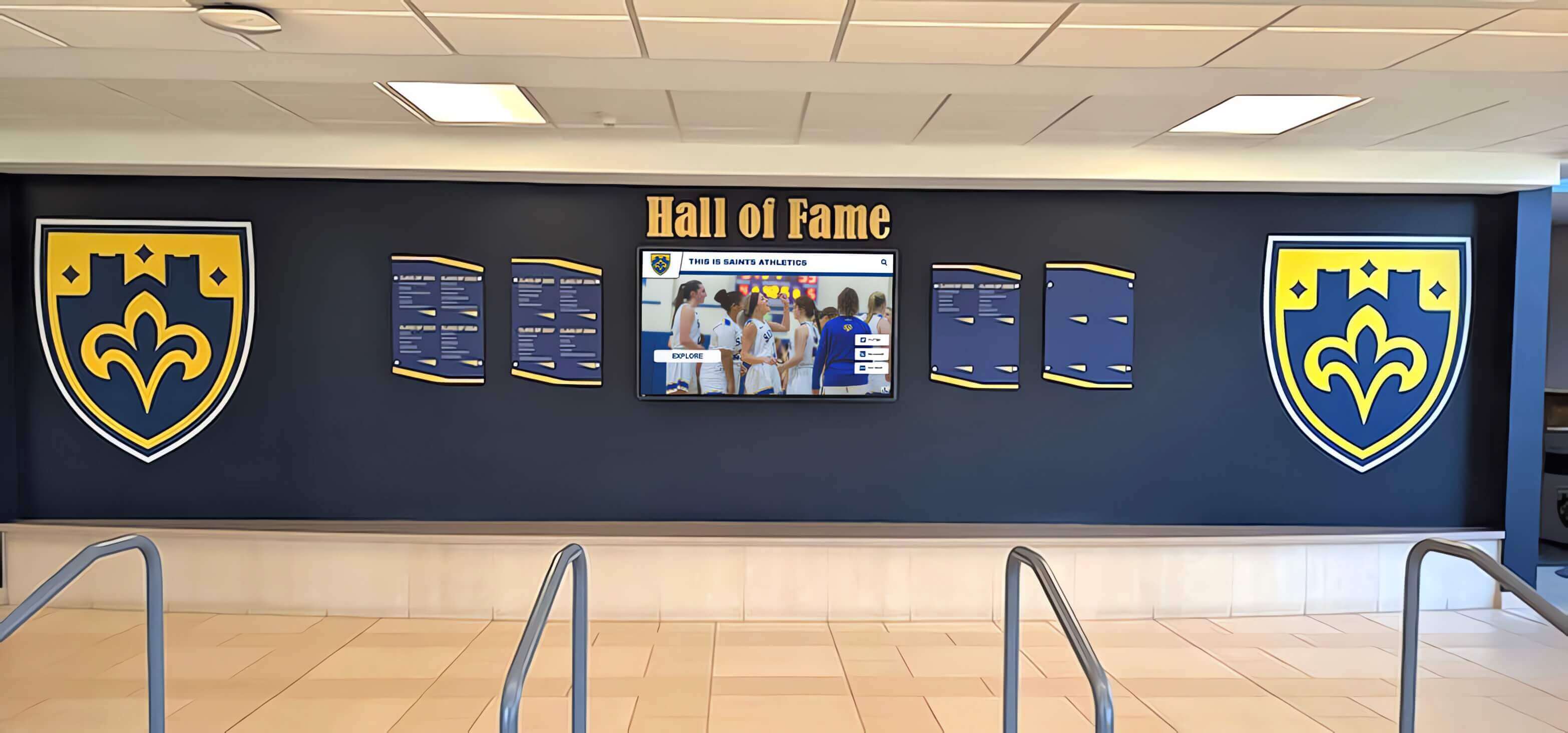
Successful implementations blend digital interactivity with traditional recognition elements creating comprehensive lobby experiences
Implementation Best Practices and Planning Strategies
Technical specifications matter, but successful deployments require equally thoughtful attention to placement, content strategy, and change management.
Strategic Placement and Installation Considerations
Location decisions dramatically affect whether kiosks become heavily utilized resources or ignored lobby furniture.
High-Traffic Location Selection
Effective kiosk placement capitalizes on natural visitor flow patterns and decision points:
- Main entrance vestibules: Intercept visitors immediately upon arrival when orientation needs peak
- Lobby waiting areas: Provide engagement options for visitors with dwell time before appointments
- Corridor intersections: Serve wayfinding needs at decision points where directional questions arise
- Adjacent to reception desks: Allow self-service information access reducing reception interruptions
- Near event venues: Provide context-specific content for athletic lobbies, performing arts centers, or academic buildings
Observe lobby traffic patterns during typical visiting hours identifying where people naturally pause, wait, or demonstrate confusion about navigation. These organic gathering points indicate optimal kiosk placement.
Environmental Considerations
Physical environment factors affect both hardware longevity and user experience quality:
- Lighting analysis: Avoid locations with direct sunlight creating screen glare during specific times of day
- Electrical access: Ensure power availability without visible extension cords creating tripping hazards or aesthetic problems
- Network connectivity: Verify reliable wired or wireless network access for content updates and interactive features
- Climate control: Confirm HVAC systems maintain temperature ranges within equipment specifications
- Vandalism risk assessment: Consider security camera coverage and general supervision levels affecting placement decisions
Schools report significantly higher success rates when site surveys involving facilities directors, technology coordinators, and advancement staff occur before purchase commitments rather than retrofitting installations to accommodate overlooked requirements.
Content Development and Maintenance Workflows
Technical infrastructure means nothing without compelling content and sustainable update processes.
Launch Content Planning
Initial kiosk content should demonstrate value immediately while establishing patterns for ongoing maintenance:
Essential Launch Content
- Interactive campus map with searchable directory (immediate wayfinding value)
- Current school year calendar highlighting major events (demonstrates dynamic relevance)
- 25-50 hall of fame or achievement profiles (enough depth for meaningful browsing)
- Welcome message with institutional overview (context for first-time visitors)
- Emergency procedures and important contact information (safety-critical content)
Starting with comprehensive core content prevents “under construction” placeholder screens undermining confidence in kiosk usefulness. Better to delay launch until meaningful content exists than deploy empty shells promising future development.
Sustainable Content Update Workflows
Long-term kiosk value depends on establishing realistic, sustainable processes ensuring fresh content:
- Responsibility assignment: Designate specific individuals or departments owning content areas (athletics updates sports content, development maintains donor recognition, advancement handles achievement highlights)
- Update frequency targets: Set realistic expectations (monthly achievement updates, weekly event calendar refreshes, daily for time-sensitive information)
- Content submission processes: Create simple workflows allowing content contributors to submit updates without direct system access
- Quality control procedures: Establish review steps preventing spelling errors, inappropriate content, or branding inconsistencies
- Analytics review cadence: Schedule quarterly usage data analysis identifying underutilized features or content gaps
The most common kiosk failure mode involves launching with enthusiasm followed by gradual content staleness as initial excitement fades without sustainable processes. Schools should develop maintenance workflows before purchase rather than assuming “we’ll figure that out later.”
For schools looking to streamline content workflows, consider digital signage content ideas that balance engagement value with realistic update requirements.
Security, Privacy, and Data Protection
Interactive systems collecting user interactions or displaying sensitive information require thoughtful security approaches.
Locked-Down Operating Environments
Kiosk software must prevent unauthorized access to underlying operating systems and administrative functions:
- Automatic boot to kiosk mode preventing access to system settings
- Disabled keyboard shortcuts (Alt+Tab, Ctrl+Alt+Delete, Windows key) preventing break-out attempts
- Browser restrictions blocking access to address bars, settings, or bookmark functions
- Automatic session timeouts returning to home screens after periods of inactivity
- Physical security preventing USB device connections or external media access
Regular security audits testing whether determined users can escape kiosk mode help identify vulnerabilities before malicious actors exploit them.
Privacy Protection for Interactive Content
When kiosks enable searching, browsing, or personalized content, privacy considerations arise:
- Clear privacy policies explaining what interaction data gets collected and how schools use it
- Anonymous analytics preventing identification of specific individuals’ browsing behavior
- Automatic session clearing ensuring subsequent users don’t see previous search histories
- Secure connections (HTTPS) for any data transmission preventing interception
- Compliance with student data protection regulations (FERPA, state privacy laws)
Schools should conduct privacy impact assessments before deployment, particularly when kiosks provide access to student information, alumni data, or donor records.
Measuring Success and Return on Investment
Quantifying kiosk value helps justify initial investments while guiding ongoing improvement efforts.
Usage Analytics and Engagement Metrics
Modern interactive systems generate detailed usage data revealing what works and what gets ignored:
Key Performance Indicators
Track metrics aligned with specific kiosk objectives:
- Daily interaction count: Total touches, searches, or content views indicating overall usage levels
- Average session duration: Time visitors spend engaging with content (longer suggests value, very short indicates confusion)
- Popular content identification: Most-viewed sections revealing visitor interests and priorities
- Search query analysis: What visitors seek helping identify content gaps or navigation problems
- Peak usage times: When engagement concentrates informing staffing or content scheduling decisions
- Bounce rates: Percentage of visitors touching once then walking away suggesting interface problems
Schools implementing analytics-driven improvements report 40-60% usage increases after identifying and addressing friction points revealed through data analysis.
Comparative Performance Assessment
Contextualizing kiosk data against benchmarks helps determine whether performance meets expectations:
- Compare lobby kiosk usage against school website analytics for similar content
- Track front desk directional question frequency before and after kiosk deployment
- Survey visitor satisfaction with lobby experience across installation timeline
- Monitor advancement metrics for donor engagement before and after recognition kiosks
- Assess cost-per-interaction compared to staffed information desks or printed materials
Stakeholder Feedback and Satisfaction
Quantitative analytics tell part of the story, but qualitative feedback reveals nuanced experience dimensions:
Structured Feedback Collection
Implement multiple feedback channels capturing diverse perspectives:
- Brief kiosk-based surveys allowing immediate reaction capture
- Visitor feedback forms in reception areas
- Focused interviews with frequent users (parents, alumni, prospective families)
- Staff surveys assessing whether kiosks reduce administrative burdens
- Student feedback about achievement recognition effectiveness
Questions should probe both satisfaction and specific improvement suggestions. “What would make this kiosk more useful?” generates more actionable insights than generic “How satisfied are you?” ratings.
Continuous Improvement Cycles
The most successful kiosk programs treat deployment as beginning rather than conclusion of development:
- Quarterly usage data review identifying trends and anomalies
- Semi-annual content audits removing outdated information and adding requested features
- Annual stakeholder surveys gauging evolving needs and priorities
- Technology refresh planning ensuring hardware remains current as capabilities evolve
Schools viewing kiosks as living systems requiring ongoing attention rather than one-time installations achieve dramatically higher long-term value.
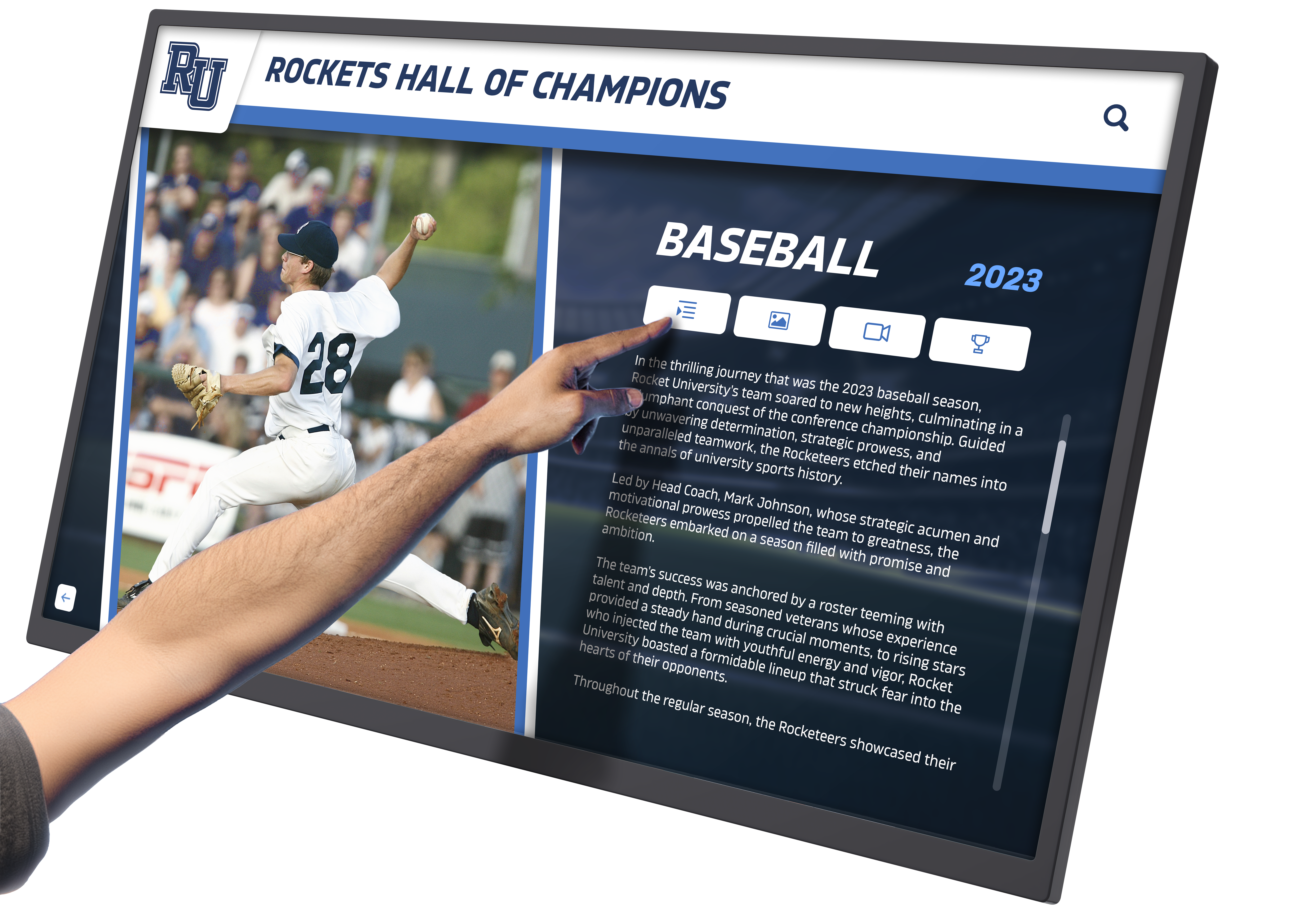
Rich multimedia profiles transform basic recognition into engaging storytelling experiences visitors actively choose to explore
Common Implementation Challenges and Solutions
Understanding typical obstacles helps schools avoid predictable pitfalls while preparing contingency plans.
Technical Integration Complexities
Schools discover that kiosks rarely operate as isolated systems, requiring integration with existing infrastructure:
Network and IT Integration Issues
Common technical challenges include:
- Network security policies blocking necessary content sources or update mechanisms
- Bandwidth limitations preventing smooth video playback during high-usage periods
- Authentication requirements conflicting with anonymous public access needs
- Firewall rules preventing cloud-based content management systems
- Legacy systems lacking APIs for desired data integration
Solution Approaches: Involve IT leadership during planning stages rather than after purchase, document network requirements clearly in RFP processes, conduct pilot testing in actual network environments before full deployment, and establish dedicated VLANs or network segments for kiosk systems when security policies create conflicts.
Content Development Resource Constraints
Many schools underestimate ongoing content creation demands:
The Content Treadmill Problem
Administrators envision dynamic, constantly refreshed content but lack resources producing it:
- Limited staff time for photography, writing, and design work
- Competing priorities relegating kiosk updates to perpetual back-burner status
- Lack of clear ownership creating responsibility diffusion
- Perfectionism preventing good-enough content from going live
Solution Approaches: Start with achievable content refresh frequency rather than aspirational goals, leverage existing content sources (school newspapers, social media, athletics websites) for kiosk content, establish student media classes or clubs as content contributors, automate what’s possible (social media feeds, calendar integrations, automated achievement imports), and set “good enough” quality standards preventing perfectionism paralysis.
Discover interactive display ideas that balance engagement value with realistic content production capabilities.
User Adoption and Awareness Building
The most sophisticated kiosk provides zero value if visitors don’t know it exists or understand how to use it.
The “Invisible Technology” Problem
Schools report kiosks with excellent content getting ignored because:
- Visitors don’t recognize devices as interactive versus passive displays
- Lack of clear call-to-action or usage prompts
- Interface complexity intimidating non-technical users
- Poor placement in peripheral vision rather than natural sight lines
- Competition from smartphones providing familiar information access
Solution Approaches:
- Use motion-activated attention-getting animations on home screens
- Display clear “Touch to explore” messaging with visual touch indicators
- Station ambassadors near kiosks during high-traffic events demonstrating usage
- Create smartphone-style familiar navigation patterns
- Develop brief video tutorials showing kiosk capabilities
- Include kiosk orientation in campus tour scripts
- Promote specific content through social media and newsletters driving kiosk traffic
Schools implementing comprehensive launch awareness campaigns report 3-4x higher initial adoption compared to “install and hope people notice” approaches.
Selecting Vendors and Implementation Partners
Vendor selection significantly impacts both initial deployment success and long-term satisfaction.
Evaluating Kiosk Solution Providers
Not all interactive kiosk vendors bring equal experience, capability, or commitment to educational environments.
Essential Vendor Qualification Criteria
Assess potential partners across multiple dimensions:
Education Sector Experience
- Portfolio of successful school implementations demonstrating relevant expertise
- Understanding of educational requirements beyond generic commercial kiosk applications
- References from schools similar in size, budget, and objectives
- Awareness of educational purchasing processes, timelines, and budget cycles
Technical Capability Assessment
- Demonstrated ability to integrate with existing school systems (SIS, websites, databases)
- Clear content management workflows appropriate for school staffing realities
- Robust security implementation addressing public access challenges
- Reliable technical support including response time guarantees and support hours
- Hardware warranty terms and replacement policies for failed components
Implementation Support Quality
- Comprehensive planning assistance including site surveys and content strategy guidance
- Professional installation services managing all technical and physical requirements
- Staff training programs ensuring administrators can manage systems independently
- Launch support addressing inevitable unexpected issues during initial deployment
- Ongoing relationship investment beyond initial sale
Request detailed implementation timelines, support response commitments, and total cost of ownership projections including all hidden costs like annual licensing, support contracts, or required maintenance agreements.
Total Cost of Ownership Considerations
Purchase price represents only partial investment. Comprehensive cost analysis prevents budget surprises:
Initial Investment Components
- Hardware costs (display, computer, enclosure, mounting)
- Software licensing (one-time purchase vs. ongoing subscription models)
- Installation services (site preparation, mounting, network configuration)
- Initial content development (if vendor provides content creation services)
- Staff training for system administration
Ongoing Operational Costs
- Annual software licenses or support contracts (typically 15-20% of initial software cost)
- Electricity consumption (commercial displays running 12-16 hours daily)
- Network bandwidth and associated IT infrastructure
- Content development staff time or contracted services
- Periodic hardware replacement (displays typically last 5-7 years in continuous use)
- Cleaning and maintenance supplies
Three-year total cost of ownership provides more accurate comparison basis than initial purchase price alone. A $15,000 system with $500 annual licensing costs more over three years than a $17,000 system with no recurring fees.
Schools investing in comprehensive touchscreen kiosk solutions benefit from understanding both immediate and long-term financial commitments.
Future-Proofing Your Interactive Kiosk Investment
Technology evolves rapidly. Smart planning anticipates capabilities emerging over typical 5-7 year kiosk lifecycles.
Scalability and Expansion Planning
Initial installations rarely remain isolated. Plan for growth from the beginning:
Multi-Location Deployment Considerations
Schools often start with single lobby kiosks then expand to athletic facilities, performing arts centers, libraries, or academic buildings. Design initial systems supporting expansion:
- Centralized content management enabling updates across multiple kiosks simultaneously
- Templated designs allowing location-specific content within consistent frameworks
- Bulk licensing or volume pricing for additional displays
- Network architecture supporting multiple endpoints without redesign
Starting with scalable infrastructure costs little extra initially while preventing expensive retrofitting when expansion occurs.
Integration Expansion Possibilities
Today’s wayfinding kiosk becomes tomorrow’s multi-purpose platform when architecture supports evolution:
- Mobile app integration creating seamless cross-platform experiences
- Calendar system integration automatically updating event information
- Student information system connections enabling automated achievement recognition
- Donation platform integration facilitating on-site giving
- Social media aggregation displaying real-time community activity
Select systems with documented APIs and integration capabilities even if initial deployment doesn’t require them.
Emerging Technology Considerations
Anticipate capabilities becoming standard over kiosk lifespans:
- Artificial intelligence: Conversational interfaces allowing natural language questions
- Computer vision: Gesture control eliminating physical touch requirements
- Augmented reality: Virtual facility overlays enhancing wayfinding
- Advanced analytics: Machine learning identifying engagement patterns and optimization opportunities
- Voice interaction: Accessibility improvements and hands-free operation
While bleeding-edge features rarely justify immediate investment, hardware with sufficient processing power and software with modern architectures position schools to adopt valuable capabilities as they mature.
Conclusion: Transforming Lobbies Into Engagement Centers
Interactive touch screen kiosks represent far more than digital signage upgrades—they fundamentally transform how school lobbies function within institutional strategies. Beyond wayfinding convenience and achievement celebration, effective kiosks demonstrate technological sophistication signaling educational innovation, reduce administrative burden through visitor self-service, create measurable donor engagement lifting advancement outcomes, provide data insights revealing visitor interests and priorities, and deliver consistent brand experiences reinforcing institutional identity.
The most successful implementations recognize that technology serves strategy rather than existing for its own sake. Kiosks aligned with clear institutional objectives—whether improving prospective family experiences, enhancing donor recognition, celebrating student achievement, or reducing administrative burden—generate measurable returns justifying ongoing investment. Installations pursued because “we should have interactive technology” without defined purpose typically underdeliver regardless of technical sophistication.
Schools ready to transform lobbies from passive waiting spaces into dynamic engagement centers should begin with honest assessment of objectives, resources, and commitment. What specific problems will kiosks solve? Who will maintain content ensuring ongoing relevance? How will success be measured and validated? These foundational questions matter more than display specifications or feature lists.
For schools seeking comprehensive interactive recognition solutions purpose-built for educational environments, Rocket Alumni Solutions provides complete touchscreen kiosk systems combining professional hardware, intuitive content management, and educational expertise helping schools create lobby experiences worthy of their institutions. Explore how interactive displays can elevate your lobby from functional space to powerful first impression creating lasting engagement with your school community.































