
Walk into almost any school lobby, university athletic wing, or museum entrance today and you will likely find a large screen mounted to the wall. Many of these displays simply cycle through rotating slides or play looping videos — content that exists because the screen does, not because it serves anyone in particular. Visitors walk past without stopping. The screen glows. Nobody touches it.
Interactive touch screen digital signage changes that pattern entirely. When a display responds to the person standing in front of it — surfacing relevant information, accepting search queries, revealing deeper layers of content on demand — something shifts. People stop. They explore. They find content that connects to them personally. A school alumnus searches by graduation year and finds their own athletic record. A parent discovers that their child’s name appears alongside decades of team history. That moment of engagement is what separates a cold, passive display from one that genuinely warms a community space.
This guide explains how interactive touch screen digital signage actually works at a technical level, what hardware and software components you need to deploy it successfully, and what to evaluate before you commit to a purchase. Whether you are planning a school athletic hall of fame, a university alumni recognition wall, or an organizational campus directory, understanding the fundamentals will help you make a confident, well-informed decision.
What Makes a Digital Sign “Interactive”
Most digital signs operate on a broadcast model: content cycles on a predetermined schedule regardless of who is watching. Interactive touchscreen systems work differently. They respond to input from the person standing in front of the screen, enabling search, navigation, profile browsing, and content discovery on demand. The screen becomes a two-way interface rather than a one-way display.
This distinction has real practical consequences. A school with 400 athletic hall of fame inductees cannot display all of them meaningfully on a rotating slide deck — at 10 seconds per slide, cycling through all profiles would take over an hour. An interactive system lets a visitor search by name, graduation year, or sport and reach exactly the person they came to find within seconds. That capability requires both specific hardware and purpose-built software working together.
Interactive digital signage in school and organizational settings covers a wide range of applications — from athletic recognition walls to campus directories to donor displays — each requiring a thoughtful combination of touch technology, content management, and placement planning.
How Touch Screen Technology Works
Understanding the underlying touch technology helps you make better decisions about hardware selection, durability, and long-term performance.
Projected Capacitive Touch (PCAP)
Projected capacitive technology is the dominant standard for commercial touchscreens today. A grid of conductive electrodes embedded behind the display glass creates an electric field. When a finger — or a conductive stylus — contacts the surface, it disrupts the field. The system calculates exactly where the disruption occurred and registers a touch event at that coordinate.
Key characteristics of PCAP technology:
Multi-touch support: Most PCAP panels support 10 or more simultaneous touch points, enabling pinch-to-zoom gestures, two-finger navigation, and concurrent interactions from multiple users at the same display.
High positional accuracy: PCAP panels typically resolve touch location to sub-millimeter precision, which matters for small on-screen buttons and detailed navigation menus.
Protected sensing layer: The electrode grid sits behind protective glass, so the active sensing components are never directly exposed to physical contact or wear.
Moisture compensation: Standard PCAP panels can misfire when heavy surface moisture accumulates. Higher-end commercial PCAP panels include moisture-rejection algorithms that distinguish fingertip contact from water droplets — relevant in environments where displays face condensation or heavy-handed cleaning.
Glove sensitivity: Some commercial PCAP panels support touch through thin gloves — useful for lobby environments in colder climates where visitors enter wearing winter gloves.
PCAP is the same fundamental technology found in mobile phones and tablets, scaled up to commercial large-format displays. For most school and organizational recognition applications, PCAP on commercial panels offers the best combination of precision, durability, and multi-touch capability.
Infrared (IR) Touch Technology
Infrared touchscreens use a frame around the display perimeter that emits a grid of invisible infrared light beams across the screen surface. When a finger, stylus, or any opaque object interrupts one or more beams, the system calculates the contact point through beam intersection mapping.
Key characteristics of IR technology:
Object-agnostic detection: Works with fingers, styluses, thick gloves, or any object that blocks the beam — useful in environments where users wear heavy work gloves.
No special surface coating required: The screen glass itself can be standard material; the sensing happens at the frame level.
Larger bezel requirements: Since sensing frames run along display edges, IR panels typically have slightly larger bezels than PCAP equivalents.
Ambient light sensitivity: Strong ambient light — especially direct sunlight streaming through nearby windows — can interfere with IR beam detection. Placement planning matters more with IR than PCAP.
IR technology commonly appears in very large-format displays (75 inches and above) where manufacturing high-quality PCAP panels at that scale becomes cost-prohibitive.
Optical Touch Technology
Optical touch systems use cameras mounted at screen corners to detect contact points through triangulation. Less common in signage applications than PCAP or IR, optical touch handles very large formats and works with any contact object. Calibration requirements and occasional latency issues make optical touch less common for high-traffic recognition displays where responsiveness directly affects visitor experience.
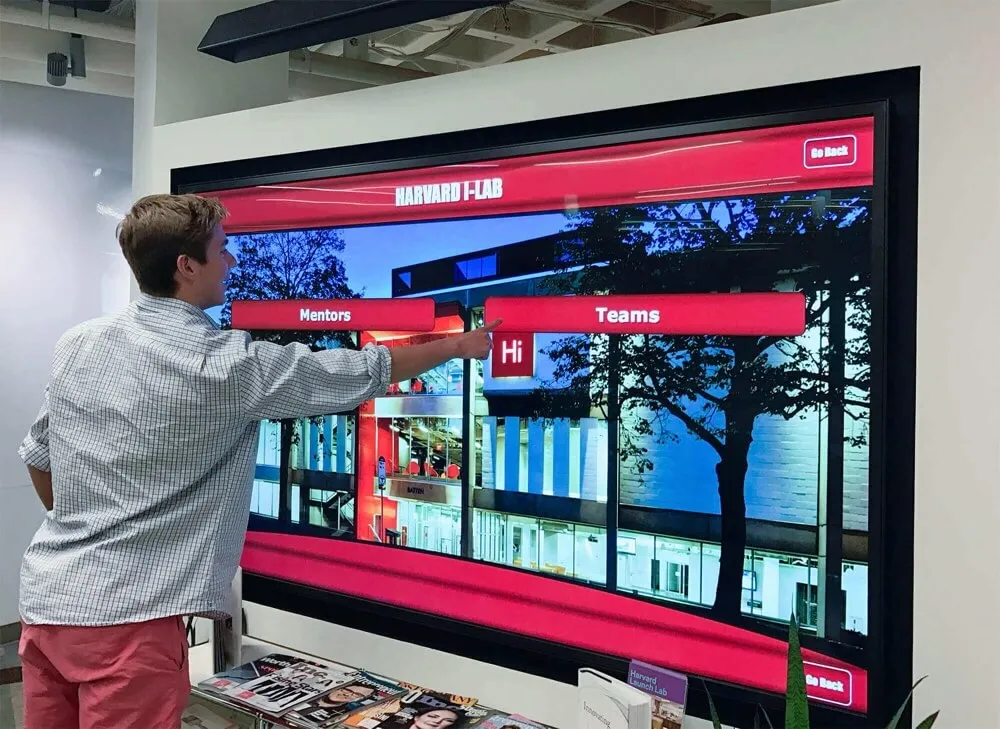
Projected capacitive touch technology enables precise navigation through multi-level interactive menus on large-format commercial displays
Hardware Components You Need
Interactive touchscreen signage involves more than a display panel and a power cord. Here is what a complete installation typically requires.
The Display Panel
Commercial vs. Consumer Displays
Consumer televisions sold at retail are designed for home environments: 4 to 6 hours of daily operation, moderate brightness levels, and warranties that explicitly exclude commercial use. Commercial displays are rated for continuous operation — often 16 to 24 hours per day — include longer-duration warranties, and manage the thermal load that comes with around-the-clock use.
For any permanent signage installation, specify commercial-grade displays. Consumer panels used as signage screens degrade faster under continuous operation and typically void warranties in the process. The upfront cost difference is real but small relative to the total system cost and the expense of premature replacement.
Brightness Specifications
Display brightness is measured in nits (candelas per square meter). The appropriate target depends on ambient lighting conditions:
| Environment | Recommended Minimum |
|---|---|
| Dimly lit corridor | 350–450 nits |
| Standard school lobby | 500–700 nits |
| Near windows or skylights | 700–1,000 nits |
| Outdoor or semi-outdoor | 1,500+ nits |
Most school lobby applications fall in the 500–700 nit range. Underspecifying brightness produces washed-out displays that are difficult to read from anything beyond arm’s length — a common and preventable installation failure.
Screen Size
Size selection depends on viewing distance and the content you plan to display:
- 43–49 inches: Appropriate for close-range kiosk use at arm’s length to six feet
- 55 inches: Common for hallway-mounted recognition displays serving typical corridor foot traffic
- 65–75 inches: Well-suited to lobby focal points and athletic recognition walls
- 86 inches and above: Statement-scale installations in high-ceilinged entry spaces
For recognition applications featuring profile photos and biographical text, larger panels give content room to breathe at reading distances. Wayfinding directories relying on large tap targets can work on smaller formats.
Resolution
For displays under 65 inches viewed at close range, 4K resolution (3840 × 2160) ensures that photos and text look sharp rather than pixelated. At larger panel sizes, 4K matters even more. Avoid 1080p for primary recognition applications — photo quality degrades visibly when visitors stand two to three feet from the screen.
Computing Hardware
The display panel outputs an image, but something must generate that image.
Built-In Media Players
Some commercial displays include a built-in system-on-chip (SoC) media player. These are convenient but typically limited in processing power — sufficient for simple playlist-based signage but potentially underspecified for complex interactive applications requiring fast database search, large media libraries, and smooth animations under simultaneous user input.
External Media Players and Mini PCs
A dedicated media player or compact PC connected via HDMI or DisplayPort provides more processing headroom. For interactive recognition systems with content databases spanning hundreds or thousands of profiles, dedicated computing hardware generally delivers a better experience.
Web-Based Processing
Web-based touchscreen platforms process complex queries server-side, which reduces the local computing burden significantly. A browser running on a mid-range mini PC can deliver rich interactive experiences when the software is designed around web architecture. This approach also enables remote content updates without accessing the physical device — a critical operational advantage for schools and organizations managing content with non-technical staff.
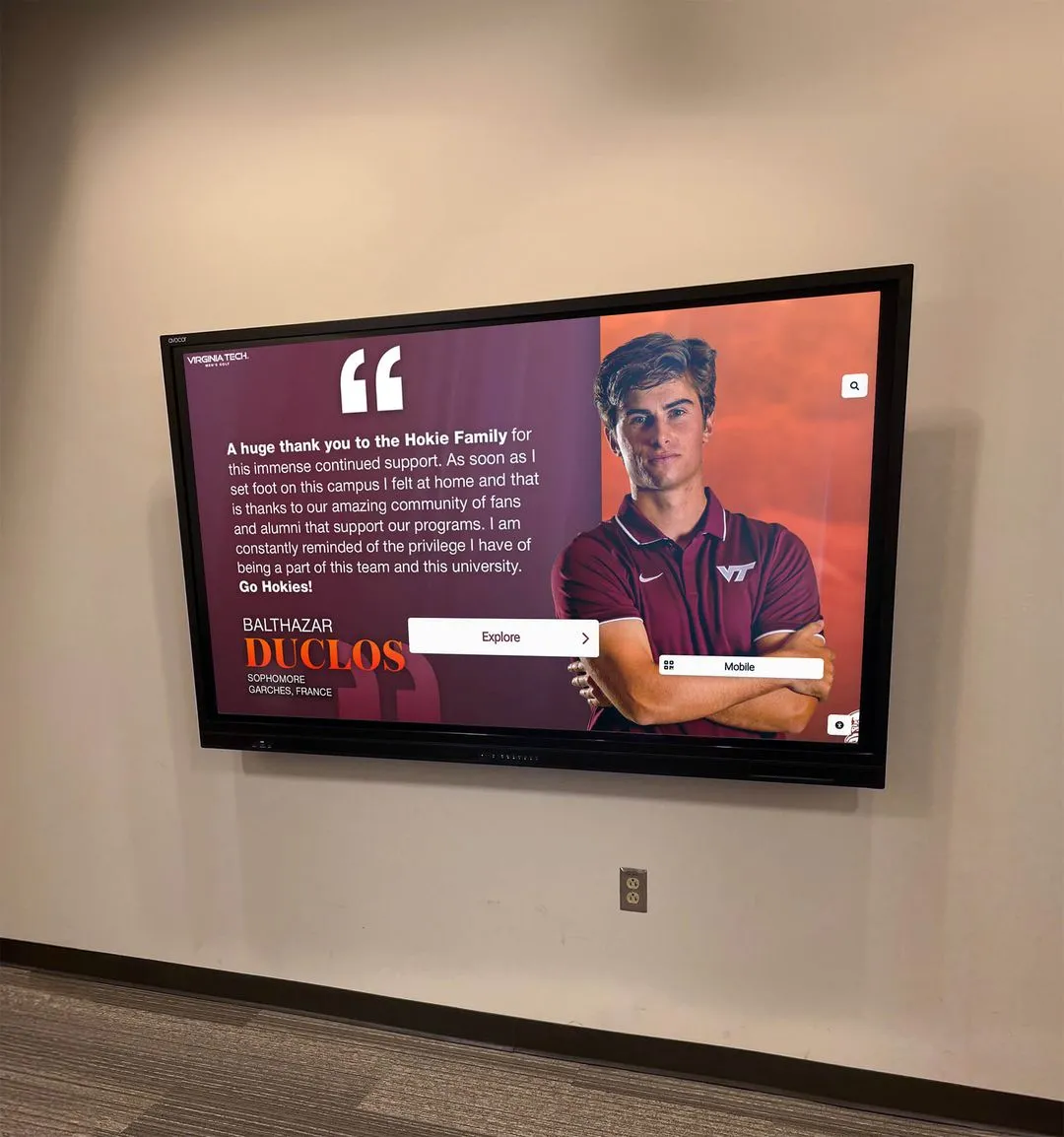
Commercial-grade large-format displays require proper sizing, brightness, and mounting height specifications to serve community members across a range of viewing distances
Mounting and Enclosures
Wall Mounts
Commercial displays require mounts rated for their weight and dimensions. VESA mount compatibility is the standard interface — confirm that your chosen display and mount share the same VESA pattern (common sizes include 400×400, 600×400, and 800×400 mm). Heavy displays at 75 inches and above benefit from articulating mounts that allow angle adjustment after installation.
Kiosk Enclosures
Freestanding kiosk enclosures house displays and computing hardware in a single unit, with built-in cable management, a locking compartment for the computing equipment, and sometimes cable raceways to the floor. Kiosks are common in lobbies where wall mounting is impractical or where multiple-sided visibility is desired.
ADA Reach Compliance
The Americans with Disabilities Act requires that touchscreen controls accessible to standing users must also be reachable by wheelchair users. The maximum operable part height is 48 inches from the floor for a forward reach, or 46 inches for a side reach over an obstruction. Mounting primary interactive controls within this height range is a legal requirement for public facilities receiving federal funding — not a preference. Verify compliance requirements with your facilities team before finalizing installation plans.
Software and Content Management
Hardware provides the surface. Software determines what happens when someone touches it. This is where interactive signage deployments most commonly under-invest.
Web-Based vs. Locally Installed Software
Interactive signage platforms fall into two main categories:
Locally Installed Applications
Traditional signage software installs directly on the media player. Content updates require physical access to the device, remote desktop connection, or manual USB file transfers. These systems can operate without internet but create significant management friction — every content change involves an IT process, which means updates get delayed or skipped.
Web-Based Platforms
Modern interactive recognition platforms run as web applications delivered through a browser on the display device. Content management happens through a web-based CMS that any authorized staff member can access from any internet-connected device. When an athletic director adds a new hall of fame inductee from their office, the change appears on the lobby display immediately — no IT ticket, no USB drive, no trip to the screen.
Web-based architecture also enables multi-device access for interactive museum and gallery-style displays — alumni exploring a hall of fame from home see the same content as someone standing at the physical touchscreen in the school lobby. That transforms a local display into a community-wide engagement platform.
Essential CMS Features for Recognition Applications
Not all content management systems are suited for recognition use cases. Look for these capabilities:
Unlimited content capacity: Some platforms charge per inductee, per profile, or per content entry. If you plan to honor 50 hall of fame athletes today and 500 over the next decade, per-entry pricing becomes expensive and creates an incentive to leave people out. Flat-rate platforms with unlimited entries support comprehensive, equitable recognition without ongoing per-person budget calculations.
Non-technical content editing: Coaches, athletic directors, alumni coordinators, and development staff — not IT departments — will manage most recognition content. Platforms built for non-technical users include template-based profile creation, media upload workflows, preview modes, and clear publishing steps. If adding a new inductee requires an IT ticket, the content will not be kept current.
Media management: Recognition profiles gain substantially from photos, video clips, and documents. The CMS should handle multiple image formats, provide automatic resizing for different display contexts, support video clips, and maintain organized media libraries without requiring format conversion expertise from users.
Search and filter architecture: Interactive signage earns its value when visitors can find what they came to see. The software must support text search, multi-attribute filtering (by sport, year, award category, achievement type), and browsing pathways that encourage exploration. Behind the interface, the CMS must make these capabilities easy to configure and update without developer involvement.
Accessibility Compliance
Public institutions — schools, universities, government facilities — are legally required to meet accessibility standards. For web-based interactive signage, WCAG 2.1 AA is the applicable standard under federal accessibility requirements.
WCAG 2.1 AA requires, among other criteria:
- Text contrast ratios of at least 4.5:1 for normal text and 3:1 for large text
- Keyboard navigability for all interactive functions
- Screen reader compatibility through semantic HTML and ARIA landmark roles
- Minimum touch target dimensions (WCAG 2.5.5 recommends at least 44×44 CSS pixels)
- Captions for all non-decorative video content
- Descriptive alt text for all non-decorative images
Few interactive signage platforms have achieved full WCAG 2.1 AA certification. This matters legally for schools receiving federal funding, and practically for community members who rely on assistive technologies to access recognition displays. When evaluating platforms, ask vendors specifically which WCAG 2.1 criteria they have tested against, whether third-party audit documentation exists, and how accessibility issues are addressed in ongoing software updates.
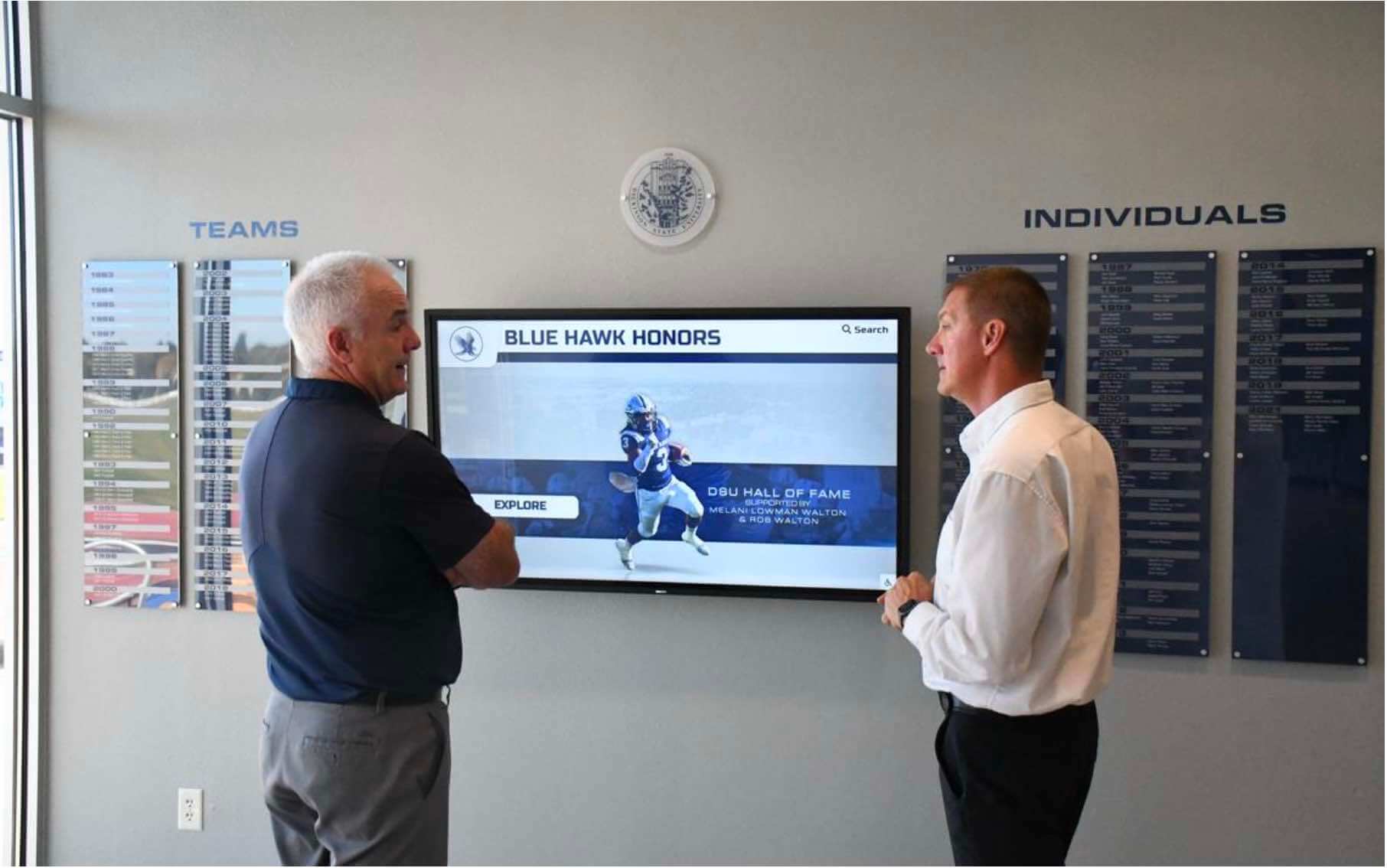
Purpose-built recognition platforms create shared community experiences where visitors explore achievement history together in high-traffic institutional spaces
Network and Connectivity Requirements
Interactive touchscreen systems require dependable internet connectivity to deliver full functionality.
Wired vs. Wireless Connections
Ethernet (wired) connections are strongly preferred for commercial signage applications. Wired infrastructure provides consistent bandwidth, lower latency, and more stable uptime than Wi-Fi in environments with many competing wireless devices — school buildings with hundreds of student and staff devices are a common example. Most commercial display panels and media players include ethernet ports. If your installation location lacks ethernet runs, plan for that infrastructure in your budget before finalizing the location.
Wi-Fi can work in buildings with strong, stable wireless infrastructure. However, Wi-Fi introduces variables — interference from neighboring devices, signal degradation near structural obstacles, and potential congestion during peak use periods — that make it less predictable than wired connections for always-running displays.
For large touchscreen display deployments in schools, IT teams consistently report that wired ethernet connections reduce support calls and connectivity-related display downtime compared to Wi-Fi alternatives.
Bandwidth Requirements
Interactive recognition platforms are not bandwidth-heavy by any modern standard. A typical interactive hall of fame display loading profiles and photos requires roughly 2–10 Mbps for acceptable performance. Consistent latency matters more than raw bandwidth — a 10 Mbps connection with variable response times will feel slower than a 5 Mbps connection with consistent throughput.
For multi-screen deployments across a building or campus, assess whether your network infrastructure can support simultaneous display loads without degradation during peak school hours.
Remote Management Capability
One major operational advantage of networked interactive signage is remote management. Authorized staff can:
- Update, add, or remove content without visiting the physical display
- Monitor display status and connectivity health
- Restart the application remotely if needed
- Push software updates without physical hardware access
- Review usage data (popular content categories, session duration, search terms used)
This remote capability reduces the ongoing IT burden substantially. Evaluate whether your chosen platform provides these management tools and what level of technical knowledge they require from the staff who will use them.
Offline Operation
Some installations face inconsistent internet connectivity due to building infrastructure age or location. Ask prospective vendors:
- Does the platform cache content locally so displays remain operational during internet outages?
- How quickly does content re-synchronize when connectivity is restored?
- Are there specific content types that require live connectivity (social media feeds, real-time data)?
For most recognition applications, local content caching with periodic sync provides sufficient continuity even in buildings with occasional connectivity interruptions.
Content Strategy: What Works on Interactive Touchscreens
Hardware and software create the foundation. Content determines whether anyone engages. Interactive touchscreens reward content that benefits from exploration — information visitors want to discover rather than receive passively.
Recognition Content
Recognition content drives the deepest engagement on interactive displays. When individuals see themselves or people they know honored on a touchscreen, they explore further, return to show others, and develop stronger emotional connections to the institution hosting the display.
Effective recognition content categories include:
Athletic hall of fame profiles with career statistics, graduation years, photos, and achievement history — searchable by name, sport, graduation year, or award type. Year-round athletic recognition programs that display achievement continuously rather than only at annual banquets sustain engagement throughout the school year.
Academic recognition including honor roll displays, scholarship recipients, academic all-state honorees, and distinguished graduates. Searchable databases let alumni find their own recognition years or decades after graduating.
Donor recognition walls displaying contributor names, giving levels, and recognition histories. Interactive donor displays allow organizations to honor more contributors than any physical wall could fit, while giving donors a more personally relevant and discoverable recognition experience.
Historical timelines and archives showing institutional history, championship seasons, team photos, and cultural milestones. These content types create exploratory engagement where visitors spend far more time than they initially planned — what community engagement practitioners often call a “digital warming” effect, where a previously cold, passive display becomes an active gathering point.
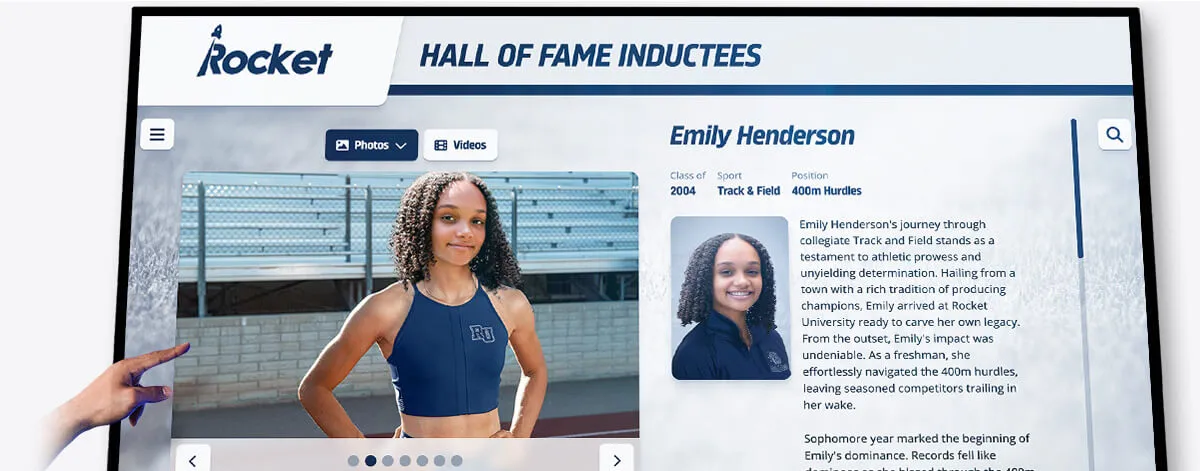
Individual athlete profiles with career statistics, photos, and achievement records give community members personally relevant content to explore on interactive displays
Wayfinding and Directory Content
Campus directory displays, building maps, department listings, and event schedules serve practical navigation needs. Interactive kiosk guides for campus navigation help visitors find what they need independently, reducing foot traffic to main offices and presenting information more currently than any printed directory can.
For schools, combining recognition and wayfinding on a single display can make both more effective — a visitor searching for the athletic department might discover the hall of fame profile for a former athlete they remember, and stay engaged far longer than they expected.
Content Freshness and Update Cadence
Static content undercuts engagement. Displays maintained with timely, current content see substantially better engagement than those updated on annual cycles.
Practical update schedules for common recognition types:
- Weekly: Athlete of the week, recent academic honors, upcoming event schedules, weekly award recipients
- Seasonal: New team rosters, tournament results, postseason recognition, championship celebrations
- Annual: Hall of fame inductee class additions, annual award recipients, updated statistical records
- Event-driven: Signing day announcements, state championship recognition, special community milestones
The platform you choose must make updates simple enough that the responsible staff member actually does them. Complex systems requiring IT involvement create delays that let content go stale — which defeats the purpose of the investment.
Designing touch screen experiences that genuinely engage visitors requires more than good hardware — the content strategy and update process must be built into the operating plan from day one.
Placement and Installation Planning
Where and how you install interactive displays significantly affects how much engagement they receive.
Location Selection
High foot traffic is the primary criterion. A touchscreen in a back hallway that nobody walks through will not engage anyone regardless of how good the technology is. Common high-engagement locations include:
- Main lobby or entry vestibule
- Athletic wing corridor adjacent to the gymnasium or competition venues
- Student commons and cafeteria approaches
- Adjacent to existing trophy cases or recognition walls
- Alumni event spaces and conference areas
Dwell time potential matters as much as raw foot traffic. Locations where people naturally pause — waiting for a meeting to start, watching a game, eating lunch, picking up students — generate more interaction than corridors people move through quickly. Place displays where context and behavior support exploration.
Sight lines and approach angles determine whether a display attracts walk-up engagement or requires intentional navigation to find. Displays visible from 30 or more feet away draw people toward them. Tucked or cornered displays require visitors to already know they exist.

Placement near existing pride elements — mascot murals, trophy cases, athletic banners — creates natural gathering points that make interactive displays destination experiences
Structural and Infrastructure Requirements
Before finalizing installation locations, confirm:
- Wall load capacity for the planned display weight — 75-inch commercial displays commonly weigh 80 to 120 pounds
- Power outlet availability within reach of the display and computing hardware
- Network connection — ethernet drop preferred, or confirmed strong Wi-Fi access point as an alternative
- Mounting surface — solid concrete block or stud framing supports heavy displays better than drywall alone
Ventilation matters for always-running commercial panels, which generate meaningful heat during continuous operation. Manufacturers typically require at least four to six inches of clearance around the panel perimeter. Fully enclosed mounting without airflow shortens display lifespan and may void hardware warranties.
Temperature and humidity ranges matter for long-term hardware health. Avoid locating displays near exterior doors in climates with extreme temperature differentials, or in spaces prone to high humidity.
Evaluating Interactive Touchscreen Platforms
Once you understand the hardware and software requirements, vendor evaluation becomes more concrete. Here is what to assess.
Purpose-Built vs. Generic
Generic digital signage platforms — designed primarily for menu boards, corporate communications, or retail advertising — can technically display content on a touchscreen. However, they are rarely built for the interactive recognition use cases that schools and organizations most need.
Features like searchable inductee databases, auto-ranking record boards, profile browsing across hundreds of entries, and QR code mobile access require purpose-built recognition software. Generic CMS tools adapted for recognition use cases typically deliver inferior search performance, less appropriate content structures, and higher ongoing management burdens than platforms built specifically for community recognition from the ground up.
Ask any vendor: “Have you built systems specifically for athletic hall of fame, alumni recognition, or donor wall applications?” Generic providers adapting general tools for recognition use will typically give you workarounds rather than solutions.
Pricing Model Transparency
Pricing models vary significantly across the market:
Per-entry pricing scales costs with the number of inductees or content entries. This creates budget unpredictability and can discourage comprehensive recognition — if adding another inductee costs money, programs may skip deserving candidates.
Flat-rate licensing charges a consistent annual or monthly fee regardless of content volume. This supports unlimited recognition without per-person cost calculations.
Bundled vs. separate hardware — some vendors require purchasing hardware through them; others support any compatible commercial display. Bundled hardware simplifies procurement but may reduce flexibility in sizing and specifications.
Request complete pricing including hardware, software, installation, and ongoing annual costs. Understand what happens to your recognition content if you change platforms — data portability matters for archives that accumulate decades of institutional history.
Support and Ongoing Service
Interactive signage requires ongoing maintenance. Displays age, software updates, content grows. Evaluate:
- What support channels exist, and what are guaranteed response times?
- Are software updates included in the annual fee?
- Who is responsible for hardware warranty claims — the software vendor, the hardware manufacturer, or a separate integrator?
- What training is provided for content management staff, and is ongoing training available as staff turns over?
- How long has the vendor operated, and what evidence exists of long-term platform support?
Vendor longevity matters more for recognition archives than for most signage applications. A hall of fame display accumulates years of institutional history. A vendor that exits the market or discontinues the platform leaves organizations with no straightforward path for content migration.
Choosing a Platform Built for Recognition
For schools, universities, athletic departments, and organizations seeking purpose-built interactive recognition technology, Rocket Alumni Solutions offers a platform specifically built for community recognition and engagement — not adapted from a generic signage tool.
The platform pairs commercial-grade touchscreen displays with web-based recognition software that authorized staff can update from any internet-connected device. Key capabilities include:
- Unlimited entries: No caps on inductees, photos, or recognition records — every deserving individual gets honored without per-entry cost constraints
- Auto-ranking record boards: Achievement rankings update automatically as new records are set, eliminating manual maintenance cycles
- QR code mobile access: Community members access the same recognition content on their phones, extending engagement beyond the physical display location
- WCAG 2.1 AA compliant: Fully accessible interactive experiences meeting ADA requirements for public facilities
- Remote CMS: Content updates from anywhere without visiting or accessing the physical hardware
- Scheduled publishing: Content releases planned in advance, including inductee announcements and seasonal recognition
- Sponsorship suite: Revenue opportunities through built-in sponsor recognition on recognition displays
The result is what practitioners describe as “digital warming” — a display that feels alive and relevant to the community it serves, surfacing content that connects to individual histories and group identities, rather than cycling generic content at a passive audience.
See how interactive touch screen TV technology serves schools for recognition and storytelling to understand the range of applications purpose-built recognition platforms support.
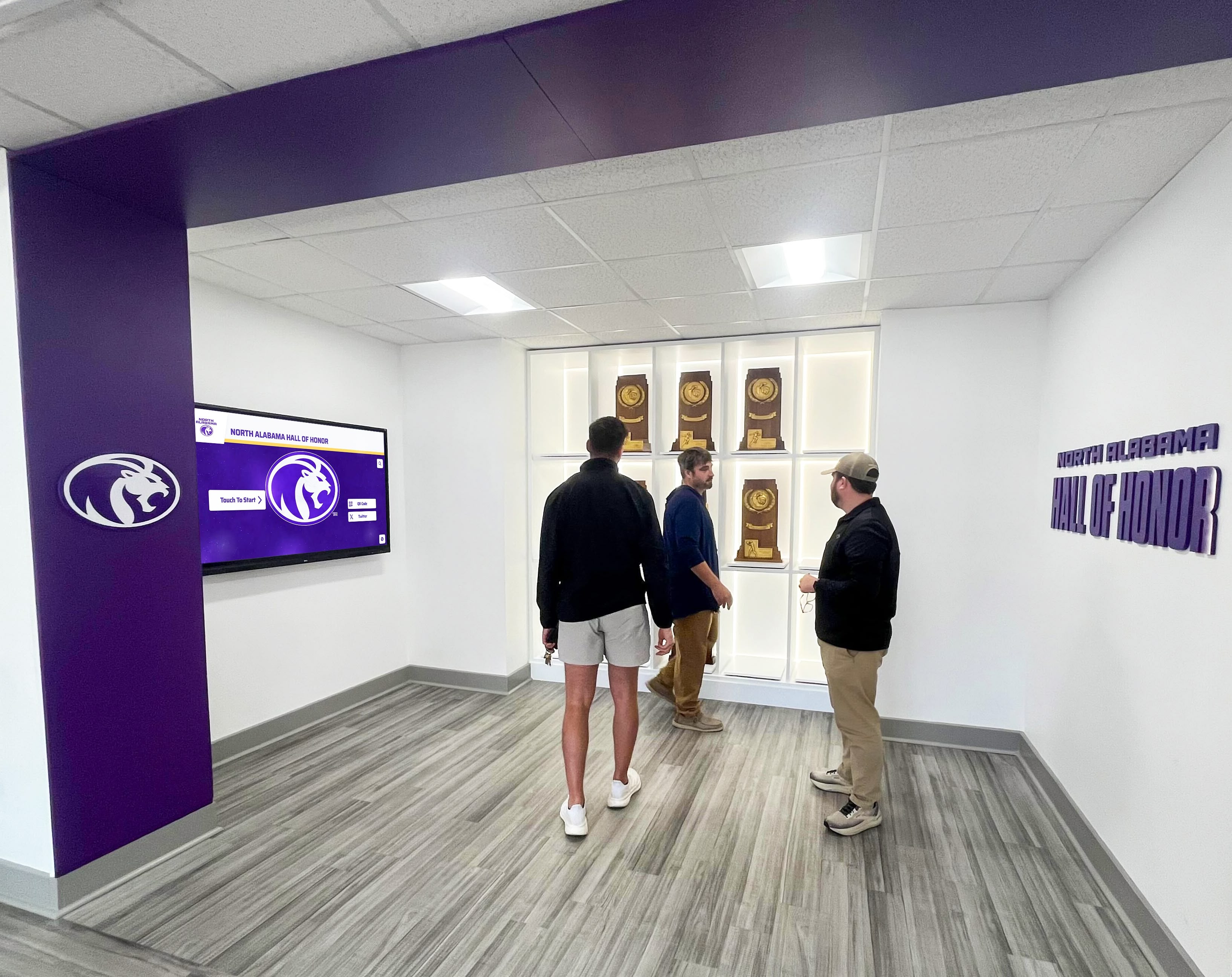
Purpose-built recognition platforms transform institutional trophy cases and award displays into searchable, community-engaging experiences that bring people together around shared history
Total Cost of Ownership: What to Budget
Understanding the full cost of an interactive touchscreen signage deployment prevents budget surprises.
Hardware Costs
Commercial touchscreen display pricing varies by size and technology:
- 43-inch commercial touchscreen: approximately $1,000–$2,500
- 55-inch commercial touchscreen: approximately $2,000–$4,000
- 65-inch commercial touchscreen: approximately $3,000–$6,000
- 75-inch commercial touchscreen: approximately $5,000–$10,000
These ranges reflect commercial-grade PCAP or IR panels appropriate for permanent institutional use. Installation costs — mounting hardware, cable runs, media player equipment, labor — typically add $500 to $2,000 depending on location complexity.
Software Licensing
Software licensing structures vary considerably. Purpose-built recognition platforms typically charge annual licensing fees ranging from a few thousand dollars to higher tiers for larger organizations or enterprise deployments. Comparing total cost over three to five years gives a more accurate picture than upfront price alone — a lower initial cost that grows with per-entry fees may exceed a flat-rate alternative over a typical deployment lifespan.
The K-12 touchscreen digital signage buyer’s guide provides detailed cost and feature comparison frameworks specifically for school deployments.
Ongoing Maintenance Budget
Plan for:
- Hardware extended warranty coverage (1–3 year options for commercial displays)
- Annual software licensing renewal
- Content management staff time (commonly 2–4 hours per week for active recognition programs)
- Hardware replacement budget for eventual end-of-life (commercial displays commonly last 5–7 years under normal continuous use)
Frequently Asked Questions
What is the difference between interactive digital signage and regular digital signage?
Regular digital signage plays content in a fixed sequence — slides, videos, or animations cycle on a schedule regardless of who is watching. Interactive digital signage responds to user input, enabling search, navigation, and content discovery on demand. Interactive systems require touchscreen hardware and software specifically designed for user interaction rather than broadcast playback.
Do I need a special internet connection for interactive touchscreen displays?
Standard broadband internet typically provides adequate bandwidth for interactive recognition applications. Wired ethernet connections are strongly preferred over Wi-Fi for stability. Most interactive signage platforms require only 2–10 Mbps for smooth operation. Multi-screen deployments across a campus benefit from higher-bandwidth connections with consistent latency.
How long do commercial touchscreen displays last?
Commercial-grade displays rated for 16–24 hours of daily operation typically last 5–7 years under normal institutional use. Consumer TVs adapted for signage fail significantly sooner due to thermal stress from continuous operation. Always specify commercial-grade panels for permanent institutional signage.
Can interactive touchscreen signage meet ADA compliance requirements?
Yes, but compliance requires deliberate choices across both hardware and software. Mounting heights must meet ADA reach requirements (maximum 48 inches for forward reach). Software must meet WCAG 2.1 AA standards for digital accessibility. Not all platforms have documented compliance with these standards — ask vendors for specific testing documentation and third-party audit records.
What content types generate the most engagement on interactive displays?
Recognition content — hall of fame profiles, athletic records, award recipients, donor walls — consistently generates deeper engagement than purely informational or wayfinding content. When community members find themselves, their teammates, or their family members in a searchable database, they explore more deeply and return more often to show others.
How responsive should an interactive touchscreen feel?
Touch responsiveness directly affects user retention. Research on interactive kiosk interfaces shows that response latency above 100 milliseconds noticeably degrades the user experience, while latency below 50 milliseconds feels natural and immediate. When evaluating platforms, test touch response under realistic load conditions — not just an empty demo environment.
How often should content be updated on an interactive display?
Recognition content benefits from regular additions: new inductees, updated records, seasonal award recipients. At minimum, plan for major annual updates. More frequent updates — weekly athlete recognition, monthly academic honors — drive higher return engagement. Choose a platform with CMS tools simple enough that non-technical staff can maintain content without IT assistance for routine updates.
Can visitors access the touchscreen content on their phones?
Web-based interactive signage platforms can extend the same content to any internet-connected device. Best-in-class kiosk software for schools consistently identifies mobile extension as a key differentiator — alumni and supporters can access the same hall of fame profiles and recognition content from their phones anywhere, extending community reach well beyond the physical display location.
Making Your Decision
Interactive touch screen digital signage represents a significant institutional investment — in hardware, software, content, and ongoing management. The technology pays off when all these components work together around a clear purpose: creating genuine engagement with the communities your organization serves.
For schools and organizations whose primary goal is recognizing people — honoring athletic achievement, preserving institutional history, celebrating academic accomplishment, acknowledging donors — purpose-built recognition platforms deliver substantially better outcomes than generic signage software adapted for these uses.
The most effective deployments combine commercial-grade hardware matched to your environment, web-based software that non-technical staff can actually maintain, accessibility compliance that serves all community members, and a content approach that keeps displays feeling current and personally relevant to the people who walk past them every day.
When a display responds to the person standing in front of it by surfacing content connected to their history, their teammates, or their community — that is when the investment in interactive touchscreen technology genuinely delivers on its promise.
Talk to our team to learn how Rocket Alumni Solutions deploys interactive touch screen recognition systems for schools, universities, and organizations.































