




Caring for family members with dementia presents countless daily challenges. Among the most heartbreaking is watching loved ones struggle to remember faces, names, relationships, and cherished moments that once defined their lives. Many family caregivers search for practical tools to help maintain connections, stimulate memory recall, and create comforting environments—yet feel overwhelmed by expensive specialized equipment designed for institutional care facilities rather than home settings.
When one caregiver managing two family members with dementia reached out asking about economical screen solutions for memory displays, the question reflected a common need facing millions of families. Home caregivers require simple, affordable systems that display familiar photos and biographical information, enable easy content updates without technical expertise, and operate reliably without constant supervision or maintenance.
Traditional printed photo albums become impractical when cognitive decline prevents page-turning or when photos need frequent rotation to maintain engagement. Expensive institutional memory care systems designed for nursing facilities far exceed typical family budgets while offering complex features home caregivers don’t need. This gap between institutional solutions and home caregiver realities leaves families struggling to find appropriate tools supporting memory care at manageable costs.
This comprehensive guide explores practical touchscreen and digital display options specifically for family caregivers managing dementia care at home. You’ll discover economical hardware solutions under $500, simple content management approaches requiring no technical expertise, evidence-based practices for memory display effectiveness, and realistic implementation strategies for small-scale home environments where one person manages multiple loved ones’ care.

Simple touchscreen interfaces help dementia patients maintain connections to family memories and relationships
Understanding Memory Display Benefits for Dementia Care
Research demonstrates that familiar visual content—family photos, personal history, and biographical information—provides therapeutic benefits for individuals experiencing cognitive decline. Before investing in technology, understanding how memory displays support dementia care helps families choose appropriate solutions and set realistic expectations.
How Visual Memory Stimulation Helps
Dementia often affects recent memory formation while leaving long-term memories relatively intact, particularly during early and moderate disease stages. Visual cues from familiar photos, places, and life events can trigger recognition and emotional responses even when verbal memory fails.
Recognition Over Recall
Individuals with dementia frequently cannot spontaneously recall information but may recognize familiar content when presented visually. Photos of children, grandchildren, spouses, or significant life events may spark recognition creating brief moments of connection even if names remain elusive. These recognition moments reduce frustration, provide comfort through familiar imagery, and create opportunities for meaningful interaction between caregivers and those receiving care.
Biographical Context and Life Story
Displaying personal biographical information alongside photos helps caregivers, visiting family members, and the individuals themselves maintain connections to life stories. Career information, hometown details, significant achievements, and family relationships provide conversation prompts and identity anchoring as memory deteriorates.
Memory care facilities increasingly implement life story displays showing residents’ personal histories. Family caregivers can adapt these approaches for home environments through simple digital displays showing photos with biographical captions reinforcing identity and personal history.
Reduced Agitation Through Familiarity
Dementia often creates confusion, anxiety, and agitation when individuals cannot recognize surroundings or understand their environment. Familiar visual content creates reassuring environmental cues reducing stress through recognition of personal connections even when explicit memory fails.
Regular exposure to familiar faces and places creates comforting ambient presence. Digital displays cycling through family photos provide passive memory stimulation without requiring active engagement or creating pressure to remember specific details that might increase frustration.

Digital displays cycle through familiar photos and personal information providing continuous memory support
What Makes Memory Displays Effective
Not all photo displays equally benefit dementia patients. Effective implementations share specific characteristics supporting therapeutic goals rather than simply showing images.
High Contrast and Clear Visibility
Dementia often accompanies age-related vision changes including reduced contrast sensitivity and difficulty with small details. Effective memory displays feature high-contrast photos with clear facial details, avoid busy backgrounds that create visual confusion, use large text sizes for any accompanying captions, and maintain appropriate brightness for viewing in varying room lighting.
Technical specifications matter less than practical visibility—displays should show faces clearly from typical viewing distances whether individuals sit several feet away or approach closely for examination.
Relevant Personal Content Only
Generic scenery or stock photos provide no therapeutic value. Effective displays show only personally relevant content including immediate family members the individual knows, important life events they experienced, familiar places from their history, and pets or possessions with emotional significance.
Caregivers should avoid including distant relatives or acquaintances the individual may not recognize, as unfamiliar faces can create confusion rather than comfort. Focus on core family members and the most significant relationships defining their life experience.
Regular Content Rotation
Even familiar photos become invisible through overexposure. Regular content rotation maintains engagement while preventing habituation. Effective approaches rotate between different photo collections weekly or biweekly, feature seasonal content creating temporal orientation, and periodically reintroduce older photos that may trigger different memories.
Digital systems simplify content rotation compared to printed photo management, enabling caregivers to schedule automatic display changes without manual intervention.
Appropriate Pacing and Timing
Rapidly changing digital slideshows create confusion rather than comfort. Effective memory displays show each photo for adequate viewing time, typically 30-60 seconds minimum allowing comfortable observation, use smooth transitions rather than jarring effects, and avoid motion video that may prove overstimulating or confusing.
The goal is creating calm, pleasant ambient content rather than attention-demanding entertainment requiring active focus and comprehension.
Economical Hardware Options for Home Caregivers
Family caregivers managing limited budgets need affordable equipment delivering essential functionality without expensive institutional features inappropriate for home settings.
Digital Photo Frames: Budget-Friendly Starting Point
High-quality digital photo frames represent the most economical option for families seeking simple memory display solutions.
Basic Digital Frame Capabilities
Modern digital photo frames ranging from $100-300 offer features suitable for memory care applications including screen sizes from 10-15 inches providing adequate visibility, built-in storage or SD card slots for photo libraries, slideshow modes with adjustable timing, and simple remote controls for operation.
These consumer devices avoid complexity of full computer systems while providing reliable basic functionality. No technical expertise is required—caregivers simply load photos to SD cards or USB drives and plug devices in.
Connectivity Features Worth Considering
Higher-end digital frames under $300 offer connectivity enabling remote content management—particularly valuable when caregivers manage multiple responsibilities or when multiple family members want to contribute photos. Useful connectivity features include Wi-Fi capability enabling remote photo uploads, dedicated smartphone apps for content management, email-to-frame functionality sending photos directly, and cloud storage integration sharing photos automatically.
These connected features provide flexibility as care situations evolve, though basic offline frames remain entirely functional for families preferring simpler approaches.
Frame Limitations to Understand
Digital photo frames suit many home care situations but include inherent limitations. Screens remain relatively small compared to larger display options, no interactive touch capability exists for exploration or selection, biographical text remains limited or absent, and display orientation is fixed rather than responsive to viewer positioning.
Despite limitations, digital frames provide reliable, affordable memory display for families prioritizing simplicity and budget management over advanced features.
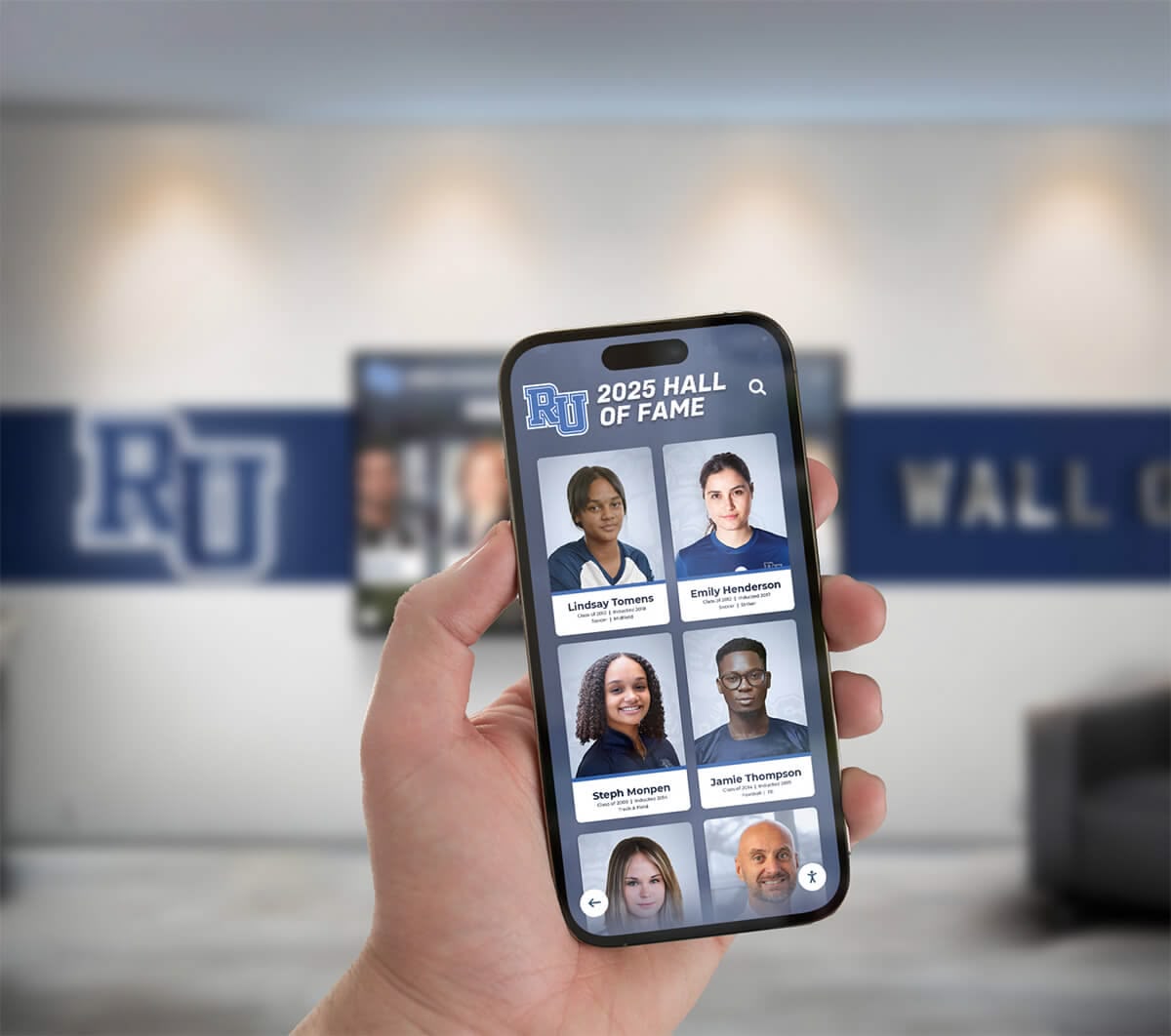
Mobile-friendly interfaces enable easy content management for family caregivers
Tablet-Based Solutions: Flexible and Interactive
Tablets like iPads or Android devices provide increased capability while maintaining affordability and ease-of-use appropriate for home environments.
Tablet Advantages for Memory Care
Consumer tablets ($200-500) offer several benefits over basic digital frames including larger screen options up to 12+ inches, true touchscreen capability for photo selection, video capability showing familiar voices and motion, and app ecosystems providing specialized memory care applications.
Tablet flexibility enables displaying photos through native photo apps, showing videos with familiar family voices, playing familiar music creating comfort, and running specialized dementia care applications designed specifically for cognitive support.
Memory Care Apps and Software
Various iOS and Android applications specifically support dementia care through photo display and memory stimulation. Relevant app categories include digital photo frame apps with slideshow customization, life story apps combining photos with biographical information, memory game applications using personal photos, and music therapy apps playing familiar songs from the individual’s era.
Many specialized apps offer free or low-cost options well within family caregiver budgets. Apps focused on simplicity and clear visual presentation work best—avoid complex applications requiring extensive user interaction or navigation.
Tablet Mounting and Power Management
Converting tablets into dedicated memory displays requires simple accessories including wall mounts or stands maintaining secure positioning, charging cables and power adapters for continuous operation, protective cases preventing accidental damage, and screen protectors maintaining visibility while protecting displays.
Total investment including tablet, mounting accessories, and protective equipment typically remains under $400—well within economical range for most families while providing significantly more capability than basic digital frames.
Connectivity and Remote Management
Tablets’ built-in Wi-Fi and cellular connectivity options enable remote content updates—particularly valuable when primary caregivers live separately from care recipients or when multiple family members want to contribute photos. Cloud photo services like Apple Photos, Google Photos, or Dropbox enable adding new images remotely that automatically appear on displays without requiring physical device access.
This remote capability proves especially valuable for caregivers managing multiple family members in different locations or when adult children want to contribute to parents’ memory displays despite geographic distance.
Smart Displays and Voice Assistants
Smart displays like Amazon Echo Show or Google Nest Hub provide another economical option combining photo display with voice assistant capabilities.
Smart Display Benefits
Devices like Echo Show ($100-250) or Nest Hub ($100-230) offer features supporting memory care including dedicated photo frame modes showing personal photos, voice activation for photo requests when feasible, video calling capability for family connection, and ambient display modes for always-on photo slideshow.
Built-in voice assistants may support simple verbal interaction in early dementia stages, though cognitive decline eventually limits these capabilities. The primary value remains photo display and video calling enabling remote family connection.
Setup Simplicity for Caregivers
Smart displays require minimal technical setup—connect to home Wi-Fi, link to family photo accounts, and configure photo display preferences. Most devices include simple smartphone apps guiding setup processes appropriate for non-technical users.
Once configured, displays operate automatically without requiring daily management. Caregivers add photos to linked cloud accounts, and new images appear automatically maintaining fresh content without manual device interaction.
Video Calling for Family Connection
Video calling capability distinguishes smart displays from simple digital frames. Family members calling from smartphones or other devices appear on displays automatically, enabling face-to-face conversation without requiring care recipients to operate phones or tablets successfully.
This hands-free video capability maintains family connection as cognitive decline makes independent phone use challenging. Caregivers simply answer calls using voice commands or simple touch, and familiar family members appear on screen providing visual and auditory connection simultaneously.
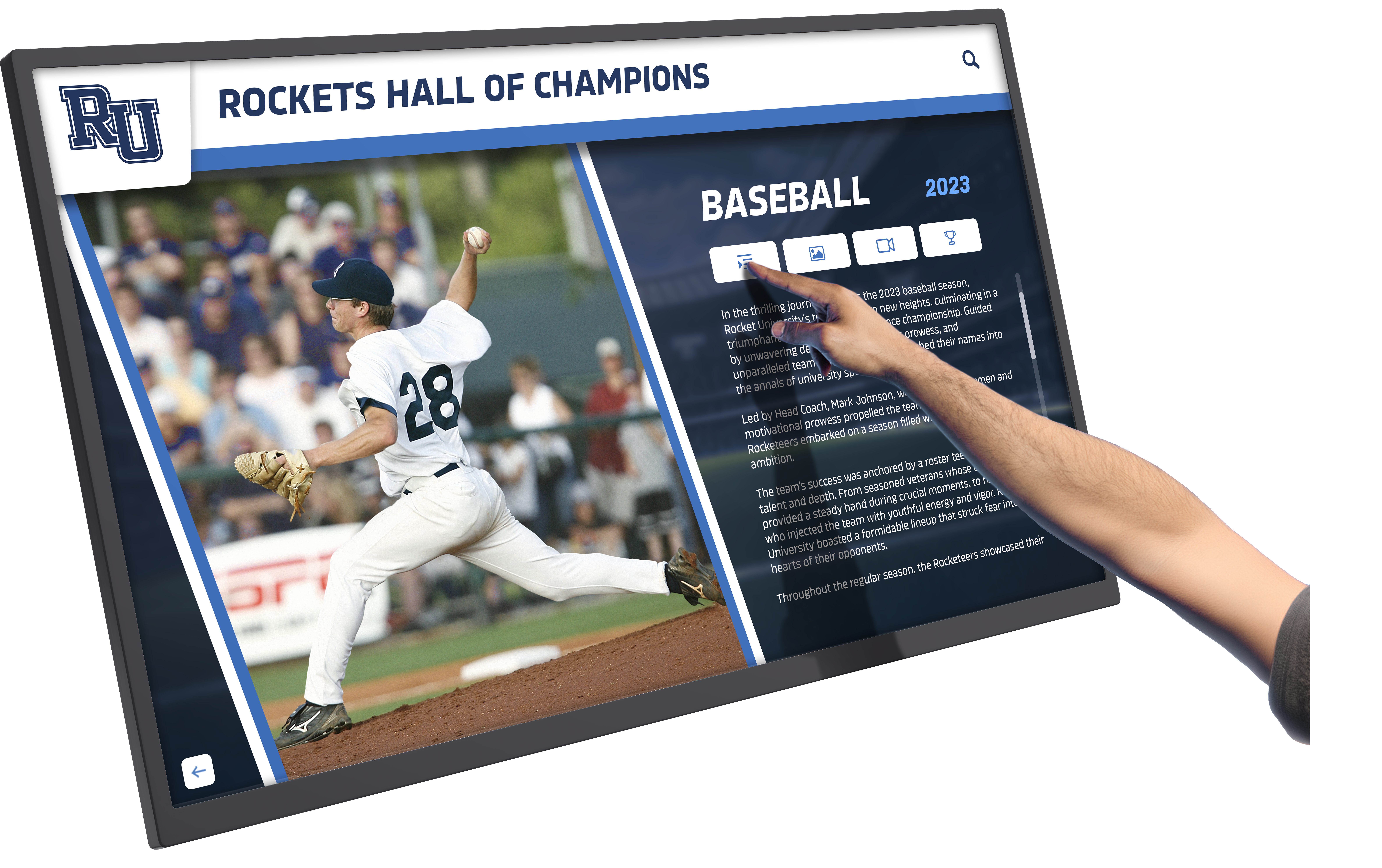
Touchscreen capability enables exploration of family photos and biographical content
Affordable Larger Displays for Common Areas
Families managing care at home may want larger displays for shared living spaces where individuals with dementia spend most time.
Television-Based Solutions
Existing televisions transform into memory displays through inexpensive accessories including streaming devices like Roku, Fire TV, or Chromecast ($30-50), photo apps designed for TV platforms, and screen mirroring from tablets or smartphones.
Most modern smart TVs include built-in photo apps or screen mirroring capability without requiring additional equipment. Caregivers simply load photos to USB drives, access cloud photo services through TV apps, or mirror tablet displays to larger screens.
Dedicated Small Monitors
Affordable small monitors ($150-300) dedicated exclusively to photo display provide larger viewing than tablets while avoiding television association that may feel inappropriate for always-on memory content. Options include 24-32 inch computer monitors or digital signage displays connected to inexpensive mini computers like Raspberry Pi ($35-75) or used laptops providing slideshow functionality.
This approach creates dedicated memory display stations distinct from entertainment screens while maintaining affordability appropriate for family budgets.
Practical Implementation for Home Caregivers
Hardware selection represents only part of successful implementation. Thoughtful content preparation and ongoing management ensure displays deliver intended therapeutic benefits.
Organizing and Preparing Photo Content
Effective memory displays require systematic content preparation ensuring appropriate, high-quality imagery serving therapeutic goals.
Selecting Appropriate Photos
Prioritize images clearly showing faces with good lighting, featuring immediate family members and closest relationships, from significant life periods the individual remembers, and depicting positive experiences and happy occasions.
Avoid photos that may create confusion or distress including unfamiliar people the individual won’t recognize, images from traumatic or difficult periods, and recent photos showing dramatic aging causing confusion about current versus historical appearance.
For individuals in moderate to advanced dementia stages, photos from young adulthood and middle life often work better than very recent imagery. Many dementia patients maintain stronger memory of earlier life periods and may not recognize themselves or others in recent photographs showing significant aging.
Creating Biographical Context
Simple text captions provide context helping individuals understand relationships and life story even when specific memory fails. Effective captions include relationship labels like “Your daughter Sarah”, time period context such as “Your wedding day, 1965”, location information providing environmental context, and brief activity descriptions explaining photo content.
Keep text concise and readable—large fonts with high contrast displaying 1-2 short sentences maximum. Avoid complex explanations requiring sustained attention to understand. The goal is providing quick contextual cues rather than detailed narratives.
Organizing Photos by Theme or Period
Thematic organization creates coherence helping individuals follow narrative threads even when explicit memory fails. Effective organizational approaches include grouping by life period like childhood, young adulthood, middle age, collecting by relationship showing individual family members separately, or organizing by location featuring familiar places and homes.
Avoid random shuffling mixing different periods and contexts, as thematic consistency may support better comprehension and engagement.
Technical Preparation and Quality
Prepare digital photos for optimal display through basic editing ensuring adequate brightness and contrast for clear visibility, cropping to emphasize faces rather than surrounding details, and removing visual clutter or busy backgrounds creating confusion.
Simple free photo editing software available on computers or smartphones enables these basic adjustments. No advanced technical skills are required—simply ensure faces are clearly visible and photos display well on chosen screen sizes.

Organized photo collections with clear portraits work best for memory care displays
Content Management Strategies for Multiple Care Recipients
Caregivers managing two or more family members with dementia face additional complexity ensuring each individual sees personally relevant content.
Separate Device Approach
The simplest approach provides dedicated displays for each individual located in their primary living spaces—separate bedrooms, sitting areas, or personal spaces. This complete separation ensures content relevance while avoiding confusion between individuals’ different life stories and families.
Budget constraints may limit multiple device purchases, though economical options like basic digital frames or used tablets keep costs manageable. Even modest $100 digital frames dedicated to each individual deliver better therapeutic value than sharing single display showing mixed content neither person fully recognizes.
Scheduled Content Rotation on Shared Displays
When budget or space constraints require shared displays in common areas, schedule content rotation showing each person’s photos at different times. Simple approaches include alternating daily or weekly between individuals’ photo collections, scheduling specific display times matched to when each person typically uses spaces, or rotating content every few hours throughout days.
Most digital frames and slideshow applications enable scheduled playlists or timed transitions between photo folders enabling automated content management without requiring manual daily intervention.
Shared Family Content Selection
Some photos appropriately appear for both care recipients—shared family events, mutual relatives, or common experiences both individuals participated in. Identify genuinely shared content both people will recognize and find meaningful, then supplement with individual-specific photos shown during personal display times.
This hybrid approach maximizes content efficiency while maintaining personal relevance ensuring neither individual becomes confused by unfamiliar people or events from another person’s distinct life history.
Daily Operation and Maintenance
Sustainable implementations require minimal ongoing caregiver involvement as displays should operate automatically without constant supervision or adjustment.
Automated Operation
Configure displays for hands-free automatic operation including scheduled on/off times matching when individuals are typically awake and in viewing areas, automatic slideshow playback requiring no initiation, and simple power management preventing excessive energy consumption.
Most display options support basic timers or scheduling. Set displays to turn on mid-morning and off at bedtime, with continuous photo rotation throughout operating hours. This automation eliminates need for manual startup and shutdown daily.
Minimal Maintenance Requirements
Choose solutions requiring minimal technical intervention including periodic screen cleaning maintaining visibility, occasional content updates when new family photos become available, and basic troubleshooting addressing simple connectivity or power issues.
Avoid complex systems requiring regular software updates, frequent content database maintenance, or technical expertise beyond typical home user capabilities. Caregivers managing multiple care responsibilities cannot dedicate significant time to display maintenance.
Positioning and Viewing Considerations
Strategic display placement maximizes benefit while avoiding disruption to daily routines. Position displays in areas where individuals spend significant awake time like living rooms, sitting areas, or bedrooms, at appropriate viewing heights and distances for comfortable observation, and where natural or artificial lighting doesn’t create problematic glare.
Avoid positioning displays where they might interfere with sleep—bedroom displays should shut off at bedtime or be positioned away from direct bed viewing preventing light disruption during night hours.
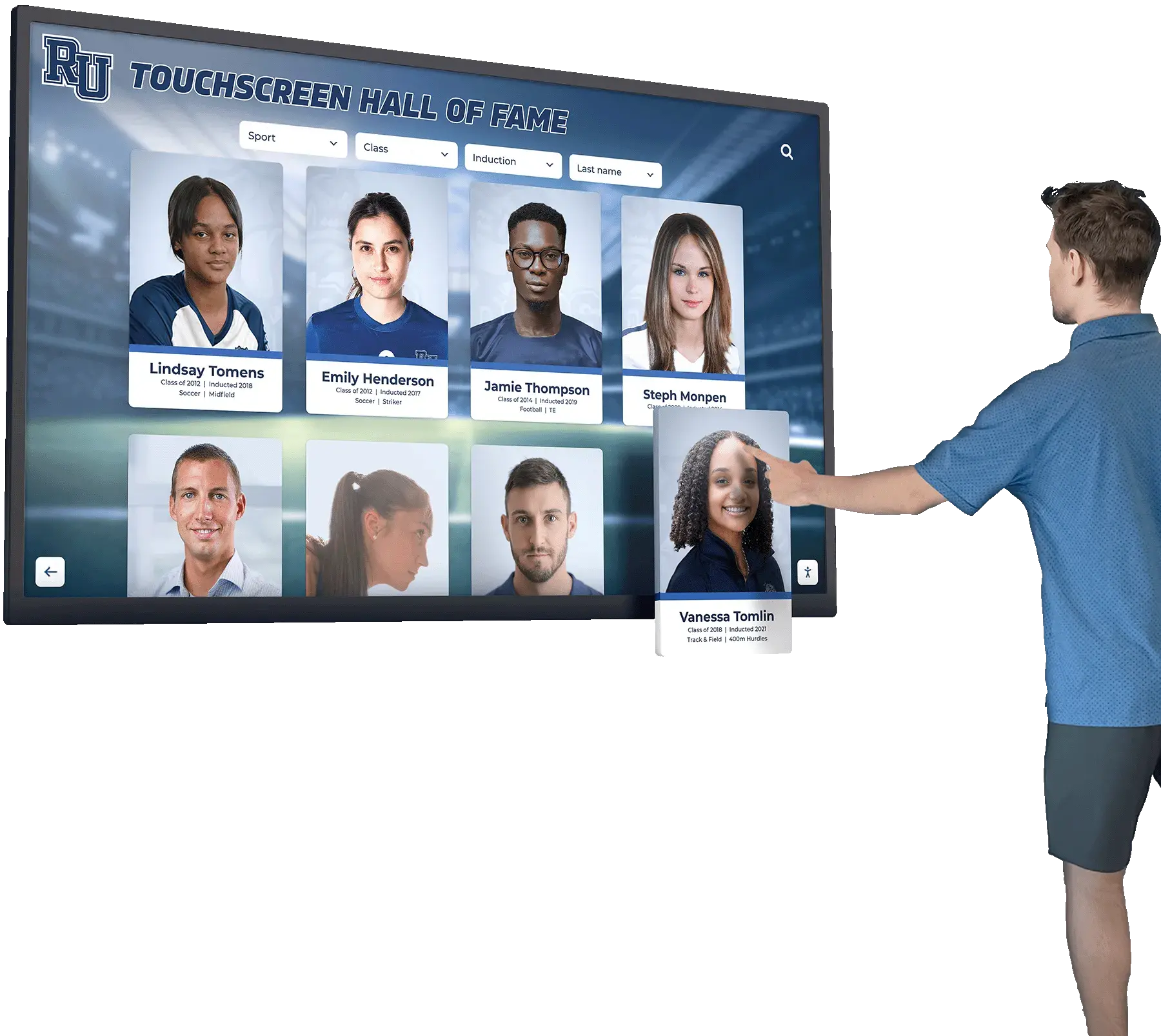
Displays positioned in comfortable viewing areas support natural daily engagement
Budget-Conscious Implementation Strategies
Families managing limited financial resources while caring for multiple individuals need practical approaches maximizing value while controlling costs.
Phased Implementation Approaches
Complete implementation need not happen simultaneously. Phased approaches spread costs while testing effectiveness before full commitment.
Start With One Individual
Begin with single display for the family member showing most responsiveness to visual memory stimulation or experiencing greatest agitation that familiar photos might reduce. Observe effectiveness, refine content and positioning approaches, and expand to additional family members after validating benefits and understanding implementation requirements.
This experimental approach prevents investing in multiple displays before confirming the approach works well for your specific family situation.
Begin With Minimal Equipment
Start with most economical option like basic digital photo frames under $150, then upgrade to more capable tablets or smart displays if initial implementation proves valuable but limitations become apparent. Early implementations using minimal equipment provide learning opportunities informing future equipment selection.
Families discovering that basic frames work perfectly well need never invest in expensive alternatives. Those finding limitations can upgrade informed by actual experience rather than assumptions about needed capabilities.
Utilize Existing Equipment
Survey existing household technology before purchasing dedicated equipment. Options might include unused tablets or iPads gathering dust in drawers, television-based photo display using existing smart TV capability, or old laptops converted into dedicated slideshow displays.
Repurposing existing equipment eliminates or reduces hardware costs while testing viability before investing in new dedicated devices.
Cost Comparison: Practical Options
Understanding complete implementation costs helps families budget appropriately while comparing options:
Budget Option: Basic Digital Frame
- Hardware: $100-150 for 10-inch digital frame
- SD card for photo storage: $15-20
- Total: Under $175 per display
- Best for: Families prioritizing simplicity and minimal cost
Mid-Range Option: Tablet Display
- Hardware: $200-400 for tablet
- Mounting accessories: $30-50
- Photo management apps: Free to $10
- Total: $230-460 per display
- Best for: Families wanting flexibility and touch interaction
Connected Option: Smart Display
- Hardware: $100-250 for Echo Show or Nest Hub
- Photo storage: Free using existing cloud accounts
- Total: $100-250 per display
- Best for: Families wanting remote content updates and video calling
Larger Display Option: TV-Based System
- Streaming device: $30-50 (if TV lacks built-in capabilities)
- USB drive or cloud photo account: $0-20
- Total: $30-70 for existing TV conversion
- Best for: Shared common area displays using existing equipment
For caregivers managing two family members, total investment ranges from $200-900 depending on selected approach and whether dedicated or shared displays are chosen. All options remain well within typical family budgets while avoiding expensive institutional equipment.
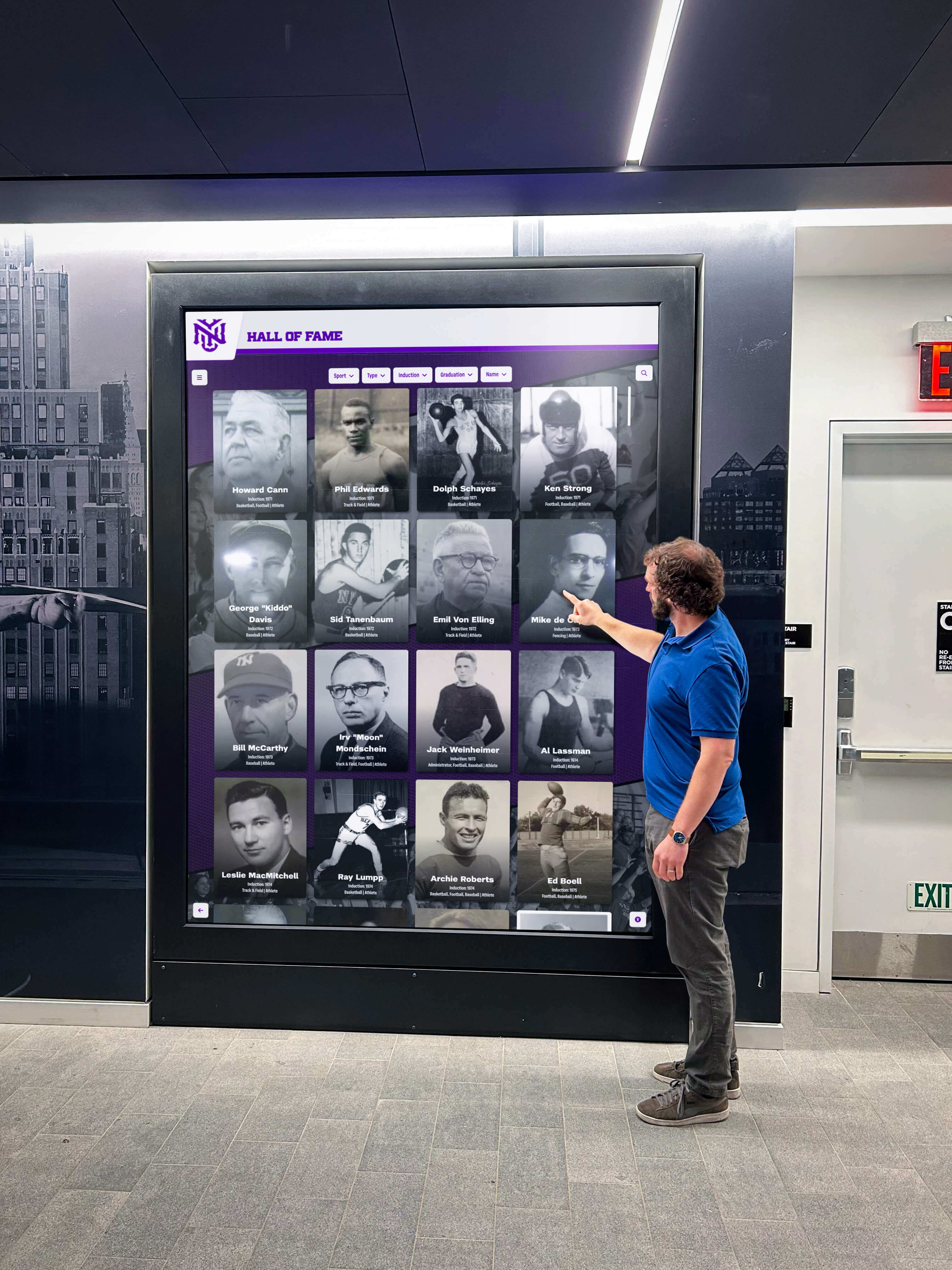
Simple setups provide effective memory support without expensive institutional equipment
Beyond Basic Photo Displays: Enhanced Approaches
As families gain experience with basic memory displays, several enhancements can increase effectiveness while maintaining manageable complexity and costs.
Adding Biographical and Life Story Content
Simple photo displays become more meaningful when supplemented with biographical information reinforcing identity and life accomplishments.
Digital Life Story Books
Life story books—biographical compilations documenting individuals’ life histories, relationships, careers, and significant experiences—provide powerful memory care tools. Digital versions display on tablets through PDF readers or specialized life story applications, enable easy updates as new information emerges, and include multimedia like audio recordings or video clips impossible in printed books.
Various free and low-cost applications support digital life story creation. Caregivers or family members compile information once, then display content on memory care tablets providing richer context than photos alone.
Timeline and Memory Mapping
Interactive timelines showing major life events, career milestones, family additions, and significant experiences help individuals understand their life narrative even when specific memories fade. Simple presentation software or timeline apps create visual life progressions supplementing photo displays with chronological context.
These timelines serve educational purposes for visiting family members or professional caregivers learning about individuals’ backgrounds, while providing memory prompts for the individuals themselves during periods of clearer cognition.
Music Integration for Multi-Sensory Experience
Music provides powerful memory triggers often preserved longer than other cognitive functions during dementia progression. Combining visual photo displays with familiar music creates multi-sensory experiences supporting memory and providing comfort.
Music Selection Principles
Choose music from individuals’ formative years—typically late teens through early adulthood when strongest musical memories formed. For individuals currently in their 70s-90s, music from the 1950s-1970s typically resonates most strongly. Preferences vary individually based on cultural background, personal taste, and life experiences.
Avoid contemporary music unfamiliar to care recipients, as novel content provides no comfort or memory support. Focus exclusively on music from their own generation or cultural tradition.
Synchronized Audio-Visual Displays
Some smart displays and tablets enable playing background music while showing photo slideshows, creating synchronized audio-visual experiences. Family caregivers can prepare playlists matching photo collections—wedding photos accompanied by love songs from that era, or childhood photos with popular music from parents’ young adulthood.
This multi-sensory approach often proves more engaging than visual content alone, as musical memory pathways remain relatively preserved compared to other cognitive functions affected earlier by dementia.
Voice and Video Integration
Adding familiar voices and motion video creates richer memory experiences when appropriate for individuals’ cognitive status.
Family Video Messages
Short video messages from family members maintaining regular contact provide familiar faces and voices supplementing static photos. Adult children, grandchildren, or other relatives can record brief greetings, updates about their lives, or expressions of love that play regularly on memory displays.
These video messages work particularly well with smart displays supporting easy video playback and with tablets running simple video apps. Keep messages brief—30-60 seconds typically—as attention spans often become limited during dementia progression.
Historical Home Videos
Families possessing old home videos showing individuals during healthier periods may digitize content for memory display. Scenes from family gatherings, vacations, or everyday life from decades past often trigger recognition and positive emotional responses.
Exercise judgment about video content appropriateness as dementia progresses. Early stages may benefit from various video content, while later stages may find motion video overstimulating or confusing. Static photos with music often work better for moderate to advanced dementia.
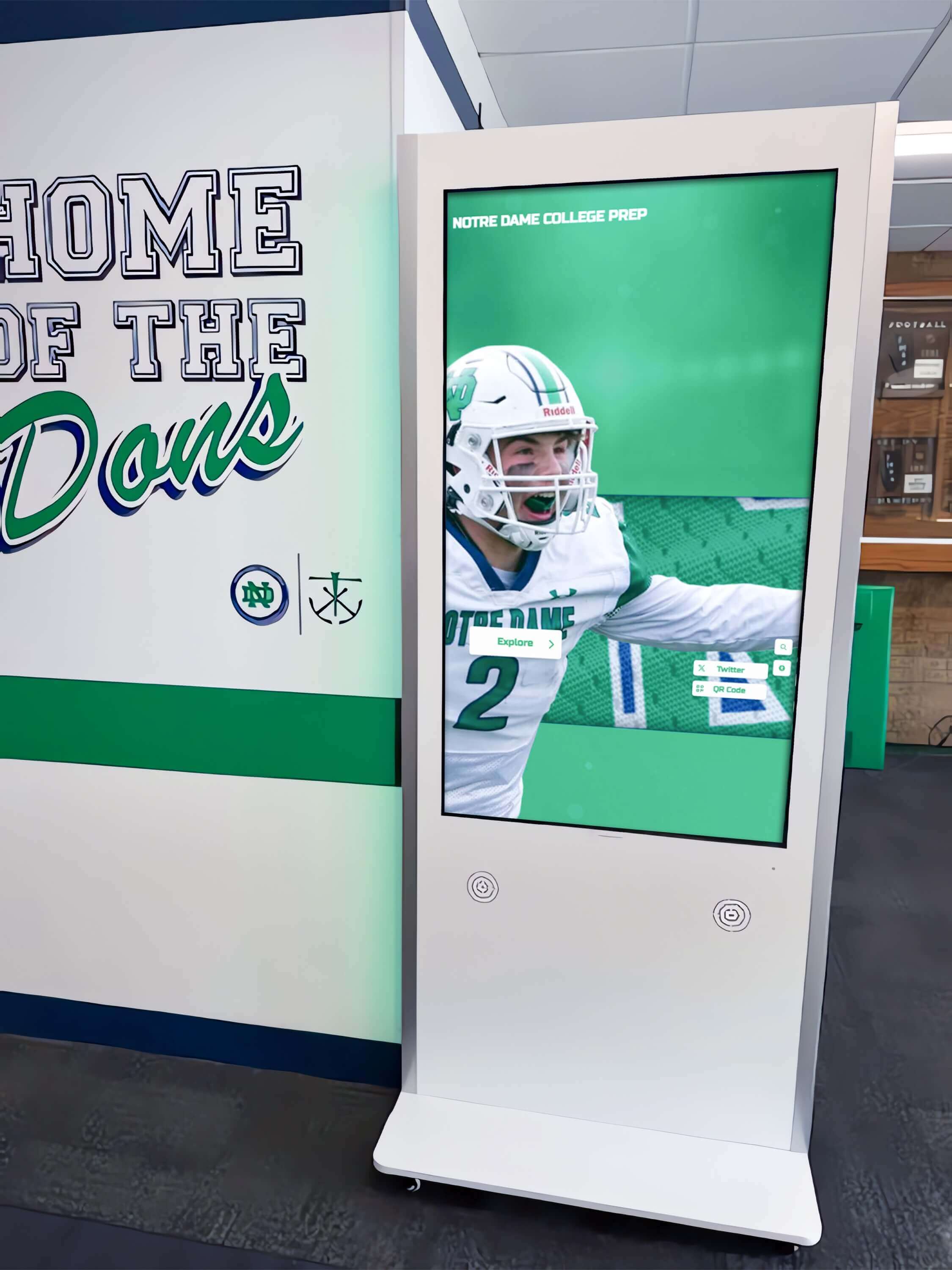
Enhanced displays can integrate photos, biographical information, and multimedia content
Evidence-Based Best Practices and Realistic Expectations
Understanding research-supported approaches and realistic outcomes helps families implement effective memory care displays while avoiding disappointment from unrealistic expectations.
What Research Shows About Memory Care Displays
Limited formal research specifically examines digital memory displays for home dementia care, though related studies provide guidance:
Reminiscence Therapy Evidence
Reminiscence therapy—structured interventions using photos, music, and personal artifacts to stimulate memory—shows modest benefits for mood, engagement, and quality of life in dementia patients. Effects include temporary reduction in agitation and anxiety, increased social interaction during reminiscence activities, and improved mood and affect during and briefly after interventions.
Digital displays enabling passive reminiscence throughout days may extend these benefits beyond structured therapy sessions, though expectations should remain modest. Memory displays provide comfort and environmental enrichment rather than treating underlying cognitive decline.
Personalized Environment Benefits
Research consistently shows that personalized, familiar environments reduce confusion and agitation in dementia patients compared to institutional or unfamiliar settings. Personal photos, familiar objects, and biographical information contribute to environmental personalization supporting orientation and comfort.
Home caregivers already provide familiar environments. Memory displays further enhance personalization by reinforcing connections to family, relationships, and life history through ambient visual content requiring no active engagement.
Realistic Outcome Expectations
Families should understand what memory displays can and cannot accomplish:
What Memory Displays Can Provide
Appropriately implemented displays may deliver benefits including reduced anxiety through familiar visual content, increased family engagement during visits when displays prompt conversation, environmental enrichment creating more homelike therapeutic spaces, and passive memory stimulation throughout daily routines.
These modest benefits prove meaningful for many families even without dramatic cognitive improvement. Comfort, reduced agitation, and maintained family connection justify implementation costs for many caregivers.
What Memory Displays Cannot Do
Memory displays do not halt cognitive decline, restore lost memories permanently, replace human interaction and engagement, or eliminate behavioral symptoms requiring other interventions.
Families should view memory displays as supplementary tools supporting broader care strategies rather than standalone treatments. They complement rather than replace human connection, professional care, medical management, and comprehensive dementia care approaches.
Safety Considerations
Simple memory displays present minimal risks, though families should consider several safety factors:
Electrical Safety
Ensure proper cord management preventing tripping hazards, use surge protectors preventing fire risks, and position displays away from water sources or humidity. These basic precautions apply to all electronic equipment in homes with individuals experiencing cognitive decline who may not recognize electrical hazards.
Screen Safety and Mounting
Securely mount displays preventing falls that might cause injuries or equipment damage. Wall-mounted displays should use appropriate anchoring hardware. Tabletop displays should occupy stable surfaces where they won’t be easily knocked over. Consider protective screen covers preventing sharp edges if displays break.
Behavioral Monitoring
Observe how individuals respond to displays initially. Occasional individuals may find displays distressing rather than comforting—perhaps misidentifying people in photos, becoming confused by technology, or experiencing agitation rather than comfort. Discontinue or adjust implementations if displays cause distress rather than benefit.
Most individuals with dementia respond positively or neutrally to personal photo displays. Negative reactions remain uncommon but should be respected if they occur.
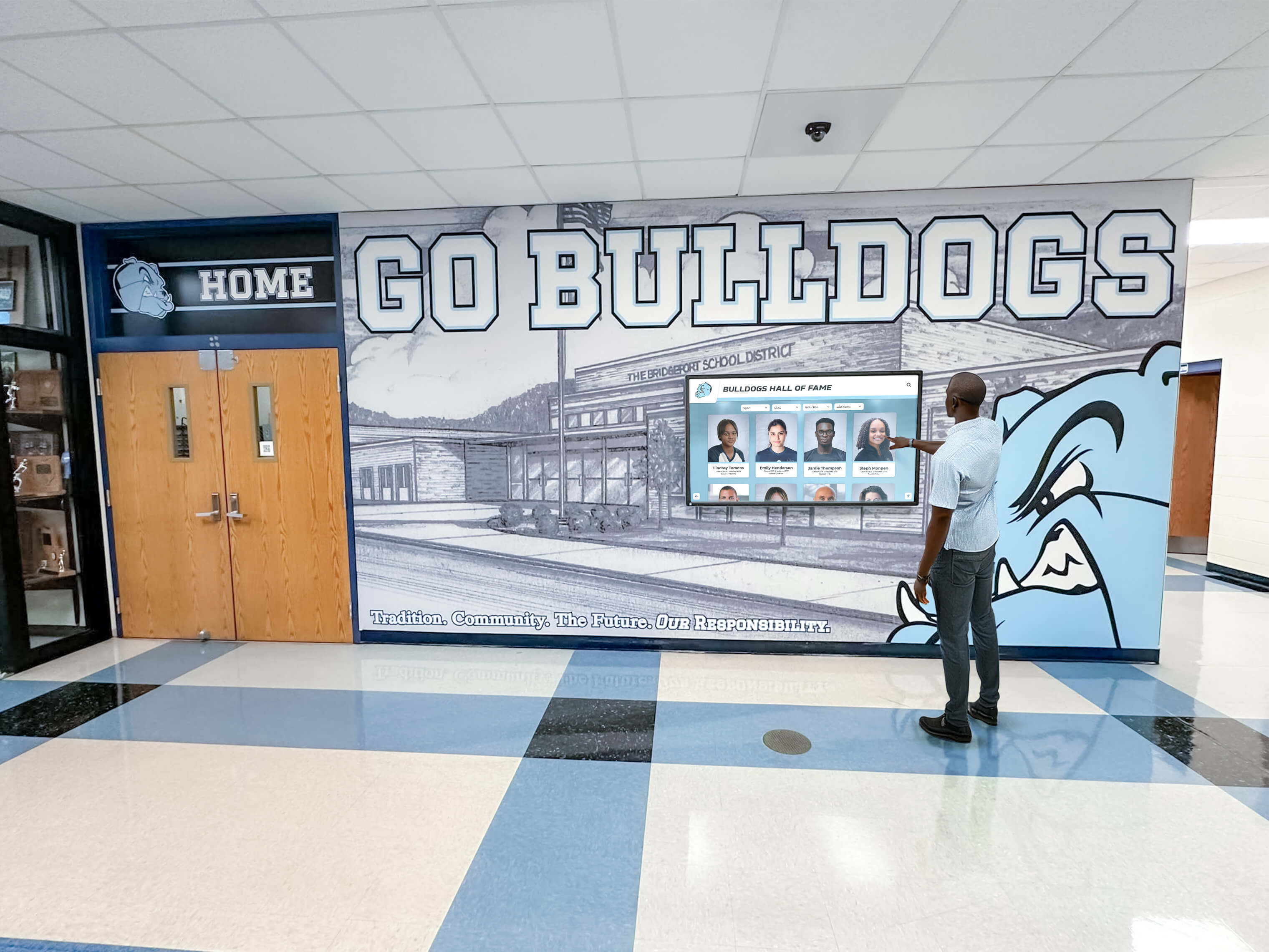
Secure mounting and safe positioning prevent accidents while maintaining accessibility
Getting Started: Practical Action Steps
Families ready to implement memory displays can follow systematic steps ensuring successful deployment:
Step 1: Assess Your Specific Situation
Begin by evaluating care circumstances, capabilities, and goals:
Determine Budget Constraints
Establish realistic budget for initial equipment investment and any ongoing costs for cloud storage subscriptions or app purchases. Options exist across wide price ranges—identify maximum affordable investment guiding equipment selection.
Evaluate Technical Comfort Level
Honestly assess your comfort with technology. Highly technical families might embrace tablet-based solutions with custom configuration, while those preferring simplicity should choose plug-and-play digital frames requiring minimal setup.
Consider Physical Environment
Examine where displays will be positioned, available electrical outlets and connectivity, viewing distances and angles, and whether multiple displays or shared displays better suit physical layouts.
Identify Content Availability
Survey available family photos considering quantity of appropriate photos already digitized, photos requiring scanning from physical prints, family members who might contribute additional photos, and willingness to invest time organizing and preparing content.
Step 2: Select Appropriate Equipment
Based on situation assessment, choose equipment matching capabilities and budget:
For Maximum Simplicity and Budget Consciousness Choose basic digital photo frames requiring minimal setup and ongoing management. Accept limitations around interactivity and connectivity in exchange for simplicity and low cost.
For Flexibility and Enhanced Capability Select tablet-based solutions providing touchscreen interaction, app flexibility, and remote content management. Accept slightly higher costs and setup complexity in exchange for increased capability.
For Video Calling and Remote Family Connection Choose smart displays with video calling supporting geographically distant family relationships. Prioritize connectivity and communication features over photo-only implementations.
For Shared Spaces and Larger Viewing Implement TV-based solutions or dedicated small monitors in common areas where multiple individuals view content. Consider shared content approaches or scheduled rotation between personal collections.
Step 3: Prepare and Organize Content
Systematic content preparation ensures displays deliver maximum benefit:
Digitize Physical Photos
Scan important photos from physical prints using smartphone scanning apps, home flatbed scanners, or professional scanning services if large collections require digitization. Prioritize photos showing clear faces from significant life periods.
Organize Digital Collections
Sort photos into logical groups by life period, relationship, or theme. Create folders or albums enabling scheduled rotation or content management matching chosen equipment capabilities.
Add Biographical Context
Write simple captions providing relationship, date, location, and activity context. Keep text brief and readable. Save captioned photos as image files or prepare separate text files depending on chosen display system’s capabilities.
Gather Additional Content
Collect family videos, voice recordings, and music playlists if chosen equipment supports multimedia content beyond static photos.
Step 4: Implement and Test
Deploy equipment and refine based on actual use:
Configure Display Settings
Set up slideshow timing, brightness, scheduling, and other display preferences appropriate for care environment. Test settings ensuring comfortable viewing without distraction or overstimulation.
Position Displays Appropriately
Mount or position displays in selected locations ensuring safe, stable installation with good viewing angles and appropriate lighting avoiding glare.
Observe Initial Responses
Monitor how individuals with dementia respond to displays during initial days. Positive indicators include appearing to watch displays, commenting on photos, showing improved mood, or reduced agitation. Adjust positioning, timing, or content if initial responses suggest changes would improve effectiveness.
Gather Family Feedback
Ask visiting family members whether displays seem beneficial, whether individuals engage with content, and whether displays prompt meaningful conversation or connection. Family observations provide valuable perspectives beyond primary caregivers’ daily impressions.
Step 5: Maintain and Evolve
Sustainable implementations require ongoing but minimal management:
Schedule Regular Content Updates
Add new family photos monthly or quarterly maintaining freshness and current relevance. Remove photos that seem to create confusion or no longer reflect current family situations.
Rotate Photo Collections
Change displayed photo sets periodically preventing habituation while maintaining engagement. Most display systems enable scheduled content rotation automating this process.
Monitor Equipment Function
Check displays periodically ensuring proper operation, troubleshoot simple technical issues as they arise, and replace equipment when failures occur or capabilities no longer meet needs.
Adjust Based on Disease Progression
As dementia progresses, content preferences may shift. Later stages often respond better to photos from earlier life periods. Monitor effectiveness and adjust content focus as cognitive decline continues.

Thoughtful planning ensures displays deliver maximum therapeutic benefit
Connection to Professional Memory Care Solutions
While this guide focuses on economical home solutions, families should understand how professional memory care environments implement similar approaches and when institutional support might become appropriate.
How Professional Memory Care Uses Digital Recognition
Memory care facilities and dementia care programs increasingly implement digital recognition systems serving similar therapeutic goals as home displays but at institutional scale.
Professional implementations often feature touchscreen recognition displays showing resident life stories, biographical information, and family photos accessible to staff, visitors, and residents themselves. These systems help professional caregivers understand residents’ backgrounds, prompt conversation topics, and provide personalized care reflecting individual histories and preferences.
Larger facilities implement digital signage systems throughout buildings showing rotating resident profiles, biographical content, and historical photos creating personalized environments supporting memory and orientation.
When Home Care May Need Supplementation
Family caregivers providing home care sometimes reach points where additional support becomes necessary. Indicators might include caregiver burnout threatening physical or mental health, care needs exceeding home caregiver capabilities, or safety concerns requiring professional supervision.
Memory care communities provide comprehensive services family caregivers cannot deliver alone, including 24-hour professional supervision, therapeutic programming and activities, medication management and medical oversight, and secure environments preventing wandering risks.
The decision to transition from home care to professional facilities involves complex emotional, financial, and practical considerations. Memory displays implemented during home care can transition to professional settings, as families provide biographical content and photo collections to memory care communities ensuring continuity and personalization even after residential transitions.
Digital Warming in Family Dementia Care
The concept of digital warming—using personalized digital content to create meaningful connection and engagement—applies powerfully to dementia care. When individuals with declining cognitive function see familiar faces in carefully selected photos, when biographical information reinforces identity despite memory loss, and when displays create comfort through visual connection to life history and relationships—these interactions create warmth that supports quality of life even as disease progresses.
Home caregivers implement digital warming through economical displays showing content uniquely meaningful to individuals under their care. Professional memory care facilities scale these approaches creating environments where every resident sees personal content reinforcing identity and connection. Whether at home or in professional settings, personalized digital content transforms sterile, confusing spaces into warm, familiar environments supporting comfort, dignity, and maintained connection to self and family.
Conclusion: Compassionate Care Through Simple Technology
Caring for family members with dementia ranks among life’s most challenging responsibilities. Watching cognitive decline erase cherished memories, relationships, and identity creates heartbreak few outsiders fully understand. Family caregivers managing limited resources while ensuring quality care often feel overwhelmed by complexity and cost of specialized equipment designed for institutional rather than home settings.
Economical memory display solutions—digital photo frames, tablets, smart displays, or repurposed existing equipment—provide practical tools supporting therapeutic goals without requiring expensive specialized systems. These simple implementations display familiar photos prompting recognition and comfort, show biographical information reinforcing identity, enable remote family engagement through connectivity, and operate automatically without demanding constant caregiver supervision.
The barriers to implementation remain modest. Hardware costs range from $100-500 depending on chosen approach and features. Setup requires minimal technical expertise appropriate for typical computer users. Content preparation involves organizing existing family photos and writing simple captions. Ongoing maintenance demands periodic content updates but not daily management. These requirements fit within capabilities and resources available to most family caregivers.
The benefits, while modest, prove meaningful. Reduced agitation through familiar visual content, environmental enrichment creating homelike therapeutic spaces, family connection facilitated by tangible conversation prompts, and passive memory stimulation throughout daily routines all contribute to quality of life and caregiver peace of mind even without dramatically altering disease trajectory.
For caregivers managing multiple family members with dementia—perhaps a parent and spouse as in the original inquiry—economical solutions enable providing personalized displays for each individual within reasonable combined budgets. Simple digital frames costing $100-150 each, basic tablets at $200-300 per device, or smart displays under $250 provide dedicated personal memory support for both care recipients without requiring shared displays that might create confusion through mixed unfamiliar content.
Memory displays represent one component within comprehensive dementia care approaches. They supplement rather than replace human interaction, professional medical management, therapeutic programming, and compassionate personal care. Yet within their modest scope, these simple technological tools provide comfort, maintain connection, and support dignity during progressive cognitive decline.
Your loved ones deserve environments reinforcing identity, celebrating relationships, and providing comfort during confusion and fear accompanying dementia. Whether you’re caring for one family member or multiple as the original question described, practical and economical memory display options exist within your reach. Start simply, test approaches, and expand based on what works for your specific family situation. Technology need not be complicated or expensive to support compassionate, effective dementia care at home.
Ready to explore memory care display solutions? Discover how digital recognition platforms create meaningful connections for individuals and communities through personalized digital content supporting memory, engagement, and quality of life across diverse care environments.































