




Intent: demonstrate — Local nonprofits face a common challenge when seeking affordable ways to celebrate community partnerships, honor veterans, and promote upcoming events. Traditional bulletin boards with printed flyers quickly become outdated, while expensive custom installations exceed modest budgets. Many nonprofits want something simple—a mounted TV-style screen where they can easily highlight community openings, showcase partnerships, and recognize supporters without requiring technical expertise or ongoing vendor dependence.
Digital wall mount displays represent practical, budget-friendly solutions that transform how small and mid-sized nonprofits communicate with visitors, volunteers, and community members. Unlike complicated enterprise systems requiring IT staff, modern digital displays function like smart TVs that organizations can update themselves through intuitive web-based tools. This accessibility creates what we call digital warming—continuously surfaced, relevant content that activates cold lobby spaces and builds vibrant communities where supporters feel valued and events receive the visibility they deserve.
This comprehensive guide explores digital wall mount display options specifically for local nonprofits, including realistic pricing ranges, essential features, implementation considerations, and content strategies. Whether your organization serves veterans, coordinates community partnerships, or hosts regular public events, you’ll discover how affordable display technology creates engagement impossible with static bulletin boards while remaining financially accessible for organizations operating on limited budgets.
Community-based nonprofits typically operate with constrained resources where every dollar requires careful justification. Traditional communication approaches—printed flyers, bulletin boards, email newsletters—reach limited audiences while requiring ongoing production costs and staff time. Visitors arriving at facilities encounter outdated information or miss entirely the compelling partnership stories and community impact that might inspire their involvement and support. Digital displays address these challenges by providing always-current, visually engaging communication that captures attention while remaining surprisingly affordable.

Modern digital displays transform nonprofit lobbies into engaging destinations that celebrate community partnerships
Understanding Digital Wall Mount Displays for Nonprofits
Before exploring pricing and specific products, nonprofits should understand what digital wall mount displays are, how they function, and why they prove valuable for community-focused organizations.
What Makes Digital Displays Different From Regular TVs?
Many nonprofits ask whether they can simply mount a consumer TV and display content that way. While technically possible, purpose-built digital displays offer significant advantages for organizational use.
Commercial-Grade Reliability
Consumer televisions receive ratings for residential use—typically 8-10 hours daily in controlled indoor environments. Commercial displays support 16-24 hour operation in high-traffic public spaces where reliability matters tremendously. When nonprofit lobbies operate long hours serving community members, commercial-grade equipment prevents premature failure requiring expensive emergency replacement.
Most commercial displays include warranties covering 3-5 years of operation, compared to 1-2 years for consumer TVs. This extended coverage proves valuable for nonprofits without dedicated IT budgets or spare equipment for immediate replacement when failures occur.
Built-In Content Management
While consumer TVs require external media players or computers to display custom content, many commercial displays include built-in players eliminating additional hardware costs. These integrated solutions simplify installation, reduce failure points, and lower total ownership expenses compared to systems requiring multiple coordinated components.
Appropriate Connectivity and Control
Commercial displays accommodate diverse content sources—network connections for cloud-based management, USB drives for local content, HDMI inputs for computers or media players, and often multiple inputs enabling simultaneous connection of various devices. This flexibility proves valuable as organizational needs evolve without requiring equipment replacement.
Professional Appearance
Consumer TVs display manufacturer logos prominently and include consumer-focused features like channel guides and streaming app integrations that appear unprofessional in organizational settings. Commercial displays minimize branding while providing customizable boot screens displaying organizational logos and welcome messages that create polished first impressions.
Key Features Nonprofits Should Prioritize
Not all digital displays include identical capabilities. Understanding essential features helps nonprofits make informed selections matching their specific needs and circumstances.
Screen Size and Viewing Distance
Display sizing depends on installation location and typical viewing distances. Nonprofits should follow the general guideline that viewers should sit approximately 1.5-2.5 times the screen’s diagonal measurement for comfortable viewing.
For lobby installations where viewers stand 6-10 feet away, 43-55 inch displays typically work well, providing comfortable visibility without overwhelming smaller spaces. Organizations with large open lobbies or community rooms might consider 65-75 inch screens ensuring visibility across greater distances.
Resolution: Full HD vs. 4K
Display resolution affects visual clarity, particularly when showing detailed content like event calendars, partnership directories, or recognition profiles with text.
Full HD (1920x1080 pixels) provides acceptable quality for basic content on displays up to 55 inches. Organizations primarily showing photos, simple announcements, and limited text find Full HD sufficient at budget-friendly prices.
4K Ultra HD (3840x2160 pixels) delivers superior clarity particularly valuable for larger displays (55+ inches) or content-heavy presentations including detailed calendars, directory information, or recognition profiles requiring readable text from across rooms. As 4K pricing continues declining, many nonprofits find the modest premium worthwhile for improved visual quality.
Orientation: Landscape vs. Portrait
Most displays default to landscape (horizontal) orientation matching standard TV formatting. However, some nonprofits benefit from portrait (vertical) orientation when displaying content like event calendars, directory listings, or donor recognition profiles that naturally suit tall formats.
Not all displays support portrait mounting, and those that do may require specialized mounting hardware. Nonprofits considering portrait orientation should verify compatibility before purchase to avoid discovering limitations after equipment arrives.
Brightness and Ambient Light Handling
Display brightness, measured in nits (candelas per square meter), determines visibility in various lighting conditions. Consumer TVs typically provide 250-350 nits sufficient for darkened living rooms but inadequate for bright lobbies with large windows.
Commercial displays typically range from 350-500 nits, with premium models reaching 700+ nits for extremely bright environments. Nonprofits should evaluate installation locations at various times of day, noting whether direct sunlight strikes display areas or whether overhead lighting creates significant glare. Standard commercial brightness (400-450 nits) handles most indoor nonprofit environments adequately.
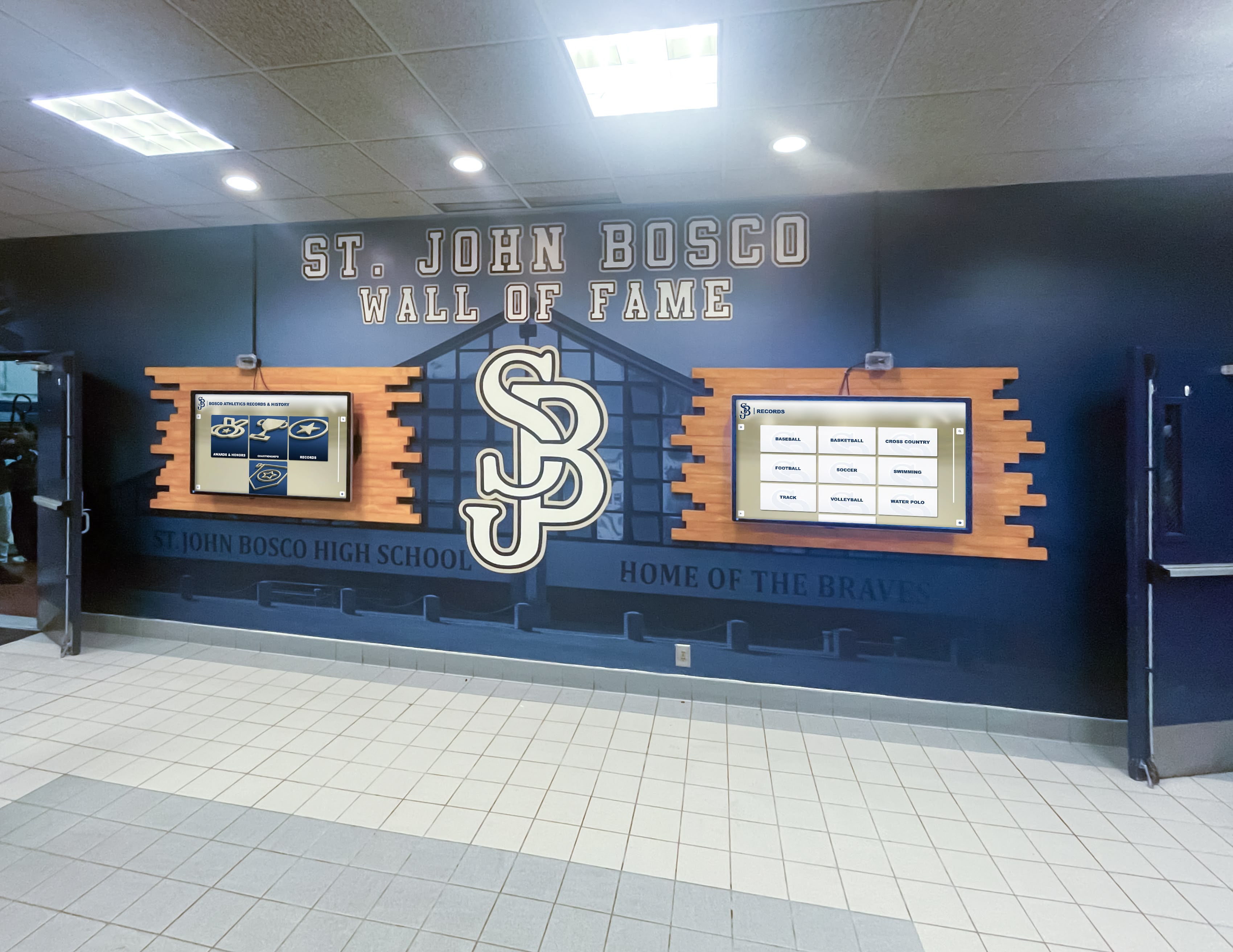
Strategic placement in high-traffic areas ensures community members, volunteers, and visitors encounter important organizational content
Digital Display Pricing for Nonprofit Budgets
Understanding realistic pricing helps nonprofits plan appropriately while avoiding both inadequate consumer equipment and unnecessarily expensive enterprise solutions.
Hardware Costs: Commercial Displays
Entry-Level Commercial Displays (43-50 inches)
Basic commercial-grade displays in smaller sizes typically range from $400-$800 depending on brand reputation, included features, and warranty coverage. These displays provide Full HD resolution, standard brightness (350-400 nits), and basic built-in media players supporting USB drive content.
Organizations like LG, Samsung, and NEC offer entry-level commercial displays suitable for nonprofit applications where budget constraints prove significant. While lacking advanced features like sophisticated network management or touchscreen capabilities, these displays serve organizations needing straightforward content presentation without complexity.
Mid-Range Commercial Displays (50-65 inches)
Mid-sized commercial displays representing the most popular nonprofit choice range from $800-$1,800. These displays typically include 4K resolution improving text clarity, enhanced brightness (400-500 nits) handling brighter environments, improved built-in media players supporting more content formats, and better warranty coverage (3-5 years) reducing long-term replacement risk.
This category represents the best value for most local nonprofits balancing quality, features, size, and affordability. Display manufacturers recognize this market segment and offer numerous models specifically targeting commercial installations where professional quality matters but enterprise-level complexity proves unnecessary.
Large Format Displays (65-75+ inches)
Larger commercial displays suitable for spacious lobbies, community rooms, or multipurpose facilities range from $1,500-$4,000+ depending on size, features, and brand positioning. These displays serve nonprofits with larger spaces requiring visibility across greater distances or organizations prioritizing impressive visual impact for community engagement.
While representing larger investments, these displays often deliver better cost-per-square-inch value than smaller alternatives when organizations require size for visibility. Nonprofits operating community centers, veteran service organizations with large gathering spaces, or partnership networks hosting regular community events often find large format displays worthwhile for their communication impact.
Interactive Touchscreen Displays
Organizations wanting interactive capabilities where visitors can explore content actively rather than passively viewing presentations face different pricing. Commercial touchscreen displays start around $2,000 for 43-inch models and range to $6,000+ for 65-75 inch installations.
Interactive displays prove valuable when organizations want visitors to search partnership directories, explore upcoming event details, browse volunteer opportunities, or discover veteran recognition profiles independently. Solutions like Rocket Alumni Solutions specialize in purpose-built recognition and engagement content specifically designed for touchscreen exploration, creating experiences impossible with passive display-only systems.
Learn about interactive capabilities in touchscreen kiosk solutions for organizations that transform passive viewing into active community engagement.
Mounting and Installation Costs
Hardware purchases represent only partial investment. Nonprofits should budget for mounting equipment and installation labor ensuring secure, professional results.
Mounting Hardware
Wall mount brackets range from $50-$300 depending on display size, weight capacity, mounting type, and adjustment features. Basic fixed mounts securing displays flat against walls prove least expensive ($50-$100) while tilting mounts enabling angle adjustment cost slightly more ($100-$150). Full-motion articulating arms allowing significant position adjustment run $150-$300 but rarely prove necessary for nonprofit applications.
Most mounting hardware includes required fasteners for standard drywall or concrete installations. Organizations mounting to brick, stone, or other specialty surfaces may require additional hardware available at local construction supply retailers.
Professional Installation
While capable volunteers or staff can install displays themselves, many nonprofits prefer professional installation ensuring correct mounting, cable management, and proper operation. Professional installers typically charge $200-$500 depending on installation complexity, wall construction, cable routing requirements, and travel distance to nonprofit locations.
Installation costs prove particularly worthwhile when mounting large heavy displays, routing cables through walls for clean appearances, or installations requiring electrical outlet additions. Many display vendors maintain relationships with installation partners and can coordinate turnkey implementations handling all technical aspects.
Optional Accessories
Nonprofits may choose optional accessories enhancing functionality or appearance:
- Cable management covers ($20-$100) concealing cables for professional appearance
- Media players ($50-$300) if displays lack built-in capabilities or organizations prefer external devices offering greater flexibility
- Wireless presentation adapters ($100-$300) enabling staff to present from laptops or mobile devices wirelessly
- Surge protectors ($30-$100) protecting equipment from power fluctuations
Content Management Software and Subscriptions
Display hardware provides presentation capability, but nonprofits need content management systems for creating and scheduling what appears on screens.
Free and Low-Cost Digital Signage Platforms
Several digital signage platforms offer free tiers or low-cost subscriptions suitable for single-display nonprofit applications:
Screenly provides free plans supporting single displays with basic content scheduling. Paid plans starting at $10-$20 monthly add features like advanced scheduling, remote management, and mobile app control.
Yodeck offers permanently free single-display licenses including basic content management, scheduling, and remote updates. This model works well for budget-conscious nonprofits needing straightforward functionality without ongoing subscription expenses.
Rise Vision specializes in nonprofit and educational applications with free community plans supporting basic digital signage needs. Their platform emphasizes ease of use for non-technical users, making it accessible for small organizations without IT staff.
These platforms typically support common content formats—images, videos, PDFs, and web pages—enabling nonprofits to create presentations using familiar tools without specialized design skills.
Purpose-Built Recognition and Engagement Platforms
Organizations wanting sophisticated content specifically for community recognition, partnership showcases, veteran profiles, or interactive event calendars benefit from purpose-built platforms like Rocket Alumni Solutions designed specifically for these applications.
While representing higher investment than basic digital signage ($50-$200+ monthly depending on features and display count), these specialized platforms provide capabilities generic signage software cannot match—individual profile pages for veterans or community partners, searchable directories, social sharing integration, web accessibility extending recognition beyond physical displays, and content templates designed specifically for recognition and engagement rather than generic announcements.
For nonprofits where community recognition, partnership visibility, and stakeholder engagement represent core priorities, purpose-built platforms deliver substantially better results than adapting generic signage software to recognition purposes.
Explore comprehensive recognition capabilities in digital recognition displays for organizations seeking engagement beyond basic announcements.
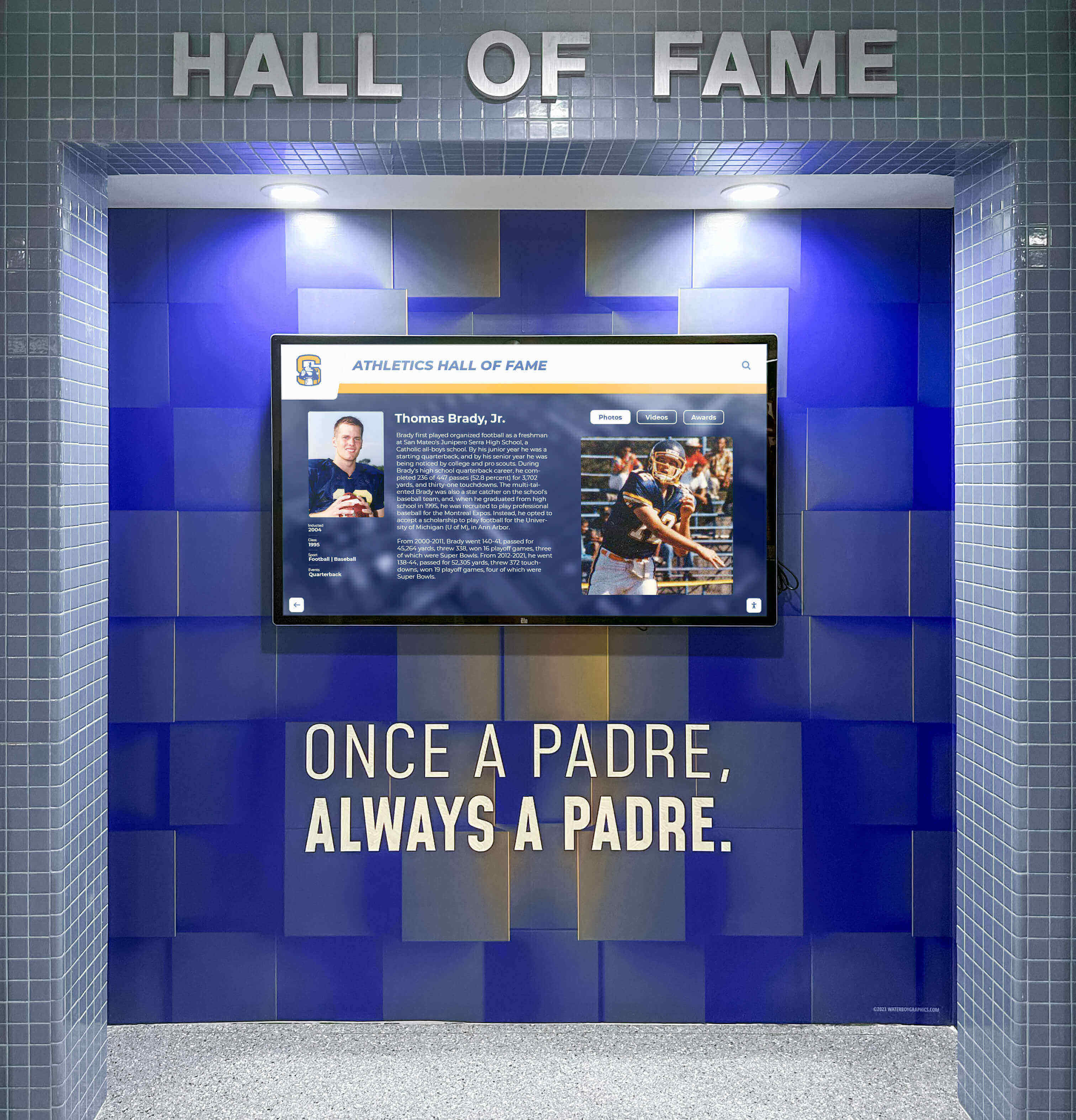
Professional installations integrate displays with facility design while maintaining accessible content management for staff updates
Complete Budget Planning: Total Cost of Ownership
Realistic budgeting considers all implementation and ongoing expenses rather than only initial hardware purchases. Understanding total cost of ownership helps nonprofits plan appropriately while avoiding budget surprises.
Initial Implementation Budget (Year One)
Minimal Budget Implementation ($600-$1,200)
Organizations with extremely limited budgets can implement basic digital displays:
- Entry-level 43-50 inch commercial display: $400-$800
- Basic wall mount bracket: $50-$100
- DIY installation by capable volunteer: $0
- Free digital signage platform: $0
- Initial content creation (staff time): included
This minimal approach provides functional digital communication for nonprofits where any budget represents significant organizational commitment. While lacking advanced features and polish, basic implementations deliver substantially better results than static bulletin boards while maintaining affordability.
Recommended Standard Implementation ($1,500-$3,000)
Most local nonprofits targeting balance between quality and affordability should budget:
- Mid-range 50-55 inch commercial 4K display: $800-$1,200
- Quality tilting wall mount: $100-$150
- Professional installation including cable management: $300-$500
- First year subscription to user-friendly digital signage platform: $120-$240 ($10-$20 monthly)
- Initial content creation (staff time or modest design contractor): $200-$500
- Optional accessories (surge protector, cables, cleaning supplies): $100-$200
This investment level provides professional-quality results that serve organizations reliably for 5-7 years while remaining financially accessible for most established local nonprofits.
Enhanced Interactive Implementation ($3,500-$6,500)
Nonprofits prioritizing community engagement through interactive exploration should budget:
- Commercial touchscreen display 55-65 inches: $2,500-$4,500
- Heavy-duty wall mount for touchscreen weight: $150-$300
- Professional installation with proper positioning for accessibility: $400-$600
- First year subscription to purpose-built recognition platform like Rocket Alumni Solutions: $600-$2,400 ($50-$200 monthly)
- Content development including photography, profile creation, and organization: $500-$1,000
- Optional accessories and protective screen guards: $200-$400
While representing larger investment, interactive implementations create engagement levels impossible with passive displays, proving particularly valuable for nonprofits where community recognition and stakeholder visibility represent strategic priorities worthy of appropriate resource allocation.
Ongoing Annual Costs (Years 2+)
Beyond initial implementation, nonprofits should budget for continuing expenses:
Software Subscriptions: $0-$2,400 annually depending on platform selection (free basic platforms vs. purpose-built recognition systems)
Content Updates: Minimal for organizations using internal staff, or $200-$1,000 annually for nonprofits occasionally hiring designers for professional content creation
Electricity: Commercial displays typically consume 50-150 watts depending on size, adding roughly $30-$100 annually to utility expenses when operated during business hours
Maintenance and Repairs: Minimal during warranty periods (years 1-3), increasing to approximately $100-$300 annually after warranty expiration for occasional repairs or eventual component replacement
Content Creation Time: Staff time for regular content updates represents ongoing investment, though most nonprofits find 1-4 hours monthly sufficient for maintaining current, engaging presentations
Cost Comparison: Digital Displays vs. Traditional Communication
Understanding comparative expenses helps justify digital display investments by demonstrating long-term value versus traditional approaches.
Traditional Printed Communication Annual Costs
Local nonprofits using traditional communication methods typically spend:
- Professional printing for event flyers and announcements: $500-$1,500 annually
- Poster boards, frames, and mounting supplies: $200-$500 annually
- Staff/volunteer time for regular bulletin board updates: $800-$2,000 annually (valued at $20-$25 hourly)
- Lost opportunities from outdated information: immeasurable but significant
Total traditional communication costs: $1,500-$4,000 annually on recurring basis
Digital Display Annual Costs (After Initial Investment)
After first-year implementation investment, ongoing digital display expenses typically run:
- Software subscription: $0-$2,400 annually
- Electricity: $30-$100 annually
- Maintenance: $0-$300 annually (minimal during warranty period)
- Staff time for updates: $300-$800 annually (more efficient than physical updates)
Total digital display costs: $330-$3,600 annually, with lower expenses for organizations selecting free software platforms
Beyond direct cost comparison, digital displays provide always-current information, superior visual impact, easier updates requiring less staff time, and environmental benefits from eliminated printing waste. Most nonprofits recover initial digital investments within 18-36 months through reduced traditional communication expenses and improved operational efficiency.
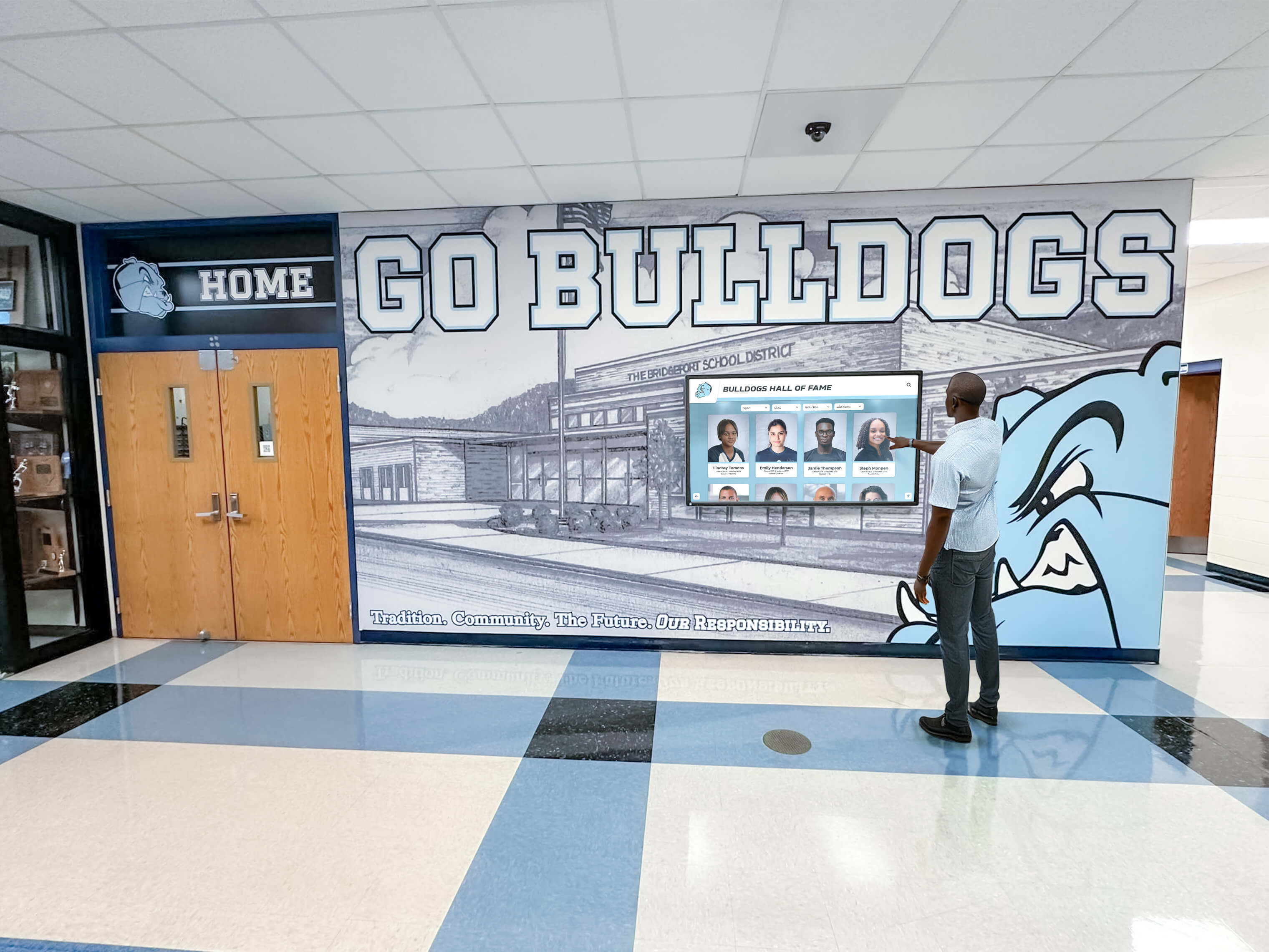
Strategically placed displays create natural engagement opportunities for community members discovering partnerships, events, and recognition content
Content Strategies for Nonprofit Digital Displays
Hardware and software provide capability, but compelling content creates the community engagement and communication effectiveness that justify investments. Nonprofits should plan content strategies matching their missions and community priorities.
Showcasing Community Partnerships
Local nonprofits typically collaborate with numerous community organizations, businesses, and government agencies. Digital displays provide excellent platforms for celebrating these partnerships while demonstrating organizational reach and community integration.
Partnership Profiles
Create individual profiles for significant partners including:
- Organization logos and branding
- Partnership descriptions explaining collaborative work
- Impact statements showing what partnerships accomplish
- Contact information connecting community members with partner resources
- Photos from collaborative events or joint programs
These profiles demonstrate organizational connection while providing valuable community resource information that visitors appreciate discovering.
Partnership Maps and Networks
Visual representations showing partner geographic distribution, network connections, or categorical organization help community members understand collaborative ecosystems. Interactive displays enable visitors to explore partner directories, filter by service type or geographic area, and discover resources matching their specific needs.
Rotating Partnership Spotlights
Rather than displaying all partnerships simultaneously (which becomes overwhelming), implement rotating spotlights highlighting 3-5 partners monthly. This rotation ensures all partners receive featured visibility over time while maintaining manageable content density that visitors can absorb during brief lobby visits.
Organizations implementing donor recognition and partnership displays discover that visible appreciation strengthens relationships while inspiring additional community collaboration.
Honoring Veterans and Service Members
Veterans service organizations, military family support nonprofits, and community groups supporting service members find digital displays particularly valuable for meaningful recognition that traditional plaques cannot match.
Individual Veteran Profiles
Create comprehensive profiles celebrating service including:
- Military portraits and service photos
- Branch, rank, and service years
- Deployment history and duty stations
- Awards and decorations received
- Post-service community contributions
- Personal statements (when veterans consent to share)
- Family connections to organization
These detailed profiles honor service comprehensively while educating community members about veterans’ sacrifices and continued contributions to civilian communities.
Service Era Organization
Organize veteran recognition by service era—WWII, Korea, Vietnam, Cold War, Gulf War, Iraq/Afghanistan, and current service—helping visitors explore by historical context while ensuring all service generations receive appropriate acknowledgment regardless of media attention focused primarily on recent conflicts.
Memorial and In-Memoriam Sections
Dedicate sections honoring fallen veterans and deceased service members with sensitivity and dignity. Digital memorials preserve legacies permanently while enabling families to visit virtually when geographic distance prevents physical facility visits.
Many veteran-focused nonprofits discover that comprehensive digital recognition creates community engagement around service and sacrifice that inspires continued community support for veterans programs.
Promoting Upcoming Events and Community Openings
Event promotion represents primary communication priority for many local nonprofits. Digital displays excel at dynamic event calendars providing current information without printing waste or update delays.
Visual Event Calendars
Design calendar presentations showing upcoming events with essential information:
- Event names and brief descriptions
- Dates, times, and locations
- Target audiences (families, seniors, youth, veterans, etc.)
- Registration requirements and deadlines
- Contact information for questions
- Photos or graphics creating visual interest
Calendar formats might include traditional monthly grids, timeline views showing next 30-60 days chronologically, or featured event carousels highlighting priority programs.
Event Countdown Timers
For major annual events—fundraising galas, community celebrations, awareness campaigns, or volunteer recruitment drives—countdown timers create urgency and anticipation. Displaying “Join us in 14 days for our Annual Veterans Dinner” proves more compelling than static “Save the Date” announcements.
Partnership Community Openings
When partner organizations host community events—new facility openings, public programs, awareness campaigns, or resource fairs—nonprofits strengthen collaborative relationships by promoting partner activities. This reciprocal promotion benefits entire community networks while demonstrating organizational commitment to collective community welfare beyond narrow organizational interests.
Real-Time Updates
Unlike printed materials requiring advance production, digital displays accommodate last-minute updates when event details change, weather affects schedules, or capacity limitations require registration closure announcements. This flexibility prevents community frustration from outdated information while demonstrating organizational responsiveness.
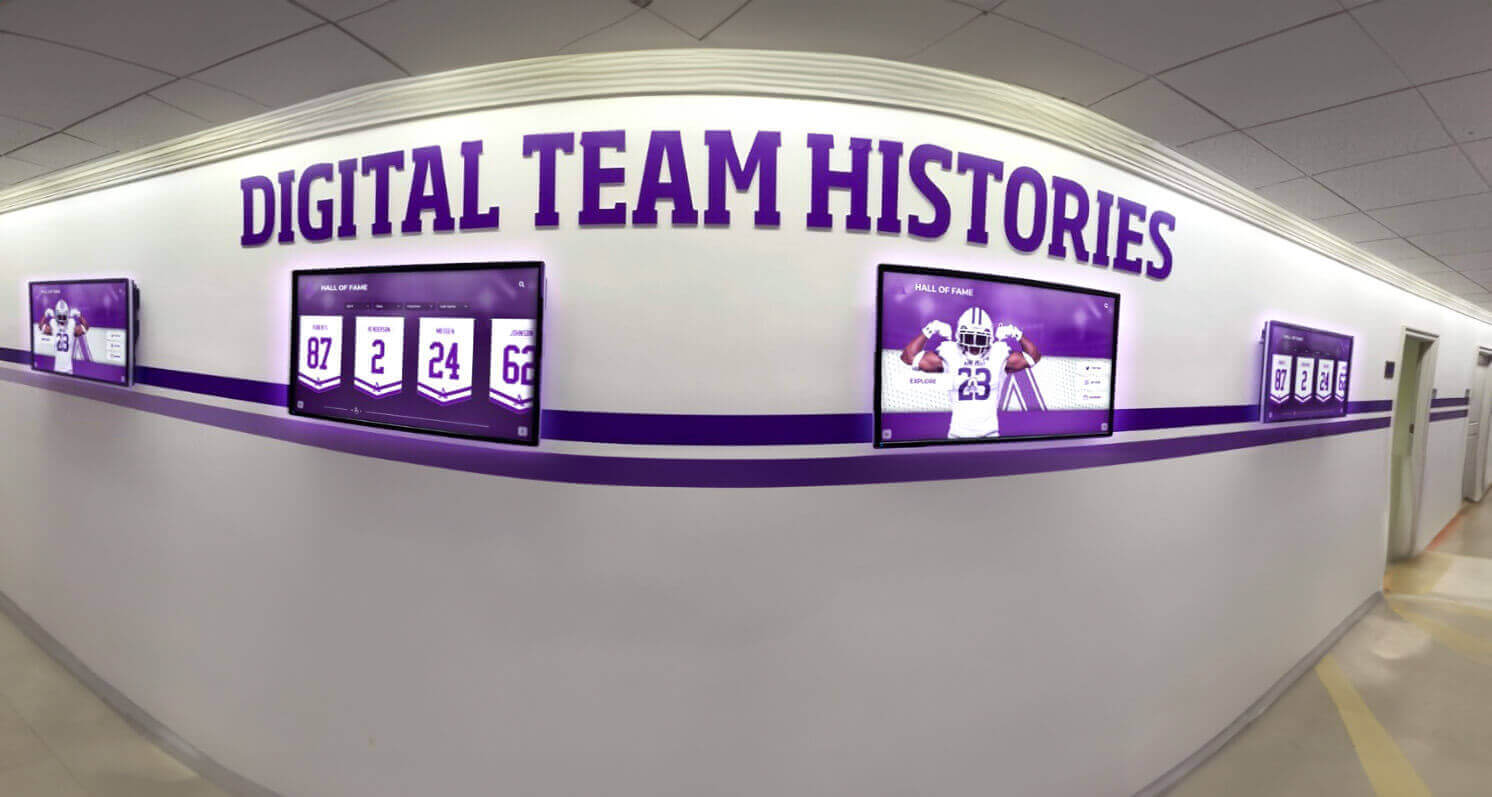
Multiple displays provide expanded capacity for comprehensive content while creating cohesive visual experiences throughout facilities
Implementation Best Practices for Local Nonprofits
Successful digital display implementation requires thoughtful planning addressing organizational contexts, technical requirements, and stakeholder expectations specific to resource-constrained nonprofit environments.
Strategic Placement and Positioning
Display location significantly impacts visibility, engagement, and ultimately the communication value organizations receive from investments.
High-Traffic Lobby Areas
Primary displays belong in main entrance lobbies where all visitors—community members seeking services, volunteers checking in, partner representatives visiting, and prospective supporters evaluating organizations—encounter content naturally. Lobby placement ensures maximum exposure without requiring deliberate navigation to special viewing areas that most visitors never reach.
Position displays at comfortable viewing heights (center of screen approximately 60-65 inches from floor for standing viewers) and angles minimizing glare from windows or overhead lighting. When possible, orient displays perpendicular to large windows rather than opposite them, preventing backlighting that washes out content.
Secondary Locations for Expanded Content
Organizations with multiple high-traffic areas benefit from coordinated displays in waiting rooms, community rooms, volunteer spaces, or program areas. These secondary displays might show content specific to those spaces—volunteer recognition in volunteer areas, program participant stories in service delivery spaces, partnership information in community rooms—while sharing organizational announcements across all locations.
Accessibility Considerations
Ensure displays remain visible to visitors using wheelchairs, with viewing angles and heights accommodating diverse physical abilities. For interactive touchscreen implementations, position controls within reach ranges following ADA guidelines (15-48 inches from floor for forward approach, 9-54 inches for side approach) and provide alternatives for visitors preferring not to touch shared surfaces.
Explore comprehensive accessibility considerations for digital displays ensuring inclusive experiences for all community members.
Content Management Workflows
Efficient content management prevents displays from becoming outdated while avoiding excessive staff time demands that compete with mission delivery priorities.
Designated Content Coordinator
Assign specific staff members or volunteers as content coordinators responsible for regular updates, ensuring accountability rather than diffused responsibility where everyone assumes someone else will maintain displays. Content coordinators don’t necessarily create all content personally but coordinate contributions from program staff, partnership liaisons, and volunteer coordinators.
Content Submission Process
Establish clear submission processes enabling staff throughout organizations to contribute content easily. Simple forms or email templates requesting essential information—event details, partnership descriptions, veteran profiles—help content coordinators collect information efficiently without extensive follow-up.
Update Schedules
Implement regular update schedules matching organizational rhythms—weekly event calendar reviews, monthly partnership spotlights, quarterly veteran profile additions. Scheduled routines prevent content stagnation while making updates manageable tasks rather than overwhelming projects requiring concentrated effort.
Content Templates and Standards
Develop templates for common content types—event announcements, partnership profiles, veteran recognition—ensuring visual consistency while accelerating creation. Templates eliminate design decisions enabling focus on content substance rather than formatting questions.
Most digital signage platforms include template libraries, or nonprofits can engage designers for initial template creation supporting long-term internal content production by non-designers.
Emergency Override Capabilities
Ensure content coordinators can quickly publish urgent announcements—weather closures, schedule changes, emergency information—without complex approval workflows that delay time-sensitive communications. Simple override features enable responsive communication when circumstances demand immediate updates.
Working With Limited Technical Resources
Most local nonprofits lack dedicated IT staff, making user-friendly systems and sustainable approaches essential for long-term success.
Prioritize User-Friendly Platforms
Select content management platforms emphasizing ease of use for non-technical users. Evaluation should involve actual staff members who will manage displays daily, ensuring platforms match organizational capabilities rather than requiring technical skills organizations don’t possess.
Cloud-based platforms prove particularly valuable for resource-constrained nonprofits, eliminating server maintenance while enabling content updates from any internet-connected device without facility access to physical hardware.
Leverage Volunteer Technical Support
Many communities include technology professionals willing to volunteer expertise helping nonprofits with initial setup, troubleshooting, or periodic optimization. Organizations should cultivate relationships with volunteer technical advisors while ensuring core operations remain simple enough for staff to manage independently day-to-day without constant volunteer dependence.
Vendor Selection and Support Quality
When evaluating display vendors and software platforms, prioritize responsive customer support and implementation assistance. Nonprofit-focused vendors understand resource constraints and typically provide generous assistance during setup while offering accessible ongoing support when questions arise.
Reference calls with other nonprofit customers provide valuable insights about support quality beyond marketing materials emphasizing features while downplaying complexity or limited assistance.
Documentation and Training
Create simple documentation for common tasks—how to update event calendars, add new partnership profiles, change featured content—enabling multiple staff members to manage displays. This documentation protects organizations from single-person dependencies where only one staff member understands systems, creating vulnerability when that individual leaves.
Brief training sessions for relevant staff ensure capability distribution while building confidence that displays remain manageable despite technical intimidation some staff may initially feel.

Professional installations combining displays with environmental design create immersive experiences reflecting organizational identity
Funding Strategies for Nonprofit Display Investments
Limited budgets needn’t prevent digital display implementation. Creative funding approaches make technology investments achievable for organizations where every expense requires careful justification.
Grant Opportunities for Technology and Communication
Many funders recognize that communication infrastructure investments strengthen nonprofit effectiveness and community impact. Organizations can position digital displays as fundable projects worthy of foundation support or corporate giving.
Technology Capacity Building Grants
Regional and national foundations often maintain programs supporting nonprofit technology infrastructure—communication systems, database improvements, website enhancements, and digital engagement tools. Digital displays fit these priorities by improving community communication, volunteer engagement, and stakeholder relations.
When applying for technology grants, emphasize outcomes rather than only equipment—how displays will increase event participation, strengthen partnership visibility, improve volunteer recognition, or enhance community awareness of available services and resources.
Community Foundation Investments
Community foundations prioritizing local nonprofit sustainability frequently support operational improvements helping organizations serve communities more effectively. Digital displays serving communication and engagement purposes align well with community foundation priorities around nonprofit effectiveness and community connection.
Corporate Technology Donations
Technology companies and retailers sometimes donate equipment to nonprofits as part of corporate giving programs. While donated displays may not match nonprofit preferred specifications exactly, organizations can accept available donations and allocate saved funds toward installation, software subscriptions, or content development.
Sponsorship and Dedication Opportunities
Some nonprofits successfully position displays as sponsorship opportunities for community businesses or memorial dedication options for families honoring loved ones.
Business Sponsorships
Local businesses benefit from community visibility and goodwill associated with supporting nonprofit infrastructure. Sponsorship recognition might include periodic logo display, partnership profile features, or acknowledgment on welcome screens. Sponsorships typically range from $1,000-$5,000 depending on nonprofit size, community market, and sponsor benefits offered.
Organizations should ensure sponsor recognition remains tasteful and proportionate, avoiding commercial advertising that conflicts with nonprofit missions or creates inappropriate commercial environments in community spaces.
Memorial Dedications
Families sometimes welcome opportunities to honor deceased loved ones through meaningful gifts supporting nonprofit missions. Display dedications can include permanent acknowledgment plaques, dedicated memorial sections featuring honoree photos and biographical information, or named displays recognizing significant contributions.
Dedication levels typically start around $2,500-$5,000 for individual displays depending on organizational fundraising context and community economic conditions.
Phased Implementation Approaches
Organizations lacking funding for complete immediate implementations can phase projects across multiple budget cycles.
Phase One: Hardware and Basic Setup
Initial phase focuses on hardware purchase, installation, and free software platform implementation. Organizations begin communicating through displays immediately while deferring advanced platform subscriptions or content development investments until future budget years.
Phase Two: Enhanced Software and Content Development
Once displays prove valuable and boards approve continued investment, organizations upgrade to purpose-built platforms offering superior engagement features while investing in professional content creation raising quality standards.
Phase Three: Expansion to Multiple Locations
After successful single-display implementation demonstrates value, organizations expand to secondary locations coordinating content across multiple displays for comprehensive facility coverage.
Phased approaches make projects financially manageable while building internal expertise and board confidence supporting continued investment.
Explore additional funding strategies in nonprofit donor recognition program planning applicable to communication infrastructure investments.
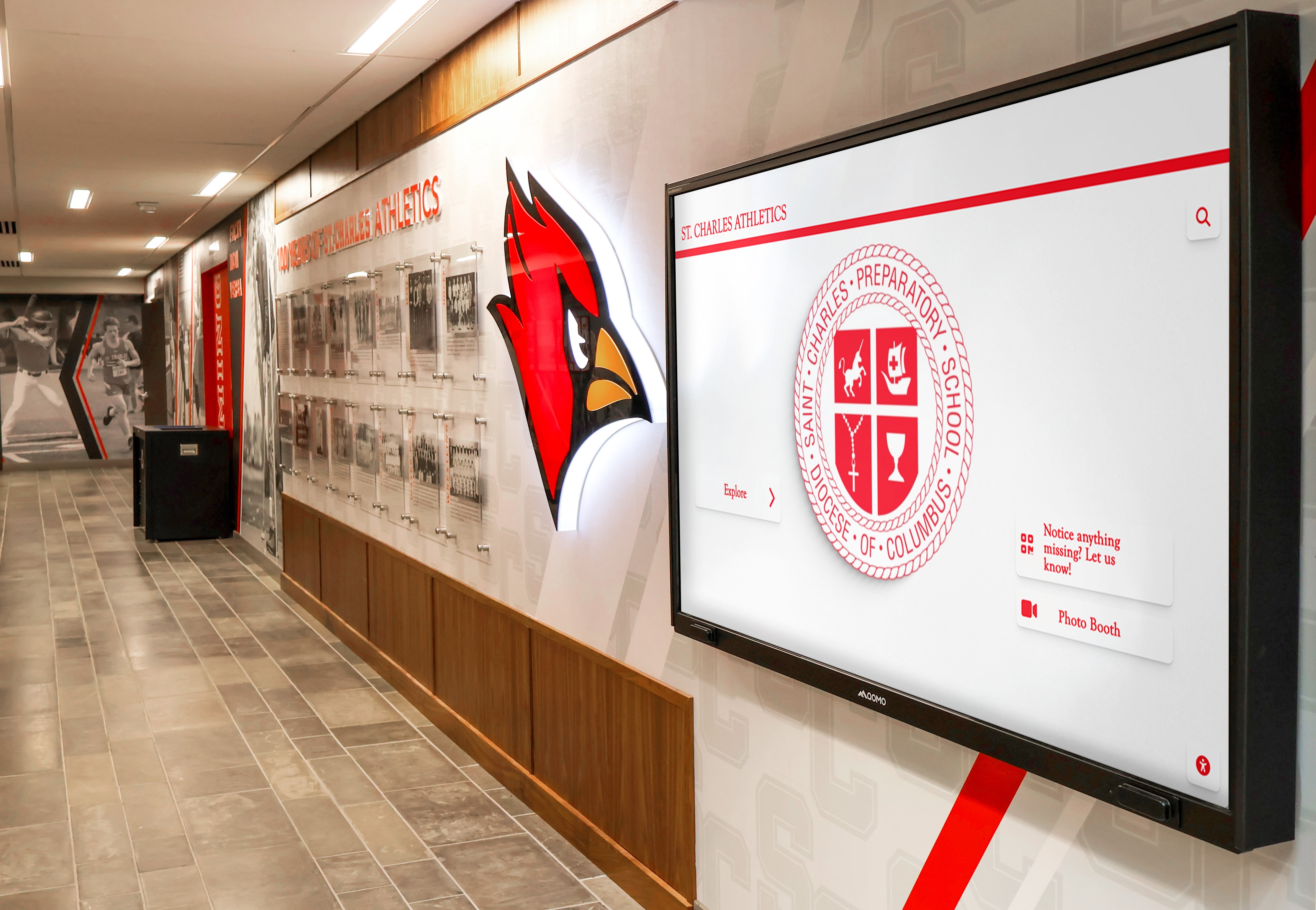
Coordinated displays work alongside environmental design creating comprehensive communication and recognition experiences
Measuring Impact and Demonstrating Value
Systematic assessment helps nonprofits understand whether display investments achieve intended goals while providing evidence supporting continued budget allocation and potential expansion.
Community Engagement Indicators
While digital displays don’t generate easily quantified metrics like website analytics, organizations can track indicators revealing engagement and communication effectiveness.
Event Participation Trends
Monitor event attendance and registration patterns comparing periods before and after display implementation. Increasing participation suggests improved event awareness contributing to community engagement goals. While multiple factors affect attendance, consistent improvements following display launches provide evidence supporting investment value.
Community Awareness Surveys
Periodic surveys or informal conversations with visitors can assess awareness of partnerships, upcoming events, and available services. Questions exploring how community members learned about programs reveal whether displays contribute meaningfully to awareness compared to other communication channels.
Partnership Feedback
Partner organizations can provide valuable perspectives about whether display recognition strengthens relationships and collaborative commitment. Informal check-ins asking partners whether they’ve received community feedback about display features or whether visibility has affected their work creates qualitative evidence supporting recognition value.
Volunteer Recognition Response
For nonprofits featuring volunteer recognition, conversations with recognized volunteers about their reactions—whether they felt honored, shared recognition with family/friends, or felt increased connection to organizations—reveals psychological impact that quantitative metrics cannot capture.
Operational Efficiency Gains
Beyond community engagement benefits, displays deliver operational improvements benefiting nonprofit effectiveness.
Reduced Printing Costs
Track printing expense reductions as organizations transition from flyer production to digital event promotion. Most nonprofits discover significant savings accumulating over time, with annual printing reductions of $500-$1,500 common for organizations previously maintaining active traditional communication programs.
Staff Time Savings
While displays require content creation time, updates prove faster than physical bulletin board maintenance, printing coordination, and distribution management. Organizations often find that staff save 2-5 hours monthly transitioning to digital communication, representing $200-$500 annually in staff capacity redirected toward mission-critical activities.
Improved Communication Timeliness
Unlike printed materials requiring advance production and distribution, digital displays accommodate last-minute updates ensuring information accuracy. This responsiveness prevents community frustration from outdated details while demonstrating organizational professionalism and attentiveness.
Return on Investment Considerations
While nonprofit missions prioritize community impact over financial returns, understanding investment recovery timeframes helps justify expenditures and plan for eventual equipment replacement.
Break-Even Timeline
Most nonprofits implementing digital displays discover break-even points within 18-36 months considering:
- Eliminated printing costs: $500-$1,500 annually
- Reduced staff time on communication updates: $200-$800 annually
- Avoided costs from improved communication (reduced no-shows, better event planning): $300-$1,000 annually
Combined savings of $1,000-$3,300 annually enable investment recovery within 2-3 years for standard implementations, after which ongoing operational savings continue accumulating throughout 5-7 year display lifespans.
Long-Term Value Beyond Financial Returns
Beyond recovering costs, displays deliver ongoing value through improved community engagement, enhanced organizational professionalism, increased partnership visibility strengthening collaborative relationships, and superior volunteer and supporter recognition building commitment. These benefits continue throughout equipment lifespans while justifying eventual replacement investments maintaining capabilities organizations come to depend on.
Nonprofit-Specific Display Applications
Different nonprofit types benefit from tailored content approaches optimized for their unique missions and community priorities.
Veterans Service Organizations
Veterans groups and military family support nonprofits use displays primarily for comprehensive service member recognition while promoting veteran-focused community events.
Priority Content:
- Individual veteran service profiles with military history
- Upcoming events—memorial ceremonies, support group meetings, benefit eligibility workshops
- Partnership organizations providing veteran services
- Volunteer opportunities supporting veteran programs
- Memorial sections honoring fallen service members
Veterans organizations implementing recognition displays honoring service members discover that comprehensive acknowledgment creates community gathering points fostering pride and connection.
Community Partnership Networks
Regional collaboration networks coordinating multiple organizations around shared community goals use displays for partnership visibility and event cross-promotion.
Priority Content:
- Partnership organization directory with service descriptions
- Collaborative event calendars promoting network activities
- Community resource information connecting residents with services
- Volunteer recruitment for network initiatives
- Success stories demonstrating collective community impact
Youth Development and Family Services
Nonprofits serving children, youth, and families use displays for program promotion, volunteer recognition, and partnership visibility supporting comprehensive service delivery.
Priority Content:
- Program schedules and enrollment information
- Volunteer recognition honoring program support
- Partnership organizations providing complementary family services
- Youth achievement recognition celebrating participant success
- Upcoming family events and community activities
Youth-focused nonprofits discover that displays combining program promotion with achievement recognition create positive environments celebrating growth while keeping families informed about available opportunities.
Faith-Based Community Organizations
Religious nonprofits and faith-based service organizations balance ministry promotion, volunteer appreciation, and community outreach communication.
Priority Content:
- Service schedules and ministry event calendars
- Mission partnership organizations and collaborative programs
- Volunteer ministry team recognition
- Community outreach initiatives and service opportunities
- Memorial recognition honoring congregation members
Environmental and Conservation Organizations
Environmental nonprofits use displays for education, volunteer recognition, partnership visibility, and event promotion supporting conservation missions.
Priority Content:
- Conservation partnership organizations
- Volunteer recognition for restoration projects and advocacy work
- Environmental education event calendars
- Land preservation and restoration project updates
- Donor and supporter recognition
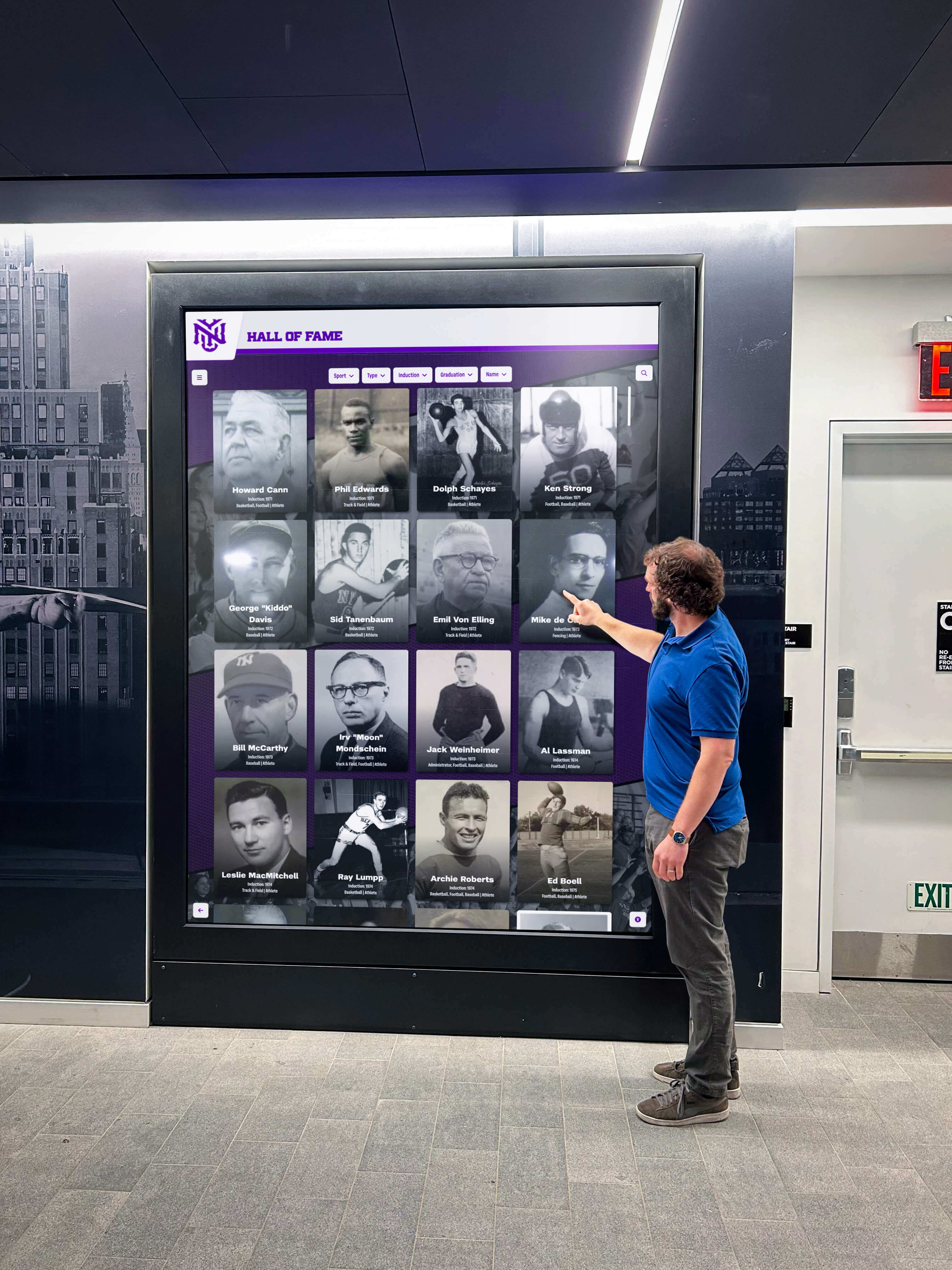
Engaging displays create natural opportunities for community members to discover partnerships, recognize service, and learn about upcoming opportunities
Conclusion: Affordable Technology for Community Connection
Digital wall mount displays represent practical, budget-friendly solutions that transform how local nonprofits communicate with communities, recognize stakeholders, and promote missions. Organizations previously relying on static bulletin boards and printed flyers discover that modern display technology creates engagement impossible with traditional approaches while remaining financially accessible for nonprofits operating with limited budgets.
The concept of digital warming describes what happens when cold impersonal lobbies transform into vibrant community destinations through continuously surfaced, relevant content celebrating partnerships, honoring veterans, promoting events, and connecting community members with resources and opportunities. When visitors encounter compelling visual presentations showcasing community networks, discover upcoming events matching their interests, or explore veteran recognition honoring service and sacrifice, these interactions create warmth drawing supporters deeper into organizational life.
Implementation planning for local nonprofits should prioritize affordable solutions matching organizational capabilities and resources. Entry-level commercial displays costing $800-$1,500 combined with user-friendly content management platforms provide substantial communication improvements for most community-based organizations. Interactive touchscreen implementations ranging from $3,500-$6,500 serve nonprofits prioritizing sophisticated recognition and engagement, creating exploration experiences impossible with passive displays.
Beyond initial hardware investments, organizations should budget realistically for mounting, installation, software subscriptions, and ongoing content development ensuring sustainable operations. Phased implementation approaches enable nonprofits to begin with basic configurations while planning enhancements as budgets permit and organizational confidence grows. Most nonprofits discover investment recovery within 18-36 months through reduced printing costs and improved operational efficiency, after which ongoing savings accumulate throughout equipment lifespans.
The transition from printed flyers and static bulletin boards to dynamic digital presentations represents more than technology adoption—it reflects organizational commitment to professional communication, stakeholder recognition, and community engagement worthy of mission importance. Nonprofits implementing displays consistently report improved event participation, stronger partnership relationships, enhanced volunteer recognition, and elevated organizational professionalism that strengthens community confidence and support.
Your community partnerships, veterans, events, and stakeholders deserve recognition and visibility that honors their significance while building vibrant connections where supporters feel valued and informed. Affordable digital wall mount displays make this comprehensive communication achievable, transforming organizational lobbies into community destinations creating the digital warming essential for nonprofit vitality and sustained community impact.
Ready to explore affordable digital display solutions for your nonprofit? Discover how Rocket Alumni Solutions creates engaging recognition and communication platforms specifically designed for community-focused organizations seeking professional capabilities at nonprofit-friendly pricing.
Disclaimer: This content was produced by Rocket Alumni Solutions to demonstrate how accessible digital display technology supports nonprofit communication goals and community engagement. Pricing estimates reflect general market conditions as of January 2026 and may vary based on specific products, vendors, geographic markets, and organizational circumstances. Organizations should obtain current pricing quotations from vendors when planning implementations.































