




Digital signage services evolved from simple message boards into sophisticated communication platforms capable of managing multiple screens simultaneously, displaying rich multimedia content, and integrating real-time data from countless sources. Yet many organizations struggle to find solutions providing the specific combination of touchscreen interactivity, split-screen layout flexibility, pre-built widget integration, and multi-client management capabilities—all without requiring programming expertise or technical staff.
Schools, organizations, and community spaces implementing digital signage across multiple locations face genuine challenges: how to maintain fresh, relevant content across distributed displays, how to balance information delivery with recognition and engagement, and how to implement professional systems without hiring developers or learning complex programming languages to configure basic features like weather widgets or social media feeds.
This comprehensive guide explores digital signage services specifically addressing these needs—examining platforms that combine touchscreen kiosk capabilities with flexible split-screen layouts, widget libraries enabling weather, news, social media, and data integration without coding, and multi-client management supporting organizations operating multiple screens or locations from unified control systems.
The digital signage landscape in 2026 encompasses platforms serving vastly different organizational needs. Corporate communication systems prioritize employee messaging and performance dashboards. Retail solutions focus on promotional content and customer engagement. Restaurant platforms optimize for menu boards and dayparting schedules. Educational and community-focused organizations require something different—systems balancing information delivery, recognition and celebration, community engagement, and interactive exploration through intuitive interfaces accessible to non-technical staff.
Organizations implementing digital signage services must navigate critical decisions about platform architecture, content management approaches, hardware compatibility, and long-term scalability. Understanding which capabilities matter most for specific use cases prevents investing in systems optimized for fundamentally different purposes while missing features essential for institutional recognition and community engagement applications.

Purpose-built digital signage platforms create engaging experiences through intuitive touchscreen interfaces
Understanding Digital Signage Service Requirements
Organizations seeking digital signage services for multiple screens with widget capabilities must first clarify specific requirements distinguishing appropriate platforms from generic solutions.
Touchscreen Kiosk Functionality
Interactive capabilities fundamentally change how communities engage with digital displays:
Beyond Passive Content Viewing Traditional digital signage operates as broadcast medium—organizations push content to passive viewers who happen to walk past screens. This approach serves advertising and basic communication needs but misses opportunities for deeper engagement through personal discovery and exploration.
Touchscreen-enabled signage invites active participation. Visitors search for personal connections, browse content matching specific interests, discover achievements celebrating their contributions, and engage deeply rather than passively consuming scheduled content rotations. Organizations implementing touchscreen kiosk solutions create destination experiences where communities repeatedly return.
Recognition and Discovery Applications Educational institutions particularly benefit from interactive capabilities enabling students, alumni, families, and visitors to discover achievements through searchable databases. Athletic recognition, academic honors, distinguished alumni profiles, and historical archives become navigable through intuitive interfaces rather than locked behind static plaque limitations or scheduled slideshow rotations.
Solutions like Rocket Alumni Solutions specialize in this interactive recognition approach, creating what we call “digital warming”—transforming cold, impersonal digital spaces into vibrant community experiences through personalized content surfacing and meaningful connections that strengthen institutional bonds.
Navigation and Wayfinding Features Beyond recognition, touchscreen kiosks serve practical wayfinding needs. Campus maps, building directories, event locations, and resource guides become instantly accessible through touch-enabled navigation eliminating frustration of searching printed directories or asking staff for basic directional assistance.
Split-Screen Display Capabilities
Multi-zone layouts enable simultaneous information delivery across distinct screen regions:
Flexible Layout Configurations Split-screen capabilities divide displays into multiple zones showing different content simultaneously. Common configurations include two-column layouts balancing primary content with supplementary information, picture-in-picture arrangements featuring main content with smaller informational panels, and multi-zone grids displaying three, four, or more distinct content areas within single screens.
This layout flexibility proves essential when organizations want to maintain recognition or community content as primary focus while supplementing with practical information like weather forecasts, upcoming events, or news feeds without requiring separate dedicated displays for secondary content.
Organizations implementing digital signage content strategies benefit from split-screen options enabling comprehensive information delivery through space-efficient single-display installations.
Zone-Specific Content Management Professional split-screen implementations enable independent content management for different zones. Main content areas display interactive recognition requiring frequent updates, while secondary zones show automatically refreshing widgets pulling live data from external sources without requiring manual content management for every displayed element.
Dynamic Layout Transitions Some platforms support time-based layout transitions—displaying single full-screen content during certain periods while switching to split-screen layouts during others. Schools might show full-screen recognition during passing periods when hallways fill with students, then transition to split-screen layouts with supplementary information during class periods when hallway traffic decreases.
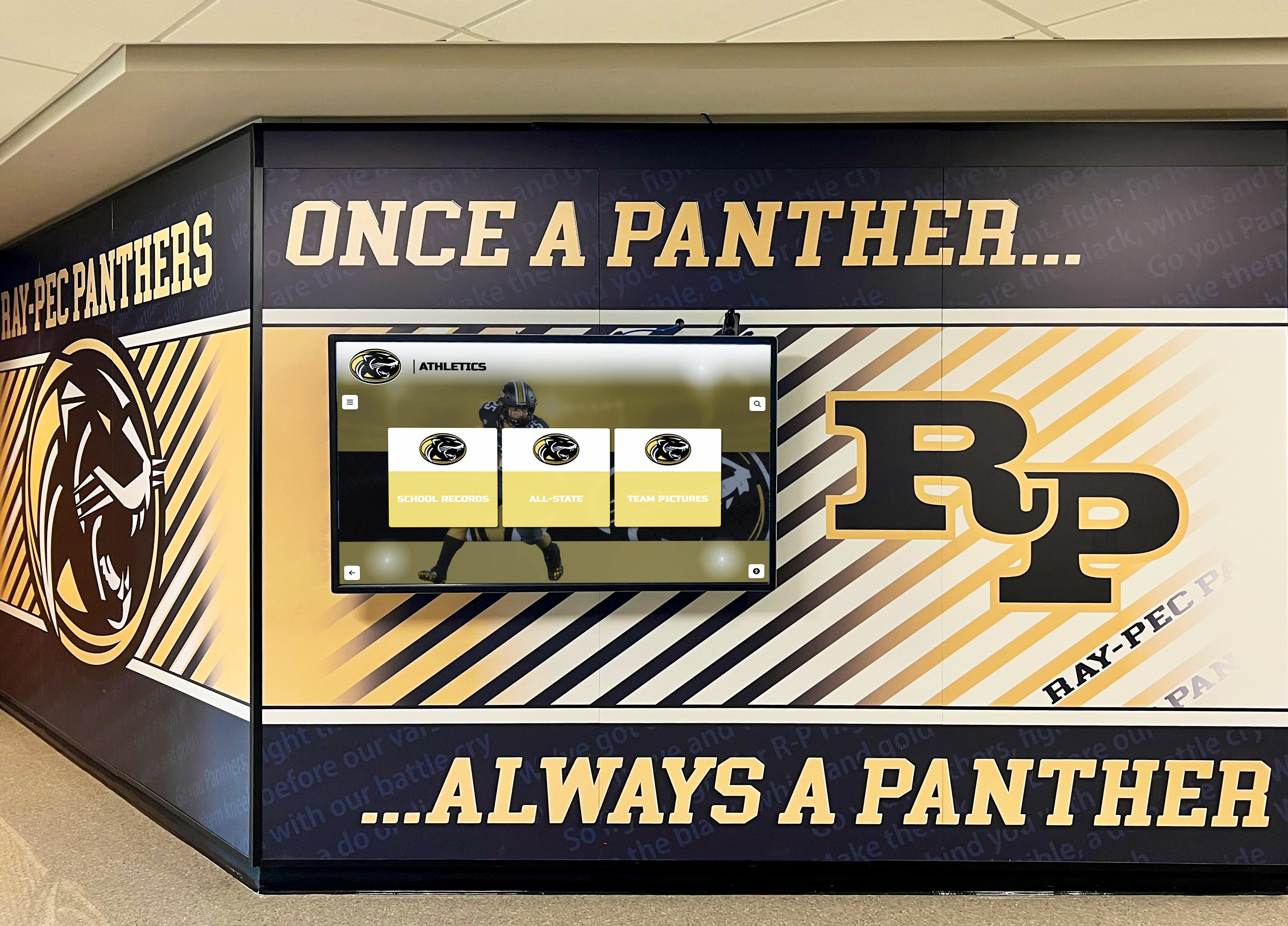
Strategic display placement in high-traffic areas ensures maximum community visibility and engagement
Pre-Built Widget Integration Without Programming
Technical accessibility determines whether non-technical staff can confidently manage digital signage:
No-Code Configuration Approach The most accessible digital signage services provide extensive widget libraries configurable through visual interfaces, drag-and-drop builders, or simple form-based settings. Organizations specify locations for weather forecasts, select news feed sources, connect social media accounts, or integrate data sources through point-and-click configuration rather than writing code or editing configuration files requiring technical expertise.
This no-code approach democratizes digital signage management, enabling communications staff, administrative assistants, or volunteer coordinators to confidently update and maintain displays without depending on IT departments or external developers for routine content adjustments.
Common Widget Categories Essential widget categories for educational and community organizations typically include weather forecasts showing current conditions and multi-day predictions, news feeds displaying relevant local or national headlines, social media streams showcasing institutional posts and community contributions, event calendars highlighting upcoming activities and important dates, emergency alerts for weather warnings or safety notifications, transportation information including bus schedules or traffic conditions, and recognition spotlights featuring achievements and community members.
Organizations implementing digital signage screen content benefit from platforms offering comprehensive widget libraries eliminating custom development for standard features.
Real-Time Data Integration Modern widgets automatically refresh displaying current information without manual updates. Weather widgets pull forecasts from meteorological services, news feeds aggregate recent headlines, and social media widgets display latest posts—all updating automatically ensuring displayed information remains current without requiring staff intervention.
This automation proves essential for sustainable long-term operation preventing displays from showing stale, outdated information that undermines credibility and reduces community engagement.
Multi-Client and Multi-Screen Management
Organizations managing multiple displays need centralized control systems:
Centralized Content Management Multi-client platforms enable managing numerous screens from unified web-based dashboards. Organizations with displays across multiple buildings, campuses, or locations configure content centrally rather than managing each display individually through local interfaces requiring physical device access.
Cloud-based platforms like Rocket Alumni Solutions provide centralized management enabling authorized staff to update content, schedule publications, configure layouts, and monitor performance from any internet-connected device without requiring installation or physical proximity to managed displays.
Client-Specific Configuration While centralized management streamlines operations, organizations often need location-specific customization. Athletic facility displays might emphasize sports recognition, academic building screens highlight scholarly achievements, and main lobby installations showcase comprehensive institutional content.
Effective multi-client systems balance centralized control simplifying management with flexible customization enabling appropriate content for different locations and audiences.
Group and Hierarchical Management Organizations operating numerous displays benefit from hierarchical structures grouping screens by building, campus, department, or function. Content updates, schedule changes, or configuration adjustments apply to entire groups simultaneously rather than requiring repetitive individual display configuration.
Schools implementing displays across multiple athletic facilities, academic buildings, and auxiliary spaces need management tools supporting organizational complexity without creating administrative burden that makes ongoing maintenance unsustainable.
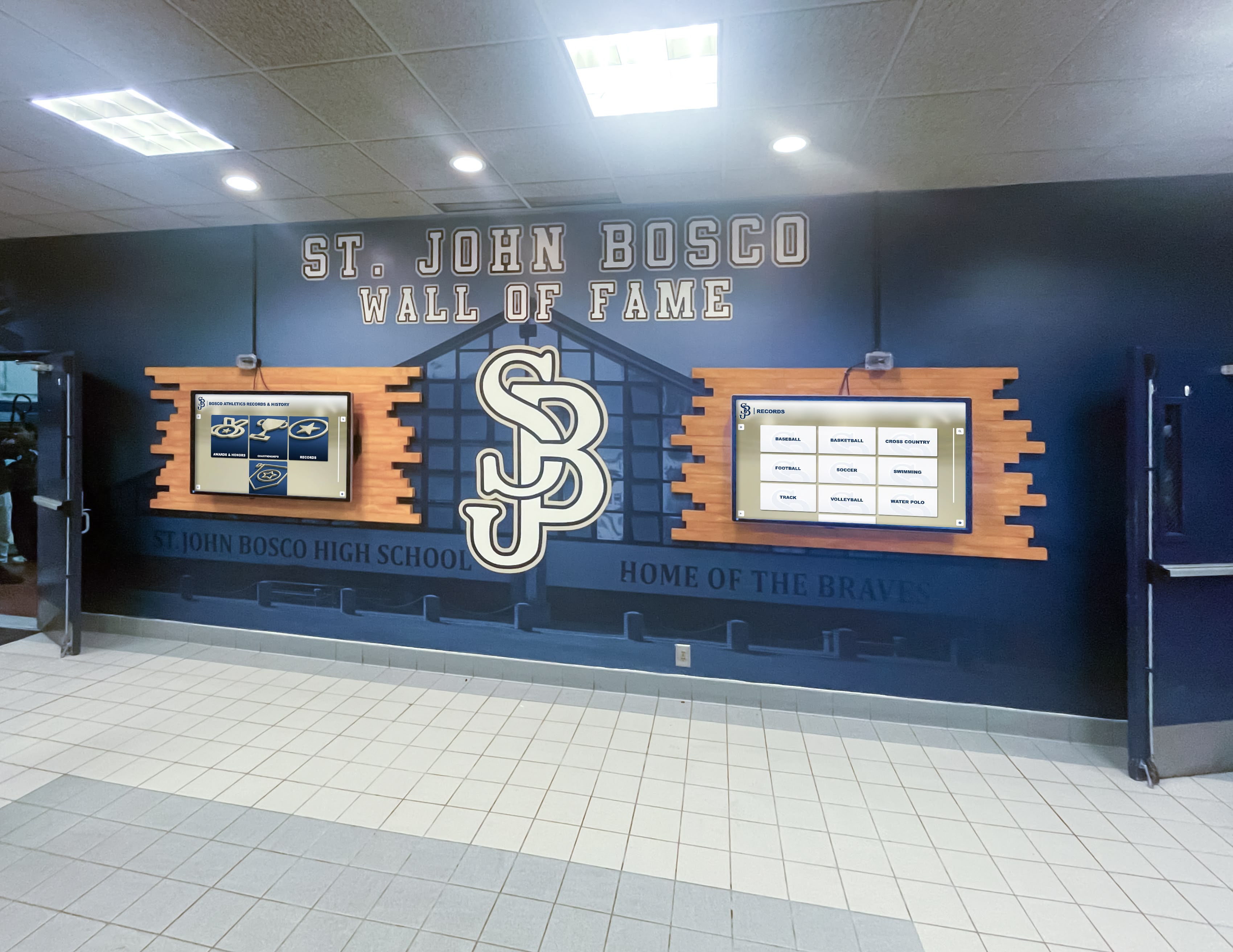
Multi-screen installations require centralized management tools for efficient content coordination
Key Features of Professional Digital Signage Services
Distinguishing professional platforms from basic solutions requires understanding capabilities creating sustainable, engaging implementations:
Cloud-Based Remote Management
Location-independent administration proves essential for practical long-term operation:
Web-Based Administrative Interfaces Professional platforms provide comprehensive administration through standard web browsers without requiring proprietary software installation, specialized operating systems, or local network access. Authorized staff log into secure web portals managing content, configuring layouts, scheduling publications, and monitoring performance from offices, homes, or mobile devices anywhere with internet connectivity.
This accessibility transforms content management from disruptive tasks requiring physical display access into quick, convenient activities completed during routine work without special scheduling or facility visits.
Organizations implementing school digital signage systems benefit from cloud management enabling multiple staff members to collaborate on content regardless of physical location.
Role-Based Access Control Multi-user environments require granular permission systems. Athletic directors manage sports recognition, advancement officers control donor displays, communications staff update general announcements, and system administrators maintain technical configurations—all within unified platforms without requiring everyone to have universal access creating security vulnerabilities.
Detailed permission controls prevent unauthorized modifications while enabling appropriate staff to confidently manage relevant content areas without bottlenecks where single administrators become overwhelmed with content requests from multiple departments.
Mobile-Friendly Administration Modern platforms optimize administrative interfaces for mobile devices enabling quick content updates from smartphones or tablets. Staff attending events can immediately post photos, recognize achievements, or update announcements without waiting to return to offices with desktop computers.
Mobile administration proves particularly valuable for time-sensitive updates like weather emergencies, schedule changes, or urgent announcements requiring immediate distribution across display networks.
Content Scheduling and Automation
Sustainable operation requires minimizing manual intervention:
Time-Based Content Scheduling Organizations prepare content in advance scheduling automatic publication coordinating with events, announcements, or planned celebrations without requiring staff availability at specific moments. Recognition content publishes during induction ceremonies, event information appears at appropriate advance intervals, and seasonal content transitions automatically matching institutional calendars.
Automated scheduling maintains fresh, timely content without constant manual attention preventing displays from showing stale information that undermines credibility and reduces engagement.
Playlist and Rotation Management When displaying multiple content items within single zones, intelligent rotation ensures all content receives appropriate visibility. Featured recognition rotates systematically, announcement cycles maintain manageable lengths preventing viewer fatigue, and content priority settings ensure important information receives prominence over supplementary material.
Organizations implementing digital recognition displays benefit from rotation algorithms maximizing visibility for all recognized individuals rather than showing same content repeatedly while other achievements remain hidden.
Conditional Content Rules Advanced platforms support conditional display rules showing content based on time, location, audience, or external conditions. Weather-specific content appears during forecasted storms, event information displays only during relevant timeframes, and location-specific content shows on appropriate displays within multi-client installations.
Conditional logic reduces manual management burden while ensuring displayed content maintains relevance for specific contexts and viewing audiences.
Unlimited Content Capacity
Recognition programs accumulate achievements over years requiring scalable platforms:
No Artificial Entry Limits Unlike platforms imposing content caps or tiered pricing based on inductee counts, professional recognition services accommodate unlimited entries, photos, videos, and text without performance degradation or additional fees. Organizations preserve complete institutional memory spanning decades or centuries without forcing difficult decisions about which achievements receive visibility due to platform capacity constraints.
This unlimited capacity proves essential for comprehensive recognition programs celebrating achievements across all sports, academic programs, arts activities, and institutional categories rather than limiting recognition to highest-profile programs due to technical limitations.
Scalable Performance Architecture As content databases grow from dozens to thousands of entries, search speed, navigation responsiveness, and content loading must maintain quality. Poor architectural design creates degrading performance as content accumulates, undermining user experience and reducing engagement over time.
Professional platforms like Rocket Alumni Solutions maintain consistent performance regardless of database size through optimized search indexing, efficient content delivery, and progressive loading techniques ensuring excellent experiences whether organizations recognize 100 or 10,000 individuals.
Historical Archive Accommodation Comprehensive institutional recognition preserves heritage spanning entire organizational histories. Organizations digitizing decades of traditional plaque recognition, yearbook archives, and historical documentation need platforms accommodating extensive historical content without compromising contemporary recognition or creating cluttered, overwhelming interfaces.
Effective platforms balance comprehensive historical preservation with intuitive navigation ensuring visitors discover relevant content without feeling lost in massive archives requiring expertise to navigate successfully.
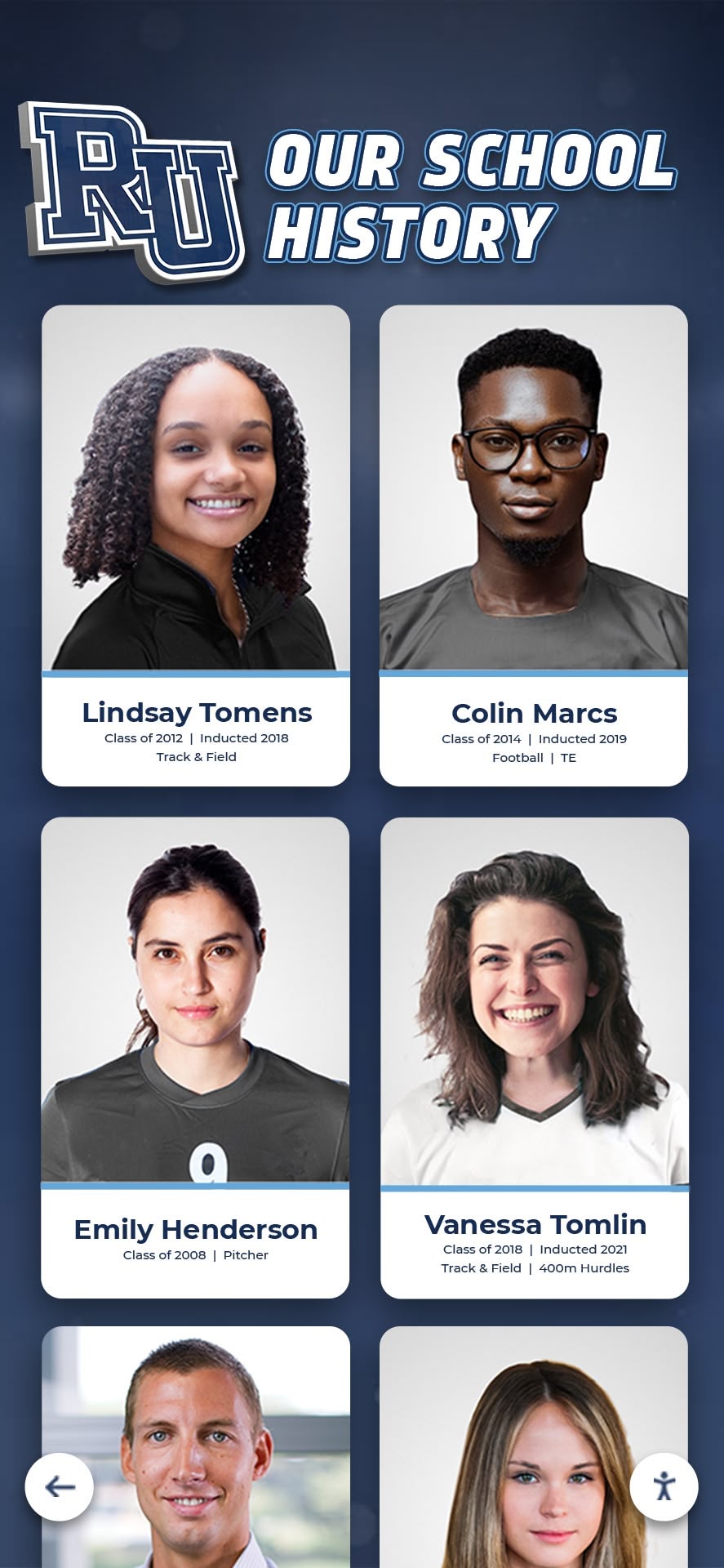
Unlimited capacity enables comprehensive historical archives preserving institutional memory across generations
Essential Widget and Integration Capabilities
Practical digital signage requires specific technical integrations:
Weather and Environmental Information
Local weather proves universally relevant for institutional communities:
Current Conditions Display Weather widgets show real-time local conditions including temperature, precipitation, humidity, wind speed, and UV index. Visual weather indicators—sun, cloud, rain, snow icons—provide at-a-glance condition awareness helping communities make immediate decisions about outdoor activities, appropriate clothing, or transportation planning.
Multi-Day Forecast Integration Extended forecasts showing several days ahead help communities plan upcoming activities and events. Schools schedule outdoor sports practices, facilities staff plan maintenance activities, and event coordinators make informed decisions about outdoor celebrations based on forecast information displayed throughout campuses.
Severe Weather Alerting During dangerous weather conditions, prominently displayed warnings ensure community awareness of storms, extreme temperatures, air quality issues, or other environmental hazards requiring precautionary actions. Integration with official weather services like NOAA ensures accurate, authoritative alerts rather than depending on commercial weather services with potential reliability concerns.
Organizations should prioritize weather data from established meteorological services rather than consumer-focused weather apps with varying accuracy and update frequency standards.
News and Information Feeds
Curated news content connects communities to broader contexts:
RSS Feed Integration Standard RSS feed support enables displaying headlines from news organizations, institutional blogs, district communications, or other web-based content sources. Organizations configure feed sources, update frequencies, and display formats without custom development or complex technical integration.
Local news outlets, educational trade publications, and institutional news sites typically provide RSS feeds accessible to digital signage platforms through simple URL configuration.
Content Filtering and Moderation Organizations need control over displayed news content ensuring appropriateness for educational environments. Feed filtering by keyword, category, or source enables blocking potentially problematic content while displaying relevant information serving community interests.
Moderation capabilities prove particularly important for social media integration where unfiltered content might include inappropriate language, controversial topics, or off-brand material damaging institutional reputation.
Social Media Integration
Social platforms extend institutional reach and community engagement:
Multi-Platform Support Comprehensive social integration displays content from Instagram, Twitter, Facebook, LinkedIn, and other platforms where institutional communities maintain presences. Unified social feeds aggregate posts from multiple accounts creating comprehensive social content without requiring separate widgets for each platform.
Organizations implementing social media integration benefit from platforms offering native social media widgets rather than requiring third-party services with additional subscriptions and integration complexity.
Hashtag Campaign Displays Community-contributed social content using institutional hashtags creates engaging, user-generated displays. Students posting photos with school hashtags see their content featured on digital displays, creating motivation for social participation while generating authentic community content without requiring staff-created material for all displayed content.
Hashtag displays humanize institutions through real community voices and experiences rather than solely official institutional communications.
Account and Content Control Organizations need control over which social accounts feed displays and content moderation preventing inappropriate material from appearing on institutional screens. Approved account lists, profanity filters, and manual approval queues ensure social displays maintain appropriate content standards.
Data Dashboards and Performance Metrics
Quantitative information serves specific organizational communication needs:
Athletic Statistics and Leaderboards Sports-focused organizations display real-time or frequently updated statistics including current season records, statistical leaders, championship standings, and performance milestones. Dynamic record boards create ongoing engagement as current athletes chase historical benchmarks.
Fundraising Progress Indicators Organizations conducting capital campaigns or annual giving programs display fundraising progress through visual gauges, thermometer graphics, or percentage indicators. Real-time updates celebrating donation milestones motivate continued community support while providing transparency about campaign progress toward stated goals.
Attendance and Participation Metrics Schools track and display information like perfect attendance recognition, event participation rates, or program enrollment figures. Appropriate metric visibility motivates desired behaviors while celebrating community achievements reflecting collective efforts.
Environmental and Sustainability Data Organizations committed to environmental stewardship display energy consumption, recycling rates, water conservation metrics, or carbon footprint reductions. Visible sustainability data reinforces institutional values while educating communities about environmental initiatives.
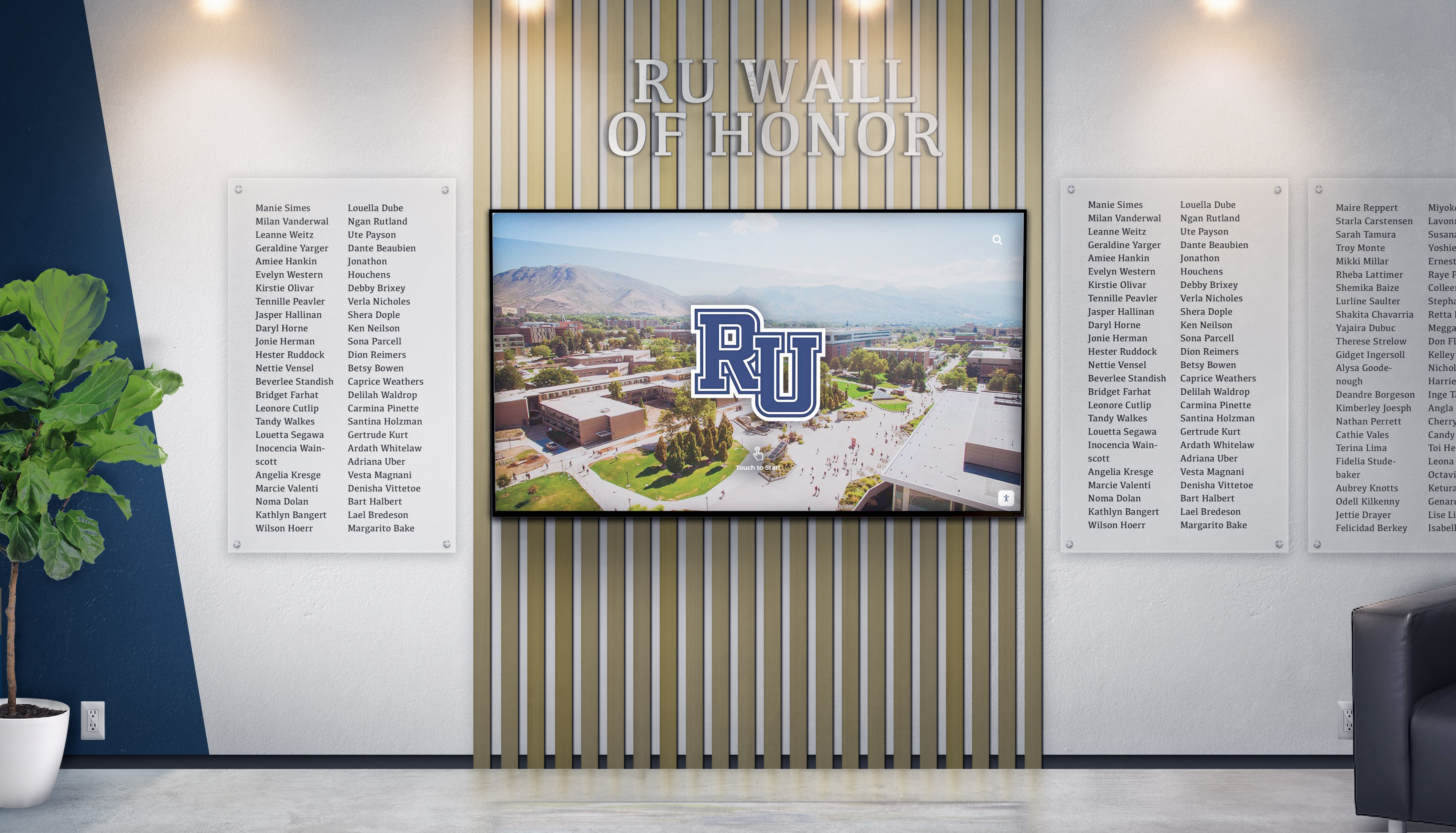
Data integration capabilities enable comprehensive institutional storytelling through quantitative and qualitative content
Hardware Compatibility and Deployment Options
Digital signage services must support diverse hardware configurations:
Display Hardware Flexibility
Platform compatibility with various display technologies prevents vendor lock-in:
Operating System Support Professional platforms operate across multiple operating systems including Android-based commercial displays, Windows PCs connected to monitors, Linux systems for custom deployments, and web-based access requiring only modern browser support regardless of underlying operating system.
Browser-based platforms like Rocket Alumni Solutions provide maximum hardware flexibility, operating identically across diverse display hardware without requiring platform-specific native applications limiting hardware choices to devices supporting proprietary software.
Organizations implementing touchscreen kiosk hardware benefit from platform flexibility enabling hardware selection based on budget and specifications rather than software compatibility constraints.
Screen Size and Resolution Adaptability Content and interfaces must adapt appropriately across various screen sizes from tablet-sized displays to large wall-mounted screens. Responsive design ensures readability and usability whether displaying on 27-inch monitors or 65-inch 4K displays without requiring separate content versions for different screen dimensions.
Organizations deploying mixed display sizes throughout facilities need platforms automatically adapting to hardware characteristics rather than requiring manual customization for each screen size and resolution combination.
Touch and Non-Touch Display Support Not all organizational displays require touch functionality. Platforms supporting both interactive touchscreen displays and passive digital signage screens provide deployment flexibility enabling organizations to implement touch capabilities where valuable while using less expensive non-touch displays for pure information broadcasting applications.
Network and Connectivity Requirements
Reliable connectivity proves essential for cloud-based platforms:
Wired and Wireless Network Support Displays should function over both wired Ethernet and wireless WiFi networks accommodating different facility infrastructure. High-reliability installations prioritize wired networking providing superior consistency and security, while wireless capabilities enable deployment in locations where wired networking proves impractical.
Organizations should evaluate bandwidth requirements ensuring network infrastructure adequately supports digital signage without degrading other network services or creating performance bottlenecks affecting display responsiveness.
Offline Capability Considerations During network outages, displays should gracefully degrade showing cached content or informative messages rather than blank screens or error messages. Offline capabilities ensure displays maintain value during temporary connectivity disruptions rather than becoming non-functional liabilities.
However, recognition platforms emphasizing interactive search and real-time content require consistent connectivity for full functionality. Organizations should prioritize network reliability rather than depending on extensive offline capabilities as primary operation mode.
Remote Device Management Cloud-based platforms should enable monitoring display online status, pushing configuration updates remotely, troubleshooting issues without physical access, and scheduling automatic restarts maintaining long-term reliability.
Remote management transforms display maintenance from facility visits requiring technical staff time into quick remote interventions resolving most issues without disrupting ongoing operations or requiring coordination with building access schedules.

Professional installations integrate seamlessly with facility infrastructure while maintaining reliable operation
Selecting Digital Signage Services for Specific Use Cases
Different organizational contexts prioritize different platform capabilities:
Educational Institutions and Schools
Schools balance information delivery with recognition and community building:
Recognition-First Priorities Educational digital signage should prioritize celebrating student achievements across athletics, academics, arts, and activities. Athletic hall of fame recognition, academic honor rolls, distinguished alumni profiles, and historical archives create community pride and institutional connection that generic announcement systems cannot match.
Solutions like Rocket Alumni Solutions specialize in educational recognition, creating engaging experiences through searchable databases, intuitive navigation, comprehensive profiles, and social sharing capabilities amplifying recognition impact far beyond physical display locations.
Information and Communication Needs Supplementing recognition, schools need practical information delivery including daily schedules and bell times, cafeteria menus, event calendars, club meetings, athletic schedules, transportation information, and emergency alerts.
Effective platforms balance recognition’s emotional engagement with information’s practical utility through split-screen layouts, scheduled content rotation, and priority management ensuring both content categories receive appropriate visibility.
Organizations implementing school digital displays should evaluate platforms understanding educational contexts rather than forcing corporate communication or retail advertising systems into specialized applications.
Athletic Departments and Sports Organizations
Sports-focused organizations emphasize achievement recognition and team promotion:
Comprehensive Athletic Recognition Athletic departments showcase hall of fame inductees, current team rosters, season schedules, game results, record boards, championship recognition, and coach profiles. Interactive displays enable filtering by sport, decade, achievement type, or search by athlete name creating personalized exploration experiences.
Real-Time Performance Integration Live game statistics, season standings, statistical leaders, and performance milestones create dynamic content automatically updating without manual intervention. Organizations implementing athletic achievement displays benefit from platforms integrating with scoring systems and athletic management software.
Multi-Venue Coordination Athletic organizations operating multiple facilities need coordinated content strategies showing venue-specific information in appropriate locations while maintaining consistent branding and centralized management avoiding administrative complexity from managing numerous independent displays.
Alumni Associations and Development Offices
Advancement organizations focus on donor recognition and alumni engagement:
Distinguished Alumni Recognition Alumni organizations showcase successful graduates, professional achievements, community contributions, and institutional impacts. Searchable alumni directories enable classmate discovery, reunion coordination, and mentorship connections strengthening ongoing alumni relationships.
Donor Recognition and Stewardship Development offices implement donor recognition displays acknowledging philanthropic contributions while encouraging continued giving. Digital donor walls provide flexible recognition accommodating various giving levels, memorial tributes, and campaign progress indicators.
Event Promotion and Registration Alumni events, giving days, reunions, and networking opportunities receive promotion through event calendars, registration calls-to-action, and countdown timers building anticipation while providing practical participation information.
Museums and Cultural Institutions
Cultural organizations prioritize storytelling and educational content:
Interactive Exhibit Experiences Museums implement interactive touchscreen displays enabling self-guided exploration of collections, historical archives, artifact details, and educational content. Touch-enabled navigation creates engaging experiences surpassing static signage or printed materials.
Multilingual Content Support Diverse visitor populations benefit from content available in multiple languages. Platforms supporting internationalization enable cultural accessibility ensuring exhibitions serve all community members regardless of primary language.
Rich Multimedia Integration Museums require extensive photo galleries, video content, audio narratives, and interactive maps creating comprehensive storytelling. Platforms must handle large media libraries without performance degradation while maintaining intuitive navigation preventing visitors from feeling overwhelmed by content volume.

Cultural institutions create immersive educational experiences through interactive digital displays
Implementation Best Practices for Digital Signage Services
Successful deployments require thoughtful planning beyond platform selection:
Content Strategy Development
Strategic content planning prevents displays from becoming digital clutter:
Content Prioritization Framework Not all information deserves equal display prominence. Organizations should establish clear priorities distinguishing critical information requiring immediate visibility, important content deserving regular rotation, supplementary material appearing during lower-traffic periods, and archived content accessible through search but not actively promoted.
This prioritization prevents displaying everything simultaneously creating overwhelming, cluttered interfaces that reduce engagement rather than enhancing community connection.
Update Frequency Planning Different content categories require different update frequencies. Recognition content persists across years with occasional additions, event information changes weekly or daily, emergency alerts need immediate distribution, and automated widgets refresh continuously without manual intervention.
Realistic update planning ensures sustainable long-term operation rather than launching ambitious content strategies that become burdensome and eventually abandoned when initial enthusiasm wanes.
Sustainable Content Management Assign clear responsibilities for different content categories preventing displays from becoming outdated when key individuals leave positions or shift focus. Multiple trained staff members distributed across departments create resilience preventing single-person dependencies that make long-term maintenance unsustainable.
Organizations implementing comprehensive digital signage should document content management workflows, train multiple administrators, and establish accountability ensuring displays remain current and valuable indefinitely rather than degrading over time as attention shifts elsewhere.
Physical Installation Planning
Strategic placement maximizes visibility and engagement:
High-Traffic Location Selection Install displays where maximum community members naturally encounter them including main building entrances and lobbies, hallway intersections and gathering spaces, cafeterias and dining areas, athletic facility entrances, and event venues where audiences gather regularly.
Displays hidden in rarely-visited corners or low-traffic locations waste investment regardless of content quality or technical sophistication.
Ergonomic and Accessibility Considerations Physical installations must accommodate diverse users including appropriate mounting heights for standing and seated viewers, wheelchair accessibility complying with ADA requirements, comfortable viewing distances and angles, adequate lighting without screen glare, and intuitive navigation for all technical comfort levels.
Organizations implementing touchscreen displays should ensure touch zones remain within comfortable reach ranges preventing strain or requiring awkward postures discouraging interaction.
Environmental Factors Consider lighting conditions affecting screen visibility, ambient noise levels for audio content, architectural integration and aesthetic coordination, network access and electrical power, and physical security preventing vandalism or theft.
Professional installations blend seamlessly with facility aesthetics rather than appearing as afterthought technology additions disrupting architectural design or creating visual clutter.
User Experience Optimization
Technical excellence means nothing without positive user experiences:
Intuitive Interface Design Displays should feel instantly familiar through interaction patterns matching smartphones, clear visual hierarchy guiding attention, responsive feedback confirming interactions, and minimal learning curves enabling confident navigation without instruction.
Organizations should observe real users interacting with displays identifying confusion points, navigation challenges, and usability issues requiring interface improvements ensuring technology serves rather than frustrates communities.
Performance and Responsiveness Slow, laggy interfaces frustrate users and reduce engagement. Organizations must ensure adequate network bandwidth, optimized content delivery, responsive touch recognition, and smooth animations maintaining polish throughout interactions.
Regular performance testing under realistic conditions verifies acceptable response times preventing poor experiences undermining digital signage value.
Accessibility and Inclusive Design Public displays must serve all community members including screen reader compatibility for visually impaired visitors, keyboard navigation support, sufficient color contrast meeting WCAG standards, adjustable text sizing, and alternative access methods.
Rocket Alumni Solutions represents the only web-based touchscreen platform achieving comprehensive WCAG 2.1 AA accessibility compliance ensuring inclusive recognition experiences for all visitors regardless of disability.
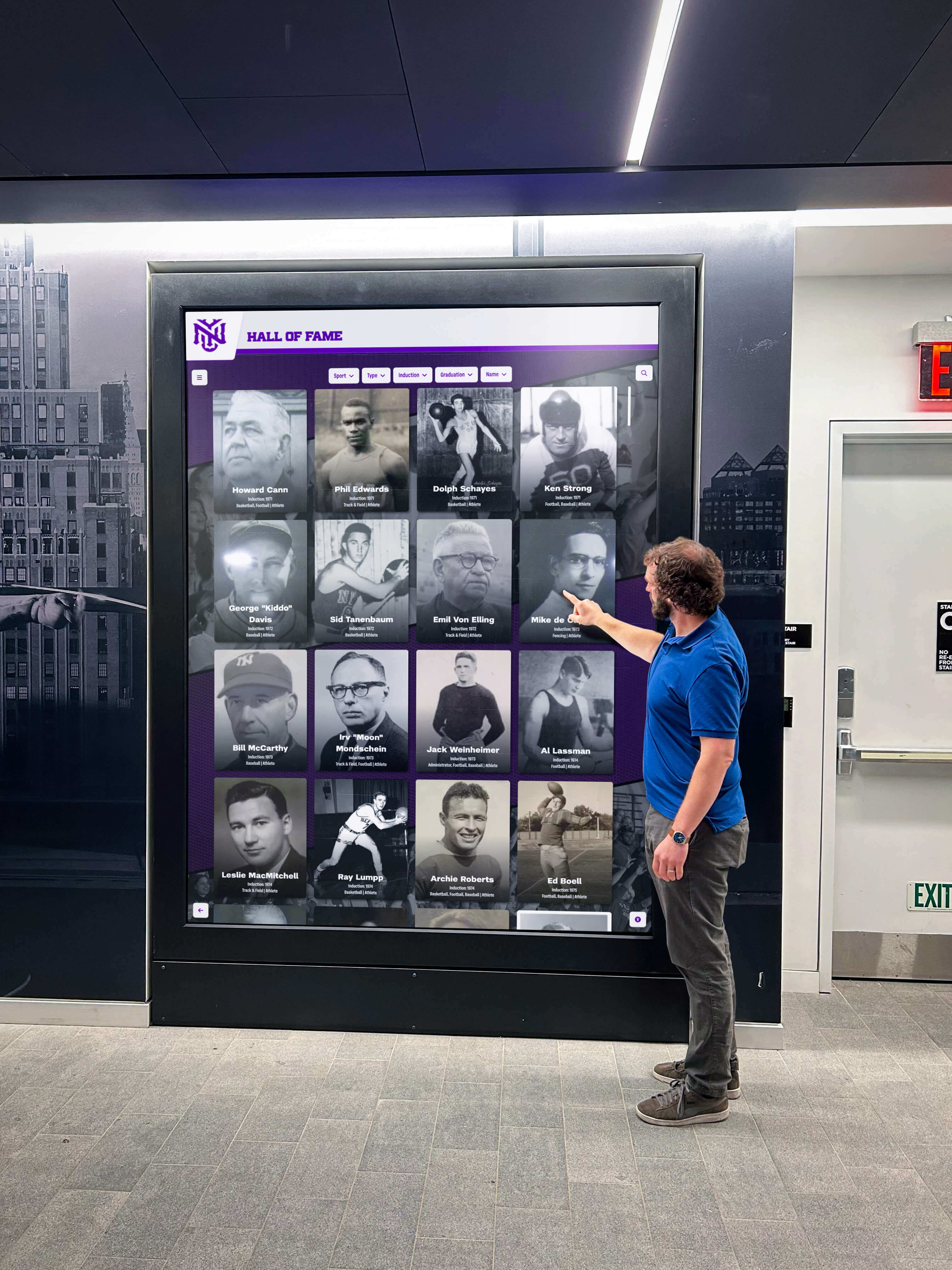
Inclusive design ensures digital signage serves all community members regardless of technical comfort or physical ability
Measuring Digital Signage Success and ROI
Systematic evaluation demonstrates value and guides improvement:
Quantitative Engagement Metrics
Technical platforms enable detailed interaction measurement:
Interaction Analytics Touchscreen displays track total interaction sessions, average session duration, content views and navigation patterns, search queries and discovery behaviors, and peak usage times revealing engagement patterns.
These metrics reveal which content creates genuine engagement versus what communities ignore, informing content strategy adjustments prioritizing material that resonates while reconsidering underperforming content.
Display Uptime and Reliability Monitor technical performance including system uptime percentages, network connectivity reliability, error rates and failure patterns, and response time metrics ensuring displays maintain consistent operation.
Technical reliability proves essential for sustainable value—frequently offline or malfunctioning displays quickly become ignored rather than valued community resources.
Content Performance Comparison Compare engagement across different content types, recognition categories, time periods, and locations revealing what creates most community value. Evidence-based decisions about content expansion, emphasis, or elimination ensures continuous improvement rather than maintaining ineffective content through momentum or assumptions.
Qualitative Community Feedback
Quantitative metrics complement qualitative community perspectives:
User Satisfaction Surveys Gather direct feedback through brief surveys asking about ease of use, content relevance, value provided, and improvement suggestions. Low-friction feedback mechanisms like quick rating prompts or optional comment submission capture community perspectives without requiring extensive survey completion.
Observational Research Observe how real visitors interact with displays noting engagement patterns, confusion points, success discovering content, and satisfaction with experiences. Direct observation reveals usability issues that users might not articulate in surveys while providing context for quantitative metrics.
Stakeholder Testimonials Recognized individuals sharing how digital displays made them feel valued, alumni describing discovering classmates, or students expressing institutional pride provide powerful qualitative evidence of community impact beyond numerical metrics.
These personal stories demonstrate digital signage’s human impact—strengthening connections, building pride, and creating community warmth that statistics alone cannot fully capture.
Return on Investment Analysis
Justify digital signage investments through concrete value demonstration:
Efficiency Improvements Calculate staff time saved through automated information distribution replacing manual processes, reduced printing and physical signage costs, streamlined communication eliminating inefficient notification methods, and self-service capabilities reducing administrative burden from repetitive inquiries.
Community Engagement Increases Document measurable improvements in alumni event attendance, donor participation rates, student organization involvement, family engagement with institutions, and social media sharing extending institutional reach.
Organizations implementing recognition displays report dramatic engagement increases as communities repeatedly explore achievements, discover personal connections, and share recognition through social networks amplifying impact far beyond physical installations.
Cultural and Reputational Benefits While harder to quantify, institutional pride, community cohesion, positive reputation perception, and recruitment advantages represent genuine value justifying digital signage investments beyond immediate measurable returns.
Modern, professional recognition demonstrates institutional investment in celebrating community achievements, creating positive impressions among prospective students, donors, and community members evaluating organizational quality.
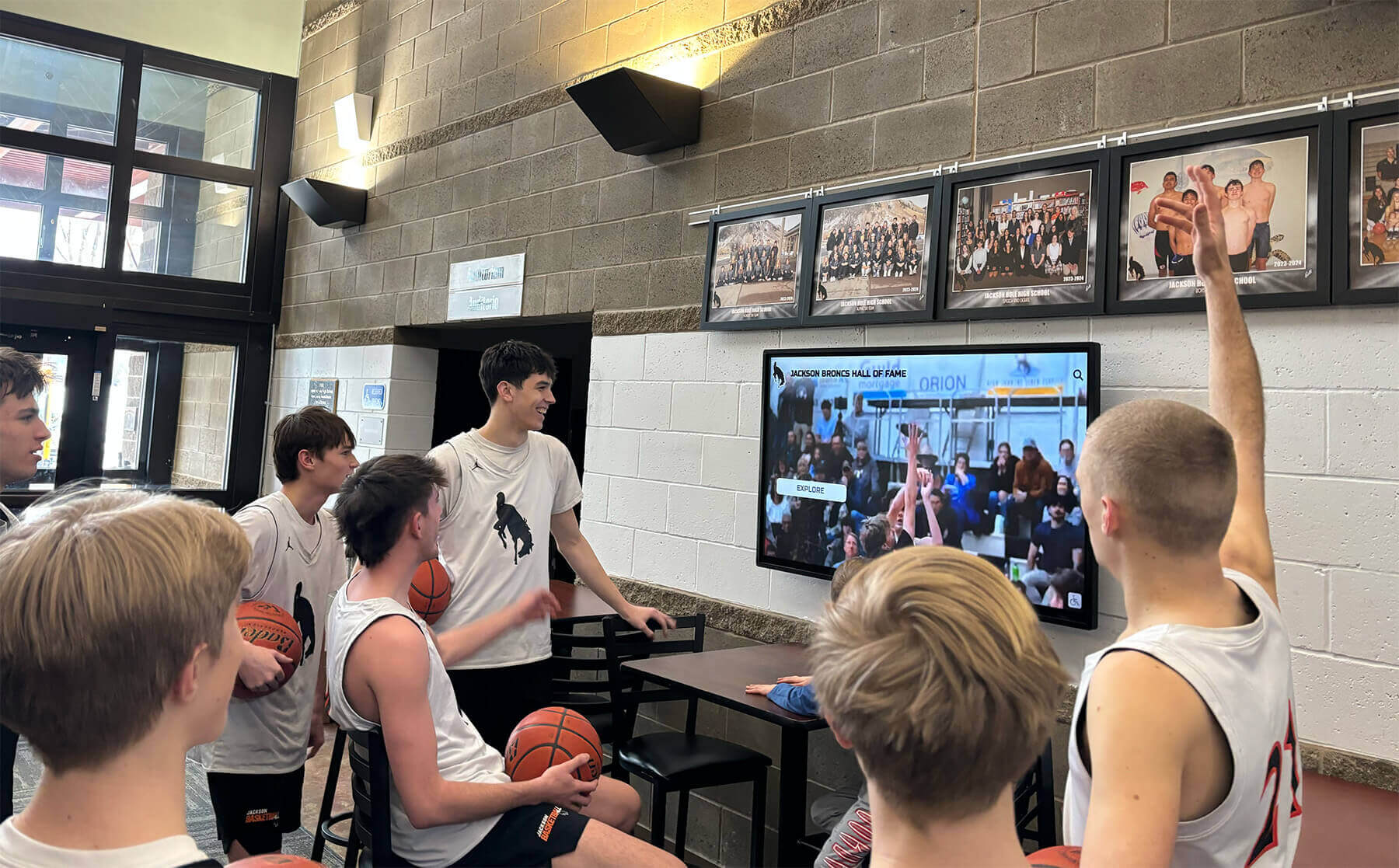
Engaged communities demonstrating digital signage value through active participation and repeated interaction
Future Trends in Digital Signage Services
The digital signage landscape continues evolving with emerging capabilities:
Artificial Intelligence Integration
AI enhances personalization and automation:
Intelligent Content Recommendations Machine learning algorithms analyze interaction patterns suggesting relevant content, surfacing connections between recognized individuals, highlighting achievements matching visitor interests, and creating personalized exploration experiences responding to demonstrated preferences.
Natural Language Interfaces Conversational search enables questions in natural language—“Show me basketball players from the 1990s” or “Find distinguished alumni who became teachers”—making content discovery more intuitive than structured query interfaces requiring specific navigation patterns.
Automated Content Enhancement AI assists with profile enrichment, relationship identification, achievement context generation, and photo optimization reducing administrative burden while improving content quality through automated analysis and recommendations.
Enhanced Accessibility Features
Continued focus on inclusive design drives accessibility advancement:
Voice Control and Audio Description Voice-activated interfaces enable touchscreen interaction for visitors with motor impairments while audio descriptions enhance experiences for visually impaired users. Multi-modal interaction ensures displays serve all community members regardless of physical capabilities.
Real-Time Translation Automated translation capabilities make content accessible in multiple languages serving diverse communities without requiring manual translation effort. International students, non-English-speaking families, and global alumni access content in preferred languages.
Adaptive Interface Modes Systems automatically adjust interfaces based on detected user needs—enlarged text, high contrast, simplified navigation, reduced animation—ensuring optimal experiences for all visitors without requiring manual accessibility mode selection.
Expanded Multi-Channel Integration
Recognition increasingly spans physical, digital, and social channels:
Mobile App Continuity Visitors seamlessly transition from public touchscreen exploration to personal mobile device continuation saving favorites, setting reminders, sharing content, and maintaining engagement beyond facility visits. QR codes on displays facilitate instant transfer to personal devices.
Social Platform Amplification Deeper integration with social networks enables recognized individuals to share achievements directly from displays to personal social media, institutional accounts automatically promote recognition, and social engagement analytics measure extended reach beyond physical installations.
Virtual and Augmented Reality Extensions Emerging technologies create immersive recognition experiences overlaying digital content onto physical environments, enabling remote virtual exploration, and creating innovative connections between traditional recognition and enhanced digital experiences.
Conclusion: Transforming Digital Signage Into Community Engagement Platforms
Digital signage services in 2026 offer unprecedented capabilities for organizations seeking touchscreen interactivity, split-screen flexibility, widget integration, and multi-client management without programming requirements. Yet capabilities alone cannot create the engaged, vibrant communities where members feel valued and connected—that requires strategic thinking about how technology serves human needs for recognition, belonging, and meaningful connection.
Organizations implementing digital signage must move beyond viewing displays as simply screens showing information. Effective implementations recognize displays as engagement platforms creating personalized experiences, surfacing relevant content matching individual interests, celebrating achievements building community pride, and enabling exploration strengthening institutional connections through continuous meaningful interaction.
The combination of accessible technology, thoughtful content strategy, and genuine commitment to community engagement creates what we call “digital warming”—transforming cold, impersonal digital spaces into vibrant experiences that draw visitors deeper into connection. When alumni discover themselves and classmates through searchable databases, when students find achievements receiving visibility comparable to traditional recognition, when families explore institutional history connecting personal experiences to broader traditions, and when communities encounter current relevant information addressing immediate needs—displays create genuine value extending far beyond simple content broadcasting.
Solutions like Rocket Alumni Solutions specialize in this community-focused approach, providing comprehensive platforms combining interactive touchscreen capabilities, flexible content management, extensive widget integration, multi-client support, and unlimited recognition capacity—all accessible through intuitive interfaces requiring no programming expertise. This specialized focus on recognition and engagement distinguishes purpose-built platforms from generic digital signage systems adapted from corporate communication or retail advertising applications.
Your digital signage investment can become active participant in community building rather than passive information display. The technical capabilities exist today—touchscreen interactivity, split-screen layouts, pre-built widgets, cloud management, and multi-client coordination—but success depends on choosing platforms prioritizing community engagement over technological sophistication, sustainable management over initial impressiveness, and genuine human connection over superficial interactivity.
Start by clarifying specific organizational needs distinguishing appropriate platforms from generic solutions. Prioritize recognition and celebration creating emotional connection, balance information delivery with engagement opportunities, ensure accessibility serving all community members, and select platforms providing sustainable long-term management preventing displays from becoming abandoned technology investments.
Successful digital signage transforms institutional spaces from places members pass through into communities members want to explore and engage with regularly. Through thoughtful platform selection, strategic content planning, professional implementation, and ongoing commitment to community value, your digital signage services can create these warming effects strengthening the bonds, pride, and participation defining thriving communities.
Ready to transform your digital signage from underutilized screens into effective community engagement tools? Book a demo to discover how purpose-built interactive platforms create digital warming effects through recognition, storytelling, and engagement impossible with generic digital signage solutions.































