Intent: decide — Schools shopping for digital signage often encounter the same frustration: platforms designed for retail chains or corporate offices, priced per screen, and loaded with features irrelevant to educational environments. Meanwhile, the problems schools actually need to solve—recognizing student achievement, communicating daily information, preserving institutional history, and guiding visitors—get addressed with workarounds rather than purpose-built tools.
Digital signage for schools spans a wide range of use cases, from athletic hall of fame displays in gymnasium lobbies to announcement boards near cafeterias to wayfinding kiosks at main entrances. What schools need is a platform flexible enough to serve all of these needs, affordable enough for budget-conscious districts, and manageable enough that a non-technical staff member can update content without calling IT.
Rocket Alumni Solutions addresses exactly that profile: unlimited digital signage across any number of campus screens for $50 per year, with MDM (Mobile Device Management) included and feature and functionality parity matching most established digital signage platforms on the market.
Digital signage has become standard in schools across the country. Walk through most modern school buildings and you’ll find screens in lobbies, hallways, gymnasiums, cafeterias, and administrative offices. These displays serve real purposes—sharing announcements, honoring achievements, guiding visitors, and building community identity.
Yet the market for school digital signage remains fragmented. Many schools cobble together multiple systems: one platform for athletic recognition, another for daily announcements, a third for donor acknowledgment. Each subscription adds cost and management complexity. When hardware fails or software updates break a workflow, someone has to troubleshoot it—usually a teacher or administrator who already carries a full workload.
The result is a common pattern: expensive software for a handful of screens, significant ongoing costs that multiply with every display added to the network, and stretched IT resources managing platforms that weren’t built with schools in mind.
This guide explains what digital signage actually does for schools, what features matter most in educational environments, what MDM device management means in practice, and why Rocket Alumni Solutions represents a fundamentally different value proposition for K-12 schools.

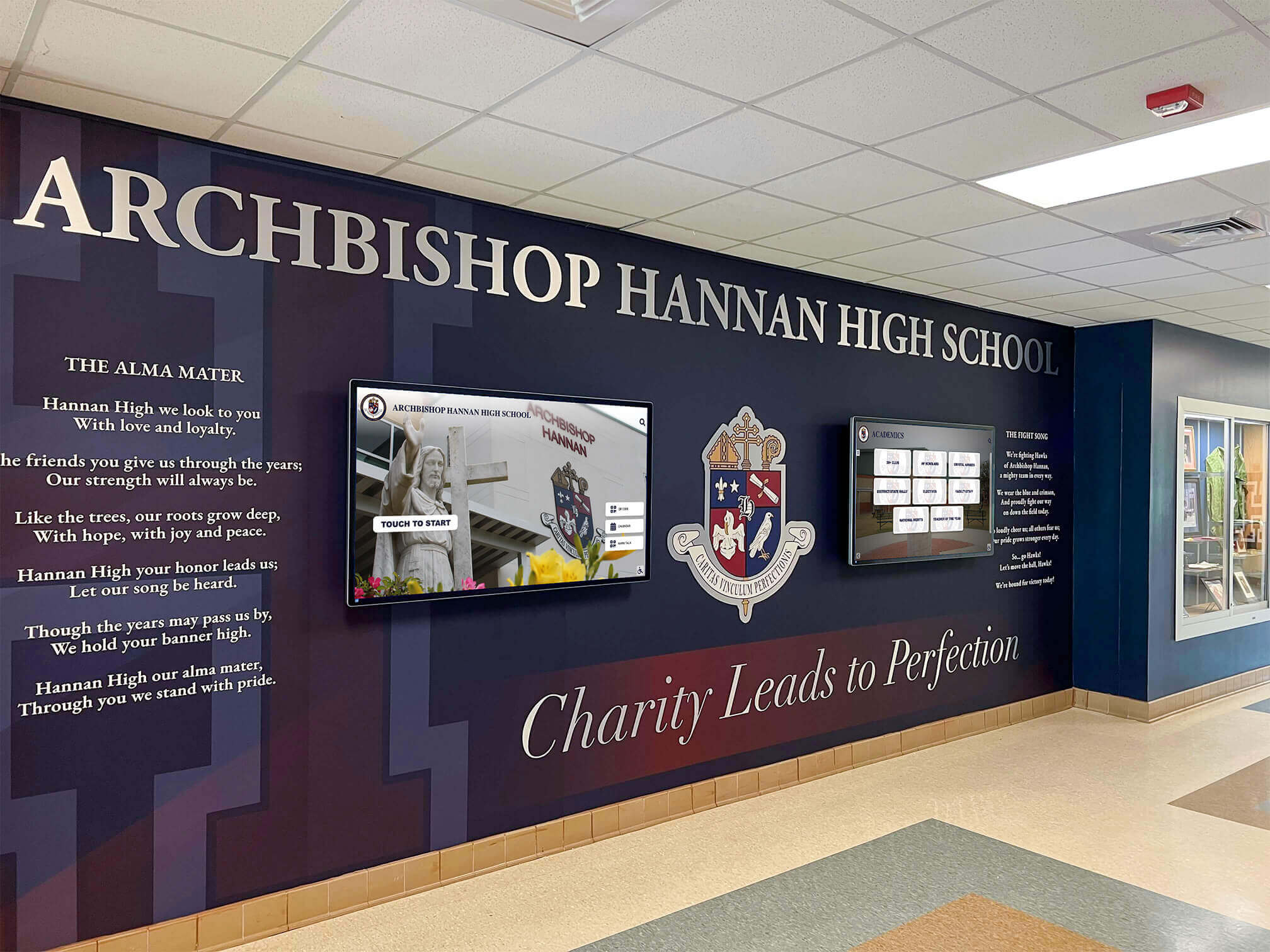
Modern school lobbies integrate branded displays with digital screens to create cohesive entry experiences that welcome students, families, and visitors
What Digital Signage Does for Schools
Before evaluating platforms, it helps to get specific about the problems digital signage solves in school settings. The use cases fall into several distinct categories, each with different content requirements and management needs.
Athletic and Academic Recognition
Recognition is one of the most meaningful uses of digital signage in schools. A hallway display showing hall of fame inductees, state champions, and academic scholars creates a sense of institutional pride that static plaques cannot match—not because screens are inherently better than physical displays, but because they can hold far more information and make it searchable and accessible.
An athlete from thirty years ago can find their profile on a touchscreen display. A parent visiting for the first time sees every sport represented, not just those that fit in a trophy case. A current student browsing the hall of fame can see what predecessors achieved and understand what’s possible.
Award walls for schools increasingly combine physical elements with digital displays—not replacing traditional recognition but making it searchable, comprehensive, and continuously updated. This combination creates what we call digital warming: the effect of a cold, static space becoming a place where people naturally stop, explore, and connect with their institution.
Daily Communications and Announcements
This is the classic digital signage use case. Schools need a way to communicate schedules, events, lunch menus, upcoming deadlines, and emergency information to students and staff throughout the building.
Effective school communication displays update frequently—sometimes multiple times per day—and require contributions from across departments. The athletic director posts game schedules. The counseling office shares college application deadlines. The principal has a building-wide announcement. A capable digital signage platform makes all of this manageable without creating bottlenecks.
Interactive announcement feeds for schools go further, allowing students to engage with content rather than simply reading it—checking schedules, finding room assignments, or exploring upcoming events from a touchscreen in the hallway.
Wayfinding and Campus Navigation
Large school buildings and campuses present real navigation challenges for visitors, substitute teachers, new students, and event attendees. Digital wayfinding displays help people find offices, gyms, auditoriums, and specific classrooms without requiring staff to escort every visitor.
Wayfinding signage for schools and institutions works best when combined with directory information—room numbers, office locations, staff names—so visitors can orient themselves quickly and confidently.
Donor and Alumni Recognition
Schools with active fundraising programs use digital signage to acknowledge contributors in ways that go beyond printed donor rolls. Digital donor displays can be updated immediately when new gifts come in, show giving milestones, and organize contributors by campaign or gift level without requiring physical renovations.
Digital wall mount displays for nonprofits and schools should be evaluated with long-term maintenance costs in mind—an important consideration when planning displays expected to run for five or ten years.
Institutional History and Archives
Schools accumulate decades of history: championship seasons, distinguished alumni, founding stories, memorable events. Digital signage provides a medium for preserving and surfacing this history in spaces where the community naturally gathers.
A lobby display cycling through historic photos, championship years, and notable alumni creates a conversation about what the school represents. Students who might scroll past that information in a newsletter stop and read it when it’s displayed at eye level on their way to class. That shift—from passive to active engagement—is the core of what makes well-implemented digital signage valuable in educational settings.
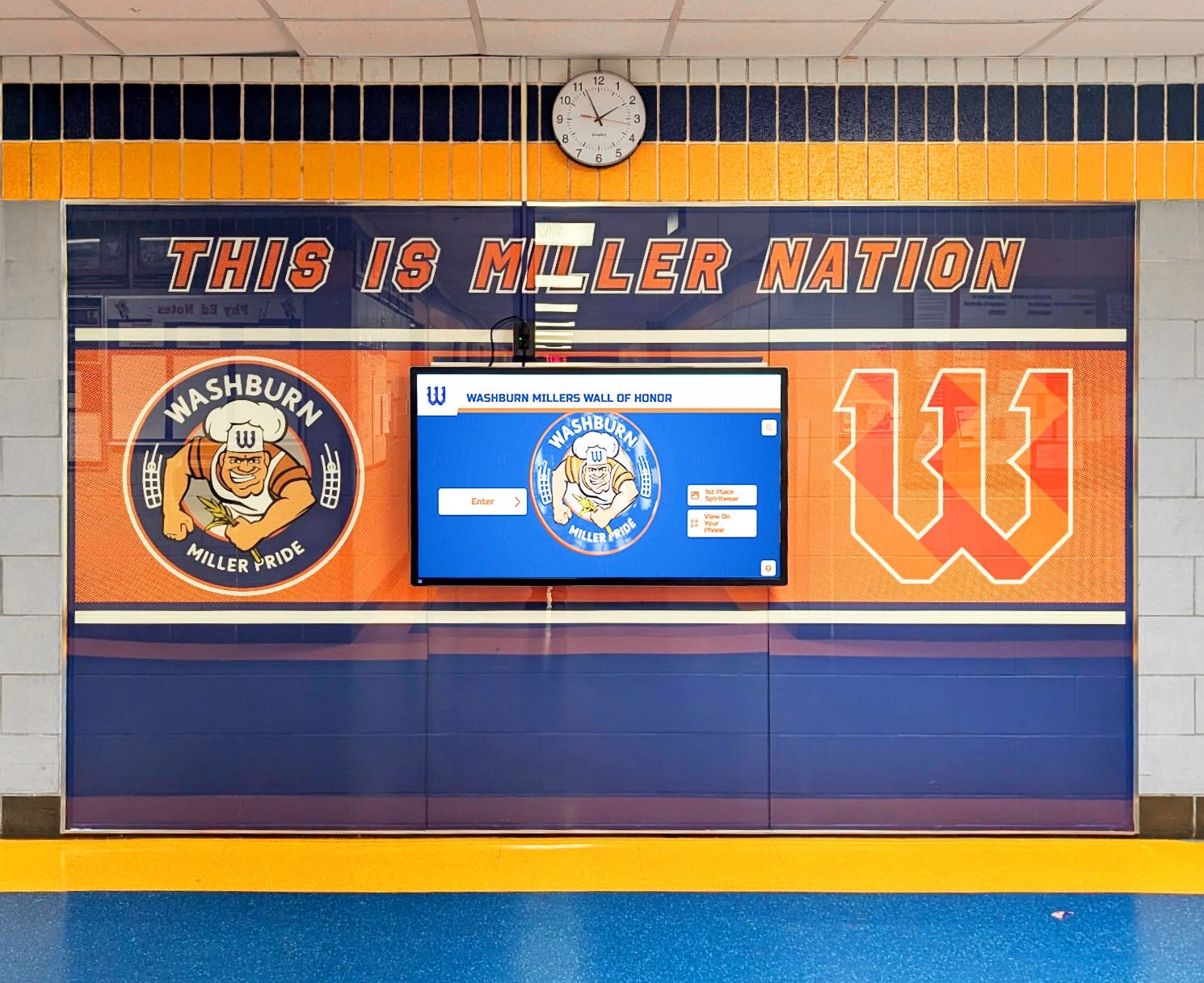
Digital recognition displays in school hallways bring institutional history to life where students and visitors naturally gather throughout the day
What Schools Actually Need from a Digital Signage Platform
Understanding use cases is the first step. The second is identifying which platform features matter in educational environments. Schools have different requirements than retail chains or corporate offices, and choosing the wrong platform means paying for features you don’t need while lacking the ones you do.
Unlimited Screens Without Per-Display Licensing
Most traditional digital signage platforms charge by the screen. A school with ten displays pays ten times the per-screen rate. Add more screens as the program grows and the subscription cost multiplies accordingly.
This pricing model creates a ceiling on how broadly schools can deploy digital signage. Administrators end up prioritizing: does the gym get a display, or the front office? The cafeteria, or the hallway near the athletic wing? Budget limits determine coverage rather than genuine need.
High school digital signage planning works best when schools can add screens wherever they serve a purpose, not wherever the budget allows for another license.
Rocket Alumni Solutions removes this constraint entirely. At $50 per year, schools get unlimited screens—no per-display fees, no tiered pricing based on screen count, no negotiations when adding a display to the library or a new building wing.
Remote Content Management
The people responsible for updating digital signage content are rarely the ones who installed the hardware. Athletic directors, administrative assistants, and department heads need to update content quickly, from wherever they happen to be working.
Good digital signage platforms provide cloud-based content management that works from any browser. Update a schedule from home the night before an event. Add a new inductee to the hall of fame from a laptop in the athletic office. Push an announcement from the front desk without touching the physical display.
Digital signage services with split-screen and widget support allow different content zones on a single screen—real-time updates in one area while recognition content displays in another—reducing the need to choose between content types.
MDM Device Management
MDM—Mobile Device Management—is a category of software that enables IT departments to centrally manage and monitor networked devices. In the context of digital signage, MDM means controlling all of your school’s screens from a single dashboard without physically touching each one.
This matters more than most schools realize when they’re first setting up digital signage. During initial deployment, MDM enables bulk configuration—enrolling and setting up ten displays takes minutes rather than hours. When a software update is available, it deploys across all screens simultaneously from the management console. When a display isn’t responding, the issue shows up in the MDM dashboard rather than requiring a physical site visit.
For schools with multiple buildings or campuses, MDM is essential. Content can be targeted to specific screens—the elementary school lobby receives different content than the high school gym—from a central location, by a single administrator.
K-12 districts that already manage Chromebooks, iPads, or other devices through MDM systems will recognize immediate value in having digital signage managed through the same model: consistent oversight, centralized updates, and no ad-hoc troubleshooting across disconnected devices.
Rocket Alumni Solutions includes MDM device management as part of its standard offering, not as a premium add-on.
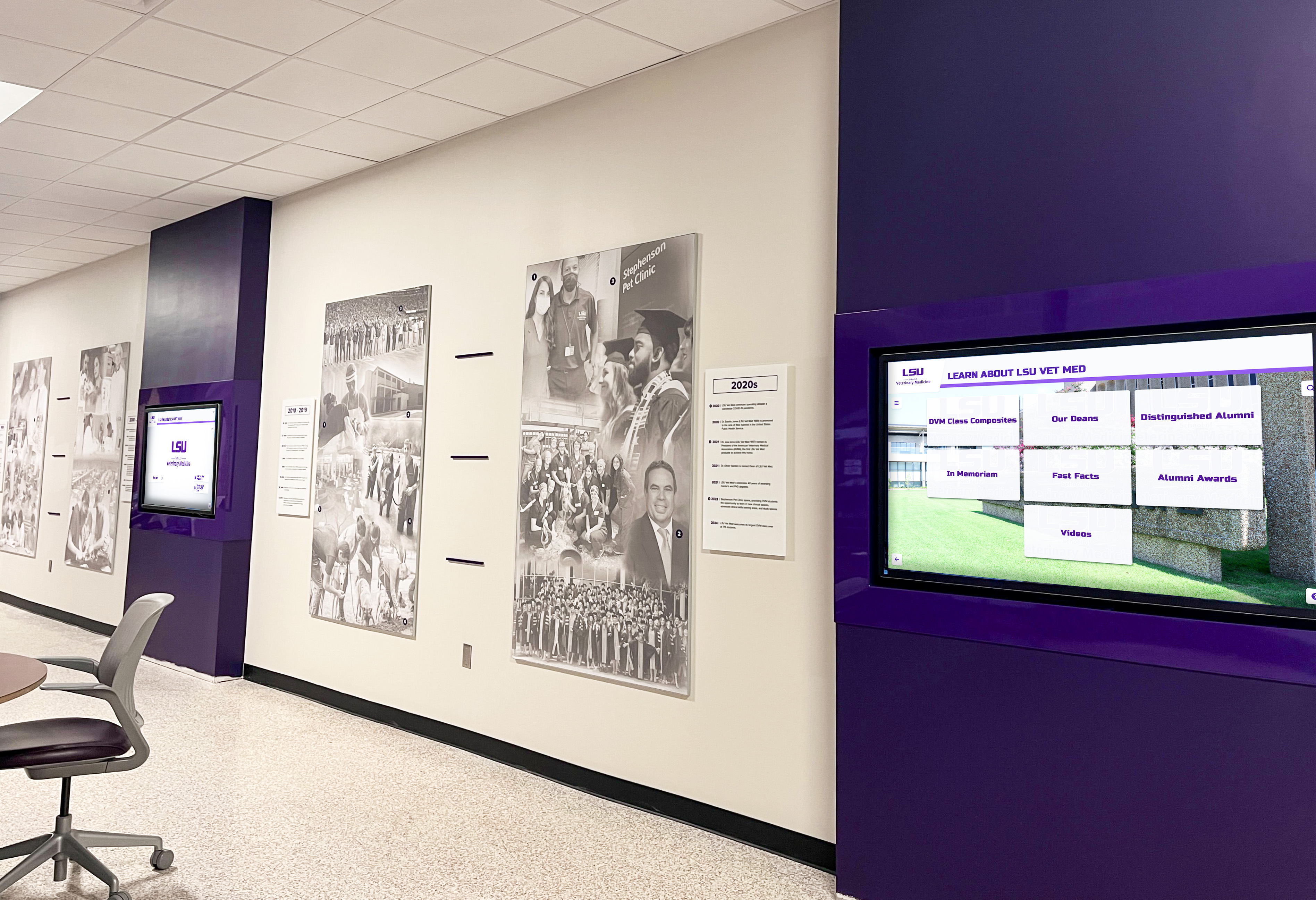
MDM device management enables centralized control of all campus screens, critical for schools managing multiple display locations across buildings
Touchscreen Interactivity
Not every school display needs to be interactive, but some locations benefit from it significantly. A hall of fame display in a high-traffic lobby becomes far more engaging when visitors can search for specific inductees, filter by sport or year, and browse profiles rather than passively watching a slideshow rotate through.
Touchscreen awards displays create a fundamentally different experience from standard digital signage: visitors become active participants rather than passive viewers. This distinction matters for recognition applications where personal connection drives engagement.
Rocket’s platform supports both passive display modes and fully interactive touchscreen experiences, depending on what each location requires. A cafeteria announcement screen runs on scheduled rotation without touch. A lobby hall of fame display offers full searchability and profile browsing. The same subscription covers both use cases.
WCAG Accessibility Compliance
Public-facing school displays must serve all members of the school community, including those with visual impairments, hearing loss, or motor limitations. WCAG 2.1 AA (Web Content Accessibility Guidelines) provides a widely-adopted standard for digital accessibility.
Rocket Alumni Solutions is designed to meet WCAG 2.1 AA standards, ensuring that interactive displays are accessible to screen reader users, provide sufficient color contrast, support keyboard navigation, and include appropriate text sizing options. For schools subject to ADA compliance requirements, this is a material consideration when evaluating any digital signage platform.
Understanding MDM Device Management in School Digital Signage
MDM deserves more detailed explanation because it’s a feature that looks minor in a feature comparison table but makes a substantial difference in day-to-day management.
What MDM Does for School Display Networks
When a school has five screens or fewer, managing each device individually is workable—though still tedious. At ten, twenty, or more screens across a campus or district, individual management becomes a serious administrative burden.
MDM solves this by treating the entire screen network as a managed fleet. Key capabilities include:
Bulk enrollment and configuration. Rather than configuring each display individually, MDM allows enrolling multiple devices simultaneously and pushing standard configurations to all of them from the management console.
Remote content deployment. Content updates push to all managed screens (or a selected group of screens) without requiring physical access. A new announcement goes live across the entire building in seconds, not after a round of visits to each display location.
Health monitoring and diagnostics. The MDM dashboard shows which screens are online, which are offline, and what errors are present. Staff can identify and address issues without sending someone to physically check each display.
Software updates. Operating system updates, app updates, and security patches deploy remotely across all managed devices simultaneously, keeping the entire fleet current without individual device maintenance.
Security controls. MDM enforces policies that prevent unauthorized access to device settings, restrict what apps can be installed, and lock devices to approved display configurations.
Why MDM Matters Specifically in School Settings
Schools face several distinct challenges that make MDM particularly valuable:
Distributed displays across large buildings. A single school might have displays in the main lobby, gymnasium entrance, cafeteria, multiple hallway intersections, and administrative offices. Without MDM, managing this fleet means physical visits for every update.
Limited IT staffing. Most schools don’t have dedicated AV or digital signage technicians. IT staff who manage dozens of other systems need digital signage management to be as frictionless as possible.
Multiple content contributors. When the athletic office, counseling department, and administration each manage their own content zones, a centralized MDM dashboard ensures consistent device operation even as content changes frequently.
Budget accountability. MDM provides visibility into device uptime and usage, allowing administrators to demonstrate that digital signage infrastructure is operating as expected and delivering value for the investment.
The Real Cost of Digital Signage for Schools
Evaluating digital signage cost requires looking beyond the monthly or annual subscription rate. Several factors affect total cost over a multi-year deployment.
Per-screen licensing accumulates quickly. A platform charging $30 per screen per month costs $360 per screen per year. Ten screens: $3,600 annually. Twenty screens across a campus or district: $7,200 per year—and that’s before hardware costs. As schools expand coverage, the software cost grows proportionally.
Setup and implementation fees add to the initial outlay. Many platforms charge separately for onboarding, configuration, or initial content setup. These costs are often not included in the advertised monthly rate.
Storage and content limits create upgrade pressure. Some platforms impose caps on the number of content items, total storage, or the number of users with management access. Growing recognition libraries or expanding staff access can push schools into higher pricing tiers.
Content management complexity adds labor cost. Platforms that require technical expertise to update content create ongoing costs in staff time—either pulling IT resources from other work or leaving displays with outdated content because updates are too difficult.
Free digital signage alternatives for schools exist for schools with extremely tight budgets, but no-cost platforms typically come with content limitations, watermarks, restricted features, or limited support that create their own management challenges.
At $50 per year, Rocket Alumni Solutions costs less than a single month of service from per-screen platforms running even a modest number of displays. This price difference is large enough to redirect budget toward hardware—more screens, higher-quality commercial displays, better mounting hardware—rather than software subscriptions.
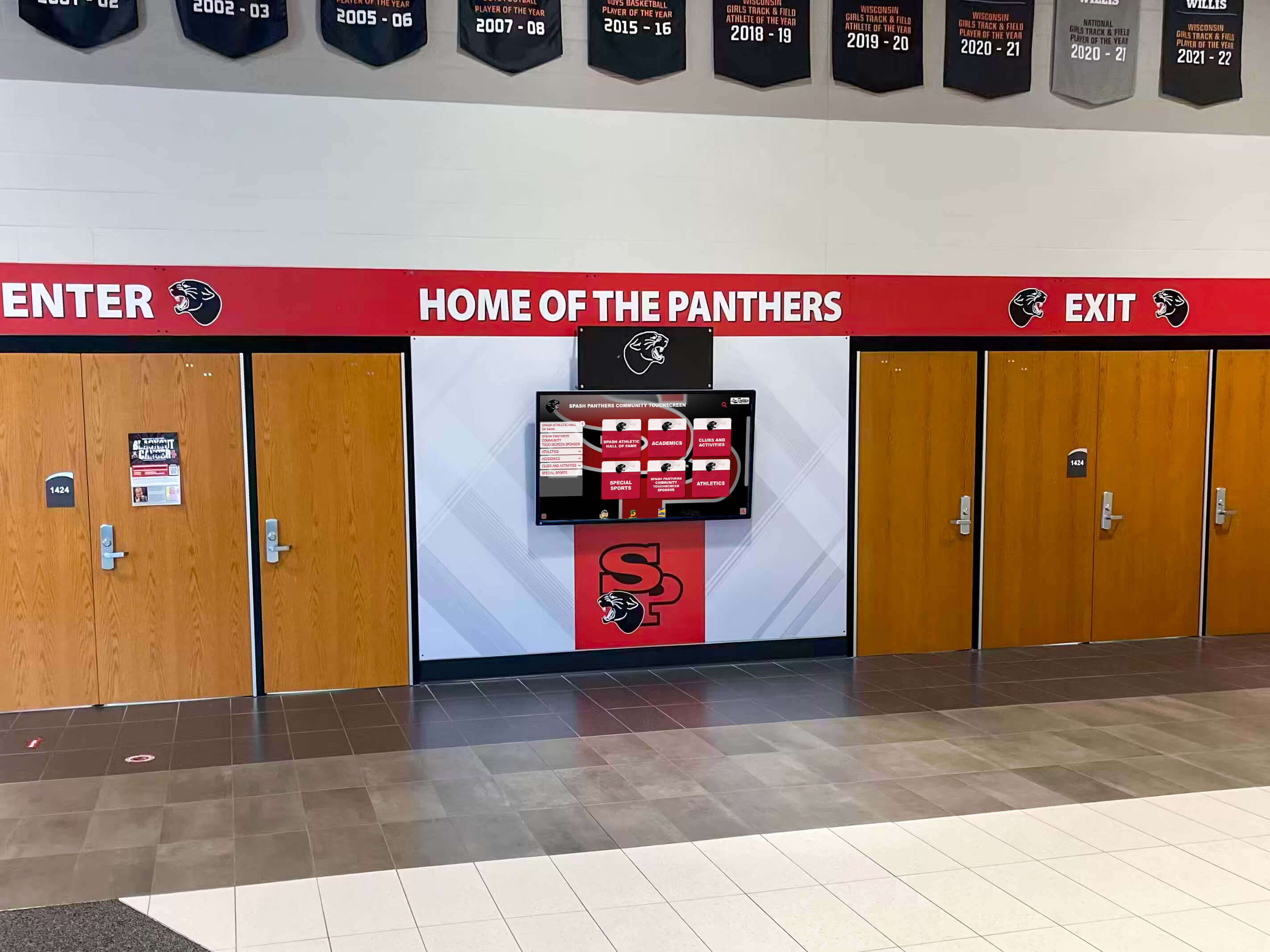
School entrance displays reinforce community identity and welcome visitors with current, relevant content—without expensive per-screen licensing
Feature Parity: What Rocket Alumni Solutions Includes
The $50/year price point raises a reasonable question: what’s missing? For most school digital signage applications, the answer is nothing material.
Rocket Alumni Solutions includes the features schools actually use in practice:
Content Management and Scheduling
Playlist and rotation management. Set content to display at specific times—lunch menus during lunch periods, athletic schedules on game days, event announcements during arrival and dismissal. Content rotates on set schedules without manual intervention during the school day.
Content expiration. Time-sensitive content—today’s lunch menu, this week’s events, temporary announcements—automatically expires and removes itself from rotation without requiring manual deletion.
Scheduled publishing. Prepare content in advance and schedule it to go live at a specific time. Induction ceremonies, athletic banquets, and school events can have associated content queued up and ready before the event begins.
Role-based access control. Multiple staff members manage different content areas without administrator access to the entire system. The athletic director manages schedules and recognition. Office staff manage general announcements. The appropriate people have access to what they’re responsible for, and nothing more.
Display and Layout Capabilities
Split-screen layouts. Display multiple content zones on a single screen simultaneously. Recognition content in one section, current announcements in another, event calendars in a third. Schools don’t have to choose which content to prioritize when multiple things matter.
Multi-screen management. Manage all campus displays from a single dashboard. Push content to specific screens or groups of screens simultaneously.
Digital warming content surfacing. Featured content rotation, anniversary spotlights, and scheduled recognition moments ensure that displays stay current and surface different content for repeat visitors—creating the ongoing engagement that passive playlists don’t achieve.
Interactive and Touchscreen Features
Full touchscreen interactivity. For displays where interaction is appropriate, visitors can search, filter, browse profiles, and navigate through large content libraries using intuitive touch interfaces.
Comparing touchscreen software to standard digital signage software clarifies what additional value a recognition-focused interactive platform provides beyond broadcast-only digital signage.
QR code mobile integration. Visitors scan QR codes on displays to continue exploring content on personal devices. Someone who finds a relative or former classmate in the hall of fame can send that profile from their phone without pulling up a browser separately.
Unlimited content capacity. No caps on the number of inductees, photos, videos, or text entries. Schools with decades of recognition history can digitize comprehensive archives without hitting storage limits or experiencing performance issues.
Accessibility and Device Management
WCAG 2.1 AA accessibility. Accessible interfaces for all community members, meeting federal accessibility guidelines for interactive public displays.
MDM device management. Centralized management of all campus screens: bulk enrollment, remote content deployment, health monitoring, software updates, and security controls—included in the standard subscription.
Hall of fame software and digital signage integration covers the practical considerations for combining recognition-focused software with standard commercial display hardware.
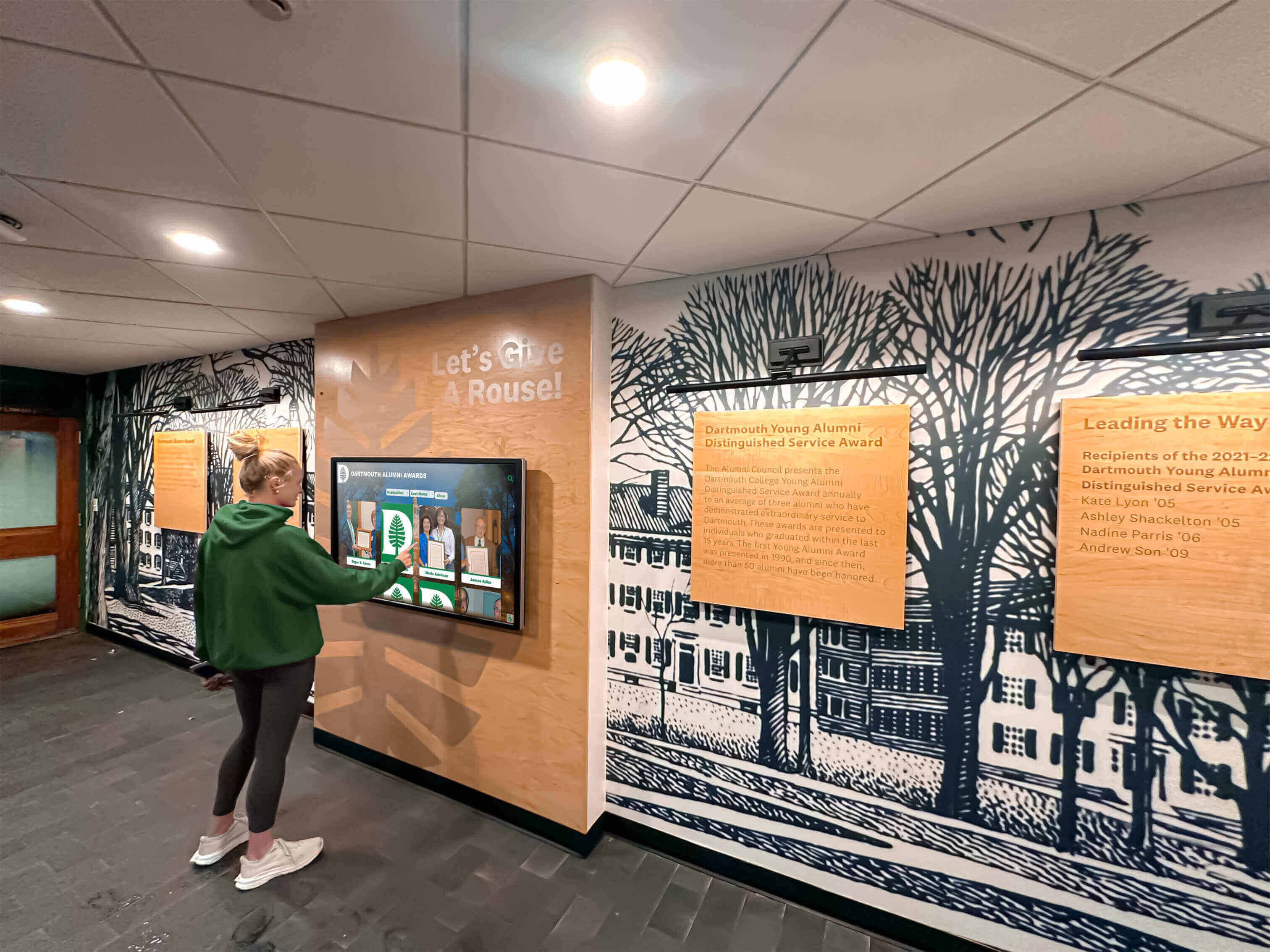
Interactive touchscreen displays invite student exploration of alumni history and recognition in ways passive rotation cannot achieve
Implementing Digital Signage Across a School
Choosing the right platform is step one. Getting digital signage up and running well involves decisions about hardware, content strategy, and management workflows. The software choice shapes all three.
Hardware Selection
Digital signage requires display hardware: commercial-grade monitors, mounting hardware, and either a dedicated media player or a computing device built into the display. Rocket Alumni Solutions works with standard commercial display hardware rather than requiring custom equipment, which gives schools flexibility in sourcing and allows compatibility with existing displays where applicable.
For touchscreen applications, a compatible touch overlay or built-in touchscreen commercial display is needed. For non-interactive displays, any commercial screen with HDMI input works. Rocket provides guidance on hardware selection during implementation, which helps schools avoid purchasing hardware that creates compatibility issues down the road.
Developing a Content Strategy Before Launch
The most common failure mode in school digital signage isn’t technical—it’s content strategy. Screens go live, then sit unused because no one established a process for keeping content current. Slides become outdated within weeks, and the display loses credibility as a trusted information source.
A working content strategy answers three questions before launch:
Who updates each content zone? Assign specific responsibility by content type. The athletic office owns schedules and recognition content. The main office manages general announcements. The principal’s administrative assistant handles school-wide communications. Without assigned ownership, content updates fall through the cracks.
How often does each zone need updating? Schedules change weekly. Announcements change daily. Recognition displays might update monthly or when an induction ceremony occurs. Different cadences require different management approaches and reminder systems.
What happens to content that goes stale? Build automatic expiration into time-sensitive content. Last week’s lunch menu should not run through next month. Rocket’s scheduling tools support automatic content rotation and expiration, but someone needs to configure these rules during initial setup.
Digital storytelling for athletic programs explores how schools use digital displays to build narrative around athletic history rather than simply presenting data—a useful frame for developing content that genuinely engages the school community.
Training Staff to Manage Content
New software creates friction when staff don’t know how to use it. A brief training session—typically under an hour for most users—covers the core workflows: adding content, scheduling rotation, uploading images, and previewing what the screen displays before publishing.
Rocket’s cloud-based content management is designed for non-technical users. The learning curve is comparable to basic word processing, not IT administration. Most staff members responsible for content updates reach independent proficiency within a day or two of initial training.
For schools adding new staff members who will manage digital signage content, the platform’s simplicity means onboarding new contributors doesn’t require significant IT involvement or extended training periods.
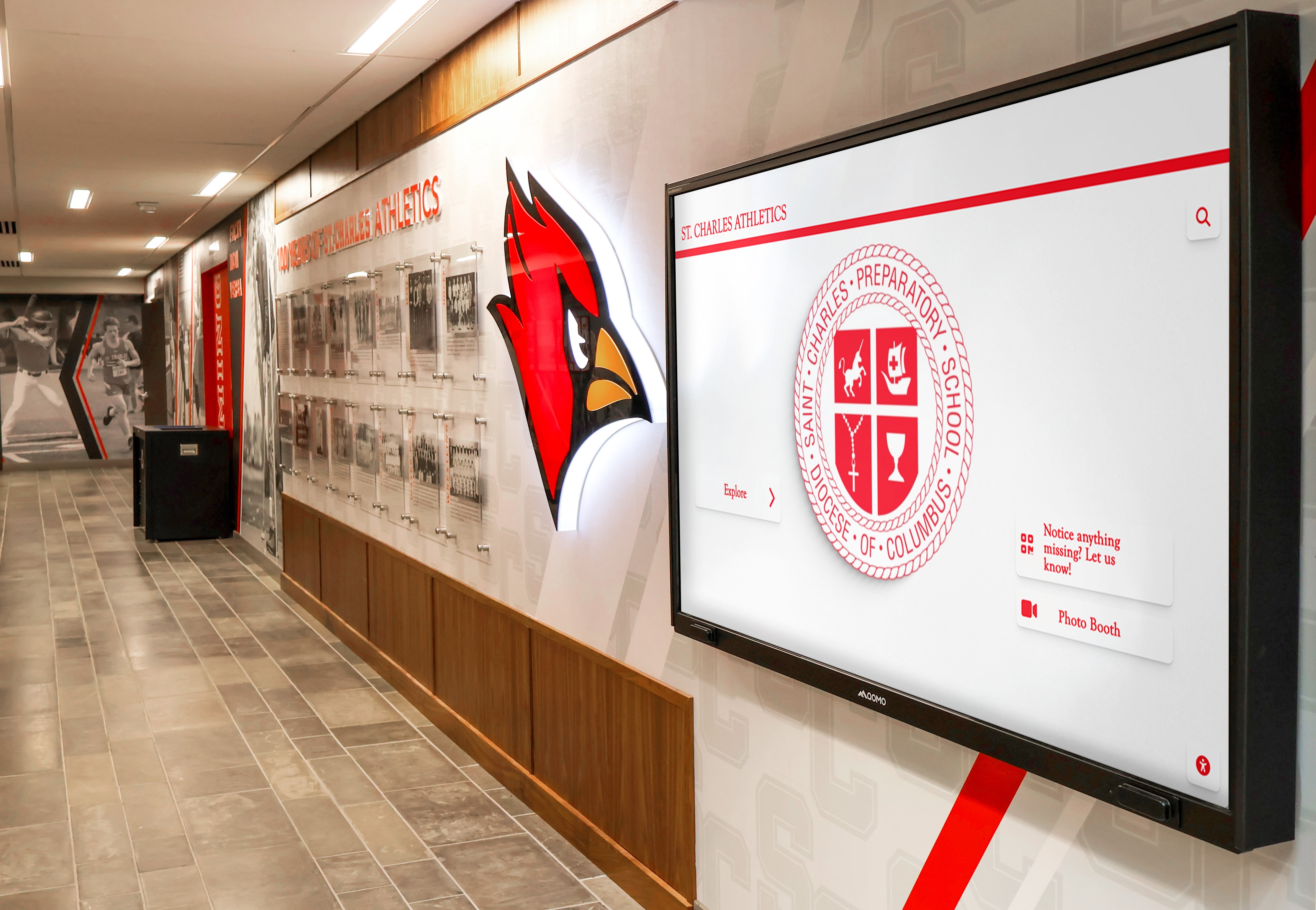
School-branded digital displays reinforce institutional identity while delivering current content—easily managed by non-technical staff through cloud-based tools
Digital Warming: What Good School Signage Looks Like in Practice
The difference between a digital signage program that genuinely serves a school and one that doesn’t comes down to whether the displays feel relevant to the people walking past them.
Static slides cycling through information that doesn’t change become background noise. People stop seeing them after a week. The screens technically function but don’t serve communication or recognition goals.
What we call “digital warming” describes the opposite: displays that surface content people want to see, updated often enough to reward repeat attention, interactive enough to invite engagement rather than just brief glancing. The effect is cumulative—each time someone finds something relevant on a display, their relationship with that screen becomes slightly warmer. They start looking at it by habit rather than ignoring it by habit.
This kind of engagement happens when the platform makes it easy to keep content current, when content is genuinely relevant to the community, and when displays are placed and configured to invite interaction rather than broadcasting at passive viewers.
For schools, the most powerful applications of digital warming often center on recognition: an alumna visiting her old school and finding her name in the hall of fame; a student discovering a connection to someone who graduated twenty years before them; a parent finding their child’s team schedule without stopping at the front desk. These moments—brief but meaningful—are what separate a well-implemented digital signage program from a collection of screens showing generic content.
Schools that invest in recognition content as the core of their digital signage program, rather than treating it as a secondary feature, typically find that displays remain relevant longer and receive more consistent engagement from students, staff, and visitors.
Frequently Asked Questions
What hardware works with Rocket Alumni Solutions?
The platform works with standard commercial display hardware. For non-interactive displays, any commercial monitor with HDMI input is compatible. For touchscreen displays, compatible touch hardware is required. Rocket provides hardware selection guidance during the implementation process.
Can multiple staff members manage content?
Yes. Role-based permissions allow different staff members to manage different content areas independently. The athletic director manages athletic content; the main office manages announcements; a designated administrator oversees overall system settings. Staff access only the areas they’re responsible for.
Does the $50/year price include MDM device management?
Yes. MDM device management is included in the standard subscription at no additional cost. Schools get centralized management across all campus screens as part of the base offering.
Is there a limit on the number of screens?
No. Rocket Alumni Solutions provides unlimited screens under a single subscription. Adding displays to additional rooms, buildings, or campus locations doesn’t increase the annual fee.
Does the platform support both touchscreen and non-interactive displays?
Yes. The same subscription covers both passive rotation displays (like cafeteria announcement screens) and fully interactive touchscreen displays (like lobby hall of fame kiosks). Schools can mix both types across campus based on what each location requires.
What content can schools display?
The platform supports recognition content (inductee profiles, achievement records, athletic hall of fame), communications (announcements, schedules, menus), archival content (historical photos, milestone recognition), and donor acknowledgment. Multiple content zones on a single screen allow different content types to appear simultaneously.
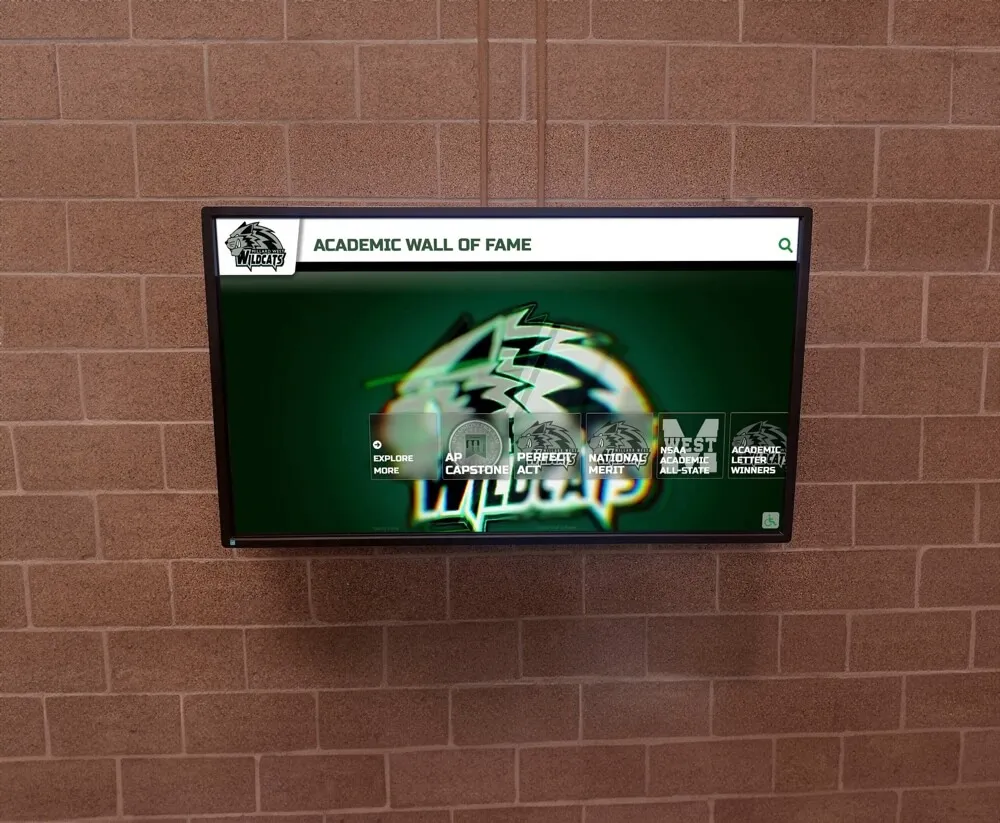
Academic recognition displays extend digital signage value beyond athletics, celebrating scholars, honor students, and academic achievers across all disciplines
Why Rocket Alumni Solutions Is Worth a Closer Look
Schools evaluating digital signage platforms will find no shortage of options—platforms positioned as the premium solution, the enterprise platform, the easy-to-use tool. Most of them are built for markets broader than K-12 education and priced accordingly.
Rocket Alumni Solutions was built specifically for schools, athletic programs, and educational communities. The recognition-focused features—searchable hall of fame profiles, unlimited inductee capacity, digital warming content surfacing, QR mobile integration—aren’t add-ons to a generic platform. They’re core capabilities built for the specific problems schools need to solve.
The $50/year price is not a reflection of limited features. It reflects a decision about who digital signage should be accessible to. Schools with five screens and schools with fifty screens pay the same rate. Small districts with one building and large districts managing multiple campuses operate the same platform. Budget-constrained public schools and well-resourced private schools get the same capabilities.
For administrators who’ve looked at per-screen digital signage pricing and concluded that comprehensive campus coverage isn’t affordable, Rocket Alumni Solutions represents a different calculation entirely.
Schools managing digital signage through per-screen platforms are often paying several times more than necessary for capabilities they may not fully use—while missing the recognition-specific tools that create genuine community engagement.
Rocket Alumni Solutions offers unlimited screens, built-in MDM device management, full touchscreen interactivity, and the content tools that create lasting digital warming effects in school communities—all at $50 per year.
Book a demo to see what Rocket Alumni Solutions looks like in a school setting and get a clear picture of what implementation involves.
This content was produced by or on behalf of Rocket Alumni Solutions. This comparison is based on publicly available information as of August 2026. All product names and trademarks belong to their respective owners. Comparative statements reflect Rocket Alumni Solutions’ interpretation of available data and may change over time.































