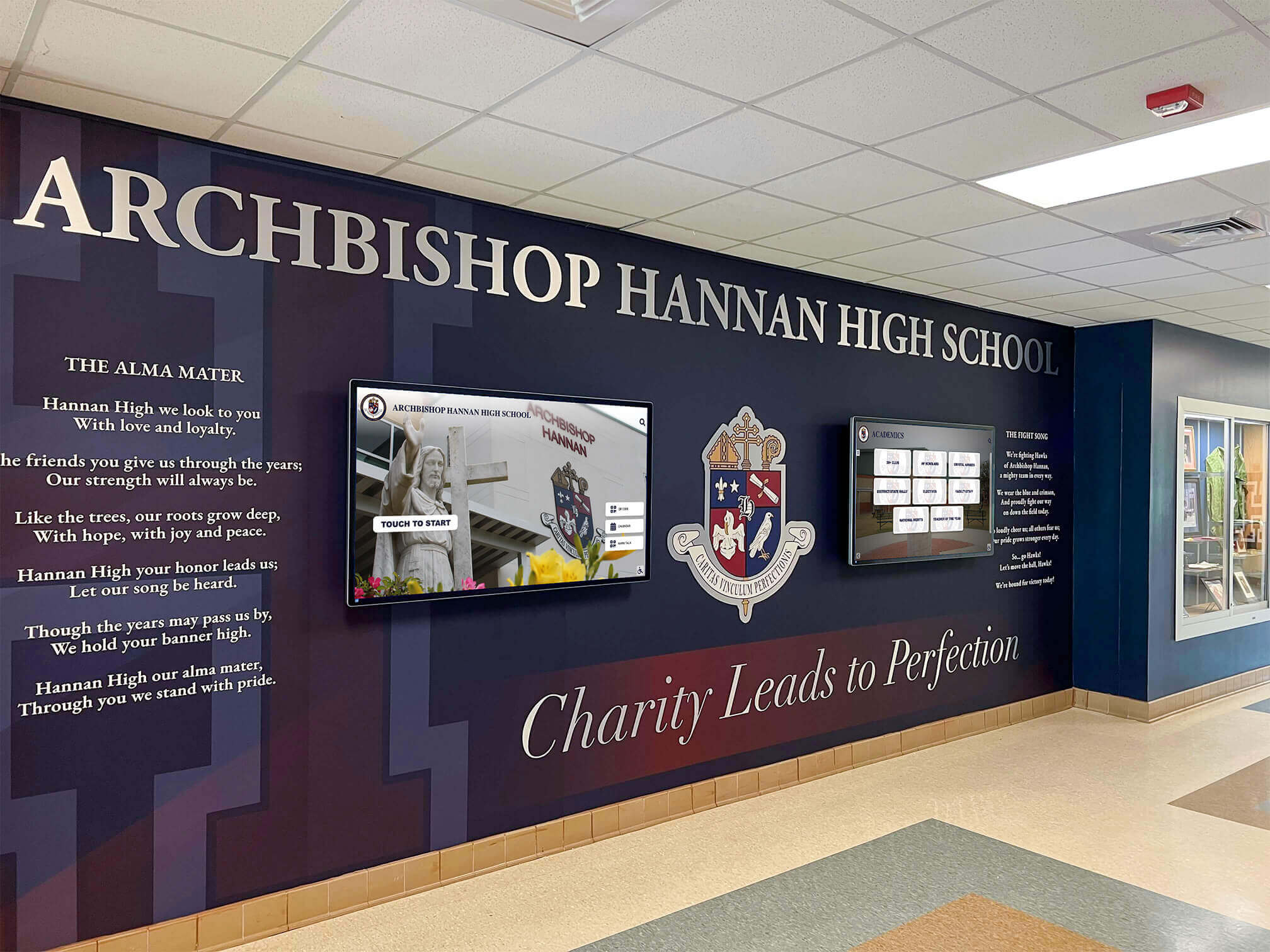
School lobbies serve as critical first impression spaces where visitors, parents, prospective families, and community members form immediate perceptions about institutional culture and priorities. Traditional static bulletin boards and outdated trophy cases fail to communicate the dynamic, engaging learning environments modern schools offer. Digital lobby signage transforms these high-traffic entry spaces into vibrant communication hubs that welcome visitors, showcase achievements, share important information, and reflect institutional pride through contemporary, professional displays.
Schools investing in digital lobby signage face important decisions about design approach, content strategy, technical implementation, and ongoing management. Poorly planned displays become expensive digital bulletin boards that staff struggle to update, while thoughtfully designed systems create engaging visitor experiences that strengthen community connections and communicate institutional excellence. Understanding design principles and content best practices ensures digital signage investments deliver measurable returns through improved communication, enhanced visitor experience, and strengthened school culture.
School administrators increasingly recognize digital lobby signage as essential infrastructure for modern educational environments. These displays serve multiple strategic purposes simultaneously: welcoming visitors with professional first impressions, communicating important announcements and emergency information, celebrating student achievements and school culture, and demonstrating technological leadership that resonates with prospective families. The most effective implementations balance aesthetic design with practical content management, creating systems that enhance spaces while remaining sustainable for busy school staff.
Understanding Digital Lobby Signage Benefits
Digital displays in school entrances and lobbies deliver advantages impossible with traditional static signage approaches.
Creating Professional First Impressions
Lobby environments directly influence how visitors perceive school quality, culture, and priorities. Digital signage elevates entrance spaces through contemporary design that signals technological sophistication and institutional investment in communication infrastructure.
Modern families touring schools notice technological integration throughout facilities, interpreting digital displays as indicators of broader institutional commitment to innovative learning environments. Professional digital signage demonstrates that schools value communication, maintain current facilities, and invest in tools that enhance student and community experiences.

Entrance displays create immediate visual impact that static posters cannot match. High-resolution screens showcasing vibrant imagery, video content, and dynamic information capture visitor attention while conveying energy and pride impossible with paper-based displays. This visual sophistication particularly matters during prospective family tours, community events, and board meetings when entrance spaces become showcases for institutional quality.
Improving Communication Efficiency
School communication encompasses numerous audiences—students, staff, parents, visitors, vendors, and community members—each requiring different information at different times. Digital lobby signage provides flexible communication platforms adapting content based on time, audience, and immediate needs.
Real-time information updates enable immediate communication during emergencies, weather events, schedule changes, or unexpected circumstances. Administrative staff update displays from central locations without printing, posting, or removing physical materials, dramatically reducing communication time while ensuring consistent messaging across all lobby screens.
Scheduled content rotation automates communication throughout days, weeks, and school years. Morning displays might feature daily announcements and lunch menus, while afternoon content highlights after-school activities and athletics schedules. Seasonal content automatically transitions between fall sports, winter programs, and spring events without requiring manual intervention for every change.
Showcasing Student Achievement and School Culture
Recognition programs strengthen school culture by celebrating academic excellence, athletic achievements, performing arts accomplishments, community service contributions, and character development. Digital lobby displays provide prominent showcase platforms that honor student achievement while inspiring current students through peer success examples.
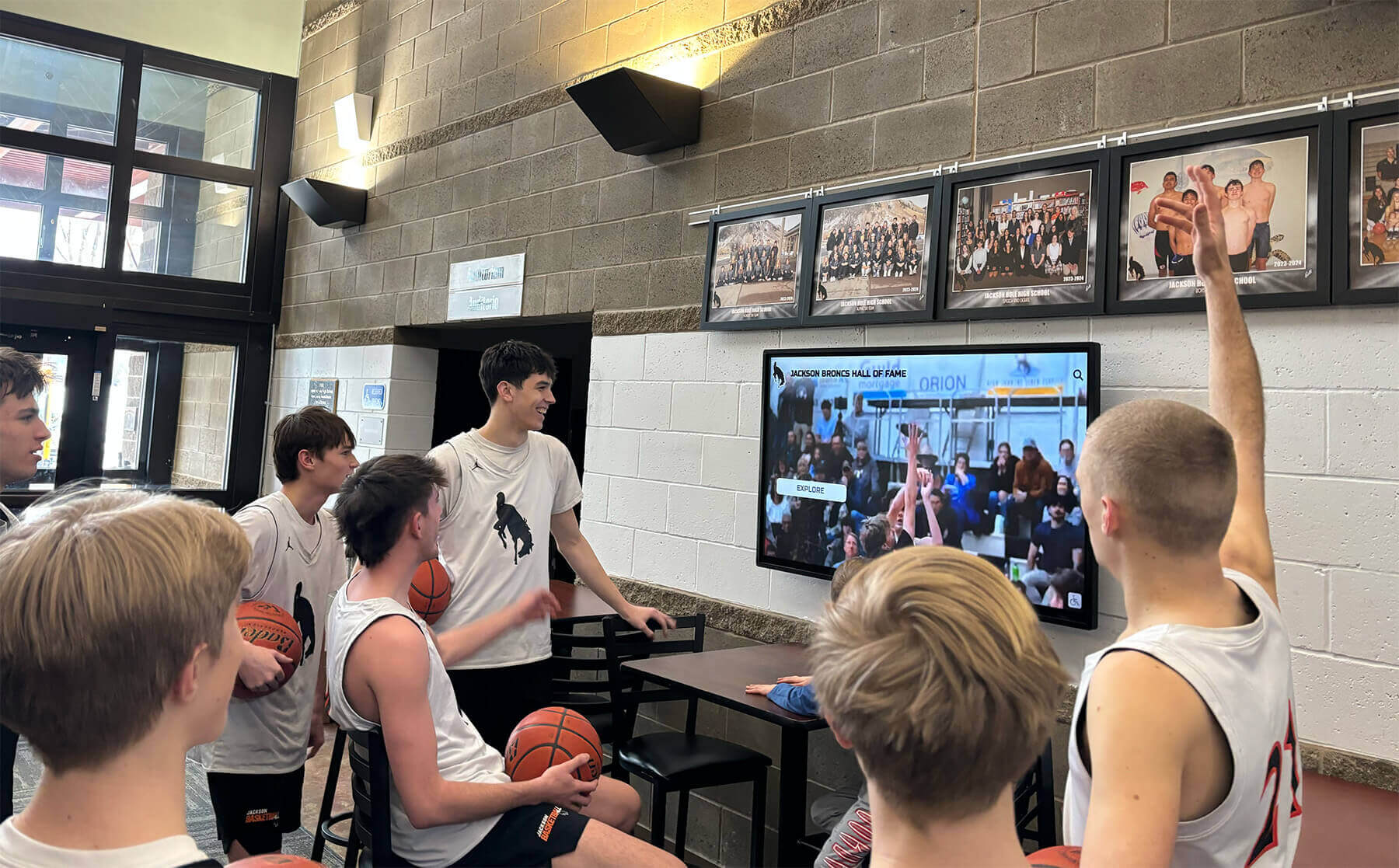
Traditional trophy cases face space limitations that force difficult decisions about which achievements to display. Digital signage eliminates capacity constraints, enabling comprehensive recognition across all achievement categories, grade levels, and school years. Schools showcase hundreds or thousands of student accomplishments through searchable, browsable digital formats that static displays cannot accommodate.
Multimedia content brings recognition to life through photos, videos, quotes, and detailed achievement descriptions. Video highlights of athletic performances, performing arts productions, or academic competitions create engaging recognition experiences that text-based plaques cannot deliver. These rich media presentations resonate particularly strongly with current students who expect digital content experiences throughout their daily lives.
Design Principles for Effective Lobby Displays
Successful digital signage balances aesthetic appeal with functional communication, creating displays that enhance spaces while delivering clear, accessible information.
Placement and Installation Considerations
Strategic placement determines whether digital displays become valuable communication tools or overlooked screens that visitors ignore.
High-Traffic Visibility Zones
Position displays in locations where visitors naturally pause rather than where they rush through. Ideal placement zones include reception desk waiting areas where visitors spend time during check-in, main entrance transition spaces where people pause upon entry, hallway intersections where traffic flow naturally slows, and seating areas adjacent to administrative offices where community members wait for appointments.
Avoid narrow hallways where viewers must stop in traffic flow to read content, locations perpendicular to traffic direction requiring awkward viewing angles, and positions where displays compete with critical wayfinding signage or emergency information.
Viewing Distance and Height Optimization
Display size must match typical viewing distances for clear content visibility. Lobby installations typically accommodate viewing distances between 6-15 feet, requiring displays in the 55-75 inch range for comfortable text readability. Larger spaces or greater viewing distances may warrant 80+ inch displays or multi-screen video walls for adequate visibility.
Mounting height significantly impacts accessibility and viewing comfort. Center displays at approximate eye level for standing adults (around 60-65 inches from floor to screen center) while ensuring wheelchair users can comfortably view content without excessive upward viewing angles. Interactive touchscreen displays require lower mounting positions (40-48 inches to screen center) enabling comfortable touch interaction for diverse users.
Architectural Integration
Digital displays should complement rather than clash with existing architectural design. Recessed installations that integrate displays within wall surfaces create clean, professional appearances suggesting intentional design rather than afterthought additions. Custom mounting solutions that align with architectural features, moldings, or design elements help displays feel like integral building components rather than added technology.
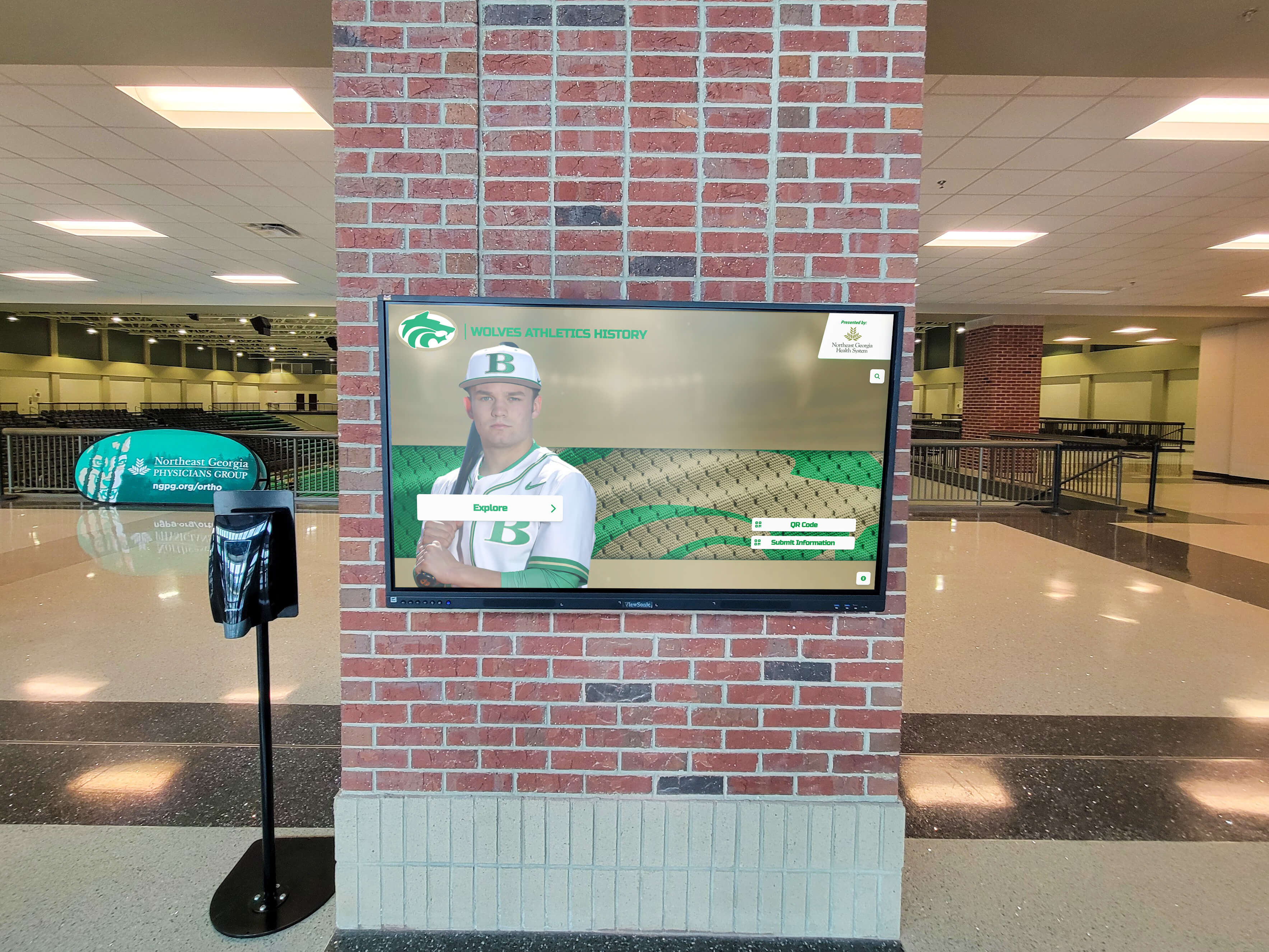
Color coordination between display frames, mounting hardware, and surrounding finishes ensures cohesive visual presentation. Black bezels suit contemporary designs while white or metallic frames may better complement traditional architectural styles. Professional installation that conceals cabling, uses appropriate mounting hardware, and creates finished appearances demonstrates attention to detail that reinforces quality perceptions.
Visual Design and Branding Consistency
Content design significantly impacts whether displays communicate effectively or become visual clutter that viewers ignore.
Institutional Branding Integration
Digital lobby signage should reinforce school identity through consistent use of official colors, logos, fonts, and design elements. Every content piece should feel unmistakably connected to your institution, creating cohesive visual experiences that strengthen brand recognition and institutional pride.
Background designs incorporating school colors create immediate visual association while ensuring content feels professionally produced rather than generic. Logo placement on every screen or content rotation reinforces institutional identity without requiring constant viewer attention to text. Approved font selections matching printed materials and website design create consistency across all communication channels.
Readable Content Hierarchy
Effective digital signage uses clear visual hierarchy guiding viewer attention from most important information to supporting details. Large, bold headlines communicate primary messages viewable from maximum distances, while supporting text provides additional context for viewers who move closer or spend more time reading.
Contrast ratios between text and backgrounds directly impact readability. Dark text on light backgrounds or light text on dark backgrounds provides superior readability compared to low-contrast combinations that strain viewer eyes. Avoid busy background images that compete with text for attention or reduce readability through visual noise.
Limit text quantity per screen to information viewers can comfortably read within 10-15 seconds. Displays rotating through multiple content pieces allow more comprehensive information presentation while keeping individual screens focused and readable. Remember that lobby displays function best for quick information scanning rather than detailed reading requiring sustained attention.
Motion and Animation Best Practices
Movement attracts viewer attention but excessive motion becomes distracting rather than engaging. Subtle transitions between content pieces—gentle fades, slides, or wipes—feel professional while dramatic effects often appear amateurish and dated.
Animated elements within individual screens should serve functional purposes like highlighting new information, drawing attention to important dates, or creating visual interest in otherwise static content. Avoid continuous motion that never allows viewer eyes to rest or creates seizure risks through rapid flashing or strobing effects.
Video content provides powerful engagement but requires thoughtful integration. Short video clips (15-45 seconds) showcase events, achievements, or campus activities effectively within content rotation schedules. Longer videos rarely work in lobby contexts where viewers pass through quickly rather than settling in for sustained viewing.
Content Strategy and Management
Successful digital signage requires systematic content planning, development, and maintenance ensuring displays remain fresh, relevant, and valuable for diverse audiences.
Defining Content Categories and Priorities
Comprehensive content strategies balance multiple information types serving different purposes and audiences.
Welcome and Wayfinding Information
School lobbies serve as orientation points for visitors unfamiliar with campus layout, administrative processes, or facility locations. Welcome content should include clear school identification with name and logo, basic wayfinding information highlighting office locations, visitor sign-in procedures and security protocols, and current date and time providing context for scheduled appointments.
Maps showing building layout, office locations, and key facilities help visitors navigate independently, reducing front desk questions while improving visitor confidence. Interactive touchscreen building directories enable self-service wayfinding particularly valuable in larger facilities where static directions become overwhelming.
Daily Announcements and Information
Regular information updates keep school communities informed about immediate events, schedule changes, and timely reminders. Effective daily content includes lunch menus and cafeteria information, daily schedules and bell times, after-school activity schedules, upcoming event reminders, and weather-related updates or schedule modifications.
Automated content management systems can pull information from existing school databases, calendars, and information systems, reducing manual entry work while ensuring accuracy and consistency. Integration with student information systems, lunch ordering platforms, or event management tools creates single-source data flows that update digital displays automatically as underlying information changes.
Achievement Recognition and Celebrations
Recognition content celebrates student and school accomplishments while building culture that values diverse achievements and contributions.
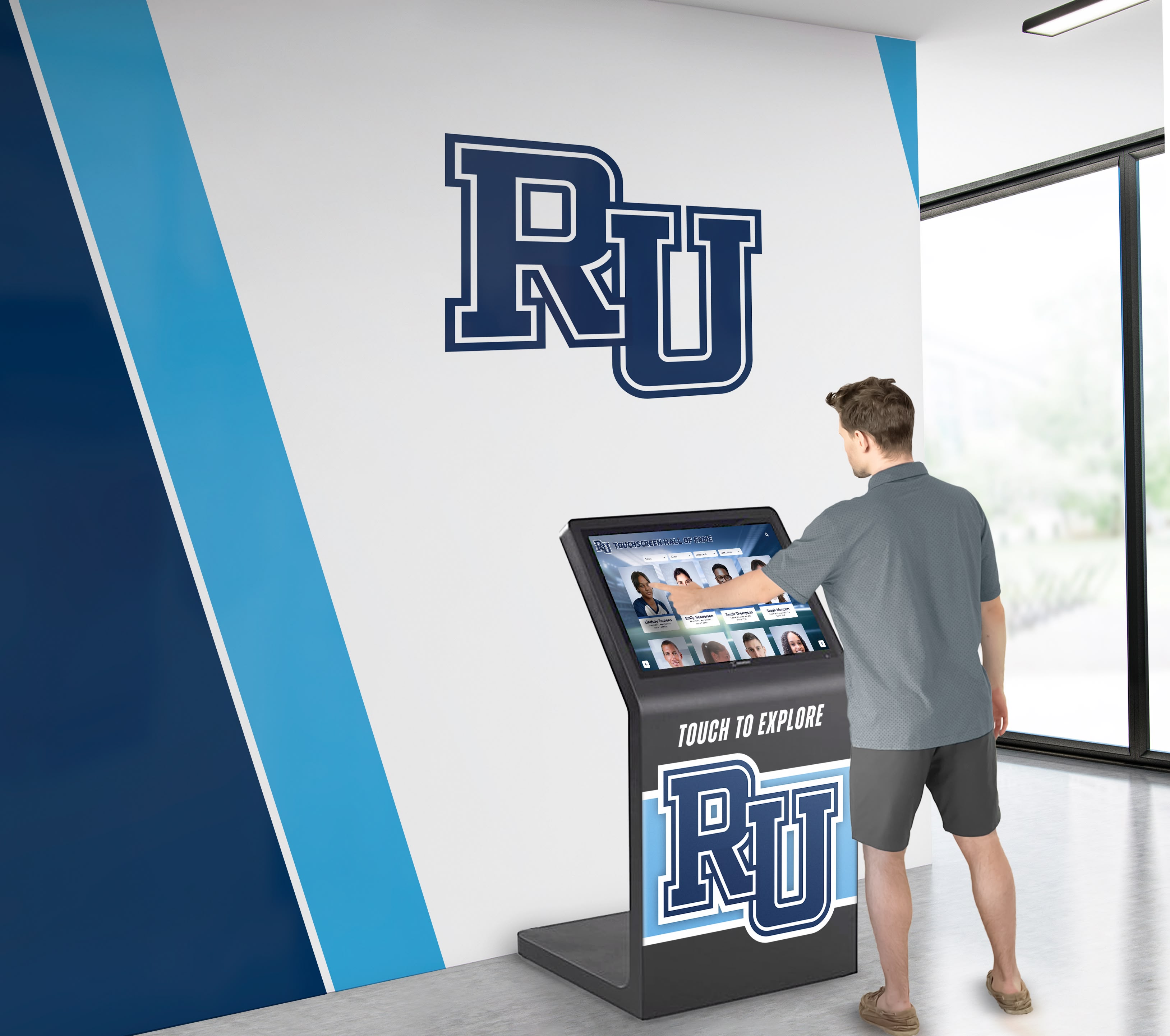
Academic recognition content might feature honor roll students, academic competition achievements, scholarship recipients, National Merit Scholars recognition, and other scholastic accomplishments. Athletic content showcases recent game results, championship achievements, record-breaking performances, and athlete spotlights. Performing arts and extracurricular recognition highlights concert performances, theater productions, club achievements, and community service contributions.
Rotating featured student profiles create personal connections while demonstrating diverse achievement pathways. Profile content typically includes photos, brief biographical information, achievement descriptions, and inspirational quotes or advice for fellow students. These personal stories resonate more powerfully than simple achievement lists, creating emotional connections that strengthen school culture.
Community Information and Events
Lobby displays serve community members beyond current students and staff, providing information relevant to parents, alumni, and broader community audiences.
Upcoming events calendars highlight school activities, parent programs, community meetings, and facility rental information. Booster club information promotes athletic and activity support organizations while recognizing volunteer contributions. Alumni updates and reunion information maintain connections with graduated students while demonstrating ongoing institutional relationships beyond graduation.
Establishing Content Management Workflows
Sustainable digital signage requires clear processes for content creation, approval, scheduling, and maintenance.
Defining Content Ownership and Responsibilities
Successful implementations designate specific staff members responsible for different content types. Athletic directors or coaches might manage sports recognition content, while activities directors handle club and extracurricular information. Administrative assistants often coordinate daily announcements, lunch menus, and general campus information. Marketing or communications staff may oversee overall design consistency, branding compliance, and special event content.
Clear ownership prevents content gaps while avoiding duplicate efforts or conflicting information from multiple content creators. Written documentation specifying who creates, approves, and publishes different content categories ensures consistent operation across staff transitions.
Content Approval Processes
Establish approval workflows ensuring content accuracy, appropriate messaging, and brand consistency before publication. Simple content like daily announcements may require minimal approval, while recognition content, event promotions, or sensitive communications might need administrative review before display.
Digital signage platforms with built-in approval workflows enable content creators to submit material for administrative review before scheduled publication. This systematic approach prevents inappropriate content from appearing while maintaining administrative oversight without creating bottlenecks that prevent timely information sharing.
Scheduling and Rotation Planning
Content calendars help plan seasonal content, special events, and recognition features weeks or months in advance. Schools can develop annual content frameworks that automatically rotate between fall sports seasons, winter programs, spring activities, and summer planning without requiring real-time decision-making during busy school weeks.
Automated scheduling ensures content freshness without constant manual intervention. Morning content might automatically shift to afternoon information, weekday content differs from weekend displays, and school-year material automatically pauses during breaks or summer months. These automated transitions reduce management burden while ensuring relevant content appears at appropriate times.
Technical Implementation Considerations
Successful digital lobby signage requires appropriate technology selection, reliable infrastructure, and sustainable management platforms.
Display Hardware Selection
Hardware quality directly impacts display reliability, visual quality, and long-term costs.
Commercial vs Consumer Display Technology
Commercial-grade displays designed for continuous operation provide significantly better reliability than consumer televisions marketed for residential use. Commercial displays typically include extended warranties (3-5 years vs 1 year consumer warranties), cooling systems supporting 24/7 operation without overheating, commercial-grade panels rated for 50,000-100,000 hours of continuous use, and integrated content management capabilities designed for digital signage applications.
While commercial displays cost more initially, superior reliability and extended lifespans result in lower total cost of ownership over typical 5-7 year deployment periods. Consumer displays frequently fail within 2-3 years when run continuously, requiring replacement significantly sooner than commercial alternatives.
Touchscreen vs Display-Only Options
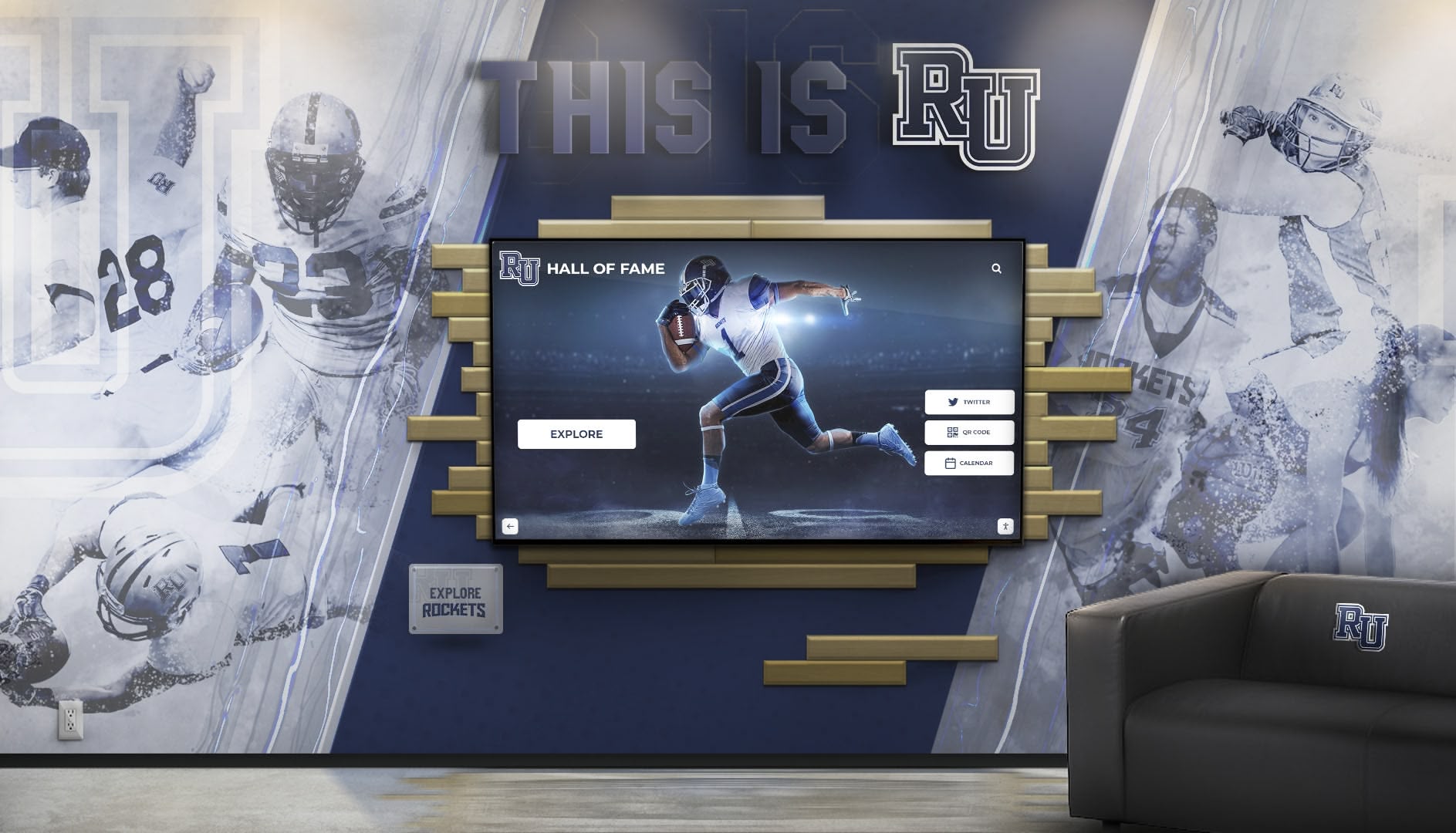
Interactive touchscreen displays create engaging experiences enabling visitor self-service exploration of school information, campus maps, achievement databases, and recognition content. Touchscreens particularly benefit larger schools where comprehensive information exceeds passive display capacity, or institutions wanting to showcase extensive digital hall of fame installations celebrating historical and current achievements.
Display-only screens cost less and suit applications focused primarily on scheduled content rotation rather than interactive exploration. Many schools implement hybrid approaches using display-only screens for general announcements while featuring interactive touchscreens for recognition displays or wayfinding applications where interactivity provides clear value.
Display Size and Configuration Options
Single large-format displays (55-86 inches) provide cost-effective solutions for most school lobbies, offering excellent visibility without installation complexity of multi-screen configurations. These single displays suit spaces with clear sight lines and viewing distances under 15 feet.
Multi-screen video walls create impressive visual impact in larger lobbies or where architectural design warrants more dramatic installations. Video wall configurations ranging from 2x2 (four screens) to 3x3 (nine screens) or larger provide maximum visibility and design flexibility, though they increase costs and installation complexity compared to single displays.
Portrait vs landscape orientation depends on content type and available wall space. Landscape orientation suits most content including video, photos, and horizontal information layouts. Portrait orientation may better serve vertical spaces or content emphasizing wayfinding information, event calendars, or vertically-oriented design elements.
Network Infrastructure and Connectivity
Reliable network connectivity enables remote content management, real-time updates, and integration with existing school information systems.
Wired vs Wireless Connectivity
Hardwired ethernet connections provide superior reliability compared to wireless alternatives, particularly in environments with network congestion, interference, or coverage challenges. Schools installing new displays should run ethernet cabling during construction or installation projects, ensuring permanent installations have robust, reliable connectivity supporting consistent operation.
Wireless connectivity works adequately for locations where running cables proves impractical or prohibitively expensive. Modern WiFi standards provide sufficient bandwidth for digital signage applications, though wireless connections remain more susceptible to interference, coverage gaps, and network congestion that can interrupt content updates or remote management.
Content Delivery and Management Architecture
Cloud-based content management platforms enable remote administration from any internet-connected device without requiring on-site servers or local content storage. Administrators manage content, scheduling, and display settings from offices, homes, or mobile devices, providing maximum flexibility for busy school staff.
Local content management systems reduce internet bandwidth requirements while providing greater control over content security and access. However, local systems require on-premises servers, create barriers for remote content management, and increase technical complexity for schools with limited IT resources.
Hybrid approaches combining cloud management with local content caching provide reliability benefits from both models. Cloud platforms enable convenient remote content administration while local caching ensures displays continue operating with cached content during internet outages.
Content Management Platform Selection
Digital signage effectiveness depends heavily on content management system capabilities, usability, and ongoing costs.
Ease of Use for Non-Technical Staff
The best content management systems enable non-technical staff to update content independently without requiring IT support for routine operations. Intuitive interfaces with drag-and-drop content creation, template-based design tools, and simple scheduling calendars allow administrators, teachers, or office staff to manage displays effectively regardless of technical background.
Complex systems requiring coding knowledge, design software expertise, or technical troubleshooting create dependencies on limited IT staff while reducing content freshness as busy administrators avoid updating displays requiring significant time or specialized skills.
Template Libraries and Design Resources
Pre-designed content templates enable professional-looking displays without requiring graphic design expertise. Template libraries covering common content types—announcements, event calendars, menus, recognition features, emergency alerts—allow quick content creation while maintaining visual consistency and design quality.
Customizable templates supporting school branding through uploaded logos, color schemes, and font selections enable professional results matching institutional identity without starting from blank canvases for every content piece.
Integration with Existing School Systems
Digital signage platforms that integrate with existing school information systems dramatically reduce content management workload through automated data flows. Integration possibilities include student information system connections automatically updating honor roll lists, calendar system integration displaying upcoming events without manual entry, lunch ordering platform connections showing daily menu information, and emergency notification system integration enabling instant alert display during critical incidents.
These integrations eliminate duplicate data entry, ensure information accuracy across all communication channels, and reduce administrative burden making digital signage sustainable long-term rather than becoming orphaned systems that staff stop updating.
Content Ideas and Examples by Use Case
Understanding specific content applications helps schools plan comprehensive information strategies maximizing digital signage value.
Athletic Achievement and School Spirit
Sports recognition represents natural lobby content showcasing school culture, building pride, and engaging students through relevant, exciting information.
Recent game results with scores, highlights, and upcoming schedules keep school communities informed about athletic programs while demonstrating institutional support for student athletes. Video highlights from games or competitions create engaging content that students, families, and community members actively seek out, increasing display viewership and engagement.
Seasonal sports rotations automatically shift content focus between fall sports, winter athletics, and spring programs, ensuring all programs receive recognition rather than displays becoming dominated by high-profile sports. Championship celebrations, record-breaking achievements, and athlete recognition features highlight excellence while motivating current athletes through peer success examples.
Team rosters with photos create personal connections while helping community members identify student athletes. Coaching staff recognition honors leadership while communicating program values and philosophies.
Academic Excellence and Student Recognition
Academic achievement deserves prominence equal to athletic recognition, communicating institutional priorities while celebrating diverse student excellence.
Honor roll recognition by grading period showcases academic achievement across all grade levels and student populations. Advanced Placement, International Baccalaureate, or dual enrollment student recognition highlights rigorous academic pursuit. Academic competition results from Quiz Bowl, Science Olympiad, Debate, or other intellectual competitions demonstrate achievement breadth beyond traditional coursework.
Scholarship recipients and college acceptance information celebrates post-graduation success while demonstrating institutional effectiveness preparing students for future success. Featured student research projects, capstone presentations, or senior projects showcase deep learning and academic accomplishment.
Teacher spotlights and staff recognition content demonstrates appreciation for faculty contributions while humanizing educators for students, families, and visitors who may primarily encounter staff in formal classroom contexts.
Community Engagement and Culture Building
Lobby content extending beyond immediate school operations builds broader community connections and demonstrates institutional values.
Community service recognition highlights student volunteer work, service learning projects, and charitable contributions communicating that schools value citizenship alongside academic and athletic achievement. Alumni spotlights maintain connections with graduated students while demonstrating long-term institutional relationships and successful graduate outcomes.
Historical content about school founding, significant anniversaries, building construction, or institutional milestones connects current school communities to longer institutional narratives. Facilities donor recognition acknowledges financial supporters enabling campus improvements while encouraging continued philanthropic engagement with school programs.
Local business partner recognition thanks community organizations supporting schools through donations, internships, or program partnerships. This visible appreciation strengthens community relationships while demonstrating reciprocal engagement between schools and broader communities.
Event Promotion and Participation Building
Lobby displays provide natural promotion platforms for school events, activities, and programs seeking student or community participation.
Upcoming event calendars with dates, times, locations, and registration information help community members discover opportunities for engagement. Event countdowns create anticipation for major occasions like homecoming, prom, graduation, or community celebrations. Photo galleries from recent events celebrate participation while promoting future similar activities through visual demonstration of past success.
Activity and club recruitment information helps students discover extracurricular opportunities while promoting participation in programs beyond required academics. Parent organization meetings, PTA events, and volunteer opportunities engage families in school community beyond dropping off and picking up students.
Facility rental information promotes community use of school spaces for meetings, events, or programs, generating revenue while strengthening community connections to school facilities.
Best Practices for Ongoing Management
Digital signage requires systematic ongoing management maintaining content freshness, technical reliability, and continued value delivery.
Maintaining Content Freshness
Stale, outdated content quickly erodes digital signage credibility and engagement. Visitors ignore displays showing months-old information or obviously dated content, rendering expensive displays ineffective.
Establishing Update Schedules
Create regular content review schedules ensuring systematic updates rather than relying on sporadic attention when staff remember displays need refresh. Daily updates might cover announcements, lunch menus, or event reminders. Weekly updates could refresh featured student spotlights, upcoming event calendars, or athletic schedules. Monthly updates rotate seasonal themes, refresh design templates, or update major recognition features. Annual updates plan content strategies, refresh template libraries, or evaluate technology upgrades.
Seasonal Content Planning
Develop content calendars mapping major seasonal transitions, holidays, school events, and recognition programs throughout school years. Pre-planned content frameworks ensure displays automatically transition between back-to-school information, fall sports, winter holidays, spring programs, and end-of-year celebrations without requiring real-time planning during busy periods.
Emergency and Real-Time Communication
Digital lobby displays provide critical emergency communication infrastructure enabling instant message broadcast during weather events, security incidents, or unexpected schedule changes. Content management systems should enable authorized administrators to override regular content with emergency messages instantly, ensuring critical information reaches all building occupants and visitors immediately.
Clear protocols specifying who can publish emergency messages, what situations warrant emergency overrides, and how to resume normal content after emergencies resolve prevent confusion during crisis situations while ensuring communication capabilities function effectively when needed most.
Technical Maintenance and Support
Hardware reliability and technical performance require ongoing attention preventing display failures from interrupting communication.
Routine Display Maintenance
Regular cleaning maintains display appearance and prevents dust accumulation from reducing cooling efficiency or image quality. Touchscreen displays particularly benefit from regular cleaning removing fingerprints and smudges that accumulate through repeated interaction.
Software updates and security patches keep display systems current with latest features while protecting against vulnerabilities that could compromise network security. Automated update scheduling during low-traffic periods (overnight or weekends) prevents disruption while ensuring systems remain current.
Monitoring and Performance Tracking
Remote monitoring systems alert administrators to display offline status, connectivity issues, or content playback failures enabling rapid response before visitors encounter blank screens or error messages. Usage analytics tracking viewer engagement, content performance, and interaction patterns inform ongoing content strategy refinement ensuring displays deliver maximum value.
Display uptime reporting demonstrates system reliability while identifying patterns suggesting hardware issues requiring preventive maintenance before complete failures occur.
Vendor Support and Service Agreements
Professional installation and ongoing support relationships ensure technical expertise availability when schools encounter issues beyond internal IT capabilities. Service agreements providing remote troubleshooting, on-site repair, and hardware replacement reduce display downtime while preventing technical challenges from rendering expensive installations useless.
Schools should clarify support response times, coverage hours, and included services when evaluating display vendors and content management platforms. Responsive support proves essential for mission-critical displays serving emergency communication functions or providing primary visitor welcome experiences.
Measuring Success and ROI
Digital signage investments should deliver measurable value justifying ongoing costs and informing continuous improvement.
Defining Success Metrics
Appropriate metrics depend on primary display purposes and institutional priorities.
Engagement Measurements
For interactive touchscreen displays, usage analytics provide direct engagement data including total interactions, average session duration, most-viewed content, and search queries revealing information visitors seek. These metrics identify popular content deserving expanded coverage while revealing gaps where visitors search unsuccessfully for desired information.
Display-only screens lack direct interaction tracking, but indirect engagement indicators include observational studies noting how many passing visitors pause to view content, survey data asking visitors whether they noticed displays and found information useful, and message retention assessment measuring whether community members recall information displayed in lobbies.
Communication Effectiveness
Digital signage serves communication objectives when targeted audiences receive and understand intended messages. Effectiveness indicators include reduced front desk questions about information displayed on lobby screens, improved event attendance for programs promoted through digital displays, increased awareness of school programs and achievements demonstrated through community surveys, and faster emergency communication delivery during critical incidents.
Operational Efficiency Gains
Digital signage should reduce communication workload compared to previous approaches. Time savings from eliminating printed poster design, production, and posting; reduced labor managing static bulletin boards or trophy case updates; and decreased interruptions handling front desk questions about information available on digital displays all represent measurable efficiency benefits justifying signage investments.
Continuous Improvement Through Feedback
Regular assessment and refinement ensure displays evolve meeting changing needs and maximizing value over time.
Stakeholder feedback from students, staff, parents, and visitors provides qualitative insight beyond quantitative metrics. Simple surveys asking whether displays provide useful information, appear professional and welcoming, feature content of interest, and operate reliably help identify improvement opportunities while demonstrating responsive management open to input.
Content performance analysis reveals which information generates greatest engagement, which formats (video vs static images vs text) prove most effective, and which message lengths and complexity levels suit lobby viewing contexts. These insights inform ongoing content strategy refinement ensuring continuous quality improvement.
Periodic technology reviews assess whether current displays, content management platforms, and technical infrastructure continue meeting institutional needs or whether upgrades would deliver significant value improvements. Regular evaluation prevents gradual obsolescence while ensuring schools leverage evolving capabilities that could enhance communication effectiveness.
Creating Welcoming Spaces Through Digital Innovation
School lobbies function as community crossroads where first impressions form, information flows, achievement receives celebration, and institutional culture becomes tangible through physical environments. Digital lobby signage transforms these critical spaces from utilitarian entry points into dynamic welcome centers that communicate excellence, facilitate connection, and strengthen pride in shared institutional identity.
Effective digital signage balances aesthetic design with practical communication, professional appearance with accessible content management, technological sophistication with reliable operation, and institutional priorities with diverse community information needs. Schools implementing design principles and content strategies outlined in this guide create lobby displays that enhance visitor experiences while delivering sustainable value through improved communication efficiency and strengthened school culture.
The most successful implementations recognize digital lobby signage as comprehensive communication infrastructure rather than simple technology purchases. Thoughtful placement considers traffic patterns and architectural integration. Content strategies balance multiple purposes serving diverse audiences. Management workflows ensure consistent operation across staff transitions. Technical platforms enable sustainable administration by busy school personnel without specialized expertise.
Digital signage represents investment in community connection infrastructure that serves schools for many years when properly planned and maintained. Professional installation ensures reliable technical operation. Purpose-built content management platforms simplify ongoing administration while delivering capabilities generic digital signage cannot match. Systematic content planning maintains freshness preventing displays from becoming stale, ignored fixtures that waste expensive technology investments.
Schools evaluating digital lobby signage should consider comprehensive recognition and communication platforms designed specifically for educational environments. Solutions like Rocket Alumni Solutions provide turnkey systems combining commercial-grade hardware, intuitive content management, professional design templates, and ongoing support ensuring successful long-term operation. These specialized platforms eliminate the technical complexity, content management challenges, and ongoing maintenance burdens that prevent many schools from maximizing generic digital signage value.
Your school lobby represents more than architectural space—it embodies your institution’s welcome to every student, family, staff member, and community visitor crossing your threshold. Digital signage transforms these entry experiences, creating vibrant first impressions that communicate pride, celebrate achievement, facilitate connection, and demonstrate the dynamic, engaging learning community where students thrive. Thoughtful implementation guided by proven design principles and content best practices ensures lobby displays deliver the engaging experiences and effective communication your school community deserves.
Ready to transform your school lobby into a welcoming, engaging community space through professional digital signage? Explore comprehensive solutions designed specifically for schools, combining elegant design with powerful content management that brings your achievements and school culture to life.































