



Walk down the hallways of established schools and you’ll often find rows of framed class composites lining the walls—formal graduation photos showing each senior class arranged in neat grids, year by year, decade after decade. These traditional displays serve an important purpose: preserving the visual record of every graduating class while creating tangible connections between past and present. Alumni visit specifically to find their own photos and those of classmates. Current students discover relatives who attended the same school. Community members trace institutional history through generations of faces.
Yet traditional composite photo displays face significant limitations. Wall space eventually runs out, forcing difficult decisions about how far back to display or whether to remove older classes to accommodate new graduates. Photos fade and frames deteriorate over time. Most critically, traditional composites offer no interactivity—visitors must scan every face searching for specific individuals, with no way to access names, additional information, or connections beyond what fits on a small nameplate.
Schools and organizations increasingly seek digital alternatives that preserve the beloved tradition of class composites while eliminating space constraints, enabling instant search and discovery, providing rich contextual information, and creating the kind of engaging experiences that transform simple photo browsing into meaningful exploration of institutional history and personal connections.
This comprehensive guide explores how interactive digital class composite displays modernize yearbook browsing while honoring traditions that alumni cherish. You’ll discover practical approaches for digitizing existing composites, implementing touchscreen and web-based browsing systems, organizing decades of graduation photos accessibly, and creating displays that serve current students, returning alumni, prospective families, and entire communities through year-by-year exploration of your institution’s living history.

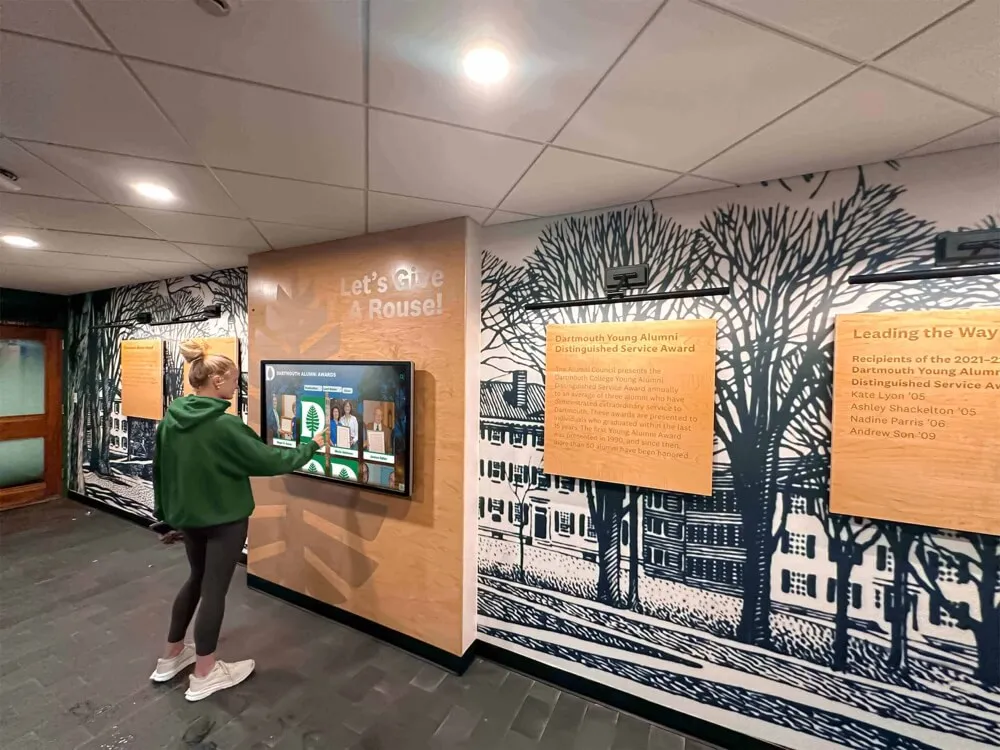
Interactive displays enable instant access to any graduating class, eliminating the space constraints and search frustrations of traditional wall-mounted composites
Understanding Digital Class Composite Systems
Digital class composites transform traditional photo wall displays into searchable, interactive databases where visitors explore graduation photos by year, search for specific individuals, discover classmates and relatives, and access additional information impossible to include in physical displays.
What Digital Class Composites Provide
Modern digital systems deliver several essential capabilities addressing limitations inherent in traditional composite displays:
Unlimited Historical Capacity
Physical wall space restricts traditional displays to recent decades at most, forcing schools to choose between comprehensive historical preservation and practical space limitations. Digital systems eliminate these constraints entirely, accommodating every graduating class from founding year through present day without requiring additional physical space as history accumulates.
Schools with 50, 100, or even 150+ years of history can digitize complete class composite records, ensuring that all graduates receive equal recognition regardless of graduation decade while creating comprehensive visual archives documenting complete institutional history.
Instant Search and Discovery
Traditional composites force visitors to scan hundreds or thousands of faces searching for specific individuals—a tedious process often ending in frustration when photos are small, lighting is poor, or visitors aren’t certain of graduation year. Interactive digital systems enable immediate name searches that instantly display specific individuals, eliminating search frustration while making exploration accessible to visitors who couldn’t otherwise locate classmates, relatives, or themselves within extensive photo collections.
Search functionality proves particularly valuable during reunions, alumni events, and visits by older graduates whose class photos may occupy obscure corners or secondary hallways in traditional displays. Digital access brings every class to equal prominence instantly.
Rich Contextual Information
Beyond basic graduation photos, digital platforms integrate additional information creating meaningful context around each class and individual graduate. Profiles might include full names and maiden names, graduation year and class size, degree programs or academic tracks, post-graduation accomplishments, current location and career, contact information for willing alumni, and links to full yearbook pages or additional photos.
Digital yearbook archives complement composite displays by providing complete yearbook access alongside formal graduation photos, creating comprehensive historical resources serving research, nostalgia, and community connection purposes.
Multi-Access Platforms
Comprehensive implementations provide multiple access methods addressing different visitor needs and preferences. Physical touchscreen displays in high-traffic locations enable in-person exploration during campus visits. Web-based platforms extend access globally, allowing alumni worldwide to browse composites from home. QR codes near traditional displays link physical and digital experiences. Mobile-responsive designs ensure compatibility across all devices.
This multi-platform approach maximizes accessibility while serving diverse audiences with varying technology comfort levels and geographic proximity to campus.
The Digital Warming Effect for Alumni
Digital class composites create what we call “digital warming”—transforming impersonal photo walls into personalized discovery experiences that strengthen community bonds:
Personal Rediscovery
Alumni find themselves in digital archives instantly through name search, viewing how they appeared on graduation day while accessing contextual information about their class, year, and era. This personal reconnection creates emotional resonance that static photo walls rarely achieve.
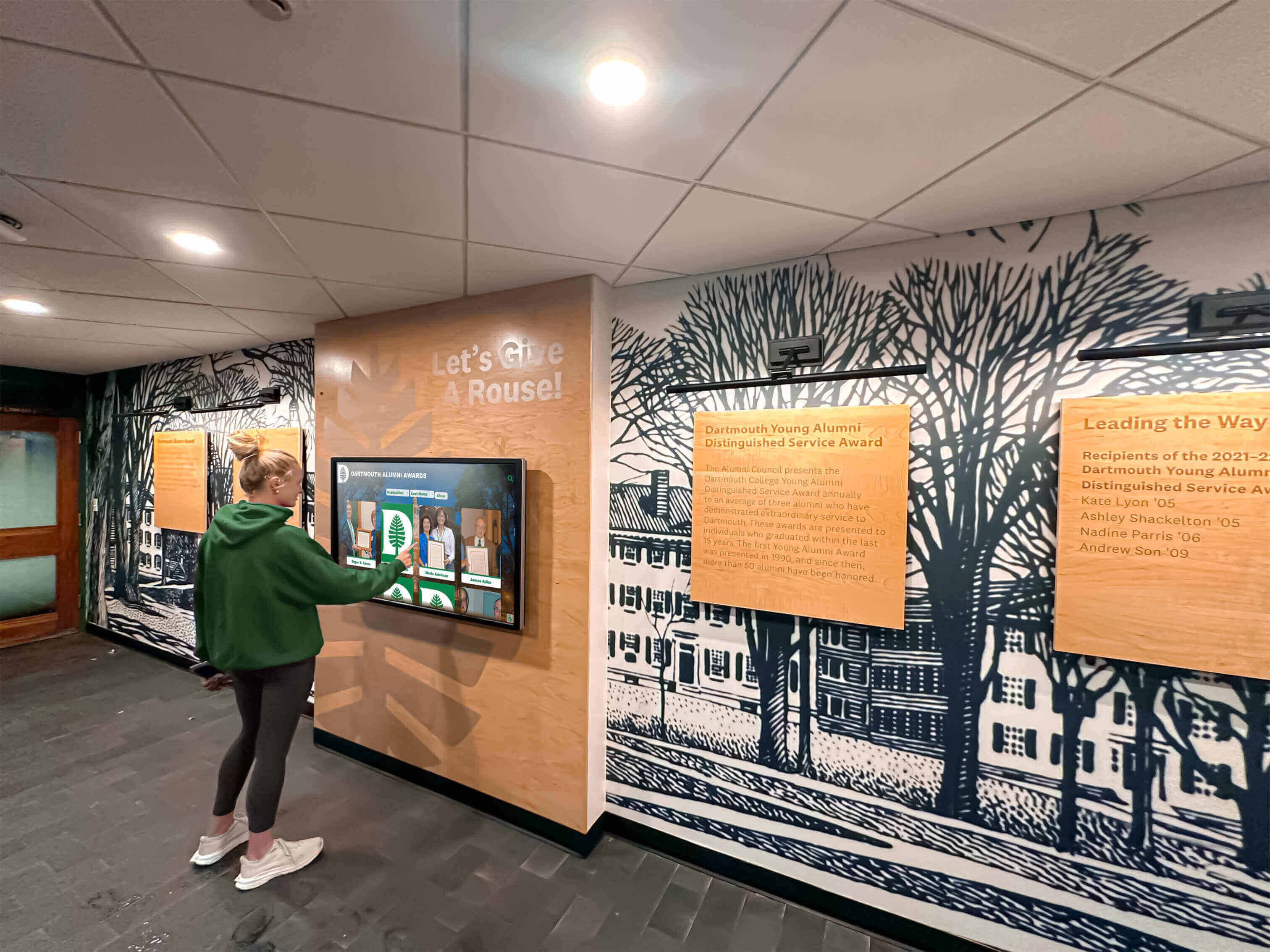
Current students discover connections to alumni who walked the same halls, creating multi-generational bonds through accessible history
Classmate Reconnection
Beyond individual rediscovery, digital systems facilitate classmate exploration—browsing entire class composites, finding friends from graduation year, discovering what became of memorable classmates, and accessing contact information for reunion planning. These reconnection opportunities prove particularly valuable for reunion committees planning events and seeking to contact dispersed classmates.
Multi-Generational Family Connections
Many schools serve multiple generations of families—parents, children, and even grandchildren attending the same institution. Digital composites enable family members to find relatives across different graduation decades, creating visible demonstrations of family legacy and institutional loyalty spanning generations.
Current students exploring displays discover their parents’ graduation photos, understand family traditions of institutional connection, and develop pride in continuing family educational heritage. This multi-generational perspective strengthens institutional bonds while honoring family commitment.
Planning Your Digital Class Composite Implementation
Successful digital composite systems require thoughtful planning addressing content scope, technology platform selection, display placement, and sustainable management approaches.
Defining Content Scope and Priorities
Clear objectives guide implementation decisions while ensuring systems serve actual community needs rather than simply digitizing photos because technology enables it.
Historical Depth Determination
Decide how far back your digital composites should extend. Some schools possess complete composite photo records dating to founding, while others maintain systematic records only from recent decades. Available historical documentation determines feasible digitization scope.
Consider phased approaches prioritizing recent decades with readily available high-quality digital or photographic source materials while treating older historical content as future expansion opportunities as resources permit additional digitization and research.
Individual Profile Information Scope
Determine what information accompanies graduation photos beyond names and years. Basic implementations might include only essential facts—full name, graduation year, degree or program. Enhanced profiles add current biographical information—career, location, family, and achievements. Comprehensive approaches integrate full yearbook content, multiple photos, and detailed life updates.
Profile depth affects content development workload, alumni outreach requirements, and ongoing maintenance commitment. Balance comprehensive information goals against sustainable management capacity ensuring displays remain current rather than becoming outdated due to excessive maintenance demands.
Integration with Broader Recognition
Digital class composites often function as components within larger recognition and historical preservation systems rather than standalone applications. Consider how composite displays integrate with distinguished alumni recognition, athletic hall of fame systems, donor recognition programs, and institutional historical timelines.
Integrated approaches maximize value while avoiding redundant systems requiring separate management and creating confused visitor experiences through disconnected platforms serving overlapping purposes.

Successful implementations integrate digital technology with architectural elements, honoring traditional aesthetics while delivering modern functionality
Technology Platform Selection Considerations
Platform choice significantly impacts implementation success, long-term satisfaction, and sustainable operation.
Purpose-Built vs. Generic Solutions
Generic digital signage platforms designed for commercial advertising require extensive customization to create searchable databases, individual profile pages, and intuitive navigation structures appropriate for composite browsing. This customization involves expensive development, ongoing technical maintenance, and vendor dependency limiting institutional control.
Purpose-built recognition platforms like Rocket Alumni Solutions provide composite-optimized functionality including year-by-year browsing, name search, profile templates, automated organization, and intuitive interfaces specifically designed for alumni exploration applications. These specialized systems deliver superior functionality while requiring minimal technical expertise for operation and maintenance.
Web-Based vs. Native Applications
Web-based platforms operate through standard browsers without requiring app installation, operating system-specific development, or manual updates. This approach provides universal device compatibility, automatic platform updates, inherent accessibility advantages, and simplified technical management requiring no specialized IT expertise.
Native applications potentially offer performance benefits but require platform-specific development, manual update distribution, and technical skills for maintenance. For most composite browsing applications, web-based platforms deliver optimal balance of functionality, accessibility, and sustainable operation.
Cloud-Based Content Management
Cloud-based content management systems enable remote updates from any internet-connected device without requiring physical presence at display locations. Authorized staff add new graduating classes, update alumni information, correct errors, and maintain databases independently without technical expertise or vendor involvement.
This independent management capability proves essential for sustainable operation. Schools often struggle when systems require vendor involvement for routine updates, creating delays, recurring costs, and administrative frustration undermining long-term success.
Display Location and Access Strategy
Strategic placement decisions affect visibility, engagement frequency, and return on investment while determining which community members benefit most from implemented systems.
Physical Touchscreen Installations
Physical displays positioned in high-traffic locations ensure visibility for campus visitors, current students, prospective families, and returning alumni. Optimal locations include main entrance lobbies where all visitors pass, alumni center facilities hosting reunion events and advancement activities, athletic facility entrances serving sports-focused audiences, and hallway intersections connecting major building sections.
Consider viewing patterns and dwell time—lobbies with seating encourage extended exploration while high-traffic corridors suit quick lookup uses. Display sizing should account for viewing distances and expected simultaneous users.
Web-Based Global Access
Online platforms extend composite access far beyond campus geography, enabling alumni worldwide to browse graduation photos, search for classmates, and share discoveries with family regardless of physical proximity to campus. Web access proves particularly valuable for reunion planning, where committee members coordinate remotely while seeking to locate and contact dispersed classmates.
Creating online alumni archives extends institutional reach while demonstrating commitment to alumni relationships that transcend graduation and geographic relocation.
Mobile Device Integration
QR code implementations near traditional composite displays bridge physical and digital experiences—scanning codes launches mobile-responsive web interfaces providing enhanced functionality beyond what physical displays accommodate. This hybrid approach preserves traditional photo walls satisfying stakeholders preferring permanent physical presence while delivering digital advantages through personal device access.
Mobile optimization ensures functionality across varying screen sizes, touch interfaces, and connectivity conditions while accommodating users with different technology comfort levels.
Digitizing Existing Class Composite Collections
Creating digital systems requires converting existing physical composites, framed photos, and yearbook content into digital formats suitable for database integration and online display.
Photo Digitization Approaches
High-quality digital images provide foundation for engaging, professional composite displays worthy of honored graduates and institutional heritage.
Professional Scanning Services
Professional digitization services specialize in high-volume photo scanning, archival preservation, and quality control delivering consistent results across large collections. Services typically charge per image or per page, with costs decreasing for large-volume projects.
Professional scanning produces high-resolution digital files, ensures consistent color correction and quality, handles delicate historical materials appropriately, and provides digital asset management organizing files systematically. While professional services involve upfront cost, quality and efficiency often justify investment for substantial digitization projects.
In-House Digitization Processes
Schools with existing scanning equipment, available staff time, and modest collection sizes may pursue in-house digitization. High-quality document scanners handle framed composites removed from frames, while flatbed scanners accommodate loose photos and yearbook pages.
In-house approaches require establishing quality standards ensuring consistent resolution, lighting, and color accuracy across all digitized materials. Document scanning best practices, file naming conventions, and backup procedures protect irreplaceable historical materials while creating organized digital collections supporting database integration.
Hybrid Digitization Strategies
Many schools adopt hybrid approaches combining professional services for challenging historical materials requiring specialized handling with in-house digitization for recent composites with readily available digital source files or simple photographic originals.
This balanced approach optimizes cost while ensuring appropriate handling of irreplaceable historical materials deserving professional preservation expertise.

Intuitive touch interfaces enable instant access to individual profiles, delivering information depth impossible in traditional photo displays
Database Development and Organization
Digitized photos require systematic organization, accurate data entry, and logical structure enabling intuitive browsing and effective search functionality.
Metadata Standards and Consistency
Establish standardized data fields ensuring consistent information capture across all classes and individuals. Essential metadata typically includes full legal names, maiden names for married alumnae, graduation year, degree program or academic track, and photo file references linking database records to digital images.
Enhanced metadata might add birthdate and hometown, post-graduation career field, current location, contact information for willing alumni, and biographical notes about notable accomplishments. Consistent field usage across all records enables reliable searching and filtering while preventing data quality problems undermining functionality.
Name Standardization Challenges
Name variations create significant search challenges—married alumnae searching under current surnames, nickname usage versus formal names, alternate spellings, and hyphenated surnames. Comprehensive systems accommodate these variations through maiden name fields, nickname cross-references, alternate spelling suggestions, and fuzzy search algorithms matching partial or imperfect queries.
Consider alumni input processes enabling graduates to update preferred names, contact information, and biographical details ensuring accuracy and respecting individual identity preferences around name usage.
Class Organization Structures
Beyond individual profiles, organize content enabling intuitive class-by-class browsing. Year-based navigation creates chronological timelines showing institutional growth, era-specific context highlighting historical periods and cultural moments, class size information demonstrating enrollment trends, and decade groupings enabling exploration of broader time periods.
This multi-level organization accommodates different exploration preferences—some visitors seek specific graduation years while others explore broader historical periods or compare classes across different eras.
Quality Control and Verification
Systematic quality assurance ensures accurate, respectful recognition worthy of alumni and institutional heritage.
Photo Quality Assessment
Review digitized images systematically ensuring adequate resolution for large-display viewing, appropriate exposure and color balance, proper cropping and framing, and clear, legible faces free from scanning artifacts or damage. Replace substandard images through rescanning or alternative source identification when possible.
Balance perfectionism with practical completion—adequate quality that honors subjects appropriately proves superior to indefinite delay pursuing unattainable perfection, particularly for historical materials with limited source options.
Data Accuracy Verification
Cross-reference database information against multiple sources verifying name spelling, graduation year accuracy, and biographical fact correctness. Errors in recognition systems cause justifiable frustration among alumni discovering mistakes in their permanent institutional records.
Establish correction workflows enabling alumni to report errors, providing straightforward update processes demonstrating responsiveness to community feedback while maintaining accurate, trusted historical records.
Privacy and Permission Considerations
Review publication of historical photos and personal information considering privacy expectations, particularly for recent graduates whose images and data may warrant explicit consent. While yearbook publication traditionally implied consent for institutional archival use, contemporary privacy standards suggest obtaining explicit permission for searchable online databases making individual discovery significantly easier than print yearbook browsing.
Establish opt-out processes enabling alumni to request photo or information removal if privacy concerns outweigh recognition benefits, balancing institutional historical preservation interests with individual privacy preferences.
Creating Engaging Interactive Experiences
Technology infrastructure matters little without thoughtful experience design creating genuinely engaging exploration that serves diverse visitors with varying goals, technology comfort levels, and institutional connections.
Intuitive Navigation and Search Design
Effective interfaces enable visitors to find desired content quickly without frustration, confusion, or abandonment due to poor usability.
Home Screen and Entry Points
Initial screens should communicate available functionality clearly while providing obvious navigation paths toward common goals. Featured content highlighting recent classes, milestone anniversaries, or random historical selections creates engagement entry points. Clear navigation options enable choosing between browsing by year, searching by name, or exploring through other organizational schemes.
Avoid overwhelming visitors with excessive options or complex interfaces requiring explanation. Intuitive design enables immediate productive use without instructions, particularly for public displays where no staff assistance is available.
Search Functionality Optimization
Search represents the most direct access method for visitors seeking specific individuals. Effective search implementations should accept various query types including full names, partial names, last names only, maiden names, and graduation years. Auto-complete suggestions guide users while accommodating spelling variations.
Search result displays should show thumbnail photos enabling visual verification, graduation year context helping distinguish individuals with similar names, and additional identifying information clarifying correct matches when multiple individuals share identical or similar names.
Browse by Year Navigation
Year-based browsing enables exploring specific graduation classes without knowing individual names. Clear chronological organization showing decades, individual years within decades, and class sizes creates intuitive navigation through complete institutional history.
Consider timeline visualizations showing the full scope of available classes, enabling quick jumps to specific decades, and highlighting milestone years, significant historical events, or particularly large graduating classes. This visual approach helps visitors understand collection scope while navigating efficiently toward graduation years of personal interest.
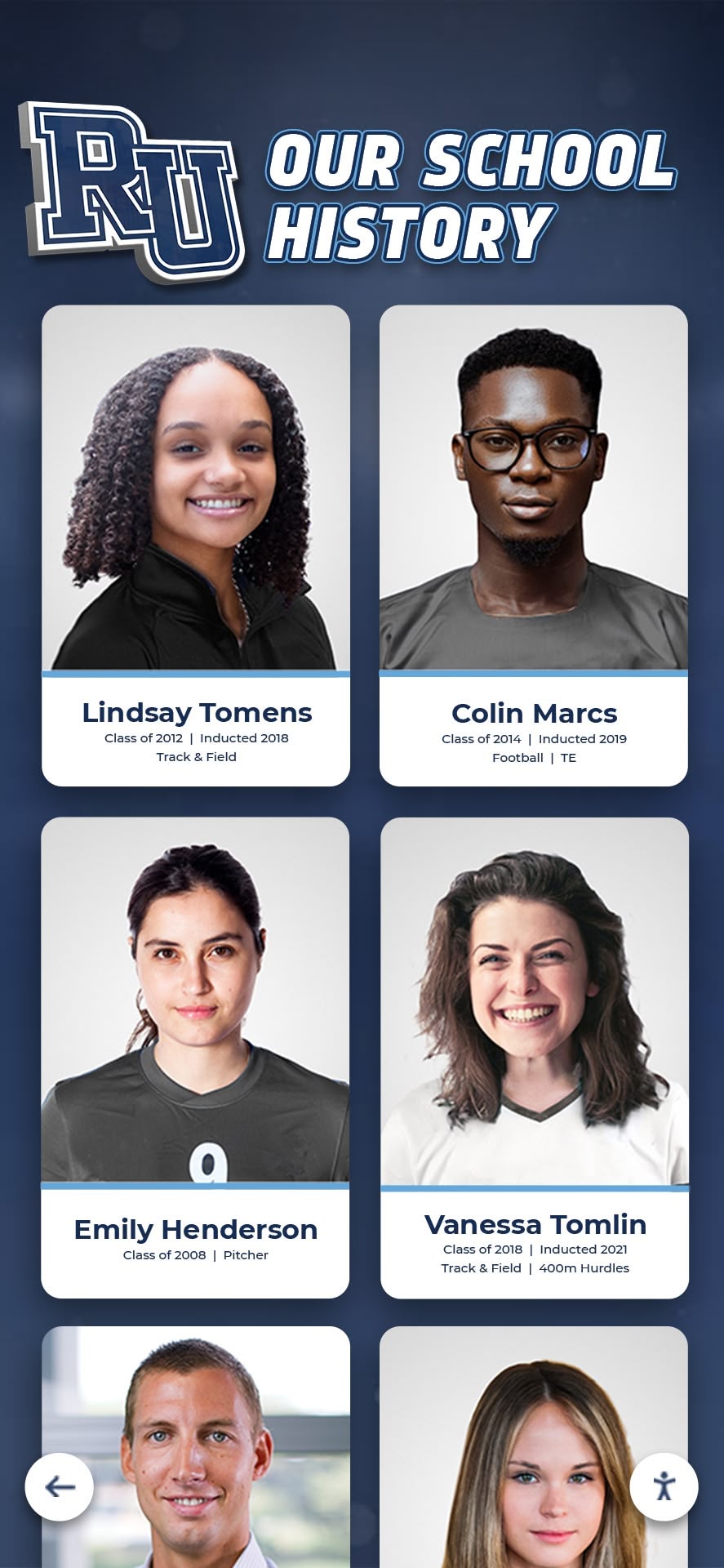
Organized card-based interfaces enable efficient browsing through extensive collections while maintaining visual appeal and quick recognition
Profile Content and Information Architecture
Individual graduate profiles transform basic composite photos into rich recognition celebrating complete individuals rather than reducing accomplishments to names and dates.
Essential Profile Elements
Minimum viable profiles should include professional-quality graduation photos, full legal names and maiden names, graduation year and class information, degree program or academic concentration, and basic contact pathways for interested alumni. This essential information enables identification and basic reconnection without requiring extensive biographical research.
Enhanced profiles add current biographical updates including career field and accomplishments, current location and family information, involvement with institution since graduation, and personal statements or reflections about school experience and impact. These additions create richer recognition demonstrating genuine interest in graduate lives beyond graduation ceremonies.
Multimedia Integration Opportunities
Beyond static photos, multimedia content creates engaging, dynamic profiles bringing individual stories to life through video interviews with distinguished graduates, audio reflections about school experiences, photo galleries showing multiple images across life stages, and links to news articles, publications, or other external recognition.
Multimedia depth transforms simple composite browsing into genuine storytelling, though extensive media development requires significant resources best focused on distinguished alumni or individuals with particularly compelling or instructive stories.
Connection to Broader Recognition Systems
Integrate composite profiles with related recognition content creating comprehensive views of individual institutional involvement. Links might connect to athletic hall of fame inductee profiles for graduate-athletes, donor recognition for philanthropically engaged alumni, distinguished alumni awards for exceptional graduates, and faculty recognition for alumni who returned as educators.
These interconnections demonstrate that individuals’ institutional relationships extend beyond single graduation moments, creating multi-dimensional recognition honoring diverse forms of ongoing connection and contribution.
Responsive Design and Accessibility
Universal design principles ensure displays serve diverse audiences regardless of age, ability, technology familiarity, or device type.
Device Compatibility Requirements
Responsive designs adapt automatically to varying screen sizes, orientations, and interaction methods—large touchscreen displays, desktop computers, tablets, and smartphones. Layouts should reflow appropriately, touch targets should meet size requirements for finger interaction, and text should remain readable without excessive zooming.
Test implementations across diverse devices ensuring consistent functionality and satisfactory experience regardless of access method. Cloud-based web platforms simplify cross-device compatibility compared to native applications requiring separate development for each platform.
Accessibility Standards Compliance
Follow WCAG accessibility guidelines ensuring displays serve users with varying abilities. Essential considerations include keyboard navigation for users unable to use touchscreens or mice, screen reader compatibility for visually impaired users, sufficient color contrast for users with vision challenges, and alternative text for images enabling non-visual content understanding.
Accessible design benefits all users, not just those with disabilities, by creating clear, well-organized interfaces avoiding unnecessary complexity while ensuring legal compliance with accessibility requirements affecting educational institutions.
Multilingual Content Support
International communities or regions with significant non-English speaking populations benefit from multilingual interface and content support. At minimum, navigation elements should translate to relevant languages while individual profile content might remain English unless resources permit comprehensive translation.
Consider community composition and visitor demographics when prioritizing multilingual investment—some schools serve primarily English-speaking communities while others require multilingual approaches respecting diverse constituent language preferences.
Integration with Alumni Relations and Advancement
Digital composite displays deliver maximum value when integrated with comprehensive alumni engagement strategies rather than functioning as isolated historical archives.
Reunion Planning and Class Connections
Class composites provide natural focal points for reunion planning while facilitating classmate reconnection across time and distance.
Reunion Committee Resources
Composite databases enable reunion committees to systematically locate classmates, identify current contact information for alumni who maintain institutional connections, view class demographics showing where graduates settled, and understand class size establishing attendance goals and budget planning parameters.
Web-based access proves particularly valuable for reunion committees whose volunteer members may not live near campus but require tools supporting remote collaboration and classmate outreach across geographic dispersion.
Class Giving Campaign Integration
Class-based fundraising initiatives benefit from composite integration highlighting class participation rates, recognizing top class giving efforts, showing individual donor recognition within classes, and creating friendly competition across graduation years. This visible connection between class identity and institutional support encourages participation while honoring generosity.
Donor recognition approaches integrated with class composites create comprehensive recognition systems honoring both graduation class identity and philanthropic support for institutional mission.
Anniversary Milestone Recognition
Graduation anniversaries—10th, 25th, 50th, and beyond—create natural engagement opportunities. Digital systems highlight anniversary classes through featured content rotation, send automated communication to reunion year classes, and provide historical context about graduation year including campus life, world events, and institutional milestones.
These anniversary touchpoints provide regular engagement rhythms maintaining ongoing alumni connections rather than limiting institutional outreach to fundraising appeals and event invitations.
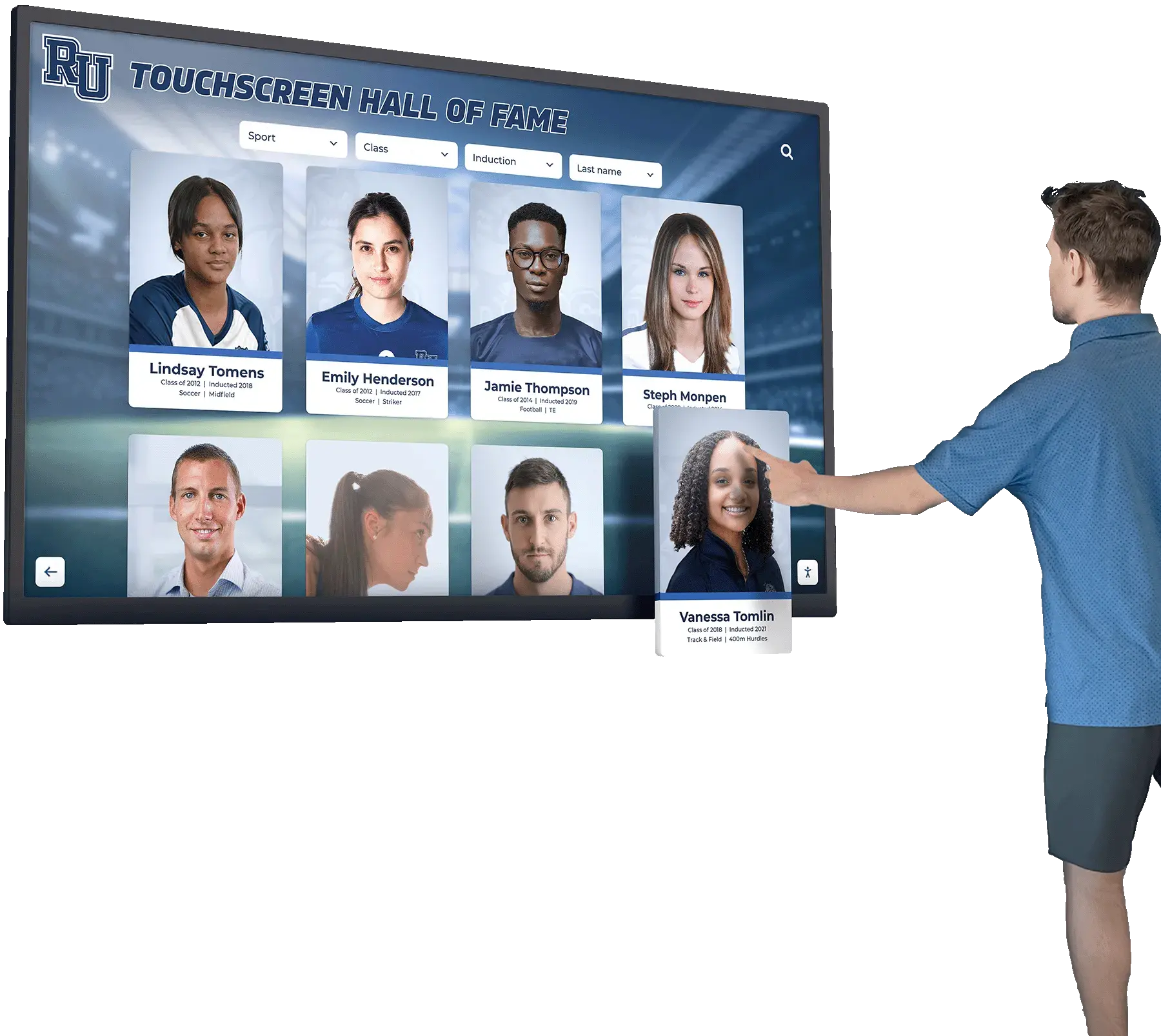
Alumni spend extended time exploring interactive displays when content provides depth, context, and personal connections impossible in traditional formats
Current Student Engagement
Composite displays serve current students by connecting them to institutional history, inspiring through successful predecessor examples, and building multi-generational community understanding.
Historical Context and Tradition
Students exploring historical composites develop understanding of institutional evolution, recognize traditions spanning generations, see how campus facilities and programs developed over decades, and place their own education within continuous legacy connecting them to thousands of predecessors.
This historical perspective builds institutional pride, strengthens student identity, and creates appreciation for educational opportunities shaped by generations of predecessors who built institutional capacity and reputation current students benefit from today.
Mentorship and Career Connections
When composite profiles include career information and contact preferences, students discover potential mentors who graduated from same programs, identify alumni working in career fields of interest, and access professional networking opportunities through institutional connections.
Schools actively facilitating alumni-student mentorship benefit from databases making relevant alumni discovery efficient rather than relying on time-consuming manual matching processes or limiting mentorship opportunities to alumni who proactively volunteer availability.
Family Legacy Discovery
Students whose parents, grandparents, or other relatives attended the same school experience particular engagement finding family members within historical composites. This personal connection creates emotional resonance strengthening institutional loyalty while honoring family educational traditions spanning generations.
Consider highlighting multi-generational families through special recognition collections, featured profiles, or legacy family events celebrating families with particularly extensive or long-standing institutional connections.
Measuring Success and Community Impact
Systematic assessment ensures composite display investments deliver intended value while identifying improvement opportunities enhancing effectiveness over time.
Usage Analytics and Engagement Metrics
Digital platforms provide quantitative data revealing actual community engagement with composite displays.
Interaction Volume and Patterns
Track total interactions measuring overall engagement volume, unique visitor estimates revealing reach beyond repeat users, average session duration indicating engagement depth, and time-of-day usage patterns informing content scheduling decisions. Compare usage across multiple display locations identifying optimal placement while revealing underperforming installations that might benefit from relocation or enhanced promotion.
These volume metrics demonstrate whether implementations achieve meaningful community use or function primarily as expensive equipment receiving minimal actual engagement.
Search and Content Analysis
Search query logs reveal what visitors seek, highlight popular individuals or classes, and identify gaps where sought content doesn’t exist. Most-viewed profiles indicate which alumni generate particular interest worthy of enhanced biographical development.
Navigation pattern analysis shows how visitors move through content, reveals where confusion or abandonment occurs, and identifies successful features worthy of enhancement. These behavioral insights inform continuous improvement creating increasingly effective displays through evidence-based refinement.
Web vs. Physical Access Distribution
Implementations providing both web and physical access should track usage distribution understanding which access methods serve which audiences. Physical displays typically attract current students, campus visitors, and local alumni, while web platforms serve geographically dispersed graduates, reunion committees, and alumni conducting extended research.
This distribution understanding informs resource allocation between physical hardware investment and web platform development while revealing distinct usage patterns across different constituent groups.
Alumni Feedback and Satisfaction
Qualitative feedback provides context beyond quantitative metrics revealing how alumni perceive composite displays and whether implementations achieve intended community-building goals.
Survey-Based Assessment
Systematic surveys gathering feedback from alumni who use composite displays provide perspectives about content accuracy and completeness, ease of use and navigation quality, emotional impact and personal connection, and suggestions for additional features or improvements.
Regular surveys repeated periodically track satisfaction trends revealing whether implementations maintain positive reception or experience declining satisfaction requiring intervention.
Social Media and Word-of-Mouth Indicators
Monitor social media for alumni sharing composite discoveries, tagging classmates, or expressing appreciation for accessible historical records. Positive organic sharing indicates genuine community value rather than obligatory courtesy responses to direct inquiries.
Track media coverage, blog posts, or community discussions mentioning composite displays as indicators of community awareness and appreciation extending beyond direct users to broader constituent groups.
Advancement Metrics Correlation
While attribution proves challenging, advancement teams might observe correlations between composite implementations and improved alumni engagement metrics including increased website traffic, enhanced event attendance, improved survey response rates, and strengthened giving participation.
These strategic outcomes justify composite investments beyond ceremonial recognition by demonstrating tangible advancement value supporting institutional fundraising and community engagement priorities.
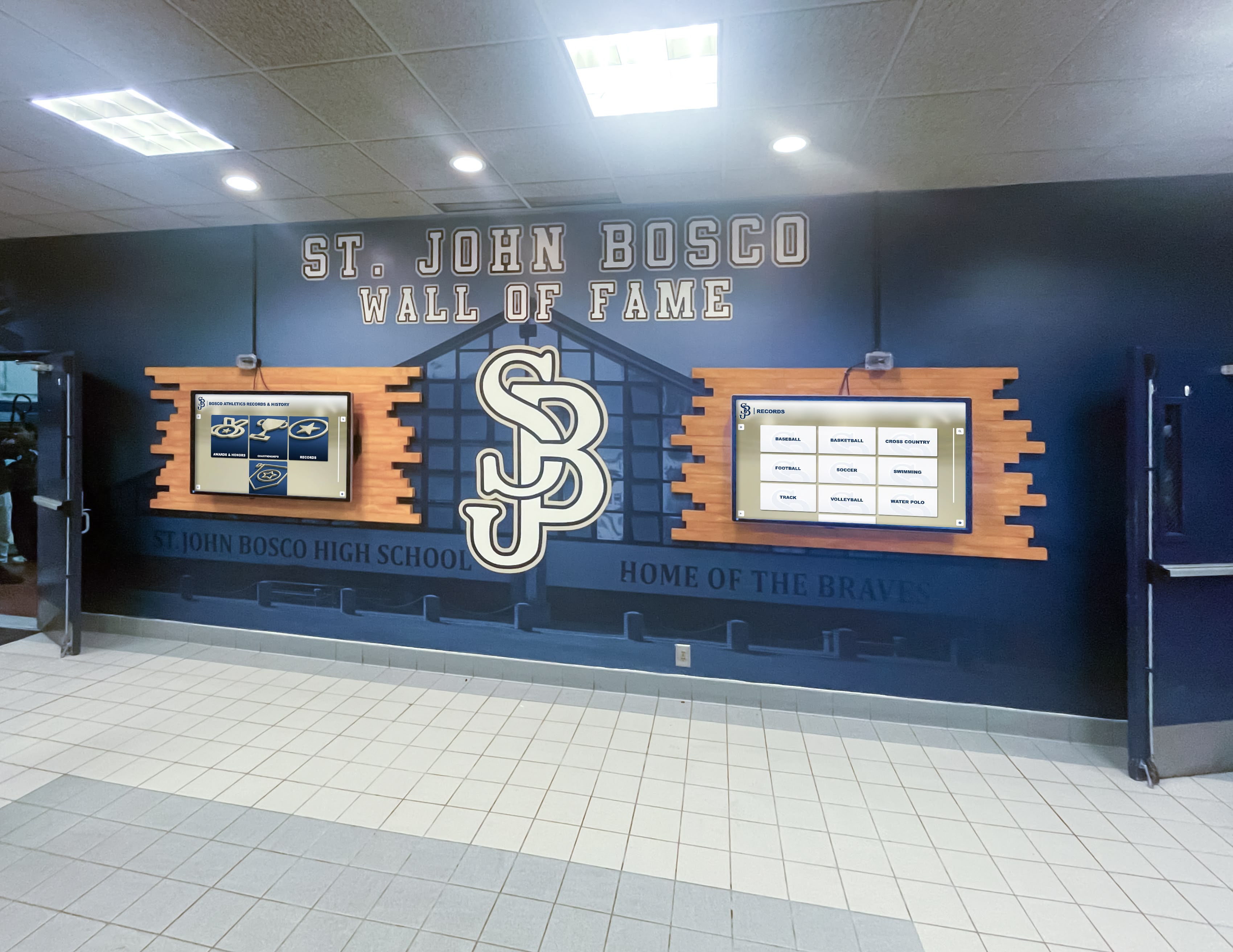
Multiple coordinated displays provide capacity for comprehensive recognition while maintaining consistent visual experience throughout facilities
Budget Planning and Cost Considerations
Understanding complete implementation costs enables realistic planning while identifying opportunities for phased approaches matching available resources to institutional priorities.
Initial Implementation Investment
Complete upfront costs encompass technology, content development, and installation components requiring capital investment before systems launch.
Technology Platform and Hardware
Commercial-grade touchscreen displays range from $2,000-8,000 depending on size, features, and durability specifications. Multiple display installations benefit from volume discounts. Software platform fees vary between generic signage systems requiring customization ($1,000-5,000 setup plus monthly subscriptions) and purpose-built recognition platforms ($2,000-4,000 setup plus ongoing subscriptions).
Installation costs including mounting hardware, electrical and network infrastructure, and professional labor add $500-2,000 per display depending on location complexity. Budget additional 15-20% for contingencies addressing unforeseen installation challenges or technical requirements discovered during implementation.
Content Digitization and Development
Photo digitization costs vary dramatically based on collection scope and chosen approach. Professional scanning services charge $0.25-2.00 per image depending on quality requirements and volume. Schools with thousands of historical composite photos face substantial digitization investment.
Database development including data entry, metadata creation, and quality control requires significant staff time or contracted services at $25-75 hourly for experienced data professionals. Estimate 5-15 minutes per graduate for thorough data entry and verification.
Phased Implementation Strategies
Budget-conscious schools can implement phased approaches prioritizing recent classes with readily available digital source materials while treating historical content as future expansion opportunities. Initial phases might focus on web-based platforms providing immediate global access before capital budgets permit physical touchscreen installations.
This graduated approach demonstrates value building stakeholder support for expansion funding while delivering immediate functionality serving current priorities even before comprehensive implementation completes.
Ongoing Operational Costs
Sustainable operations require recurring funding supporting platform subscriptions, content maintenance, and system upkeep.
Platform Subscription and Support
Cloud-based platforms typically charge annual subscriptions covering software licensing, hosting, updates, and technical support. Annual costs range from $1,200-6,000 depending on platform sophistication, user base size, and included services. These recurring costs remain relatively stable unlike purchased software requiring expensive upgrades every few years.
Annual Content Updates
Each graduating class requires digitization and database integration. With established workflows, annual updates cost $200-1,000 depending on class size and chosen content depth. Staff can often manage routine updates internally once initial implementation establishes procedures and templates.
Hardware Maintenance and Replacement
Touchscreen displays eventually require service or replacement. Budget approximately 10-15% of initial hardware costs annually for maintenance reserves ensuring coverage for repairs, component replacement, or eventual complete hardware refresh after 5-7 years typical commercial display lifespan.
Implementation Best Practices for Long-Term Success
Following proven approaches increases implementation success probability while avoiding common pitfalls undermining less thoughtfully planned projects.
Stakeholder Engagement and Communication
Broad stakeholder support proves essential for successful implementation while reducing resistance that might undermine projects.
Alumni Advisory Input
Engage alumni representatives during planning phases gathering perspectives about content priorities, privacy considerations, and desired features. Alumni provide valuable insights about what classmate reconnection features would prove most useful, what biographical information feels appropriate versus intrusive, and how historical context might improve pure composite photo display.
This participatory approach builds ownership while ensuring implementations serve actual alumni needs rather than reflecting only administrator assumptions about ideal functionality.
Current Student Perspectives
Student input reveals how younger digital natives would use composite systems, what interfaces feel intuitive, and how historical displays might connect to contemporary student life. Student newspaper, yearbook, or student government representatives provide useful feedback while serving as champions promoting implementation within student communities.
Administration and Advancement Alignment
Ensure advancement, alumni relations, and development staff understand how composite systems support their engagement and fundraising goals. These stakeholders often control relevant budgets, provide essential implementation input, and manage ongoing content maintenance making their buy-in essential for sustainable success.
Content Preparation Workflows
Systematic content development prevents launch delays while establishing sustainable maintenance processes enabling long-term content currency.
Historical Data Compilation
Systematically compile existing information from physical composites, printed programs, yearbooks, alumni databases, and institutional archives. Establish data validation processes cross-referencing multiple sources ensuring accuracy particularly for historical information where documentation quality varies.
Accept that some historical information will remain incomplete rather than delaying launches awaiting perfect data. Launch with available information while establishing processes enabling ongoing enhancement as additional research yields supplementary details or alumni contribute missing information.
Photo Quality Standards
Establish minimum resolution requirements ensuring clear display on large touchscreens and web platforms—typically 300 DPI or higher for print-quality archival preservation. Develop consistent cropping, aspect ratio, and background treatment standards creating visual consistency across decades despite varying original source quality.
Balance historical preservation of original photos with practical display requirements—badly deteriorated historical photos might warrant careful restoration enhancing legibility while maintaining historical authenticity.
Ongoing Enhancement Procedures
Develop clear workflows enabling continuous content enhancement through alumni information updates, additional photos or multimedia integration, error corrections, and supplementary biographical details. Web-based submission forms enable alumni self-service updates reducing staff workload while empowering community members to contribute accurate information.
Establish regular review cycles ensuring content remains current rather than becoming outdated through neglect once initial enthusiasm wanes and competing priorities emerge.
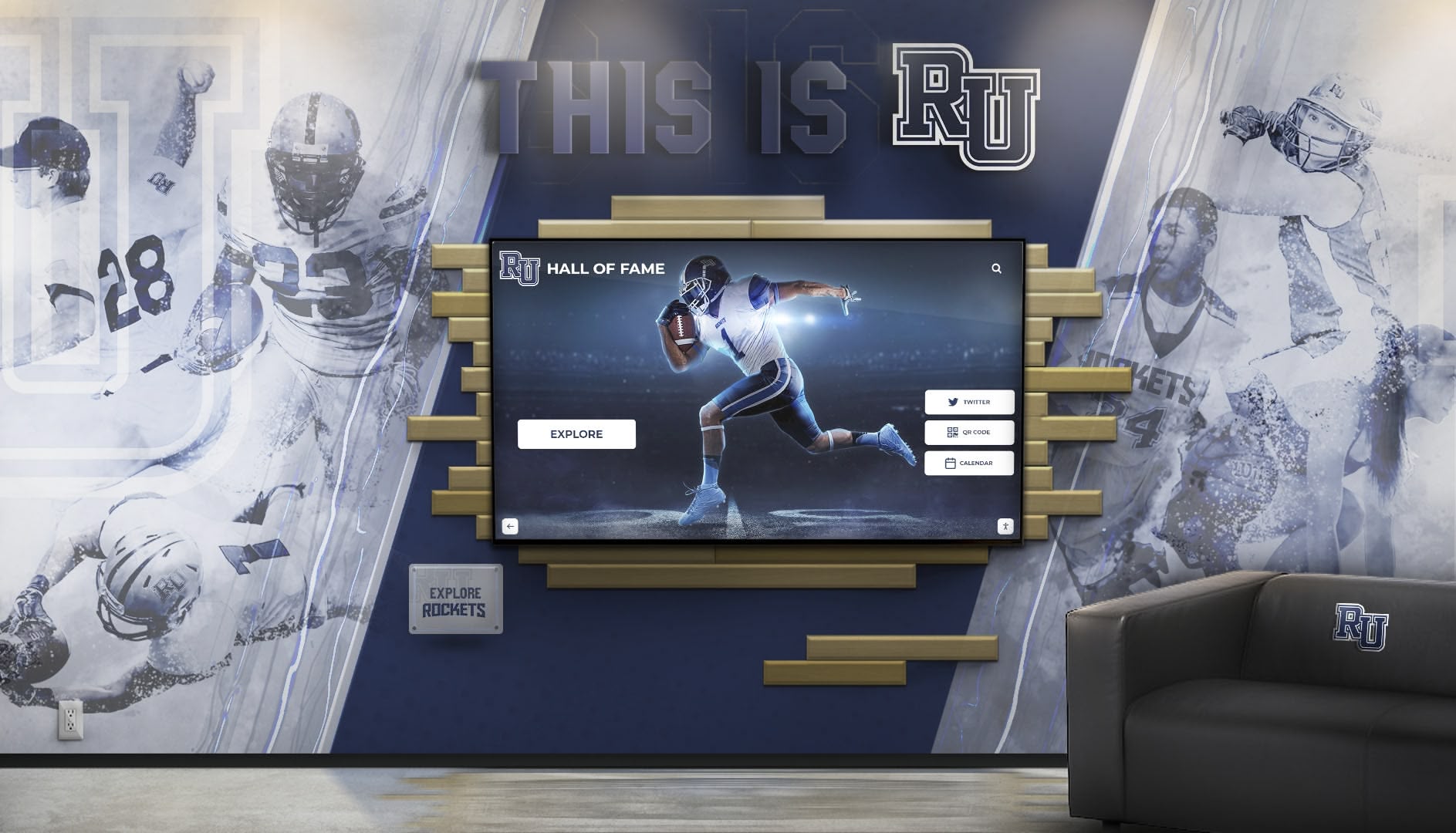
Successful installations integrate digital capability with architectural elements creating cohesive aesthetic experiences honoring tradition while delivering modern functionality
Conclusion: Preserving Heritage Through Interactive Innovation
Digital class composite displays represent thoughtful evolution of beloved traditions rather than disruptive technology replacing cherished customs. Schools and organizations benefit enormously from preserving complete visual records of graduating classes while making this heritage accessible through interactive systems serving contemporary community needs for instant discovery, global access, and rich contextual information traditional photo walls cannot accommodate.
The fundamental appeal of class composites persists across generations—alumni want to see themselves and classmates from graduation years, discover relatives who attended the same institution, and trace institutional evolution through decades of student faces demonstrating continuity connecting past to present. Digital systems honor these enduring desires while eliminating space constraints that force difficult choices about comprehensive versus practical recognition, removing search frustrations through instant name lookup, and integrating additional information creating meaning beyond simple photo display.
The concept of digital warming describes what happens when cold institutional archives transform into personalized exploration experiences. When alumni instantly find their graduation photos through name search rather than scanning hundreds of faces, when current students discover parents’ or grandparents’ composites exploring family educational legacy, when reunion committees efficiently locate dispersed classmates facilitating reconnection across time and distance—these interactions create warmth strengthening institutional bonds and motivating ongoing engagement extending decades beyond graduation.
Successful implementations require systematic approaches addressing complete project scope—digitizing existing composites and yearbooks with appropriate quality and accuracy, developing intuitive interfaces enabling productive use without instruction, integrating composites with broader recognition and historical preservation systems, and establishing sustainable content maintenance ensuring displays remain current through staff transitions and competing priorities.
Purpose-built platforms like Rocket Alumni Solutions deliver capabilities specifically optimized for composite display and historical preservation applications while eliminating complexity inherent in customizing generic digital signage systems. Unlimited capacity accommodating complete institutional history, intuitive search and browsing enabling instant discovery, responsive web design extending access globally, and straightforward content management enabling independent updates without ongoing vendor involvement create sustainable systems delivering value across decades.
Every graduating class your institution celebrates, every alumnus whose face appears in historical composites, every family whose multi-generational connection spans decades represents opportunity to strengthen community bonds while preserving irreplaceable heritage. Your hallway spaces currently displaying recent decades of composites can present complete institutional history through interactive displays honoring every graduate regardless of graduation era while creating engaging exploration experiences that transform simple photo browsing into meaningful community connection.
Traditional composite photo displays will never disappear entirely—permanent physical presence satisfies stakeholders preferring tangible recognition while providing aesthetic value in institutional spaces. Yet complementary digital systems extend recognition reach, improve accessibility, and create engagement impossible through static displays alone. Thoughtful implementations honor tradition while embracing innovation that serves contemporary communities better than exclusive reliance on approaches designed for earlier eras with different technological capabilities and expectations.
The question facing forward-thinking schools isn’t whether digital composites will replace traditional displays but how to integrate both approaches creating comprehensive systems that preserve beloved traditions while delivering functionality meeting modern community expectations for instant access, searchable databases, global availability, and rich information depth.
Ready to explore how interactive class composite displays can preserve your institutional heritage while creating engaging alumni connections? Discover how Rocket Alumni Solutions creates composite browsing experiences that honor tradition while delivering the accessibility, search functionality, and global reach essential for serving contemporary alumni communities committed to maintaining lifelong institutional connections.































