A digital announcement board is a networked display system that replaces static bulletin boards and paper flyers with rotating, remotely updated content. In schools, it runs simultaneously across one screen or dozens—surfacing today’s schedule, athletic award spotlights, donor recognition, emergency notices, and community events without any staff member walking the hallways with a staple gun.
For administrators, communications directors, athletic directors, and advancement teams managing multiple audiences at once, that single sentence describes real relief. Bulletin boards decay. Flyers disappear. A digital announcement board updates in seconds and stays current without physical upkeep.
This guide covers what school digital announcement boards actually do, how to choose the right system, and how to build a content workflow that turns one screen into a genuine community asset—not just another monitor nobody reads.
The decision to install a digital announcement board is rarely the hard part. The hard part is answering “what will we put on it?"—and building workflows that keep the content fresh enough for students, informative enough for parents, and meaningful enough for alumni and donors walking through the lobby. This guide answers both questions.

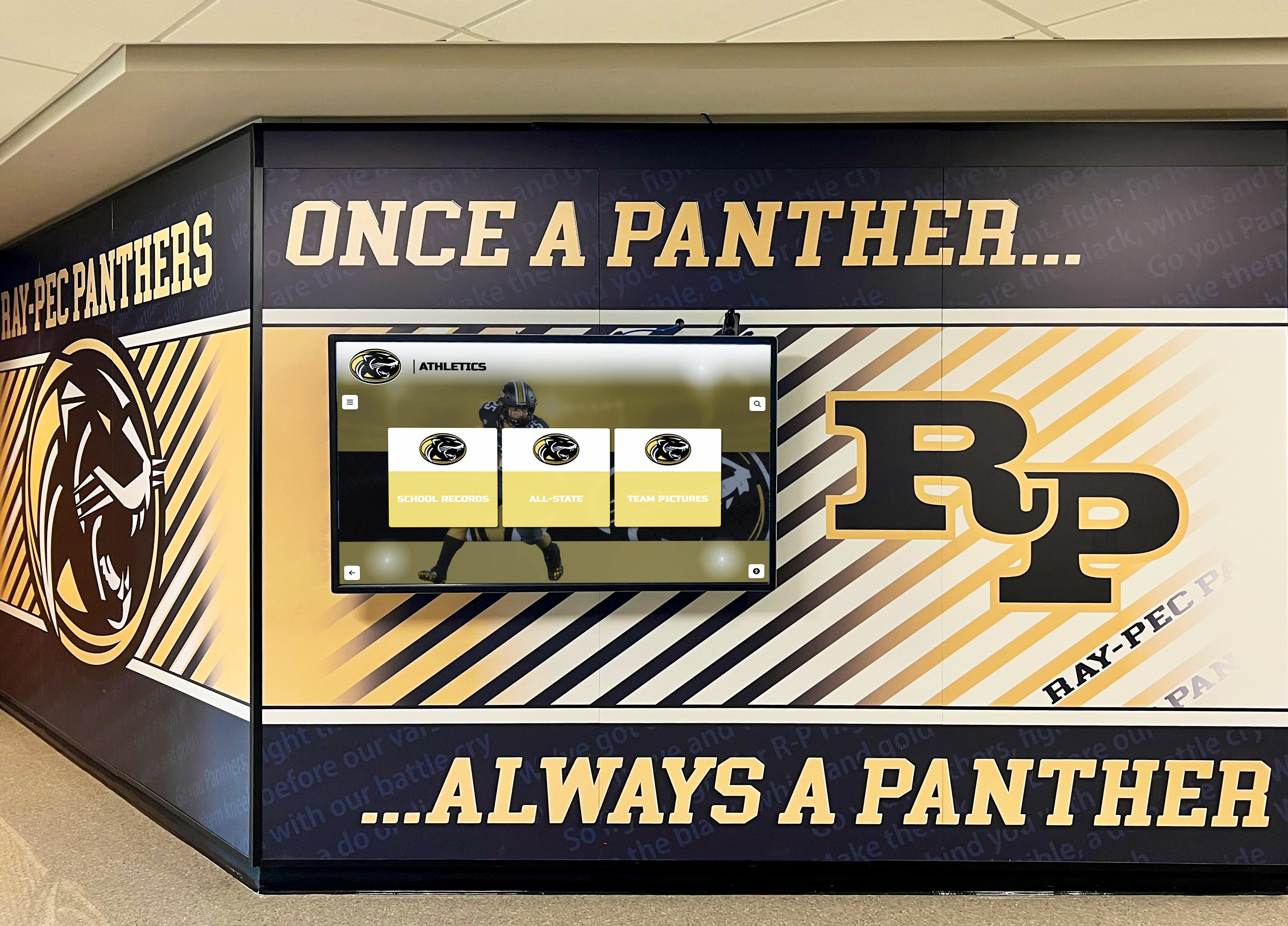
A well-placed digital announcement board integrates into the school's visual identity rather than competing with it—this installation pairs a permanent athletics mural with a live rotating display
What Is a Digital Announcement Board?
A digital announcement board (also called an electronic message board) is a flat-panel or LED display connected to a content management system (CMS) that allows authorized staff to publish, schedule, and rotate messages remotely. Unlike a standalone TV showing a looping slideshow, a purpose-built school announcement board includes:
- Scheduled zones: different content areas on the same screen (clock, weather, announcements, recognition spotlight)
- Remote publishing: updates pushed from any browser-connected device without on-site access
- Emergency override: one-tap activation of lockdown, shelter-in-place, or early-dismissal messaging
- Multi-screen management: one login controls every display across campus simultaneously
- Integration hooks: connections to Google Calendar, student information systems, and social feeds
The distinction matters when selecting a system. A consumer TV with a USB slide deck is not a digital announcement board—it requires physical intervention for every update and offers no emergency override capability.
Why Schools Are Replacing Static Bulletin Boards
The practical reasons are straightforward, but the institutional case goes deeper than convenience.
Visibility and reach. Flyers posted in hallways reach students who walk that specific hallway on that specific day. A networked announcement board reaches every student, staff member, and visitor who passes any display on campus—lobbies, gymnasiums, cafeterias, athletic corridors—every day.
Content freshness. A bulletin board showing October’s announcements in February erodes the school’s credibility with students and parents. A digital board updated through a shared CMS stays current without requiring anyone to physically manage the space.
Recognition permanence. Paper recognition—honor roll lists, athlete spotlights, senior tributes—gets buried under the next wave of flyers within weeks. Digital displays cycle recognition content continuously, giving academic and athletic achievement sustained visibility rather than a single posting window.
Emergency communication. Modern digital announcement boards include override modes that push emergency messaging to all displays instantly, replacing the PA-only model with a visible, campus-wide response. Schools operating under NIMS and school safety frameworks increasingly treat display override capability as a baseline requirement, not a premium feature.
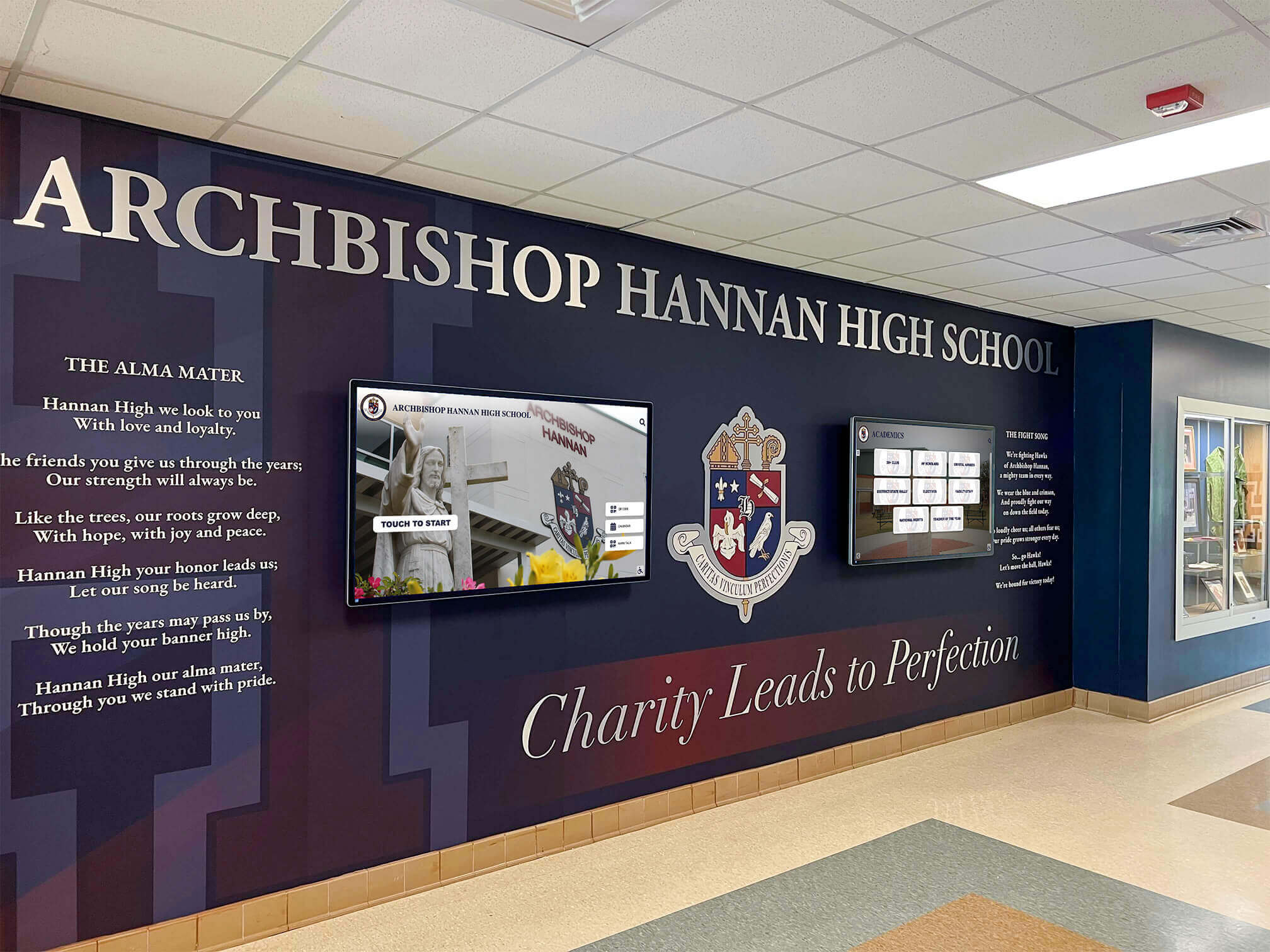
Lobby installations like this one layer institutional identity, real-time announcements, and recognition content on adjacent displays—giving every visitor multiple reasons to stop and engage
Core Use Cases for School Digital Announcement Boards
Most schools underutilize their displays because they treat them as digital flyers. The following use cases describe what a well-managed announcement board actually does across a typical school year.
Daily Operations and Schedule Updates
The most immediate use case is operational: lunch menus, dismissal times, schedule changes, substitute coverage notices, and testing reminders. These updates are low-glamour but high-value—students and staff genuinely need them, and getting them wrong (or displaying outdated versions) creates friction daily.
Best practice: assign one staff member or student aide to own a “daily operations” content zone. Updates in this zone publish on a 24-hour schedule, automatically expiring at midnight so the board never shows yesterday’s menu.
Event Promotion and Community Calendar
Athletic contests, performing arts showcases, parent-teacher conferences, fundraiser deadlines, and community service opportunities all compete for student and family attention. A digital announcement board with calendar integration pulls upcoming events automatically from the school’s existing Google or Outlook calendar, reducing manual entry and keeping promotion timely.
The visual format matters here. Events displayed with custom graphics—team photos for athletic contests, show artwork for drama productions—generate more engagement than plain-text listings. Schools with design-minded communications staff or active student media programs can build branded event templates that staff fill in rather than design from scratch.
For fundraising events specifically, a digital countdown to a deadline paired with a live participation tracker creates a visible urgency that email reminders rarely achieve. Schools running events like a annual 5K fundraiser have found that lobby display countdowns meaningfully increase late-window registrations.
Athletic and Academic Recognition Spotlights
Recognition content is where a digital announcement board earns its most durable community value. Rather than a trophy case that requires physical updates and offers static text, a recognition display can rotate athlete-of-the-week spotlights, academic honor roll announcements, college commitment celebrations, and seasonal award callouts continuously.
The format that works: a dedicated recognition zone (typically a lower third or sidebar of the screen) that rotates through a content library. New entries are added by the athletics office, registrar, or advancement team through the CMS. The display handles the scheduling—pulling each student’s photo, sport or achievement category, and a brief descriptor into the rotation automatically.
For athletic programs with deep recognition histories, this is also the right place to surface historical achievements—connecting current students to past champions in a way that static displays cannot sustain. Schools managing academic all-American recognition and intramural sports records in the same display ecosystem find that mixing current spotlights with legacy achievements creates a richer sense of program continuity.
Donor Recognition and Advancement Communications
Schools with active advancement programs increasingly use announcement boards in lobbies and signature spaces to acknowledge donors publicly. A rolling donor recognition zone—styled to match the school’s brand—gives advancement teams a communication channel that works during every campus visit, not just gala nights.
The key workflow consideration: donor recognition content should be controlled by the advancement office, not funneled through a shared general announcements queue. Purpose-built systems allow role-based access so the advancement team manages their content zone independently without needing IT or communications staff involvement.

Advancement and athletics can each manage their own content zones on the same display—donor recognition in one panel, athletic achievement in another, daily updates in a third
Emergency and Safety Communications
Every modern school announcement board should include an emergency override mode. When activated—manually by an administrator or automatically via integration with a monitored safety system—the override pushes a full-screen alert to every display simultaneously, overriding all scheduled content until cleared.
Common override scenarios:
- Lockdown or shelter-in-place with clear instructional text
- Early dismissal with staggered pickup procedures
- Severe weather with specific shelter locations
- Campus-wide information during an active incident
Some systems integrate with PA notification platforms, activating displays and audio simultaneously from one trigger. This integration should be on the evaluation checklist for any school purchasing or upgrading a digital announcement board.
Alumni and Parent Engagement Displays
In lobbies, front offices, and entrance corridors, digital announcement boards serve an audience that never reads the student daily bulletin: visiting parents, alumni, community members, and prospective families. Content for this audience skews toward institutional pride—recognition of alumni achievements, upcoming events open to the community, school history highlights, and program statistics.
Touchscreen-capable announcement boards add a layer of interactive depth here. A parent waiting for a meeting can explore the school’s athletic record holders. An alumnus returning for a reunion can search their graduating class. A prospective family can browse academic program highlights. This isn’t passive consumption—it’s engagement that builds the school’s relationship with its adult community.
Schools that have integrated senior night recognition displays into their lobby announcement systems report that visiting families comment on the displays more than any other element of the physical environment.
Digital vs. Traditional Announcement Methods: Comparison Table
| Feature | Digital Announcement Board | Physical Bulletin Board | Email / SMS Blast |
|---|---|---|---|
| Update speed | Minutes (remote) | Hours (physical) | Minutes |
| Content lifespan | Auto-expiring, evergreen cycling | Indefinite (often decays) | Single send |
| Emergency override | Yes (full-screen, instant) | No | Limited |
| Recognition display | Continuous rotation | Static until replaced | None |
| Visitor/alumni reach | High (passive, in-person) | Medium (requires proximity) | Low (opt-in list) |
| Multi-format content | Video, images, text, live data | Print only | Text and images |
| Staff time per update | Low (CMS, templates) | High (design, print, post) | Medium (compose, list management) |
| Multi-location sync | Yes (campus-wide) | No (per-board) | N/A |
Implementation Checklist: Getting Your School’s Digital Announcement Board Running
Schools that plan before purchasing avoid the most common failure mode: a display that gets installed, runs a generic slide deck for six months, and quietly goes dark because nobody owns it. Follow this sequence.
1. Define your primary use cases. Rank your needs: daily operations, event promotion, recognition, emergency communications, donor acknowledgment. Your top one or two priorities drive hardware placement and CMS requirements. A school whose primary use is emergency override has different needs than one focused on donor recognition in a signature lobby.
2. Map your display locations. Walk the building with your primary audience in mind. Where do students gather between classes? Where do visitors wait? Where does the advancement team host donors? Lobby, cafeteria, main hallway intersections, and front office are standard placements. Athletic corridors and gymnasium lobbies matter for athletic and recognition content.
3. Inventory your existing content. Before selecting a system, know what content you have. Athletic records, honor roll data, alumni profiles, event calendar access, donor lists—these are your raw material. A CMS built for general signage handles images and text. A system built for school recognition handles structured data (athlete profiles, award categories, graduating class records) in ways that generic tools cannot.
4. Assign content ownership by zone. Every content zone needs an owner: the person who adds new content, retires expired content, and maintains quality. Shared ownership without clear accountability produces stale displays. A simple zone-ownership chart—communications owns daily operations; athletics owns recognition spotlights; advancement owns donor recognition; principal’s office owns emergency override—prevents content decay.
5. Select hardware matched to the environment. Commercial-grade displays (rated for 16-18 hours/day operation) outlast consumer TVs in school environments. For lobbies and high-traffic corridors, consider displays with tempered glass protection and anti-glare treatment. For interactive content, touchscreen overlays require an additional hardware layer and compatibility check with the CMS.
6. Establish your update cadence. Daily operations: updated each morning. Event promotion: two to three weeks out from each event. Recognition: monthly for recurring spotlights; immediate for time-sensitive achievements. Donor recognition: updated following each campaign or gift receipt. Emergency content: tested quarterly, override procedure documented for all administrators.
7. Train staff on the CMS and emergency override. A CMS that requires IT involvement for routine updates will not stay current. All zone owners should be able to publish content independently. Emergency override training—who activates it, what it displays, how to clear it—should be documented and practiced, not improvised during an incident.
8. Plan a launch sequence. A blank display on day one sets a low bar. Populate recognition content, upcoming events, and operational information before the system goes live. Plan a short announcement (all-staff email, morning announcement) explaining what the new displays show and who manages them.

Purpose-built school display platforms like Rocket Alumni Solutions combine searchable recognition archives with live announcement content—giving both students and visiting community members a reason to stop and engage
Key Features to Evaluate When Choosing a System
Not all digital announcement board systems are designed with schools in mind. Evaluate these features before committing to a platform.
Content Management System (CMS) Usability
The person updating daily lunch menus is not a designer. The athletics office coordinator adding a weekly recognition spotlight is not an IT professional. The CMS must be simple enough for non-technical staff to use independently. Look for: pre-built school-specific templates, drag-and-drop content scheduling, mobile-accessible update interface, and auto-expiration for time-limited content.
Multi-Zone Layout Support
A single display that shows one full-screen message at a time delivers one-tenth the value of a display divided into purposeful zones. Evaluate whether the system supports independently managed zones—operational updates in one area, recognition content in another, event promotion in a third—all visible simultaneously on a single screen.
Role-Based Access
Athletics directors should not need to log into a shared admin account to post a recognition spotlight. Role-based access allows each department to manage their content independently without visibility into or control over other departments’ zones.
Emergency Override Integration
Test this before purchasing. Verify that the emergency override mode: activates instantly from a mobile device or remote login, pushes to all displays simultaneously, displays clear instructional text (not just a color or symbol), and can be cleared remotely when the situation resolves.
Recognition-Specific Data Handling
Schools that want to rotate athletic records, honor roll lists, or alumni spotlights benefit from systems that handle structured recognition data rather than treating every content item as a manual upload. Rocket Alumni Solutions, for example, stores athlete and alumni profiles in a searchable database that feeds display content automatically—so adding a new award winner updates both the lobby display and the historical archive without duplicate entry.
Integration with Existing School Systems
Calendar integration (Google Workspace or Microsoft 365), student information system (SIS) connectivity, and social media feed pulls reduce manual content work substantially. Verify compatibility with your existing infrastructure before purchasing.
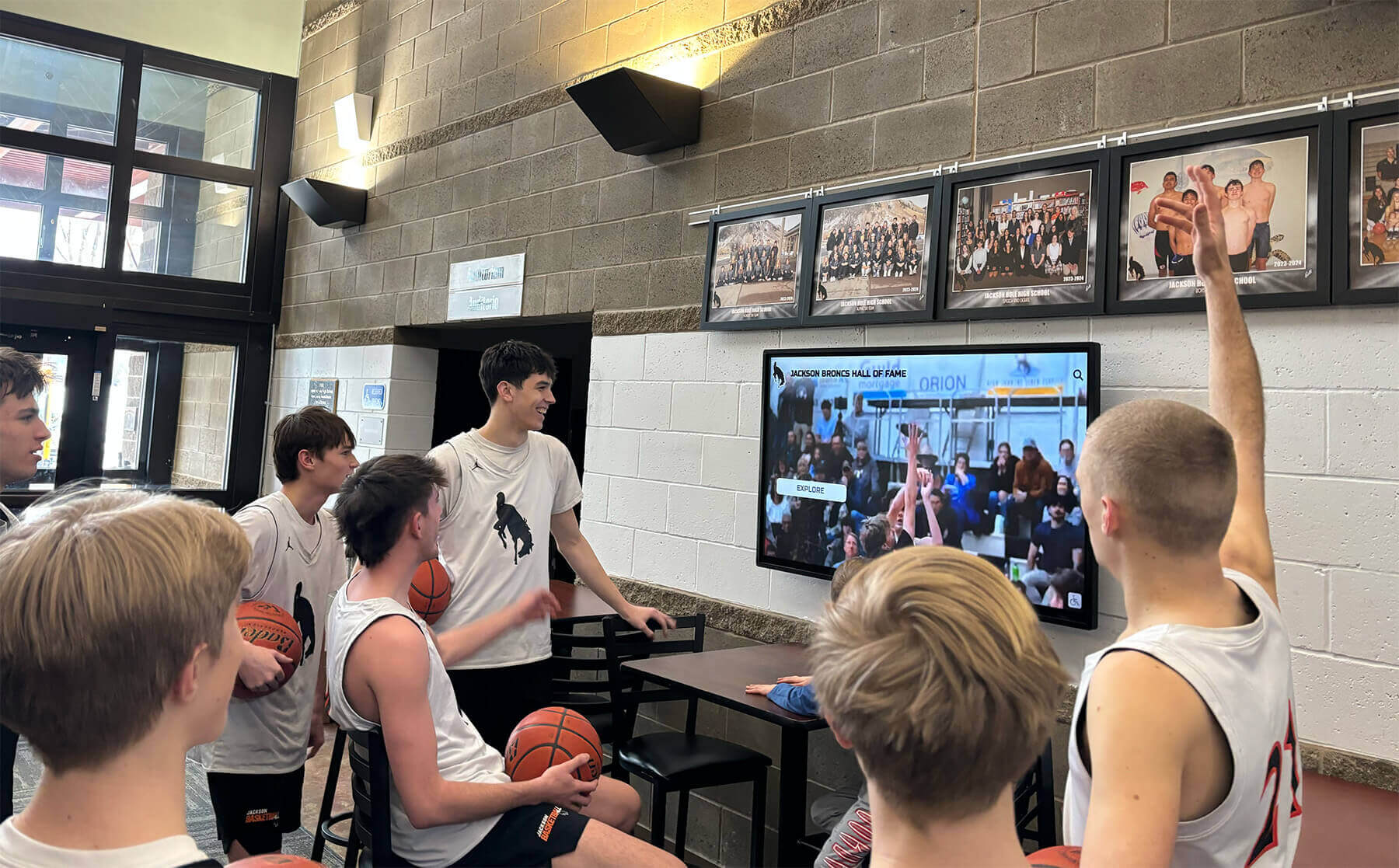
Recognition and highlight content captures student attention organically—students stop for a display featuring their peers in ways they never would for a general announcements board
Content Planning: What to Put on the Board Each Month
A content calendar prevents the most common failure mode: a display that shows the same slide deck for weeks because nobody planned what comes next.
September (Back to School)
- Welcome back messaging with staff and administration photos
- First-week schedule and orientation logistics
- Fall sports season preview with team rosters
- Club and activity sign-up deadlines
October–November (Fall Recognition Season)
- Homecoming court and event promotion
- Fall athlete-of-the-week spotlights
- College application and scholarship deadline reminders
- Veteran’s Day recognition for staff and alumni veterans
December–January (Academic Recognition)
- First-semester honor roll display
- Winter sports season highlights
- Alumni spotlight (graduates now in college athletics or professional programs)
- End-of-semester congratulations messaging
February–March (Awards Season)
- Winter sport championship recognition
- Academic all-conference or all-state acknowledgment
- Spring sport preview and tryout dates
- Scholarship recipients as they are announced
April–May (Year-End Recognition)
- Senior spotlight rotation (one senior featured per day through graduation)
- Spring athlete and academic achievement callouts
- Fundraiser countdowns and results
- Prom, graduation, and final event promotion
June (Closeout and Archive)
- Graduating class congratulations
- Final year-in-review recognition
- Summer program and alumni event promotion
- Year-end donor acknowledgment
Frequently Asked Questions About Digital Announcement Boards for Schools
What is a digital announcement board, and how is it different from a regular TV? A digital announcement board is a display connected to a content management system that allows remote, scheduled content updates across multiple screens simultaneously. A standard TV requires physical access for every update, offers no emergency override capability, and cannot manage separate content zones independently. Purpose-built school announcement boards include these features as standard.
How much does a school digital announcement board system cost? Hardware costs vary from roughly $600–$2,000 per commercial-grade display depending on size and touch capability. Software (CMS) licensing typically runs $500–$3,000 per year for a full campus depending on the number of screens and feature set. Schools often discover that the total cost over three to five years compares favorably to recurring print and paper communication costs, particularly when recognition content that would otherwise require physical updates is included.
Can one system handle both daily announcements and permanent recognition displays? Yes—this is the value proposition of purpose-built school recognition platforms. Systems like Rocket Alumni Solutions combine a CMS for operational and event content with a structured database for recognition content (athlete profiles, donor records, award histories), allowing both to surface on the same display. A single lobby screen can show today’s schedule in one zone and a rotating recognition spotlight in another, managed by different staff members with no overlap.
How do we keep the content current without it becoming a burden on staff? Zone ownership with clear accountabilities is the key. Each content zone is assigned to one staff member or department. Templates reduce design time. Auto-expiration eliminates the need to manually retire outdated content. Schools that attempt shared ownership of a single queue almost always produce stale content within two to three months.
What should schools display in the lobby versus athletic corridors versus cafeterias? Match content to context and audience. The lobby serves visitors, parents, alumni, and prospective families—prioritize institutional recognition, donor acknowledgment, upcoming events, and achievement highlights. Athletic corridors serve current students and athletes—prioritize current season recognition, historical records, and team spotlights. Cafeterias serve students during limited attention windows—prioritize operational information (lunch menu, schedule changes), brief recognition spotlights, and event countdowns. A multi-screen CMS allows each location to show contextually appropriate content from the same content library.
Conclusion: One Screen That Does the Work of Many
A well-deployed digital announcement board does not replace the work of communications, athletics, and advancement teams—it amplifies it. Content that those teams are already producing (schedules, recognition announcements, event promotions, donor acknowledgments) reaches a wider audience, stays visible longer, and requires less physical maintenance than any print-based equivalent.
The schools that get the most from their announcement boards are not the ones with the most sophisticated hardware. They are the ones that answered the governance question—who owns which zone, who updates it on what schedule, who activates the emergency override—before the display went live. That planning work takes a few hours and pays back every week the system runs.
If your school is ready to move past paper bulletins and generic slide decks, start with your top two use cases, assign ownership, and build the content library before installation day. The display is the easy part.
Ready to Build a School Display That Recognizes, Informs, and Engages?
Rocket Alumni Solutions designs interactive touchscreen recognition walls and digital display systems built specifically for schools—combining live announcement content with searchable achievement archives in one platform. Purpose-built for the audiences that matter most to your school: students, families, donors, and alumni.
Explore School Display SolutionsDisclaimer: This content was produced by Rocket Alumni Solutions to demonstrate how purpose-built digital recognition technology supports school communication goals and community engagement. Product capabilities mentioned reflect publicly available information as of June 2026 and may evolve over time.































