



Intent: demonstrate — College residence hall informational interactive displays represent a transformative shift in how institutions communicate with residential students, build community connections, and create welcoming living environments. Traditional dorm communication—paper flyers taped to bulletin boards, static printed directories, outdated emergency procedures posted in hallways—struggles to reach digitally-native students while failing to create the engaging, dynamic environments modern residential life demands.
Students arriving at residence halls face immediate challenges: navigating unfamiliar buildings with confusing layouts, locating essential services and staff offices, discovering community events and programming, understanding building-specific policies, and connecting with fellow residents. Meanwhile, residence life staff struggle to communicate time-sensitive information, promote programming that builds community, maintain current directories and contact information, and create welcoming spaces that feel vibrant rather than institutional.
This comprehensive guide explores how interactive display systems specifically designed for college residence halls solve these communication challenges while creating what we call “digital warming”—the effect that occurs when cold, institutional dormitory spaces transform into personalized, engaging environments where students feel informed, connected, and genuinely at home.
The transformation from traditional dorm communication to comprehensive interactive displays reflects broader changes in how residential students consume information and engage with campus resources. According to research on digital signage for colleges and universities, digital systems empower passive observers to become active participants, fostering connection and school pride by shifting from one-way to two-way engagement that gives students platforms to showcase their voices, achievements, and creativity.

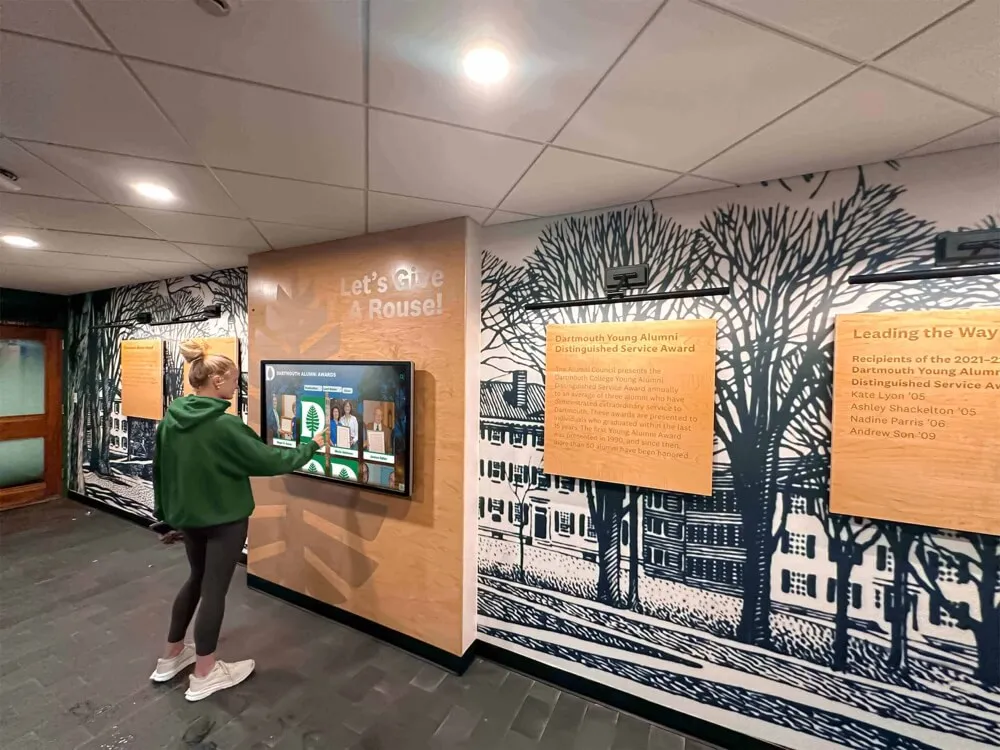
Modern interactive displays transform residence hall lobbies into information and engagement hubs where students actively explore campus resources
Understanding Residence Hall Interactive Display Systems
Interactive display systems for college residence halls encompass far more than simple digital bulletin boards—they represent comprehensive communication platforms combining wayfinding, information delivery, community building, and emergency communication in unified, accessible systems.
Core Components of Residence Hall Displays
Effective residential interactive systems integrate several essential elements creating comprehensive communication infrastructure:
Interactive Touchscreen Capabilities Physical touchscreen kiosks installed in residence hall lobbies, floor lounges, and common areas provide intuitive exploration of building information, campus directories, event calendars, and wayfinding resources. Interactive campus directory systems enable students to search for buildings, departments, offices, or services by name while receiving step-by-step directions with estimated walk times.
Building-Specific Information Architecture Residence hall displays prioritize hyper-local content relevant to specific buildings and floor communities—residential advisor contact information, floor-specific programming calendars, building maintenance schedules, laundry room status, study room availability, and community guidelines specific to individual halls.
Real-Time Update Capabilities Cloud-based content management enables residence life staff to update information instantly from any internet-connected device, ensuring students receive current information about schedule changes, emergency situations, last-minute programming, and time-sensitive announcements without delays associated with print communication.
Multi-Display Network Integration Comprehensive residence hall systems coordinate content across multiple display types—lobby touchscreen kiosks providing detailed interactive exploration, hallway displays showing rotating announcements and programming, elevator screens highlighting quick updates, and entrance displays welcoming visitors with building information.
The Digital Warming Effect in Residence Halls
When residence halls implement engaging interactive displays, they create digital warming—the transformation of impersonal institutional spaces into personalized, connected communities:
Personalized Information Discovery Students explore information relevant to their specific needs—finding residential advisor office hours, discovering programming aligned with their interests, locating campus resources addressing immediate challenges, and accessing emergency procedures when needed rather than searching through generic campus websites.
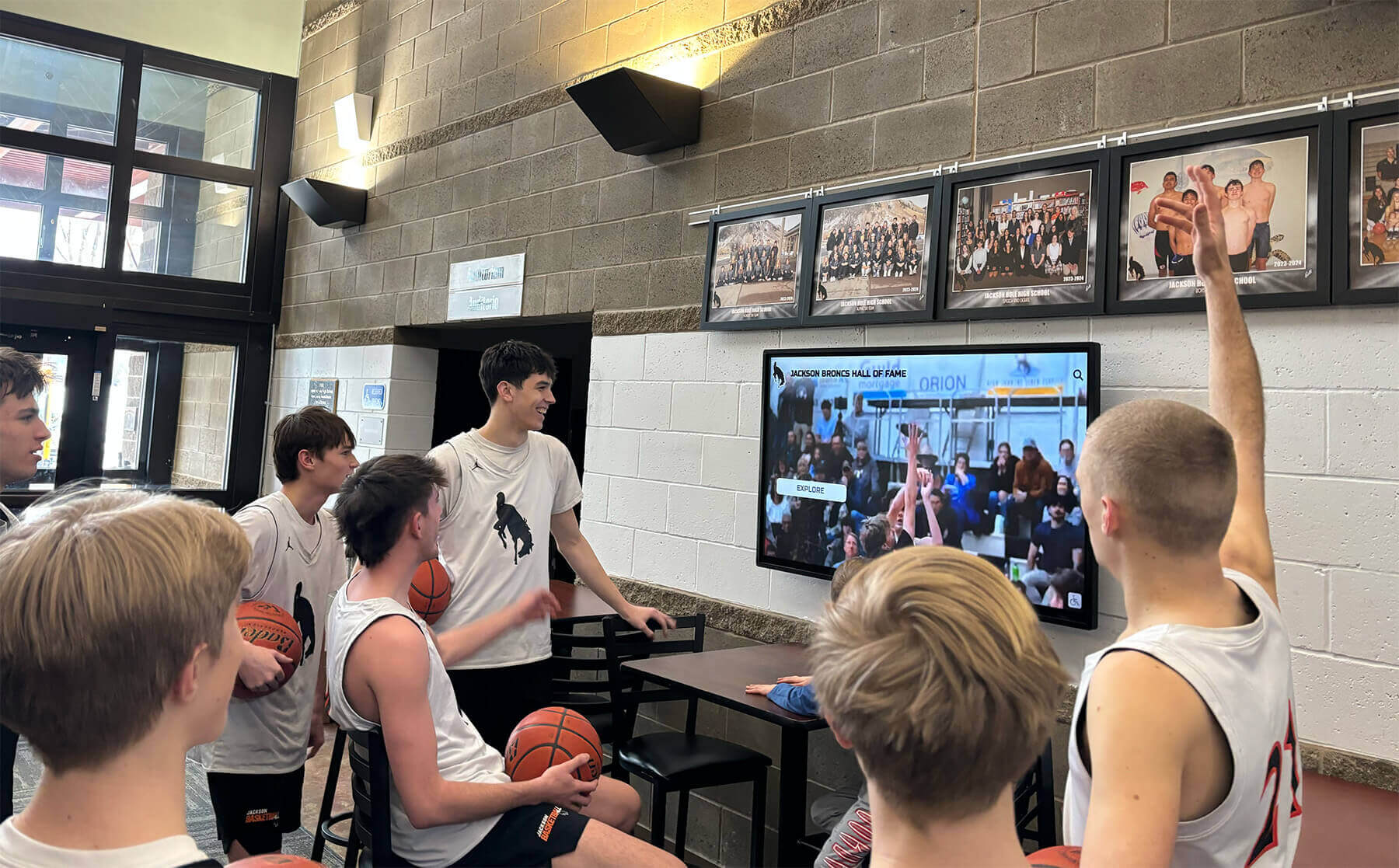
Strategically placed displays create natural gathering points where students encounter relevant information and community programming
Continuous Content Surfacing Rotating featured content highlighting upcoming floor meetings, celebrating resident achievements, showcasing community service opportunities, promoting wellness resources, and featuring student spotlights ensures fresh content provides reasons for repeated engagement while making community visible.
Community Connection Building Displays showcasing resident accomplishments, floor community photos, collaborative programming, peer-to-peer messages, and shared experiences transform anonymous dormitories into cohesive communities where students see themselves reflected and feel genuine belonging.
This digital warming effect directly addresses the isolation and disconnection many residential students experience, particularly during challenging transition periods or throughout demanding academic years.

Professional lobby installations combine wayfinding functionality with community engagement content
Primary Use Cases for Residence Hall Interactive Displays
College residence halls face unique communication and community-building challenges requiring specialized interactive display applications.
Wayfinding and Building Navigation
Residential buildings—particularly large complexes housing hundreds or thousands of students—create navigation challenges for new residents, visitors, parents, and service personnel:
Building Directory Systems Interactive directories enable visitors to search for specific resident rooms (with appropriate privacy controls), locate staff offices, find common amenities including study rooms and laundry facilities, access building services, and navigate complex floor layouts. According to research on building directory systems, many institutions report recouping directory system investments within 18-24 months through reduced personnel demands alone.
Campus Navigation Integration Residence hall displays connect to broader campus wayfinding systems, enabling students to plan routes to academic buildings, dining facilities, recreation centers, health services, and other campus destinations with real-time directions, estimated travel times, and accessibility route options.
Mobile Handoff Capabilities Students begin navigation on touchscreen kiosks then scan QR codes continuing directions on personal smartphones as they navigate, creating seamless experiences bridging physical displays with mobile convenience.
Accessibility-Focused Navigation Interactive systems highlight accessible routes, elevator locations, ramp access, and accommodation resources ensuring students with disabilities receive navigation support meeting their specific needs while promoting inclusive residential environments.
Emergency Communication and Safety
Residence halls require robust emergency communication infrastructure reaching all residents quickly and reliably:
Emergency Alert Integration Interactive displays connect with campus emergency notification systems, immediately broadcasting critical information during fires, severe weather, security incidents, or other emergencies. Digital signage enables alerting everyone in residence halls during incidents while showcasing evacuation plans and essential safety information.
Safety Procedure Accessibility Interactive displays make emergency procedures constantly accessible—fire evacuation routes, tornado shelter locations, emergency contact information, first aid station locations, and safety protocols available on-demand rather than buried in resident handbooks students rarely reference.
Weather Alert Systems Automated weather monitoring displays current conditions, severe weather warnings, and campus closure information ensuring residential students remain informed about conditions affecting their safety and daily activities.
Campus Safety Resource Navigation Displays provide instant access to campus safety escort services, emergency phone locations, health center hours, counseling services, and support resources enabling students to quickly locate assistance when needed.
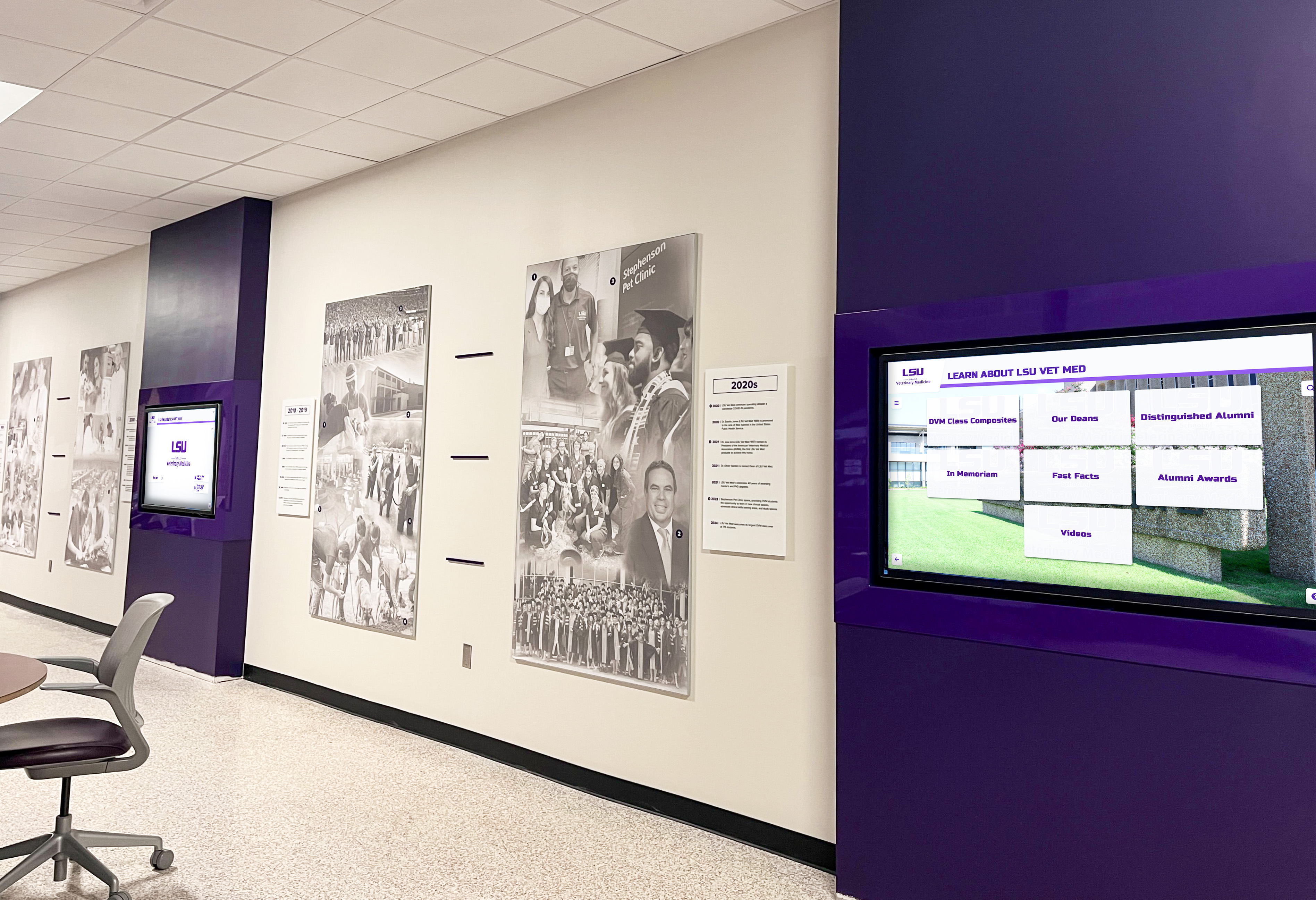
Coordinated display networks ensure consistent information delivery throughout residential facilities
Community Programming and Event Promotion
Residence life programming builds community and enhances student experience, but promotion challenges limit participation:
Event Calendar Integration Interactive displays showcase upcoming floor meetings, hall-wide programming, campus events relevant to residential students, wellness activities, academic support sessions, and social opportunities with filtering enabling students to discover events matching their interests and schedules.
Visual Event Promotion Rich multimedia promotion—photos from previous events, video previews, participant testimonials, and engaging graphics—creates excitement and participation motivation far exceeding plain-text announcements on static bulletin boards.
Registration and RSVP Integration QR codes and direct links enable students to register for events immediately upon discovering them through displays, reducing friction and increasing participation by eliminating steps between event discovery and commitment.
Programming Impact Measurement Digital systems track which event promotions receive most engagement, what content formats generate best response, and how effectively displays drive programming participation, enabling residence life staff to optimize promotion strategies based on data rather than assumptions.
Student Engagement and Recognition
Residence halls become true communities when students feel recognized, connected, and proud of their residential experiences:
Resident Spotlight Features Regular features highlighting resident accomplishments—academic achievements, athletic success, community service, creative work, leadership roles, and personal milestones—ensure students feel valued while inspiring peers through visible role model examples. Comprehensive approaches to student achievement recognition demonstrate systematic celebration strategies applicable to residential contexts.
Community Achievement Celebration Floor-level recognition showcasing collaborative accomplishments—successful fundraisers, volunteer hours contributed, sustainability initiatives, community building activities, and collective goals achieved—reinforces positive residential culture while motivating ongoing participation.
Social Media Integration Displays feature curated social media content from resident accounts, floor social channels, and hall-specific hashtags, amplifying student voices while creating visible community representation reflecting actual resident experiences. According to research on campus digital signage, fostering vibrant campus communities by showcasing social media feeds and student work creates stronger bonds and increased school pride.
Peer-to-Peer Communication Platforms Moderated systems enable residents to share recommendations—favorite study spots, local restaurants, campus resources, academic support services, and community tips—creating peer-driven knowledge sharing strengthening floor communities.

Intuitive touchscreen interfaces ensure students of all technical abilities can easily access information
Essential Services and Amenity Information
Residence halls provide numerous services and amenities requiring clear communication about availability, location, and usage:
Laundry Status Monitoring Real-time laundry machine availability displays enable students to check machine status before walking to laundry rooms, reducing frustration while optimizing facility utilization. Integration with laundry management systems shows available machines, estimated completion times, and usage patterns helping students plan laundry schedules.
Study Room Availability Interactive displays show study room reservation status, enable on-demand booking, provide capacity information, and display room features ensuring students can quickly locate available study spaces meeting their needs.
Dining Services Information Residence hall displays featuring nearby dining facility hours, current menus, special dietary options, meal plan information, and crowding levels help students make informed dining decisions while reducing facility congestion through better distribution.
Building Maintenance Updates Proactive communication about scheduled maintenance, facility closures, utility interruptions, and repair timelines ensures residents receive advance notice of disruptions while demonstrating responsive facility management.
Residential Life Staff Communication
Residence hall displays support residential staff in fulfilling their educational and community-building responsibilities:
Resident Advisor Visibility Interactive directories featuring RA photos, contact information, office hours, floor assignments, and special interests help residents identify their RAs while creating approachable connections essential for effective residential education.
Policy and Guideline Communication Building-specific policies—guest policies, quiet hours, alcohol regulations, common area usage guidelines, and residential conduct standards—remain constantly accessible through displays ensuring residents can reference expectations without searching through lengthy handbooks.
Resource Navigation Support Displays help RAs direct residents to appropriate support services—academic advising, mental health counseling, financial aid, career services, health center, and campus safety—by providing instant access to comprehensive resource directories with contact information and navigation support.
Community Feedback Collection Digital displays facilitate feedback collection through QR code surveys, suggestion submissions, and resident input opportunities enabling residence life staff to gather community perspectives while demonstrating responsiveness to resident concerns.
Benefits of Interactive Display Systems in Residence Halls
Institutions implementing comprehensive interactive displays in residential facilities experience transformative benefits extending throughout campus communities.
Enhanced Student Experience and Satisfaction
Interactive displays directly improve residential student experiences in measurable ways:
Improved Information Access Students report significantly higher satisfaction when information is readily accessible through intuitive displays versus traditional communication methods requiring active searching through emails, websites, or printed materials. Immediate access to building-specific information, campus resources, and emergency procedures reduces frustration while empowering student independence.
Reduced Confusion and Wayfinding Challenges Interactive directories and navigation systems dramatically decrease the time students and visitors spend searching for rooms, offices, or amenities. First-year students particularly benefit from navigation support during challenging transition periods when unfamiliar campus environments create additional stress.
Increased Programming Participation Visual event promotion through interactive displays generates 30-50% higher attendance at residence life programming compared to email-only promotion. Engaging multimedia content creates excitement while strategically placed displays ensure students encounter programming opportunities during natural residential routines.
Stronger Sense of Community Students in residence halls with robust interactive displays report feeling more connected to floor communities, more aware of peer accomplishments, and more likely to participate in community activities. Visible recognition and shared content create cohesion transforming anonymous populations into genuine communities.
Operational Efficiency for Residence Life Staff
Interactive systems dramatically improve staff effectiveness while reducing administrative burden:
Elimination of Physical Posting Requirements Digital displays eliminate hours spent printing, laminating, posting, and removing paper flyers throughout buildings. Cloud-based content management enables updating hundreds of displays across multiple buildings in minutes versus hours or days required for physical posting.
Real-Time Communication Capabilities Time-sensitive announcements—weather closures, emergency information, last-minute schedule changes, urgent maintenance updates—reach residential students immediately through digital displays rather than requiring phone calls, door-to-door notifications, or delayed email communication.
Centralized Content Management Coordinated display networks enable residence life directors to maintain consistent messaging across all residential facilities while allowing building-specific customization. Role-based permissions ensure appropriate staff can update relevant content without requiring central approval for routine updates.
Data-Driven Decision Making Analytics tracking content engagement, navigation patterns, and information access patterns enable residence life staff to optimize communication strategies, identify underutilized resources, understand student information needs, and demonstrate programming impact through quantifiable metrics.
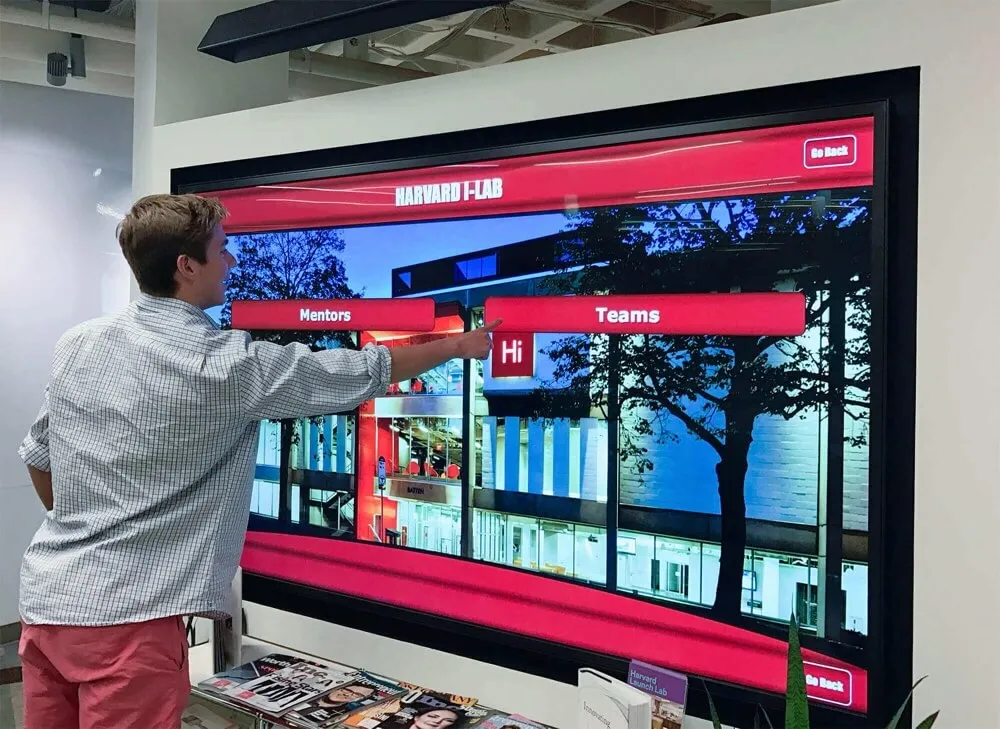
Comprehensive directory systems enable quick location of campus resources, mentors, and support services
Improved Campus Safety and Emergency Response
Interactive displays strengthen safety infrastructure protecting residential students:
Immediate Emergency Communication Digital displays reach all residents simultaneously during emergencies, providing clear instructions, evacuation routes, shelter locations, and safety procedures. Visual communication overcomes language barriers and reaches students who might miss audio announcements or text alerts.
Always-Available Safety Resources Twenty-four-hour accessibility ensures students can locate emergency contacts, safety procedures, and support resources regardless of time, day, or staff availability. On-demand access removes barriers preventing students from seeking help during crises.
Campus Safety Ecosystem Integration Interactive displays connect with broader campus safety systems—emergency notification networks, surveillance systems, access control, and incident response protocols—creating coordinated infrastructure supporting comprehensive student safety.
Safety Culture Reinforcement Regular safety reminders, wellness tips, mental health resources, and prevention education delivered through familiar displays normalize safety consciousness while providing resources in non-threatening contexts encouraging proactive help-seeking behavior.
Cost-Effectiveness and Sustainability
While requiring upfront investment, interactive display systems deliver substantial long-term value:
Printing and Material Cost Elimination Digital systems eliminate ongoing expenses for paper, printing, laminating, and physical posting supplies. Large institutions spend thousands annually on residential communication materials replaced by one-time technology investments.
Staff Time Efficiency Reducing communication administrative burden frees residence life staff to focus on student support, programming, crisis response, and community development rather than routine communication logistics. Time savings often justify system investments within 18-24 months.
Environmental Sustainability Eliminating paper communication waste aligns with institutional sustainability commitments while demonstrating environmental responsibility to increasingly eco-conscious student populations. Digital communication reduces environmental footprint while improving communication effectiveness.
Long-Term Scalability Digital infrastructure accommodates unlimited content growth, expanded programming, new services, and evolving communication needs without additional physical infrastructure investment. Systems scale efficiently as institutions grow or communication needs change.
Technical Considerations for Residence Hall Implementations
Successful residence hall interactive display systems require thoughtful technical planning addressing unique residential environment challenges.
Hardware Selection for Residential Environments
Residence halls present distinct hardware requirements compared to other campus installations:
Durability and Vandalism Resistance High-traffic residential environments with diverse user populations require commercial-grade hardware designed for continuous public use. Reinforced touchscreen glass, tamper-resistant mounting, and robust construction ensure longevity despite intensive student interaction.
Size and Placement Optimization Display sizing should accommodate viewing distances and traffic flow patterns—larger displays for lobby installations where students view from distance, medium displays for floor lounges, and smaller screens for specialized applications like elevator installations.
Brightness and Visibility Standards Residential spaces feature varying lighting conditions from bright entryways to dimmer hallways. Displays require sufficient brightness ensuring visibility across lighting conditions without creating uncomfortable glare during evening hours when students are most active.
Accessibility Compliance Hardware installations must meet ADA requirements including appropriate mounting heights, wheelchair accessibility, and compatibility with assistive technologies. Universal design principles ensure all residential students can access displayed information regardless of disability.
Software and Content Management Systems
Backend systems significantly impact long-term success and administrative efficiency:
Intuitive Administrative Interfaces Residence life staff—often students or graduate assistants without technical backgrounds—require simple content management systems enabling confident updates without IT support. Drag-and-drop interfaces, pre-designed templates, and clear workflows reduce training needs while preventing errors.
Multi-User Permission Management Role-based access controls enable appropriate staff at building, department, and institutional levels to manage relevant content while preventing unauthorized changes. Approval workflows for sensitive content ensure appropriate oversight.
Content Scheduling Automation Automated content scheduling enables programming content to display during relevant timeframes, emergency information to override routine content, and seasonal content to update without manual intervention.
Integration Capabilities Effective systems integrate with existing campus infrastructure—emergency notification systems, campus calendars, building management systems, laundry monitoring, and wayfinding platforms—creating coordinated ecosystems rather than isolated solutions.
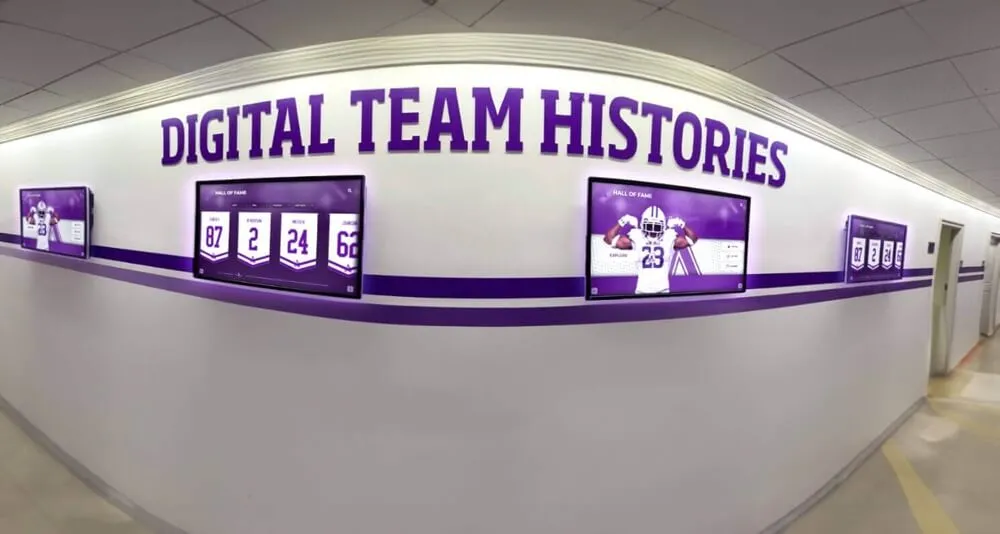
Integrated display networks maintain visual consistency while delivering localized content
Network Infrastructure Requirements
Reliable connectivity is essential for effective interactive display systems:
Network Capacity Planning Multiple displays streaming video content, real-time data feeds, and interactive functionality require adequate bandwidth. Network assessments should identify capacity needs before deployment preventing connectivity issues undermining system effectiveness.
Redundancy and Reliability Critical residential communication infrastructure requires network redundancy ensuring continued operation during internet disruptions, particularly important for emergency communication capabilities. Backup connectivity options and offline content caching maintain service during network issues.
Security and Network Segmentation Interactive displays connected to campus networks require appropriate security measures preventing unauthorized access while maintaining functionality. Network segmentation isolates display systems from critical infrastructure while enabling necessary connectivity.
Remote Management Capabilities Cloud-based management platforms enable updates, troubleshooting, and monitoring from anywhere, critical for supporting displays across multiple residential buildings and enabling after-hours support when technical issues arise.
Privacy and Data Security Considerations
Residence hall displays must protect student privacy while providing useful functionality:
Directory Privacy Controls Interactive directories should implement appropriate privacy protections—limiting room number displays to authenticated users, enabling students to opt out of directory inclusion, and restricting information access to authorized campus community members.
Data Collection Transparency If displays collect usage analytics, institutions should clearly communicate what data is collected, how it’s used, and who accesses it. Transparent data practices build trust while ensuring compliance with privacy regulations and institutional policies.
Compliance with FERPA and Data Regulations Content featuring student information must comply with Family Educational Rights and Privacy Act (FERPA) requirements protecting student records. Staff training on appropriate content and privacy protection prevents inadvertent violations.
Secure Content Management Administrative systems require strong authentication, encrypted communications, and audit logging ensuring only authorized personnel can modify content while maintaining records of changes for accountability.
Content Strategy for Residence Hall Interactive Displays
Effective content strategy maximizes student engagement while achieving institutional communication goals.
Content Types and Mix Optimization
Successful residence hall displays balance multiple content categories creating comprehensive information experiences:
Essential Information (30-40%) Building directories, RA contact information, emergency procedures, campus maps, dining hours, essential service hours, and facility information students need most frequently.
Programming and Events (25-35%) Upcoming floor meetings, hall programs, campus events, registration deadlines, academic support sessions, and community activities promoting participation and engagement.
Community Content (20-25%) Resident spotlights, floor photos, community achievements, peer recommendations, social media integration, and collaborative accomplishments building connection and pride.
Wellness and Support (10-15%) Mental health resources, wellness tips, academic support services, safety information, health center services, and prevention education supporting student wellbeing.
This balanced approach ensures displays serve multiple functions—practical information delivery, community building, and student support—preventing over-emphasis on any single category.
Visual Design Best Practices
Content design significantly impacts engagement and information retention:
Visual Hierarchy and Readability Clear typography, appropriate text sizes, sufficient contrast, and logical information organization ensure students can quickly scan and comprehend content from viewing distances. Important information should stand out through size, color, or placement.
Multimedia Integration Photos, videos, graphics, and animation create engaging content attracting attention and improving information retention compared to text-only displays. Authentic student photos and campus imagery resonate more effectively than generic stock photography.
Brand Consistency Displays should reflect institutional visual identity through consistent color schemes, typography, logos, and design aesthetics. Brand-aligned displays feel professionally managed while reinforcing campus identity.
Mobile-Friendly Content QR codes and simplified URLs enable students to transfer information from physical displays to mobile devices, particularly useful for event registration, detailed resource information, and content students want to reference later.
Content Refresh and Update Strategies
Fresh content maintains engagement and demonstrates active management:
Automated Content Rotation Rotating featured content ensures repeat viewers encounter new information while giving visibility to diverse programming and community members. Automated rotation prevents display staleness without requiring constant manual updates.
Regular Update Schedules Establishing update rhythms—weekly programming updates, monthly community features, semester-based academic support information, annual policy reviews—creates consistency while distributing content management workload.
Seasonal and Timely Content Content aligned with academic calendars—exam week stress management, holiday break information, semester start welcome content, housing selection reminders—demonstrates responsive communication meeting student needs at relevant times.
Community-Generated Content Soliciting student submissions including event photos, accomplishment announcements, peer recommendations, and community stories reduces staff content creation burden while ensuring authentic student voice representation.
Implementation Planning and Best Practices
Successful residence hall interactive display implementations require systematic planning addressing technical, operational, and community considerations.
Needs Assessment and Planning Phase
Begin with comprehensive evaluation of residential communication needs and opportunities:
Stakeholder Engagement Involve residence life staff, facilities management, IT departments, student government representatives, and residential students in planning ensuring systems address actual needs while building buy-in. Student focus groups provide invaluable perspectives on communication challenges and desired features.
Current Communication Audit Document existing communication methods, identify pain points and gaps, assess what works well, and determine what digital solutions should improve. Understanding current state establishes baselines for measuring improvement.
Physical Space Assessment Survey potential installation locations considering traffic patterns, viewing distances, lighting conditions, power availability, network connectivity, and architectural constraints. Site visits inform hardware selections and placement decisions.
Budget and Resource Planning Establish realistic budgets encompassing hardware costs, software licensing, installation expenses, training resources, and ongoing maintenance. Identify potential funding sources including housing budgets, student technology fees, or capital improvement funds.
Transform Your Residence Halls with Digital Warming
Discover how comprehensive interactive display solutions create engaging residential environments where students feel informed, connected, and genuinely at home while simplifying communication for residence life staff.
Book Your DemoPilot Program Strategies
Phased implementations reduce risk while enabling learning from experience:
Single-Building Pilots Beginning with one residence hall enables thorough testing of hardware, software, content strategies, and workflows before broader deployment. Pilot programs reveal unanticipated challenges while generating success stories supporting broader implementation.
Iterative Content Development Launch with core essential content then gradually add programming, community features, and advanced functionality as staff develop expertise and students become familiar with systems. Incremental expansion prevents overwhelming initial implementations.
Feedback Collection and Refinement Systematic gathering of student and staff feedback during pilot periods enables addressing issues before broader rollout. Student advisory groups provide valuable ongoing input ensuring systems meet actual user needs.
Success Metric Establishment Define clear success indicators before implementation—student satisfaction scores, information access metrics, programming attendance changes, staff time savings, emergency communication effectiveness—enabling objective assessment of impact and ROI.
Training and Support Systems
Staff confidence and competence directly impact system success:
Comprehensive Staff Training Residence life staff require training on content creation, system updates, troubleshooting basic issues, content strategy best practices, and privacy compliance. Multiple training sessions with hands-on practice build confidence and competence.
Documentation and Job Aids Clear written procedures, video tutorials, quick reference guides, and common scenario examples enable staff to independently manage routine tasks while reducing support requests. Accessible documentation supports staff confidence during turnover.
Ongoing Technical Support Reliable support systems—responsive helpdesks, regular check-ins, technical assistance, and platform updates—ensure residence life staff receive help when needed. Solutions like Rocket Alumni Solutions provide dedicated support specifically for educational institutions.
Student Staff Involvement Training student staff members including RAs and administrative assistants multiplies institutional capacity while providing student perspectives on effective communication. Student staff often become power users creating innovative content approaches.
Measuring Success and Continuous Improvement
Systematic assessment ensures displays achieve goals while guiding ongoing optimization:
Usage Analytics Tracking Monitor interaction frequency, popular content categories, peak usage times, search patterns, and navigation behaviors revealing how students actually use displays versus staff assumptions. Data-driven insights guide content optimization.
Student Satisfaction Assessment Regular surveys measuring satisfaction with residential communication, awareness of resources and programming, and perceived community connection enable tracking whether displays achieve intended student experience improvements.
Operational Efficiency Metrics Document staff time spent on communication tasks before and after implementation, measure response times for urgent communications, track programming attendance rates, and assess emergency notification effectiveness demonstrating operational improvements.
Continuous Content Optimization Regular content audits identifying underperforming content, outdated information, missing information students seek, and engagement opportunities enable ongoing refinement ensuring displays remain relevant and valuable.
Future Trends in Residence Hall Interactive Technology
Interactive display technology continues evolving with emerging capabilities creating enhancement opportunities for forward-thinking institutions.
Artificial Intelligence and Personalization
Advanced systems increasingly leverage AI creating personalized experiences:
Personalized Content Recommendations AI systems recognize individual users and their interests, highlighting relevant programming, suggesting resources aligned with academic majors or career goals, and surfacing content matching demonstrated preferences.
Natural Language Interfaces Voice-activated and conversational search enables students to ask questions naturally—“Where is the nearest laundry room?” or “What events are happening this weekend?"—receiving relevant answers without learning specialized navigation.
Predictive Content Surfacing Machine learning analyzes patterns predicting what information students will need at specific times—exam week stress management resources, housing selection information approaching deadlines, wellness content during high-stress periods—proactively surfacing relevant content.
Automated Content Generation AI assists creating content by automatically generating event descriptions, translating content to multiple languages, creating accessible alternative text for images, and suggesting content improvements based on engagement patterns.
Augmented Reality Integration
Emerging AR capabilities create immersive wayfinding and information experiences:
AR-Enhanced Wayfinding Students point smartphones at physical signage or QR codes revealing augmented overlays showing directions, room information, historical photos comparing past to present, and layered digital content impossible with physical displays alone.
Virtual Building Tours Prospective students and new residents explore residence halls virtually through AR applications providing information about amenities, viewing rooms, understanding layouts, and visualizing community spaces before arrival.
Interactive Community Art AR enables digital murals, student artwork, community installations, and cultural celebrations displayed through mobile devices creating dynamic visual environments without permanent physical changes to buildings.
Gamification and Engagement AR scavenger hunts, educational games, orientation challenges, and community-building activities leverage augmented reality creating engaging experiences strengthening residential community bonds.
Integration with Smart Building Systems
Comprehensive campus technology ecosystems create seamless experiences:
IoT Sensor Integration Connected sensors provide real-time information about laundry machine availability, study room occupancy, common area crowding, parking availability, and facility usage patterns enabling students to make informed decisions about facility utilization.
Automated Environmental Controls Integration with building management systems enables displaying energy usage, sustainability metrics, and community environmental impact encouraging eco-conscious behavior while demonstrating institutional commitments.
Access Control Integration Interactive displays recognizing authenticated users can provide personalized information, enable secure room access for residents, log maintenance requests, and provide customized wayfinding relevant to individual permissions.
Comprehensive Campus App Integration Residence hall displays function as physical touchpoints within broader mobile campus applications enabling students to begin interactions on displays then continue on personal devices creating seamless cross-platform experiences.
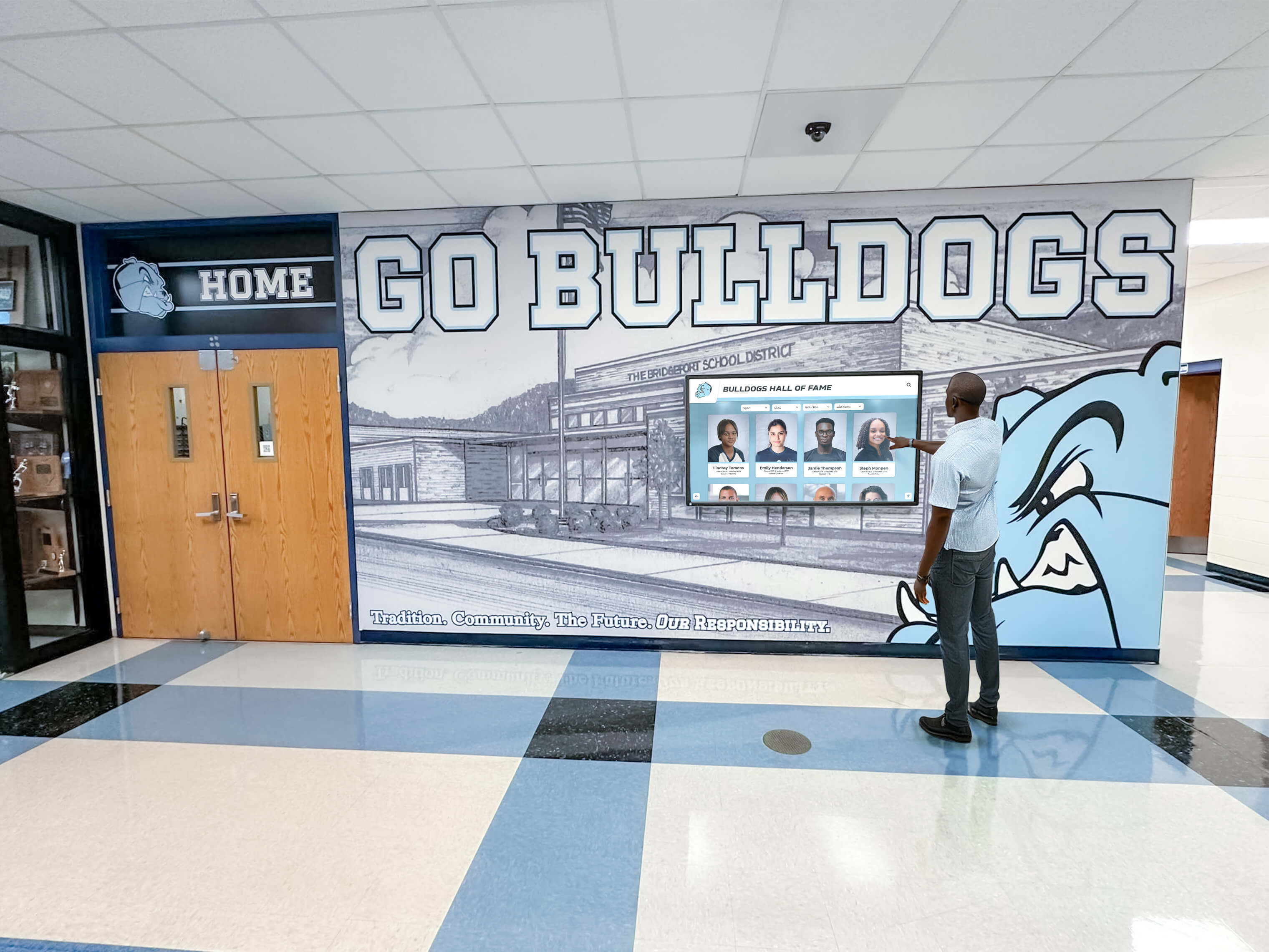
Modern campus technology integrates interactive displays with comprehensive digital ecosystems
Conclusion: Building Vibrant Residential Communities Through Digital Warming
College residence hall informational interactive displays represent far more than communication upgrades—they embody institutional commitments to creating welcoming residential environments where students feel informed, connected, and genuinely at home. Traditional dorm communication through paper flyers, static bulletin boards, and generic email announcements struggles to reach digitally-native students while failing to create the engaging community experiences modern residential life requires.
Interactive display systems specifically designed for residence halls solve these communication challenges while generating digital warming—the transformation of cold, institutional dormitory spaces into personalized environments reflecting student experiences and fostering genuine community connections. When students can instantly locate essential services through intuitive wayfinding, when they discover programming aligned with their interests through engaging visual promotion, when they see themselves and peers celebrated through community spotlights, when they access safety resources and support services immediately when needed—these interactions create warmth transforming anonymous housing into home.
The practical benefits prove equally compelling. Digital displays eliminate hours residence life staff previously spent on physical posting while enabling immediate communication impossible with traditional methods. Enhanced safety through integrated emergency communication protects students while accessibility features ensure all residential students can access information regardless of disability. Cost savings through eliminated printing expenses and staff efficiency gains typically justify investments within two years while environmental sustainability aligns with institutional values.
According to research on university digital signage, institutions implementing comprehensive interactive displays report measurably stronger student engagement, higher programming participation, improved satisfaction scores, and enhanced sense of community. These outcomes directly support institutional retention and student success goals while creating residential experiences students value throughout college careers.
Successful implementations require thoughtful planning addressing technical infrastructure, content strategy, staff training, and continuous improvement. Solutions like Rocket Alumni Solutions provide purpose-built platforms specifically designed for educational environments combining interactive campus displays with intuitive content management, comprehensive support, and proven track records serving hundreds of institutions.
The future of residence hall communication is interactive, engaging, and personalized. Institutions implementing comprehensive interactive display systems today position themselves to adopt emerging technologies including artificial intelligence, augmented reality, and smart building integration ensuring residential communication remains current and effective for years to come.
Every residential student deserves living environments where essential information is accessible, where community connections are visible and celebrated, where safety resources are immediately available, and where they feel genuinely welcomed and valued. With appropriate planning, proven technology platforms, and commitment to student-centered communication, you can transform your residence halls into vibrant communities where students thrive socially, academically, and personally.
Ready to begin your residence hall transformation? Explore comprehensive interactive display solutions for educational institutions or learn about building digital communities that create lasting student connections.
Sources
- Digital Signage for Colleges & Universities | Boost Student Engagement - Visix
- Digital Signage in the Residence Halls | Residential Education and Housing - TCNJ
- Digital Wayfinding for Universities: A Smarter Campus, One Tap at a Time - NENTO
- 7 Ways University Digital Signage Transforms Campus Comms - One Diversified
- Building Directory Systems | Interactive Digital Wayfinding Solutions 2025
- How Universities Use Touch Screen Kiosks for Campus Navigation - MetroClick































