




Intent: compare — Organizations implementing interactive touchscreen displays face a fundamental technology decision that significantly impacts user experience, long-term costs, and system performance: should they deploy web-based touchscreen software or native applications? This choice affects everything from development complexity and maintenance requirements to accessibility features and user engagement quality.
Web-based touchscreen solutions run through internet browsers, offering cross-platform compatibility and simplified updates but potentially sacrificing performance and offline capabilities. Native touchscreen applications run directly on device operating systems, delivering superior speed and responsiveness while requiring more complex development and platform-specific builds.
This comprehensive guide examines both approaches through the lens of digital recognition systems, interactive kiosks, and public-facing touchscreen installations where the wrong technology choice creates frustrating user experiences, limits accessibility, or generates unexpected long-term costs.
The touchscreen software landscape has evolved dramatically as organizations move from static displays to interactive digital experiences. Schools implementing digital hall of fame systems, museums creating visitor engagement kiosks, and institutions deploying recognition displays must understand how software architecture fundamentally shapes user experience and operational success.
What we call “digital warming”—the transformation of cold, impersonal digital spaces into engaging, personalized community experiences—depends heavily on responsive, intuitive touchscreen interfaces that encourage exploration rather than frustrating visitors. Software architecture directly determines whether displays achieve this warming effect or become underutilized technology investments.

Modern touchscreen displays require software that balances performance, accessibility, and user engagement
Understanding Web-Based Touchscreen Software
Web-based touchscreen solutions leverage familiar internet technologies, running through standard web browsers rather than purpose-built applications.
Core Characteristics of Web-Based Approaches
Web-based touchscreen software brings several defining attributes affecting implementation and operation:
Browser-Dependent Architecture Web-based systems run within internet browsers (Chrome, Firefox, Safari, Edge), relying on browser capabilities and constraints. The browser acts as an intermediary layer between the touchscreen software and the operating system, introducing both flexibility and limitations that shape user experience.
Cross-Platform Compatibility Single codebases theoretically run across multiple platforms—Windows PCs, Apple devices, Android tablets, and various operating systems—without requiring separate development for each platform. This compatibility reduces development complexity and enables deployment flexibility across different hardware.
Server-Side Processing Web applications typically process data and business logic on remote servers rather than locally on touchscreen devices. Display devices primarily render interfaces and handle user interactions while servers manage content, execute searches, and generate responses. This architecture centralizes logic but depends on network connectivity.
Standard Web Technology Stack Development relies on standard web technologies including HTML for structure, CSS for styling, JavaScript for interactivity, and various frameworks (React, Angular, Vue) for enhanced functionality. The abundance of web developers familiar with these technologies affects development costs and resource availability.
Continuous Updates Without Local Installation Updates deploy to web servers, automatically affecting all connected devices without requiring individual device updates or user interventions. Organizations modify content, fix bugs, and add features by updating server-side code that all devices access through their browsers.
Advantages of Web-Based Touchscreen Software
Several compelling benefits drive many organizations toward web-based solutions:
Simplified Multi-Device Deployment Single web applications serve desktop computers, tablets, smartphones, and dedicated touchscreen kiosks without separate builds. Organizations deploying interactive digital recognition displays across diverse hardware benefit from unified codebases accommodating various screen sizes and device types.
Streamlined Content Management Cloud-based content management enables authorized staff to update recognition profiles, add new inductees, modify information, and schedule content publication through web interfaces accessible from any internet-connected device. Remote management eliminates physical access requirements for content updates.
Lower Development Costs The abundance of web developers compared to specialized native app developers typically reduces development costs. Organizations find more available contractors and staff with web development expertise, creating competitive pricing and greater resource availability for web projects.
Instant Updates and Iteration Bug fixes, feature additions, and content updates deploy immediately to all devices by updating server-side code. Organizations avoid the complex update processes required for native applications, enabling rapid iteration based on user feedback or changing requirements.
No App Store Constraints Web applications avoid app store approval processes, restrictions, and revenue sharing requirements affecting native apps distributed through Apple’s App Store or Google Play. Organizations maintain complete control over distribution, updates, and monetization without platform intermediaries.
Progressive Web App (PWA) Capabilities Modern web technologies enable Progressive Web Apps combining web accessibility with app-like features including offline functionality through service workers, home screen installation options, push notifications, and background synchronization. PWAs bridge traditional gaps between web and native applications.
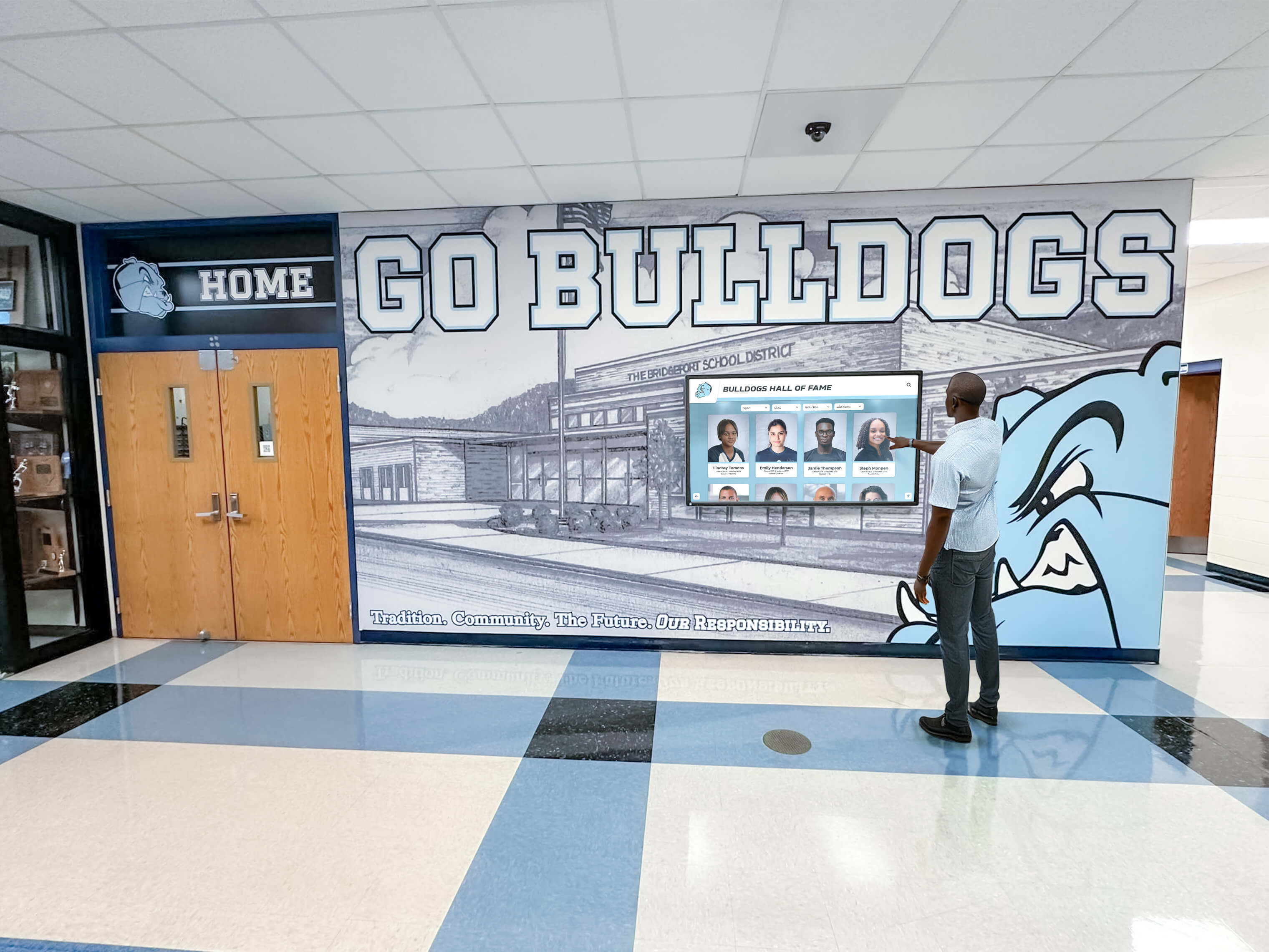
Web-based interfaces provide familiar interaction patterns accessible across different devices
Limitations and Challenges of Web-Based Solutions
Web-based approaches face systematic constraints affecting certain use cases:
Performance Overhead and Response Delays Browser intermediation introduces performance overhead compared to native applications executing directly on operating systems. Complex animations, high-resolution media, rapid interactions, and intensive processing may experience noticeable delays affecting user experience quality, particularly on lower-powered devices.
Network Dependency Concerns Traditional web applications require active internet connectivity, creating vulnerabilities when network connections fail or slow. While Progressive Web Apps mitigate this through offline caching, sophisticated functionality and real-time content updates typically demand reliable connectivity that public installation environments may lack.
Limited Hardware Integration Web browsers restrict access to device hardware for security reasons, limiting integration with specialized sensors, custom peripherals, advanced cameras, or unique input devices. Organizations implementing specialized touchscreen applications requiring deep hardware integration face browser constraint challenges.
Touch Optimization Challenges Standard web interfaces designed for mouse and keyboard inputs don’t automatically optimize for touch interactions. Developers must specifically implement touch gestures, appropriate button sizing, touch-friendly navigation patterns, and multi-touch support that mobile websites don’t universally address well.
Browser Inconsistency Issues Different browsers interpret web standards slightly differently, potentially creating inconsistent user experiences across browser types and versions. While modern browsers have converged significantly, edge cases and advanced features may behave differently across Chrome, Safari, Firefox, and Edge.
Security and Data Protection Web applications accessible through public internet connections face security vulnerabilities requiring careful management. Organizations handling sensitive data in recognition systems, donor information, or personal profiles must implement robust authentication, encryption, and access controls addressing web-specific security challenges.
Limited Offline Functionality Even with Progressive Web App service workers enabling offline access to cached content, sophisticated functionality requiring real-time data, complex searches, or dynamic content generation typically requires connectivity. Offline capabilities remain limited compared to native applications with full local data storage and processing.
Understanding Native Touchscreen Applications
Native applications run directly on device operating systems without browser intermediation, offering different tradeoff profiles than web-based approaches.
Core Characteristics of Native Applications
Native touchscreen software brings distinct architectural attributes:
Direct Operating System Execution Native apps execute directly on device operating systems (Windows, macOS, iOS, Android) without browser layers, enabling direct hardware access and optimal performance leveraging 100% of device resources. This architecture minimizes intermediation overhead affecting responsiveness and capabilities.
Platform-Specific Development Each operating system requires separate development using platform-specific programming languages and frameworks—Swift or Objective-C for iOS, Kotlin or Java for Android, C# for Windows, Swift for macOS. Cross-platform frameworks like Flutter or React Native reduce duplication but still require platform-specific builds and testing.
Local Processing and Storage Native applications process data and execute logic locally on touchscreen devices rather than depending on remote servers. Local processing enables sophisticated functionality without network dependencies while supporting offline operation critical for reliable public installations.
Deep Hardware Integration Direct operating system access enables native apps to leverage device capabilities including advanced touch and gesture recognition, specialized sensors and peripherals, high-performance graphics processing, local file system access, and custom hardware integration impossible through browser constraints.
Optimized Touch Interfaces Native development frameworks provide touch-optimized UI components, gesture recognition systems, and interaction patterns specifically designed for touchscreen interfaces rather than adapted from desktop paradigms. Platform-specific design languages (Material Design for Android, Human Interface Guidelines for iOS) guide consistent touch-optimized experiences.
Advantages of Native Touchscreen Applications
Native architecture provides compelling benefits for certain use cases:
Superior Performance and Responsiveness Native apps leverage full device resources without browser overhead, delivering faster load times, smoother animations, instantaneous touch responses, and more sophisticated visual effects creating premium user experiences. Performance advantages prove particularly significant for large-scale touchscreen installations with high-resolution media and complex interactions.
Comprehensive Offline Functionality Local data storage and processing enable complete offline operation independent of network connectivity. Organizations implementing touchscreen displays in locations with unreliable connectivity or seeking guaranteed uptime regardless of network conditions benefit from native apps’ independence from internet access.
Advanced Multi-Touch Support Native frameworks provide sophisticated multi-user, multi-touch support designed specifically for large touchscreen displays where multiple people interact simultaneously. Complex gesture recognition, concurrent touch tracking, and multi-user interaction modes prove easier to implement natively than through web technologies.
Hardware Acceleration and GPU Utilization Direct access to graphics processing units enables hardware-accelerated rendering, complex visual effects, high-frame-rate animations, and intensive media processing impossible through browser-based rendering pipelines. Visual polish and smooth performance distinguish native experiences.
Deep Device Integration Native apps integrate seamlessly with device capabilities including push notifications, background processing, file system access, specialized sensors, custom peripherals, and platform-specific features creating cohesive experiences leveraging full device capabilities.
Enhanced Security and Data Protection Native applications provide more robust security options including local data encryption, secure storage systems, biometric authentication integration, and protection from web-specific vulnerabilities like cross-site scripting. Organizations managing sensitive recognition data, donor information, or personal profiles benefit from native security capabilities.
Consistent Platform-Specific Design Native apps follow platform design languages creating familiar experiences matching user expectations from other applications on their devices. iOS apps feel like iOS apps, Android apps match Android conventions, creating intuitive experiences requiring minimal learning.
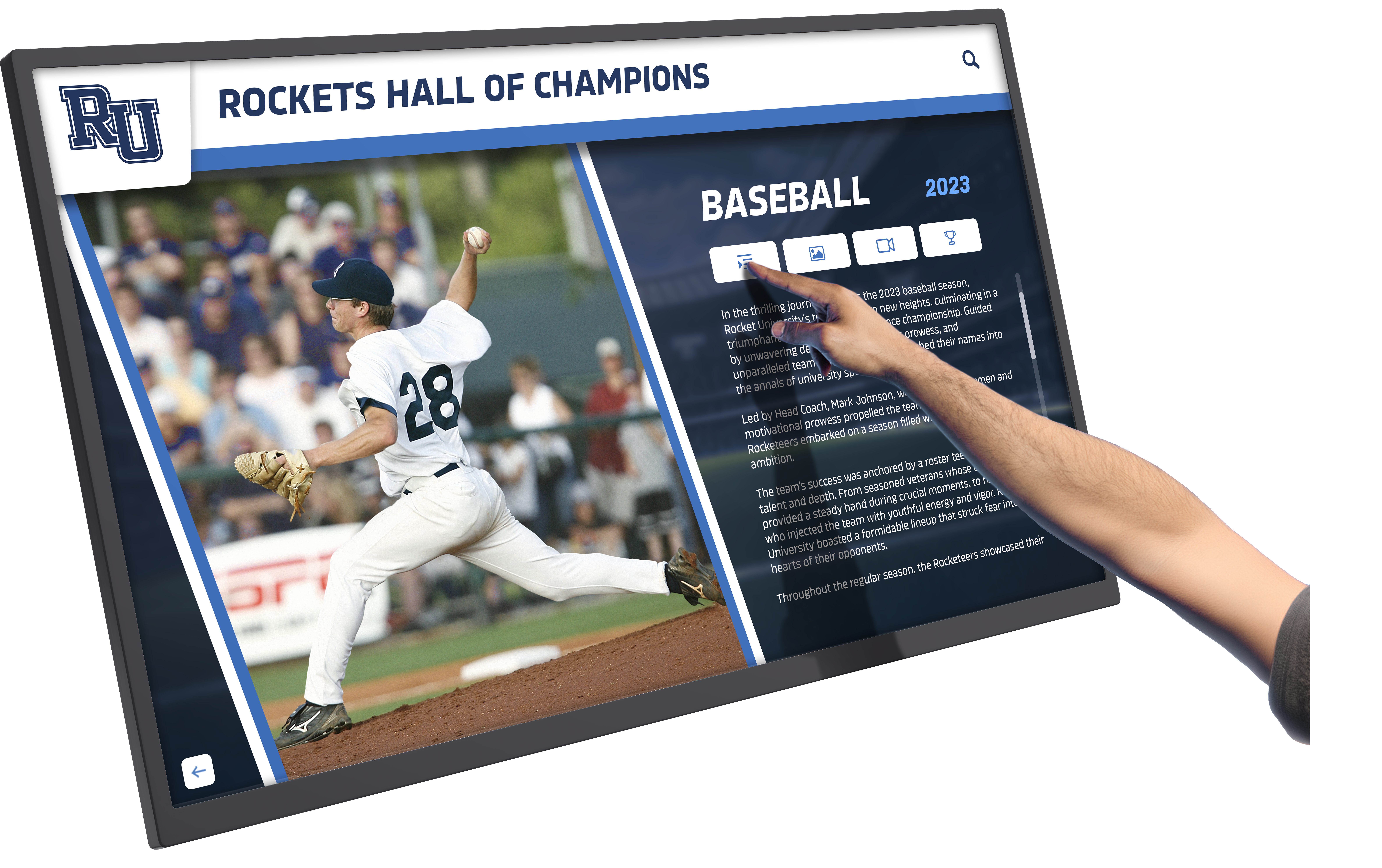
Native applications deliver responsive, hardware-accelerated experiences optimized for touch interaction
Limitations and Challenges of Native Applications
Native development introduces distinct challenges organizations must address:
Higher Development Costs Platform-specific development requires specialized skills less common than web development expertise. Organizations building for multiple platforms (iOS, Android, Windows) face multiplied development costs creating separate versions, increasing both initial investment and ongoing maintenance expenses.
Complex Update Distribution Application updates require building new versions, distributing updated files, and ensuring devices install updates—processes more complex than web-based server updates automatically affecting all users. Public installation environments may require technician visits or remote management systems for reliable update distribution.
Platform-Specific Testing Requirements Each platform requires separate testing ensuring proper functionality, appropriate performance, and consistent user experience across different devices and operating system versions. Testing complexity multiplies with each supported platform, increasing quality assurance time and costs.
App Store Dependencies Applications distributed through Apple’s App Store or Google Play face approval processes, content restrictions, revenue sharing requirements, and potential rejection risks. While organizations can deploy native apps through enterprise distribution or direct installation, app store processes introduce constraints and delays.
Limited Cross-Platform Portability Unlike web applications running identically across platforms, native apps require rebuilding for different operating systems. Organizations changing hardware platforms face development efforts creating new versions rather than simply deploying existing software to different devices.
Higher Maintenance Complexity Maintaining multiple native codebases—iOS, Android, Windows versions—creates complexity and costs compared to single web applications. Bug fixes, feature additions, and updates multiply across platforms, requiring more development resources over time.
Installation and Deployment Overhead Native applications require installation on each device through manual processes, enterprise deployment systems, or app store downloads. Initial deployment and device setup proves more complex than pointing browsers to web URLs.
Comparing Web-Based vs Native for Public Touchscreen Installations
The specific context of public touchscreen displays—kiosks, recognition systems, and interactive installations—shapes technology selection criteria.
Performance and User Experience Considerations
User experience quality fundamentally determines whether interactive displays achieve engagement goals or frustrate visitors:
Touch Responsiveness and Interaction Quality Native applications typically deliver superior touch responsiveness creating immediate feedback to user interactions. For high-traffic recognition displays where positive first impressions encourage exploration, native performance advantages significantly impact engagement depth and duration.
Web-based solutions on modern hardware with optimized code can achieve acceptable responsiveness for many applications, but perceptible delays during transitions, animations, or complex interactions may accumulate into less polished experiences affecting user satisfaction.
Content Loading and Media Performance High-resolution photos, video content, and multimedia-rich profiles load faster and display more smoothly in native applications leveraging local storage and hardware acceleration. Web applications loading media from servers experience network delays and browser rendering limitations potentially creating visible loading indicators and choppy transitions.
Organizations implementing media-rich recognition systems showcasing video tributes, photo galleries, and extensive multimedia must carefully consider whether web performance meets quality standards or whether native advantages justify additional complexity.
Multi-User Interaction Support Large touchscreen displays often accommodate multiple simultaneous users exploring different content. Native applications designed specifically for multi-user scenarios provide sophisticated concurrent touch tracking and gesture recognition that web technologies may struggle to replicate reliably.
Schools implementing athletic recognition touchscreens where groups of students might simultaneously browse different athletes or teams benefit from native multi-touch capabilities ensuring smooth concurrent interactions.
Visual Polish and Animation Quality Hardware-accelerated graphics in native applications enable smooth animations, sophisticated transitions, and polished visual effects distinguishing premium experiences from functional-but-basic interfaces. Organizations where recognition displays represent institutional quality and brand identity should consider how visual polish affects perceived value.
Web technologies have advanced significantly in animation capabilities, but native frameworks still provide easier paths to sophisticated visual experiences matching the refined interactions users expect from modern consumer devices.

Public installations must accommodate multiple users with consistently responsive performance
Reliability and Offline Operation Requirements
Public installation reliability proves critical where technical failures create poor impressions and lost engagement opportunities:
Network Dependency Vulnerabilities Web-based solutions depending on continuous internet connectivity face risks in environments with unreliable networks, temporary outages, or infrastructure changes. Recognition displays that stop functioning when networks fail frustrate visitors and reflect poorly on institutions.
Native applications storing complete content locally continue operating regardless of network status, ensuring reliable functionality even during internet outages. Organizations implementing displays in locations with connectivity concerns or seeking guaranteed uptime should prioritize native offline capabilities.
Progressive Web App Offline Mitigation Modern Progressive Web Apps significantly improve web-based offline capabilities through service workers caching content and enabling core functionality without connectivity. PWAs represent middle-ground approaches providing better reliability than traditional web apps while maintaining web development advantages.
Organizations must carefully assess whether PWA offline capabilities adequately serve their specific use cases or whether full native offline operation proves necessary for acceptable reliability.
Content Synchronization Strategies Both architectures can support hybrid models where devices maintain local content caches while periodically synchronizing updates from central servers. Native apps more naturally implement robust local storage and synchronization, while web solutions require PWA service workers and careful cache management.
Implementation complexity varies significantly—native synchronization remains relatively straightforward, while web-based offline support demands specialized expertise ensuring reliable cache management and conflict resolution.
Content Management and Update Processes
Ongoing operational requirements significantly impact long-term total cost of ownership:
Update Deployment Simplicity Web-based solutions excel at simplified updates—modify server-side code and all connected devices immediately reflect changes without device-specific interventions. Organizations frequently updating content, adding new inductees, or iterating features based on feedback benefit tremendously from instant deployment.
Native applications require building updated versions, distributing new packages, and ensuring devices install updates through manual processes, enterprise management systems, or automated update mechanisms requiring implementation effort. Update complexity multiplies across platforms.
Content Management Interface Access Both architectures support remote content management through web-based administrative interfaces, but implementation complexity varies. Web solutions naturally integrate content management with presentation layers, while native apps require separate admin interfaces or API-based content delivery systems.
Organizations should evaluate administrative interface usability regardless of chosen architecture, ensuring non-technical staff can confidently manage recognition content. Solutions like Rocket Alumni Solutions provide intuitive content management supporting both web and native presentation layers.
Scheduled Publication and Content Staging Advanced content management features—scheduled publication aligned with induction ceremonies, content staging for review before publication, approval workflows ensuring quality control—prove architecture-independent but may require more development effort in native applications lacking built-in content management frameworks.
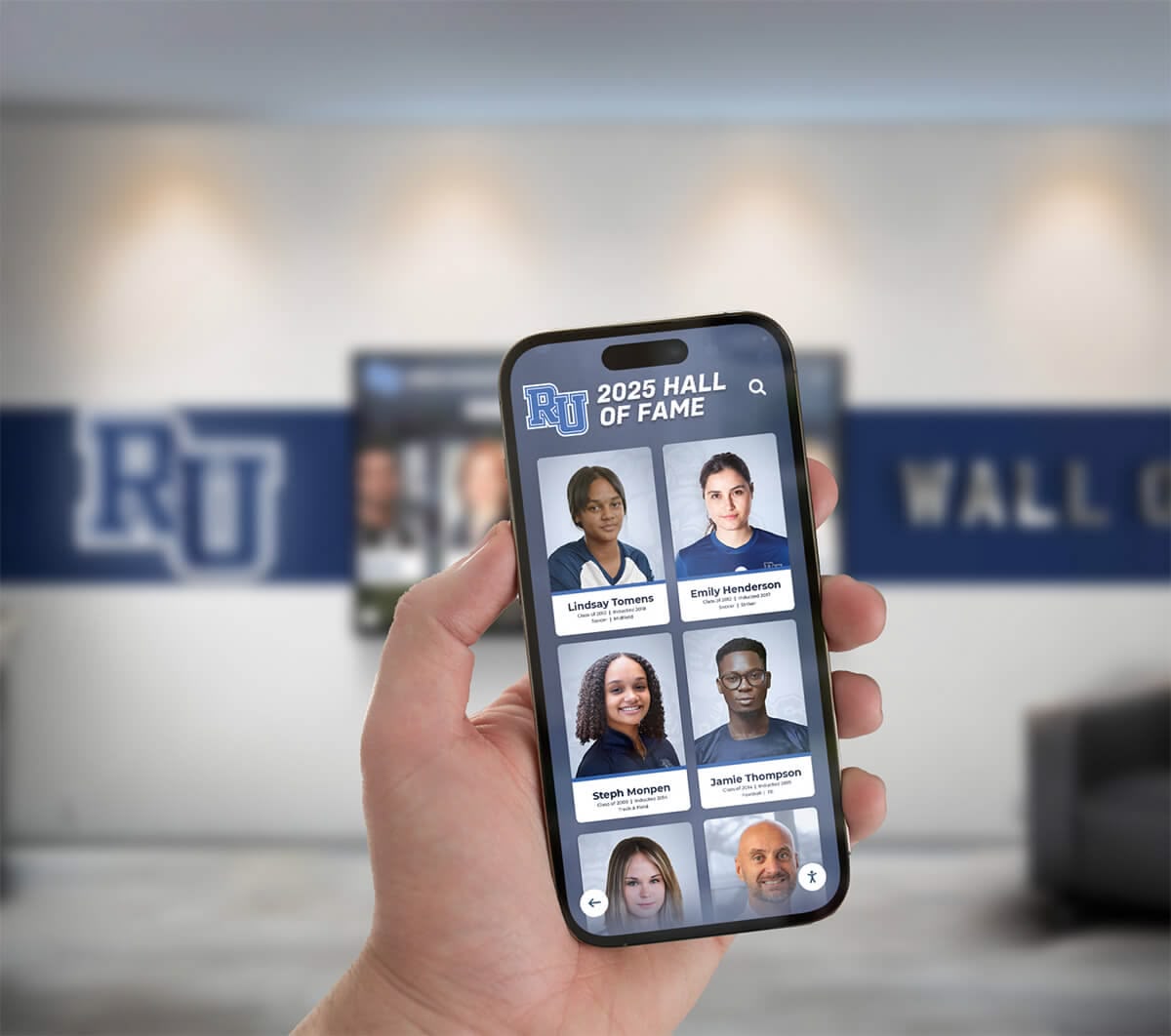
Effective content management enables easy updates across web and mobile platforms
Development and Maintenance Cost Considerations
Long-term costs extend far beyond initial development investments:
Initial Development Investment Web development typically costs 30-50% less than equivalent native development for single platforms, and 60-75% less than multi-platform native development. Organizations with limited budgets or seeking faster time-to-market often favor web approaches reducing initial investment barriers.
However, organizations should consider total cost of ownership including ongoing maintenance, update complexity, and potential performance-related user experience issues rather than focusing solely on upfront costs.
Ongoing Maintenance and Enhancement Costs Native applications maintaining multiple platform-specific codebases require more development resources for ongoing bug fixes, feature additions, and operational support. Web applications concentrate maintenance efforts on single codebases, reducing long-term resource requirements.
Organizations should forecast multi-year costs including regular updates, compatibility maintenance as operating systems evolve, and feature enhancements ensuring recognition systems remain current and engaging.
Developer Resource Availability The abundance of web developers versus specialized native developers affects both initial development and long-term maintenance. Organizations preferring in-house development or relying on local contractor markets may find web development expertise more readily available than native specialists.
Conversely, specialized touchscreen kiosk software companies providing turnkey recognition solutions often maintain expert native development teams, shifting expertise requirements from clients to specialized providers.
Accessibility and Inclusive Design Requirements
Organizations implementing public-facing displays must ensure accessibility for all community members including those with disabilities:
ADA and WCAG Compliance Capabilities Web technologies provide mature accessibility frameworks supporting screen reader compatibility, keyboard navigation, color contrast standards, and ARIA (Accessible Rich Internet Applications) attributes enabling compliance with ADA and WCAG 2.1 AA standards.
Native platforms also support comprehensive accessibility features, but implementation requires platform-specific approaches and expertise. Web-based accessibility frameworks prove more standardized and mature for organizations prioritizing inclusive design.
Solutions like Rocket Alumni Solutions implement WCAG 2.1 AA compliance ensuring recognition displays serve all community members regardless of disability, following best practices from accessible digital recognition implementations.
Mobile and Remote Access Integration Recognition systems often combine physical touchscreen displays with mobile and remote web access enabling alumni, families, and supporters to explore content from any device. Web architectures naturally extend to mobile browsers, while native touchscreen apps require separate mobile app development or web companion platforms.
Organizations should consider whether recognition extends beyond physical displays to include remote access, QR code mobile connections, and social sharing capabilities affecting architecture decisions.
Multi-Language and Internationalization Support International schools, universities with diverse populations, and global organizations implementing multilingual recognition benefit from internationalization frameworks. Both web and native platforms support translation and localization, but web technologies provide more mature internationalization libraries and tools.
Hybrid Approaches and Technology Combinations
Many modern implementations combine web and native technologies leveraging strengths of both approaches.
Web-Based Content with Native Presentation Layers
Sophisticated architectures separate content management from presentation:
Headless CMS and API-Based Architectures Organizations implement web-based content management systems exposing content through APIs that native applications consume. This separation enables intuitive web-based administrative interfaces while native presentation layers deliver optimal touch experiences.
Content managers update recognition profiles, upload media, and schedule publications through familiar web interfaces while physical displays run native applications fetching content via APIs. This hybrid approach optimizes both content management and user experience.
Progressive Web Apps as Middle Ground PWAs represent compelling compromises combining web development advantages with app-like features including offline functionality, installation to home screens, push notifications, and hardware access. Organizations seeking web simplicity with enhanced capabilities increasingly adopt PWA approaches.
Modern PWA capabilities narrow gaps between web and native applications, making PWAs viable for many touchscreen installations that previously required native development.
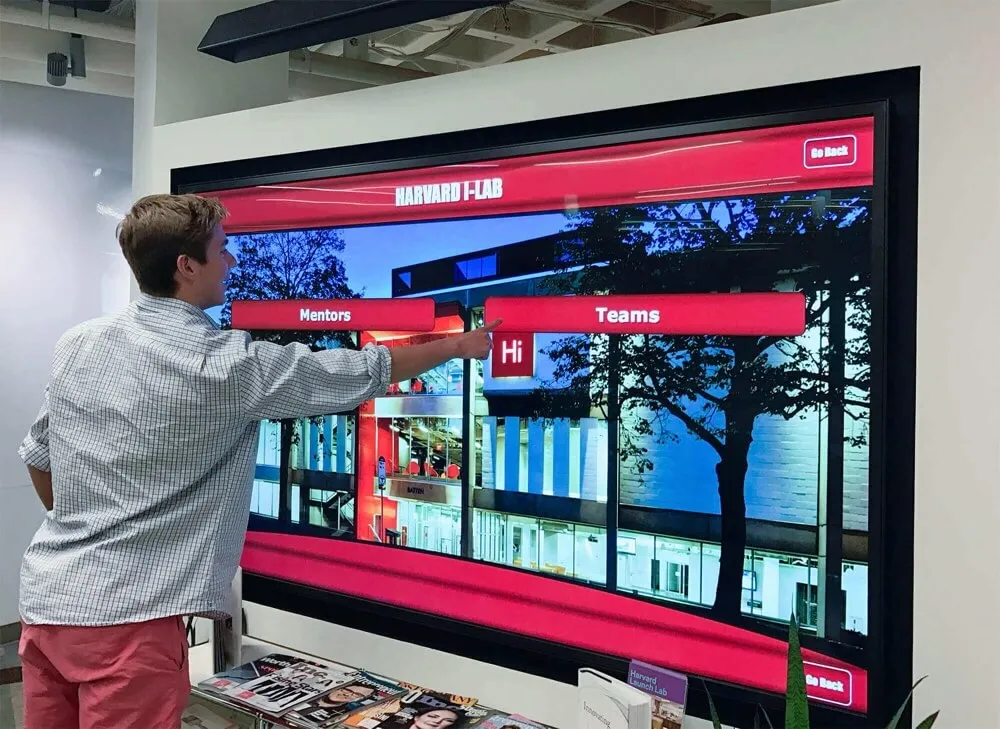
Progressive Web Apps bridge web accessibility with native-like user experiences
Cross-Platform Development Frameworks
Modern frameworks reduce native development complexity through code sharing:
React Native and Flutter Solutions Cross-platform frameworks enable mostly-shared codebases compiling to native applications for iOS, Android, and other platforms. Organizations gain native performance and offline capabilities while reducing platform-specific development through unified codebases.
These frameworks require specialized expertise beyond standard web development but prove less complex than full platform-specific native development. Organizations seeking native advantages with controlled costs should evaluate cross-platform approaches.
Electron and Desktop Web Applications Electron and similar frameworks package web applications as desktop applications combining web development approaches with desktop deployment. While not optimized specifically for touch interfaces, these frameworks enable web developers to create installable desktop applications with native-like distribution.
Organizations comfortable with web development seeking desktop application deployment without learning platform-specific languages may consider Electron approaches for Windows and macOS deployments.
Technology Selection Decision Framework
Choosing between web-based and native touchscreen software requires systematic evaluation of organizational priorities and technical requirements.
Critical Decision Factors
Several factors should guide technology architecture selection:
Performance and User Experience Requirements Organizations prioritizing premium user experiences, sophisticated animations, complex multimedia, or multi-user interactions should favor native applications delivering performance advantages. Less demanding use cases with straightforward interfaces and standard interactions may accept web-based performance tradeoffs.
Network Reliability and Offline Requirements Installations in environments with unreliable connectivity or organizations demanding guaranteed uptime regardless of network status require native offline capabilities or sophisticated PWA implementations. Reliable connectivity environments enable web-based solutions.
Budget and Resource Constraints Limited budgets and faster time-to-market favor web development’s lower costs and simplified deployment. Organizations with larger budgets prioritizing optimal experiences may invest in native development or specialized turnkey solutions from providers like Rocket Alumni Solutions offering expert implementations.
Content Update Frequency and Complexity Frequently changing content, regular inductee additions, and ongoing profile enhancements benefit from web-based architectures’ simplified update processes. Less frequent updates or organizations with robust device management systems may accept native update complexity.
Platform Diversity Requirements Organizations deploying across diverse device types—tablets, kiosks, desktop computers, mobile devices—benefit from web approaches accommodating various platforms through single codebases. Standardized hardware deployments enable native development focused on specific platforms.
Long-Term Maintenance Capabilities Organizations maintaining in-house technical staff should assess whether available expertise matches chosen architectures. Web development skills prove more common, while native expertise remains more specialized. Alternatively, turnkey solutions shift maintenance to specialized providers.

Technology selection should align with organizational capabilities and user experience priorities
Industry-Specific Recommendations
Different organizational contexts favor particular approaches:
Educational Institutions and Schools Schools implementing academic recognition programs or athletic halls of fame typically benefit from web-based or PWA solutions providing simplified content management for non-technical staff, remote update capabilities, and accessibility features. Budget constraints and need for mobile companion access favor web approaches.
Larger institutions with dedicated IT departments and emphasis on premium experiences in high-profile athletic facilities may choose native implementations for flagship installations while using web solutions for secondary displays.
Museums and Cultural Institutions Museums implementing interactive exhibits and visitor engagement kiosks often require sophisticated multi-touch interactions, offline reliability in buildings with poor connectivity, and polished visual experiences favoring native development.
However, museums also value remote accessibility enabling virtual visitors and integrated mobile companion apps guiding on-site experiences, suggesting hybrid approaches combining native kiosk applications with web-based remote access.
Corporate Recognition and Donor Displays Organizations implementing donor recognition systems or corporate achievement displays typically prioritize polished visual presentation, reliable operation, and integration with existing advancement systems. Native applications excel at premium presentations while web-based solutions simplify integration with CRM systems and donor databases.
Athletic Facilities and Sports Recognition Sports organizations implementing interactive record boards and athlete recognition systems require real-time statistical updates, multimedia performance highlights, and engaging browsing experiences that benefit from native performance while needing simplified content management web solutions provide.
Hybrid architectures with web-based content management and native display applications prove particularly effective for athletic applications balancing ease of updates with performance requirements.
The Rocket Alumni Solutions Approach
Rocket Alumni Solutions implements purpose-built recognition platforms optimized specifically for touchscreen displays, halls of fame, and digital recognition systems.
Web-Based Architecture with Touch Optimization
Rocket’s platform leverages web technologies with specific optimizations addressing traditional web limitations:
Purpose-Built Recognition Features Unlike generic digital signage or content management systems adapted for recognition purposes, Rocket Alumni Solutions provides features specifically designed for halls of fame, donor recognition, and achievement celebration. Purpose-built platforms address unique requirements that general-purpose tools overlook.
Touch-Optimized Interface Design While web-based, Rocket interfaces incorporate extensive touch optimization including appropriately sized interactive elements, touch-friendly navigation patterns, gesture recognition for browsing, and visual feedback confirming touch interactions. These optimizations create native-quality touch experiences through web technologies.
WCAG 2.1 AA Accessibility Compliance Rocket Alumni Solutions implements comprehensive accessibility features ensuring recognition serves all community members including those with disabilities. As the only web-based touchscreen platform achieving full WCAG 2.1 AA compliance, Rocket prioritizes inclusive design fundamental to public-facing institutional recognition.
Offline Capability Through Smart Caching While primarily web-based, Rocket implements sophisticated content caching and offline strategies ensuring core functionality continues during temporary connectivity interruptions. This hybrid approach provides web development advantages while addressing reliability concerns.
Unlimited Content Capacity Digital recognition removes space constraints forcing institutions to limit recognition scope. Rocket platforms accommodate unlimited inductees, photos, videos, and content without performance degradation, enabling comprehensive historical archives alongside current recognition.
Remote Content Management for Easy Updates Cloud-based content management enables authorized staff to add inductees, update profiles, upload media, and schedule publications from any internet-connected device without technical expertise. Simplified management proves critical for sustainable long-term operation.
QR Code Mobile Access Integration Physical displays integrate QR codes enabling visitors to continue exploration on personal mobile devices, combining public touchscreen experiences with convenient mobile browsing. This hybrid approach extends engagement beyond fixed installations while accommodating diverse user preferences.
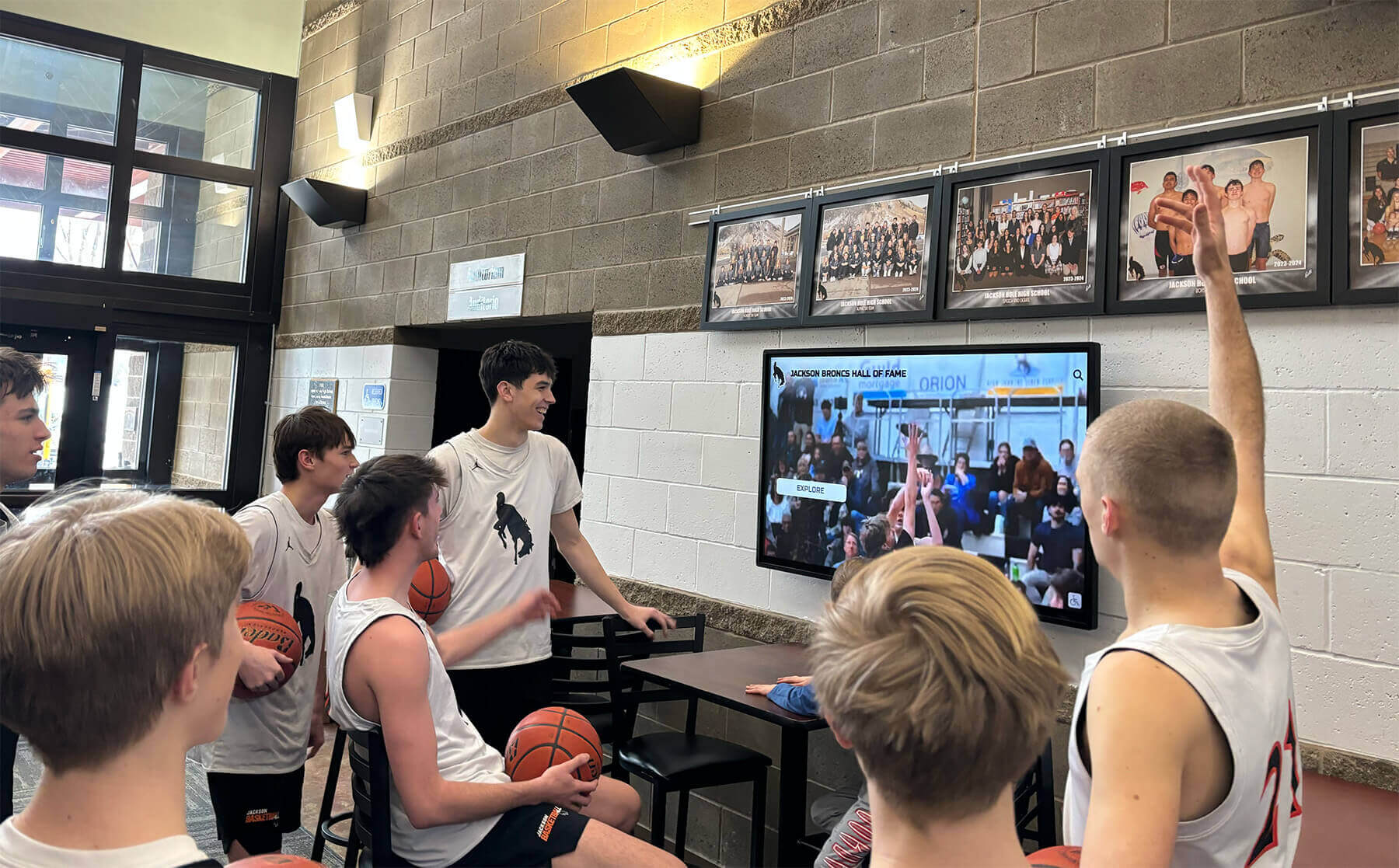
Purpose-built recognition platforms optimize web technologies for engaging touchscreen experiences
Supporting Digital Warming Through Responsive Engagement
Technology architecture serves broader goals of creating warm, engaging digital communities:
Personalized Discovery and Connection Intuitive search, browsing by category, relationship navigation, and featured content rotation create opportunities for personal discovery connecting community members with relevant achievements. This personalized engagement—not possible with static plaques—drives the digital warming effect.
Continuous Content Surfacing Automated content rotation, anniversary highlights, milestone recognition, and featured inductee spotlights ensure all recognized members receive visibility while keeping displays fresh for repeat visitors. Continuous surfacing maintains engagement across extended timeframes.
Multi-Generational Appeal Touchscreen interfaces designed for intuitive interaction accommodate all age groups and technical comfort levels. Familiar browse-and-tap patterns require minimal instruction while supporting sophisticated discovery for engaged users.
Social Amplification and Extended Reach Shareable digital profiles enable recognized members to celebrate achievements with extended networks via social media, email, and messaging. Recognition extends far beyond physical installation locations, building pride and institutional connection among distributed communities.
These engagement features—regardless of underlying web or native architecture—create the digital warming transforming passive recognition into active community connection.
Discover Purpose-Built Recognition Technology
Explore how web-based touchscreen platforms optimized specifically for recognition deliver engaging experiences without native development complexity. See digital warming in action with intuitive, accessible recognition systems.
Schedule Your DemoMaking Your Technology Decision
Selecting touchscreen software architecture requires balancing multiple competing priorities while focusing on long-term success.
Prioritizing User Experience Above Technical Preferences
Technology decisions should serve users rather than technical preferences or familiarity:
Test with Actual Users Prototype both approaches with representative users from your community—students, alumni, visitors—observing interaction patterns, noting frustration points, and gathering feedback about responsiveness and intuitiveness. Direct user testing reveals whether architecture-driven performance differences meaningfully affect user satisfaction.
Evaluate Complete User Journeys Consider entire interaction sequences from initial approach and navigation learning through discovery, content consumption, and sharing. Single-screen performance matters less than cohesive journey quality throughout complete interactions.
Account for Technical Diversity Your community includes technically sophisticated users and those less comfortable with technology. Chosen solutions must accommodate varying comfort levels through intuitive design and forgiving interaction patterns regardless of underlying architecture.
Consider Context and Environment Physical installation environments—lighting conditions, ambient noise, simultaneous users, available space for interaction—affect architecture requirements. High-traffic lobbies with groups interacting simultaneously present different needs than quiet alcove installations supporting contemplative individual browsing.
Planning for Long-Term Evolution
Recognition systems operate for years or decades requiring forward-looking decisions:
Anticipate Content Growth Initial implementations may involve modest inductee numbers, but successful recognition programs accumulate extensive historical archives over years. Ensure chosen architectures scale gracefully accommodating growing content without performance degradation.
Evaluate Update and Enhancement Paths Technology landscapes evolve continuously. Assess how easily chosen architectures accommodate future enhancements, emerging features, changing user expectations, and integration with other institutional systems as capabilities evolve.
Consider Platform Longevity and Support Custom-developed solutions create dependencies on specific development teams and ongoing maintenance commitments. Specialized platform providers like Rocket Alumni Solutions offer sustained support, regular enhancements, and long-term stability reducing risks of abandoned custom solutions.
Budget for Ongoing Operation Beyond initial development, account for realistic ongoing costs including content management staff time, technical support and troubleshooting, periodic hardware updates, software maintenance and updates, and potential feature enhancements maintaining user engagement.
Building Internal Consensus
Technology decisions require stakeholder buy-in ensuring sustainable support:
Engage Key Stakeholders Early Include advancement staff, IT departments, facilities management, content managers, and executive sponsors in architecture discussions ensuring diverse perspectives inform decisions and building commitment to selected approaches.
Demonstrate Real Examples Site visits to similar institutions, vendor demonstrations, proof-of-concept prototypes, and hands-on testing with competing approaches build informed consensus more effectively than theoretical architecture discussions.
Address Concerns and Objections Different stakeholders prioritize different factors—IT departments emphasize security and maintainability, advancement staff prioritize user engagement and ease of updates, executives focus on costs and institutional image. Acknowledge legitimate concerns while guiding toward balanced decisions.
Plan Realistic Implementation Timelines Rushed implementations create problems regardless of architecture. Establish realistic timelines accommodating thorough planning, proper content preparation, adequate testing, and phased rollout strategies building confidence before full deployment.
Conclusion: Choosing Technology Serving Your Mission
The web-based versus native touchscreen software decision significantly impacts user experience, operational efficiency, and long-term costs for interactive recognition displays. However, this choice ultimately serves larger goals—creating engaging digital spaces that warm up cold recognition, building connected communities, and honoring achievements in ways that inspire current and future members.
Native applications deliver superior performance, sophisticated offline capabilities, and polished multi-touch experiences requiring higher development investments and more complex maintenance. Web-based solutions offer simplified deployment, easier updates, lower costs, and cross-platform compatibility while potentially sacrificing performance and offline reliability. Modern Progressive Web Apps increasingly narrow these gaps, combining web development advantages with enhanced native-like capabilities.
The right choice depends on your specific context—available resources, technical capabilities, performance requirements, reliability needs, update frequency expectations, and budget constraints. Educational institutions frequently favor web-based approaches for simplified content management and accessibility features. Museums and cultural installations often choose native solutions for premium experiences and offline reliability. Corporate environments select based on integration requirements and presentation priorities.
Purpose-built recognition platforms like Rocket Alumni Solutions optimize web architectures specifically for touchscreen recognition applications, addressing traditional web limitations through touch-optimized interfaces, offline caching strategies, accessibility compliance, and recognition-specific features. These specialized platforms deliver native-quality experiences through web technologies while maintaining simplified deployment and management web approaches provide.
Regardless of architecture, successful touchscreen recognition systems share common attributes—intuitive navigation enabling easy discovery, comprehensive content celebrating achievements thoroughly, responsive interactions encouraging exploration, accessible design serving all community members, and simplified content management ensuring sustainable long-term operation.
Your technology architecture should fade into the background, enabling community members to focus on discovering achievements, connecting with personal stories, and experiencing the digital warming that transforms cold digital displays into vibrant community spaces. Whether through web-based solutions, native applications, or hybrid approaches, chosen technologies must serve this fundamental mission—creating recognition experiences that honor excellence while building the engaged, connected communities where members feel valued and motivated to maintain lifelong relationships.
When evaluating options, prioritize user experience over technical elegance, plan for multi-year operational realities beyond initial implementations, and select partners or platforms committed to ongoing innovation ensuring your recognition system remains engaging and current for years to come.
Ready to explore purpose-built touchscreen recognition solutions? Learn about interactive touchscreen software implementations or discover best practices for Mac-based touchscreen systems in educational and institutional environments.































